Containerized applications need more than a place to run. They need a reliable way to start, stop, scale, update, and recover across machines.
That is where container orchestration helps. It coordinates containers and the infrastructure they use. It can also reduce manual work when applications grow.
Kubernetes is the best-known open-source orchestration platform. But it is not the only option. Some tools manage Kubernetes clusters, while others offer their own container scheduling systems.
This guide compares ten relevant platforms and tools. It explains what each one does, where it fits, and what teams should consider before choosing it.
What Does a Container Orchestration Tool Do?
A container is a package that holds an application and its needs. It helps the application run in a steady way across systems.
But running containers across many machines takes careful planning. Teams must manage several tasks:
- Deployment: Start containers on suitable machines.
- Scaling: Add or remove copies as demand changes.
- Scheduling: Place workloads where resources are available.
- Recovery: Restart or replace failed workloads.
- Networking: Let containers and services communicate.
- Updates: Release new versions with less disruption.
- Resource control: Set limits for CPU and memory use.
Kubernetes uses a desired-state model. Teams describe how an application should run. The platform works to keep the real setup close to that plan. It can restart failed containers and scale workloads when configured to do so. Kubernetes+1
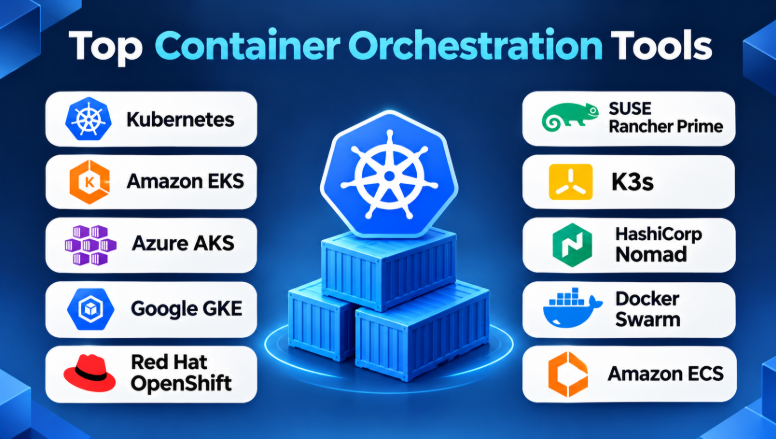
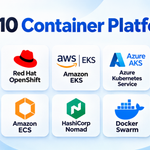
Top 10 Container Orchestration Tools
The tools below serve different needs. Some provide Kubernetes. Others manage Kubernetes clusters or offer a separate way to schedule containers.
1. Kubernetes
Kubernetes is an open-source platform for managing containerized applications. It helps teams deploy, scale, update, and recover workloads across a cluster.
It uses objects such as Pods, Deployments, Services, and StatefulSets. These objects let teams describe how applications should run.
Key features
- Schedules containers across cluster machines.
- Restarts failed containers and replaces failed Pods.
- Supports service discovery and load balancing.
- Offers automatic scaling when teams configure it.
- Supports persistent storage through storage integrations.
- Uses APIs and extensions for custom platform needs.
Pros
- Open-source and widely supported.
- Works across cloud and on-premises environments.
- Offers a large ecosystem of tools and extensions.
- Supports many kinds of container workloads.
Cons
- Takes time to learn and operate.
- Needs extra tools for many platform services.
- Cluster upgrades and security need careful planning.
- Can add too much work for small applications.
Best for: Teams that need a flexible orchestration platform and can support its operational needs.
2. Amazon Elastic Kubernetes Service (EKS)
Amazon EKS is AWS’s managed Kubernetes service. AWS manages the Kubernetes control plane, while teams manage their applications and selected infrastructure tasks.
EKS supports different ways to run workloads. Teams can use EC2 worker nodes or AWS Fargate. EKS Auto Mode can also automate more infrastructure tasks, including node management. Amazon EKS+1
Key features
- Managed Kubernetes control plane.
- Integration with AWS identity and networking services.
- Support for EC2 and Fargate workloads.
- EKS Auto Mode for more automated infrastructure management.
- Access to the Kubernetes API and ecosystem.
Pros
- Reduces control-plane management work.
- Fits well with existing AWS environments.
- Supports standard Kubernetes tools and workflows.
- Offers more than one compute approach.
Cons
- Requires Kubernetes knowledge.
- AWS networking and permissions can take time to learn.
- Compute, storage, traffic, and other services add costs.
- Teams still manage application operations.
Best for: Organizations that use AWS and want managed Kubernetes for container workloads.
3. Azure Kubernetes Service (AKS)
Azure Kubernetes Service (AKS) is Microsoft’s managed Kubernetes service. It helps teams run container applications on Azure.
AKS offers Automatic and Standard operating modes. Automatic manages more infrastructure tasks for the team. Standard gives platform teams more control over node pools and cluster settings. Microsoft Learn+1
Key features
- Managed Kubernetes control plane.
- Automatic and Standard cluster modes.
- Integration with Azure identity and monitoring services.
- Support for scaling and node pool management.
- Options for network and storage integration.
Pros
- Fits organizations that already use Azure.
- Automatic mode can reduce routine work.
- Standard mode offers more infrastructure control.
- Uses familiar Kubernetes tools and APIs.
Cons
- Azure-specific services can increase platform dependence.
- Standard clusters need more hands-on management.
- Teams still need Kubernetes skills.
- Costs depend on nodes, storage, network, and related services.
Best for: Teams that use Microsoft Azure and want managed Kubernetes with different levels of control.
4. Google Kubernetes Engine (GKE)
Google Kubernetes Engine (GKE) is Google’s managed Kubernetes service. It offers Autopilot and Standard modes.
Autopilot lets Google manage more infrastructure settings. Standard gives teams more control over nodes and cluster configuration. Google Cloud Documentation+2
Key features
- Managed Kubernetes service on Google Cloud.
- Autopilot mode for managed infrastructure.
- Standard mode for direct node control.
- Automated node scaling in Autopilot.
- Integration with Google Cloud services.
Pros
- Reduces infrastructure work in Autopilot mode.
- Provides a choice between managed and controlled operation.
- Uses the Kubernetes ecosystem.
- Fits teams already using Google Cloud.
Cons
- Some workloads may need Standard mode.
- Autopilot has limits on certain node-level settings.
- Google Cloud knowledge helps with setup.
- Teams must review costs across compute and connected services.
Best for: Teams that want managed Kubernetes on Google Cloud, with a choice of infrastructure control.
5. Red Hat OpenShift
Red Hat OpenShift is an enterprise platform built around Kubernetes. It adds tools and services for application development and cluster operations.
OpenShift includes platform features for areas such as deployment, monitoring, networking, and security. It also uses Operators to manage the life cycle of platform components.
This makes it more than a basic Kubernetes installation. It gives organizations a more integrated application platform.
Key features
- Kubernetes-based container management.
- Integrated developer and operations tools.
- Operator-based lifecycle management.
- Security and access control features.
- Deployment choices across supported infrastructure environments.
Pros
- Offers a broad enterprise platform.
- Combines many platform services.
- Supports consistent application workflows.
- Provides commercial support options.
Cons
- Has more components to learn and manage.
- May cost more than a basic open-source setup.
- Some teams may not need its full feature set.
- Platform requirements should be checked before deployment.
Best for: Enterprises that want an integrated Kubernetes platform with vendor support.
6. SUSE Rancher Prime
SUSE Rancher Prime helps teams manage Kubernetes clusters from one place. It can manage clusters across cloud, data centers, and edge sites.
It supports SUSE’s RKE2 and K3s distributions. It can also manage supported Kubernetes services such as EKS, AKS, and GKE. SUSE® Rancher Manager v2.15+1
Rancher is not a replacement for Kubernetes. It is a management layer for teams that already run Kubernetes clusters.
Key features
- Central cluster management.
- Support for multiple Kubernetes distributions.
- Access control and policy management.
- Cluster provisioning and monitoring features.
- Management across cloud, data center, and edge.
Pros
- Helps manage many clusters from one console.
- Supports different Kubernetes environments.
- Useful for hybrid infrastructure.
- Offers enterprise support through SUSE.
Cons
- Adds another platform to operate.
- Teams still need to manage the clusters underneath.
- Setup can be complex in large environments.
- Some enterprise capabilities depend on the chosen offering.
Best for: Platform teams that manage Kubernetes clusters across many locations or providers.
7. K3s
K3s is a lightweight Kubernetes distribution. It is designed for environments where a full-sized Kubernetes setup may be too heavy.
It is useful for edge sites, small servers, labs, and development environments. It keeps the Kubernetes API model while reducing the footprint of the distribution.
Key features
- Lightweight Kubernetes distribution.
- Designed for small and edge environments.
- Supports common Kubernetes workloads.
- Can run on resource-limited machines.
- Works with the wider Kubernetes ecosystem.
Pros
- Needs fewer resources than many standard setups.
- Useful for remote and edge locations.
- Keeps familiar Kubernetes concepts.
- Good for small test environments.
Cons
- Still requires Kubernetes knowledge.
- Small hardware can limit workload capacity.
- Teams must plan updates and backups.
- Not every large enterprise setup will suit its design.
Best for: Developers and teams that need Kubernetes on small servers or edge devices.
8. HashiCorp Nomad
HashiCorp Nomad is a workload scheduler and orchestrator. It can manage containers as well as applications that do not run in containers.
This makes Nomad different from Kubernetes. Teams can use one scheduler for container workloads, batch jobs, and other applications. HashiCorp Developer+1
Nomad may suit organizations that want a simpler scheduling model or need to manage mixed workloads.
Key features
- Schedules container and non-container workloads.
- Supports batch jobs and long-running services.
- Runs across cloud and on-premises systems.
- Uses job files to describe workloads.
- Integrates with other HashiCorp tools.
Pros
- Supports more than container workloads.
- Can fit mixed application environments.
- Offers a flexible scheduling model.
- Useful for teams that do not need the full Kubernetes ecosystem.
Cons
- Does not provide the same Kubernetes API ecosystem.
- Some platform features need separate tools.
- Teams must learn its job and service model.
- May not fit systems built around Kubernetes-only tooling.
Best for: Teams that want one scheduler for containers, batch jobs, and other workloads.
9. Docker Swarm
Docker Swarm mode is built into Docker Engine. It lets teams group Docker hosts into a cluster and manage services across them.
It supports service scaling, service discovery, load balancing, and rolling updates. Teams can use the Docker CLI to manage a swarm. Docker Docs+1
Swarm can be easier to approach for teams already familiar with Docker. But it does not offer the same broad ecosystem as Kubernetes.
Key features
- Cluster management built into Docker Engine.
- Service scaling across hosts.
- Built-in service discovery.
- Overlay networking.
- Rolling updates and rollback support.
Pros
- Simple to start for Docker users.
- Uses familiar Docker commands.
- Provides basic multi-host orchestration.
- Does not need a separate orchestration product.
Cons
- Smaller ecosystem than Kubernetes.
- Fewer advanced platform options.
- May not suit complex enterprise environments.
- Teams should assess long-term project needs before adoption.
Best for: Small teams that need basic orchestration across Docker hosts.
10. Amazon Elastic Container Service (ECS)
Amazon ECS is AWS’s managed container orchestration service. It is not a Kubernetes distribution. It uses its own service and task model to run container applications.
Teams can run ECS tasks on EC2 instances or use AWS Fargate. ECS also connects with AWS services such as Elastic Load Balancing and Amazon Elastic Container Registry. Amazon Elastic Container Service
ECS is worth considering when an organization uses AWS and does not need the Kubernetes API.
Key features
- Managed container orchestration.
- Task and service-based deployment.
- Support for EC2 and Fargate.
- Integration with AWS networking and identity.
- Service scaling and load balancing options.
Pros
- Avoids the need to operate Kubernetes.
- Fits closely with AWS services.
- Supports serverless container workloads through Fargate.
- Provides a clear model for running services and tasks.
Cons
- Ties orchestration to AWS.
- Does not use Kubernetes APIs.
- Teams moving from Kubernetes may need to change deployment workflows.
- AWS service costs still need careful planning.
Best for: AWS-focused teams that want container orchestration without adopting Kubernetes.
Container Orchestration Tools Comparison
The table below shows how the options differ. It does not rank them because they solve different problems.
| Tool | Main Type | Main Strength | Best Use |
|---|---|---|---|
| Kubernetes | Open-source orchestrator | Flexible and broad ecosystem | Custom container platforms |
| Amazon EKS | Managed Kubernetes | AWS integration | Kubernetes workloads on AWS |
| Azure AKS | Managed Kubernetes | Azure integration and operating modes | Kubernetes workloads on Azure |
| Google GKE | Managed Kubernetes | Autopilot and Standard modes | Kubernetes workloads on Google Cloud |
| Red Hat OpenShift | Enterprise Kubernetes platform | Integrated platform services | Enterprise application platforms |
| SUSE Rancher Prime | Kubernetes management | Multi-cluster operations | Managing clusters across environments |
| K3s | Lightweight Kubernetes | Small resource footprint | Edge and small clusters |
| HashiCorp Nomad | Workload orchestrator | Containers and non-container workloads | Mixed workload scheduling |
| Docker Swarm | Container orchestrator | Docker Engine integration | Smaller Docker-based clusters |
| Amazon ECS | Managed container orchestrator | AWS-native task and service model | AWS-only container applications |
Which Container Orchestration Tool Is Right for You?
The right choice depends on your workloads, team skills, infrastructure, and need for control.
For beginners and learners
Kubernetes is a useful choice for learning modern container orchestration. It teaches core ideas such as Pods, Services, Deployments, and cluster management.
K3s is another option when you have limited hardware. It provides a lighter way to explore Kubernetes.
For AWS users
Choose Amazon EKS if you need Kubernetes APIs and tools. Choose Amazon ECS if you want an AWS-native service without Kubernetes.
ECS may be easier to operate for teams with simple AWS container needs. EKS may fit better when Kubernetes compatibility matters.
For Microsoft Azure users
AKS is a natural option for teams already using Azure. Its Automatic mode reduces some infrastructure work. Standard mode gives teams more direct control.
For Google Cloud users
GKE offers managed Kubernetes with Autopilot and Standard modes. Autopilot reduces node management work. Standard provides more control over infrastructure.
For large enterprises
Red Hat OpenShift may suit teams that want an integrated application platform. SUSE Rancher Prime may suit teams that need to manage clusters across different environments.
These products solve different problems. OpenShift provides a broader platform. Rancher focuses on managing Kubernetes clusters.
For mixed application workloads
HashiCorp Nomad is worth considering when you need to schedule containers and non-container applications together.
It may be a better fit than Kubernetes when your workloads do not need the Kubernetes ecosystem.
For small Docker environments
Docker Swarm can suit teams that need basic cluster management across Docker hosts. It is worth comparing with Kubernetes before building a larger platform.
What Should You Check Before Choosing?
A good product match can still fail if the operating model does not fit your team. Review these points before making a decision.
- Workload needs: Do you run web services, background jobs, databases, or mixed applications?
- Infrastructure: Will the platform run on public cloud, private servers, or edge devices?
- Team skills: Does your team have Kubernetes and infrastructure experience?
- Control: Do you want to manage nodes, or should a provider handle more tasks?
- Security: Can you control access, secrets, images, and network traffic?
- Storage: Can the platform support your data and backup needs?
- Monitoring: Can your team find and fix problems quickly?
- Scaling: Can the system handle changes in demand?
- Migration: Can you move workloads if your needs change?
- Total cost: Have you included compute, storage, network, support, and staff time?
Do not compare tools only by their service price. The time needed to operate a platform can matter just as much.
Common Questions About Container Orchestration
Is Kubernetes the same as Docker?
No. Docker provides tools to build and run containers. Kubernetes manages containerized workloads across a cluster of machines.
They solve related but different problems. Teams can use Docker-built images with Kubernetes.
Is Kubernetes free to use?
The Kubernetes project is open source. However, running a cluster still costs money.
You may pay for servers, storage, networking, monitoring, support, and engineering time. Managed cloud services may also charge for their infrastructure and service features.
Is Kubernetes better than Docker Swarm?
Neither is best for every team. Kubernetes offers a larger ecosystem and more platform options. Docker Swarm provides simpler cluster management within Docker Engine.
Choose based on workload needs, team skills, and long-term plans.
What is the difference between EKS, AKS, and GKE?
All three are managed Kubernetes services. EKS runs on AWS, AKS runs on Azure, and GKE runs on Google Cloud.
Their infrastructure options, management features, integrations, and costs differ. Compare the service modes and responsibilities before choosing one.
Can Kubernetes run on local machines?
Yes. Developers can use local Kubernetes tools to learn and test workloads. Local clusters are useful for development, but they do not replace production planning.
Do small businesses need Kubernetes?
Not always. A small business with a few simple applications may find a basic container service easier to manage.
Kubernetes becomes more useful when deployment, scaling, recovery, and multi-machine management justify its extra work.
What is the difference between Kubernetes and container orchestration?
Container orchestration is the general practice of managing containers across systems. Kubernetes is one platform that provides this capability.
Other tools, such as Nomad, Docker Swarm, and Amazon ECS, use different models to manage workloads.
Final Thoughts
Container orchestration can make application operations more reliable. But the right platform depends on how much control and complexity your team can handle.
Kubernetes offers flexibility and a broad ecosystem. EKS, AKS, and GKE reduce some control-plane work. OpenShift adds an enterprise platform. Rancher helps manage multiple clusters. K3s supports smaller deployments, while Nomad, Swarm, and ECS offer different orchestration models.
Start with your real workload, not a product ranking. Test deployment, scaling, recovery, security, and cost in a small pilot. Choose the platform your team can operate well as the system grows.


Leave a Reply
You must be logged in to post a comment.