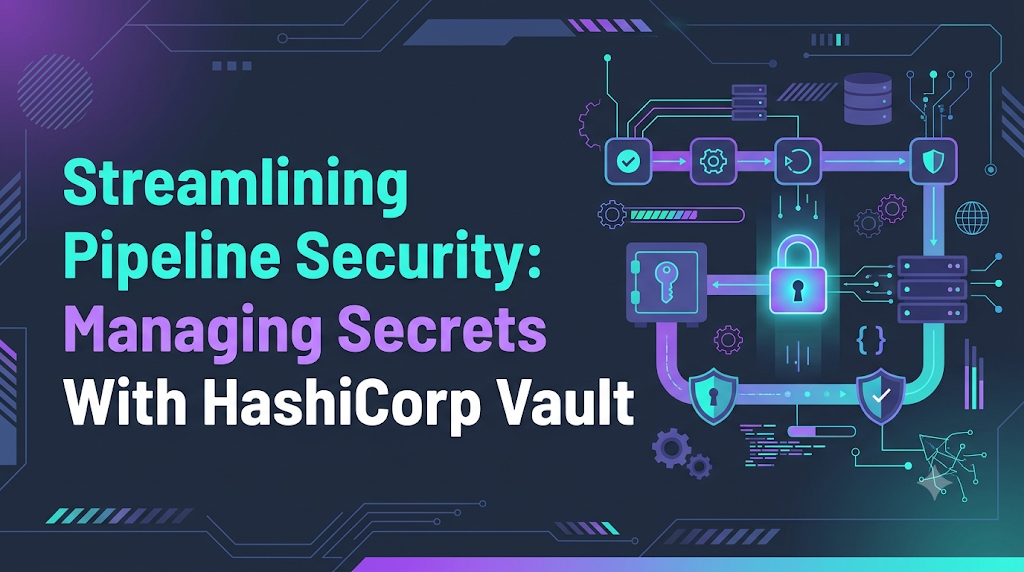
Automated software delivery pipelines frequently act as an unintentional gateway for severe security breaches when sensitive database credentials, API tokens, or cloud access keys slip into execution logs, job artifacts, or unencrypted configuration repositories. When automated build and deployment tasks require broad administrative access to downstream infrastructure, relying on naive safeguards like platform environment variables or static configuration files leaves systems vulnerable to widespread lateral movement and unmonitored data exposure. Centralizing credentials within an identity-driven secrets engine like HashiCorp Vault transforms this fragile workflow into an auditable, least-privilege ecosystem where credentials are short-lived, centrally governed, and issued dynamically. For engineering and platform teams seeking to strengthen their continuous delivery workflows, educational platforms such as DevOpsSchool provide structured training and real-world guidance to master modern DevSecOps methodologies and secure automation pipelines.
The Anatomy of Operational Secrets and Why Classification Matters
A secret represents any digital artifact establishing programmatic identity, granting access rights, or decrypting sensitive information. Within continuous delivery pipelines and distributed microservice architectures, secrets fall into several distinct tiers:
- Data Tier Credentials: Database usernames, administrative passwords, connection strings, and cache authentication keys.
- Service Integrations: Third-party API keys, webhook signing secrets, and external SaaS tokens.
- Infrastructure Identities: Cloud IAM access credentials, service account keys, and cross-account assumption tokens.
- Cryptographic Materials: TLS/mTLS private keys, SSH deployment keys, and symmetric encryption keys used for database field-level encryption.
- Orchestration Tokens: Kubernetes service account credentials, container registry pull secrets, and cluster bootstrap tokens.
Secret Classification Framework
Rather than treating every credential identically, engineering teams must evaluate secrets against four core criteria:
| Evaluation Criteria | Operational Focus | Implementation Requirement |
| Sensitivity Level | Impact of disclosure (Confidential, Critical) | Strict policy boundaries, auto-unseal controls, isolated storage paths |
| Lifecycle Phase | Pipeline build-time vs. service runtime | Ephemeral runner authorization vs. persistent sidecar volume injection |
| Ownership | Security, platform, or product squads | Scoped paths with self-service delegated administration |
| Validity Window | Ephemeral (minutes) vs. persistent (months) | Dynamic credential engines vs. versioned KV engine rotation |
Architectural Foundations of HashiCorp Vault
HashiCorp Vault serves as an identity-centric secrets management engine that handles encryption, policy enforcement, secret generation, and auditing through a unified API.
       [ Client Request: Pipeline Runner / K8s Workload ]
                               |
                               v
               +-------------------------------+
               |   Authentication Engine       | (AppRole, OIDC, K8s)
               +-------------------------------+
                               |
                               v
               +-------------------------------+
               |   Policy Engine & ACLs        | (Default Deny)
               +-------------------------------+
                               |
                               v
               +-------------------------------+
               |   Secrets Engines             | (KV-v2, Dynamic DB, PKI)
               +-------------------------------+
                               |
                               v
               +-------------------------------+
               |   Cryptographic Barrier       | (AES-256-GCM)
               +-------------------------------+
                               |
                               v
               +-------------------------------+
               |   Integrated Raft Storage     | (HA Consensus)
               +-------------------------------+
                               |
                               +---> [ Encrypted Audit Device (HMAC) ]
Core Components
- Integrated Raft Storage: Modern production deployments utilize Raft consensus rather than external data stores, hosting data in an active/standby high-availability cluster directly inside the Vault process.
- Cryptographic Barrier: All persistent records undergo symmetric 256-bit AES-GCM encryption before storage. Decrypted records exist solely within volatile process memory.
- Pluggable Secrets Engines: Vault exposes modular backends mounted at explicit paths, separating static key-value storage (
kv-v2) from on-demand generators (database engines, cloud IAM credentials, dynamic PKI certificates). - Identity and Authentication Plugins: Decouples human and automated entities from fixed tokens, allowing pipelines to prove identity via OpenID Connect (OIDC), Kubernetes service accounts, or AppRole pairs.
- Audit Subsystem: Guarantees that every API request and response is committed to secure storage (syslog, disk, or remote collector) with sensitive strings protected by salted HMAC-SHA256 hashing.
Auto-Unseal Mechanics
In production, relying on manual Shamir key assemblies during node reboots creates unacceptable downtime. Modern deployments leverage Auto-Unseal backed by cloud Key Management Services (AWS KMS, Azure Key Vault, or Google Cloud KMS) or Hardware Security Modules (HSMs). The cloud KMS decrypts Vault’s master key envelope at boot time, enabling hands-off instance recovery while maintaining unseal recovery keys securely for disaster restoration.
Enforcing Scoped Authorization: Access Control Policies
Vault enforces security through strict default-deny policies written in HashiCorp Configuration Language (HCL). When an automated entity authenticates, its resulting token inherits only the capabilities explicitly listed in attached policies.
Production Delivery Pipeline Policy
This policy grants a continuous deployment runner access to fetch versioned application settings and acquire temporary schema migration database credentials, while prohibiting access to root configurations:
Terraform
# Read application secrets for order management in staging
path "secret/data/staging/orders/*" {
  capabilities = ["read"]
}

# Inspect version metadata for rollback checks
path "secret/metadata/staging/orders/*" {
  capabilities = ["read", "list"]
}

# Generate dynamic database credentials for pipeline migrations
path "database/creds/orders-migration-role" {
  capabilities = ["read"]
}

# Permit runner to lookup and renew its assigned token lease
path "auth/token/lookup-self" {
  capabilities = ["read"]
}

path "auth/token/renew-self" {
  capabilities = ["update"]
}

# Explicitly isolate and protect sensitive infrastructure infrastructure keys
path "secret/data/staging/infrastructure/*" {
  capabilities = ["deny"]
}
Operational Comparison: Static Keys vs. Dynamic Credentials
  STATIC CREDENTIAL LIFECYCLE
  [Created Manually] ---> [Stored in Vault] ---> [Shared Across Services] ---> [Permanent Risk If Leaked]

  DYNAMIC CREDENTIAL LIFECYCLE
  [Pipeline Requests Credential]
                |
                v
  [Vault Generates Unique Role on Target DB]
                |
                v
  [Pipeline Executes Task with Short Lease]
                |
                v
  [Lease Expires -> Vault Automatically Executes DROP USER]
Static Secrets
Static secrets are values persisted inside Vault’s Key-Value store that remain fixed until updated. While Vault manages versioning, rollback, and access governance for these values, static secrets carry residual risk: if printed to a build trace, they remain valid until an engineer initiates rotation.
Dynamic Secrets
Dynamic secrets do not exist until requested. When authorized automation requests a credential, Vault connects to the downstream target (such as PostgreSQL) with administrative privileges, creates an ephemeral account with a dedicated Time-to-Live (TTL), and hands the credentials to the pipeline.
SQL
-- Vault creates ephemeral user on demand
CREATE USER "v-ci-runner-82f1b" WITH PASSWORD 'T3mp_P@ssw0rd!' VALID UNTIL '2026-11-05 17:30:00';
GRANT order_migration_role TO "v-ci-runner-82f1b";
Once the operation finishes or the lease reaches its expiration window, Vault automatically executes revocation:
SQL
-- Vault tears down credentials when lease expires
REVOKE ALL PRIVILEGES ON ALL TABLES IN SCHEMA public FROM "v-ci-runner-82f1b";
DROP USER "v-ci-runner-82f1b";
Integrating Vault With CI/CD Pipelines: OIDC Identity Federation
Hardcoding long-lived access tokens inside continuous delivery platforms defeats the purpose of centralized secrets management. Modern pipelines authenticate using OpenID Connect (OIDC) Federation, establishing cryptographic trust between the CI/CD runner and the Vault server.
Automated Deployment Workflow (GitHub Actions)
YAML
name: Continuous Deployment Pipeline

on:
  push:
    branches:
      - production

permissions:
  id-token: write
  contents: read

jobs:
  deploy:
    runs-on: ubuntu-latest
    steps:
      - name: Checkout Repository
        uses: actions/checkout@v4

      - name: Authenticate with Vault and Fetch Secrets
        uses: hashicorp/vault-action@v3
        with:
          url: https://vault.internal.net:8200
          role: github-actions-deployment-role
          method: jwt
          path: jwt
          secrets: |
            secret/data/production/orders api_gateway_key | API_KEY ;
            database/creds/orders-migration-role username | RUNNER_DB_USER ;
            database/creds/orders-migration-role password | RUNNER_DB_PASS

      - name: Execute Migration & Service Update
        env:
          DB_HOST: "orders-db.internal.net"
          DB_USER: ${{ env.RUNNER_DB_USER }}
          DB_PASSWORD: ${{ env.RUNNER_DB_PASS }}
          GATEWAY_KEY: ${{ env.API_KEY }}
        run: |
          echo "Executing migration tasks..."
          python3 run_migrations.py --host "$DB_HOST"
          echo "Deployment step completed."
In this architecture, the runner requests an ephemeral signed token from GitHub’s OIDC issuer, Vault validates the claims (repository identity, commit branch), generates a short-lived token, delivers the secrets directly into memory, and masks those values from standard build outputs.
Delivering Secrets to Kubernetes Workloads
For applications deployed on Kubernetes, hardcoding secrets in YAML files or baking them into images creates significant exposure risks. The Vault Agent Injector pattern decouples workloads from direct Vault SDK dependencies by leveraging Kubernetes Mutating Admission Webhooks.
+---------------------------------------------------------------------------------+
| KUBERNETES POD RUNTIME                                                          |
|                                                                                 |
|   +-----------------------+                    +----------------------------+   |
|   | Application Container |                    | Vault Agent Sidecar        |   |
|   +-----------------------+                    +----------------------------+   |
|               ^                                              |                  |
|               | (Reads credentials in memory)                | (Authenticates & |
|               |                                              |  injects files)  |
|               +----------- [ Shared Memory Volume ] <--------+                  |
|                            (emptyDir: medium: Memory)                           |
|                            /vault/secrets/database.env                          |
+---------------------------------------------------------------------------------+
                                       |
                   ServiceAccount JWT  v
                         +-----------------------------+
                         | HashiCorp Vault Server      |
                         +-----------------------------+
Production Pod Manifest
The following manifest mounts an ephemeral in-memory configuration file via the Vault Agent:
YAML
apiVersion: apps/v1
kind: Deployment
metadata:
  name: orders-api
  namespace: services
spec:
  replicas: 2
  selector:
    matchLabels:
      app: orders-api
  template:
    metadata:
      labels:
        app: orders-api
      annotations:
        vault.hashicorp.com/agent-inject: "true"
        vault.hashicorp.com/role: "orders-api-role"
        vault.hashicorp.com/agent-inject-secret-database.env: "database/creds/orders-api-role"
        vault.hashicorp.com/agent-inject-template-database.env: |
          {{- with secret "database/creds/orders-api-role" -}}
          DATABASE_USER="{{ .Data.username }}"
          DATABASE_PASSWORD="{{ .Data.password }}"
          {{- end -}}
    spec:
      serviceAccountName: orders-api-sa
      containers:
        - name: app
          image: internal-registry.example.com/orders:v1.2.0
          command: ["/bin/sh", "-c"]
          args: [". /vault/secrets/database.env && exec /app/server"]
          ports:
            - containerPort: 8080
          resources:
            requests:
              cpu: 100m
              memory: 128Mi
Pipeline Security Controls: Defense-in-Depth
Relying on Vault alone does not secure an inherently misconfigured deployment pipeline. Comprehensive secret governance requires controls across every stage of the software delivery lifecycle:
+------------------+     +--------------------+     +------------------+     +-------------------+
| Developer Workstation | --> | Git Platform Repo  | --> | Pipeline Runner  | --> | Production Server |
| Pre-commit Scanners  |     | Branch Protection  |     | Ephemeral Tmpfs  |     | In-Memory Secrets |
| (Gitleaks, Truffle)  |     | Push Secret Scans  |     | Log Scrubbers    |     | Short Lease TTLs  |
+------------------+     +--------------------+     +------------------+     +-------------------+
- Pre-Commit Gateways: Run developer-side scanning tools (such as Gitleaks or Trufflehog) to block accidental commits of credentials before code reaches remote repositories.
- Repository Guardrails: Enable platform-native secret scanning and restrict runner execution so that forks and pull requests from untrusted contributors cannot access production secrets.
- Log Sanitization: Ensure continuous deployment runners automatically scrub registered secrets from console outputs. Avoid command formulations that serialize credentials into plain process strings (e.g., passing secrets as inline CLI parameters rather than environment variables or standard input).
- Disposable Build Environments: Execute automation exclusively on ephemeral build runners that are destroyed immediately after job termination, preventing credential caching across tasks.
Step-by-Step Hands-On Implementation Lab
This hands-on exercise demonstrates configuring Vault, writing access policies, registering machine credentials, and consuming secrets through an automated bash pipeline script.
Note: This tutorial runs a local Vault instance in development mode (
-dev) for learning purposes. Never use development flags or static root credentials in production environments.
Step 1: Start the Local Vault Instance
Start an ephemeral container running Vault:
Bash
docker run -d \
  --name local-vault \
  -p 8200:8200 \
  -e 'VAULT_DEV_ROOT_TOKEN_ID=dev-root-token' \
  -e 'VAULT_DEV_LISTEN_ADDRESS=0.0.0.0:8200' \
  hashicorp/vault:latest
Set environment variables locally to target the container:
Bash
export VAULT_ADDR="http://127.0.0.1:8200"
export VAULT_TOKEN="dev-root-token"
Verify that the server is operational:
Bash
docker exec -it local-vault vault status
Step 2: Enable the Versioned KV Engine
Mount a kv-v2 secrets engine at pipeline-store:
Bash
docker exec -it local-vault vault secrets enable -path=pipeline-store kv-v2
Step 3: Populate Mock Service Secrets
Store mock configuration parameters:
Bash
docker exec -it local-vault vault kv put pipeline-store/apps/orders \
  api_key="sec_mock_49102847592" \
  encryption_salt="7d98a2e1f409"
Step 4: Write and Apply the Access Policy
Create a file named runner-policy.hcl:
Terraform
path "pipeline-store/data/apps/orders" {
  capabilities = ["read"]
}
Upload this policy to Vault:
Bash
docker exec -i local-vault vault policy write runner-policy - < runner-policy.hcl
Step 5: Configure AppRole Authentication
Enable the AppRole engine and create a role bound to the newly uploaded policy:
Bash
docker exec -it local-vault vault auth enable approle

docker exec -it local-vault vault write auth/approle/role/ci-runner \
  token_policies="runner-policy" \
  token_ttl=10m \
  token_max_ttl=20m \
  secret_id_ttl=15m
Retrieve the credentials needed for authentication:
Bash
RUNNER_ROLE_ID=$(docker exec -it local-vault vault read -field=role_id auth/approle/role/ci-runner/role-id)
RUNNER_SECRET_ID=$(docker exec -it local-vault vault write -f -field=secret_id auth/approle/role/ci-runner/secret-id)
Step 6: Execute Automated Retrieval and Cleanup
Run an automated pipeline script that acquires a token, pulls the application secret, executes a simulated task, and revokes its own access:
Bash
#!/usr/bin/env bash
set -euo pipefail

# 1. Authenticate with Vault
LOGIN_PAYLOAD=$(curl -s --request POST \
  --data "{\"role_id\":\"${RUNNER_ROLE_ID}\",\"secret_id\":\"${RUNNER_SECRET_ID}\"}" \
  http://127.0.0.1:8200/v1/auth/approle/login)

ASSIGNED_TOKEN=$(echo "${LOGIN_PAYLOAD}" | jq -r .auth.client_token)

# 2. Retrieve Secrets
FETCHED_DATA=$(curl -s --header "X-Vault-Token: ${ASSIGNED_TOKEN}" \
  http://127.0.0.1:8200/v1/pipeline-store/data/apps/orders)

RETRIEVED_KEY=$(echo "${FETCHED_DATA}" | jq -r .data.data.api_key)

# 3. Use Secret in Memory
echo "[INFO] Secret successfully fetched into volatile memory."
echo "Application key length: ${#RETRIEVED_KEY} characters."

# 4. Immediate Revocation
curl -s --header "X-Vault-Token: ${ASSIGNED_TOKEN}" \
  --request POST http://127.0.0.1:8200/v1/auth/token/revoke-self

echo "[SUCCESS] Ephemeral token revoked. Pipeline complete."
Step 7: Teardown Lab Container
Clean up the local development container:
Bash
docker stop local-vault && docker rm local-vault
rm -f runner-policy.hcl
Diagnosing Common Pipeline Integration Failures
Pipeline Access Issue
       │
       ├─► 403 Forbidden
       │     ├─► Check KV-v2 Path (missing "data/" segment in policy)
       │     └─► Check Token TTL (pipeline runtime exceeded token validity)
       │
       ├─► TLS Handshake Error
       │     └─► Runner missing internal root CA bundle in trust store
       │
       └─► Dynamic Credential Timeout
             ├─► Network firewall blocking Vault-to-Database port (e.g., 5432)
             └─► Administrative account in Vault missing CREATEROLE permissions
- HTTP 403 (Permission Denied): Common when querying versioned KV engines. If accessing
pipeline-store/apps/orders, the underlying policy must permit read capabilities onpipeline-store/data/apps/orders. - Token Expiration During Extended Builds: Long-running test suites can outlast short token lifetimes. Configure the pipeline runner to periodically renew its token lease (
auth/token/renew-self), or fetch secrets only at the exact deployment stage where they are required. - TLS Certificate Validation Failures: Build runners executing on internal networks must have the enterprise Private Certificate Authority (CA) root injected into their local trust stores. Avoid disabling certificate validation flags.
- Database Driver Authorization Failures: If dynamic secret generation halts, ensure the master database account configured within Vault holds
CREATEROLEprivileges and that network firewalls permit traffic between the Vault nodes and the database host.
Operational Auditing and Health Monitoring
Audit logs must capture every access event while preventing sensitive credentials from being written to monitoring storage.
Audit Record Sample (Decoupled Hashing)
JSON
{
  "time": "2026-11-05T16:45:00.120Z",
  "type": "response",
  "auth": {
    "client_token": "hmac-sha256:7f3b8a1c...",
    "accessor": "hmac-sha256:4b912a...",
    "display_name": "approle-ci-runner",
    "policies": ["default", "runner-policy"]
  },
  "request": {
    "operation": "read",
    "path": "pipeline-store/data/apps/orders"
  },
  "response": {
    "data": {
      "data": {
        "api_key": "hmac-sha256:e3b0c442..."
      }
    }
  }
}
By computing salted HMAC values for payload fields, security teams can verify whether a specific credential was queried during an audit investigation without storing plaintext secrets in central logging systems.
Incident Response: Rapid Revocation
If an access token or runner is compromised, operators can execute targeted revocations:
Bash
# Revoke a single dynamic lease
vault lease revoke database/creds/orders-migration-role/fa810b2c-99a

# Revoke all credentials issued under a specific role prefix
vault lease revoke -prefix database/creds/orders-migration-role

# Revoke all tokens tied to an operational policy
vault token revoke -mode=path auth/token/lookup/runner-policy
Common Anti-Patterns in Secrets Management
- Wildcard Policies: Granting
path "secret/*"permissions to avoid pipeline errors expands the blast radius across unrelated systems. Restrict policies to specific paths and capabilities. - Persisting AppRole Secrets in Git: Storing an AppRole
SecretIDdirectly inside repository files creates the same vulnerability as hardcoding a password. Use ephemeral OIDC federation or dynamic cloud identity injection. - Indefinite Token Lifespans: Creating unexpiring tokens removes the safety net of automated expiration. Always enforce short TTLs.
- Retaining Root Tokens: Keeping initial root tokens active after cluster setup creates severe governance risks. Root tokens should be revoked as soon as base administrative policies and Auto-Unseal configurations are verified.
Phased Enterprise Adoption Roadmap
Phase 1: Discovery & Audit
  └── Scan repositories (Gitleaks) to inventory hardcoded credentials and map risks.

Phase 2: Core Platform Deployment
  └── Deploy Vault HA with Integrated Storage (Raft) and KMS-backed Auto-Unseal.

Phase 3: Centralize Static Secrets
  └── Migrate configuration credentials into KV-v2 engines with defined path hierarchies.

Phase 4: CI/CD OIDC Integration
  └── Transition pipeline runners to short-lived tokens via OIDC/JWT federation.

Phase 5: Dynamic Credential Rollout
  └── Enable dynamic database and cloud engines; deploy Kubernetes Vault Agent Injectors.

Phase 6: Continuous Auditing & Governance
  └── Monitor audit metrics, test automated revocations, and run disaster recovery drills.
- Discovery: Scan repositories with automated tools to identify hardcoded credentials and establish an inventory of active keys.
- Infrastructure Foundation: Deploy an active/standby Vault cluster using Integrated Raft Storage, configure cloud KMS Auto-Unseal, and enable audit logging.
- Static Secret Centralization: Establish structured path naming standards and migrate static credentials out of plain configuration files into Vault’s
kv-v2engine. - CI/CD Integration: Replace hardcoded runner credentials with OIDC identity federation across primary build pipelines.
- Dynamic Credentials and Injection: Transition critical databases and cloud credentials to dynamic secret engines, and deploy the Vault Agent Injector across Kubernetes clusters.
- Continuous Governance: Monitor token churn and audit logs, run simulated revocation drills, and test disaster recovery procedures regularly.
Frequently Asked Questions
What is HashiCorp Vault used for?
HashiCorp Vault centralizes secrets management, generates short-lived dynamic credentials, provides encryption as a service, and maintains an immutable audit trail for programmatic and human access across distributed architectures.
How does Vault secure CI/CD pipelines?
Vault eliminates static, long-lived credentials from build environments. Pipelines authenticate dynamically using trusted machine identities (such as OIDC tokens), receive scoped, short-lived tokens, pull required credentials directly into volatile memory, and revoke access once deployments finish.
What distinguishes static from dynamic secrets?
Static secrets remain unchanged until manually updated or rotated, carrying ongoing exposure risk if leaked. Dynamic secrets are generated on demand by Vault with an attached lease and are automatically revoked when that lease expires.
Can Jenkins interact with HashiCorp Vault?
Yes. Jenkins integrates with Vault using the official Vault plugin or pipeline scripts, authenticating via AppRole or OIDC tokens to fetch secrets directly into masked environment variables during job execution.
How does GitHub Actions authenticate with Vault?
GitHub Actions uses OpenID Connect (OIDC). The runner requests a signed cryptographic token from GitHub’s OIDC provider and presents it to Vault’s JWT backend. Vault validates the repository and branch claims before issuing an ephemeral client token.
How does Vault authenticate Kubernetes pods?
Vault validates the pod’s injected Kubernetes Service Account token against the Kubernetes API TokenReview endpoint. Once the namespace and account identity are verified, Vault issues a scoped token governed by matching access policies.
Does Vault rotate secrets automatically?
Vault automatically handles the entire lifecycle (generation, leasing, and revocation) for dynamic secrets. For static secrets in the Key-Value engine, automatic rotation requires configuring supported external engines, webhooks, or scheduled automation scripts.
Can Vault be deployed for high-availability production workloads?
Yes. Production deployments run Vault in a multi-node high-availability topology using Integrated Storage (Raft) and cloud KMS Auto-Unseal, ensuring continuous availability across zone and node failures.
What occurs when a client token expires?
When a Vault token’s TTL expires, Vault immediately revokes it along with any dynamic credential leases created under that token. Subsequent requests presenting the token receive an HTTP 403 Forbidden response.
A resilient secrets management architecture requires more than moving static passwords into a centralized vault; it demands an ongoing operational commitment to identity-based authentication, minimal lease durations, dynamic credential generation, and continuous audit verification across every stage of the delivery pipeline. By replacing shared, long-lived credentials with short-lived tokens, enforcing strict default-deny policies, and isolating runtime delivery through ephemeral in-memory injection, engineering teams eliminate their primary credential exposure vectors while maintaining automated deployment velocity. When organizations integrate HashiCorp Vault directly into their CI/CD workflows and Kubernetes environments alongside repository guardrails, process isolation, and rigorous audit monitoring, secrets management shifts from a fragile administrative burden into a foundational, automated pillar of scalable software delivery.







Leave a Reply
You must be logged in to post a comment.