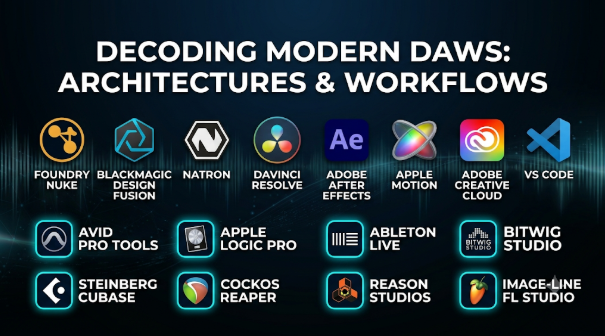
The digital audio workstation has evolved from a software-based simulation of a multi-track tape machine into an expansive operating environment for sound design, electronic composition, film scoring, and multi-channel mixing. Yet, despite decades of interface refinement, producers and engineers frequently find themselves constrained not by processing power, but by architectural paradigms built into the software itself.
Choosing a digital audio workstation (DAW) requires looking past marketing feature lists and stock plugin bundles. Selecting the right environment means understanding how internal routing models, audio processing latency, plugin format standards, and compositional workflows align with actual production demands.
The Architectural Divide: Linear Tracking versus Non-Linear Performance
The foundational distinction among modern production environments lies in how time and arrangement are structured. This architectural philosophy dictates how inspiration is captured and arranged into a finished mix.
Linear Timeline-Centric Environments
Traditional DAWs prioritize a horizontal timeline where audio and MIDI clips are arranged from left to right across time. This model mirrors physical multitrack tape machines and hardware mixing consoles.
- Strengths: Unmatched precision for multi-track audio recording, editing long-form material such as podcasts or film scores, fine-grained automation drawing, and traditional mixing console workflows.
- Limitations: Can feel rigid when improvising arrangements, generating loop-based electronic music, or experimenting with alternative song structures on the fly.
- Common Tooling: Avid Pro Tools, Apple Logic Pro, Steinberg Cubase, and Cockos Reaper.
Clip-Matrix and Loop-Centric Environments
Designed around non-linear trigger grids, these environments allow creators to launch independent audio and MIDI clips asynchronously, assembling arrangements dynamically before committing them to a traditional timeline.
- Strengths: Immediate ideation for electronic music producers, live performance integration, rapid loop-based experimentation, and fluid clip-launching workflows.
- Limitations: Can introduce cognitive overhead when transitioning from live improvisation to meticulous long-form mixing and automated mastering tasks.
- Common Tooling: Ableton Live and Bitwig Studio.
Evaluating Production Suites: Key Technical Criteria
When selecting a DAW for a professional workflow, technical evaluation must center on core engine stability, plugin handling, and routing flexibility.
Delay Compensation and Core Routing Architecture
As projects scale to hundreds of tracks loaded with multi-stage processing plugins, maintaining precise time alignment across all buses and auxiliary tracks becomes critical. A robust automatic delay compensation (ADC) engine ensures that phase relationships remain intact, preventing comb filtering and timing drift. Furthermore, flexible bus routing and support for sidechaining and multi-channel surround formats dictate whether complex mixing topologies are achievable.
Audio Engine Performance and Multithreading
Efficient CPU core utilization determines how many virtual instruments and resource-intensive processing plugins a project can sustain before audio dropouts occur. Low-level buffer management and ASIO/CoreAudio driver integration dictate the round-trip latency experienced during live instrument tracking and virtual performance monitoring.
Plugin Format Standards and Ecosystem Compatibility
The industry relies heavily on plugin standards—such as VST3, AU (Audio Units), and AAX—to expand functionality. Evaluating how a DAW handles plugin bridging, sandboxing (preventing a crashing third-party plugin from taking down the entire application), and backward compatibility prevents unexpected project obsolescence during platform updates.
Key Solutions Across the Production Landscape
Different applications serve distinct operational segments of the audio industry, balancing heavy recording engineering demands against electronic music production and rapid scoring workflows.
Avid Pro Tools
Pro Tools remains the entrenched industry standard for professional recording studios, film post-production mixing stages, and large-scale tracking environments. Its deterministic audio engine and deep integration with hardware control surfaces make it the default for collaborative multi-studio workflows.
- Best For: Professional recording studios, film scoring stages, multi-track acoustic tracking, and dialogue editing.
- Key Considerations: Historically rigid hardware and subscription licensing models; less optimized for fluid electronic loop creation compared to clip-launching competitors.
Ableton Live
Ableton Live redefined electronic music production by merging a real-time clip launching matrix (Session View) with a traditional linear arrangement view. Its focus on non-linear ideation, warping algorithms, and integrated performance controls has made it a staple for producers, DJs, and modern beatmakers.
- Best For: Electronic music production, live performance, beatmaking, and rapid audio manipulation.
- Key Considerations: Advanced video scoring and complex multi-mic acoustic tracking workflows feel less streamlined compared to traditional linear workstations.
Apple Logic Pro
Logic Pro provides an extensive built-in library of virtual instruments, loops, and effects paired with a mature linear recording and mixing environment. Exclusively available for macOS, it offers deep native optimization for Apple Silicon hardware.
- Best For: Mac-based singer-songwriters, media composers, project studios, and producers seeking an all-inclusive toolset out of the box.
- Key Considerations: Platform locked to macOS; interface can become visually dense when managing complex orchestration templates.
Cockos Reaper
Reaper is a highly customizable, lightweight DAW that offers full professional routing capabilities, robust multi-track performance, and an exceptionally permissive licensing model. Its modular nature allows advanced users to script custom behaviors and tailor shortcuts to exact workflow specifications.
- Best For: Technical sound designers, game audio implementers, budget-conscious professionals, and users who prefer deep customizability.
- Key Considerations: Minimalist out-of-the-box interface aesthetics and a lack of bundled high-end virtual instruments require users to build their own plugin and template ecosystem.
Comparison of Production Environment Approaches
| Software | Primary Interface Style | Main Industry Focus | Plugin Format Support | Notable Architectural Strengths |
| Avid Pro Tools | Linear Timeline / Mixer | Film Post-Production / Studio Recording | AAX | Deterministic engine, extensive hardware surface integration, industry-standard exchange formats (AAF/OMF) |
| Ableton Live | Hybrid (Matrix + Linear Timeline) | Electronic Production / Live Performance | VST3, AU | Dual Session/Arrangement views, advanced time-stretching and warping algorithms |
| Apple Logic Pro | Linear Timeline / Inspector | Project Studios / Media Composition | AU | Deep Apple Silicon optimization, massive native instrument and sample library |
| Cockos Reaper | Highly Customizable Linear | Sound Design / Advanced Engineering | VST3, AU, JSFX | Extremely lightweight footprint, highly scriptable API, flexible routing matrix |
Common Implementation and Pipeline Pitfalls
Integrating a new DAW into a production workflow frequently introduces avoidable operational bottlenecks.
- Neglecting Buffer Size Management: Keeping audio buffer sizes locked at ultra-low settings during heavy mixing stages taxes the CPU unnecessarily, whereas high buffers during live tracking introduce distracting monitoring latency.
- Ignoring Template Standardization: Starting every project with a blank canvas instead of well-organized routing templates wastes valuable time during tracking and mixing sessions.
- Over-Reliance on Third-Party Ecosystems: Becoming dependent on proprietary plugin formats or unstable third-party software can compromise project portability when moving stems between different studio environments.
Making the Selection Decision
Selecting the appropriate digital audio workstation requires evaluating your primary production medium against the software’s structural strengths.
If your daily workflow revolves around recording live acoustic ensembles, editing dialogue to picture, or delivering multi-track sessions to commercial mixing studios, a linear, stable environment like Pro Tools or Logic Pro is essential. If your creative process centers on loop-based composition, virtual instruments, MIDI manipulation, or live performance, a fluid environment like Ableton Live or Bitwig Studio provides significantly less friction. Match the core routing and workflow philosophy of the software to your creative habits before committing to a long-term production hub.



Leave a Reply
You must be logged in to post a comment.