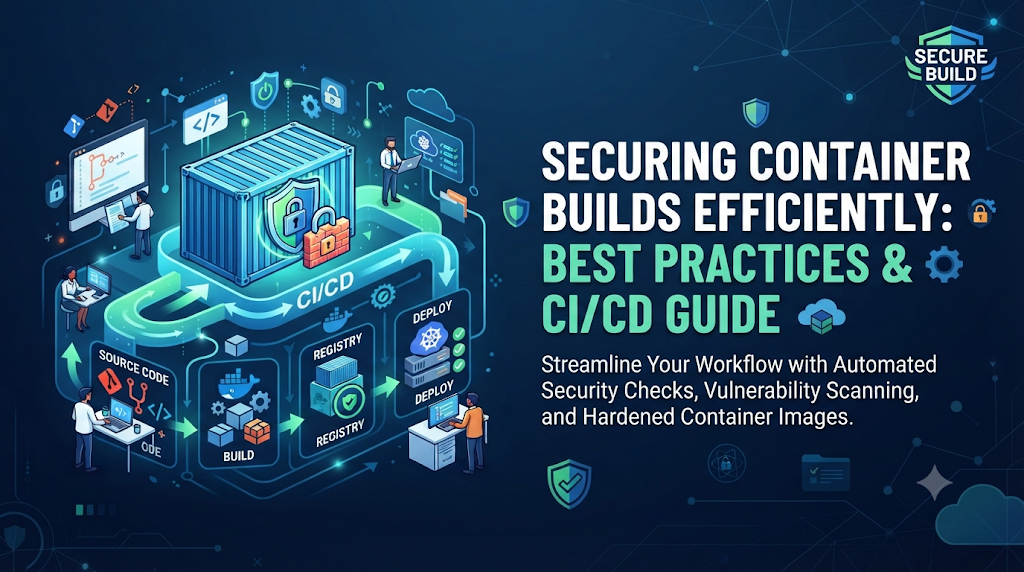
When a CI/CD pipeline turns green after building a container image, engineering teams often assume the artifact is safe, only for subsequent security reviews to uncover outdated system packages, unpatched vulnerabilities, and accidental secrets hidden within image layers. This common disconnect highlights the central challenge for modern platform teams: how to strengthen container build security without slowing down development velocity or complicating delivery workflows. For practitioners seeking structured guidance on mastering these techniques, platforms like DevOpsSchool offer comprehensive learning resources and paths covering containerization, advanced Docker management, and secure CI/CD practices. Ultimately, securing container builds efficiently requires embedding automated controls directly into the build lifecycle so that security enforcement becomes a seamless, natural part of software delivery.
Understand Where Container Build Risks Begin
To secure container builds efficiently, teams must first understand the complete lifecycle of a container image and identify where vulnerabilities and risks are introduced. A container image is built layer by layer, starting from a base image and layering application code, system packages, configuration scripts, and runtime dependencies on top.
[ Source Code & Dependencies ]
              │
              ▼
    [ Base Image Selection ]
              │
              ▼
[ Dockerfile Build Layers ] ──► (Accidental Secrets / Excessive Privileges)
              │
              ▼
 [ Completed Container Image ] ──► (Vulnerable OS Packages / Unverified Artifacts)
Risks can enter the artifact at multiple distinct points across this creation process:
- Untrusted or Outdated Base Images: Pulling base images from public registries without verifying their origin, maintenance status, or authorship introduces inherited vulnerabilities from day one.
- Vulnerable Operating-System Packages: Base images often contain outdated system utilities, package managers, and shared libraries (such as OpenSSL, glibc, or curl) that harbor known Common Vulnerabilities and Exposures (CVEs).
- Insecure Application Dependencies: Introducing unpinned or vulnerable third-party libraries via package managers (like npm, pip, Maven, or Go modules) expands the application attack surface.
- Accidental Credential Inclusion: Embedding API keys, tokens, SSH keys, or database credentials directly into Dockerfile instructions or build arguments leaves them permanently exposed within image layers, even if subsequent layers attempt to delete them.
- Excessive Build Permissions: Running container build processes and container runtimes with root privileges grants internal processes unrestricted access to the underlying host system if an escape occurs.
- Unnecessary Software and Utilities: Packaging compilers, debugging tools, package managers, and text editors inside production containers provides attackers with useful tools if they achieve remote code execution.
- Misconfigured Dockerfiles: Using broad permissions, hardcoded configurations, or insecure default arguments creates persistent runtime security weaknesses.
- Unverified Build Artifacts: Pushing images to registries without cryptographic signatures or software bills of materials (SBOMs) makes it impossible to verify provenance or detect tampering.
- Compromised Build Tools or Dependencies: Attacks targeting public registries or package repositories can inject malicious code upstream before the build even begins.
When these weaknesses are ignored, they move seamlessly from the developer’s workstation into staging environments and ultimately into customer-facing production deployments.
Establish a Secure Foundation Before Building
Securing container builds begins long before a developer writes a Dockerfile or triggers a CI/CD pipeline. Establishing a secure foundation requires platform engineering teams to standardize organizational guardrails and reusable patterns.
Selecting Trusted Base Images
Teams should restrict developers to a curated list of approved, enterprise-vetted base images. These images should be pulled from trusted registries or verified publisher accounts, maintained regularly by security or platform teams, and stripped of unnecessary binaries to maintain a minimal attack surface.
Pinning Image Versions and Digests
Using mutable tags like latest, stable, or even generic version tags like node:18 is risky because the underlying image can change over time without notice. Teams should pin base images to specific immutable SHA256 digests (e.g., node:18.16.0-alpine@sha256:abc123...) to ensure reproducible builds and prevent silent supply chain tampering.
Defining Build Access Permissions and Isolation
Build environments must be strictly isolated. CI/CD runners should operate with least-privilege service accounts, restricting access to internal networks, sensitive environment variables, and production deployment credentials.
Establishing Vulnerability Severity and Exception Policies
Engineering and security teams must agree on clear definitions for vulnerability severity (Critical, High, Medium, Low). A well-defined exception policy should outline how temporary waivers are requested, approved, audited, and automatically expired when temporary mitigations are no longer valid.
Write Dockerfiles With Security in Mind
The Dockerfile is the blueprint for every container image. Writing secure Dockerfiles requires adopting defensive coding practices that minimize attack surfaces and enforce isolation at runtime.
Key Dockerfile Security Practices
- Use Minimal Base Images: Choose distroless images, Alpine Linux, or minimal Debian-slim variants to reduce the number of installed packages and potential CVEs.
- Apply Multi-Stage Builds: Separate the build environment (which contains compilers, SDKs, and build tools) from the runtime environment. Only copy the compiled binary or final artifacts into the clean production image.
- Run as a Non-Root User: Never run containerized applications as the
rootuser by default. Create a dedicated system user and group within the Dockerfile and switch contexts using theUSERinstruction. - Leverage
.dockerignore: Exclude sensitive local files (such as.envfiles,.gitdirectories, local credentials, and test documentation) from being sent to the Docker daemon during build context initialization. - Control Package Installation: Pin package versions during installation, clean up package manager caches in the same RUN instruction, and avoid installing unnecessary debugging utilities.
Before-and-After Dockerfile Example
Below is an insecure, unoptimized Dockerfile commonly found in legacy projects:
Dockerfile
# INSECURE EXAMPLE - DO NOT USE IN PRODUCTION
FROM node:latest
WORKDIR /app
COPY . .
RUN npm install
EXPOSE 8080
CMD ["npm", "start"]
Security and Maintainability Flaws in the Above Example:
- Uses the mutable
latesttag, risking unannounced upstream changes. - Runs the application as the privileged
rootuser by default. - Includes all local project files (including
.gitand configuration secrets) in the build context because.dockerignoreis missing. - Leaves heavy node modules, build caches, and package manager files inside the final production image.
Below is the secure, hardened, and optimized multi-stage equivalent:
Dockerfile
# SECURE AND OPTIMIZED MULTI-STAGE BUILD
# Stage 1: Build the application
FROM node:18.16.0-alpine@sha256:2ef2850... AS builder
WORKDIR /app
COPY package*.json ./
RUN npm ci --only=production

# Stage 2: Create the secure runtime image
FROM node:18.16.0-alpine@sha256:2ef2850... AS runner
WORKDIR /app

# Create a non-root user and group
RUN addgroup -g 1001 -S appgroup && \
    adduser -u 1001 -S appuser -G appgroup

# Copy built artifacts from the builder stage
COPY --from=builder --chown=appuser:appgroup /app/node_modules ./node_modules
COPY --chown=appuser:appgroup package.json server.js ./

# Switch to the non-root user
USER appuser

EXPOSE 8080
CMD ["node", "server.js"]
This secure version pins the base image digest, uses multi-stage building to strip out unnecessary development files, creates and switches to a dedicated non-root user, and ensures proper file ownership.
Protect Secrets During the Build Process
One of the most persistent security failures in container builds is the accidental exposure of sensitive credentials—such as npm tokens, GitHub personal access tokens, database passwords, or private SSH keys—inside container image layers.
Why Traditional Secret Handling Fails
Historically, developers passed secrets using build arguments (--build-arg API_KEY=secret) or environment variables (ENV API_KEY=secret). While these methods pass data into the build, Docker records every build argument and environment variable instruction in the image’s metadata and layer history. Anyone with read access to the image can run docker history or inspect image layers to extract those plaintext secrets.
Modern Secret Protection Strategies
- BuildKit Secret Mounts: Docker BuildKit provides secure secret mounting (
--secret), allowing sensitive files to be securely made available only during specificRUNinstructions without persisting them in the final image layers or metadata. - CI/CD Secret Stores: Inject secrets dynamically at runtime inside isolated CI runners rather than baking them into static images.
- Short-Lived Credentials: Use ephemeral tokens with narrow scopes and short expiration times for fetching private dependencies during builds.
- Automated Secret Scanning: Scan source repositories, Dockerfiles, and built images for accidental credential leakage before allowing promotion.
Illustrative Build-Time Secret Handling Example
Using Docker BuildKit, you can securely mount a secret file during package installation:
Dockerfile
# syntax=docker/dockerfile:1
FROM alpine:3.18
# Securely mount a private npm token during dependency installation
RUN --mount=type=secret,id=npm_token \
    npm config set //registry.npmjs.org/:_authToken="$(cat /run/secrets/npm_token)" && \
    npm install
During execution, the CI/CD engine supplies the secret via CLI flag (--secret id=npm_token,src=.npmrc), ensuring the token is utilized during the build step and discarded immediately without entering image layers.
Add Automated Security Checks to the Build Pipeline
To catch vulnerabilities before they reach production without burdening developers with manual reviews, teams must embed automated security gates directly into the CI/CD pipeline.
[ Source Code ] ──► [ Dependency Scan ] ──► [ Dockerfile Lint ] ──► [ Base Image Scan ] ──► [ Image Vulnerability Scan ] ──► [ Policy Validation ] ──► [ Artifact Verification ]
A comprehensive security pipeline incorporates distinct, automated inspection stages:
1. Source and Dependency Review
Inspect application dependency lockfiles (such as package-lock.json, requirements.txt, or go.sum) for known vulnerable libraries and risky components before building begins.
2. Dockerfile and Configuration Checks
Lint Dockerfiles and infrastructure-as-code configurations to identify insecure instructions, excessive privileges, unsafe root execution, and common build misconfigurations. Tools like Hadolint and Checkov excel at this stage.
3. Base Image Scanning
Analyze the chosen base image before layering application code to ensure the underlying operating system is free of critical unpatched vulnerabilities.
4. Container Image Scanning
Inspect the fully assembled container image artifact for operating system package vulnerabilities, application dependencies, embedded secrets, and misconfigurations. Tools like Trivy, Grype, and Docker Scout scan local or built images against up-to-date vulnerability databases.
5. Policy Validation
Enforce organizational compliance rules—such as requiring approved base images, mandating non-root execution, checking for required container labels, and verifying that zero critical vulnerabilities exist.
6. Artifact Verification and SBOM Generation
Generate a Software Bill of Materials (SBOM) using tools like Syft to create an inventory of all software components inside the image, and cryptographically sign the artifact to ensure tamper-proof provenance.
Build a Secure Container CI/CD Workflow
Integrating these security checks into a seamless end-to-end workflow ensures that security validation happens concurrently with compilation and testing.
End-to-End Pipeline Workflow
- Retrieve application source code from the version control repository.
- Validate source code changes and application dependencies.
- Review the Dockerfile and build configuration via static analysis.
- Build the container image in an isolated environment using BuildKit.
- Scan the built image for vulnerabilities, malware, and exposed secrets.
- Evaluate security policies against defined thresholds.
- Generate a comprehensive Software Bill of Materials (SBOM).
- Sign the container image and record its cryptographic provenance.
- Push approved artifacts to a trusted private container registry.
- Verify the artifact before deployment to downstream environments.
Illustrative CI/CD Configuration (GitHub Actions Example)
YAML
name: Secure Container Build Pipeline

on:
  push:
    branches: [ main ]

jobs:
  build-and-secure:
    runs-on: ubuntu-latest
    permissions:
      contents: read
      security-events: write

    steps:
      - name: Checkout Code
        uses: actions/checkout@v4

      - name: Set up Docker Buildx
        uses: docker/setup-buildx-action@v3

      - name: Lint Dockerfile
        uses: hadolint/hadolint-action@v3.1.0
        with:
          dockerfile: Dockerfile

      - name: Build Container Image
        uses: docker/build-push-action@v5
        with:
          context: .
          push: false
          load: true
          tags: myapp:${{ github.sha }}

      - name: Run Trivy Vulnerability Scanner
        uses: aquasecurity/trivy-action@0.16.0
        with:
          image-ref: 'myapp:${{ github.sha }}'
          format: 'sarif'
          output: 'trivy-results.sarif'
          severity: 'CRITICAL,HIGH'

      - name: Upload Vulnerability Report
        uses: github/codeql-action/upload-sarif@v3
        with:
          sarif_file: 'trivy-results.sarif'
This workflow validates the Dockerfile, builds the image locally within the runner, performs an automated vulnerability scan using Trivy, and uploads the results to the security dashboard without slowing down developer feedback loops.
Keep Security Checks Fast and Efficient
The word “efficiently” in container build security is paramount. If security controls add 20 minutes to every build or generate constant false positives, developers will inevitably look for workarounds. Platform engineering teams must optimize pipelines for speed and developer experience.
Practical Optimization Techniques
- Safe Build Cache Reuse: Structure Dockerfiles to maximize layer caching. Place instructions that change infrequently (like dependency installation) near the top of the Dockerfile, and frequently changing application code near the bottom.
- Parallel Pipeline Execution: Run dependency linting, Dockerfile static analysis, and unit testing simultaneously in separate parallel runner jobs rather than blocking sequentially.
- Differential Scanning: Scan only changed dependency layers or perform incremental container image scanning rather than running deep, resource-intensive scans on completely unchanged artifacts.
- Scheduled Deep Scans: Perform rapid, lightweight vulnerability checks on every commit, reserving comprehensive, deep-inspection software bill of materials analysis and compliance audits for nightly or release builds.
- Risk-Based Failure Thresholds: Configure scanners to fail builds only on actionable, fixable critical vulnerabilities, while generating warnings or advisory tickets for low-risk findings that lack vendor patches.
Secure the Build Infrastructure Itself
Securing container images is meaningless if the underlying build infrastructure is compromised. An attacker who gains control of a CI/CD build runner can inject malicious code into every container image produced by that system, regardless of how clean the Dockerfile or source code is.
Build Infrastructure Hardening Practices
- Isolated and Ephemeral Build Runners: Use ephemeral, disposable compute instances for build runners that are destroyed immediately after a build completes, preventing persistence.
- Restricted Docker Sockets: Avoid mounting the host Docker daemon (
/var/run/docker.sock) into containers wherever possible, as container escape from a privileged build job grants full control over the underlying host. Use rootless build tools like Buildah, Kaniko, or Podman instead. - Least-Privilege Service Accounts: Restrict CI/CD runner access to cloud resources, internal APIs, and container registries using short-lived credentials.
- Network Segmentation: Isolate build runners behind firewalls, restricting outbound internet access to approved package repositories and vulnerability databases.
- Rigorous Audit Logging: Retain comprehensive audit logs of all build jobs, runner activities, and administrative actions for security monitoring.
Protect Images After the Build
Securing container builds does not stop when the image is pushed to the registry. Post-build security controls ensure that artifacts remain tamper-proof and monitored throughout their lifecycle.
Key Post-Build Controls
- Secure Container Registry Access: Enforce multi-factor authentication, role-based access control (RBAC), and private network endpoints for all container registries.
- Image Signing and Verification: Cryptographically sign images using tools like Cosign (part of sigstore) immediately after a successful build, and configure admission controllers in Kubernetes to verify signatures before deployment.
- SBOM Retention: Store generated Software Bills of Materials alongside container images in the registry to enable rapid impact analysis when a new zero-day vulnerability is disclosed.
- Continuous Registry Monitoring: Enable continuous vulnerability scanning within the container registry. Because new vulnerabilities are discovered daily, an image that was clean at build time may become vulnerable weeks later while sitting in storage.
- Immutable Release Tags: Enforce immutable tagging policies in production registries so that tags cannot be overwritten with unauthorized code.
A Hands-On Secure Container Build Exercise
This practical lab allows developers and platform engineers to practice building, hardening, and scanning a container image locally using Docker and Trivy.
Lab Preparation
Ensure you have Docker and Trivy installed on your local workstation or test environment. Create a working directory with a simple Node.js application.
Bash
mkdir secure-container-lab && cd secure-container-lab
Step 1: Create a Simple Node.js Application (server.js)
JavaScript
const http = require('http');
const server = http.createServer((req, res) => {
  res.writeHead(200, { 'Content-Type': 'text/plain' });
  res.end('Secure Container Build Lab Running Successfully\n');
});
server.listen(8080, () => {
  console.log('Server listening on port 8080');
});
Step 2: Create a Basic package.json
JSON
{
  "name": "secure-container-lab",
  "version": "1.0.0",
  "main": "server.js",
  "dependencies": {
    "express": "4.17.1"
  }
}
Step 3: Write an Insecure Initial Dockerfile (Dockerfile.insecure)
Dockerfile
FROM node:14
WORKDIR /app
COPY . .
RUN npm install
EXPOSE 8080
CMD ["node", "server.js"]
Step 4: Build and Scan the Insecure Image
Bash
docker build -t lab-app:insecure -f Dockerfile.insecure .
trivy image lab-app:insecure
(Expected Output Note: Trivy will flag multiple critical operating-system vulnerabilities in the outdated Node 14 base image and dependency warnings in Express 4.17.1).
Step 5: Create a Hardened Dockerfile (Dockerfile.secure)
Dockerfile
# syntax=docker/dockerfile:1
FROM node:18.16.0-alpine@sha256:2ef2850... AS builder
WORKDIR /app
COPY package*.json ./
RUN npm ci --only=production

FROM node:18.16.0-alpine@sha256:2ef2850... AS runner
WORKDIR /app
RUN addgroup -g 1001 -S appgroup && adduser -u 1001 -S appuser -G appgroup
COPY --from=builder --chown=appuser:appgroup /app/node_modules ./node_modules
COPY --chown=appuser:appgroup package.json server.js ./
USER appuser
EXPOSE 8080
CMD ["node", "server.js"]
Step 6: Build and Scan the Secure Image
Bash
docker build -t lab-app:secure -f Dockerfile.secure .
trivy image lab-app:secure
What to Do When a Security Check Fails
Pipeline security gates will inevitably trigger failures when vulnerabilities or misconfigurations are detected. Establishing a clear, repeatable incident response process prevents developer frustration and avoids pipeline bypasses.
Common Failure Scenarios and Remediation Steps
- Critical Vulnerability in a Base Image: Upgrade the base image tag or digest to the latest patched version provided by the vendor. If no patch exists, evaluate whether the vulnerable package can be removed or if an alternative base image should be used.
- Secret Detected in an Image Layer: Immediately revoke and rotate the compromised secret. Rewrite git history or update the Dockerfile/build arguments to remove the secret from build layers.
- Unapproved Base Image Used: Instruct the developer to switch to an approved organizational base image listed in the internal platform catalog.
- Image Signature Verification Failure: Investigate whether the signing key expired, was rotated improperly, or if tampering occurred during transit.
- Unfixable Vulnerability in a Dependency: Document the finding, assess whether the vulnerable function is actually reachable by the application code, and file a formal security exception request if immediate remediation is impossible.
Managing Policy Exceptions
Exceptions should never be handled through informal Slack messages. Every exception must have:
- An Owner: A designated engineer or team responsible for the risk.
- Justification: Clear technical reasoning explaining why the exception is necessary.
- Scope: Specific identification of the impacted images and services.
- Review Date: A hard expiration date (typically 30 to 90 days) after which the exception automatically invalidates and blocks builds again.
Common Mistakes That Make Container Builds Less Secure
Even with the best tools, teams often fall into predictable traps that undermine container build security:
- Relying Solely on the
latestTag: Using mutable tags leads to silent breakage and untraceable supply chain vulnerabilities. - Running Everything as Root: Allowing applications to run as root inside containers increases the blast radius of any application-level vulnerability.
- Treating Vulnerability Scanning as a Silver Bullet: Assuming that passing an automated scan guarantees absolute security while ignoring architectural flaws, network segmentation, and runtime monitoring.
- Ignoring Transitive Dependencies: Focusing only on direct application packages while overlooking deeply nested third-party dependencies that harbor vulnerabilities.
- Over-Privileging CI/CD Runners: Giving build agents access to production clusters, broad cloud administrative permissions, and unfiltered internet access.
- Blocking Every Low-Risk Finding: Failing to prioritize vulnerabilities, leading to alert fatigue where developers ignore pipeline blocks entirely.
- Skipping Artifact Verification: Pushing images to public or private registries without signing, provenance attestation, or SBOM generation.
Measure the Effectiveness of Container Build Security
To ensure that security controls are working without suffocating developer productivity, platform engineering teams should track key operational metrics:
- Approved Base Image Adoption Rate: Percentage of enterprise container builds utilizing approved, vetted base images.
- Vulnerability Density: Average number of critical and high vulnerabilities per container image across teams over time.
- Remediation Lead Time: Mean time taken to patch and rebuild images after a new critical vulnerability is disclosed.
- SBOM and Signature Coverage: Percentage of production release images accompanied by verified cryptographic signatures and generated SBOMs.
- Build Pipeline Duration: Total execution time of CI/CD pipelines to ensure security checks do not introduce unacceptable delivery latency.
- Policy Exception Count: Number of active, approved security exceptions and their expiration compliance rates.
Frequently Asked Questions
What is container build security?
Container build security is the practice of embedding security controls, vulnerability scanning, secret protection, and policy validation directly into the container image creation and CI/CD build process before images are deployed to production.
Why should Docker images be scanned?
Docker images bundle operating system packages, runtime libraries, and application dependencies. Scanning reveals hidden vulnerabilities (CVEs) and embedded misconfigurations inherited from these components before attackers can exploit them.
How can Dockerfile security be improved?
Dockerfile security can be improved by using minimal base images, applying multi-stage builds, running applications as non-root users, utilizing .dockerignore files, and avoiding hardcoded credentials.
Is a minimal container image always more secure?
Minimal container images (such as Alpine or distroless) have fewer packages and utilities, which significantly reduces the attack surface and potential vulnerability count. However, developers must still ensure that remaining application dependencies are updated and secure.
How should secrets be handled during Docker builds?
Secrets should never be passed via build arguments or environment variables, as they persist in image history. Instead, use secure mechanisms like Docker BuildKit secret mounts or dynamic runtime injection in isolated CI/CD runners.
What is the role of an SBOM in container security?
A Software Bill of Materials (SBOM) provides a comprehensive inventory of all software components, libraries, and dependencies inside a container image, enabling rapid impact analysis when a new vulnerability is disclosed.
Should vulnerability scanning block every build?
Blocking every build on low-risk or unfixable findings can cause severe developer friction and alert fatigue. Teams should establish risk-based thresholds, blocking primarily on actionable critical and high-severity vulnerabilities while managing lower risks through review policies.
How can teams speed up secure container builds?
Teams can speed up builds by maximizing Docker layer caching, running independent security checks in parallel, performing incremental or differential scans, and reserving deep compliance checks for release branches.
What is the difference between image scanning and image signing?
Image scanning inspects the contents of a container image for vulnerabilities and misconfigurations, whereas image signing uses cryptography to verify the identity of the publisher and guarantee that the image has not been tampered with since it was built.
Closing Perspective: Make Secure Builds the Default
Container build security is no longer an optional luxury or a final gate managed exclusively by security teams before deployment. As software supply chains grow more complex, the container build phase serves as the critical checkpoint where source code, dependencies, and operating systems converge into production artifacts.
Securing container builds efficiently is achieved not by adding cumbersome manual approvals or slowing down developers, but by establishing trusted inputs, writing hardened Dockerfiles, protecting build infrastructure, automating vulnerability checks, and enforcing cryptographic artifact verification. When security controls are automated, seamless, and integrated directly into familiar CI/CD workflows, secure defaults become the easiest path for developers to follow—protecting applications while maintaining the delivery speed modern engineering demands.





Leave a Reply
You must be logged in to post a comment.