Introduction
In an era where digital agility defines market competitiveness, small and medium businesses (SMBs) are increasingly targeted by sophisticated cyber threats that exploit limited security resources and legacy development models. Moving security from a final, restrictive bottleneck to an integrated, proactive phase—known as DevSecOps—is no longer a luxury for enterprise giants, but a strategic necessity for growing organizations to ensure resilient software delivery and build lasting customer trust. By embedding security into every stage of the software development lifecycle through automation and shared responsibility, SMBs can effectively reduce risk, streamline compliance, and accelerate innovation. To guide you through this transformation, DevOpsSchool offers practical, hands-on strategies designed to help your team build secure, high-velocity pipelines without the overhead of traditional enterprise security budgets.
What Is DevSecOps?
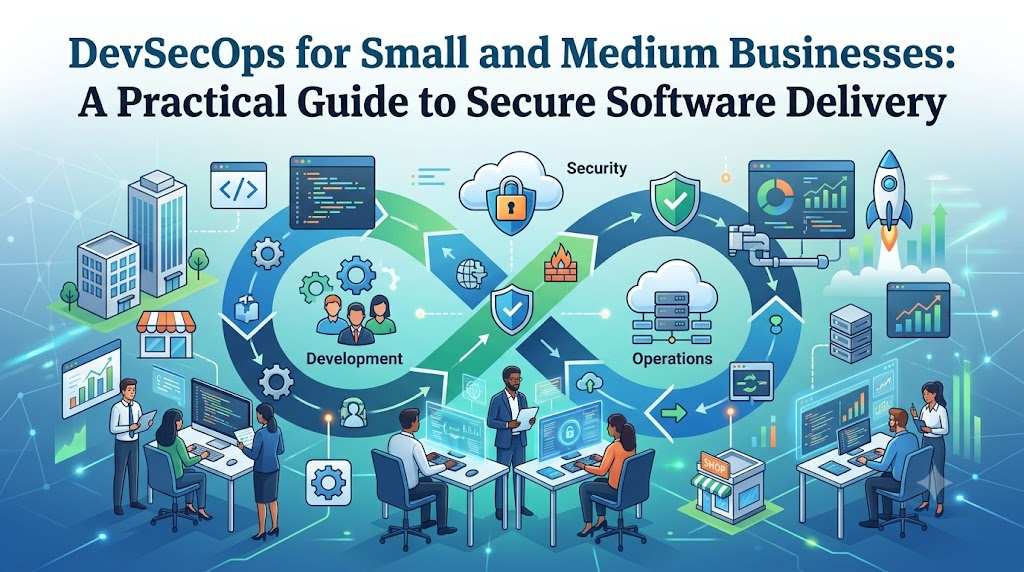
At its simplest, DevSecOps is the philosophy of integrating security practices throughout the entire software development life cycle (SDLC). Unlike traditional models where security is an afterthought, DevSecOps ensures that security measures are woven into every stage, from planning and coding to testing, deployment, and monitoring.
The core principles include:
- Shift-Left Security: Moving security testing to the earliest possible stages of development to catch vulnerabilities before they become costly defects.
- Automation: Using tools to handle repetitive security tasks, ensuring consistent policy enforcement without manual intervention.
- Shared Responsibility: Fostering a culture where security is not the sole job of a dedicated team, but a collective goal for developers, operations staff, and management.
- Continuous Learning: Treating security as an evolving process rather than a static compliance checkbox.
Why Small and Medium Businesses Need DevSecOps
The misconception that DevSecOps is only for tech giants with massive budgets is one of the biggest barriers to SMB growth. The reality is that SMBs stand to gain the most from this transition.
- Rising Cyber Threats: Automated bots scan the internet continuously for vulnerabilities. If your application has a flaw, it will be found.
- Limited Security Resources: With smaller IT teams, you cannot afford to have a dedicated person manually auditing every line of code. Automation provides the “force multiplier” needed to stay secure.
- Faster Delivery: By catching security bugs early, you avoid the “emergency patch” cycle that disrupts development productivity.
- Customer Trust: Data privacy is a competitive advantage. Demonstrating a commitment to secure development builds long-term loyalty with your clients.
- Regulatory Compliance: Whether it is GDPR, SOC 2, or industry-specific standards, DevSecOps provides the audit trails and automated controls necessary to maintain compliance.
Security Challenges Faced by SMBs
| Challenge | Business Impact | DevSecOps Solution |
| Limited budgets | High cost of specialized tools | Focus on open-source, integrated automation |
| Small IT teams | Security becomes a distraction | Automated guardrails in the CI/CD pipeline |
| Cloud security | Misconfiguration risks | Infrastructure as Code (IaC) scanning |
| Third-party risks | Supply chain vulnerabilities | Automated dependency scanning |
| Compliance | Audit failures leading to fines | Continuous compliance monitoring |
| Vulnerability management | High mean time to remediate | Prioritized automated scanning reports |
Benefits of DevSecOps for SMBs
| Benefit | Technical Impact | Business Value |
| Early detection | Bugs found during coding | Lower cost of fixing vulnerabilities |
| Reduced costs | Automation of manual tasks | Improved resource allocation |
| Faster deployments | Secure, automated pipelines | Faster time-to-market |
| Better compliance | Audit-ready infrastructure | Reduced legal and reputation risk |
| Customer confidence | Proven secure practices | Increased sales and retention |
Understanding the DevSecOps Lifecycle
- Planning: Threat modeling and defining security requirements early in the project.
- Development: Using secure coding standards and IDE plugins to catch vulnerabilities while the developer is typing.
- Build: Automatically scanning code for hardcoded secrets and vulnerable libraries during the build process.
- Testing: Executing automated security tests (SAST/DAST) in a staging environment.
- Deployment: Using immutable infrastructure and automated checks to ensure configurations are secure.
- Monitoring: Real-time logging and behavioral analysis to detect anomalies in production.
Step-by-Step Guide to Implement DevSecOps
Step 1: Assess Current Security Practices
Start by identifying where your code lives, how it is deployed, and where your biggest risks lie. Don’t try to fix everything at once.
Step 2: Build Security Awareness
Host “security champions” sessions. Ensure developers understand the top OWASP vulnerabilities and how to prevent them.
Step 3: Secure Source Code
Implement mandatory code reviews and use static analysis tools that integrate directly into your repository (like GitHub or GitLab).
Step 4: Automate Security Testing
Add “gates” in your CI/CD pipeline. If a security test fails, the build should not proceed to production.
Step 5: Protect CI/CD Pipelines
Treat your pipeline as part of your production code. Restrict access and ensure that build logs are audited.
Step 6: Monitor Production
Implement centralized logging and monitoring. If an application begins behaving strangely, you should know within minutes, not weeks.
Step 7: Continuously Improve
Review your security incidents and near-misses. Update your automated tests to prevent those same issues in the future.
Essential DevSecOps Practices for SMBs
- Secure Coding: Teach developers how to write secure code from the start.
- Infrastructure as Code (IaC) Security: Scan your Terraform or CloudFormation templates before deploying cloud resources.
- Secrets Management: Never store API keys or passwords in source code. Use tools like HashiCorp Vault or cloud-native secret managers.
- Container Security: Scan container images for known vulnerabilities before pushing them to your registry.
- Dependency Scanning: Automate the check for vulnerable versions of open-source libraries.
Affordable DevSecOps Tools for SMBs
| Category | Example Tools | Purpose |
| SAST | SonarQube, Snyk | Scanning source code for flaws |
| DAST | OWASP ZAP | Testing the running application |
| Container Scanning | Trivy, Grype | Checking for OS-level vulnerabilities |
| Secrets Management | AWS Secrets Manager, Vault | Safely storing credentials |
| Monitoring | Prometheus, Grafana | Tracking system health |
CI/CD Security Best Practices
Your pipeline is the engine of your delivery process; if it is compromised, your entire product is at risk.
- Principle of Least Privilege: Ensure that the CI/CD service account only has the permissions necessary to perform its job.
- Artifact Signing: Ensure that the code being deployed is the same code that was tested and approved.
- Immutable Deployments: Use infrastructure that is replaced rather than modified, reducing the risk of configuration drift.
Cloud Security for Small Businesses
Small businesses often operate entirely in the cloud. Leverage cloud provider security features like AWS IAM or Azure Policy. Always enable Multi-Factor Authentication (MFA) across all developer accounts and implement robust logging for all API calls.
Compliance and Governance
Compliance is not a project; it is a state of being. By automating your security controls, you generate the evidence needed for auditors automatically. Focus on mapping your automated security tests to specific compliance controls (e.g., “automated patching = internal system security”).
Common DevSecOps Mistakes SMBs Make
- Ignoring Automation: Trying to handle security via manual checklists is the fastest way to fail.
- Weak Password Practices: Relying on shared accounts instead of identity providers.
- Delayed Security Testing: Running security scans once a month rather than on every code commit.
- Lack of Documentation: Failing to record why a security decision was made.
- Overlooking Employee Awareness: Assuming security is only a technical problem rather than a human one.
Measuring DevSecOps Success
| Metric | Why It Matters | Business Impact |
| Vulnerabilities Detected | Measures proactive posture | Prevents breaches |
| Deployment Frequency | Measures pipeline efficiency | Improves time to market |
| Mean Time to Remediate | Measures agility | Reduces exposure window |
| Compliance Status | Measures audit readiness | Prevents legal penalties |
Real-World Example: SMB Adopting DevSecOps
A mid-sized fintech company was struggling with manual security reviews that delayed their product releases by two weeks. They implemented a CI/CD pipeline using GitHub Actions, integrated Snyk for dependency scanning, and enforced infrastructure scanning with Checkov. Within six months, they reduced their security review time from two weeks to two hours and discovered three critical vulnerabilities in their legacy codebase that had previously gone unnoticed.
Building a Security-First Culture
Security is a cultural attribute. Encourage developers to participate in security design meetings. Celebrate finding a vulnerability early as a “win” for the team, not as a failure.
Scaling DevSecOps as Your Business Grows
As your team grows, standardize your security templates. Instead of every project defining its own security rules, create a “Golden Path”—a set of pre-approved, pre-secured configurations that new teams can adopt immediately.
Future of DevSecOps for SMBs
We are moving toward an era of AI-assisted security, where tools will not only detect vulnerabilities but also suggest the exact code fix. Platform engineering will also play a key role, providing developers with self-service infrastructure that is secure by default.
Certifications & Learning Paths
| Certification | Best For | Skill Level | Focus Area |
| AWS Security Specialty | Cloud Engineers | Advanced | Cloud Infrastructure |
| Certified Kubernetes Security Specialist | DevOps/Platform Eng | Advanced | Container Security |
| DevSecOps Foundation | All Roles | Beginner | Methodology |
The learning ecosystem at DevOpsSchool provides comprehensive paths for those looking to master these modern security paradigms.
Best Practices Checklist
- Automate security testing in the CI/CD pipeline.
- Train all developers on secure coding basics.
- Implement MFA everywhere.
- Secure all cloud infrastructure using IaC.
- Automate the monitoring of third-party dependencies.
- Document your security policies in a shared wiki.
FAQs
- What is DevSecOps? It is the practice of integrating security into every phase of the software delivery lifecycle.
- Why do SMBs need DevSecOps? To protect against modern threats and maintain efficiency with limited resources.
- Is DevSecOps expensive? No. Many powerful tools are open-source or have affordable tiers for SMBs.
- Can small teams implement DevSecOps? Absolutely; focus on automation to handle the heavy lifting.
- Which tools should beginners use? Start with Git-based scanning and basic container security tools.
- How does DevSecOps improve compliance? It provides automated documentation and consistent enforcement of security policies.
- What are the biggest security risks? Misconfigurations, unpatched dependencies, and human error.
- How should SMBs begin? Start by securing your CI/CD pipeline and scanning your source code.
- Does DevSecOps replace the security team? No, it empowers the security team to act as advisors rather than gatekeepers.
- Is DevSecOps only for cloud-native apps? While ideal for cloud-native, the principles apply to any software development.
- How do I measure success? Track vulnerabilities found, time-to-remediate, and deployment frequency.
- How do I handle legacy code? Use automated scans to prioritize the most critical vulnerabilities.
- Is it a one-time setup? No, it is a continuous cycle of improvement.
- What if we have no budget? Start with open-source tools and focus on process changes.
- Does it slow down development? Initially, there may be a learning curve, but it ultimately speeds up development by preventing rework.
Final Thoughts
DevSecOps is not about adding more work to your developers’ plates; it is about providing the tools and processes to make security an invisible, integrated part of your workflow. For an SMB, this is a strategic advantage. By prioritizing proactive security today, you are building a foundation that will support your business as it scales, protecting both your intellectual property and your customer’s trust.






Leave a Reply
You must be logged in to post a comment.