Introduction
Managing business documents becomes difficult when files live in different folders, inboxes, and applications. Employees may struggle to find approved documents, track changes, or obtain the right signatures.
A document management system (DMS) brings these activities into a more organized process. It helps teams capture, store, search, share, approve, and protect important documents.
But every organization has different needs. A small business may need simple document storage and search. A large enterprise may need records management, automated workflows, strict access controls, and connections with business applications.
This guide compares ten document management systems. It explains their main features, advantages, limitations, and practical uses. It also helps you choose a platform based on your organization’s size, workflows, and technical needs.
What Is a Document Management System?
A document management system is software that manages digital documents throughout their lifecycle.
It gives organizations a central way to organize business files. It can also control who accesses documents, how people update them, and how long records must remain available.
Common DMS capabilities include:
- Document storage: Keep business files in an organized repository.
- Document capture: Import files from scanners, email, folders, and other systems.
- OCR: Convert text in scanned documents into searchable text.
- Metadata: Describe files with details such as customer, department, date, or document type.
- Full-text search: Find documents by searching their contents.
- Version control: Track document changes and preserve earlier versions.
- Access control: Decide who can view, edit, share, or delete documents.
- Workflow automation: Route documents for review, approval, and processing.
- Audit trails: Record important activities and changes.
- Retention management: Apply rules for keeping and disposing of records.
A DMS is different from basic cloud storage. Cloud storage mainly focuses on saving and sharing files. A full DMS adds stronger document controls, classification, workflows, and governance.
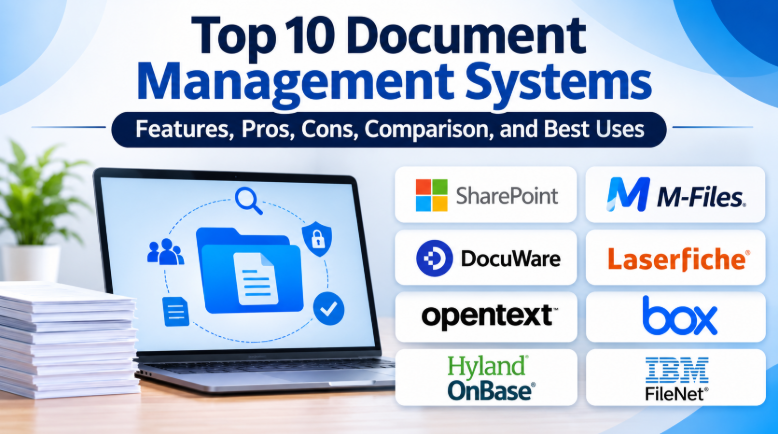
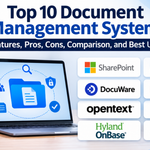
Top 10 Document Management Systems
1. Microsoft SharePoint
Microsoft SharePoint is a document management and collaboration platform within Microsoft 365. It helps organizations manage shared documents, team files, and business information.
Its document libraries provide structured storage. Teams can organize files with folders, metadata, views, and permissions.
SharePoint also supports version history. Users can review earlier versions and restore them when needed. Integration with Microsoft Teams, OneDrive, and Office applications makes it useful for organizations already using Microsoft services.
One important strength is its flexibility. Businesses can create department sites, project workspaces, intranets, and document libraries.
However, flexibility also creates a challenge. Poorly planned sites and permissions can make documents difficult to find. Administrators need clear rules for ownership, access, naming, and retention.
Key Features
- Document libraries and metadata columns.
- Version history and document recovery.
- Access permissions and sharing controls.
- Microsoft 365 and Teams integration.
- Search and document organization.
- Workflow automation through connected Microsoft services.
Pros
- Fits naturally into Microsoft 365 environments.
- Supports team collaboration and shared documents.
- Offers flexible libraries and site structures.
- Provides document version history.
- Connects with other Microsoft business tools.
Cons
- Complex environments need careful administration.
- Poor metadata design can affect search.
- Advanced governance may require additional services or configuration.
- External sharing needs strong permission controls.
Best For: Organizations using Microsoft 365, businesses managing shared documents, and teams building internal knowledge portals.
2. M-Files
M-Files takes a different approach to document organization. It focuses on metadata rather than relying only on traditional folders.
Metadata describes what a document is and how it relates to business information. A contract, for example, can include details about its customer, project, owner, department, and approval status.
Users can find documents through these details instead of remembering where someone saved them.
M-Files also supports document version control, workflows, permissions, and integrations with Microsoft 365. Its platform connects documents with the people and processes that use them.
This approach can help organizations that manage many related documents across different departments.
However, metadata needs a consistent design. Too many fields or unclear naming rules can make document classification difficult.
Key Features
- Metadata-driven document organization.
- Document search using properties and content.
- Version control and lifecycle management.
- Workflow automation.
- Access controls and audit capabilities.
- Microsoft 365 integration.
Pros
- Helps users find documents by business context.
- Reduces dependence on complex folder structures.
- Connects documents with workflows.
- Supports controlled document lifecycles.
- Works with Microsoft 365 environments.
Cons
- Metadata design requires planning.
- Administrators need to manage classification rules.
- Advanced capabilities may depend on the selected edition.
- Users may need training to adopt the approach.
Best For: Organizations with complex document relationships, professional services firms, and businesses that need metadata-based search and governance.
3. DocuWare
DocuWare combines document management with business process automation. It helps organizations capture, classify, retrieve, and process documents.
Its capture tools can collect files from scanners, email, Microsoft applications, and other sources. OCR and intelligent document processing can help extract information from scanned and digital documents.
One of its strongest uses is automating repetitive document workflows.
For example, an invoice can enter a central repository, receive indexing information, and move through an approval process. Employees can track tasks and deadlines without relying only on email reminders.
DocuWare also provides workflow design, document versioning, search, permissions, and integrations with business applications.
Its cloud and other supported deployment options give organizations flexibility. Buyers should still confirm which features are available in their chosen configuration.
Key Features
- Document capture and indexing.
- OCR and intelligent document processing.
- Full-text search.
- Workflow and approval automation.
- Document version history.
- Integration with business applications.
- Secure document archiving.
Pros
- Connects document capture with business workflows.
- Supports invoice and employee document processes.
- Helps reduce manual indexing.
- Provides search across document content and metadata.
- Offers cloud and other deployment options.
Cons
- Workflow setup requires process planning.
- Complex automation may need specialist configuration.
- Costs depend on the selected solution and requirements.
- Users need training for structured document processes.
Best For: Finance departments, HR teams, medium-sized businesses, and organizations automating invoice or approval processes.
4. Laserfiche
Laserfiche combines document management, records management, and process automation.
It provides a central repository for business information. Organizations can capture documents, classify files, manage access, and automate document-driven processes.
Its records-management capabilities make it relevant to organizations that must control information throughout its lifecycle.
For example, a government department may need to manage applications, official correspondence, case files, and supporting documents. Different records may require different access and retention rules.
Laserfiche also offers workflow automation and document processing features. Its platform can help teams route documents, manage approvals, and extract information from files.
The system is particularly relevant when document management connects to larger administrative processes.
However, organizations should define their records policies and repository structure before implementation. A poorly designed system can create unnecessary administration.
Key Features
- Central document repository.
- Document capture and classification.
- Records management and retention.
- Workflow automation.
- Access controls and audit trails.
- Document search and information extraction.
- Business process management.
Pros
- Combines document and records management.
- Supports structured business processes.
- Helps automate document routing.
- Offers tools for information governance.
- Fits document-heavy public and private organizations.
Cons
- Implementation needs careful planning.
- Complex workflows may require specialist support.
- Administration can become demanding.
- Organizations must define retention policies clearly.
Best For: Government departments, regulated organizations, education institutions, and businesses managing formal records and approval processes.
5. OpenText Content Management
OpenText Content Management, also known as Extended ECM, focuses on enterprise content management.
It helps large organizations manage documents across departments and business applications. Instead of keeping content separate from business processes, it connects information with the systems employees already use.
For example, a sales team may need contracts, customer correspondence, and supporting documents inside its CRM workflow. An engineering team may need controlled technical documents connected to project information.
OpenText provides document management, business workspaces, workflow automation, and records-management capabilities.
Its integrations include major enterprise applications such as SAP, Salesforce, and Microsoft services.
This makes it relevant to organizations with complex systems and large content repositories.
However, enterprise content management can involve significant implementation work. Organizations should define integration requirements, governance rules, and migration plans before choosing a solution.
Key Features
- Centralized enterprise document management.
- Business workspaces.
- Document version control.
- Workflow automation.
- Records management and information governance.
- Enterprise application integrations.
- Document generation and content services.
Pros
- Supports complex enterprise content environments.
- Connects documents with business applications.
- Provides governance and records-management capabilities.
- Supports cross-department workflows.
- Offers tools for large document repositories.
Cons
- Implementation can be complex.
- May require specialist administration.
- Integration projects need careful planning.
- Total costs depend on modules and deployment needs.
Best For: Large enterprises, government organizations, engineering companies, and businesses with complex application environments.
6. Box
Box is a cloud content management platform that helps organizations store, share, and govern business information.
It is particularly useful for teams that collaborate with people outside their organization. Employees can share documents with customers, suppliers, agencies, and business partners through controlled access.
Box also offers workflow capabilities. Teams can build processes around document reviews, approvals, and content handling.
Its wider ecosystem includes security and governance products. Box Shield supports content security controls, while Box Governance provides retention and disposition capabilities.
The platform also offers integrations with business applications and productivity tools.
Its cloud-first approach is an important consideration. Organizations should review data residency, external sharing policies, storage requirements, and available governance features.
Key Features
- Cloud-based document storage.
- File sharing and collaboration.
- Workflow automation.
- Content security controls.
- Retention and disposition management.
- Application integrations.
- Content migration tools.
Pros
- Useful for distributed teams.
- Makes external document sharing easier to manage.
- Supports business content workflows.
- Offers governance and security options.
- Connects with many business applications.
Cons
- Depends on cloud service availability.
- Some governance features require specific products or plans.
- Organizations must review data-location requirements.
- Advanced workflows may need configuration.
Best For: Distributed businesses, professional services firms, and organizations that share documents with external partners.
7. Hyland OnBase
Hyland OnBase is an enterprise content management platform designed to connect documents with business processes.
It supports document capture, classification, workflow automation, case management, and records management.
One of its important strengths is its focus on content-heavy processes. Organizations can manage documents, emails, forms, tasks, and approvals within connected workflows.
For example, an insurance organization may need to collect customer documents, review a claim, request missing information, and record the final decision.
OnBase can bring these activities into a managed process. Its integrations also help connect content with business applications.
However, OnBase is a broad enterprise platform. Organizations should assess implementation scope, integration needs, licensing, and ongoing administration before committing.
Key Features
- Automated document capture.
- Content classification and verification.
- Configurable workflow automation.
- Case management.
- Document collaboration and version control.
- Reporting and audit trails.
- Retention and records management.
Pros
- Connects documents with business processes.
- Supports case-based workflows.
- Provides document capture and automation.
- Offers records-management capabilities.
- Helps manage information across departments.
Cons
- Requires implementation planning.
- Complex deployments may need specialist support.
- Administration can require dedicated resources.
- Costs depend on organizational requirements.
Best For: Insurance companies, healthcare organizations, financial institutions, and government departments with document-heavy processes.
8. IBM FileNet Content Manager
IBM FileNet Content Manager is an enterprise content services platform for managing business documents and information.
It supports document management, content governance, secure collaboration, and application development.
Its role is especially relevant in organizations with complex content environments. Documents may need to connect with customer records, case files, transactions, and other business data.
FileNet provides APIs and low-code development options for building applications around managed content. Its integrations can also help teams work with information from connected business systems.
IBM has also introduced AI-assisted capabilities for interacting with information stored in FileNet.
This makes it relevant to large organizations that want to build content-driven applications and manage documents across business processes.
However, FileNet is not a simple shared-drive replacement. Buyers should evaluate architecture, integration requirements, application development needs, and operational skills.
Key Features
- Enterprise document and content management.
- Content governance and access controls.
- Application integration.
- Low-code development tools and APIs.
- Document collaboration.
- AI-assisted content search and interaction.
- Support for complex content repositories.
Pros
- Designed for enterprise content environments.
- Supports application development around documents.
- Offers APIs and integration options.
- Connects content with business processes.
- Provides governance capabilities.
Cons
- May be excessive for small organizations.
- Requires technical planning.
- Custom application work can add complexity.
- Deployment and administration need skilled teams.
Best For: Large enterprises, financial institutions, government organizations, and businesses building content-driven applications.
9. Alfresco Content Services
Alfresco Content Services is an enterprise content management platform from Hyland.
It provides a central repository for documents, metadata, associations, and full-text indexes. Organizations can use it for document management, scanning, collaboration, and information governance.
Its architecture is relevant to organizations that need to connect content with custom applications.
Developers can work with its content services and integration options to build document-based business solutions.
Alfresco can support content-heavy processes where organizations need control over repositories and integration with existing systems.
However, buyers should distinguish between community-oriented options, commercial offerings, and the support model they require.
Implementation also needs technical planning. Teams should evaluate supported platforms, deployment architecture, maintenance, and upgrade responsibilities.
Key Features
- Enterprise document repository.
- Document scanning and capture.
- Metadata and full-text indexing.
- Content collaboration.
- Information governance.
- Application integration.
- Content services for custom solutions.
Pros
- Supports enterprise content management.
- Offers a repository for structured document information.
- Provides integration options for developers.
- Supports governance and collaboration workflows.
- Can serve as a foundation for content-driven applications.
Cons
- Technical setup may require expertise.
- Custom solutions need development and maintenance.
- Commercial support arrangements should be reviewed.
- Not every organization needs its wider enterprise capabilities.
Best For: Organizations with development teams, businesses building content applications, and enterprises needing flexible content services.
10. Mayan EDMS
Mayan EDMS is an open-source electronic document management system. It gives organizations control over document storage, indexing, permissions, and workflows.
The platform supports document versions, metadata, full-text search, OCR, and automated workflows.
Its permission system allows administrators to control individual document actions through roles. This is useful when different teams need different levels of access.
Mayan EDMS also provides a REST API. Developers can use it to connect the platform with other applications and automate document-related tasks.
Another important feature is its support for self-hosted deployment. Organizations can run the system on infrastructure they manage.
However, self-hosting creates responsibilities. Teams must handle installation, updates, backups, security, monitoring, and recovery.
Key Features
- Open-source document management.
- Document version control.
- Metadata and indexing.
- OCR and full-text search.
- Role-based permissions.
- Workflow automation.
- REST API and integration options.
- Self-hosted deployment.
Pros
- Free and open-source software.
- Gives organizations infrastructure control.
- Provides detailed document permissions.
- Supports OCR and searchable archives.
- Offers workflow and API capabilities.
Cons
- Requires technical administration.
- Organizations manage their own infrastructure.
- Updates and backups need regular attention.
- May require customization for specialized business processes.
Best For: Technically capable small businesses, organizations seeking self-hosted document management, and teams that prefer open-source software.
Comparison Table: Top 10 Document Management Systems
| Software | Best For | Main Strength | Deployment Approach | Pricing Model |
|---|---|---|---|---|
| Microsoft SharePoint | Microsoft 365 organizations | Collaboration and document libraries | Microsoft cloud and supported server options | Commercial plans |
| M-Files | Metadata-driven document management | Context-based document organization | Cloud and supported on-premises options | Commercial plans |
| DocuWare | Invoice and approval workflows | Capture, indexing, and automation | Cloud, on-premises, and hybrid options | Commercial plans |
| Laserfiche | Records and process management | Document governance and automation | Product-dependent options | Commercial plans |
| OpenText Content Management | Large enterprises | Enterprise content integration | Cloud and other enterprise deployment options | Commercial plans |
| Box | Cloud collaboration | Secure content sharing and governance | Cloud | Free and paid plans |
| Hyland OnBase | Case and content management | Workflow and case automation | Enterprise deployment options | Commercial plans |
| IBM FileNet | Enterprise content applications | APIs and content governance | Cloud-oriented and enterprise deployment options | Commercial plans |
| Alfresco Content Services | Custom content applications | Flexible enterprise content services | Supported enterprise deployment options | Commercial and support options |
| Mayan EDMS | Self-hosted document management | Open-source workflows and document controls | Self-hosted | Free and open source |
Pricing, deployment rights, and feature availability vary by edition, contract, and configuration. Confirm the current terms with each vendor before purchasing.
Which Document Management System Is Right for You?
The best DMS depends on the documents you manage and the processes around them.
For Small Businesses
Small businesses often need a simple way to organize files, manage access, and share documents.
Microsoft SharePoint may suit businesses already using Microsoft 365. Box is worth considering when cloud sharing and external collaboration matter.
Mayan EDMS may suit a technically capable business that wants a self-hosted option.
For Medium-Sized Businesses
Medium-sized businesses often need stronger document workflows as teams grow.
DocuWare can suit invoice processing, HR files, and approval workflows. M-Files may be a better fit when employees need to find documents through metadata and business relationships.
For Large Enterprises
Large organizations may manage documents across departments, applications, and locations.
OpenText Content Management, IBM FileNet, and Hyland OnBase address broader enterprise content requirements.
The right choice depends on integration needs, records policies, deployment architecture, and administrative capacity.
For Government and Regulated Organizations
Government and regulated organizations often need stronger control over records, access, audit trails, and retention.
Laserfiche, OpenText, Hyland OnBase, and IBM FileNet are worth evaluating for these requirements.
Do not assume that buying one of these platforms guarantees compliance. The organization must configure and operate it according to its obligations.
For Open-Source and Self-Hosted Requirements
Mayan EDMS is a relevant option when an organization wants control over its own deployment.
Alfresco may suit teams building more extensive content applications.
Both approaches require technical skills and ongoing maintenance. Include infrastructure and support costs in the decision.
Important Factors to Consider Before Buying DMS Software
A feature list does not tell you whether a system will work in your organization. Evaluate the platform against real documents and daily tasks.
1. Document Search and Retrieval
Employees should find files without remembering complicated folder paths.
Check whether the system supports full-text search, metadata filters, OCR, and document previews.
Test it with scanned PDFs, invoices, contracts, and large files.
2. Version Control
A DMS should help users identify the current document.
Check whether it records changes, preserves earlier versions, and supports restoration.
Also examine how the system handles simultaneous editing and approved documents.
3. Security and Permissions
Different employees need different access rights.
Check role-based permissions, multi-factor authentication, single sign-on, audit records, and external sharing controls.
For sensitive documents, test whether access can be restricted at the right level.
4. Workflow Automation
Look at how documents move through your business.
A useful workflow should assign tasks, route approvals, send notifications, and record decisions.
Test rejected documents and overdue approvals too. Real processes rarely follow a perfect path.
5. Integration Capabilities
A DMS should work with the applications your employees already use.
Check connections with email, accounting, ERP, CRM, HR, and collaboration tools.
Confirm whether each integration is native, provided by a partner, or requires custom development.
6. Deployment and Data Location
Decide whether cloud, on-premises, hybrid, or self-hosted deployment fits your requirements.
Check where documents, backups, and system logs are stored.
Organizations with specific data residency or regulatory requirements should verify these details contractually.
7. Migration and Export
Moving old documents can be one of the hardest parts of a DMS project.
Check whether the platform can import files, metadata, folder structures, and document versions.
Also test how you can export information if you later move to another system.
8. Total Cost of Ownership
The purchase price is only one part of the investment.
Consider licensing, storage, implementation, migration, integrations, training, administration, backups, and support.
A low-cost platform may require more internal technical work. A commercial platform may reduce some operational tasks but add recurring fees.
Common Mistakes to Avoid When Choosing a DMS
Organizations can spend heavily on document software and still struggle with poor document control.
Avoid these common mistakes:
- Choosing by feature count: More features do not always solve your main problem.
- Ignoring metadata: Poor classification makes documents harder to find.
- Migrating everything without review: Old, duplicate, and unnecessary files create clutter.
- Overcomplicating permissions: Too many access rules become difficult to manage.
- Ignoring user training: Employees may continue using old folders and email habits.
- Assuming OCR is perfect: Scanned documents and unusual layouts still need validation.
- Forgetting retention policies: Storage alone does not provide records governance.
- Ignoring exit plans: Make sure documents and metadata can be exported.
- Automating broken processes: Improve the workflow before turning it into software rules.
Frequently Asked Questions About Document Management Systems
1. What is the best document management system?
There is no single best DMS for every organization. SharePoint suits Microsoft 365 environments. M-Files focuses on metadata-driven management. DocuWare supports document workflows. OpenText and IBM FileNet address complex enterprise content needs.
2. What is the difference between DMS and ECM?
A document management system focuses on managing documents. Enterprise content management (ECM) covers a wider range of business content and processes. ECM may include document management, records management, workflow automation, case management, and information governance.
3. Is SharePoint a document management system?
Yes. SharePoint provides document libraries, version history, permissions, search, and collaboration features. Organizations can use it for document management within Microsoft 365. More advanced requirements may need additional configuration or connected services.
4. Are there free document management systems?
Yes. Mayan EDMS is an open-source document management platform. Some other platforms offer free editions or limited free plans. However, self-hosted software still requires infrastructure, maintenance, backups, and technical support.
5. What is OCR in document management?
OCR stands for Optical Character Recognition. It converts text inside scanned images into searchable text. This helps users find information inside scanned invoices, letters, forms, and PDFs.
6. Can a DMS manage scanned documents?
Yes. Many DMS platforms support scanning, OCR, indexing, and document classification. These features help turn paper records into searchable digital documents.
7. Is cloud-based document management secure?
Cloud document management can provide strong security controls. However, security depends on configuration, access policies, identity protection, encryption, and provider responsibilities. Organizations should review the service’s security documentation and contractual terms.
8. How long does DMS implementation take?
Implementation time depends on document volume, migration complexity, integrations, workflows, and governance requirements. A simple department rollout may be much smaller than an enterprise-wide migration. A pilot helps reveal the real effort.
9. Can a DMS replace shared folders?
A DMS can replace many shared-folder workflows. However, some teams may still need file shares for specific applications or technical processes. Plan the transition rather than moving every folder without review.
10. What should I test before purchasing a DMS?
Test document capture, search, metadata, version control, permissions, approvals, audit history, and export. Use real business documents and involve the employees who will use the system every day.
Final Thoughts
A document management system should solve more than a storage problem. It should help employees find the right information, control document changes, and move business processes forward.
SharePoint and Box suit collaboration-led environments. M-Files focuses on metadata and document context. DocuWare supports capture and approval workflows. Laserfiche and Hyland OnBase address structured records and process management.
OpenText and IBM FileNet serve broader enterprise content needs. Alfresco supports organizations building content-driven applications, while Mayan EDMS offers an open-source self-hosted approach.
Before choosing, identify your most important document problems. Test the shortlisted platforms with real files, users, and approval processes. Review migration, security, retention, and long-term costs.
The right system is the one your team can use consistently while keeping important documents searchable, controlled, and available when needed.


Leave a Reply
You must be logged in to post a comment.