Introduction
Businesses create records every day. These include contracts, invoices, employee files, emails, financial reports, customer documents, and legal records.
Keeping these records is not just a storage problem. Organizations must know what information they hold, where it lives, who can access it, and how long they must retain it.
Some records need to stay available for legal or business reasons. Others should be deleted when their retention period ends. Keeping everything forever can increase storage costs, privacy risks, and legal exposure. Deleting important records too early can create serious compliance problems.
Records management and retention tools help organizations control this process. They organize information, apply retention rules, manage legal holds, track record activity, and support approved disposal.
However, not every tool solves the same problem. Some platforms manage formal business records across their entire lifecycle. Others focus on Microsoft 365 content, electronic communications, or enterprise document archives.
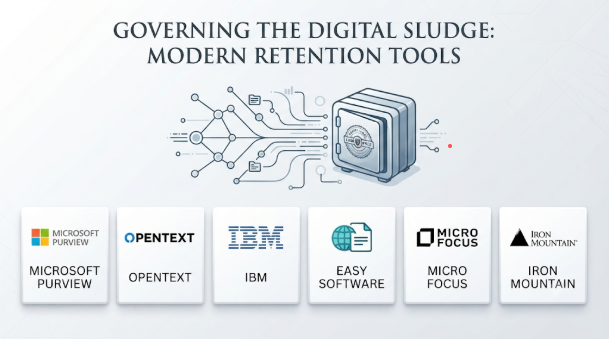
This guide explores eight established tools for records management and retention. It explains their main features, practical benefits, limitations, and common use cases. It also includes a comparison table and selection advice to help organizations choose an appropriate solution.
What Are Records Management and Retention Tools?
Records management and retention tools help organizations manage important information throughout its lifecycle.
A record can be a digital document, email, contract, invoice, photograph, report, or physical file. Once an organization identifies information as an official record, it may need to protect that information from unauthorized changes or deletion.
These tools help manage the process from record creation to final disposal or permanent preservation.
A typical records lifecycle includes:
- Creation or capture: Collect information from business applications, employees, customers, and other sources.
- Classification: Organize records by department, document type, business activity, or legal requirement.
- Storage: Keep records in approved repositories with suitable access controls.
- Retention: Apply rules that define how long records must remain available.
- Legal hold: Suspend normal deletion when records are needed for an investigation or legal matter.
- Disposition: Review records when their retention periods end and approve their next action.
- Destruction or preservation: Delete eligible records securely or transfer important records for long-term preservation.
A good records management system should support more than document storage. It should provide clear rules, reliable records, traceable actions, and controlled disposal.
Why Do Organizations Need Records Management Software?
Managing records through shared folders and spreadsheets can become difficult as information grows.
Employees may save several versions of the same document. Important emails may remain in personal mailboxes. Different departments may follow different retention rules. Records may also remain stored long after their business purpose ends.
Records management software helps address these problems.
1. Consistent Retention Policies
Organizations can define how long different types of records should remain available. The system can apply these rules to the relevant information.
2. Better Information Control
Access permissions help restrict sensitive records to authorized employees. This is useful for financial, legal, employee, and customer information.
3. Easier Audits and Investigations
Search, reporting, and activity histories help teams locate records and understand what happened to them.
4. Controlled Record Disposal
Retention tools can identify records that have reached the end of their retention period. Some systems also support approval before permanent deletion.
5. Legal Hold Management
A legal hold can stop records from being deleted while an investigation, dispute, or legal matter remains active.
6. Reduced Storage and Information Risk
Organizations can remove information that no longer needs to be retained. This helps reduce unnecessary data storage and limits exposure from outdated information.
Top 10 Records Management and Retention Tools
The following products address different parts of records and information governance. They are presented by practical role rather than as a universal performance ranking.
1. Microsoft Purview Records Management
Microsoft Purview Records Management is designed to help organizations manage records and retention across supported Microsoft 365 content.
It is particularly relevant to businesses that already use Microsoft 365 applications. Teams can create retention labels, organize retention requirements through file plans, and declare selected content as records.
One important advantage is its connection with the Microsoft 365 environment. Organizations can manage retention requirements without treating every document or email as a separate external archive.
Microsoft Purview also supports disposition reviews. These reviews help authorized users examine content before permanent deletion. The platform can provide proof of disposition for eligible records. Microsoft Learn+1
Key Features:
- Retention Labels: Apply retention periods and actions to supported content.
- Record Declaration: Mark selected content as records or regulatory records.
- File Plans: Organize retention labels and document retention requirements.
- Automatic Labeling: Apply labels based on supported conditions, sensitive information, or content properties.
- Event-Based Retention: Start retention periods when configured business events occur.
- Disposition Reviews: Review eligible records before permanent deletion.
- Proof of Disposition: Maintain evidence of completed record disposal.
- Microsoft 365 Integration: Manage supported content across the Microsoft 365 environment.
Benefits:
- Fits organizations that already use Microsoft 365.
- Helps centralize retention policies.
- Supports automatic and manual record classification.
- Provides controlled disposition workflows.
- Helps manage records without creating a separate repository for every workflow.
Pros:
- Strong integration with Microsoft 365.
- Flexible retention labels and file plans.
- Supports record and regulatory record declarations.
- Provides disposition review capabilities.
- Offers automatic labeling options.
Cons:
- Its strongest fit is within supported Microsoft 365 services.
- Advanced capabilities depend on licensing and configuration.
- Organizations with many non-Microsoft repositories may need additional integrations.
- Retention policies require careful planning and administration.
Use Cases:
- Managing SharePoint and OneDrive records.
- Applying retention rules to Microsoft 365 content.
- Managing business and regulatory records.
- Reviewing records before deletion.
- Supporting information governance across Microsoft environments.
Best For:
- Organizations using Microsoft 365.
- IT and compliance departments.
- Records managers.
- Businesses managing large volumes of Microsoft-based content.
- Organizations that want integrated retention and disposition controls.
2. OpenText Records Management
OpenText Records Management helps organizations control electronic and physical records throughout their lifecycle.
It is designed for organizations with complex information governance requirements. These may include large businesses, government departments, financial institutions, and other organizations that manage different types of official records.
A key distinction is its ability to manage physical and electronic records within a broader records management approach. Organizations can track physical items as well as apply governance rules to digital information.
OpenText also supports automated preservation, legal holds, scheduled disposition, and disposition reporting. These capabilities help records teams manage information without relying entirely on manual processes. OpenText+1
Key Features:
- Records Lifecycle Management: Manage records from creation through final disposition.
- Retention Policies: Apply rules that define how long records must remain available.
- Automated Classification: Use supported classification capabilities to organize information.
- Legal Holds: Preserve records that must remain available for legal or investigative reasons.
- Disposition Management: Schedule and control the final handling of eligible records.
- Disposition Reporting: Maintain reports and records of approved disposal activities.
- Physical Records Management: Track physical records, storage locations, and transfers.
- Enterprise Integrations: Connect records governance with supported enterprise applications.
Benefits:
- Supports complex enterprise records requirements.
- Helps manage physical and electronic records.
- Provides lifecycle governance and disposition controls.
- Supports integration with wider enterprise content environments.
- Helps reduce manual records administration.
Pros:
- Supports physical and digital records.
- Provides detailed lifecycle management capabilities.
- Includes retention and preservation controls.
- Supports legal holds and disposition reviews.
- Fits organizations with complex governance requirements.
Cons:
- Implementation may require specialist planning.
- Large deployments can involve significant administration.
- Organizations may need technical support for integrations.
- The full platform may be excessive for small teams with basic document needs.
Use Cases:
- Government records management.
- Enterprise information governance.
- Managing physical archives and digital documents.
- Legal and regulatory record preservation.
- Controlling records disposition across departments.
Best For:
- Large enterprises.
- Government organizations.
- Financial institutions.
- Records management departments.
- Organizations with complex physical and digital archives.
3. IBM Enterprise Records
IBM Enterprise Records helps organizations manage electronic and physical records according to business, legal, and regulatory requirements.
The platform focuses on formal records lifecycle management. It supports file plans, record classification, retention schedules, disposition reviews, and controlled destruction.
One useful capability is its federated approach. IBM describes how Enterprise Records can manage records while leaving content in its original IBM or third-party repositories. This can help organizations avoid unnecessary movement of information between systems.
Its disposition workflows can support review, export, transfer, and destruction. Organizations can also place records on disposition hold when legal or investigative requirements prevent normal disposal. IBM+3
Key Features:
- File Plan Management: Organize records through categories, folders, and other file plan structures.
- Automated Records Capture: Help capture and classify records from users and business systems.
- Retention Schedules: Define how long different record types should remain available.
- Disposition Workflows: Support review, transfer, export, and destruction processes.
- Disposition Holds: Suspend scheduled disposal when records must remain preserved.
- Physical Records Management: Track physical records alongside electronic information.
- Federated Records Management: Manage records without always moving their original content.
- Role-Based Administration: Assign records management responsibilities to appropriate users.
Benefits:
- Supports structured enterprise records management.
- Helps manage physical and digital records.
- Provides detailed retention and disposition workflows.
- Supports records management across connected repositories.
- Helps reduce manual handling of records processes.
Pros:
- Strong focus on formal records lifecycle management.
- Supports file plans and complex retention schedules.
- Provides disposition holds and approval workflows.
- Can manage records in their original repositories.
- Supports electronic and physical records.
Cons:
- Requires careful system design and administration.
- Complex workflows may require trained records managers.
- Organizations should assess compatibility with existing content repositories.
- It may be more than smaller businesses need.
Use Cases:
- Enterprise records management.
- Government and public-sector records.
- Legal and regulatory recordkeeping.
- Managing physical and electronic archives.
- Controlling retention and destruction across departments.
Best For:
- Large enterprises.
- Government organizations.
- Organizations with complex file plans.
- Businesses managing records across multiple repositories.
- Teams that need formal disposition workflows.
4. Laserfiche Records Management
Laserfiche Records Management combines document management, workflow automation, and records lifecycle controls.
It helps organizations organize information in a central repository. Records managers can define file plans, create retention rules, track record status, and manage final disposition.
Its lifecycle tools cover activities such as cutoff, transfer, accession, and destruction. A records manager can also use reports to identify records that are ready for disposition or other review activities.
This makes Laserfiche useful for organizations that want document management and formal records management in one environment. doc.laserfiche.com+2
Key Features:
- Centralized Repository: Store and organize documents using folders, metadata, and templates.
- File Plan Management: Create record series, record folders, and structured records.
- Retention Rules: Define how long records should remain in the system.
- Lifecycle Tracking: Track records through different lifecycle stages.
- Disposition Management: Manage cutoff, transfer, accession, and destruction activities.
- Records Reporting: Identify records eligible for cutoff, disposition, and vital record review.
- Workflow Automation: Automate selected records and document processes.
- Audit Trail: Review records management activity and lifecycle history.
Benefits:
- Combines document and records management.
- Helps organize records using structured file plans.
- Provides lifecycle tracking and reporting.
- Supports controlled retention and disposition.
- Helps reduce manual records administration.
Pros:
- Provides dedicated records management features.
- Supports file plans and retention rules.
- Offers lifecycle history and disposition reporting.
- Combines document storage with workflow capabilities.
- Useful for organizations managing structured records.
Cons:
- Records structures need careful configuration.
- Complex retention schedules may require specialist administration.
- Organizations should verify required features for their chosen deployment.
- Large-scale implementations may need integration planning.
Use Cases:
- Government document management.
- Managing employee and financial records.
- Organizing contracts and official business documents.
- Automating records lifecycle processes.
- Managing retention and disposition activities.
Best For:
- Government departments.
- Mid-sized and large organizations.
- Records management teams.
- Businesses seeking document and records management together.
- Organizations that need file plans and lifecycle reporting.
5. Hyland OnBase Records Management
Hyland OnBase Records Management helps organizations manage records through configured retention plans and lifecycle processes.
The platform is designed to work within the wider OnBase content services environment. Organizations can manage records in folders, apply retention plans, track lifecycle status, and control final disposition.
An important feature is its support for event-based retention actions. A record’s lifecycle can depend on a defined period, date, or business event.
OnBase also supports different final disposition choices. Depending on configuration, records may be destroyed, purged, or retained permanently. Approval requirements can also be applied to certain disposal actions. Foundation 26.1+3
Key Features:
- Retention Plans: Define the actions required throughout a record’s lifecycle.
- Event-Based Actions: Trigger selected lifecycle activities through configured events.
- Folder Management: Organize managed folders and associated records.
- Legal Holds: Freeze records or folders to suspend normal lifecycle movement.
- Final Disposition: Configure destruction, purging, or permanent retention.
- Approval Controls: Require authorized approval before selected disposal actions.
- Activity History: Review holds, retention plan changes, and disposition approvals.
- Transaction Logging: Track records management activities.
Benefits:
- Supports structured retention plans.
- Helps automate records lifecycle actions.
- Provides control over final disposition.
- Supports event-based records processes.
- Maintains a history of important records management activities.
Pros:
- Flexible retention plan configuration.
- Supports event-based lifecycle actions.
- Provides legal hold functionality.
- Supports approval before selected destruction actions.
- Fits organizations already using OnBase.
Cons:
- Retention plans require careful configuration.
- Some capabilities depend on licensing.
- Organizations need to understand folder and record lifecycle rules.
- It may not be the simplest option for basic document storage.
Use Cases:
- Healthcare records management.
- Financial and administrative records.
- Government document retention.
- Managing records through event-based schedules.
- Controlling document disposition and approval processes.
Best For:
- Existing OnBase customers.
- Healthcare organizations.
- Government departments.
- Large administrative teams.
- Organizations that need configurable retention plans.
6. M-Files
M-Files is a document and information management platform that uses metadata to organize and manage business information.
Instead of relying only on traditional folders, M-Files connects documents with information about their content, purpose, owner, and business context.
This approach can help organizations manage documents through their lifecycle. Its records management capabilities include metadata-based classification, retention rules, version history, and workflows for managing records.
M-Files is particularly useful when employees need to find information based on what a document represents rather than where someone saved it. M-Files+1
Key Features:
- Metadata-Based Organization: Classify documents using their business context and properties.
- Document Lifecycle Management: Manage information from creation through retention and disposal.
- Retention Rules: Apply configured retention and disposal requirements.
- Version Control: Maintain document versions and histories.
- Workflow Automation: Automate reviews, approvals, assignments, and notifications.
- Access Permissions: Control who can view or manage selected information.
- Document Search: Find information using metadata and document properties.
- AI Capabilities: Use supported AI features to assist with knowledge work.
Benefits:
- Makes information easier to organize and find.
- Reduces dependence on traditional folder structures.
- Supports document lifecycle workflows.
- Helps apply consistent retention rules.
- Connects documents with their business context.
Pros:
- Flexible metadata-based organization.
- Useful document lifecycle capabilities.
- Supports retention and disposal rules.
- Provides version control and workflow automation.
- Suitable for organizations with changing document structures.
Cons:
- Metadata design requires planning.
- Users may need training to adopt a different way of organizing information.
- Complex governance needs may require additional configuration.
- Organizations should verify the exact records management capabilities available in their selected plan.
Use Cases:
- Managing contracts and agreements.
- Organizing employee and business documents.
- Managing document approvals.
- Applying retention rules to business information.
- Improving information search and retrieval.
Best For:
- Mid-sized and large businesses.
- Professional services organizations.
- Legal and administrative teams.
- Organizations with metadata-driven workflows.
- Businesses seeking document lifecycle management.
7. Smarsh Archive
Smarsh Archive focuses on retaining, searching, and supervising business communications.
It is particularly relevant to financial services firms and other organizations that must preserve electronic communications for regulatory or internal governance purposes.
The platform supports the capture and archiving of different communication types. These can include email, collaboration messages, mobile communications, social media, and other supported channels.
Smarsh also provides search, export, supervision, and retention controls. Its archive is designed to help compliance teams find relevant communications and respond to investigations or regulatory requests. Smarsh+1
Key Features:
- Communication Archiving: Capture and preserve supported business communications.
- Retention Policies: Apply retention periods based on configured requirements.
- Advanced Search: Search archived content using different criteria.
- Legal Holds: Preserve information that must remain available.
- Supervision Workflows: Support review queues, policies, reporting, and escalation.
- Data Export: Export archived information in supported formats.
- Communication Context: Preserve relevant information and metadata for archived content.
- Cloud Archive: Provide cloud-based storage for supported communication records.
Benefits:
- Focuses on business communication retention.
- Helps compliance teams search large communication archives.
- Supports supervision and review workflows.
- Helps preserve communication records for investigations.
- Supports different communication channels.
Pros:
- Strong focus on communications archiving.
- Supports multiple communication sources.
- Provides search and export capabilities.
- Includes supervision features.
- Offers configurable retention controls.
Cons:
- It is not a general-purpose replacement for every enterprise records management system.
- Organizations should verify channel coverage before implementation.
- Compliance workflows may require specialist configuration.
- Costs and available capabilities depend on the selected service arrangement.
Use Cases:
- Financial services communication archiving.
- Email and messaging retention.
- Compliance monitoring.
- Regulatory investigations.
- Searching and exporting business communications.
Best For:
- Financial institutions.
- Broker-dealers and investment firms.
- Compliance departments.
- Organizations with communication retention obligations.
- Businesses that need searchable communication archives.
8. Veritas Enterprise Vault
Veritas Enterprise Vault is an enterprise archiving platform that helps organizations preserve and retrieve information from supported systems.
It uses retention categories to define how long archived items should remain available. Administrators can configure different retention categories for different types of information.
The platform also supports archive search, classification, and legal hold capabilities through its wider ecosystem and configuration. These features can help organizations manage archived information for compliance, investigation, and discovery needs.
Enterprise Vault is best understood as an archiving-focused solution rather than a complete replacement for every enterprise records management platform. Organizations should assess its current product support, deployment options, and integration requirements before choosing it. Veritas™+3
Key Features:
- Information Archiving: Store supported information in managed archives.
- Retention Categories: Define how long archived items should remain available.
- Automatic Expiry: Remove eligible archived items after their configured retention periods.
- Archive Search: Search and retrieve archived information.
- Classification: Organize archived content using supported classification policies.
- Legal Hold: Preserve selected archive information when deletion must be suspended.
- Storage Management: Support different archive storage arrangements.
- Migration Support: Support selected archive migration workflows.
Benefits:
- Helps centralize archived information.
- Supports configurable retention categories.
- Makes archived items searchable.
- Helps manage information storage over time.
- Supports preservation needs for selected investigations.
Pros:
- Established enterprise archiving capabilities.
- Supports configurable retention periods.
- Provides archive search and retrieval.
- Includes classification options.
- Supports legal hold workflows in relevant configurations.
Cons:
- Archiving is its primary focus, not every aspect of records governance.
- Deployment and administration can require specialist skills.
- Organizations should check compatibility with current systems.
- Legal hold and discovery requirements may require additional products or integrations.
Use Cases:
- Enterprise email archiving.
- Preserving business information.
- Managing archived content retention.
- Searching historical communications.
- Supporting selected legal and compliance investigations.
Best For:
- Organizations with established archiving requirements.
- Enterprise IT departments.
- Businesses managing large information archives.
- Organizations reviewing legacy archive environments.
- Teams that need retention controls for archived information.
Comparison of Records Management and Retention Tools
The following table summarizes the main differences between these platforms. Their capabilities and deployment options depend on the selected product configuration, licensing, and connected systems.
| Tool | Primary Focus | Main Strength | Suitable For |
|---|---|---|---|
| Microsoft Purview | Microsoft 365 records and retention | Retention labels and disposition reviews | Microsoft 365 organizations |
| OpenText Records Management | Enterprise records governance | Physical and electronic records lifecycle | Large enterprises and government |
| IBM Enterprise Records | Formal enterprise records management | File plans and disposition workflows | Complex enterprise environments |
| Laserfiche | Document and records management | File plans and lifecycle reporting | Government and administrative teams |
| Hyland OnBase | Content and records management | Configurable retention plans | Healthcare and enterprise departments |
| M-Files | Metadata-driven document lifecycle | Context-based document organization | Professional and business teams |
| Smarsh Archive | Communications archiving | Communication retention and supervision | Financial and regulated firms |
| Veritas Enterprise Vault | Enterprise information archiving | Archive retention and retrieval | Organizations with archive requirements |
How to Choose the Right Records Management Tool
Selecting records management software requires more than comparing feature lists. Organizations should understand their information types, retention obligations, existing systems, and daily workflows.
The following considerations can help narrow the options.
1. Identify the Types of Records You Manage
Start by listing the information your organization needs to preserve.
Examples include:
- Employee and payroll records.
- Financial statements and invoices.
- Contracts and legal documents.
- Customer and supplier information.
- Emails and business communications.
- Government and administrative records.
- Physical files and archived documents.
A company managing contracts may need a different solution from a financial firm retaining employee messages and trading communications.
2. Check Retention and Disposition Capabilities
A records management tool should support the retention rules your organization needs.
Check whether the platform can:
- Apply retention schedules to different record types.
- Start retention periods based on dates or business events.
- Suspend deletion through legal holds.
- Review records before final disposal.
- Record evidence of completed disposition.
- Support permanent preservation where required.
Do not assume that every document management platform provides these capabilities.
3. Review Existing Application Integrations
Records often live across several systems. These may include email platforms, collaboration tools, enterprise resource planning applications, customer relationship management systems, and shared repositories.
Check how the software captures information from these sources.
Also confirm whether it preserves important metadata, attachments, version details, and relationships between records.
4. Evaluate Security and Access Controls
Records may contain sensitive financial, legal, employee, or customer information.
Review the platform’s access controls and security features.
Important areas include:
- Role-based permissions.
- User authentication.
- Encryption.
- Audit logs.
- Administrative access controls.
- Secure information sharing.
- Backup and recovery arrangements.
Security capabilities should be reviewed against your organization’s actual requirements. A product’s general security claims do not automatically establish regulatory compliance.
5. Understand Deployment and Administration
Some organizations prefer cloud services. Others need private cloud or on-premises environments.
Your choice may depend on existing infrastructure, data location requirements, internal skills, and integration needs.
Also consider the work required to configure retention schedules, migrate existing records, train employees, and maintain the system.
6. Compare Total Cost of Ownership
The purchase price is only one part of the total cost.
Consider:
- User and administrator licensing.
- Storage and archive capacity.
- Implementation services.
- Integration development.
- Data migration.
- Training and support.
- Ongoing administration.
- Additional compliance or discovery products.
Ask vendors to explain which capabilities require separate licenses or services.
Common Records Management Challenges
Even with suitable software, records management can fail when policies and processes are unclear.
Inconsistent Retention Rules
Different departments may retain similar records for different periods. This can lead to confusion and unnecessary information risk.
Organizations should create an approved retention schedule before configuring software policies.
Poor Record Classification
If records are not classified correctly, the system may apply the wrong retention rule.
Metadata, file plans, and classification workflows should reflect real business activities.
Unmanaged Legal Holds
A record may reach the end of its normal retention period while an investigation remains active.
Organizations need a clear process for identifying affected records and suspending disposal when necessary.
Uncontrolled Copies
Employees may create duplicate files in email accounts, shared drives, personal folders, and collaboration platforms.
A retention strategy should consider these locations and explain how duplicate or redundant information will be handled.
Unverified Disposal
Deleting a record is not always enough. Some organizations need approval, reporting, or evidence that disposal followed the correct process.
The chosen system should support the level of disposition control the organization requires.
Practical Implementation Steps
A successful implementation begins with records governance, not software configuration.
Organizations can use the following approach.
- Inventory existing records: Identify important information sources, formats, and repositories.
- Create a retention schedule: Define how long each record category must remain available.
- Assign record ownership: Identify the teams responsible for each category.
- Map business systems: Determine where records are created, stored, and shared.
- Choose the right platform: Match product capabilities with actual business requirements.
- Configure classification: Set up metadata, file plans, retention labels, or record categories.
- Test legal holds: Confirm that records cannot be disposed of while an active hold applies.
- Test disposition: Review the approval and deletion process using suitable test records.
- Train employees: Explain how to classify, store, access, and manage records.
- Review policies regularly: Update retention rules when business or legal requirements change.
A pilot project can help identify problems before the system is rolled out across the entire organization.
Which Records Management Tool Should You Choose?
The right choice depends on the type of records you manage and the systems your organization already uses.
- Choose Microsoft Purview Records Management if your organization relies heavily on Microsoft 365 and needs integrated retention labels, record declarations, and disposition reviews.
- Choose OpenText Records Management if you need enterprise-wide governance for physical and electronic records.
- Choose IBM Enterprise Records if you need formal file plans, complex retention schedules, and controlled disposition workflows.
- Choose Laserfiche if you want document management alongside file plans, lifecycle tracking, and records reporting.
- Choose Hyland OnBase Records Management if you already use OnBase or need configurable retention plans and lifecycle controls.
- Choose M-Files if metadata-driven document organization and lifecycle workflows are important to your business.
- Choose Smarsh Archive if your main requirement is retaining and supervising business communications.
- Choose Veritas Enterprise Vault if your organization needs enterprise archiving and retention controls for supported information sources.
Before making a decision, test the product with representative records. Confirm that retention rules, legal holds, search, access controls, and final disposition work as expected.
Frequently Asked Questions
1. What is records management software?
Records management software helps organizations organize, classify, store, retain, retrieve, and dispose of official business records. It supports the controlled management of information throughout its lifecycle.
2. What is the difference between document management and records management?
Document management focuses on creating, editing, organizing, sharing, and retrieving documents.
Records management adds formal controls for retention, legal holds, record protection, lifecycle tracking, and final disposition. A document management system may include records management features, but not every system provides full records lifecycle controls.
3. What is a records retention policy?
A records retention policy defines how long an organization must keep specific types of information. It may also explain when records can be reviewed, transferred, archived, or destroyed.
The required period depends on the record type, business purpose, applicable laws, and organizational policies.
4. What is the difference between retention and archiving?
Retention defines how long information must be kept and what should happen when that period ends.
Archiving involves moving or preserving information in a managed repository for long-term storage and retrieval. An archive may support retention, but archiving alone does not guarantee complete records management.
5. What is a legal hold in records management?
A legal hold suspends normal deletion or disposal for information that may be needed for litigation, an investigation, or another legal matter.
It helps preserve relevant records until the organization authorizes the release of the hold.
6. Can records management software automatically delete old records?
Some platforms support automated disposition. However, organizations should configure the correct retention rules and approval requirements first.
Certain records may require a review before destruction. Active legal holds can also prevent normal disposal.
7. Is cloud-based records management secure?
Cloud-based records management systems can provide security controls such as encryption, access permissions, audit logging, and backup services.
However, security depends on product configuration, provider responsibilities, identity controls, and the organization’s own practices. Buyers should review the provider’s security documentation before storing sensitive records.
8. How long should an organization retain business records?
There is no single retention period for every record. Requirements vary by record type, jurisdiction, industry, and business purpose.
Organizations should create retention schedules with appropriate legal, compliance, and records management guidance.
Final Thoughts
Records management is about controlling information throughout its useful life. Organizations need to keep important records, protect information under legal hold, and dispose of records when they no longer need to remain available.
The tools in this guide address different parts of that responsibility. Microsoft Purview fits Microsoft 365 environments, while OpenText and IBM support complex enterprise records programs. Laserfiche and OnBase combine content management with lifecycle controls. M-Files focuses on metadata-driven document management, while Smarsh and Veritas serve more specialized archiving needs.
The best solution is the one that matches your actual records, retention obligations, existing applications, and administrative capacity. Define those requirements first, then test the most suitable platforms with real business workflows before making a long-term commitment.


Leave a Reply
You must be logged in to post a comment.