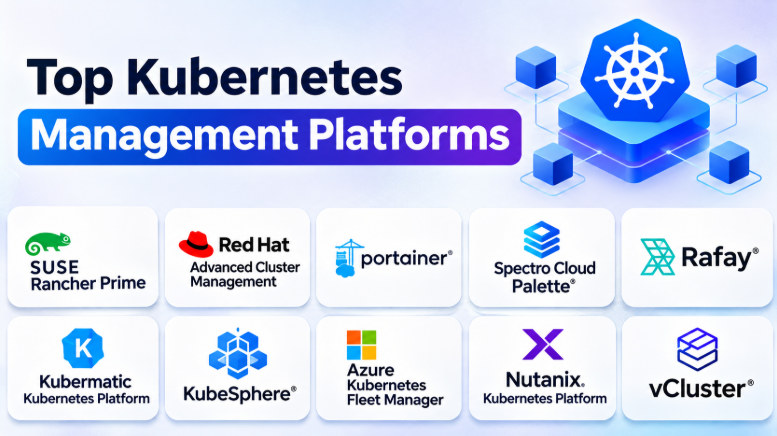
1. SUSE Rancher Prime
SUSE Rancher Prime is an enterprise Kubernetes management platform. It helps teams manage clusters across public clouds, private data centers, and edge locations.
Rancher Manager can provision, govern, and audit different Kubernetes clusters. It supports Rancher’s RKE2 and K3s distributions, along with supported Kubernetes distributions such as EKS, AKS, and GKE. SUSE® Rancher Manager v2.15+1
Key features
- Central management for multiple Kubernetes clusters.
- Cluster provisioning and lifecycle management.
- Role-based access and security policies.
- Monitoring, auditing, and cluster visibility.
- Support for hybrid and multi-cloud environments.
Pros
- Manages different Kubernetes distributions from one place.
- Offers an open-source Rancher foundation.
- Useful for hybrid and edge environments.
- Helps standardize cluster access and policies.
Cons
- The management server needs its own care and maintenance.
- Large fleets still need careful policy and access design.
- Enterprise support and services require a paid Prime subscription.
Best for: Platform teams managing Kubernetes clusters across clouds, data centers, and edge locations.
2. Red Hat Advanced Cluster Management for Kubernetes
Red Hat Advanced Cluster Management (ACM) helps organizations manage Kubernetes clusters through a central control plane. It extends the Red Hat OpenShift environment with fleet management, governance, and application placement.
ACM can manage supported OpenShift and other Kubernetes clusters. It helps teams apply policies and deploy applications across selected clusters. redhat.com+1
Key features
- Centralized multi-cluster management.
- Policy creation and governance.
- Fleet health and observability.
- Application placement across clusters.
- Cluster lifecycle and access management.
Pros
- Useful for large OpenShift environments.
- Supports policy enforcement across clusters.
- Offers centralized visibility for distributed workloads.
- Helps teams manage applications across cloud and edge locations.
Cons
- Its strongest fit is within Red Hat’s ecosystem.
- The full platform can be complex to plan and operate.
- Licensing and subscription requirements need review.
Best for: Enterprises that use OpenShift and need centralized governance across many clusters.
3. Portainer
Portainer provides a visual interface for managing container environments. It supports Kubernetes alongside other container platforms, including Docker and Docker Swarm.
Teams can use its web interface to inspect workloads, manage access, and deploy applications. Its Business Edition adds capabilities such as fleet governance, audit logs, and GitOps workflows. Portainer+1
Key features
- Web-based Kubernetes management.
- Workload, volume, and network management.
- Role-based access control.
- Git-based application deployment.
- Management of multiple container environments.
Pros
- Gives teams a visual alternative to command-line-only workflows.
- Supports more than one container environment.
- Helps manage access for different users and teams.
- Offers a Community Edition and commercial options.
Cons
- A graphical interface does not remove the need for Kubernetes knowledge.
- Advanced governance features depend on the edition.
- It does not replace every cluster lifecycle or infrastructure tool.
Best for: Teams that want a visual management interface for Kubernetes and other container environments.
4. Spectro Cloud Palette
Spectro Cloud Palette focuses on the full lifecycle of Kubernetes clusters. It helps teams define and manage cluster configurations across cloud, data center, bare-metal, and edge environments.
Palette uses declarative cluster profiles. These profiles help teams define the software layers and settings that make up a cluster. It also supports deployment models that include SaaS, self-hosted, and air-gapped environments. Spectro Cloud
Key features
- Declarative cluster profiles.
- Multi-cluster lifecycle management.
- Cluster upgrades and configuration management.
- Monitoring, logging, and alerting.
- Support for self-hosted and air-gapped use.
Pros
- Helps standardize cluster configurations.
- Supports varied infrastructure environments.
- Useful for teams managing edge and bare-metal clusters.
- Provides a structured way to manage cluster software layers.
Cons
- Teams must learn its profile and lifecycle model.
- A full platform rollout needs careful planning.
- Commercial packaging and deployment choices affect cost.
Best for: Organizations that need consistent Kubernetes configurations across diverse infrastructure.
5. Rafay Kubernetes Operations Platform
Rafay Kubernetes Operations Platform focuses on cluster operations, automation, and self-service. It helps platform teams manage Kubernetes clusters across cloud, data center, and edge environments.
Rafay offers centralized workflows for cluster lifecycle tasks, policies, access, and application operations. Its platform can connect with existing CI/CD and GitOps processes. Rafay+1
Key features
- Centralized multi-cluster management.
- Cluster provisioning and lifecycle automation.
- Self-service workflows for development teams.
- Policy and access management.
- GitOps and application operations.
Pros
- Helps standardize workflows across clusters.
- Supports self-service infrastructure for development teams.
- Offers central access and policy controls.
- Can support hybrid and air-gapped environments.
Cons
- Requires planning around its management architecture.
- Teams should check the SaaS and self-hosted options against their needs.
- Commercial pricing requires direct evaluation.
Best for: Enterprise platform teams that want governed self-service and automated Kubernetes operations.
6. Kubermatic Kubernetes Platform
Kubermatic Kubernetes Platform (KKP) helps organizations provision and manage Kubernetes clusters across different environments. It supports public cloud, private infrastructure, bare metal, and edge deployments.
KKP is designed for organizations that need to operate many clusters. It also supports importing and managing clusters from services such as EKS, AKS, and GKE. Kubermatic+1
Key features
- Multi-cluster provisioning and lifecycle management.
- Hybrid and multi-cloud operations.
- Cluster monitoring and logging.
- Central policy management.
- Support for Kubernetes-as-a-Service workflows.
Pros
- Supports varied infrastructure providers.
- Helps automate cluster creation and updates.
- Useful for large and distributed environments.
- Supports centralized management for tenant clusters.
Cons
- Needs platform engineering skills.
- Its broad feature set may be excessive for a small cluster estate.
- Infrastructure provider setup can add implementation work.
Best for: Organizations that build or operate Kubernetes services across many clouds and infrastructure environments.
7. KubeSphere
KubeSphere is an open-source Kubernetes platform with a visual management console. It adds tools for multi-tenancy, application management, observability, and DevOps workflows.
Its modular design lets teams add extensions to support their platform needs. KubeSphere also supports multi-cluster management and application deployment across clusters. kubesphere.io+2
Key features
- Visual Kubernetes management console.
- Multi-cluster and multi-tenant management.
- Application lifecycle management.
- Monitoring, logging, and alerting.
- Extensible platform architecture.
Pros
- Offers an open-source Community Edition.
- Provides a broad visual management experience.
- Supports multiple teams and clusters.
- Can integrate with other cloud-native tools.
Cons
- Teams must manage the Kubernetes infrastructure underneath.
- Extensions can add configuration and maintenance work.
- Organizations should check edition differences before adoption.
Best for: Teams that want an open-source platform with a visual console and integrated cloud-native workflows.
8. Azure Kubernetes Fleet Manager
Azure Kubernetes Fleet Manager helps teams manage groups of Kubernetes clusters. It is especially relevant to organizations that operate multiple AKS clusters across Azure regions and subscriptions.
Fleet Manager supports staged cluster updates and resource placement across member clusters. It can also include supported Arc-enabled Kubernetes clusters in its fleet model. Microsoft Azure+2
Key features
- Centralized fleet management for supported clusters.
- Staged Kubernetes and node image upgrades.
- Reusable update strategies.
- Resource placement across clusters.
- Centralized monitoring access.
Pros
- Fits existing Azure Kubernetes environments.
- Helps coordinate upgrades across clusters.
- Supports controlled rollout stages.
- Reduces repeated manual fleet tasks.
Cons
- Its strongest fit is for Azure and supported Arc-connected environments.
- It is not a general replacement for every multi-cloud management platform.
- Teams still manage workloads and cluster responsibilities.
Best for: Azure users who need to coordinate updates and resources across multiple Kubernetes clusters.
9. Nutanix Kubernetes Platform
Nutanix Kubernetes Platform (NKP) helps organizations run and manage Kubernetes across hybrid and multi-cloud environments. It focuses on cluster lifecycle, governance, and operations.
Nutanix describes deployment options that include Nutanix infrastructure, VMware, bare metal, public clouds, edge, and air-gapped environments. Available capabilities depend on the selected NKP edition. nutanix.com+1
Key features
- Centralized Kubernetes cluster management.
- Cluster lifecycle operations.
- Role-based access and single sign-on.
- Backup and restore options in supported editions.
- Hybrid and multi-cloud deployment choices.
Pros
- Fits organizations with Nutanix infrastructure.
- Supports a range of deployment environments.
- Combines Kubernetes management with enterprise infrastructure services.
- Offers options for air-gapped environments.
Cons
- Some capabilities depend on the selected edition.
- Organizations should review infrastructure and licensing requirements.
- It may be more platform than a small Kubernetes team needs.
Best for: Enterprises that want Kubernetes management integrated with Nutanix and hybrid infrastructure.
10. vCluster Platform
vCluster Platform takes a different approach to Kubernetes management. It creates virtual Kubernetes clusters inside a host cluster.
Each virtual cluster provides its own Kubernetes API server and control-plane components. This gives teams a separate cluster experience without requiring a fully separate physical cluster for every tenant. vCluster+1
Key features
- Virtual Kubernetes clusters.
- Tenant and team isolation options.
- Self-service cluster provisioning.
- Kubernetes API compatibility for tenant workflows.
- Shared infrastructure for multiple virtual clusters.
Pros
- Helps provide separate cluster environments to teams.
- Can reduce the need to create a physical cluster for every tenant.
- Supports developer self-service.
- Useful for internal platforms and multi-tenant services.
Cons
- Virtual clusters still depend on the host cluster.
- Isolation depends on the chosen configuration and infrastructure.
- Teams must understand host and virtual cluster responsibilities.
- It is not a complete replacement for fleet management tools.
Best for: Platform teams that need isolated Kubernetes environments for developers, projects, or tenants.
Kubernetes Management Platforms Comparison
| Platform | Main purpose | Deployment focus | Best suited for |
|---|---|---|---|
| SUSE Rancher Prime | Multi-cluster management | Cloud, data center, edge | Hybrid Kubernetes fleets |
| Red Hat Advanced Cluster Management | Enterprise governance | OpenShift and supported Kubernetes clusters | OpenShift-based enterprises |
| Portainer | Visual container management | Supported container environments | Teams that prefer a web console |
| Spectro Cloud Palette | Cluster lifecycle management | Cloud, bare metal, data center, edge | Standardized cluster configurations |
| Rafay | Kubernetes operations and automation | Hybrid and multi-cloud | Enterprise platform teams |
| Kubermatic Kubernetes Platform | Cluster provisioning and lifecycle | Cloud, private, bare metal, edge | Large Kubernetes environments |
| KubeSphere | Open-source Kubernetes platform | Cloud and private infrastructure | Teams seeking a visual platform |
| Azure Kubernetes Fleet Manager | Kubernetes fleet coordination | Azure and supported Arc environments | AKS users |
| Nutanix Kubernetes Platform | Enterprise Kubernetes management | Hybrid and multi-cloud | Nutanix infrastructure users |
| vCluster Platform | Virtual Kubernetes clusters | Host Kubernetes clusters | Multi-tenant developer platforms |
These products do not all manage Kubernetes in the same way. Some control entire cluster fleets. Others focus on governance, visual access, infrastructure lifecycle, or virtual clusters.
That difference matters more than a long feature list.
How to Choose the Right Kubernetes Management Platform
Start with the problem your team wants to solve. A platform for managing ten clusters may not suit a team that only needs a better dashboard.
1. Decide whether you need one-cluster or fleet management
A single cluster may not need a full management platform. Standard Kubernetes tools may be enough.
A large environment needs more coordination. You may need shared policies, central access control, cluster upgrades, and application placement.
Consider Rancher Prime, Rafay, Palette, or Kubermatic when fleet operations are the main concern.
2. Match the platform to your infrastructure
List where your clusters run today.
Your environment may include:
- Amazon EKS on AWS.
- Azure Kubernetes Service on Microsoft Azure.
- Google Kubernetes Engine on Google Cloud.
- Self-managed clusters in a data center.
- Bare-metal servers.
- Remote edge locations.
Check whether the management platform supports your cluster types. Also check how it connects to them and which tasks it can control.
3. Understand who operates the management plane
The management plane is the system that controls and coordinates clusters.
Some platforms run in your own infrastructure. Others offer SaaS management. Some support both models.
This decision affects network access, data handling, upgrades, availability, and operational responsibility.
Ask these questions:
- Where does the management system run?
- Who updates and secures it?
- Does it need outbound access to your clusters?
- Can it work in an air-gapped environment?
- What happens if the management system becomes unavailable?
Do not overlook this part of the design. A central management platform can become an important dependency.
4. Check governance and access controls
Large Kubernetes environments often serve several teams. Each team may need different permissions.
Look for role-based access control, identity provider integration, audit records, and policy enforcement.
Also check whether policies apply to all clusters or only selected environments.
Red Hat Advanced Cluster Management, Rancher Prime, and Rafay are worth reviewing when governance is a major requirement.
5. Review cluster lifecycle features
Cluster management involves more than viewing workloads.
Teams may need to create clusters, upgrade Kubernetes versions, update node images, and manage cluster configuration.
Check which tasks the platform automates. Also find out which tasks still need manual work.
A platform that displays cluster health may not manage the complete cluster lifecycle.
6. Evaluate developer self-service
Developers often need temporary environments for testing and delivery.
A self-service platform can let them request approved environments without waiting for manual setup.
Rafay and vCluster are worth evaluating for this workflow. vCluster is especially relevant when teams need separate virtual Kubernetes environments.
7. Compare cost and operational effort
Do not compare subscription prices alone.
Include the full cost of running the management platform:
- Software subscriptions and support.
- Management plane infrastructure.
- Cluster and node infrastructure.
- Storage, backups, and network traffic.
- Monitoring and security services.
- Engineering and maintenance time.
A platform may reduce repeated manual work. However, it can also introduce another system that needs updates and support.
Common Mistakes When Selecting Kubernetes Management Software
Buying a fleet platform for one small cluster: A full management layer may add more work than it removes. Start with your actual operational needs.
Confusing visibility with management: A dashboard can show cluster health. It may not provision clusters, manage upgrades, or enforce policies.
Ignoring the management plane: A central controller needs its own security, backup, availability, and upgrade plan.
Assuming every cluster is fully supported: Some platforms can import a cluster but cannot control every part of its lifecycle. Check the difference between imported, provisioned, and fully managed clusters.
Overlooking access boundaries: A shared console can create risk if teams receive broad permissions. Test role and namespace boundaries.
Choosing features instead of workflows: A long feature list does not prove that a platform fits your daily operations. Test the tasks your team performs most often.
A Practical Pilot Before You Buy
Use a small proof of concept to check the platform against your real environment.
Include at least two clusters if multi-cluster management is your main goal. Use different environments when your infrastructure requires them.
Test these tasks:
- Connect or provision a cluster.
- Add users and assign roles.
- Apply a policy across selected clusters.
- Deploy an application to more than one cluster.
- Upgrade a test cluster.
- Review logs, events, and cluster health.
- Test access when the management plane is unavailable.
- Export or recover important configuration.
- Measure the effort needed for routine operations.
- Review the full cost of the setup.
Record what the platform handles automatically. Also record every task that still needs manual work.
This gives your team a more useful basis for comparison than a product demonstration alone.
Which Platform Should You Consider?
- For open-source multi-cluster management: Start with SUSE Rancher.
- For OpenShift governance: Evaluate Red Hat Advanced Cluster Management.
- For visual container management: Consider Portainer.
- For declarative cluster profiles: Review Spectro Cloud Palette.
- For enterprise self-service and automation: Evaluate Rafay.
- For large hybrid and multi-cloud fleets: Consider Kubermatic Kubernetes Platform.
- For an open-source visual Kubernetes platform: Explore KubeSphere.
- For coordinating AKS fleets: Consider Azure Kubernetes Fleet Manager.
- For Nutanix-based infrastructure: Review Nutanix Kubernetes Platform.
- For isolated developer clusters: Evaluate vCluster.
Final Thoughts
Kubernetes management platforms solve different operational problems. Some help teams control many clusters. Others provide governance, self-service, visual access, or isolated development environments.
The most important choice is how much control your team needs. Also decide how much infrastructure work it wants to manage itself.
For a broad cluster fleet, compare Rancher, Rafay, Palette, and Kubermatic. For an OpenShift environment, examine Red Hat Advanced Cluster Management. For developer isolation, consider vCluster.
Before making a long-term choice, test the platform with real clusters and real team workflows. Check access controls, upgrade handling, recovery, and ongoing costs. The right platform should make Kubernetes easier to operate, not create another layer of complexity.


Leave a Reply
You must be logged in to post a comment.