What Is Web Server Software?
Web server software helps websites and applications communicate with users over the internet or private networks. It receives browser requests and sends the right content back.
A web server can deliver HTML pages, images, videos, and other files. It can also forward requests to application software that creates dynamic content.
Most web servers support HTTP and HTTPS. HTTPS adds encryption to protect data during transfer.
Organizations use web servers for many purposes, including:
- Hosting business websites and online stores.
- Running blogs and content management systems.
- Serving web applications and APIs.
- Managing incoming traffic from many visitors.
- Supporting secure connections and website access.
- Connecting frontend applications with backend services.
The right software depends on the website, hosting platform, traffic, and technical skills of the team.
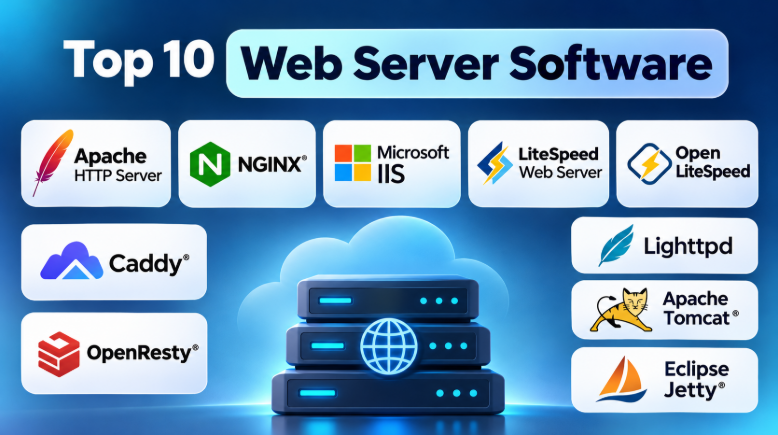
Top 10 Web Server Software Tools
Several web server platforms serve different needs. Some focus on flexible website hosting. Others specialize in traffic routing, Windows applications, or Java services.
Here are ten notable options worth considering.
1. Apache HTTP Server
Apache HTTP Server is one of the most established web server platforms. It is an open-source project maintained by the Apache Software Foundation.
It runs on several operating systems, including Linux, Windows, and Unix-like systems. Its modular design lets administrators add or remove features as needed.
Apache is widely used for traditional website hosting. It also supports virtual hosts, which allow multiple websites to run on one server.
Key Features:
- Modular architecture for adding server functions.
- Virtual hosting for multiple websites.
- URL rewriting through its rewrite module.
- Support for HTTPS and HTTP/2.
.htaccessfiles for directory-level configuration.- Reverse proxy and load-balancing modules.
Pros:
- Free and open-source software.
- Large documentation and community ecosystem.
- Flexible configuration options.
- Strong compatibility with common hosting stacks.
Cons:
- Complex configurations can take time to manage.
- Some configurations require careful resource tuning.
.htaccesssupport can add request-processing overhead.- Administrators must manage modules and security updates.
Best Uses: Shared hosting, WordPress websites, PHP applications, business websites, and environments that need flexible configuration.
2. NGINX
NGINX is a web server known for its event-driven architecture. It can handle many simultaneous connections without creating a separate process for every connection.
It serves static content and works as a reverse proxy. It can also distribute requests across multiple backend servers.
Many developers use NGINX in front of application servers. This setup helps separate public traffic handling from application processing.
Key Features:
- Event-driven connection handling.
- Reverse proxy support.
- HTTP load balancing.
- Static file delivery.
- Response caching.
- TLS termination and modern HTTP protocol support.
Pros:
- Handles high numbers of concurrent connections.
- Works well as a reverse proxy.
- Supports caching and traffic distribution.
- Has a large user and developer community.
Cons:
- Configuration can become difficult in large deployments.
- Does not support Apache
.htaccessfiles. - Dynamic applications often need separate application runtimes.
- Advanced features may require careful administration.
Best Uses: High-traffic websites, APIs, application gateways, reverse proxies, and cloud-based infrastructure.
3. Microsoft Internet Information Services (IIS)
Microsoft Internet Information Services, commonly called IIS, is a web server platform for Windows.
It works closely with Windows Server and Microsoft development technologies. Organizations often use it to host ASP.NET websites and business applications.
IIS includes graphical administration tools. It also provides application pools that help isolate applications and manage their worker processes.
Key Features:
- Integration with Windows Server.
- Support for ASP.NET applications.
- Graphical server management.
- Application pool isolation.
- HTTPS and authentication support.
- Configuration through
web.configand central settings.
Pros:
- Strong fit for Microsoft-based infrastructure.
- Familiar administration tools for Windows teams.
- Supports application isolation.
- Works with Windows authentication features.
Cons:
- Limited to Windows hosting environments.
- Requires suitable Windows Server licensing.
- Less suitable for Linux-focused infrastructure.
- Administration can become complex across many servers.
Best Uses: ASP.NET applications, Windows-based business systems, internal portals, and organizations using Microsoft infrastructure.
4. LiteSpeed Web Server
LiteSpeed Web Server is a commercial web server designed for website hosting and application delivery.
It is especially relevant to hosting providers and websites that rely on PHP. It supports Apache-compatible configuration features, which can help teams move existing websites without rewriting every server rule.
Its LSCache technology supports server-level caching. The related caching extensions can help compatible content management systems manage cached pages.
Key Features:
- Apache configuration compatibility.
- Support for
.htaccessrules. - Built-in LSCache technology.
- HTTP/2 and HTTP/3 support.
- Reverse proxy capabilities.
- Integration with hosting control panels.
Pros:
- Useful for established Apache hosting environments.
- Supports server-level caching.
- Offers tools for hosting providers.
- Provides commercial support options.
Cons:
- Commercial licensing adds operating costs.
- Advanced configuration requires technical knowledge.
- Caching needs correct application settings.
- Some hosting environments may require migration work.
Best Uses: WordPress hosting, PHP websites, shared hosting providers, and busy websites that need server-level caching.
5. OpenLiteSpeed
OpenLiteSpeed is the open-source edition of LiteSpeed technology. It provides a web server option for users who want to manage their own hosting infrastructure.
It includes a graphical WebAdmin interface. Administrators can use this interface to manage server settings and virtual hosts.
OpenLiteSpeed supports PHP through external application processes. It also works with LSCache and compatible website plugins.
However, it does not offer full Apache configuration compatibility. Teams should check its supported directives before moving an existing website.
Key Features:
- Open-source GPLv3 licensing.
- Web-based administration.
- PHP application support.
- LSCache integration.
- HTTP/2 and HTTP/3 support.
- Virtual host management.
Pros:
- No commercial server license is required.
- Includes a graphical management interface.
- Supports modern web protocols.
- Useful for self-managed website hosting.
Cons:
- Some Apache directives are unsupported.
- Configuration changes may require restarts.
- Administrators must understand its own configuration model.
- Hosting control panel compatibility needs checking.
Best Uses: Self-hosted WordPress websites, Linux servers, PHP applications, and users seeking an open-source LiteSpeed option.
6. Caddy
Caddy is an open-source web server written in Go. Its main attraction is automatic HTTPS certificate management.
It can obtain and renew certificates when the domain and network setup meet the required conditions. This removes much of the manual certificate work found in traditional configurations.
Caddy uses a readable configuration format called the Caddyfile. It also supports JSON-based configuration for more advanced setups.
Developers can use it to serve websites or forward requests to application services.
Key Features:
- Automatic HTTPS certificate management.
- Reverse proxy support.
- Simple Caddyfile configuration.
- Cross-platform operation.
- Static file hosting.
- Extensible architecture.
Pros:
- Reduces manual certificate management.
- Readable configuration format.
- Useful for smaller deployments.
- Supports reverse proxy setups.
Cons:
- Advanced configurations still need technical knowledge.
- Its ecosystem differs from Apache and NGINX.
- Certificate automation depends on correct DNS and network access.
- Existing Apache rules need conversion.
Best Uses: Small business websites, developer projects, secure reverse proxies, and applications that need simpler HTTPS management.
7. OpenResty
OpenResty is a web platform built around NGINX and the Lua programming language.
It allows developers to add custom logic to request handling. This makes it useful for advanced API gateways and application traffic systems.
Developers can use Lua scripts to control routing, access rules, and other request-processing tasks. This offers more flexibility than a basic web server configuration.
However, teams need suitable programming and administration skills to manage complex deployments.
Key Features:
- NGINX-based architecture.
- Lua scripting support.
- Custom request processing.
- API gateway development.
- Programmable traffic routing.
- Support for application-level extensions.
Pros:
- Flexible request-handling logic.
- Useful for API-heavy systems.
- Combines web serving with scripting.
- Supports custom traffic policies.
Cons:
- Requires Lua knowledge for advanced use.
- Complex scripts need careful testing.
- Troubleshooting can require deeper expertise.
- Not necessary for simple website hosting.
Best Uses: API gateways, programmable proxies, custom web platforms, and applications that need advanced request processing.
8. Lighttpd
Lighttpd is a lightweight open-source web server. It focuses on efficient resource use and a relatively small system footprint.
It can serve static files and handle web requests through a modular design. It also supports FastCGI for communication with external application processes.
Lighttpd can suit systems with limited hardware resources. It may also work well for embedded devices and smaller web services.
It does not offer the same broad hosting ecosystem as Apache or NGINX.
Key Features:
- Lightweight architecture.
- FastCGI support.
- URL rewriting.
- Virtual host support.
- TLS support.
- Modular configuration.
Pros:
- Designed for low resource use.
- Suitable for smaller server environments.
- Supports common web hosting functions.
- Open-source licensing.
Cons:
- Smaller ecosystem than major alternatives.
- Fewer common hosting tutorials.
- Some advanced requirements need additional configuration.
- Less common in large general-purpose hosting environments.
Best Uses: Embedded systems, lightweight websites, smaller web applications, and resource-constrained servers.
9. Apache Tomcat
Apache Tomcat is a Java application server focused on Java Servlet and Jakarta Server Pages technologies.
It is not a general-purpose replacement for Apache HTTP Server. Instead, it runs Java web applications and provides the required servlet environment.
Developers can deploy Java applications as web archives. Tomcat then manages application requests and execution.
It can also work behind NGINX or Apache HTTP Server. This setup lets a front-end server manage public traffic while Tomcat runs the Java application.
Key Features:
- Java Servlet support.
- Jakarta Server Pages support.
- Java web application deployment.
- Application management.
- Connector configuration.
- Support for WebSocket applications.
Pros:
- Open-source Java application platform.
- Suitable for Java web applications.
- Mature documentation and ecosystem.
- Works with common Java development tools.
Cons:
- Requires Java administration knowledge.
- Not a direct substitute for every HTTP server.
- Application tuning can require effort.
- Production security needs regular maintenance.
Best Uses: Java web applications, servlet-based systems, enterprise application backends, and Java development environments.
10. Eclipse Jetty
Eclipse Jetty is a Java-based web server and servlet container. It is designed to support web applications and services that need an embedded or standalone server.
Developers can embed Jetty inside Java applications. This can reduce the need to manage a separate web server process.
Jetty also supports HTTP services, WebSockets, and servlet-based applications. Its flexible design makes it useful for Java platforms and custom application environments.
Like Tomcat, Jetty belongs to the Java application-serving category rather than the general-purpose static web hosting category.
Key Features:
- Java application integration.
- Servlet support.
- WebSocket support.
- Embedded server deployment.
- HTTP protocol support.
- Modular architecture.
Pros:
- Can run inside Java applications.
- Useful for custom Java services.
- Supports modern application workflows.
- Open-source development model.
Cons:
- Requires Java development knowledge.
- Less suitable for users seeking simple website hosting.
- Configuration needs technical experience.
- Application and server compatibility require attention.
Best Uses: Embedded Java applications, web services, developer platforms, and servlet-based systems.
Comparison of the Top 10 Web Server Software Tools
The following table highlights their main strengths and practical uses.
| Web Server | Main Strength | Best For | Software Type |
|---|---|---|---|
| Apache HTTP Server | Flexible modules and compatibility | Traditional website hosting | Open-source |
| NGINX | Reverse proxy and traffic handling | High-traffic websites and APIs | Open-source and commercial |
| Microsoft IIS | Windows integration | ASP.NET applications | Microsoft platform |
| LiteSpeed | Server-level caching | Managed website hosting | Commercial |
| OpenLiteSpeed | Open-source LiteSpeed technology | WordPress and PHP hosting | Open-source |
| Caddy | Automatic HTTPS | Simple secure deployments | Open-source |
| OpenResty | Lua-based request control | API gateways | Open-source |
| Lighttpd | Lightweight architecture | Smaller systems | Open-source |
| Apache Tomcat | Java application execution | Java web applications | Open-source |
| Eclipse Jetty | Embedded Java server | Java services | Open-source |
How to Choose the Right Web Server Software
Selecting a web server requires more than comparing feature lists. Your application, infrastructure, and maintenance skills should guide the decision.
1. Understand Your Website Requirements
Start by identifying what your server needs to handle.
Ask these questions:
- Will it host a static website or dynamic application?
- Does it need to support PHP, Java, or ASP.NET?
- Will several websites share one server?
- Does the application need reverse proxy support?
- Will it handle public traffic or internal requests?
These answers help remove unsuitable options early.
2. Check Operating System Compatibility
Your server platform affects installation and maintenance.
Linux environments commonly use Apache, NGINX, Caddy, and OpenLiteSpeed. Windows-based applications may benefit from IIS.
Java applications can use Tomcat or Jetty across supported Java environments.
Check operating system support before choosing a platform.
3. Evaluate Performance Requirements
Performance depends on several factors. The server software is only one part of the system.
Consider:
- Number of simultaneous connections.
- CPU and memory availability.
- Static file delivery needs.
- Application response times.
- Network capacity.
- Caching requirements.
Test shortlisted servers with realistic workloads before production use.
4. Review Security Features
Web servers handle incoming requests, so security matters.
Look for important capabilities such as:
- HTTPS and TLS configuration.
- Secure access controls.
- Regular security updates.
- Request filtering options.
- Access and error logs.
- Support for security headers.
Also review firewall rules and application security. A web server alone cannot protect an entire application.
5. Consider Administration and Maintenance
A powerful server can become difficult to manage without the right skills.
Apache offers flexible modules. NGINX uses centralized configuration. Caddy simplifies common HTTPS tasks. IIS provides Windows administration tools.
Choose software that your team can maintain and troubleshoot.
6. Compare Licensing and Operating Costs
Many web servers are free and open-source. However, free software does not mean zero operating costs.
Consider:
- Commercial licensing fees.
- Hosting and infrastructure expenses.
- Technical support costs.
- Maintenance time.
- Monitoring tools.
- Migration expenses.
LiteSpeed has commercial licensing options. Apache, NGINX Open Source, Caddy, and OpenLiteSpeed offer open-source options.
Always check the current license and edition terms before deployment.
Common Web Server Use Cases
Different workloads need different server capabilities. The following examples help narrow the options.
| Use Case | Suitable Options | Main Reason |
|---|---|---|
| WordPress websites | Apache, NGINX, LiteSpeed | PHP and hosting compatibility |
| High-traffic websites | NGINX, Apache | Traffic handling and configuration options |
| Windows applications | Microsoft IIS | Windows and ASP.NET integration |
| Automatic HTTPS | Caddy | Automated certificate management |
| API gateways | NGINX, OpenResty | Request routing and proxy features |
| Lightweight systems | Lighttpd | Resource-conscious design |
| Java applications | Tomcat, Jetty | Java application support |
| Self-hosted PHP websites | OpenLiteSpeed | Open-source hosting option |
These are starting points rather than fixed rankings. The final choice depends on the complete application architecture.
Web Server Security and Maintenance Considerations
A web server needs regular care after installation. Poor configuration can create security problems even when the software itself is well maintained.
Here are some important practices.
Keep Software Updated
Install security updates when they become available. Review release notes before major upgrades.
Remove old modules and features that your applications do not need.
Use HTTPS
HTTPS encrypts communication between clients and servers. Use valid certificates and maintain suitable TLS settings.
Certificate renewal should also work without unexpected interruptions.
Limit Server Access
Restrict administrative access to trusted users. Use strong authentication and suitable permissions.
Avoid exposing management interfaces to the public internet without proper protection.
Monitor Server Activity
Review access logs and error logs regularly. Monitor unusual requests, repeated failures, and resource usage.
Monitoring helps administrators find problems before they affect more users.
Configure Backups
Back up important configuration files and website data. Test recovery procedures rather than assuming backups will work.
Keep a record of important configuration changes.
Frequently Asked Questions About Web Server Software
1. Which web server software is best for beginners?
Caddy can be a good starting point because of its readable configuration and automatic HTTPS. Apache is another useful option because of its broad documentation and hosting ecosystem.
The best choice depends on the application and operating system.
2. Is Apache better than NGINX?
Neither is universally better. Apache offers a flexible module system and .htaccess support. NGINX is particularly useful for reverse proxying and handling many concurrent connections.
Choose based on your configuration needs and application architecture.
3. Is web server software free?
Many web servers are free and open-source. Apache, NGINX Open Source, Caddy, and OpenLiteSpeed are examples.
Some products also offer paid editions, support, or additional commercial features.
4. Can one server host multiple websites?
Yes. Many web servers support virtual hosting.
This feature lets administrators host several domains on one physical or virtual machine. Each website can use its own document root and configuration.
5. What is the difference between a web server and a reverse proxy?
A web server can receive requests and deliver website content. A reverse proxy receives requests and forwards them to backend servers.
Some platforms, such as NGINX and Apache, can perform both roles.
6. Can I use NGINX with Apache?
Yes. NGINX can sit in front of Apache as a reverse proxy.
NGINX can handle public connections and static files. Apache can process requests that need its modules or application compatibility.
This setup requires correct proxy and application configuration.
7. Which web server is suitable for WordPress?
Apache, NGINX, LiteSpeed, and OpenLiteSpeed can all support WordPress hosting.
The best choice depends on PHP configuration, caching, hosting control panels, and the website’s existing rules.
8. Are Tomcat and Jetty traditional web servers?
Not exactly. Both are Java application servers and servlet containers.
They run Java web applications rather than serving as direct replacements for every general-purpose web server. They can also work behind Apache or NGINX.
Making the Right Web Server Decision
The right web server should match your application, hosting environment, and technical skills.
Apache remains a flexible choice for traditional website hosting. NGINX suits reverse proxy and traffic-routing needs. IIS fits Windows-based applications, while Caddy simplifies common HTTPS setups.
LiteSpeed and OpenLiteSpeed deserve attention in PHP and WordPress hosting environments. OpenResty suits programmable request handling. Lighttpd offers a lightweight alternative.
Tomcat and Jetty serve a different purpose for Java applications.
Before making a final decision, test your shortlisted platforms with your actual application. Check compatibility, security, caching, resource use, and maintenance needs.
A well-chosen web server should make website delivery easier to manage, not create extra work for the team.


Leave a Reply
You must be logged in to post a comment.