Succeeding in today’s hyper-competitive online environment requires managing dozens of moving parts. Marketing leaders often find themselves jumping between isolated platforms to check keyword rankings, audit technical site performance, evaluate link profiles, organize media files, assign daily tasks, and communicate with external brand advocates. This fragmented approach leads to data silos, delayed launches, bloated software budgets, and compromised campaign results.To remove these hurdles, forward-thinking organizations are moving away from piecemeal applications and embracing unified technology environments. Sustainable web visibility relies on centralization. WizBrand bridges operational divides by bringing search engine optimization, strategic project tracking, brand media management, and influencer outreach together within a single connected hub.By centralizing critical operations into one intuitive interface, WizBrand empowers agencies, in-house marketing divisions, and business owners to automate repetitive tasks, ensure cross-departmental transparency, and maximize performance across every digital initiative.
What is WizBrand?
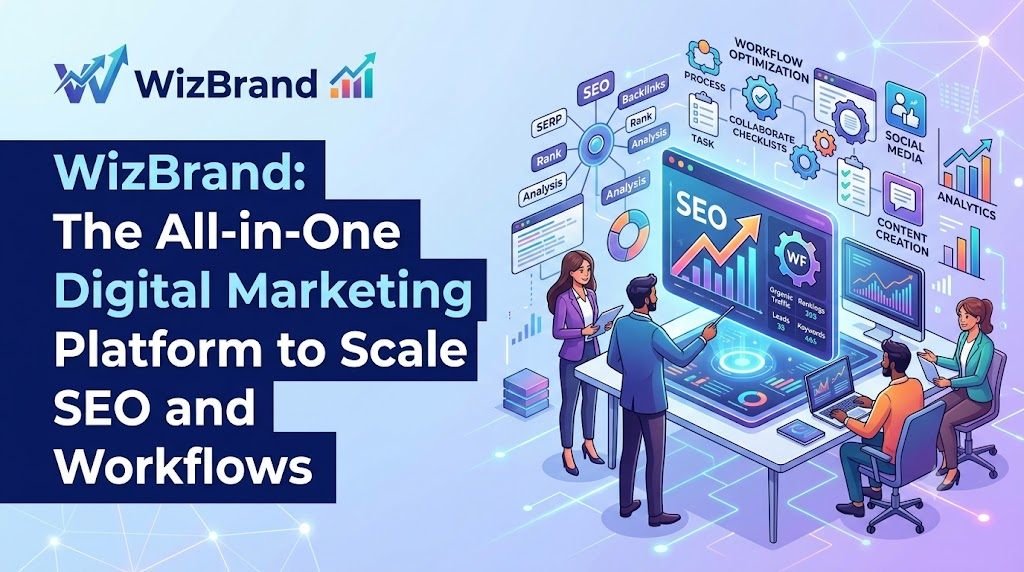
WizBrand is an enterprise-grade cloud ecosystem designed to bring together every aspect of organic search management, task orchestration, media asset hosting, and influencer partnerships into a single command center. Positioned as a complete all-in-one digital marketing platform, WizBrand replaces multiple single-purpose tools by pairing actionable search intelligence with streamlined execution tools.
+-----------------------------------------------------------------------------------+
|                                  WIZBRAND HUB                                     |
+--------------------------+--------------------------+-----------------------------+
|    SEO & Site Audits     |  Workflow & Project PM   |   Assets & Outreach         |
|  • Rank Tracking         |  • Task Management       |   • Digital Asset Mgmt      |
|  • Technical Audits      |  • Team Collaboration    |   • Influencer Marketplace  |
|  • Backlink Analysis     |  • Automated Workflows   |   • Agency Client Portals   |
+--------------------------+--------------------------+-----------------------------+
Who Should Use WizBrand?
WizBrand easily adapts to diverse team structures and operational needs:
- Digital Marketing Agencies: Effortlessly manage numerous client accounts, assign billable work, monitor campaign progress, and present clear results.
- In-House Marketing Teams: Align content specialists, web developers, and SEO strategists around clear, measurable goals.
- Startups and Small Businesses: Stretch marketing dollars further by replacing 5–10 separate software subscriptions with one affordable platform.
- E-Commerce Brands: Keep track of extensive product lines, spot technical indexation issues quickly, and organize seasonal media assets at scale.
- Freelancers and SEO Consultants: Deliver high-level technical audits and structured project updates without getting bogged down in admin work.
Centralizing your operations with WizBrand turns scattered marketing tasks into structured, repeatable processes—driving better search positions, smoother handoffs, and consistent business growth.
Core Capabilities of WizBrand
WizBrand provides a feature set designed to optimize every phase of your online strategy.
                                  WizBrand Core Capabilities
                                              │
    ┌───────────────────┬─────────────────────┼─────────────────────┬───────────────────┐
    │                   │                     │                     │                   │
┌───▼───┐           ┌───▼───┐             ┌───▼───┐             ┌───▼───┐           ┌───▼───┐
│ SEO   │           │ Rank  │             │ Site  │             │ Link  │           │ DAM   │
│ Suite │           │ Tracking            │ Audit │             │ Analysis          │ Hub   │
└───┬───┘           └───┬───┘             └───┬───┘             └───┬───┘           └───┬───┘
    │                   │                     │                     │                   │
    └───────────────────┴─────────────────────┼─────────────────────┴───────────────────┘
                                              │
                                   ┌──────────┴──────────┐
                                   │  Workflow & Outreach│
                                   └─────────────────────┘
1. All-in-One Digital Marketing Platform
- Feature Overview: Combines strategic planning, technical analytics, content creation, and external outreach within one unified workplace.
- Key Capabilities: Consolidated dashboards, cross-channel performance reporting, multi-team task sharing, and live activity streams.
- Business Benefits: Eliminates duplicate software costs, lowers software expenses, and saves time spent jumping between apps.
- Practical Example: An account manager can check global client campaign performance from a primary overview dashboard instead of logging into separate analytics and task platforms.
- Real-World Use Case: A growing enterprise simplifies its marketing tech stack, lowering software expenses while speeding up project deployment timelines by 35%.
2. SEO Management Software
- Feature Overview: A central control panel engineered to plan, carry out, and track both immediate optimizations and long-term organic search strategies.
- Key Capabilities: High-value keyword discovery, on-page optimization checks, content quality scoring, and rank history mapping.
- Business Benefits: Ensures organic search campaigns directly support broader revenue goals with reliable data insights.
- Practical Example: An organic strategist evaluates low-performing landing pages, updates metadata right inside the system, and verifies indexation status.
- Real-World Use Case: A tech company relies on focused SEO management software to refine key landing pages, driving a 45% increase in qualified organic signups over two quarters.
3. SEO Project Management Software
- Feature Overview: Task coordination software built specifically to handle technical search optimizations and site improvement workflows.
- Key Capabilities: Pre-configured technical task templates, milestone mapping, dependency tracking, and automatic ticket creation from audit findings.
- Business Benefits: Connects developers, copywriters, and link strategists so essential site updates are completed without delay.
- Practical Example: When the system identifies broken internal links, it automatically generates a ticket and sends it to the web engineering team.
- Real-World Use Case: A digital agency uses dedicated SEO project management software to run 40+ client accounts at once, reducing project completion delays by over 50%.
4. Digital Marketing Workflow Management Software
- Feature Overview: An flexible automation tool designed to standardize complex, multi-stage campaign deployments.
- Key Capabilities: Customizable review stages, rule-based status triggers, deadline alerts, and interactive Kanban or Gantt views.
- Business Benefits: Removes operational slowdowns and keeps marketing items moving through cross-departmental reviews without friction.
- Practical Example: A drafted article moves automatically from writer submission to SEO review, graphic attachment, and executive sign-off through system prompts.
- Real-World Use Case: A national retail group leverages digital marketing workflow management software to standardize seasonal launch campaigns across six distinct brand divisions simultaneously.
5. Digital Asset Management Software for Marketing Teams
- Feature Overview: Secure cloud storage engineered to organize, store, and share brand media assets efficiently.
- Key Capabilities: Smart metadata tagging, file version tracking, permission-based access, and fast visual search functionality.
- Business Benefits: Protects brand consistency, prevents file duplication, and saves hours spent looking for approved marketing materials.
- Practical Example: Designers upload high-res promotional graphics straight into organized, searchable folder directories.
- Real-World Use Case: An international enterprise uses digital asset management software for marketing teams to store more than 10,000 localized promotional files, granting instant access to global offices while maintaining brand control.
6. SEO Rank Tracking Tool
- Feature Overview: Precise position tracking system delivering real-time keyword rankings across target search engines and geographic regions.
- Key Capabilities: Hyper-local tracking, desktop vs. mobile position breakdowns, SERP feature detection (snippets, local packs), and competitor tracking.
- Business Benefits: Provides instant feedback on search engine algorithm updates and campaign progress.
- Practical Example: An online shop monitors keyword rank adjustments across target zip codes after launching a new site layout.
- Real-World Use Case: A national service chain utilizes an SEO rank tracking tool to follow local positions across 100+ markets, taking quick action whenever rankings dip.
7. Technical SEO Site Audit Tool
- Feature Overview: A comprehensive site crawler that scans web infrastructure to surface issues affecting page indexation and site performance.
- Key Capabilities: Core Web Vitals checks, crawl error reporting, duplicate content detection, canonical tag validation, and SSL security checks.
- Business Benefits: Ensures search crawlers can easily navigate, process, and index site content without structural interference.
- Practical Example: Performing automated weekly scans to catch redirect issues added during routine site updates.
- Real-World Use Case: An online publisher uses a technical SEO site audit tool to resolve deep crawl issues across 50,000 archived posts, increasing site indexation efficiency by 28%.
8. Backlink Analysis Tool
- Feature Overview: Link assessment hub that reviews domain trust, checks incoming references, and spots questionable link patterns.
- Key Capabilities: Domain authority tracking, new and lost link alerts, anchor text distribution checks, and competitor link gap identification.
- Business Benefits: Helps build high-value authority profiles while guarding against spammy links and search penalties.
- Practical Example: Finding high-authority sites pointing to rival domains and reaching out to secure similar references.
- Real-World Use Case: A finance firm uses a backlink analysis tool to audit its link profile, disavowing harmful backlinks promptly to preserve domain credibility.
9. Influencer Marketing Marketplace
- Feature Overview: Integrated creator network connecting businesses directly with vetted influencers, niche experts, and industry figures.
- Key Capabilities: Targeted profile filters, audience validity checks, campaign management, media agreement tracking, and performance dashboards.
- Business Benefits: Simplifies outreach, agreement signing, and ROI tracking without needing third-party talent agencies.
- Practical Example: A boutique store filters local content creators, sends collaboration terms, and monitors referral sales right inside the platform.
- Real-World Use Case: A direct-to-consumer brand leverages an influencer marketing marketplace to connect with 50 micro-influencers, generating original content and lifting social sales.
10. SEO Software for Agencies
- Feature Overview: Multi-client management system designed for effortless client onboarding, white-label reporting, and team allocation.
- Key Capabilities: Custom-branded reporting dashboards, client access settings, automated performance reports, and resource allocation boards.
- Business Benefits: Boosts client satisfaction, increases account retention, and helps agencies scale operations smoothly.
- Practical Example: Automatically creating custom-branded reports every month that highlight ranking progress and technical fixes made for clients.
- Real-World Use Case: A growing marketing firm grows its account list from 10 to 50 clients without adding administrative staff, using dedicated SEO software for agencies.
Strategic Advantages of Consolidating Operations with WizBrand
Switching to WizBrand offers concrete operational advantages over managing isolated applications:
+------------------------------------+---------------------------------------------------+
| OPERATIONAL ADVANTAGE              | BUSINESS IMPACT                                   |
+------------------------------------+---------------------------------------------------+
| Unified Management Hub             | Eliminates software silos and redundant tool fees |
| Cross-Functional Collaboration     | Connects writers, developers, and strategists     |
| Rapid Technical Remediation        | Converts audit errors into assigned action items  |
| Automated Workflow Pipelines       | Standardizes quality control and campaign steps   |
| Granular Rank Tracking             | Delivers clear SERP performance visibility        |
| Streamlined Backlink Intelligence  | Protects and expands domain ranking authority     |
| Centralized Digital Asset Storage  | Ensures instant access to approved brand media    |
| Accelerated ROI                    | Focuses resources on high-converting tactics      |
+------------------------------------+---------------------------------------------------+
- Integrated Marketing Control: Handle content schedules, site optimization, asset libraries, and performance checks from one central place.
- Improved Team Communication: Give every team member access to organized project boards with explicit task ownership, schedules, and attached files.
- Quicker SEO Action: Turn technical findings into actionable developer or writer tasks instantly, keeping site improvements on track.
- Automated Production Pipelines: Set up automatic task moves when drafts are finished, guiding work smoothly through edits, design, and sign-offs.
- Clear Keyword Tracking: Identify high-performing search terms so your team spends time on topics that bring in actual customers.
- Proactive Backlink Safeguards: Keep an eye on incoming links, verify domain authority, and discover new link opportunities with ease.
- Consistent Site Health: Perform regular scans for Core Web Vitals, metadata errors, and crawl depth issues to protect organic rankings.
- Organized Brand Libraries: Store all graphics, templates, videos, and ad copy in one safe, easily searchable space.
- Elimination of Administrative Waste: Stop spending hours switching applications, manually copying numbers, and chasing down updates over email.
- Better Return on Investment: Achieve superior campaign performance while keeping operational software expenses under control.
Real-World Applications
WizBrand provides the flexibility needed to support a wide range of professional settings:
                            WizBrand Industry Deployment
                                         │
    ┌───────────────────────┬────────────┴───────────┬───────────────────────┐
    │                       │                        │                       │
┌───▼───┐               ┌───▼───┐                ┌───▼───┐               ┌───▼───┐
│ SEO   │               │ D2C   │                │ SaaS  │               │ Solos │
│ Agency│               │ Brand │                │ Corp  │               │ Pros  │
└───┬───┘               └───┬───┘                └───┬───┘               └───┬───┘
    │                       │                        │                       │
    ▼                       ▼                        ▼                       ▼
Scalable Client        Multichannel media       Cross-department         Streamlined task
Management Hub         & Creator campaigns      Technical Alignment      execution platform
- SEO Agencies: Onboard accounts quickly, set custom client viewing rights, generate automated progress summaries, and keep project histories organized.
- Full-Service Marketing Agencies: Direct search strategy, content workflows, ad graphics, and influencer programs from one central interface.
- Internal Marketing Departments: Keep developers, writers, and brand leads on the same page with explicit project ownership and milestones.
- Enterprise Operations: Scan complex sites containing millions of pages while organizing expansive asset drives across international offices.
- Emerging Startups: Avoid spending money on multiple separate software packages by using a single platform that grows along with your business.
- Bloggers and Content Creators: Organize publishing dates, optimize articles for target keywords, check ranking progress, and partner with sponsoring brands.
- E-Commerce Retailers: Spot technical errors across extensive product catalogs, host seasonal design files, track buyer search terms, and build backlink profiles.
- Freelancers and Consultants: Present sleek, enterprise-grade client reports and organize client projects cleanly without extra administrative hassle.
Disjointed Tech Stacks vs. WizBrand
Many companies still rely on scattered tools, manual spreadsheets, and basic task management software. Here is how WizBrand transforms digital marketing management:
| Operational Dimension | Traditional Disconnected Approach | Integrated WizBrand Ecosystem |
| Platform Setup | 6–10 separate software packages with separate data and multiple invoices | A unified platform containing all core marketing and tracking tools |
| Execution Speed | Manual export and import of data files between systems, causing delays | Automatic triggers that turn analytical findings directly into tasks |
| Team Communication | Scattered messages across email chains, chat groups, and comment boards | Centralized task conversations tied directly to specific marketing assets |
| Media Hosting | Assets spread across personal drives, email attachments, and random folders | Tagged, searchable file hub with role-based team permissions |
| Site Diagnostics | Separate crawl software requiring manual ticket creation for developers | Automated crawler that converts technical fixes into task items in one click |
| Influencer Partnerships | Cold outreach managed through complicated spreadsheets | Built-in marketplace for discovery, agreements, and campaign tracking |
| Reporting Capabilities | Long hours spent putting together manual performance reports | One-click reports combining rankings, backlink profiles, and project metrics |
Relying on scattered point solutions causes operational bottlenecks and drives up costs. WizBrand replaces this friction with an automated, scalable marketing workspace.
Best Practices for Managing Digital Marketing with WizBrand
To get the highest return from your platform, implement these simple operational guidelines:
   Step 1: Set Up Projects & Audits
   └── Create workspaces & run initial site health scans.

   Step 2: Define Targets & Assets
   └── Add keywords to rank tracker & organize DAM folders.

   Step 3: Automate Workflows & Outreach
   └── Build task templates & connect with influencer networks.

   Step 4: Analyze & Optimize
   └── Review backlink gains, ranking shifts & automated reports.
1. Build Standardized Workspaces
Create dedicated project areas for every client domain or company site. Use pre-built templates for recurring tasks like keyword discovery, content planning, and site reviews to keep work quality high.
2. Configure Geo-Targeted Ranking Monitors
Set up location-specific keyword tracking to see true SERP positions across different regional markets. Track mobile and desktop queries separately to notice device-level search habits.
3. Organize Brand Media Systems
Build simple, logical folder networks using clear tags inside your media workspace. Encourage design teams to tag files by campaign type, dimension, and usage rights to make assets easy to locate.
4. Schedule Automated Site Checks
Set up weekly diagnostic scans to identify new technical issues—such as broken links, slow pages, or missing tags—before they negatively affect organic positions.
5. Review Backlink Profiles Consistently
Keep close tabs on your link growth over time. Create notifications for lost high-authority backlinks and run periodic checks to keep spammy links from hurting domain authority.
6. Standardize Review Routes
Establish automated approval pathways for published content. Trigger status updates so completed drafts move directly to SEO leads for checks before hitting the live site.
7. Capitalize on Creator Partnerships
Use the integrated marketplace to find relevant creators whose followers match your target market. Keep brief submissions, contracts, file sharing, and ROI tracking inside one dashboard.
Industry-Wise Applications
WizBrand easily adapts to meet the specialized requirements of diverse commercial sectors:
+--------------------------+-----------------------------------------------------------------+
| INDUSTRY                 | PRIMARY APPLICATION & VALUE                                     |
+--------------------------+-----------------------------------------------------------------+
| E-Commerce               | Product page audits, asset hosting, high-intent keyword tracking|
| SaaS Companies           | Technical SEO monitoring, feature launch workflows, link-building|
| Healthcare               | Compliant content workflows, localized search engine tracking   |
| Real Estate              | Regional rank tracking, visual property asset management         |
| Educational Institutions | Multi-department workflow management, program search visibility |
| Media & Publishing       | High-volume technical crawling, fast content deployment pipelines|
+--------------------------+-----------------------------------------------------------------+
- E-Commerce Outlets: Scan vast product inventories for duplicate content, store promotional images, and monitor high-intent buyer keywords across regional markets.
- SaaS Providers: Keep technical health stable across deep product pages, guide agile content schedules, and execute active link building.
- Healthcare Providers: Maintain strict review standards using automated sign-off routes while monitoring local search engine visibility for regional offices.
- Real Estate Groups: Host high-resolution photo galleries and virtual tours in the asset repository while tracking local keyword performance for property listings.
- Higher Education: Coordinate marketing teams across separate academic departments, manage approved brand files, and increase search visibility for degree options.
- Publishing & News Outlets: Crawl large digital publications for broken links, track breaking news performance across SERP features, and simplify contributor workflows.
Frequently Asked Questions
What is an all-in-one digital marketing platform?
An all-in-one digital marketing platform is a unified software hub that combines key marketing tools—like keyword tracking, site auditing, task tracking, media hosting, and creator outreach—into a single system, replacing the need for separate software applications.
Why is SEO management software important for modern businesses?
SEO management software gives organizations the analytics and visibility required to lift search rankings, bring in qualified search traffic, analyze competitors, and drive long-term business growth from organic channels.
How does SEO project management software improve team productivity?
By connecting search engine analytics directly with daily task tracking, dedicated project software helps teams delegate technical fixes, set realistic deadlines, monitor campaign milestones, and improve communication between strategists and developers.
What is a technical SEO site audit?
A technical SEO site audit is an in-depth health check of a website’s structural build. It identifies crawl errors, speed bottlenecks, broken links, mobile display errors, and indexation issues that could prevent search engines from ranking pages properly.
Why is backlink analysis important?
Backlink analysis allows businesses to monitor incoming links, check domain authority, spot spammy references that could lead to search penalties, and uncover high-value link sources that competitors use to perform well.
How does digital asset management help marketing teams?
Digital asset management creates a centralized, easy-to-search repository for visual brand files. It protects brand consistency, stops media loss, controls access rights, and speeds up project production across internal and external teams.
What is an influencer marketing marketplace?
An influencer marketplace is a matching system that connects brands directly with content creators. It streamlines outreach messages, brief sharing, content approvals, contracts, and ROI tracking within one dashboard.
Why do agencies need specialized SEO software?
Agencies require specialized platforms to handle multi-client workloads, run white-label reports, balance team tasks, automate repetitive diagnostic checks, and provide clear performance data that keeps client retention high.
Who can benefit most from using WizBrand?
WizBrand is designed for marketing agencies, internal marketing teams, enterprise brands, startups, online retailers, publishers, and independent consultants who want to unify their digital marketing, project tracking, asset management, and technical SEO tools.
How does WizBrand help reduce marketing technology costs?
WizBrand replaces several single-use tools with one single subscription. This lowers total software expenses, reduces learning time, cuts down admin work, and gets marketing campaigns launched much faster.
Conclusion
Managing digital marketing across scattered software apps creates unnecessary friction, drives up technology expenses, and slows down campaign releases. Achieving lasting success in search requires unified platforms that pair sharp analytical insights with efficient execution tools. WizBrand solves these operational challenges by bringing keyword tracking, technical diagnostic tools, backlink monitoring, project coordination, brand media hosting, and influencer partnerships into a single, cohesive hub. By uniting these vital workflows under one roof, WizBrand helps teams eliminate operational hurdles, improve everyday collaboration, and launch high-performing campaigns with confidence.








Leave a Reply
You must be logged in to post a comment.