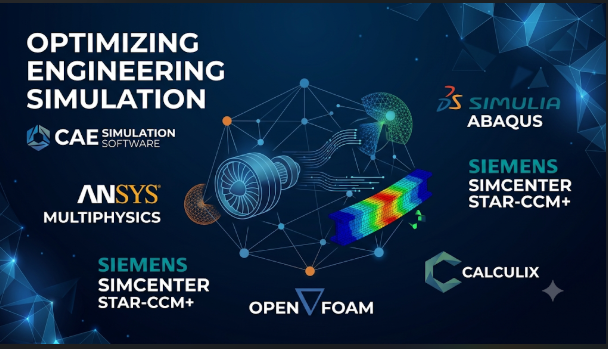
A simulation can produce a beautiful result and still lead an engineer toward the wrong design. The mesh may be too coarse, the material model may be unsuitable, or the boundary conditions may not match reality. The solver may work exactly as designed while the engineering assumptions remain flawed.
That is why choosing computer-aided engineering (CAE) software requires more than comparing feature lists. Different platforms solve different physical problems. Some focus on structural stress and motion. Others specialize in fluid flow, heat transfer, electromagnetic fields, or coupled physics.
The right decision starts with the engineering question, not the software brand. A team checking a plastic enclosure has different needs from one studying aircraft vibration or cooling a battery pack.
This guide explains the main CAE approaches, compares established platforms, and shows how to evaluate simulation results before using them to support design decisions.
First, understand which kind of simulation you need
CAE is a broad engineering category. It includes several methods that answer different questions.
A single product may offer many of these methods. However, that does not mean every solver suits every engineering problem.
| Simulation method | Main question | Common applications |
|---|---|---|
| Finite Element Analysis (FEA) | How will a part or structure respond to loads? | Stress, deformation, vibration, fatigue, and buckling |
| Computational Fluid Dynamics (CFD) | How will liquids or gases move? | Aerodynamics, cooling, pressure loss, and fluid mixing |
| Thermal analysis | How will heat move through a system? | Electronics cooling, insulation, and engine temperatures |
| Electromagnetic simulation | How will electric and magnetic fields behave? | Motors, antennas, sensors, and power electronics |
| Multibody dynamics | How will connected moving parts behave? | Gear systems, vehicle mechanisms, and robotic joints |
| Acoustics simulation | How will sound and vibration travel? | Product noise, cabin comfort, and industrial equipment |
| Crash and impact analysis | What happens during a sudden collision? | Vehicle safety, drop tests, and impact resistance |
The distinction between these methods is important.
For example, a battery pack may need several analyses. Structural simulation can examine enclosure strength. Thermal simulation can study heat movement between cells. CFD can examine cooling airflow.
A coupled simulation can connect these effects. This is called multiphysics.
The major CAE platforms and where they fit
These platforms are included because they address different engineering needs. Some offer broad simulation portfolios, while others focus on particular physics or workflows.
Ansys: A broad simulation environment
Ansys Mechanical | Structural FEA Analysis Software
Ansys offers a wide range of engineering simulation products.
Its portfolio includes Ansys Mechanical for structural analysis, Fluent for fluid dynamics, CFX for turbomachinery CFD, and HFSS for high-frequency electromagnetic simulation.
Ansys Mechanical supports static, dynamic, thermal, and nonlinear structural studies. Engineers can investigate vibration, deformation, contact, and other structural behavior.
Fluent addresses fluid flow and heat transfer. Its documented capabilities include different flow regimes, turbulence models, and complex geometry handling. It also supports simulations involving chemical reactions and multiphase flows.
Ansys Workbench connects simulation tasks and their data. This is useful when a design needs several linked analyses rather than one isolated calculation.
However, Ansys is not one simple application with every feature included. Its products have different capabilities and licensing levels. Some advanced functions also require additional access.
The platform makes sense for teams with several simulation disciplines. A smaller team should identify its actual solver requirements before purchasing a broad package.
Abaqus: Structural simulation when material behavior gets complicated
3DEXPERIENCE Edu | Dassault Systèmes
Abaqus is part of the SIMULIA engineering simulation portfolio.
It is especially relevant to finite element analysis involving nonlinear material behavior, large deformation, and complex contact.
These problems can be difficult for simpler structural models. Rubber parts, plastic components, crushing structures, and assemblies with changing contact conditions may need more advanced analysis.
Abaqus provides two important solver approaches:
- Abaqus/Standard: An implicit solver used for many static and dynamic problems.
- Abaqus/Explicit: An explicit solver designed for highly nonlinear transient events.
The distinction affects how engineers model and solve a problem. Explicit analysis can suit short-duration events with severe contact or deformation. Standard can suit many equilibrium-based and other structural studies.
Abaqus/CAE provides tools for model creation, job management, visualization, and process automation. It can also work with imported CAD geometry and geometry-based meshes.
Abaqus is worth evaluating when material behavior and contact dominate the engineering challenge.
It may be more than a team needs for routine linear stress checks. Buyers should also examine their material data, solver expertise, and automation needs before adopting it.
COMSOL Multiphysics: When several physical effects interact
COMSOL – Software for Multiphysics Simulation
COMSOL Multiphysics takes a physics-based modeling approach.
Its central strength is the ability to combine different physical phenomena within a common modeling environment.
Consider an electric heating device. Electrical current creates heat. Heat changes the material temperature. Temperature can then cause expansion and mechanical stress.
A model that studies only electrical behavior may miss important effects. COMSOL lets engineers combine relevant physics interfaces and define how they interact.
Its Model Builder guides the modeling workflow. Users can define geometry, materials, physics, studies, and results within the same environment.
The platform also supports user-defined equations and custom modeling. This is valuable for research teams studying systems that do not fit standard simulation templates.
The Application Builder can turn a model into a dedicated simulation application. This allows other users to work with a prepared model without building it from scratch.
But flexibility has a cost. Engineers still need to understand the underlying equations and coupling assumptions. Some specialist physics capabilities also depend on additional modules.
COMSOL is particularly relevant when the engineering question involves several interacting physical effects or custom mathematical models.
Siemens Simcenter 3D: Connecting several simulation disciplines
Siemens Simcenter 3D CAE Software: A Must-Have Companion for CAD Designs | Education
Simcenter 3D provides a shared environment for several engineering simulation disciplines.
Its capabilities cover structural analysis, dynamics, composites, durability, acoustics, thermal simulation, flow, motion, and electromagnetics.
One useful distinction is its role in multidisciplinary engineering workflows.
A product team may need to examine vibration, fatigue, thermal behavior, and acoustic performance. Managing these studies in disconnected tools can create extra data preparation and coordination work.
Simcenter 3D provides integrated preprocessing and postprocessing. It also supports simulation models for several common third-party solvers.
That solver flexibility can matter to organizations with existing simulation investments. A company may want a shared modeling environment without replacing every solver.
Simcenter 3D also includes motion simulation for rigid and flexible bodies. This helps engineers study mechanisms, transmissions, and moving assemblies.
However, its full value depends on the wider Siemens engineering environment and the chosen solution modules. Buyers should check the exact solver coverage, licensing, and data connections required.
It deserves attention when several simulation disciplines must work together across a product development process.
Altair HyperWorks: Structural analysis, optimization, and specialist solvers
Altair HyperMesh 2024 Release Notes
Altair HyperWorks brings together simulation modeling, visualization, and engineering solvers.
Its portfolio includes several products with distinct roles.
- OptiStruct handles structural analysis and optimization.
- Radioss addresses highly nonlinear explicit dynamic problems.
- MotionSolve supports multibody dynamics.
- AcuSolve handles computational fluid dynamics.
- Feko supports computational electromagnetics.
- Flux addresses electromagnetic and electromechanical simulation.
This product structure matters. HyperWorks is not simply one solver that performs every type of analysis.
OptiStruct is especially relevant to engineers who want to combine structural analysis with design optimization. It supports linear and nonlinear structural studies, including static and dynamic problems.
Radioss is more suitable for impact and crash-related simulation. These problems involve rapid events, changing contact, and large deformation.
Altair also provides specialist manufacturing simulation tools. These address processes such as forming, molding, extrusion, and related manufacturing problems.
The portfolio offers broad technical coverage, but buyers must understand which products and licensing arrangements they need. They should also check how their existing solvers and data workflows fit the environment.
Altair is worth examining when structural analysis, optimization, and specialist engineering solvers are important parts of the same workflow.
SimScale: Browser-based engineering simulation
AI-Native Engineering Simulation Software in the Cloud | SimScale
SimScale offers cloud-based engineering simulation through a browser.
Its platform covers structural mechanics, fluid dynamics, thermal analysis, and electromagnetics.
The cloud approach changes how teams access simulation resources. Engineers can prepare and manage studies without maintaining the entire simulation environment on their own workstations.
This can help distributed teams and organizations that want to reduce local computing requirements.
SimScale also supports collaborative workflows. Teams can share projects and work with simulation data through its online environment.
Its main trade-off is the cloud operating model. Companies must examine data policies, network access, storage, compute usage, and service terms before moving engineering work online.
They should also check solver details and plan limits for their actual projects. A browser-based interface does not remove the need for suitable physics models or engineering expertise.
SimScale is worth considering when cloud access and shared simulation workflows matter more than maintaining a fully local environment.
OpenFOAM: Open-source CFD for engineers who want control
OpenFOAM simulation of vortex generator | Reza Shah Mohammadi posted on the topic | LinkedIn
OpenFOAM is a free, open-source software package focused on computational fluid dynamics and continuum mechanics.
It is not a general-purpose commercial CAE suite. Its main role is solving fluid and related physical problems through configurable applications and libraries.
Engineers use it to study flow, turbulence, heat transfer, chemical reactions, and other continuum mechanics problems.
Its open-source design is a major distinction. Users can inspect and modify source code, build custom models, and automate simulation workflows.
The software also supports parallel computing. Its documentation explains how to prepare meshes, configure boundary conditions, select solvers, run calculations, and process results.
However, OpenFOAM places more responsibility on the user than many commercial graphical platforms.
Engineers need to understand case files, numerical methods, meshing, boundary conditions, and solver selection. There is no single generic solver that automatically handles every CFD problem.
Organizations may also need to arrange training and technical support.
OpenFOAM is a strong candidate for CFD research, custom workflows, and teams with the skills to manage an open-source simulation environment.
It is less suitable when a business expects a fully guided commercial workflow without dedicated CFD expertise.
A practical comparison of the platforms
| Platform | Main strength | Typical use | Important trade-off |
|---|---|---|---|
| Ansys | Broad engineering simulation portfolio | Structural, fluid, thermal, and electromagnetic studies | Product and license selection requires care |
| Abaqus | Advanced structural FEA | Nonlinear materials, contact, impact, and deformation | May be excessive for simple structural checks |
| COMSOL Multiphysics | Coupled physics and custom equations | Thermal-electrical, fluid-structure, and research models | Requires strong understanding of the modeled physics |
| Simcenter 3D | Multidisciplinary simulation environment | Structural, thermal, acoustic, motion, and related studies | Value depends on the selected solutions and ecosystem |
| Altair HyperWorks | Structural optimization and specialist solvers | Structural, crash, motion, CFD, and manufacturing analysis | Different applications and solvers serve different roles |
| SimScale | Cloud-based simulation | Shared CFD, FEA, thermal, and electromagnetic studies | Requires review of cloud, data, and compute arrangements |
| OpenFOAM | Open-source CFD and customization | Fluid dynamics research and custom engineering workflows | Requires technical setup and solver knowledge |
These products are not direct substitutes in every situation. For example, OpenFOAM focuses on CFD, while Abaqus is primarily a structural FEA solution.
The right comparison must use the same engineering problem, not just the same category label.
The result is only as reliable as the model
A CAE solver calculates a mathematical model. It does not automatically know whether that model represents the real product.
Three areas deserve particular attention.
1. Material data
Material properties affect the predicted behavior of a component.
A structural model may need elastic modulus, Poisson’s ratio, density, and thermal expansion. A nonlinear model may also need plasticity, hyperelasticity, or temperature-dependent properties.
Using an incorrect material model can produce misleading results.
For example, treating a rubber component as a simple linear elastic material may not represent its actual behavior under large deformation.
Engineers should use suitable material data from trusted measurements or validated sources. They should also check the temperature, loading rate, and other conditions under which those properties apply.
2. Mesh quality and convergence
FEA and CFD often divide a model into smaller elements or cells. This process creates a computational mesh.
A mesh that is too coarse may miss important local behavior. A very fine mesh may increase computing time without improving the answer meaningfully.
Mesh refinement studies help engineers understand whether the results change as the mesh becomes finer.
A reliable study should examine important quantities such as peak stress, displacement, pressure drop, or heat transfer.
If those quantities change significantly with mesh refinement, the model may not be ready for design decisions.
Engineers should also inspect mesh quality and local refinement near important features. Sharp corners, contact regions, thin walls, and boundary layers may need special attention.
3. Boundary conditions
Boundary conditions describe how the model interacts with its surroundings.
They may include:
- Applied forces and pressures
- Fixed or moving supports
- Fluid inlet and outlet conditions
- Heat sources and temperatures
- Electrical potentials and currents
- Contact between parts
- Rotational speed and acceleration
Poor boundary conditions can make a technically correct calculation irrelevant.
For example, fixing every face of a component may create artificial stiffness. A CFD model with an unrealistic outlet condition may distort the predicted flow.
The engineer must understand how the real product is supported, loaded, heated, cooled, or connected.
Why validation matters more than a colorful result
Simulation software can display stress contours, velocity fields, temperature maps, and deformation animations.
These images help explain results. They do not prove that the model is correct.
A useful validation process compares simulation predictions with trusted evidence.
That evidence may come from physical tests, analytical calculations, published benchmark cases, or established engineering standards.
The right validation method depends on the problem.
For example, a structural model may be compared with strain-gauge measurements. A cooling model may be checked against temperature measurements at known locations.
Engineers should also examine whether the numerical solution has converged. In CFD, this can involve residuals, mass balance, and stability of important output values. In structural analysis, it may involve solver convergence and sensitivity to modeling choices.
A model can converge numerically and still be physically wrong. Both checks matter.
How to select software for a real engineering team
Start with the work the team must complete. Then examine the software and infrastructure needed to support it.
Choose by the physical problem
Use the engineering question to narrow the field.
| Engineering requirement | Platforms worth examining |
|---|---|
| Routine structural stress and deformation | Ansys Mechanical, Simcenter 3D, Altair OptiStruct |
| Complex contact and nonlinear materials | Abaqus, Ansys Mechanical |
| Crash and severe impact | Abaqus/Explicit, Altair Radioss, Ansys LS-DYNA |
| Fluid flow and heat transfer | Ansys Fluent, OpenFOAM, SimScale, Altair AcuSolve |
| Coupled electrical and thermal behavior | COMSOL Multiphysics, Ansys solutions |
| Multidisciplinary simulation | Ansys, COMSOL, Simcenter 3D, Altair HyperWorks |
| Cloud-based collaborative simulation | SimScale |
| Custom open-source CFD development | OpenFOAM |
This is a starting shortlist, not a performance ranking. The correct product depends on the exact physics, solver formulation, model size, and engineering requirements.
Check the complete workflow
A CAE project includes more than the solver.
It also needs geometry preparation, meshing, material data, result review, reporting, and model management.
Ask how the software handles:
- CAD imports and geometry updates
- Large assemblies and complex models
- Mesh creation and quality checks
- Material libraries and custom material models
- Batch runs and automation
- Parallel computing and remote execution
- Result visualization and reporting
- Revision control and collaboration
- Data exchange with other engineering tools
A solver may be technically capable but still create extra work if it does not fit the team’s existing process.
Estimate computing requirements
Simulation can demand significant computing resources.
The required hardware depends on the solver, model size, physics, mesh, and analysis type.
A small linear structural model may run comfortably on a workstation. A large transient CFD model may need substantial memory and parallel computing resources.
Before purchasing, ask vendors to estimate the hardware requirements for representative workloads.
Check whether the software supports the operating systems and compute environments your organization uses. Also confirm how its licensing handles remote machines, clusters, and parallel jobs.
Cloud platforms introduce different cost drivers. These can include compute time, storage, data transfer, and subscription terms.
Understand licensing before committing
CAE licensing can be difficult to compare because products use different commercial models.
Some offer named-user access. Others use concurrent licenses, tokens, modules, or compute-based arrangements.
A low entry price does not necessarily mean low operating cost.
Check:
- Which solvers are included
- Whether advanced physics need separate modules
- How many users can work at once
- Whether parallel computing requires extra access
- Whether cloud execution has separate charges
- What happens when a subscription ends
- Whether academic and commercial licenses have different restrictions
Students and researchers should also read the terms of educational licenses. A free student edition may have model-size limits or restrictions on commercial use.
For example, Ansys Student provides access to selected simulation tools under specific license conditions. It should not be assumed to match a commercial deployment.
Questions worth asking during a product demonstration
A vendor demonstration should use a realistic engineering problem.
Ask the vendor to explain the modeling decisions, not just show the final result.
Useful questions include:
- Which solver formulation would you use for this problem, and why?
- What material data does the model require?
- How does the software handle contact, nonlinear behavior, or changing loads?
- How can we check mesh sensitivity?
- Can the software automate repeated design studies?
- What happens when the CAD geometry changes?
- Can we compare simulation results with physical test data?
- Which features require additional licenses?
- Can the model run on our existing hardware or compute cluster?
- How are project files, results, and revisions stored?
Ask for a representative model that your own engineers can review. A short demonstration cannot establish the reliability of a simulation workflow.
Run a pilot before moving important work
A controlled pilot is more useful than a feature checklist.
Choose one engineering problem that the team already understands. Ideally, use a component with test data or a trusted reference solution.
Then follow a clear process:
- Define the physical question and expected outputs.
- Prepare the geometry and material data.
- Set the loads and boundary conditions.
- Create the mesh and check its quality.
- Run the simulation.
- Review solver convergence and numerical behavior.
- Refine the mesh and examine result sensitivity.
- Compare important outputs with trusted evidence.
- Record the time, skills, hardware, and support required.
The pilot should also test how easily another engineer can understand and repeat the model.
A simulation that only one specialist can maintain may create a long-term operational risk.
The right CAE platform is the one your team can validate
Ansys offers a broad simulation environment. Abaqus is particularly relevant to difficult structural behavior. COMSOL stands out when several physical effects must interact in one model. Simcenter 3D and Altair HyperWorks serve multidisciplinary engineering workflows. SimScale offers browser-based access, while OpenFOAM provides an open-source path for CFD.
The decision should come down to the physics, the solver, and the team’s ability to verify its results.
Do not buy a platform simply because it supports many simulation types. Start with one important engineering problem and identify the methods needed to solve it. Then test the model against reliable evidence.
A trustworthy simulation is not the one with the most impressive visualization. It is the one whose assumptions, calculations, and results engineers can explain and defend.





Leave a Reply
You must be logged in to post a comment.