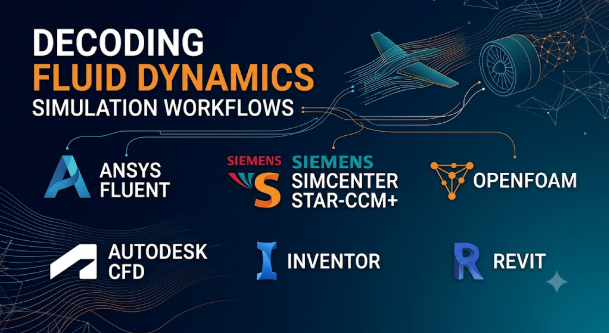
A simulation can produce smooth streamlines, colorful pressure maps, and precise-looking numbers. Yet those results can still be wrong.
The problem may not be the software. It may be the turbulence model, mesh, boundary conditions, or assumptions behind the calculation. A powerful solver cannot rescue a poorly defined physical problem.
That is why choosing computational fluid dynamics (CFD) software requires more than comparing feature lists. Engineers need to match the software to the flow, the required physics, and the evidence needed to trust the results.
This matters across many fields. Automotive teams study airflow and cooling. Aerospace engineers examine lift, drag, and engine flows. Building engineers model ventilation. Energy companies analyze turbines, pumps, and heat exchangers. Manufacturers study liquids, gases, and thermal performance inside equipment.
The right choice depends on what needs to be predicted, how complex the physics become, and how the team will check the answer.
What CFD software actually does
Computational fluid dynamics software uses numerical methods to estimate how fluids behave. A fluid can be a liquid, a gas, or a mixture of both.
The software divides a physical space into small regions called cells or elements. It then solves mathematical equations that describe motion, pressure, energy, and other relevant effects.
A typical CFD workflow has four connected stages:
- Prepare the geometry. Create or import the shape that the fluid will pass through. Remove details that do not affect the result.
- Build the mesh. Divide the flow region into small cells. The mesh must capture important shapes and flow changes.
- Set up and solve the physics. Define fluid properties, boundary conditions, turbulence models, and solver settings. Then run the calculation.
- Review and validate the results. Study pressure, velocity, temperature, forces, and other outputs. Check whether the results make physical sense.
These stages are closely linked. A poor mesh can hide important flow behavior. Incorrect boundary conditions can make a correct solver answer the wrong question.
CFD is also not one single type of simulation. Different problems need different physical models.
- External aerodynamics: Airflow around cars, aircraft, buildings, and other objects.
- Internal flow: Fluid movement through pipes, ducts, pumps, valves, and machinery.
- Heat transfer: Cooling, heating, thermal mixing, and heat exchangers.
- Turbulence: Unsteady and irregular flow patterns that affect drag, mixing, and pressure loss.
- Multiphase flow: Interactions between liquids, gases, particles, or bubbles.
- Combustion and reacting flow: Fuel burning, chemical reactions, and related heat release.
- Free-surface flow: Waves, splashing, filling, and fluid movement with a changing surface.
- Fluid–structure interaction: Cases where fluid forces affect a solid structure, and its movement changes the flow.
A product that handles basic airflow may not suit a combustion chamber or a particle-filled process. Buyers should therefore start with the physics, not the product name.
The main CFD software choices
There is no universal CFD package for every engineering problem. Commercial platforms often offer broad physics coverage and integrated workflows. Open-source tools offer more control, but they can demand greater setup and technical effort.
The following products represent different approaches to CFD. They are not a performance ranking.
Ansys Fluent: Broad CFD for complex engineering flows
Ansys Fluent is a general-purpose CFD solver used for fluid flow, heat transfer, and chemical reactions. Its documented applications include turbulence, multiphase flow, combustion, and fluid–structure interaction.
A key attraction is the breadth of its physical models. Teams can use it for problems ranging from equipment cooling to reacting flows. Its workflow also connects meshing, simulation setup, solving, and post-processing.
Fluent supports different solver approaches for different flow conditions. The available capabilities also depend on the license level. Ansys publishes a capability table for Fluent licensing, so buyers should check the required models and computing options before purchase.
Fluent may suit teams that handle varied CFD workloads and need a broad commercial environment. However, broad capability does not remove the need for specialist knowledge. Complex models still require careful mesh design, model selection, and validation.
Siemens Simcenter STAR-CCM+: Integrated multiphysics simulation
Simcenter STAR-CCM+ combines CFD with related physics in one simulation environment. Its documented scope includes heat transfer, multiphase flow, particle dynamics, reacting flows, fluid–structure interaction, and aeroacoustics.
Its integrated workflow covers preparation, meshing, physics setup, solving, and result analysis. This can help teams manage simulations where several physical effects interact.
For example, a battery cooling study may need to examine fluid flow and heat transfer together. A vehicle study may need to connect external airflow with thermal behavior and acoustic effects.
STAR-CCM+ is worth evaluating when a team needs broad multiphysics CFD rather than a narrow flow solver. Its breadth can also mean a substantial learning and licensing commitment. Buyers should check the exact modules, computing options, and workflow needs in their quotation.
See the official Simcenter STAR-CCM+ overview.
Ansys CFX: A specialist option for turbomachinery
Ansys CFX is part of the Ansys fluids portfolio. It is particularly associated with turbomachinery applications, such as pumps, compressors, and turbines.
These machines create specific CFD challenges. Rotating components, blade rows, pressure changes, and interactions between moving and stationary parts all matter.
CFX deserves consideration when turbomachinery is central to the engineering work. A team should compare its required machine models and workflow against Fluent and other specialist options. It should not assume that two solvers from the same vendor offer identical methods or setup paths.
The Ansys fluids portfolio describes the different products and their intended applications.
Autodesk CFD: Flow and thermal analysis within a design workflow
Autodesk CFD helps engineers study fluid flow and heat transfer in product and system designs. It also supports scripting and automation through APIs, according to its product documentation.
Its design-oriented workflow can appeal to teams that want to examine fluid and thermal behavior during product development. This can help identify design issues before building physical prototypes.
It is important to check whether its available physics match the problem. A straightforward ventilation or cooling study has different demands from advanced combustion, complex multiphase flow, or high-speed aerodynamics.
Autodesk CFD is best assessed against the team’s actual design cases, CAD workflow, and required level of physical detail. See the Autodesk CFD product overview.
Simcenter FLOEFD: CFD embedded in the CAD environment
Simcenter FLOEFD takes a different approach from a standalone CFD environment. Siemens describes it as CAD-embedded CFD for design engineers.
This approach can make early flow and thermal checks part of the design process. Engineers can investigate fluid behavior while working with product geometry, rather than treating every simulation as a separate specialist project.
That is useful when design teams need frequent feedback on airflow, cooling, or heat transfer. It may be less suitable as the only tool for organizations whose work depends on highly specialized CFD models.
Its value depends on the CAD systems, physics, and level of analysis the team needs. Siemens lists FLOEFD alongside STAR-CCM+ in its CFD simulation portfolio.
SimScale: Cloud-based CFD without a local solver installation
SimScale provides browser-based engineering simulation. Its platform covers fluid dynamics alongside structural, thermal, and electromagnetic simulation.
The cloud model changes how teams access computing resources. Users can prepare and run supported simulations through the platform instead of managing every part of a local HPC setup.
This can help distributed teams, smaller engineering groups, and organizations that want to avoid buying and maintaining dedicated simulation hardware. It can also make collaboration easier when project members work from different locations.
But cloud access does not make CFD simple. Users still need to understand geometry, meshing, boundary conditions, and physical models. They should also review data handling, storage, compute charges, project access, and export options before uploading sensitive designs.
The SimScale documentation describes its platform and simulation workflows. Buyers should confirm that the required solver features are available under their intended plan.
OpenFOAM: Open-source CFD with extensive control
OpenFOAM is a free, open-source CFD toolbox written in C++. It supports a wide range of flow problems, including turbulence, heat transfer, combustion, and multiphase simulation.
Its main difference is the level of control it offers. Users can inspect and modify source code, work with solver settings, and build custom workflows. This makes it useful for research groups, advanced engineering teams, and developers who need flexibility.
However, OpenFOAM is not simply a free version of a commercial CFD package. Users must understand its case structure, mesh preparation, numerical settings, and solver choices. They may also need to build their own automation and visualization workflows.
There are multiple OpenFOAM distributions and documentation sources. Teams should check which distribution they intend to use before following tutorials or building scripts. The OpenFOAM Foundation provides information about its distribution, while the OpenCFD documentation explains its own software and workflows.
OpenFOAM can reduce software license costs. It does not remove the cost of engineering time, computing, training, or support.
SU2: Open-source CFD for analysis and design optimization
SU2 is an open-source suite built around CFD and partial differential equation-based design optimization.
Its modular structure supports flow analysis and related optimization tasks. The project is especially relevant to aerodynamic design, numerical research, and teams that want to connect simulation with shape optimization.
This makes SU2 different from a general commercial platform focused on an integrated engineering workflow. Users may need to assemble their own geometry, meshing, visualization, and automation tools.
SU2 is worth examining when the team needs access to the code and wants to develop or automate simulation methods. Its suitability depends on the exact physics, solver capabilities, and workflow requirements. The SU2 software documentation explains its main modules.
How the main options differ
| Software | Main strength | Typical fit | Important consideration |
|---|---|---|---|
| Ansys Fluent | Broad CFD physics and engineering workflows | General engineering CFD, heat transfer, reacting and multiphase flows | Features and computing options vary by license |
| Simcenter STAR-CCM+ | Integrated CFD and multiphysics | Complex product and system simulations | Check the required physics and licensing scope |
| Ansys CFX | Turbomachinery-focused simulation workflows | Pumps, compressors, turbines, and related machines | Compare its specific workflow with other Ansys solvers |
| Autodesk CFD | Flow and thermal analysis for product design | Design-focused engineering teams | Confirm that its physical models suit the application |
| Simcenter FLOEFD | CFD embedded in CAD workflows | Early design checks and product development | Specialist analysis may require another solver |
| SimScale | Browser-based cloud simulation | Distributed teams and cloud-based engineering workflows | Review data governance, compute costs, and plan limits |
| OpenFOAM | Open-source code and solver flexibility | Research, advanced engineering, and custom workflows | Requires strong CFD and technical setup skills |
| SU2 | CFD connected with design optimization | Aerodynamics, research, and optimization development | Teams may need to assemble supporting tools |
The table describes broad product roles, not a universal ranking. A tool that fits one engineering problem may be unsuitable for another.
The decision that matters most: what kind of flow are you solving?
A CFD package should match the physics of the problem. A long feature list is not enough.
Consider these common engineering needs.
External aerodynamics
Aircraft, cars, drones, and buildings all interact with surrounding air. Engineers may need to predict drag, lift, pressure distribution, and airflow separation.
The challenge is not simply creating a picture of the airflow. Small changes in geometry, turbulence treatment, or mesh quality can affect the predicted forces.
For this work, check the solver’s aerodynamic models, turbulence options, mesh controls, and ability to handle the required flow conditions. SU2 may be relevant for aerodynamic analysis and optimization. Fluent and STAR-CCM+ offer broader commercial CFD environments.
Internal flow and equipment design
Pipes, valves, pumps, compressors, and ducts create internal flow problems. Engineers often need to understand pressure loss, flow distribution, recirculation, and machine performance.
Rotating machinery adds another layer of complexity. The simulation may need to represent moving parts and interactions between rotating and stationary regions.
Ansys CFX deserves attention for turbomachinery. Fluent and STAR-CCM+ are also worth evaluating for broader internal-flow and multiphysics needs.
Thermal management and cooling
Electronics, batteries, engines, and industrial equipment all generate heat. CFD can help engineers study how air or liquid carries that heat away.
Some problems require conjugate heat transfer. This means the simulation considers heat moving through both solids and fluids.
For these cases, check how the software handles solid regions, fluid regions, material properties, thermal contact, and heat sources. CAD-embedded or cloud-based tools may suit early design checks. More complex thermal studies may need a broader solver.
Multiphase flow and particle movement
Some systems contain more than one fluid phase or solid particles. Examples include bubbles in liquids, droplets in sprays, and particles moving through industrial equipment.
These problems can become difficult because the phases interact. The software may need to model surface tension, particle forces, phase changes, or complex interfaces.
Do not assume that a product supporting basic multiphase flow can handle every application. Check the specific model, its assumptions, and the validation evidence for the physical process.
Combustion and reacting flows
Combustion simulations may involve chemical reactions, heat release, turbulence, and changing fluid properties. These effects can strongly influence the result.
A general CFD label does not prove that a solver supports the reaction models a project needs. Ask which chemical mechanisms and combustion approaches are available. Also check the computational cost and the expertise needed to set them up.
Why mesh quality can matter more than solver speed
The mesh divides the flow region into cells. The solver uses these cells to calculate how the fluid behaves.
A very fine mesh can capture more detail, but it also needs more memory and computing time. A coarse mesh may run quickly while missing important flow features.
The goal is not to create the largest mesh possible. It is to create a mesh that captures the physics that matter.
Several areas deserve close attention:
- Boundary layers: Thin regions near walls can contain steep changes in velocity. The mesh must resolve them well enough for the chosen turbulence model.
- Sharp geometry changes: Small gaps, corners, and narrow passages can affect local flow behavior.
- Wakes and separation: Flow behind objects may need local refinement to capture important changes.
- Moving parts: Rotating machinery and moving boundaries may require suitable mesh motion or interface methods.
- Multiphase regions: Interfaces, droplets, and particles may need additional resolution or specialized methods.
Mesh refinement should be tested, not guessed.
Run the same case with progressively refined meshes. Compare important outputs, such as pressure drop, lift, drag, or heat transfer. If those values keep changing significantly, the result may depend too much on mesh size.
This process is called a mesh-convergence study. It helps show whether the chosen mesh provides stable results for the quantities that matter.
A converged result is not automatically correct. It only shows that further mesh refinement has limited influence on the selected outputs.
A convincing CFD result still needs validation
CFD software produces a numerical prediction. It does not directly measure what happens in a real machine or environment.
Two checks help establish confidence in a simulation.
Verification asks whether the numerical model has been set up and solved correctly. Engineers check mesh quality, solver convergence, numerical errors, and sensitivity to settings.
Validation asks whether the model represents the real physical system well enough. Engineers compare results with experiments, trusted measurements, or suitable reference data.
Both matter.
For example, a ventilation simulation may show smooth airflow across a room. But the model could still use incorrect inlet temperatures or ventilation rates. A comparison with measured air speeds and temperatures can reveal the difference.
A useful validation plan should identify:
- Which physical measurements are available?
- Which simulation outputs will be compared?
- How uncertain are the measurements?
- Do the boundary conditions match the real test?
- Does the model behave correctly under more than one operating condition?
- Are the assumptions acceptable for the design decision?
A colorful result image cannot answer these questions.
The hidden costs behind CFD software
The purchase price is only one part of the cost. CFD also consumes computing resources and specialist time.
A realistic budget should include several areas.
Software licenses and modules
Commercial CFD products may use subscriptions, license bundles, add-on modules, or other commercial arrangements. The exact structure varies by vendor and product.
A basic license may not include every advanced model or computing option. Teams should ask for a clear breakdown of the required solver features.
High-performance computing
Large CFD cases can require substantial CPU power, memory, storage, and network capacity.
Some products also support GPU computing. But GPU support depends on the solver, model, hardware, and software configuration. Do not assume every simulation will run faster on a GPU.
Engineering time
Geometry cleanup, meshing, setup, debugging, and result review all require skilled work.
A tool that costs less may demand more specialist time. A commercial platform may reduce some workflow effort, but its license and computing costs can be higher.
The correct comparison is total cost for the engineering work, not license price alone.
Training and support
CFD software has a learning curve. Engineers need to understand fluid mechanics, numerical methods, turbulence models, and the product’s workflow.
Training, technical support, documentation, and internal knowledge sharing should all be part of the adoption plan.
Cloud and data costs
Cloud simulation can reduce local hardware needs. It can also introduce usage-based computing, storage, and data-transfer costs.
Before choosing a cloud platform, review how it stores project files, manages access, handles data export, and charges for computing resources.
Cloud CFD or local computing?
Neither deployment approach is right for every organization.
| Consideration | Cloud-based CFD | Local or on-premises CFD |
|---|---|---|
| Hardware | Uses provider-managed computing resources | Requires local workstations or managed HPC |
| Access | Can support teams working from different locations | Depends on network and infrastructure access |
| Scaling | Can offer access to additional resources when available | Limited by owned or allocated capacity |
| Data control | Depends on provider policies and contract terms | Gives the organization more direct infrastructure control |
| Cost pattern | May include subscriptions or usage-based charges | Includes hardware, maintenance, power, and software costs |
| Administration | Provider manages much of the platform infrastructure | Organization manages more of the environment |
Cloud computing can help teams run more simulations without owning a large cluster. However, sensitive designs may face data-location, supplier-access, or contractual restrictions.
Local computing gives organizations more direct control over infrastructure. But it requires investment in hardware, maintenance, software administration, and capacity planning.
A hybrid approach can also make sense. Teams may prepare models locally and use cloud resources for larger simulation runs, where the product and license permit it.
Questions to ask before buying CFD software
A vendor demonstration should use a problem that resembles the team’s real engineering work. A polished example may not reveal the limitations that matter.
Ask these questions before making a decision:
- Which physical models are available for our exact application?
- Can the software handle our flow speeds, materials, temperatures, and operating conditions?
- Which turbulence models and wall treatments does it support?
- How does it handle rotating parts, moving boundaries, or multiple phases?
- What mesh types and mesh-refinement controls are available?
- Can it exchange geometry and results with our existing CAD and engineering tools?
- Which solver features require additional licenses?
- How are CPU cores, GPUs, and parallel computing licensed?
- Can we automate repeated simulations and design studies?
- What validation examples or reference cases support our intended application?
- Where will project data be stored, and who can access it?
- Can we export the mesh, solution fields, and other important project data?
Ask the vendor to explain any limitations clearly. A missing model or workflow can become an expensive problem after adoption.
A practical way to evaluate a CFD package
A short pilot can reveal more than a long feature presentation.
Choose two or three representative engineering cases. Include a simple case and at least one difficult case that reflects the team’s real work.
Then use the same evaluation process for each candidate:
First, define the expected answer. Identify the outputs that matter, such as pressure drop, drag, heat transfer, or flow distribution.
Next, use known reference data. Compare the simulation with measurements, a trusted benchmark, or a suitable analytical estimate.
Then, test mesh sensitivity. Refine the mesh and check whether the important outputs remain stable.
After that, test workflow changes. Modify the geometry or operating conditions. See how easily the team can update and rerun the model.
Finally, measure the full effort. Record setup time, computing demand, license requirements, result review effort, and the skills needed.
This approach helps separate a useful engineering tool from a convincing demonstration.
When CFD may be unnecessary
CFD is not always the right first step.
A simple hand calculation may answer a basic pressure or flow question. A standard engineering formula may be enough for an early estimate.
Physical testing may also be more suitable when the flow involves poorly understood effects or when the required model cannot be validated.
CFD is most useful when it answers a clear engineering question that simpler methods cannot answer well. It should support testing and engineering judgment, not replace them automatically.
Choose the software around the engineering evidence
For broad commercial CFD work, Ansys Fluent and Simcenter STAR-CCM+ deserve close evaluation. Ansys CFX is relevant when turbomachinery drives the work. Autodesk CFD and Simcenter FLOEFD offer design-focused approaches. SimScale provides a cloud-based route. OpenFOAM and SU2 offer open-source alternatives for teams prepared to manage more of the technical workflow.
The strongest choice is the one that can model the required physics, fit the team’s workflow, and produce results that can be checked against reality.
Before committing, run a representative pilot. Test the mesh, compare results with trusted data, and calculate the full operating cost. In CFD, confidence comes from sound engineering practice—not from the software’s ability to draw a beautiful flow pattern.






Leave a Reply
You must be logged in to post a comment.