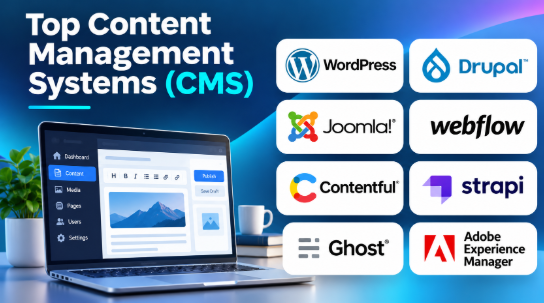
A website can start with a few pages, but managing content becomes harder as it grows. New articles, product pages, images, landing pages, and updates all need a reliable publishing process.
A Content Management System (CMS) makes this work easier. It gives teams a central place to create, edit, organize, and publish website content without building every page from scratch.
But choosing a CMS involves more than finding a good editor. Some platforms suit blogs and small business websites. Others support large enterprise websites, online stores, and applications that deliver content across several channels.
This guide compares 10 established CMS platforms. It explains their features, advantages, limitations, and practical uses to help you choose the right system.
Top 10 CMS Platforms to Consider
1. WordPress
Short Description:
An open-source content management system used to build blogs, business websites, news portals, portfolios, and online stores.
Its biggest advantage is its flexibility. Users can start with a simple website and extend it with themes, plugins, custom post types, and third-party integrations.
WordPress provides a visual block editor called Gutenberg. It allows content creators to build pages using blocks for text, images, videos, buttons, and other elements.
The platform also offers a large ecosystem of developers, hosting providers, and extensions.
Key Features:
- Block Editor: Create and organize website content using reusable blocks.
- Themes: Customize website appearance using free and commercial themes.
- Plugin Ecosystem: Add SEO, security, forms, analytics, backups, and ecommerce features.
- Media Library: Upload and manage images, videos, and documents.
- User Management: Assign roles and permissions to website contributors.
- Custom Content Types: Create specialized content structures for different website needs.
- REST API: Connect WordPress with external applications and custom frontends.
- Multilingual Support: Build multilingual websites using compatible plugins and configurations.
Benefits:
- Provides a flexible website-building environment.
- Supports many types of websites.
- Offers a large extension ecosystem.
- Gives users control over hosting with self-hosted WordPress.
- Provides extensive learning resources.
- Supports both beginners and experienced developers.
Pros:
- Open-source software.
- Large theme and plugin ecosystem.
- Suitable for blogs and business websites.
- Supports custom development.
- Offers extensive hosting choices.
- Has a large developer community.
Cons:
- Plugin quality varies.
- Too many extensions can increase maintenance work.
- Security depends on updates and proper configuration.
- Managed hosting, premium themes, and plugins can increase costs.
- Complex websites may require experienced developers.
Use Cases:
- Blogging: Publishing articles and editorial content.
- Business Websites: Building company websites and service pages.
- News Portals: Managing large article collections.
- Ecommerce: Creating online stores using WooCommerce.
- Educational Websites: Publishing courses and learning resources.
- Portfolio Websites: Displaying creative and professional work.
Best For:
- Bloggers and publishers.
- Small and medium-sized businesses.
- Digital marketing agencies.
- Freelancers.
- Website development companies.
- Organizations seeking flexible website management.
2. Drupal
Short Description:
An open-source CMS designed for websites that need structured content, detailed permissions, and complex publishing workflows.
It provides a flexible content architecture. Developers can create custom content types, fields, taxonomies, and relationships.
This makes Drupal useful for organizations managing large amounts of information across departments and websites.
Drupal also supports multilingual content, advanced user permissions, and API-based content delivery.
Its architecture gives developers considerable control over how content is stored and presented.
Key Features:
- Content Types: Create custom structures for articles, products, events, and other content.
- Role-Based Permissions: Control access for different users and teams.
- Taxonomy Management: Organize content using categories and tags.
- Multilingual Publishing: Manage translated content across supported languages.
- Workflow Management: Configure editorial review and publishing processes.
- API Support: Deliver content through APIs to websites and applications.
- Module Ecosystem: Extend the platform with community and contributed modules.
- Configuration Management: Manage site configuration across development environments.
Benefits:
- Supports complex content structures.
- Provides detailed permission controls.
- Helps manage multilingual websites.
- Supports large editorial teams.
- Offers flexible integration options.
- Provides strong customization capabilities.
Pros:
- Open-source platform.
- Flexible content architecture.
- Advanced user permissions.
- Strong multilingual capabilities.
- Suitable for complex websites.
- Supports headless and traditional CMS architectures.
Cons:
- Requires technical knowledge.
- Development can take longer than simpler CMS projects.
- Module compatibility needs attention.
- Hosting and maintenance require planning.
- Customization may need experienced Drupal developers.
Use Cases:
- Government Websites: Managing public information and services.
- University Portals: Publishing departmental and educational content.
- Enterprise Websites: Managing multiple content sections and teams.
- Healthcare Portals: Organizing large information libraries.
- International Websites: Publishing content in multiple languages.
- Community Platforms: Managing member accounts and structured information.
Best For:
- Government organizations.
- Universities and educational institutions.
- Large enterprises.
- Nonprofit organizations.
- Organizations with complex content requirements.
3. Joomla
Short Description:
An open-source CMS that combines website publishing, user management, menu administration, and extension-based customization.
It offers more built-in administrative controls than many basic website publishing systems.
One important strength is its Access Control List (ACL) functionality. Administrators can create user groups and define what different users can view, edit, publish, and manage.
Joomla also includes multilingual capabilities and a built-in media manager.
It can support business websites, community portals, membership websites, and content-heavy platforms.
Key Features:
- Article Management: Create, edit, organize, and publish website articles.
- Access Control Lists: Define permissions for different user groups.
- Menu Management: Build multiple navigation menus.
- Media Manager: Organize website images and other media files.
- Multilingual Support: Manage websites in different languages.
- Template System: Customize website layouts and appearance.
- Extension Directory: Add additional functionality through extensions.
- Caching: Configure caching to support website performance.
Benefits:
- Provides built-in access management.
- Supports multilingual publishing.
- Offers flexible menu structures.
- Includes several useful administrative features.
- Supports different website types.
- Provides an open-source development environment.
Pros:
- Free and open-source.
- Built-in user permission management.
- Multilingual capabilities.
- Flexible template system.
- Extension-based customization.
- Suitable for community websites.
Cons:
- Beginners may need time to understand administration.
- Extension compatibility requires attention.
- Advanced customization can require development skills.
- Some projects may have fewer suitable extensions than WordPress.
- Maintenance depends on regular updates.
Use Cases:
- Community Websites: Managing members and user-generated content.
- Business Portals: Publishing company information.
- Membership Websites: Managing different access levels.
- Educational Websites: Organizing courses and resources.
- Nonprofit Websites: Publishing information and community updates.
Best For:
- Small and medium-sized businesses.
- Community organizations.
- Educational institutions.
- Membership website owners.
- Developers seeking an open-source CMS.
4. Webflow
Short Description:
A visual website development platform with an integrated CMS.
It allows designers to build websites using a visual interface rather than writing every part of the frontend manually.
Its CMS uses Collections to organize structured content. For example, a company can create separate Collections for blog posts, authors, customer stories, and services.
Each Collection uses a defined structure and can connect to a reusable page template.
Webflow combines visual design, content management, and managed website hosting.
This makes it useful for marketing teams that want control over website design without managing a traditional hosting environment.
Key Features:
- Visual Designer: Build website layouts using a visual interface.
- CMS Collections: Organize structured content into reusable collections.
- Dynamic Templates: Generate pages using Collection content.
- Responsive Design: Create layouts for different screen sizes.
- Interactions: Add animations and interactive website elements.
- SEO Controls: Configure page titles, descriptions, and other SEO settings.
- Hosting: Publish websites through Webflow’s managed infrastructure.
- Content Editing: Allow authorized users to update website content.
Benefits:
- Combines visual design and content management.
- Reduces the need for custom frontend development.
- Helps maintain consistent page layouts.
- Provides managed hosting.
- Supports marketing-focused websites.
- Offers a visual content editing workflow.
Pros:
- Visual website development.
- Integrated CMS and hosting.
- Dynamic content templates.
- Responsive design tools.
- Useful for marketing teams.
- Supports custom design work.
Cons:
- Platform subscription costs can increase with website needs.
- Advanced features may require developers.
- Custom backend functionality can require external services.
- CMS limits depend on the selected plan.
- Migration away from the platform requires planning.
Use Cases:
- Marketing Websites: Creating company landing pages.
- Agency Websites: Building websites for clients.
- Business Blogs: Publishing structured articles.
- Portfolio Websites: Displaying projects and creative work.
- Startup Websites: Launching branded websites quickly.
Best For:
- Web designers.
- Marketing teams.
- Creative agencies.
- Startups.
- Businesses seeking visual website development.
5. Contentful
Short Description:
A cloud-based headless CMS designed to manage structured content and deliver it through APIs.
Unlike a traditional CMS, it does not require the content management system to control the website’s frontend.
Developers can build separate frontends using frameworks such as React, Next.js, or other supported technologies.
Contentful organizes information into content types, entries, assets, and spaces.
Its API-based architecture helps businesses distribute the same content across websites, mobile applications, and other digital channels.
It also provides localization tools for businesses publishing content in different languages.
Key Features:
- Content Modeling: Define content types and reusable fields.
- Headless Architecture: Separate content management from frontend presentation.
- Content Delivery API: Retrieve published content for applications.
- Content Management API: Create and manage content programmatically.
- GraphQL Support: Query structured content using GraphQL.
- Localization: Manage translated content and locale fallbacks.
- Environment Management: Separate content environments for development and testing.
- Asset Management: Organize and deliver digital assets.
Benefits:
- Supports multiple digital channels.
- Separates content teams from frontend development.
- Helps maintain consistent content structures.
- Supports international publishing.
- Provides APIs for custom applications.
- Fits modern frontend architectures.
Pros:
- API-first content management.
- Structured content modeling.
- Supports localization.
- Offers multiple API options.
- Useful for omnichannel publishing.
- Provides a managed cloud service.
Cons:
- Requires frontend development for website presentation.
- Pricing can grow with usage and team requirements.
- Content modeling needs careful planning.
- Some advanced workflows require custom development.
- Teams may need training to understand headless publishing.
Use Cases:
- Enterprise Websites: Managing content across multiple properties.
- Mobile Applications: Delivering structured content to apps.
- Ecommerce: Managing product descriptions and editorial content.
- International Publishing: Maintaining translated content.
- Digital Platforms: Distributing information across multiple channels.
Best For:
- Enterprise development teams.
- Ecommerce companies.
- Digital product businesses.
- International organizations.
- Companies adopting headless architecture.
6. Strapi
Short Description:
An open-source headless CMS that allows developers to create custom content APIs.
It provides an administrative interface where content teams can create, edit, and publish information.
Developers can define content structures using the Content-Type Builder and extend functionality through plugins and custom code.
Strapi supports REST APIs and GraphQL through its official GraphQL plugin.
Its flexible architecture allows developers to choose their own frontend frameworks and hosting arrangements.
Organizations can also use Strapi Cloud for managed hosting or deploy supported self-hosted installations.
Key Features:
- Content-Type Builder: Create custom content structures.
- Content Manager: Manage articles, products, and other content.
- REST API: Retrieve and manage content through HTTP APIs.
- GraphQL: Query content through the GraphQL plugin.
- Role-Based Access: Manage permissions for administrators and users.
- Plugin System: Extend the CMS with additional functionality.
- Internationalization: Manage localized content.
- Review Workflows: Configure content approval processes.
- Audit Logs: Review supported administrative activities.
Benefits:
- Gives developers control over content APIs.
- Supports custom frontend applications.
- Provides a flexible administrative interface.
- Offers self-hosting options.
- Helps separate content management from website presentation.
- Supports extensible development workflows.
Pros:
- Open-source core.
- Customizable content structures.
- REST and GraphQL options.
- Supports self-hosted deployments.
- Provides role-based permissions.
- Offers developer-friendly documentation.
Cons:
- Requires development knowledge.
- Hosting and maintenance need technical resources.
- Advanced workflows may depend on available plans.
- Plugin compatibility needs testing.
- Frontend development is a separate responsibility.
Use Cases:
- Mobile Applications: Managing content through APIs.
- Custom Websites: Building frontend applications with structured content.
- Ecommerce: Managing product and editorial information.
- SaaS Products: Providing content management for digital services.
- Enterprise Applications: Creating custom content APIs.
Best For:
- Developers.
- Startups.
- Software development companies.
- Businesses building custom applications.
- Organizations seeking self-hosted headless CMS options.
7. Sanity
Short Description:
A structured content platform built around a customizable editing environment and a hosted content datastore called Content Lake.
Its open-source Sanity Studio allows developers to create custom content workspaces using JavaScript and React.
Rather than treating content only as complete website pages, Sanity stores it as structured documents that applications can query and reuse.
Its query language, GROQ, allows developers to retrieve selected fields, filter content, and follow relationships between documents.
Sanity also supports real-time collaboration, making it useful for teams that work together on frequently changing content.
Key Features:
- Sanity Studio: Customize the content editing environment.
- Structured Content: Store information as reusable structured documents.
- Content Lake: Manage content through a hosted data service.
- GROQ: Query and shape content using its dedicated query language.
- GraphQL API: Retrieve content through supported GraphQL APIs.
- Real-Time Collaboration: Support collaborative editing and live updates.
- Custom Workspaces: Build specialized editing interfaces.
- Content Releases: Organize content changes for coordinated publishing.
- Asset Management: Manage media through its content and asset services.
Benefits:
- Supports flexible content modeling.
- Allows teams to customize editing workflows.
- Makes content reusable across applications.
- Supports real-time collaboration.
- Provides powerful content queries.
- Separates content storage from frontend presentation.
Pros:
- Open-source Studio.
- Flexible content structures.
- Real-time collaboration.
- GROQ query language.
- API-based content delivery.
- Suitable for complex digital products.
Cons:
- Requires development knowledge.
- GROQ introduces a learning curve.
- Hosted content services have usage and pricing limits.
- Custom Studio development requires maintenance.
- May be excessive for a simple blog.
Use Cases:
- News Platforms: Managing frequently updated content.
- Digital Products: Sharing structured information across applications.
- Ecommerce: Managing reusable product and editorial content.
- Marketing Websites: Organizing landing pages and campaigns.
- Mobile Applications: Delivering structured content through APIs.
Best For:
- Development teams.
- Digital agencies.
- Media organizations.
- Ecommerce businesses.
- Companies building content-driven applications.
8. Ghost
Short Description:
An open-source publishing platform designed for writers, bloggers, independent publishers, and membership-based publications.
Unlike general-purpose CMS platforms, Ghost focuses strongly on publishing and audience relationships.
Its editor supports text, images, videos, embeds, and other publishing elements.
Ghost also includes membership management and email newsletter functionality. Publishers can create free and paid memberships to build recurring revenue from their audiences.
This makes it especially useful for independent publications that want website publishing, newsletters, and subscriptions within one platform.
Key Features:
- Visual Editor: Create articles using a flexible content editor.
- Membership Management: Manage free and paid subscribers.
- Email Newsletters: Send newsletters to selected audience groups.
- Subscription Tools: Offer paid access to premium content.
- Content Organization: Organize articles using tags and publishing settings.
- Custom Themes: Customize the appearance of publications.
- SEO Settings: Configure metadata and structured publishing information.
- API Support: Connect content with external applications.
- Managed Hosting: Use Ghost(Pro) instead of maintaining infrastructure.
Benefits:
- Combines publishing and newsletters.
- Supports membership-based businesses.
- Helps publishers monetize content.
- Provides a focused writing environment.
- Offers self-hosted and managed hosting choices.
- Reduces dependence on multiple publishing services.
Pros:
- Open-source publishing software.
- Built-in membership tools.
- Newsletter functionality.
- Clean writing experience.
- Supports paid subscriptions.
- Provides API integration.
Cons:
- Not designed for every type of business website.
- Advanced customization may require development skills.
- Self-hosting requires maintenance.
- Ecommerce functionality is not its main focus.
- Complex enterprise workflows may need other platforms.
Use Cases:
- Independent Blogging: Publishing articles and opinion pieces.
- Paid Publications: Offering premium content.
- Email Newsletters: Building subscriber communities.
- Online Journalism: Managing editorial publications.
- Creator Businesses: Monetizing written content.
Best For:
- Bloggers.
- Independent journalists.
- Newsletter publishers.
- Content creators.
- Subscription-based publications.
9. Adobe Experience Manager Sites
Short Description:
An enterprise content management platform designed to create, manage, and deliver digital experiences across multiple channels.
It is part of Adobe Experience Manager, which also includes related products for digital asset management and forms.
The platform supports traditional page-based authoring, headless content delivery, and hybrid approaches.
Its content tools help marketing teams manage website pages, reusable content, and publishing workflows.
Adobe Experience Manager also connects with other Adobe products, including Adobe Experience Manager Assets and Adobe Experience Cloud services.
One important consideration is its enterprise focus. Implementation usually involves planning, integration, governance, and technical resources.
Key Features:
- Visual Page Authoring: Create and manage website pages through authoring tools.
- Content Fragments: Store structured content for reuse across channels.
- Experience Fragments: Reuse complete content experiences across pages.
- Headless Delivery: Provide content through APIs.
- Multi-Site Management: Manage multiple websites and brands.
- Translation Workflows: Support multilingual content operations.
- Digital Asset Integration: Connect with Experience Manager Assets.
- Enterprise Workflows: Manage content review and publishing processes.
- Cloud Management: Support managed cloud operations and deployments.
Benefits:
- Supports large digital publishing operations.
- Helps manage multiple brands and websites.
- Connects content with digital asset workflows.
- Supports different content delivery architectures.
- Provides enterprise governance capabilities.
- Fits organizations using Adobe’s wider ecosystem.
Pros:
- Enterprise-oriented CMS capabilities.
- Supports headless and traditional publishing.
- Provides multi-site management.
- Offers structured content tools.
- Integrates with Adobe products.
- Supports complex content workflows.
Cons:
- Implementation can be expensive.
- Requires experienced developers and administrators.
- Licensing requires enterprise budget planning.
- Custom integrations may increase project complexity.
- Can be excessive for small websites.
Use Cases:
- Global Corporate Websites: Managing content across brands and regions.
- Financial Services: Publishing controlled digital experiences.
- Retail: Managing large website content operations.
- Media: Coordinating digital content across channels.
- Enterprise Marketing: Managing personalized website experiences.
Best For:
- Large enterprises.
- Global brands.
- Financial institutions.
- Retail organizations.
- Companies already using Adobe’s enterprise ecosystem.
10. Sitecore
Short Description:
Provides enterprise content management and digital experience capabilities for organizations managing complex customer experiences.
Its Sitecore Experience Manager product focuses on creating, managing, and delivering website content.
The broader Sitecore platform includes products for digital experience, personalization, content operations, and related marketing workflows.
Sitecore supports headless delivery, allowing development teams to use separate frontend technologies.
Its architecture is useful for organizations that need content management across multiple brands, regions, and digital channels.
Businesses should evaluate the exact Sitecore products and deployment model they need because its wider platform includes capabilities beyond traditional CMS publishing.
Key Features:
- Content Authoring: Create and manage website content.
- Headless Architecture: Deliver content through APIs to separate frontends.
- Personalization: Support tailored digital experiences through relevant Sitecore products.
- Multi-Site Management: Manage content across multiple websites.
- Content Reuse: Share content components across digital properties.
- Workflow Management: Organize editorial review and publishing.
- Integration Support: Connect with supported marketing and business systems.
- Cloud Options: Choose supported cloud and hosting arrangements.
Benefits:
- Supports complex enterprise publishing needs.
- Helps manage multiple digital properties.
- Provides flexible content delivery.
- Supports marketing and development teams.
- Offers broader digital experience capabilities.
- Fits organizations with advanced content operations.
Pros:
- Enterprise content management.
- Headless architecture options.
- Multi-site support.
- Customizable digital experiences.
- Integration with wider Sitecore products.
- Suitable for large content operations.
Cons:
- Enterprise implementation requires planning.
- Licensing can require a substantial budget.
- Advanced features may need specialist expertise.
- Different products can make platform selection complex.
- Smaller organizations may not need its full capabilities.
Use Cases:
- Global Websites: Managing multiple regional websites.
- Enterprise Marketing: Coordinating content and digital campaigns.
- Retail: Supporting personalized customer experiences.
- Financial Services: Managing complex customer-facing content.
- Multi-Brand Organizations: Maintaining consistent content across brands.
Best For:
- Large enterprises.
- Global businesses.
- Retail organizations.
- Enterprise marketing teams.
- Companies with complex digital experience requirements.
CMS Software Comparison Table
The following table summarizes the major differences between the 10 platforms.
| CMS Software | CMS Type | Deployment Approach | Main Strength | Best Use |
|---|---|---|---|---|
| WordPress | Traditional / Extensible | Self-hosted or managed | Plugins and themes | Blogs and business websites |
| Drupal | Traditional / Headless | Self-hosted or managed | Complex content architecture | Government and enterprise |
| Joomla | Traditional | Self-hosted | Built-in access management | Community websites |
| Webflow | Visual / Hosted | Managed cloud | Visual website development | Marketing websites |
| Contentful | Headless | SaaS | API-first content delivery | Omnichannel publishing |
| Strapi | Headless | Self-hosted or managed | Custom content APIs | Custom applications |
| Sanity | Structured / Headless | Hosted content service | Real-time structured content | Content-driven applications |
| Ghost | Publishing CMS | Self-hosted or managed | Memberships and newsletters | Independent publications |
| Adobe Experience Manager Sites | Enterprise / Hybrid / Headless | Managed cloud and supported enterprise deployments | Enterprise content operations | Large organizations |
| Sitecore | Enterprise / Headless | Cloud and supported deployment models | Digital experience management | Global brands |
Which CMS Is Best for Different Business Needs?
There is no single CMS that works best for every organization.
The right choice depends on the website’s purpose, the team’s technical skills, and the amount of content being managed.
| Business Requirement | CMS Worth Considering | Why |
|---|---|---|
| Personal blogging | WordPress, Ghost | Publishing-focused workflows |
| Business website | WordPress, Webflow | Flexible website creation |
| News publication | WordPress, Drupal, Ghost | Content organization and publishing |
| Government website | Drupal | Structured content and permissions |
| Community portal | Joomla, Drupal | User management and access controls |
| Visual marketing website | Webflow | Visual design and CMS integration |
| Headless website | Contentful, Strapi, Sanity | API-based content delivery |
| Mobile application content | Strapi, Contentful, Sanity | Structured content APIs |
| Enterprise website | Adobe Experience Manager, Sitecore | Enterprise content operations |
| Paid publication | Ghost | Memberships and newsletters |
Traditional CMS vs Headless CMS vs Hybrid CMS
Understanding CMS architecture is one of the most important steps before selecting a platform.
These three approaches differ in how they manage and deliver content.
Traditional CMS
A traditional CMS usually manages content and website presentation within the same system.
The CMS stores content, manages templates, and generates website pages.
WordPress, Joomla, and Drupal can all support this approach.
Advantages:
- Easier website setup.
- Integrated content editing and page delivery.
- Large theme and extension ecosystems.
- Suitable for standard websites and blogs.
Limitations:
- Frontend flexibility may depend on the CMS architecture.
- Reusing content across many different applications may require additional work.
- Complex frontend experiences may need custom development.
Headless CMS
A headless CMS separates content management from website presentation.
The CMS stores structured content and delivers it through APIs. Developers then build the frontend independently.
Contentful, Strapi, and Sanity are examples of this approach.
Advantages:
- Supports multiple digital channels.
- Gives developers frontend flexibility.
- Allows content reuse across applications.
- Fits modern application architectures.
Limitations:
- Requires frontend development.
- Preview and publishing workflows need configuration.
- More systems may need integration and maintenance.
- Hosting and API usage can add costs.
Hybrid CMS
A hybrid CMS combines traditional page authoring with API-based content delivery.
This allows marketing teams to use visual editing tools while developers deliver content to other channels.
Adobe Experience Manager Sites and supported Sitecore architectures are examples.
Advantages:
- Supports visual content editing.
- Allows API-based delivery.
- Helps coordinate complex enterprise publishing.
- Supports multiple digital experiences.
Limitations:
- Architecture can become complex.
- Implementation requires planning.
- Enterprise licensing and development can increase costs.
How to Choose the Right CMS Software
Before selecting a CMS, evaluate the following areas.
1. Define Your Website Requirements
Start by identifying the purpose of your website.
A personal blog has different requirements from a large ecommerce platform.
Write down the functions your website needs, such as:
- Article publishing.
- Product management.
- User registration.
- Multilingual content.
- Online payments.
- Media management.
- Editorial approval.
- Custom page layouts.
- API integrations.
This will help you eliminate platforms that do not match your needs.
2. Consider Your Technical Skills
Some CMS platforms require very little technical knowledge. Others need developers to build and maintain the frontend.
For example, Webflow provides visual website development tools. WordPress supports many website types through themes and plugins.
Strapi and Contentful generally require developers to build and connect the frontend.
Choose a platform that matches your team’s ability to manage it.
3. Examine Customization Options
A CMS should allow you to create the website and publishing workflows your organization needs.
Check whether the platform supports:
- Custom themes.
- Plugins and extensions.
- Custom content types.
- APIs and webhooks.
- Third-party integrations.
- Custom user permissions.
- Reusable content components.
Also examine whether important features require paid extensions or custom development.
4. Check SEO and Performance Capabilities
A website needs a good technical foundation to support search visibility and user experience.
Evaluate whether the CMS supports:
- Editable page titles.
- Meta descriptions.
- Clean URLs.
- XML sitemaps.
- Redirect management.
- Canonical URLs.
- Image optimization.
- Structured data options.
- Caching and performance optimization.
Remember that a CMS does not guarantee high search rankings. Hosting, website design, content quality, and technical implementation also matter.
5. Review Security and User Management
Content platforms often store business information and customer data.
Check:
- User roles and permissions.
- Authentication options.
- Security updates.
- Backup arrangements.
- Audit logs.
- Plugin and extension security.
- Data access controls.
- Hosting security responsibilities.
For self-hosted platforms, the organization is responsible for much of the infrastructure and maintenance.
For SaaS platforms, review the provider’s security documentation and contractual commitments.
6. Compare Pricing and Ownership Costs
A CMS may be free to download but still require money to operate.
Consider these expenses:
- Hosting.
- Domain registration.
- Premium themes.
- Paid extensions.
- Developer support.
- Maintenance.
- Backups.
- Security services.
- API usage.
- Migration.
Enterprise platforms may also require implementation partners and specialist administrators.
Compare the complete operating cost rather than the initial subscription price.
Common CMS Implementation Mistakes
Selecting software is only the first step. Poor planning can create long-term problems.
Choosing Too Many Plugins
Adding unnecessary plugins can increase maintenance work and create compatibility risks.
Install only extensions that support clear business requirements.
Ignoring Content Structure
A poorly designed content model makes publishing and future updates difficult.
Define categories, fields, relationships, and reusable content types before building a large website.
Selecting Headless Architecture Without a Clear Need
Headless CMS platforms offer flexibility, but they also introduce development responsibilities.
A simple company blog may not need a separate frontend application and API-based content architecture.
Use headless architecture when the business genuinely needs multiple delivery channels or custom frontend experiences.
Forgetting Website Migration
Moving content between CMS platforms can involve more than exporting text.
Plan for:
- URL preservation.
- Redirects.
- Media migration.
- Content formatting.
- Metadata.
- User accounts.
- Internal links.
- Search engine indexing.
Test the migration before replacing the existing website.
Ignoring Ongoing Maintenance
A CMS requires regular care.
Create a maintenance plan covering updates, backups, security reviews, content checks, and performance monitoring.
Frequently Asked Questions About CMS Software
1. What does CMS stand for?
CMS stands for Content Management System. It is software that helps users create, organize, edit, and publish digital content.
2. Which CMS is best for beginners?
WordPress and Webflow are useful starting points for many beginners.
WordPress offers themes and plugins, while Webflow provides visual website design tools.
The better choice depends on whether you prefer a flexible publishing platform or a visual design environment.
3. Is WordPress a CMS?
Yes. WordPress is an open-source CMS that supports blogs, business websites, online stores, and many other website types.
4. What is the difference between CMS and website builders?
A CMS focuses on creating, managing, and publishing content.
A website builder focuses on creating and publishing websites through visual tools.
Some platforms, such as Webflow, combine both capabilities.
5. What is a headless CMS?
A headless CMS separates content management from frontend presentation.
It delivers structured content through APIs, allowing developers to use different technologies for websites, mobile applications, and other digital channels.
6. Is open-source CMS software free?
Many open-source CMS platforms, including WordPress, Drupal, and Joomla, can be used without paying a software license fee.
However, hosting, domains, development, premium extensions, and maintenance may still cost money.
7. Can a CMS manage multiple languages?
Yes. Several CMS platforms support multilingual content.
Drupal, Joomla, WordPress with suitable extensions, and enterprise platforms provide different approaches to managing translated content.
8. Which CMS is suitable for enterprise websites?
Drupal, Adobe Experience Manager Sites, and Sitecore are worth evaluating for complex enterprise websites.
The choice depends on content governance, integrations, deployment requirements, and available technical resources.
9. Can a CMS integrate with mobile applications?
Yes. Headless CMS platforms such as Contentful, Strapi, and Sanity provide API-based content delivery that developers can use in mobile applications.
10. Can I change my CMS later?
Yes, but migration requires planning.
You may need to transfer content, images, metadata, user information, and URL structures. Proper redirects and testing help protect the existing website experience.
Final Thoughts
A Content Management System should make publishing easier while supporting the way your organization works.
WordPress is a flexible choice for blogs and business websites. Drupal and Joomla offer different approaches to structured content and user management. Webflow suits visual website creation, while Ghost focuses on publishing and paid memberships.
For developers building content-driven applications, Contentful, Strapi, and Sanity provide API-based architectures. Larger organizations can evaluate Adobe Experience Manager Sites and Sitecore for complex digital publishing operations.
Before committing, shortlist two or three platforms and test them with real content. Check editing workflows, user permissions, integrations, migration options, and long-term costs.
The right CMS is not necessarily the platform with the most features. It is the one that helps your team manage content efficiently without creating unnecessary technical or operational work.



Leave a Reply
You must be logged in to post a comment.