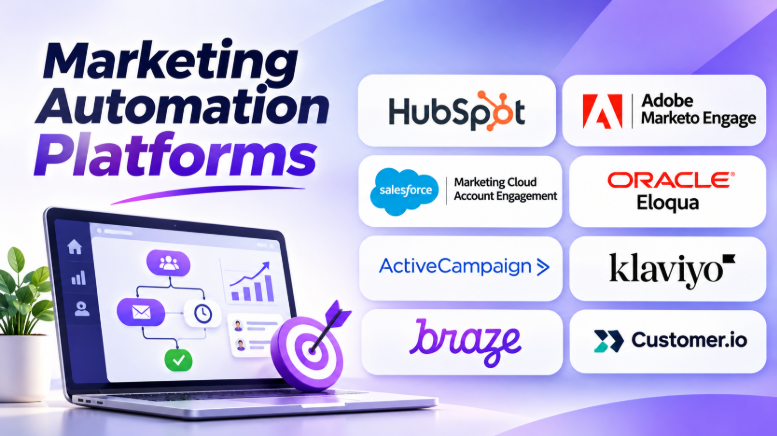
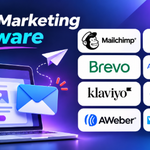
Marketing teams often spend hours managing emails, tracking leads, and following up with customers. As a business grows, these tasks become harder to manage by hand.
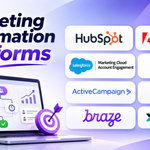
Marketing automation platforms help businesses handle these activities through automated workflows. They can send messages, organize contacts, track customer actions, and move leads through a sales journey.
However, marketing automation tools do not all solve the same problem. Some focus on B2B lead generation. Others specialize in ecommerce, mobile apps, or customer messaging.
This guide compares 10 marketing automation platforms. It explains their main features, advantages, limitations, and best uses. It also helps businesses choose a platform that fits their customers, team, and marketing goals.
What Is Marketing Automation Software?
Marketing automation software helps businesses plan, run, and measure marketing activities with less manual work.
It uses customer data, triggers, and workflow rules to perform tasks automatically.
For example, imagine someone signs up for a company’s newsletter. The platform can send a welcome email, wait a few days, and send another message based on the person’s activity.
A business can also use automation when someone downloads a guide, visits a product page, leaves a shopping cart, or starts a free trial.
Common marketing automation activities include:
- Sending welcome emails and newsletters.
- Creating automated email sequences.
- Collecting and organizing leads.
- Scoring leads based on their activity.
- Dividing contacts into customer groups.
- Sending SMS and push notifications.
- Tracking customer engagement.
- Connecting marketing activities with sales teams.
- Measuring campaign results.
- Building personalized customer journeys.
The main goal is not simply to send more messages. It is to send useful messages at the right time.
How Marketing Automation Works
Most marketing automation systems follow a similar process.
1. Collect Customer Information
The platform collects information from forms, websites, applications, CRM systems, and online stores.
This information may include names, email addresses, purchases, page visits, and customer preferences.
2. Organize Contacts
The system groups contacts based on shared details or behavior.
For example, a business can create separate groups for new subscribers, existing customers, and people who have shown interest in a product.
3. Set Automation Triggers
A trigger tells the platform when to start a workflow.
Common triggers include:
- A person joins an email list.
- A customer downloads a guide.
- Someone views a product.
- A shopper leaves a cart.
- A user starts a free trial.
- A customer makes a purchase.
4. Create Automated Workflows
Marketers define what should happen after a trigger.
A workflow may send an email, wait for a response, check customer activity, or assign a lead to a sales representative.
5. Track Results
The platform records campaign activity and displays reports.
Teams can review clicks, conversions, purchases, lead activity, and other useful measures.
6. Improve Campaigns
Marketers use campaign results to improve messages, timing, audience groups, and workflow rules.
This helps businesses create more relevant customer experiences.
Types of Marketing Automation Platforms
The right platform depends on the way a business attracts and serves customers.
B2B Marketing Automation
B2B platforms help businesses manage leads and longer sales journeys.
They often support lead scoring, account-based marketing, email nurturing, and CRM integration.
Common users: Software companies, consulting firms, technology providers, and enterprise sales teams.
Ecommerce Marketing Automation
Ecommerce platforms focus on shopping activity and customer purchases.
They can send abandoned cart reminders, product suggestions, order follow-ups, and repeat-purchase messages.
Common users: Online stores, retail brands, and direct-to-consumer businesses.
Customer Engagement Automation
These platforms help businesses communicate with customers across several digital channels.
They may support email, SMS, mobile push notifications, in-app messages, and personalized customer journeys.
Common users: Mobile applications, subscription businesses, media platforms, and consumer brands.
Small Business Marketing Automation
These tools help smaller teams manage email campaigns, contact lists, simple workflows, and customer follow-ups.
They often combine several basic marketing activities in one platform.
Common users: Startups, local businesses, agencies, and growing companies.
Top 10 Marketing Automation Platforms
1. HubSpot Marketing Hub
Best for CRM-connected marketing
HubSpot Marketing Hub
Marketing automation, lead management, email campaigns, and customer journeys.
HubSpot Marketing Hub helps businesses manage marketing activities through a shared customer platform.
Its connection with HubSpot CRM is one of its main strengths. Marketing teams can collect leads, organize contacts, send campaigns, and manage workflows using connected customer records.
For example, a company can create a form for visitors who want a product demo. When someone submits the form, HubSpot can save the contact, send a confirmation email, and start a follow-up workflow.
HubSpot also supports landing pages, audience segmentation, campaign reporting, and marketing automation. Available features depend on the selected subscription.
Key Features:
- Marketing Automation: Creates workflows based on contact activity and conditions.
- Email Marketing: Builds and sends marketing emails.
- Lead Management: Organizes contacts and tracks their engagement.
- Landing Pages and Forms: Collects information from website visitors.
- Audience Segmentation: Groups contacts for targeted campaigns.
- CRM Integration: Connects marketing activities with sales records.
- Campaign Analytics: Measures campaign engagement and performance.
- AI Assistance: Helps with selected marketing content and campaign tasks.
Pros:
- Connects marketing with CRM data.
- Offers several marketing tools in one platform.
- Supports automated lead nurturing.
- Provides campaign reporting.
- Useful for growing B2B teams.
- Offers a visual workflow builder.
Cons:
- Advanced automation may require higher-tier plans.
- Costs can grow as contact and feature needs increase.
- Complex CRM setups need careful configuration.
- Some teams may not need its full product ecosystem.
Best Uses:
- B2B lead generation.
- Email marketing.
- Lead nurturing.
- Landing page campaigns.
- Sales and marketing coordination.
- Customer lifecycle workflows.
Best For: Small and growing businesses that want marketing automation connected with CRM and sales activities.
2. Adobe Marketo Engage
Best for enterprise B2B marketing
Adobe Marketo Engage
Lead nurturing, campaign management, account engagement, and marketing measurement.
Adobe Marketo Engage is an enterprise marketing automation platform designed for complex B2B marketing operations.
It helps businesses manage leads, build customer journeys, run campaigns, and connect marketing activities with sales teams.
Its campaign and lead management capabilities suit organizations with long buying cycles. A potential customer may attend a webinar, download a guide, visit a product page, and speak with sales before making a decision.
Marketo can help marketing teams manage these interactions through automated programs and audience segmentation.
Adobe also describes CRM integrations, lead and account profiles, omnichannel campaigns, and AI-supported campaign workflows. Marketing Automation Platform
Key Features:
- Lead Management: Collects and organizes prospect information.
- Lead Scoring: Helps identify prospects based on defined engagement and profile criteria.
- Email Marketing: Creates and manages automated email campaigns.
- Customer Journeys: Builds multi-step nurturing workflows.
- Account-Based Marketing: Supports campaigns focused on selected business accounts.
- CRM Integration: Connects marketing and sales information.
- Campaign Analytics: Measures campaign activity and engagement.
- AI Assistance: Supports selected campaign creation and management tasks.
Pros:
- Designed for complex B2B workflows.
- Supports lead and account management.
- Provides advanced campaign automation.
- Connects marketing and sales activities.
- Offers extensive campaign customization.
- Suitable for large marketing teams.
Cons:
- Requires technical and marketing operations knowledge.
- Implementation can take planning and effort.
- May be too complex for small businesses.
- Pricing is typically sales-led.
- Poor data management can weaken campaign results.
Best Uses:
- Enterprise lead nurturing.
- Account-based marketing.
- B2B demand generation.
- Multi-step email campaigns.
- Marketing and sales alignment.
- Campaign measurement.
Best For: Large B2B organizations that need advanced lead management and complex marketing campaigns.
3. Salesforce Marketing Cloud Account Engagement
Best for Salesforce-based B2B teams
Salesforce Marketing Cloud Account Engagement
Lead generation, prospect nurturing, and sales alignment.
Salesforce Marketing Cloud Account Engagement is a B2B marketing automation product formerly known as Pardot.
It helps companies attract prospects, nurture leads, and share marketing information with sales teams.
Its connection with Salesforce CRM is an important part of its design. Marketing teams can use prospect activity and lead information to support sales follow-ups.
For example, a company can create an email campaign for people who download a product guide. When a prospect meets the company’s qualification rules, the workflow can support a sales handoff.
Salesforce distinguishes Account Engagement from its other Marketing Cloud products, so buyers should check which product matches their required channels and workflows. Salesforce IN
Key Features:
- Lead Capture: Collects prospect information through marketing activities.
- Email Automation: Sends targeted emails based on workflow rules.
- Lead Scoring: Helps identify prospects who show buying interest.
- Lead Nurturing: Builds automated communication sequences.
- CRM Synchronization: Connects marketing information with Salesforce records.
- Landing Pages and Forms: Supports lead generation campaigns.
- Campaign Reporting: Helps measure marketing activity.
- Sales Alignment: Shares prospect information with sales teams.
Pros:
- Strong connection with Salesforce CRM.
- Supports B2B lead nurturing.
- Helps coordinate marketing and sales.
- Provides lead scoring capabilities.
- Supports automated campaign workflows.
- Fits organizations already using Salesforce.
Cons:
- Best suited to Salesforce-centered organizations.
- Setup requires CRM and marketing knowledge.
- Advanced requirements may increase costs.
- Buyers must distinguish it from other Salesforce Marketing Cloud products.
Best Uses:
- B2B lead generation.
- Lead qualification.
- Sales follow-up workflows.
- Email nurturing.
- Account-based marketing.
- Salesforce-connected campaigns.
Best For: B2B companies that already use Salesforce CRM and want marketing automation connected to their sales process.
4. Oracle Eloqua
Best for complex enterprise campaigns
Oracle Eloqua
Enterprise campaign orchestration, lead scoring, and account-based marketing.
Oracle Eloqua is an enterprise marketing automation platform for businesses with complex campaign requirements.
Its Campaign Canvas provides a visual way to build marketing workflows. Teams can combine audience selection, emails, campaign actions, and lead scoring.
Eloqua is useful when marketing involves many customer interactions and several teams.
For example, an enterprise may run campaigns across different regions, products, and customer groups. It needs consistent contact information and clear rules for managing leads.
Oracle also documents campaign management, customer journeys, lead scoring, and integrations with other business systems. Oracle India
Key Features:
- Campaign Canvas: Builds visual, multi-step marketing campaigns.
- Lead Scoring: Evaluates prospects using profile and engagement information.
- Lead Nurturing: Automates communication across buying journeys.
- Account-Based Marketing: Supports campaigns for selected accounts.
- Audience Segmentation: Creates targeted contact groups.
- CRM Integration: Connects marketing with sales systems.
- Campaign Analytics: Tracks campaign and lead activity.
- Integration Options: Connects with other business applications.
Pros:
- Suitable for complex enterprise workflows.
- Supports lead scoring and nurturing.
- Offers visual campaign management.
- Supports account-based marketing.
- Provides integration options.
- Useful for large marketing operations.
Cons:
- Requires careful implementation.
- Administration can be demanding.
- May be excessive for smaller teams.
- Data quality is important for accurate targeting.
- Pricing and packaging require vendor discussion.
Best Uses:
- Enterprise demand generation.
- Complex B2B campaigns.
- Account-based marketing.
- Lead management.
- Multi-region marketing.
- Sales and marketing coordination.
Best For: Large organizations that manage complex B2B campaigns and need detailed lead and account workflows.
5. ActiveCampaign
Best for flexible email automation
ActiveCampaign
Email campaigns, contact segmentation, and automated customer journeys.
ActiveCampaign combines email marketing, automation, and customer management features.
Its automation builder helps businesses create workflows based on contact actions, customer details, and other conditions.
For example, a training company can send a welcome email after someone registers for a course. If the person visits a course page but does not enroll, the workflow can send relevant information later.
Businesses can create different paths for different customer actions. This makes the platform useful for teams that need more than scheduled newsletters.
Key Features:
- Visual Automation Builder: Creates workflows using triggers and conditions.
- Email Marketing: Builds and sends targeted campaigns.
- Contact Segmentation: Groups subscribers using selected criteria.
- Behavioral Triggers: Starts workflows based on customer activity.
- CRM Capabilities: Supports sales-related contact management.
- Lead Scoring: Helps teams prioritize selected prospects.
- Campaign Reporting: Tracks email and automation performance.
- Integration Support: Connects with supported business applications.
Pros:
- Flexible automation workflows.
- Useful for email-based customer journeys.
- Supports contact segmentation.
- Combines marketing and sales-related features.
- Suitable for small and medium-sized teams.
- Offers several integration options.
Cons:
- Advanced workflows require planning.
- Costs can increase with contact volume and features.
- Complex B2B requirements may need a specialist platform.
- Teams must maintain clean contact data.
Best Uses:
- Email marketing.
- Welcome sequences.
- Customer follow-ups.
- Lead nurturing.
- Small business campaigns.
- Automated sales communication.
Best For: Small and medium-sized businesses that want flexible email automation and customer workflows.
6. Klaviyo
Best for ecommerce marketing automation
Klaviyo
Customer communication based on shopping activity and purchase history.
Klaviyo focuses on marketing automation for ecommerce and consumer brands.
It uses customer profiles and shopping activity to help businesses send relevant messages.
An online store can create a workflow for shoppers who leave products in their carts. It can also send messages after purchases or recommend products based on customer behavior.
Its focus on ecommerce makes it different from general-purpose B2B marketing platforms.
Key Features:
- Email Marketing: Creates campaigns for customer groups.
- SMS Marketing: Supports text-based customer communication.
- Automated Flows: Triggers messages based on customer actions.
- Customer Profiles: Organizes customer and shopping information.
- Segmentation: Groups customers based on behavior and attributes.
- Abandoned Cart Automation: Sends reminders to shoppers who leave checkout unfinished.
- Post-Purchase Messaging: Supports follow-ups after an order.
- Reporting: Measures campaign and flow performance.
Pros:
- Strong ecommerce focus.
- Supports purchase-based automation.
- Useful for customer retention campaigns.
- Combines email and SMS workflows.
- Supports detailed customer segmentation.
- Helps coordinate lifecycle marketing.
Cons:
- Less suited to complex B2B lead management.
- Costs can grow with active profiles and message usage.
- Requires accurate store and event data.
- Advanced campaigns need careful planning.
Best Uses:
- Abandoned cart reminders.
- Product recommendations.
- Customer retention.
- Post-purchase emails.
- Ecommerce newsletters.
- Repeat-purchase campaigns.
Best For: Online stores and consumer brands that want to automate customer communication using shopping and purchase behavior.
7. Braze
Best for cross-channel customer engagement
Braze
Real-time customer journeys across mobile and digital channels.
Braze helps businesses manage customer engagement across several digital channels.
It is particularly relevant to mobile applications, consumer brands, subscription services, and digital businesses.
Its Canvas tool allows teams to create customer journeys using events and conditions.
For example, a mobile application can send a welcome message after registration. If a user completes setup, the journey can move to product education. If the user becomes inactive, the business can send a different message.
Braze supports cross-channel engagement, including email, mobile push, and in-app messaging. Available channels and features depend on the implementation and agreement.
Key Features:
- Customer Journey Orchestration: Builds multi-step engagement workflows.
- Email Campaigns: Sends customer communication.
- Mobile Push: Delivers notifications to supported applications.
- In-App Messaging: Displays messages inside applications.
- Segmentation: Groups customers using profile and activity data.
- Behavioral Triggers: Responds to customer events.
- Personalization: Adapts communication to customer information.
- Analytics: Measures engagement across campaigns.
Pros:
- Supports cross-channel communication.
- Useful for mobile-first businesses.
- Supports event-driven journeys.
- Helps manage customer engagement at scale.
- Offers flexible campaign orchestration.
- Suitable for consumer applications.
Cons:
- May be too complex for basic email campaigns.
- Requires reliable customer event data.
- Implementation needs technical planning.
- Commercial pricing generally requires direct discussion.
- Teams need clear channel and data governance.
Best Uses:
- Mobile app engagement.
- Customer onboarding.
- Subscription retention.
- Push notification campaigns.
- Cross-channel messaging.
- Personalized customer journeys.
Best For: Consumer brands and digital businesses that need coordinated customer engagement across mobile and other digital channels.
8. Customer.io
Best for event-driven messaging
Customer.io
Automated communication based on customer profiles and product activity.
Customer.io is designed for businesses that want to trigger messages using customer data and application events.
It is useful for SaaS companies and digital services where customer activity can reveal what type of communication is needed.
For example, a software company can send an onboarding reminder when a user creates an account but does not finish setup.
Another workflow may send a feature guide after someone starts using a particular product feature.
This event-driven approach gives product and marketing teams more control over customer communication.
Key Features:
- Event-Based Automation: Starts workflows when users perform selected actions.
- Email Messaging: Sends automated and campaign emails.
- Push Notifications: Supports mobile customer communication.
- In-App Messaging: Delivers messages within supported applications.
- Audience Segmentation: Groups users based on data and behavior.
- Workflow Branching: Changes journeys based on conditions.
- Webhooks: Connects messaging workflows with other systems.
- Reporting: Tracks campaign and customer activity.
Pros:
- Useful for SaaS and digital products.
- Supports event-based workflows.
- Offers several messaging channels.
- Provides flexible audience segmentation.
- Connects with application data.
- Supports customized customer journeys.
Cons:
- Requires reliable event tracking.
- Technical setup may be needed.
- Teams must define consistent customer data.
- May not replace a complete enterprise B2B marketing suite.
- Advanced workflows need careful testing.
Best Uses:
- SaaS onboarding.
- Product education.
- Trial conversion.
- Subscription communication.
- Customer retention.
- Usage-based messaging.
Best For: SaaS companies and product-led businesses that want messages triggered by user activity.
9. Brevo
Best for small business multichannel marketing
Brevo
Email campaigns, contact management, and customer communication.
Brevo provides marketing and customer communication tools for businesses that want to manage several activities in one platform.
Its features include email marketing, automation, contact management, and additional communication channels.
A small business can use Brevo to collect subscribers, send newsletters, and create follow-up workflows.
It can also support transactional communication, such as messages related to customer actions or orders.
Brevo is worth considering when a business needs accessible marketing tools without adopting a large enterprise platform.
Key Features:
- Email Campaigns: Creates and sends marketing emails.
- Marketing Automation: Builds workflows using triggers and conditions.
- Contact Management: Stores and organizes customer details.
- Segmentation: Creates groups for targeted campaigns.
- SMS Communication: Supports text messaging.
- Transactional Emails: Sends messages linked to customer activities.
- Campaign Reporting: Measures campaign engagement.
- Integration Options: Connects with supported business tools.
Pros:
- Suitable for small businesses.
- Combines several communication tools.
- Supports email automation.
- Provides contact management.
- Useful for newsletters and follow-ups.
- Offers a range of integration options.
Cons:
- Advanced B2B lead management may require another platform.
- Features depend on the selected plan.
- Complex customer journeys may need more configuration.
- Businesses should check channel limits and usage costs.
Best Uses:
- Email newsletters.
- Customer follow-ups.
- Small business campaigns.
- Transactional emails.
- Basic customer journeys.
- Multichannel communication.
Best For: Startups and small businesses that need practical email marketing and customer communication tools.
10. Mailchimp
Best for email-focused marketing
Mailchimp
Email campaigns, audience management, and automated marketing journeys.
Mailchimp is widely known for email marketing. Its platform also includes marketing automation and customer engagement features.
Businesses can use it to manage subscribers, create email campaigns, build landing pages, and automate selected customer journeys.
For example, a small company can send a welcome email




Leave a Reply
You must be logged in to post a comment.