An augmented reality app can place a virtual sofa in someone’s living room. A virtual reality training app can teach a worker to operate complex equipment. Both use immersive technology, but their development needs differ sharply.
The biggest platform decision often comes before the first 3D model. Developers must choose an engine, device SDK, and runtime that work together. A tool that suits a high-end VR game may be excessive for a simple phone-based AR feature.
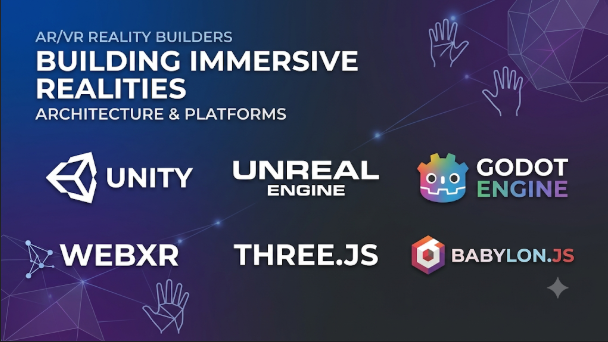
The market also contains products that serve different roles. Unity and Unreal Engine are full development engines. ARCore and ARKit provide device-level AR capabilities. OpenXR connects applications to supported XR hardware. WebXR brings immersive experiences to compatible browsers.
Understanding these layers helps teams avoid costly rewrites and limits the risk of building for devices they cannot reach.
First, separate the engine from the device platform
These terms often appear together, but they describe different parts of development.
- Game engine: Creates scenes, graphics, physics, animation, and application logic. Unity and Unreal Engine are examples.
- Device SDK: Gives an app access to hardware features. ARCore and ARKit provide tracking and environmental understanding.
- XR runtime and API: Connects an application to a headset or other XR device. OpenXR is a widely used standard for this layer.
- Web framework: Builds 3D and immersive experiences that run in a browser. WebXR provides the browser interface, while frameworks help create the content.
A project may use several of these together. A Unity app, for example, can use OpenXR for headset access and a vendor SDK for device-specific features.
This layered view prevents a common buying mistake: comparing an engine directly with an SDK. They are not competing products.
The development platforms and where they fit
Unity: A flexible starting point for mixed-device projects
Unity is a general-purpose real-time 3D engine with a mature XR development system. Its XR Plug-in Management framework lets developers enable providers for supported devices.
The wider XR toolkit includes:
- XR Interaction Toolkit for controller input, object handling, locomotion, and user interface interaction.
- AR Foundation for shared AR workflows such as plane detection and image tracking.
- XR Hands for applications that use supported hand-tracking providers.
- OpenXR Plugin for compatible headsets and runtimes.
This package-based structure is one of Unity’s main strengths. A team can build much of its scene and interaction logic in Unity, then select platform providers for target devices.
Unity is a practical choice for VR training, interactive product displays, games, and mixed-reality applications. It also has a large asset and learning ecosystem.
However, shared APIs do not make every device feature identical. A feature may work on one headset but require a different extension or provider elsewhere. Teams must test each target device rather than assume that one build will behave the same everywhere.
Meta’s current guidance recommends Unity’s OpenXR Plugin for new Quest projects. Its documentation also explains where Meta-specific SDK features add capabilities beyond standard OpenXR.
Official documentation: Unity XR development.
Unreal Engine: A strong choice for detailed visual environments
Unreal Engine combines real-time rendering, physics, animation, and XR development tools. It supports head-mounted XR through OpenXR and provides separate guidance for handheld AR workflows.
Its visual scripting system, Blueprints, lets developers create many interactions without writing every part in C++. Developers can also use C++ for deeper control.
Unreal is worth considering for:
- High-detail VR environments
- Architectural and product visualization
- Training simulations with complex scenes
- Virtual production and interactive experiences
- Projects that need custom rendering or simulation logic
Its rendering capabilities can be valuable when visual quality is central to the experience. But high visual detail can increase GPU, memory, and optimization demands.
That trade-off matters on standalone headsets. These devices have tighter power and thermal limits than high-end desktop systems.
Unreal also separates head-mounted XR from handheld AR in its documentation. A project targeting phones should not assume that its headset setup covers mobile AR.
Official documentation: Unreal Engine XR development.
Apple ARKit and RealityKit: Native development for Apple devices
Apple’s AR development stack takes a different route. ARKit provides access to device sensing and tracking features. RealityKit handles 3D content, rendering, animation, and interaction.
For iPhone and iPad apps, ARKit can support motion tracking, world tracking, image analysis, and scene understanding. RealityKit helps place virtual content into the camera view.
For Apple Vision Pro, developers use visionOS technologies such as SwiftUI and RealityKit. ARKit provides access to selected information about the person’s surroundings.
This distinction is important when moving an existing iPhone AR app to visionOS. Apple explains that developers cannot simply reuse all ARKit code unchanged. The display and interaction model differ.
Native Apple development suits teams focused on Apple’s ecosystem. It gives them direct access to platform features and system design patterns.
The trade-off is platform reach. A native RealityKit application is not a direct Android or Windows build. Teams seeking wider device coverage may prefer an engine-based approach or maintain separate native clients.
Official references: ARKit, RealityKit, and visionOS development.
Google ARCore: The foundation for Android phone AR
ARCore helps Android devices understand their surroundings. It uses motion tracking, environmental understanding, and light estimation to place digital content in the physical world.
Developers can use ARCore through native Android development or supported tools such as Unity and Unreal Engine. Google also documents cross-platform AR options for some APIs.
ARCore is especially relevant to practical phone-based experiences:
- Previewing furniture in a room
- Placing product models on a surface
- Showing instructions over physical objects
- Creating location-aware or environment-aware experiences
- Building interactive educational content
The main challenge is device support. Not every Android phone supports every ARCore feature. Teams must check the supported-device list and test real hardware.
A feature that works on one phone may behave differently on another because cameras, sensors, processing power, and software support vary.
ARCore is not a complete game engine. It provides AR capabilities that an application uses alongside a rendering and interaction framework.
Official documentation: ARCore development overview.
Godot: An open-source route for XR developers
Godot is an open-source engine with support for XR development through its XR system and OpenXR integration.
Its Godot XR Tools add-on provides common interaction building blocks. These include locomotion, object interaction, and user interface interaction.
This can make Godot attractive to independent developers, educators, and teams that want an open-source engine. It also avoids the need to adopt a commercial engine licensing model.
But its XR ecosystem is smaller than Unity’s or Unreal’s. Some device features depend on plugins, and support can vary by platform. Godot’s own documentation also distinguishes headset OpenXR support from handheld phone AR, which often needs platform-specific plugins.
Godot is worth evaluating for focused projects and teams comfortable with technical problem-solving. It may require more custom work when a project depends on specialized vendor features or a broad commercial plugin ecosystem.
Official resources: Godot XR documentation and Godot XR Tools.
WebXR: Deliver immersive experiences through a browser
WebXR lets compatible browsers access VR and AR devices. It can reduce the need for users to install a separate native application.
A web-based experience can be useful for product demonstrations, interactive learning, virtual tours, and lightweight immersive content.
WebXR is an API, not a complete 3D engine. Developers often combine it with JavaScript 3D libraries or frameworks.
Its biggest advantage is distribution. Users can open a link instead of downloading a full application.
Its biggest limitation is browser and device support. The WebXR API is not available across all major browsers and devices. The MDN documentation marks it as having limited availability, so developers must check compatibility before relying on it.
A web experience may also have less access to device-specific features than a native app. Performance and asset loading need careful attention, especially on mobile networks.
Official reference: MDN WebXR Device API.
OpenXR is the bridge, not the engine
OpenXR deserves special attention because it can reduce device-specific development work.
It is a royalty-free standard maintained by the Khronos Group. It defines common ways for applications to communicate with XR runtimes and devices.
In practical terms, an OpenXR application can request headset tracking, controller input, and other supported capabilities through a shared interface. This can reduce the need for separate low-level implementations.
However, OpenXR does not make every headset feature universal. Vendors can provide optional extensions for capabilities such as hand tracking, eye tracking, or passthrough.
An application that depends on one vendor extension may still need a separate implementation elsewhere.
A sensible strategy is to:
- Use OpenXR for common headset functions.
- Keep vendor-specific features in separate modules.
- Check extension support on every target device.
- Provide a fallback when an optional feature is missing.
- Test the final build on actual hardware.
The Khronos OpenXR documentation explains the standard and its role in cross-device development.
At a glance: Which development path fits?
| Development option | Main strength | Typical target | Main trade-off |
|---|---|---|---|
| Unity | Broad engine and XR package ecosystem | VR, MR, mobile AR | Platform features may still need separate providers |
| Unreal Engine | Detailed real-time graphics and visual scripting | High-detail VR and simulation | Standalone headset optimization can be demanding |
| Apple ARKit and RealityKit | Native Apple sensing and spatial content | iPhone, iPad, and visionOS | Apple-focused development |
| Google ARCore | Android device tracking and environmental understanding | Android phone AR | Device and feature compatibility must be checked |
| Godot | Open-source engine and OpenXR support | Independent XR projects | Smaller ecosystem and more platform-specific work |
| WebXR | Browser-based immersive experiences | Compatible browsers and headsets | Uneven browser and device support |
| OpenXR | Shared interface to compatible XR runtimes | Head-mounted XR devices | Optional features still vary by vendor |
These options operate at different layers. The table compares their roles, not equivalent products.
The hidden work behind an AR or VR application
A development platform is only one part of the production process. Many problems arise from assets, interaction design, device limits, and testing.
3D assets need more than visual quality
A model that looks good on a desktop may perform poorly in a headset. Large textures, complex materials, and excessive geometry can increase rendering costs.
Asset preparation should consider:
- Polygon count and mesh complexity
- Texture size and compression
- Material and shader cost
- Animation complexity
- Lighting and shadow requirements
- Level of detail at different viewing distances
- Model scale and pivot placement
Blender can help create and prepare 3D assets. It supports formats such as glTF and USD, which can help move content between tools.
However, exporting a model does not guarantee identical results in every engine. Materials, lighting, animation, and custom shaders may need adjustment.
The Blender pipeline documentation describes its supported import and export formats.
Interaction design changes with the device
A phone AR app often uses touch input. A VR app may use controllers, hand tracking, gaze, or voice.
These input methods require different interaction choices.
For example, a phone user can tap a virtual product to rotate it. A headset user may need to point, pinch, grab, or select the same object.
Designers should avoid copying desktop controls into an immersive environment. Small buttons, long text, and precise pointer movements can become difficult to use in a headset.
A good project defines its main input method early. It then tests whether users can complete important tasks without confusion.
Performance is part of the experience
A slow website frustrates users. Poor frame timing in VR can also cause discomfort.
Standalone headsets have limited computing and battery resources. Developers must balance scene complexity, rendering quality, and application features.
Useful performance checks include:
- Stable frame delivery on target hardware
- GPU and CPU load
- Memory use
- Thermal behavior during longer sessions
- Loading time and asset streaming
- Tracking stability
- Input response time
Do not judge performance only in an editor or desktop preview. A project should run on the actual headset or phone it targets.
Comfort and accessibility need early attention
VR applications can cause discomfort when movement does not match what users feel physically. Sudden camera motion, forced acceleration, and poorly controlled rotation can increase this risk.
Developers should consider teleport movement, adjustable turning, seated options, and clear comfort settings where suitable.
Also consider users who cannot stand, reach, or use precise hand movements. Provide alternative controls when the experience allows them.
Text size, contrast, captions, audio controls, and interaction timing also affect accessibility.
These decisions are easier to include during design than to add after the application is complete.
A practical platform selection process
The fastest way to narrow the options is to begin with the user’s device and task.
Step 1: Decide where the experience will run
Write down the exact target devices. “VR headset” is not specific enough.
List the headset or phone models, operating systems, browser requirements, and distribution channels. Also decide whether users need a standalone app or a browser link.
This step can remove unsuitable options immediately.
Step 2: Decide whether you need AR, VR, or mixed reality
The three experience types have different technical demands.
- AR: Adds digital content to a view of the physical world.
- VR: Replaces the user’s view with a virtual environment.
- Mixed reality: Connects virtual content with the physical environment through features such as spatial mapping and interaction.
A furniture preview app needs surface placement and realistic scale. A VR training simulator needs headset tracking, movement, interaction, and a virtual environment.
Do not select a platform before defining the experience.
Step 3: Choose the development layer
Use an engine when you need a complete 3D application. Choose native SDKs when you need direct access to a specific device ecosystem.
Use OpenXR when compatible headset portability matters. Consider WebXR when browser access is central and supported devices meet your requirements.
Some projects will combine these choices.
Step 4: Check device features before building
Create a simple feature matrix for the target hardware.
| Feature | Questions to answer |
|---|---|
| Tracking | Does the device support the required position and motion tracking? |
| Hand input | Are hand gestures available and reliable enough? |
| Controllers | Which controller types and actions are supported? |
| Passthrough | Can the app show the physical environment? |
| Spatial mapping | Can it detect surfaces or reconstruct the environment? |
| Eye tracking | Is it available, and does the app have permission to use it? |
| Performance | Can the device run the intended scene smoothly? |
| Distribution | Can the app reach users through the required store or browser? |
A feature listed in an SDK may still depend on hardware, software, permissions, or runtime support. Confirm each requirement with a working prototype.
Step 5: Build a small prototype
Do not start with a large virtual world or a complete training course.
Build one important interaction first. For a furniture app, place one object on a real surface and let users move it. For a VR training app, test one task from start to finish.
Use the prototype to measure:
- How quickly users understand the controls
- Whether tracking remains stable
- Whether the experience runs well
- Whether users can complete the task
- Whether the design causes discomfort
- How much platform-specific code is required
A small prototype can reveal expensive design mistakes before production begins.
Cost and licensing need a wider view
The cost of an AR or VR project is not limited to its engine licence.
Budget for the complete development and delivery process:
- Engine subscriptions or commercial licences, where applicable
- Headsets, phones, and testing hardware
- 3D modelling and asset production
- SDKs and third-party plugins
- Cloud services and backend systems
- App store accounts and distribution
- Device testing and quality assurance
- Updates for new operating systems and hardware
- Ongoing support and compatibility work
Open-source software can reduce licence costs, but it does not remove development and maintenance expenses.
Commercial engines may provide a larger ecosystem of tools and services. Yet a project may still need specialist developers for device integrations and performance tuning.
Before choosing a platform, review its current licence terms. Check how they apply to your organization, revenue model, distribution method, and intended use.
Privacy and device permissions are part of the design
AR and mixed-reality applications may use cameras, microphones, spatial maps, hand tracking, and other sensors.
These features can reveal details about a person’s surroundings. A room scan, for example, may capture private objects or information.
Collect only the data needed for the experience. Explain why permissions are required and how collected data is handled.
Teams should also consider:
- Whether camera or spatial data leaves the device
- Where user accounts and application data are stored
- How long captured information is retained
- Whether analytics collect sensitive interaction data
- How users can remove stored information
- Which third-party SDKs receive data
For commercial projects, review the privacy rules that apply in each target market. App store requirements and regional data protection laws may affect the design.
Common mistakes that create expensive rework
Choosing an engine before choosing the device. A tool may support XR but lack a required feature on the target hardware. Confirm the device requirements first.
Assuming OpenXR guarantees full portability. The standard supports shared functionality, but vendor extensions still matter.
Building only for the development computer. Desktop previews cannot replace tests on the actual headset or phone.
Adding too much visual detail. Complex scenes can reduce performance on standalone hardware. Optimize assets around the device’s limits.
Ignoring user comfort. Forced movement and confusing controls can make an otherwise attractive experience difficult to use.
Treating AR and VR as the same workflow. Phone AR, headset VR, and passthrough mixed reality need different tracking and interaction designs.
Leaving privacy until the end. Camera and spatial permissions should influence the data design from the start.
Which platform should you start with?
The right development path depends on the product you want to deliver.
- Choose Unity when you need a flexible engine, broad XR tooling, and a path across several device types.
- Choose Unreal Engine when detailed real-time graphics and complex virtual environments are central.
- Choose ARKit and RealityKit when you are building a native experience for Apple’s devices.
- Choose ARCore when Android phone AR is the main goal.
- Choose Godot when open-source development and engine control matter more than a large commercial XR ecosystem.
- Choose WebXR when browser delivery is important and your target devices support the required features.
- Use OpenXR as a shared headset interface where the target runtimes support the features your application needs.
Before committing, build one small experience on the actual target device. Test its tracking, controls, performance, and distribution path. The best platform is not the one with the longest feature list. It is the one that lets your team deliver a comfortable, reliable experience to the people who will use it.


Leave a Reply
You must be logged in to post a comment.