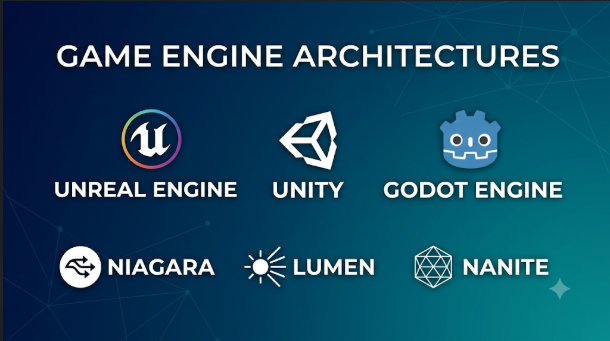
A game engine affects far more than graphics. It shapes how developers build levels, write game logic, handle physics, test performance, and ship updates.
A small 2D platform game does not need the same tools as a large open-world adventure. A mobile puzzle game has different demands from a multiplayer shooter. Yet both projects need a reliable way to turn assets and code into a playable experience.
The biggest mistake is choosing an engine because a famous game used it. A better choice comes from matching the engine to the project, the team’s skills, and the platforms it must support.
Some engines offer broad 3D tools and large asset stores. Others focus on 2D games, lightweight builds, or open-source development. Understanding these differences can save months of work.
How a game engine works
A game engine brings several systems together so developers do not need to build everything from scratch.
Most engines provide some combination of these parts:
- Rendering: Draws characters, environments, lighting, and visual effects.
- Physics: Handles movement, collisions, gravity, and object behavior.
- Scripting: Controls game rules, player actions, and events.
- Animation: Moves characters, objects, and visual elements.
- Audio: Plays music, sound effects, and environmental sounds.
- Scene editing: Lets developers arrange levels, objects, and cameras.
- Asset management: Organizes models, textures, sounds, and other files.
- Build tools: Package a project for its target platform.
The engine runs the game, but it does not create the entire game for you.
Developers still need to design levels, create or license assets, write gameplay systems, test performance, and manage releases.
Some engines provide a visual editor for much of this work. Others expect developers to write more code and assemble their own systems.
The major game engines, viewed through their design choices
There is no single engine that fits every project. These options are useful because they represent different development approaches.
Unity: A broad engine for teams with varied project needs
Commercial engine | C# | 2D, 3D, mobile, desktop, XR
Get Started with Unity: In-Editor Tutorial – Unity Learn
Unity is a general-purpose engine used for 2D and 3D games. Its development environment combines a scene editor, component system, scripting, animation, physics, and asset workflows.
Its component-based design lets developers attach behavior to objects. A character might have separate components for movement, health, animation, and sound.
Unity uses C# for gameplay scripting. This makes it a practical choice for teams that already work with the language.
Its Asset Store is another important part of the ecosystem. Developers can find models, tools, editor extensions, and ready-made systems. These assets can speed up development, but teams should check their quality, support, and license terms.
Unity also offers packages for mobile AR and XR development. Its range of tools makes it relevant beyond traditional games.
The main consideration: Unity’s flexibility comes with package and project management work. Teams must check which packages they need and whether each target platform supports them.
Unity’s commercial terms also deserve attention. Its current plan information explains the Personal, Pro, and Enterprise options. Personal has eligibility limits, while console publishing and some professional features require paid plans. Unity canceled its proposed Runtime Fee for game customers, so developers should not base budgets on that canceled charge.
Unity makes sense when a project needs a broad engine ecosystem and several possible deployment targets.
Unreal Engine: A strong fit for demanding 3D production
Commercial engine | C++ and Blueprints | Advanced 3D and simulation
Unreal Engine is known for its detailed 3D development tools. It supports games, simulations, virtual production, and interactive visualization.
Its visual scripting system, Blueprints, lets developers create gameplay logic through connected nodes. Programmers can also use C++ when they need more direct control.
This combination helps teams divide work. Designers can build many interactions in Blueprints, while programmers develop deeper systems in code.
Unreal also provides advanced rendering tools. Nanite handles detailed virtualized geometry, while Lumen provides dynamic global illumination and reflections. These systems can help create rich scenes, but they do not remove hardware limits.
A high-detail scene still needs careful optimization. Lighting, materials, textures, animation, and effects can all affect frame rates.
The main consideration: Unreal can demand more from both hardware and the development team. Smaller projects may not need its full rendering and production capabilities.
Its licensing model is also different from a standard subscription. Under the standard game royalty model, Epic generally charges 5% on qualifying lifetime gross product revenue above the first $1 million. Other terms and exceptions can apply, so teams should read the Unreal licensing details.
Unreal is worth considering when advanced 3D production is central to the game.
Godot: An open-source engine with a flexible 2D workflow
Open source | GDScript, C#, C++ | 2D and 3D
Godot is a free, open-source game engine. It offers dedicated 2D tools and a growing set of 3D development features.
Its scene and node structure is central to how projects work. A scene can represent a character, menu, level, or reusable game object. Developers can combine scenes to build larger projects.
Godot’s built-in language, GDScript, has a syntax designed for game development. The engine also supports C# and C++ through GDExtension.
This gives developers a choice between quick scripting and more specialized code.
Godot’s open-source MIT license is a major distinction. Developers can use the engine commercially without paying engine royalties. They must still follow the license terms and check third-party asset licenses.
The main consideration: Godot’s platform support and tool ecosystem differ from those of larger commercial engines. Some workflows may require plugins or custom code. C# projects also have platform restrictions, including the lack of official web export support in the documented Godot version.
Godot is a sensible starting point for independent developers who want control over their tools and licensing.
Its license page and stable feature list help clarify what the engine supports.
GameMaker: A focused choice for 2D games
Commercial engine | GameMaker Language | 2D-focused development
GameMaker focuses on making 2D game development more direct.
Its editor includes tools for sprites, rooms, objects, animation, and gameplay logic. Developers use GameMaker Language, or GML, to define how their games behave.
This workflow suits projects such as platform games, arcade titles, and top-down adventures. Developers can spend more time on game feel and level design instead of building a general-purpose 3D pipeline.
GameMaker also provides export options for desktop, mobile, and web. Console publishing requires its Enterprise offering and the relevant platform approvals.
The main consideration: GameMaker is not a general replacement for Unity or Unreal. Teams planning a complex 3D project should look elsewhere.
Its licensing rules are unusually important to check. The free option is for non-commercial use. The Professional license allows commercial distribution, while Enterprise adds console exports. The vendor’s license and pricing information explains the current choices.
For a 2D game, this focused workflow may be more useful than learning a much larger engine.
Construct 3: Browser-based game creation with visual event logic
Commercial software | Visual event system | 2D and web-focused games
Construct 3 vs GDevelop Comparison (2026) | Feature by Feature
Construct 3 takes a visual approach to game development. Its editor runs in a web browser, so users can work without installing a traditional desktop engine.
Instead of writing every gameplay rule in code, developers use event sheets. These connect conditions and actions.
For example, an event might check whether a player touches a coin. If the condition is true, the game increases the score and removes the coin.
This approach can help beginners and small teams build prototypes quickly. It also suits classroom projects and browser games.
Construct supports web publishing and exports for other platforms through its documented workflows. Some exports rely on additional wrappers or services, so developers should review the exact process before promising native behavior.
The main consideration: Visual event sheets are convenient for many projects, but complex logic can become harder to organize. Teams with large custom systems may prefer a code-first engine.
Construct uses subscription licensing. Its plans differ by user type, organization, and seat needs. Review the Construct licensing options before choosing it for a business or school.
Defold: A lightweight engine with a clear licensing model
Source-available | Lua | 2D and 3D
Choosing Defold for Steam games production – the story of Luden.io
Defold combines an editor, code tools, asset workflows, debugger, and build system.
It uses Lua for gameplay scripting. Developers can also extend the engine through native code and extensions.
Defold supports both 2D and 3D development. Its lightweight workflow makes it worth considering for mobile games, web games, and projects where build size matters.
One of its strongest distinctions is its licensing model. Defold is free to use, with no engine royalties or subscription fees. Its source code is available under the Defold License, which is derived from Apache 2.0.
The main consideration: Defold’s ecosystem and workflow differ from those of Unity and Unreal. Teams should check whether its available extensions and tools cover their needs before committing.
It is especially interesting to developers who want a compact toolchain and predictable engine costs. The Defold license explains the terms.
Open 3D Engine: A customizable foundation for advanced projects
Open source | C++, Lua, Script Canvas | Games and simulation
Introduction to O3DE Editor – Open 3D Engine
Open 3D Engine is an open-source engine for real-time 3D games and simulations.
Its modular architecture is one of its defining features. O3DE uses components called Gems to package systems and extend the engine.
The Atom renderer provides physically based rendering. The engine also includes asset processing, physics, animation, and tools for building interactive scenes.
Developers can use C++, Lua, and Script Canvas. Script Canvas offers a visual way to create logic, while C++ supports deeper engine and gameplay work.
O3DE uses the Apache 2.0 license by default, with an option to use MIT under its licensing terms. Third-party components may carry separate obligations.
The main consideration: O3DE is a more specialized choice than a simple beginner engine. Teams should assess its editor workflow, documentation, build requirements, and available integrations before starting a production project.
It may suit organizations that want to inspect and modify a real-time 3D engine rather than depend on a closed commercial product.
The O3DE feature documentation describes its architecture and tools.
Bevy: A Rust-based engine built around data-oriented design
Open source | Rust | 2D and 3D development
Bevy is an open-source game engine built with Rust.
Its design uses an Entity Component System, or ECS. This architecture separates entities, their data, and the systems that process that data.
For example, a game may represent every moving object with position and velocity components. A movement system then updates all entities that have those components.
This data-focused approach can suit developers who like explicit systems and Rust’s type model. Bevy is also modular, so projects can use or replace parts of its engine.
The main consideration: Bevy expects developers to be comfortable with Rust and a code-driven workflow. It does not provide the same editor-led experience as Unity or Unreal.
Teams should also evaluate its current feature coverage and tooling before using it for a large commercial production.
Bevy is a good candidate for Rust developers who want to build a game around an open-source engine. Its official introduction explains its design goals and architecture.
Roblox Studio: A complete creation environment for the Roblox platform
Platform-specific engine | Luau | Shared online experiences
How to make a game on Roblox: A beginner’s guide
Roblox Studio is not a general-purpose engine for publishing the same game across independent stores. It is a creation environment for experiences that run on Roblox.
Studio combines the Roblox Engine, editor, testing tools, and platform services. Developers use Luau, a scripting language derived from Lua, to create gameplay and interactive systems.
The platform also provides built-in systems for multiplayer experiences, user accounts, social features, and monetization.
This can remove much of the work needed to build a separate online service. It also gives creators access to an established audience within Roblox.
The main consideration: Developers work within Roblox’s ecosystem and rules. They do not control distribution in the same way as a team shipping a standalone PC or console game.
Revenue also follows platform-specific rules. The Roblox monetization documentation explains Robux, marketplace fees, and creator rewards.
Roblox Studio is best viewed as a platform-specific creation system, not a direct substitute for a cross-platform commercial engine.
Comparing the engines at a glance
| Engine | Main strength | Programming approach | Licensing approach | Important limitation |
|---|---|---|---|---|
| Unity | Broad 2D, 3D, and XR ecosystem | C# | Free and paid plans | Package and platform setup |
| Unreal Engine | Advanced 3D production | C++ and Blueprints | Royalty-based game license | Demanding production workflow |
| Godot | Open-source 2D and 3D development | GDScript, C#, C++ | MIT | Some platform and ecosystem gaps |
| GameMaker | Focused 2D workflow | GML | Free non-commercial, paid commercial options | Not suited to every 3D project |
| Construct 3 | Visual event-based development | Event sheets, JavaScript options | Subscription | Complex logic may need careful organization |
| Defold | Lightweight cross-platform workflow | Lua and native extensions | Defold License, free to use | Smaller ecosystem than major engines |
| O3DE | Modular real-time 3D systems | C++, Lua, Script Canvas | Apache 2.0 or MIT option | Requires technical evaluation |
| Bevy | Rust and ECS architecture | Rust | MIT or Apache 2.0 | More code-driven development |
| Roblox Studio | Platform-native online experiences | Luau | Platform terms | Distribution is tied to Roblox |
Match the engine to the game you want to build
A useful shortlist begins with the type of game, not the engine’s popularity.
For a first game development project
Start with Godot, GameMaker, or Construct 3.
Godot gives beginners a full engine with an open-source license. GameMaker provides a focused 2D workflow. Construct 3 offers visual event logic for people who want to learn game concepts before writing much code.
The best choice depends on the type of game you want to make and the way you prefer to learn.
For a mobile game
Unity, Godot, GameMaker, and Defold are all worth examining.
The choice depends on the game itself. A 3D mobile adventure has different needs from a small 2D puzzle game.
Test on real phones early. Touch controls, battery use, memory, loading times, and screen sizes can change the design.
For a high-detail 3D game
Begin by comparing Unreal Engine and Unity.
Unreal offers a strong set of high-end rendering and visual scripting tools. Unity offers a broad ecosystem and flexible development workflow.
Do not decide from screenshots alone. Build a representative scene and measure its performance on the target hardware.
For an open-source project
Consider Godot, Bevy, O3DE, or Defold.
These engines differ in language, architecture, and licensing. Godot offers a scene-based workflow. Bevy uses Rust and ECS. O3DE provides a modular 3D framework. Defold offers a lightweight integrated workflow.
Open-source does not mean zero cost. Development, support, hosting, testing, and maintenance still require time and money.
For a browser game
Look at Construct 3, GameMaker, Godot, and Unity.
Check the exact export route and browser support. Some projects may need JavaScript integration, web hosting, or additional wrappers.
A game that runs well on a desktop may still struggle on mobile browsers. Test performance and input behavior early.
For an online creator experience
Roblox Studio may be the most direct option when the game is intended for Roblox users.
If you want to own the distribution path and publish across independent stores, a general-purpose engine is a better fit.
The hidden costs of choosing a game engine
The license price is only one part of the cost.
A free engine may still need paid tools, contractors, server hosting, or custom development. A commercial engine may save time through built-in tools and existing integrations.
Consider these costs before committing:
Development time: How long will the team need to learn the engine and build core systems?
Asset production: Does the engine support the formats and workflows used by your artists?
Platform exports: Are the target platforms included in the license? Do console releases need extra approval or access?
Multiplayer infrastructure: Does the game need dedicated servers, matchmaking, voice chat, or player data storage?
Plugins and extensions: Will the project depend on third-party tools that may stop receiving updates?
Build and testing systems: Can the team automate builds and test releases reliably?
Long-term maintenance: Can the team fix bugs and update the game without relying on one developer or an abandoned plugin?
A good budget includes these costs from the prototype stage. Otherwise, a cheap starting engine may become an expensive production choice.
How to test an engine before building the full game
Do not compare engines by opening their sample scenes and judging the graphics. Build the same small prototype in each serious candidate.
Choose a test that reflects the hardest part of your planned game.
For a 2D platformer, build movement, collisions, a camera, and a small level.
For a 3D action game, test character movement, animation, lighting, physics, and one demanding scene.
For a multiplayer game, test network behavior and server authority early. A working local prototype does not prove that an online game will handle real players.
Use the same assets and target hardware where possible. Record:
- Time needed to build the prototype.
- Ease of changing gameplay logic.
- Editor and build stability.
- Frame rate and memory use.
- Export process and file size.
- Debugging and profiling tools.
- Compatibility with the team’s existing workflow.
This is not a universal benchmark. It is a practical way to discover which engine creates the least friction for your own project.
Questions to settle before the first production milestone
Before choosing an engine, write down clear answers to these points:
- Is the game 2D, 3D, or a mix?
- Which platforms must it support?
- Does it need online multiplayer?
- Which programming languages can the team maintain?
- Does the project need advanced rendering?
- How much control does the team need over engine source code?
- What licensing costs or royalties could apply?
- Which third-party tools will become essential?
- Can the team test on the actual target devices?
- Who will maintain the project after launch?
These questions expose risks that feature lists often hide.
A better engine choice starts with a smaller prototype
Unity and Unreal serve broad production needs, but they are not the only serious options. Godot, GameMaker, Construct 3, and Defold can offer more focused workflows. O3DE and Bevy suit developers who want deeper control over an open-source foundation. Roblox Studio serves creators who want to build inside Roblox itself.
The right engine is the one that supports the game’s core design without adding unnecessary complexity.
Choose two or three candidates. Build the same small gameplay test in each. Check the export process, licensing terms, performance, and tools your team will use every day.
That small test can reveal more than a long feature comparison. It also gives the team a sound reason to commit before production work grows expensive.





Leave a Reply
You must be logged in to post a comment.