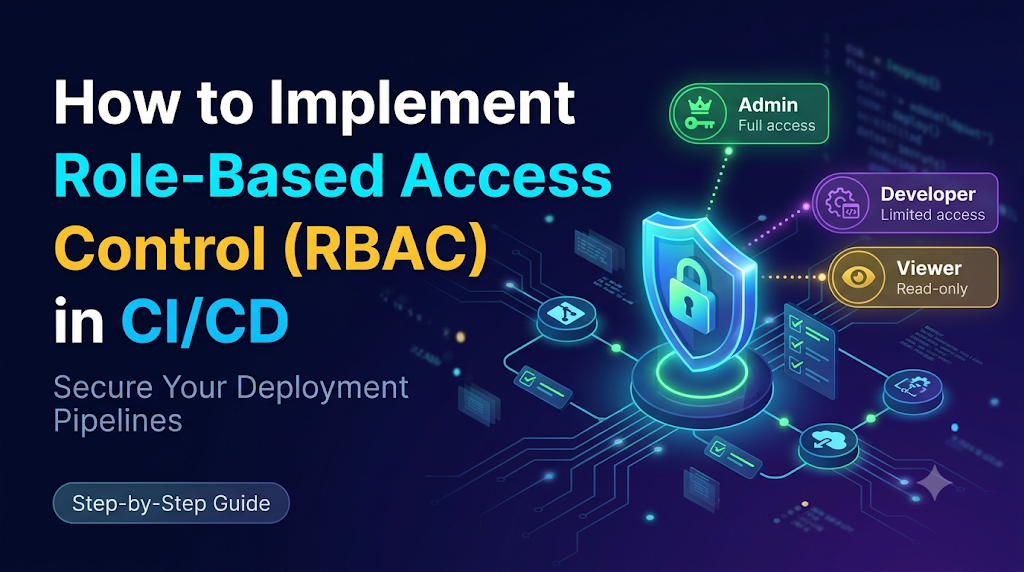
Imagine a software engineering ecosystem where every developer, tester, and contractor shares unrestricted access to source repositories, pipeline configurations, and production environments. While this open model lets teams move fast initially, it introduces severe vulnerabilities—ranging from unauthorized production deployments and exposed database credentials to unreviewed code changes and zero accountability during security incidents. To mitigate these risks, organizations must implement Role-Based Access Control (RBAC), a foundational security framework that regulates who can view, modify, approve, or execute specific actions across the software delivery lifecycle.
Understand the Fundamentals of Role-Based Access Control
Role-Based Access Control is an access-management paradigm that restricts system access based on the roles of individual users within an organization. Rather than granting permissions directly to every user—which becomes unmanageable at scale—administrators assign permissions to roles, and then assign users to those roles.
To understand RBAC in a CI/CD context, you must examine its core components:
- Users: Individual human operators (developers, testers, administrators) who require access to the CI/CD platform.
- Groups: Collections of users who share common organizational responsibilities, making it easier to manage permissions in bulk (e.g., a “Core-Developers” group).
- Roles: Pre-defined sets of permissions that dictate what actions are allowed or denied.
- Permissions: Specific granular actions allowed on system resources, such as viewing logs, editing pipeline configurations, approving releases, or triggering deployments.
- Resources: Target entities within the CI/CD ecosystem, including source repositories, pipeline definitions, staging environments, production clusters, and secret credentials.
- Role Assignments: The logical bindings connecting users or groups to their authorized roles within specific project scopes.
Authentication vs. Authorization
A common misconception is that a successful login equates to full system access. In security architecture, authentication and authorization serve two distinct functions:
- Authentication (AuthN): Verifying who the user is (e.g., via Single Sign-On (SSO), Multi-Factor Authentication (MFA), or SSH keys).
- Authorization (AuthZ): Determining what an authenticated user is permitted to do.
Even if a user successfully authenticates against a CI/CD platform using corporate credentials, authorization rules ensure they can only interact with pipelines, environments, and secrets relevant to their specific job responsibilities.
Map the Different Identities Inside a CI/CD Environment
A robust CI/CD security strategy must account for two distinct categories of identities: human operators and automated machine components.
Human Identities
- Developers: Write application code, open pull requests, and trigger non-production builds.
- QA Engineers: Execute automated test suites, review test outcomes, and validate staging builds.
- DevOps Engineers: Maintain CI/CD infrastructure, configure runners, establish pipeline templates, and manage platform-level integrations.
- Security Teams: Audit pipeline configurations, review vulnerability scan results, and enforce compliance policies.
- Release Managers: Oversee production deployment schedules, verify compliance gates, and authorize formal releases.
- Platform Administrators: Manage global platform settings, user provisioning, identity providers, and top-level organization structures.
- Auditors & Read-Only Users: Inspect logs, deployment histories, and configuration states without making modifications.
Machine Identities
- CI Runners and Agents: Execution nodes that run build and test jobs.
- Build Service Accounts: Automated accounts used by build agents to fetch dependencies and push artifacts to registries.
- Deployment Service Accounts: Dedicated credentials used by pipeline tasks to apply configurations to target cloud environments or clusters.
- GitOps Controllers: Automated operators (such as Argo CD or Flux) that synchronize repository states with target clusters.
- Cloud Workload Identities: Short-lived tokens bound to specific pipeline jobs via identity federation, eliminating static cloud keys.
- Automation Integrations: Third-party plugins, webhook handlers, and notification bots interacting with the pipeline API.
Automated pipeline components should never use shared personal credentials or permanent administrative tokens. Instead, they require dedicated, least-privilege machine identities scoped strictly to their operational boundaries. As educational resources like DevOpsSchool emphasize, isolating machine identities prevents compromised build agents from exposing broader cloud infrastructure.
Design a Practical Role and Permission Model
Implementing RBAC requires defining a clear permission matrix tailored to organizational workflows. Below is an illustrative RBAC matrix for a standard CI/CD environment:
| Role | View Pipelines | Modify Pipeline | Approve Release | Deploy to Production | Manage Access |
| Developer | Yes | Limited | No | No | No |
| QA Engineer | Yes | No | No | No | No |
| DevOps Engineer | Yes | Yes | Limited | Controlled | No |
| Release Manager | Yes | No | Yes | Approved | No |
| Security Auditor | Read-only | No | No | No | No |
| Platform Administrator | Yes | Yes | Yes | Controlled | Yes |
Core Principles of Role Design
- Least Privilege: Users and services receive only the minimum access necessary to complete their tasks.
- Separation of Duties: The person who writes code or modifies a pipeline configuration should not be the sole individual capable of approving and deploying it to production.
- Role Inheritance: Hierarchical structures (e.g., organization-level vs. project-level roles) simplify permission management across large teams.
- Environment-Specific Permissions: Access rights must tighten progressively as code moves from development to staging and production.
- Temporary Access: Administrative overrides or emergency “break-glass” privileges should be time-bound and automatically revoked after use.
- Periodic Access Reviews: Regular audits ensure that departed employees or reassigned staff no longer retain elevated pipeline access.
Plan Access Boundaries Across the CI/CD Lifecycle
Security cannot be bolted on only at the deployment stage. Access controls must span every phase of the software delivery lifecycle.
[ Source Control ] ---> [ Build Stage ] ---> [ Testing Stage ] ---> [ Staging Stage ] ---> [ Production Stage ]
 (Strict PR Reviews)     (Isolated Runners)    (Read-Only Artifacts)  (Controlled Auth)     (Multi-Party Approval)
1. Source Control
- Restrict repository access using branch protection rules.
- Require peer code reviews and mandatory status checks before merging into main branches.
- Limit who can force-push or delete release branches.
2. Build Stage
- Restrict who can modify build definitions and pipeline YAML files.
- Isolate build runners so that untrusted pull requests cannot execute arbitrary commands on privileged infrastructure.
- Restrict direct access to build artifact repositories.
3. Testing Stage
- Provide QA engineers and automated testing accounts with permissions to execute test suites and view test results.
- Prevent testing roles from altering core pipeline build parameters or accessing production deployment secrets.
4. Staging Stage
- Allow staging deployments for authorized engineering teams to validate integrated builds in production-like environments.
- Maintain separate staging credentials to prevent cross-environment contamination.
5. Production Stage
- Enforce strict approval workflows and multi-party authorization for production releases.
- Restrict direct deployment access to dedicated release manager roles or automated deployment controllers.
6. Administration
- Separate platform configuration, user provisioning, and credential management from everyday software engineering tasks.
Implement RBAC in Common CI/CD Platforms
Different CI/CD platforms implement RBAC through distinct mechanisms. Below is an overview of how access control operates across popular tools.
Jenkins
Jenkins relies on an extensible authorization model.
- Authentication: Integrated via LDAP, Active Directory, or SAML/OIDC plugins.
- Authorization Strategies: Matrix-based security or Role-Based Strategy plugins.
- Folder-Level Access: The Role-Based Authorization Strategy plugin allows administrators to define global roles, project roles, and agent roles, restricting developers to specific job folders and preventing unauthorized job modifications.
- Credential Restrictions: Credentials managed via the Jenkins Credentials plugin can be restricted to specific jobs or folders, preventing unauthorized pipelines from reading production API keys.
GitHub Actions
GitHub Actions manages permissions at the organization, repository, and environment levels.
- Repository Roles: Read, Triage, Write, Maintain, and Admin roles control who can push code, trigger workflows, and modify repository settings.
- Workflow Permissions: Organizations can configure default GITHUB_TOKEN permissions (e.g., restricting read/write access to contents and pull requests).
- Environment Protection Rules: Production environments can be locked behind required reviewers and branch restrictions, ensuring workflows pause until designated approvers sign off.
GitLab CI/CD
GitLab uses a robust project and group-level permission model.
- Member Roles: Guest, Reporter, Developer, Maintainer, and Owner roles define operational boundaries.
- Protected Branches: Restrict who can push or merge code to critical branches (like
mainorproduction). - Protected Environments: Limit deployment job execution to specific users or maintainer roles, and require approval rules before deployment jobs can start.
Azure Pipelines
Azure Pipelines integrates with Azure DevOps security architecture.
- Permissions: Configured at the organization, project, pipeline, and service connection levels.
- Service Connection Security: Restricts which pipelines can consume specific cloud credentials or deployment service endpoints.
- Environment Approvals: Multi-stage pipelines utilize environment checks and approvals to pause deployments until authorized personnel approve the release gate.
Kubernetes RBAC
When CI/CD pipelines deploy directly to Kubernetes clusters, pipeline controllers interact with Kubernetes API servers.
- Role and ClusterRole: Define sets of allowed API actions (get, list, create, update, delete) on resources like pods, deployments, and services.
- RoleBinding and ClusterRoleBinding: Assign those roles to specific service accounts used by the deployment pipeline.
- Isolation: Ensure CI/CD deployment service accounts only possess permissions within their designated namespace rather than cluster-wide administrative access.
Note: CI/CD platform-level permissions, cloud IAM policies, and Kubernetes cluster RBAC are distinct control layers. Securing your pipeline requires consistent configuration across all three layers.
Hands-On Implementation: Secure a Sample CI/CD Pipeline
To solidify these concepts, let us walk through a practical lab securing a sample application repository using a platform like GitHub Actions or GitLab CI/CD.
Step 1 — Identify Users and Responsibilities
- Developer (
dev-user): Can write code, open pull requests, and trigger staging builds. - QA Engineer (
qa-user): Can execute and view test suites. - Release Manager (
release-mgr): Authorized to approve production deployments. - Deployment Bot (
ci-robot): Automated machine identity for building and pushing artifacts.
Step 2 — Create Roles and Assign Permissions
Configure your platform groups and map them to their respective roles:
Developersgroup assigned toWriteaccess on feature branches andReadaccess on main.Release-Managersgroup assigned to environment approval privileges forproduction.
Step 3 — Protect Source Code
Configure branch protection rules on your primary branch (main):
- Enable Require a pull request before merging.
- Require at least one approving review.
- Enable Require status checks to pass before merging (linking to automated test workflows).
- Restrict who can push directly to
mainto zero (forcing all changes through pull requests).
Step 4 — Restrict Pipeline Changes
In your workflow configuration file (e.g., .github/workflows/deploy.yml), ensure that workflow definitions themselves cannot be easily altered by standard pull requests without review:
YAML
name: Production Deployment Pipeline
on:
  push:
    branches:
      - main
    paths-ignore:
      - 'docs/**'
Combine this with repository settings that restrict who can modify files inside the .github/workflows/ directory.
Step 5 — Secure Deployment Credentials
Instead of storing plaintext cloud credentials in repository variables:
- Configure an OIDC (OpenID Connect) trust relationship between your CI/CD provider and your cloud provider (e.g., AWS IAM, Azure AD, GCP IAM).
- Grant the CI/CD pipeline a temporary, short-lived workload identity token valid only for the duration of the build job.
Step 6 — Protect Production Deployment
Configure environment protection rules in your platform settings:
- Create an environment named
production. - Add Required reviewers (e.g.,
release-mgr). - Restrict deployment branches to
mainonly.
Step 7 — Validate Permissions
Test your access control configuration:
- Log in as
dev-user, attempt to push code directly tomain(verify the push is rejected by branch protection). - Open a pull request, verify that tests run automatically, and confirm that
dev-usercannot self-approve production deployment gates. - Log in as
release-mgr, review the staging test results, and authorize the production deployment gate. - Verify that the deployment completes successfully using the isolated machine identity.
Protect Secrets and Service Connections
Role-based access control is only as strong as your credential management strategy. If an unauthorized user can view pipeline configurations or access secret storage vaults, RBAC boundaries can be easily bypassed.
Key Secret Management Practices
- Centralized Secret Storage: Store secrets in dedicated enterprise secret managers (such as HashiCorp Vault, AWS Secrets Manager, Azure Key Vault, or GitHub/GitLab built-in secret stores) rather than plain configuration files.
- Dedicated Service Accounts: Ensure machine identities possess unique credentials rather than sharing a single administrative API token across multiple projects.
- Short-Lived Credentials: Utilize dynamic, short-lived tokens generated on-demand rather than static, long-lived API keys.
- Workload Identity Federation: Eliminate static cloud credentials entirely where cloud providers support OIDC-based federation.
- Credential Rotation: Automate regular rotation schedules for any static service credentials that must exist.
- Secret Masking in Logs: Ensure CI/CD platforms automatically redact sensitive environment variables and tokens from build console logs.
- Restricted Service Connections: Lock down cloud service connections so that experimental or non-production pipelines cannot access production cloud subscriptions.
- Separation of Build and Credentials: Ensure developers who have read access to pipeline YAML files cannot read the underlying plaintext values of injected secrets.
Add Approval Gates and Separation of Duties
To prevent errors, malicious insertions, or unauthorized releases, organizations must implement robust approval gates across the delivery pipeline.
Practical Implementation of Separation of Duties
- Code Authoring: A developer writes a new feature branch and opens a pull request.
- Automated Validation: CI/CD runners automatically execute unit tests, static code analysis, and vulnerability scans.
- Peer Review: A peer developer reviews the code logic and approves the pull request.
- Staging Verification: The code merges into
main, triggers a staging deployment, and undergoes automated integration testing. - Release Authorization: A designated release manager reviews the release notes, compliance reports, and test results, then manually approves the production deployment gate.
- Auditable Logging: All approval actions, timestamps, and user identities are recorded in the platform’s audit log for compliance tracking.
In emergency scenarios (such as critical hotfix patches), establish an emergency break-glass procedure requiring dual authorization from both a senior engineer and a security or platform administrator, with mandatory post-incident audit reviews.
Common RBAC Misconfigurations and Security Risks
Organizations often encounter recurring pitfalls when deploying or maintaining CI/CD access controls. Being aware of these risks helps security teams harden their pipelines:
- Giving Every User Administrator Access: Granting broad admin rights to speed up initial setup leaves the entire system vulnerable to internal compromise.
- Sharing Service-Account Credentials: Using a single generic bot account across multiple teams makes tracing the origin of unauthorized pipeline changes impossible.
- Using Broad Wildcard Permissions: Assigning overly permissive wildcard roles (e.g.,
*on all cloud resources) defeats the purpose of least privilege. - Allowing Developers Unrestricted Production Access: Permitting developers to trigger direct production deployments without review increases the likelihood of human error causing outages.
- Forgetting Permissions on Inherited Groups: Failing to audit group memberships can result in former contractors or transferred employees retaining access to sensitive repositories.
- Granting Excessive Permissions to Pipeline Runners: Allowing build runners broad permissions to modify cluster infrastructure or access external networks exposes the underlying build node to container breakout attacks.
- Failing to Protect Deployment Secrets: Storing plaintext API keys in repository files or build logs.
- Ignoring Third-Party Integrations: Connecting unverified plugins or third-party webhooks with excessive API tokens to the CI/CD platform.
Regular permission reviews, automated drift detection, and access testing help teams identify and correct these misconfigurations before attackers exploit them.
Monitor, Audit, and Review CI/CD Access
Implementing RBAC is not a one-time project; it requires continuous monitoring and governance. Organizations must establish auditing protocols to track pipeline activity.
What to Monitor and Log
- Login and Authentication Events: Track successful logins, failed attempts, and MFA usage.
- Role and Permission Changes: Monitor modifications to user groups, role assignments, and platform policies.
- Pipeline Configuration Modifications: Log changes to workflow YAML files, build definitions, and deployment scripts.
- Deployment Activity: Record who triggered builds, which environments were targeted, and whether deployments succeeded or failed.
- Approval History: Maintain immutable records of who approved releases and when.
- Secret Access Events: Track when pipeline jobs or users request secrets from secret management vaults.
- Failed Authorization Attempts: Monitor unauthorized attempts to access protected repositories or deployment environments.
Establishing Review Cadences
- Periodic Access Reviews: Conduct formal reviews of user access rights quarterly or bi-annually.
- Joiner, Mover, and Leaver Processes: Immediately revoke or modify pipeline access when employees change roles or depart the organization.
Measure the Effectiveness of RBAC Controls
To evaluate how well your access governance program is performing, track practical operational indicators:
- Number of Users with Administrative Privileges: Aim to keep this number as low as possible (e.g., restricted to core platform engineering leads).
- Number of Inactive or Unused Accounts: Identify and deactivate dormant user accounts and stale service credentials.
- Excessive Service Permissions: Track service accounts with unused permissions and prune them.
- Access Review Completion Rate: Measure the percentage of scheduled access reviews completed on time.
- Unauthorized Access Attempts: Monitor frequency and investigate spikes in failed authorization logs.
- Unapproved Production Deployments: Track instances where deployment gates were bypassed or forced.
- Time to Revoke Access: Measure how quickly permissions are revoked following employee offboarding.
- Number of Access-Policy Exceptions: Keep track of temporary overrides and ensure they are closed out promptly.
These indicators help security teams quantify risk reduction and identify governance gaps across the software delivery lifecycle.
A Step-by-Step RBAC Adoption Roadmap
Transitioning an organization toward a mature RBAC model is best approached in structured phases:
- Phase 1 — Discover: Inventory all users, groups, service accounts, source repositories, CI/CD pipelines, secret stores, and target deployment environments.
- Phase 2 — Classify: Identify sensitive resources, critical production environments, and high-risk pipeline operations.
- Phase 3 — Design: Define roles, permission matrices, access boundaries, branch protection rules, and multi-party approval requirements.
- Phase 4 — Implement: Configure platform permissions, repository protections, OIDC workload identities, and environment deployment gates.
- Phase 5 — Validate: Test access boundaries using dedicated test accounts with different roles to verify that unauthorized actions are correctly blocked.
- Phase 6 — Govern: Establish continuous monitoring, audit log aggregation, periodic access reviews, and update policies as organizational responsibilities evolve.
Introducing these controls gradually allows development teams to adapt without experiencing sudden workflow disruptions or delivery bottlenecks.
Final Thoughts: Make Access Control Part of Pipeline Design
Implementing Role-Based Access Control in CI/CD environments is an essential pillar of modern DevOps security. RBAC is not merely a user-management administrative task; it is a foundational security architecture that protects your source code, build infrastructure, secret credentials, and production environments from unauthorized modification and accidental disruption. By adhering to the principle of least privilege, establishing strict separation of duties, isolating human and machine identities, securing secrets through modern vault solutions, enforcing multi-party approval gates, and maintaining rigorous audit logs, organizations can build secure, resilient, and compliant software delivery pipelines.
For professionals and organizations seeking to deepen their expertise in secure DevOps practices, continuous integration security, and robust pipeline engineering, DevOpsSchool offers comprehensive educational programs, training courses, and expert-led guidance designed to help teams master modern software delivery operations.




Leave a Reply
You must be logged in to post a comment.