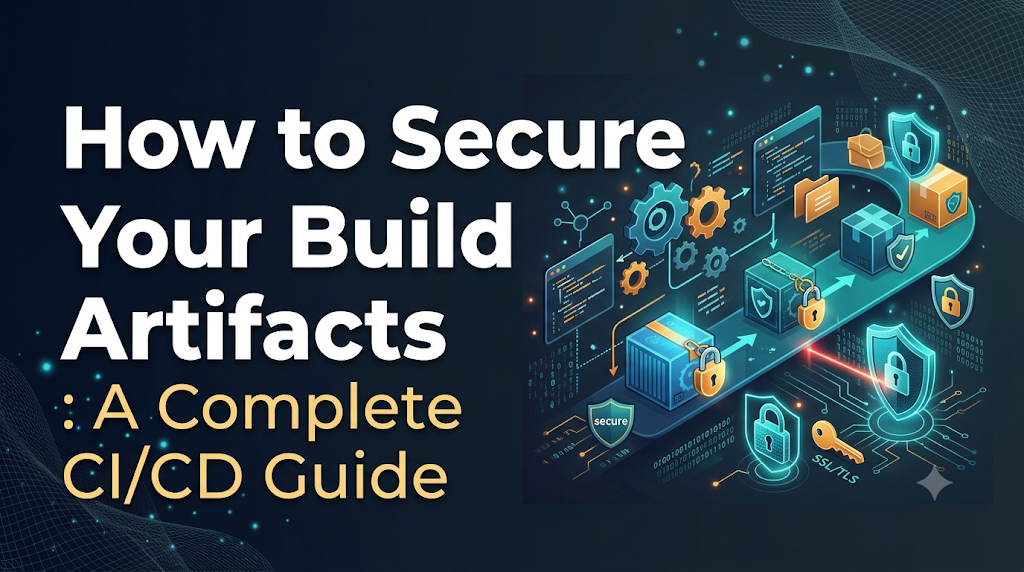
In fast-moving continuous integration and delivery pipelines, security vigilance often stops the moment automated tests pass and code is scanned in Git, leaving the most critical link in your software supply chain—the build artifact—exposed. Whether dealing with compiled binaries, container images, or shared application libraries, an untrusted package or modified artifact will inherit production privileges and bypass static code defenses entirely. Learning how to secure your build artifacts is the foundation of supply chain resilience, and as teams level up their engineering practices through platforms like DevOpsSchool, establishing airtight controls over artifact generation, validation, and storage ensures that what runs in production is exactly what your developers authorized and tested.
1. Understand What Needs to Be Protected
To protect your software delivery engine, you must understand what constitutes an artifact and how artifacts differ from the rest of your codebase.
What Is a Build Artifact?
A build artifact is the tangible, deployable output produced by compiling, linking, assembling, or packaging source code along with its third-party runtime dependencies. Source code is human-readable intent; a build artifact is machine-executable reality.
Key categories of build artifacts include:
- Compiled Binaries and Executable Packages: Machine code executables (
.exe, ELF binaries), JVM byte-code archives (.jar,.war), and native system packages (.deb,.rpm). - Container Images: Multi-layered filesystem bundles and execution manifests packaged according to standards such as the Open Container Initiative (OCI) and distributed via container registries.
- Application Libraries and Language Packages: Shared software modules published to package registries, including npm (
.tgz), Python wheels (.whl), NuGet packages (.nupkg), and Ruby gems (.gem). - Helm Charts and Deployment Packages: Tarballs encapsulating Kubernetes manifest templates, default value definitions, and metadata needed to deploy applications reliably.
- Infrastructure-as-Code (IaC) Modules and Plans: Packaged Terraform modules, compiled OpenTofu assets, or pre-rendered declarative orchestration manifests.
- Frontend and Mobile Build Bundles: Minified, tree-shaken JavaScript/CSS bundles, static single-page application (SPA) output directories, Android application packages (
.apk,.aab), and iOS archive bundles (.ipa).
Source Code vs. Build Artifacts vs. Deployment Artifacts
Engineers frequently conflate source assets with downstream deliverables. Drawing explicit boundaries between these concepts clarifies where security controls must be inserted:
[ Developer Workstation ]
          │ (git push)
          ▼
   Source Code  ───────────► Human-readable code, config files, unit tests
          │
          │ (CI Build, Compile, Package)
          ▼
  Build Artifact  ─────────► Binaries, container images, JARs, wheels, bundles
          │
          │ (Environment Configuration, Manifest Binding)
          ▼
Deployment Artifact ───────► Immutable image tag + environment ConfigMaps/Secrets
- Source Code: Textual assets housed inside version control systems (Git repositories). Controlled via branch protections, peer reviews, commit signing, and static code analysis.
- Build Artifacts: Immutable binary or intermediate assets generated by build systems from an exact source tree snapshot. They incorporate external runtime dependencies pulled from public or private mirrors.
- Deployment Artifacts: The union of a verified build artifact with environment-specific runtime configurations, secrets, and deployment manifests (such as a Kubernetes Deployment manifest referencing a specific, immutable image digest).
The Cascading Blast Radius of a Compromised Artifact
When source code is compromised, code review practices and automated scanners frequently detect unexpected pull requests or anomalous syntax. But when a build artifact is compromised downstream—either inside the build runner or within the storage repository—the consequences are severe:
- Bypassing Static Code Analysis: Malicious logic injected directly into a compiled binary never appears in Git history, rendering standard static application security testing (SAST) blind to the intrusion.
- Silent Lateral Movement: Applications running inside production typically possess network entitlements, database credentials, and cloud role delegations. A compromised artifact inherits all runtime permissions assigned to that service.
- Broad Consumer Contamination: If the artifact is a shared library or base container image utilized by dozens of internal microservices, a single compromised build poisons every downstream service without triggering alerts in downstream repositories.
2. Trace the Artifact Supply Chain
Securing artifacts requires understanding the journey an asset travels from a developer’s workstation to a running production cluster. Each handoff presents a distinct trust boundary.
┌──────────────────────────────────────────────────────────────────────────────┐
│                         ARTIFACT SUPPLY CHAIN JOURNEY                        │
├───────────────┬─────────────────┬────────────────┬─────────────┬─────────────┤
│ 1. Ingestion  │ 2. Construction │ 3. Validation  │ 4. Storage  │ 5. Release  │
├───────────────┼─────────────────┼────────────────┼─────────────┼─────────────┤
│ Developer Git │ Isolated Runner │ Vuln Scanners  │ Private     │ CD Pipeline │
│ Commit        │ Dependency      │ SBOM & Hash    │ Artifact    │ Signature   │
│ Branch Rules  │ Resolution      │ Generation     │ Registry    │ Check Gate  │
└───────────────┴─────────────────┴────────────────┴─────────────┴─────────────┘
Trust Boundaries and Attack Vectors
At each stage, distinct attack vectors can undermine the integrity of the release:
| Stage | Trust Boundary | Primary Attack Vectors |
| Ingestion | Developer workstation to Git repository | Compromised developer credentials; unsigned commits; branch protection bypass. |
| Dependency Resolution | CI runner to external package ecosystems | Dependency confusion; typosquatting; compromised upstream packages. |
| Construction | CI runner execution environment | Shared, unisolated runners; tampered build toolchains; malicious environment variables. |
| Validation | Runner to security tools | Scanner manipulation; ignored exit codes; suppressed security gates. |
| Storage | Pipeline to artifact repository | Stolen repository tokens; cleartext network transport; unauthorized overwriting of tags. |
| Release & Runtime | Storage to orchestration environment | Deployment of unsigned artifacts; man-in-the-middle package substitution; drifting configurations. |
A failure at any single boundary invalidates all subsequent security controls. If your runner is compromised, signing the output simply creates a cryptographically valid signature over malicious code.
3. Make Builds Trustworthy From the Start
An artifact’s security is strictly bounded by the security of the process that generated it. Securing the binary after the fact is impossible if the compilation environment itself is untrusted.
Isolated, Ephemeral Build Environments
Never execute production builds on persistent, shared bare-metal build servers where remnants of previous jobs linger. Persistent workers allow malicious scripts from an experimental pull request build to leave trojanized compilers, altered caches, or persistent backdoors that infect subsequent production release jobs.
- Ephemeral Runners: Provision clean, single-use execution instances (such as Kubernetes pods running disposable runner containers or auto-terminating virtual machines) for every individual build job. Destroy the execution environment immediately upon completion.
- Minimal Base Images: Use stripped-down, hardened builder images that contain only the compilers, linters, and package managers required for compilation. Remove unnecessary network utilities (
curl,wget,netcat,ssh) from the builder container.
Restricting Runner Permissions and Principle of Least Privilege
Build runners must never operate with broad administrator privileges. Configure pipelines according to the principle of least privilege:
- No Long-Lived Cloud Credentials: Eliminate permanent cloud service account keys stored in CI secret vaults. Instead, implement OpenID Connect (OIDC) federation between your CI system and cloud provider to exchange short-lived, narrowly scoped identity tokens on demand.
- Separation of Build and Deploy Roles: A build job needs read access to source code and write access to a staging artifact repository. It should never possess credentials to deploy directly to production or modify cluster states.
Pinned Toolchains and Immutable Dependencies
Dynamic dependency resolution is a major source of build unpredictability and supply chain vulnerabilities. When your build scripts invoke unbounded commands like npm install, pip install -r requirements.txt without strict lockfiles, or apt-get update, the build system pulls whatever code is live on the internet at that exact second.
- Lockfiles with Cryptographic Hashes: Always check in lockfiles (
package-lock.json,Pipfile.lock,go.sum,Cargo.lock) that record the exact version and cryptographic checksum of every direct and transitive library. - Internal Package Mirrors: Route all external package downloads through an internal, managed proxy or mirror. This prevents sudden upstream package deletions from breaking pipelines and allows organization-wide scanning before external packages reach your runners.
- Fixed Compiler Toolchains: Pin explicit compiler, SDK, and runtime versions down to the patch level. Avoid generic identifiers such as
golang:latestoropenjdk:17-alpinein favor of immutable digest references:
Dockerfile
# Avoid mutable tags:
# FROM golang:1.22

# Pin exact digest to guarantee repeatable toolchains:
FROM golang:1.22.2@sha256:0652877a5e8f395bb21557d195c64fae1cf2e09ff7b6201b17e4bc8fd48c08ef
Reproducible Build Practices
A build is reproducible if executing the exact same build instructions against the exact same source code produces byte-for-byte identical output, regardless of the time, environment, or machine on which it runs.
Standard compilers inadvertently embed non-deterministic metadata into binaries, including current timestamps, absolute build paths, file ordering variations, and localized hostnames. By eliminating these non-deterministic factors (using environment flags like SOURCE_DATE_EPOCH), multiple independent builders can compile the same Git commit and verify that their resulting SHA-256 digests match. If an attacker injects a backdoor into one builder, the digest divergence immediately reveals the compromise.
4. Verify the Identity and Integrity of Every Artifact
Verifying an artifact requires answering two distinct questions:
- Integrity: Has this artifact been altered or corrupted since it was generated?
- Authenticity/Identity: Who or what built this artifact, and can that identity be mathematically verified?
Cryptographic Hashes and Checksums
A cryptographic hash function (such as SHA-256 or SHA-512) takes an input stream of arbitrary size and transforms it into a fixed-length string of hexadecimal characters. Even a single bit change in the original file completely scrambles the resulting hash (the avalanche effect).
Illustrative Example: Generating and Verifying Checksums
When a build completes, the pipeline generates a checksum file alongside the binary:
Bash
# Generate a SHA-256 checksum for a compiled application binary
sha256sum payment-service-linux-amd64 > payment-service-linux-amd64.sha256

# View the generated checksum file
cat payment-service-linux-amd64.sha256
# Output:
# e3b0c44298fc1c149afbf4c8996fb92427ae41e4649b934ca495991b7852b855  payment-service-linux-amd64

# Later, during artifact verification or download verification:
sha256sum --check payment-service-linux-amd64.sha256
# Output on success:
# payment-service-linux-amd64: OK
If an attacker modifies the binary or if file corruption occurs during transfer, the validation command immediately halts:
Bash
# Simulating unauthorized modification
echo "malicious_payload" >> payment-service-linux-amd64

# Re-running verification
sha256sum --check payment-service-linux-amd64.sha256
# Output on failure:
# payment-service-linux-amd64: FAILED
# sha256sum: WARNING: 1 computed checksum did NOT match
The Limitations of Standalone Checksums
A checksum guarantees integrity against accidental corruption, but it does not prove authenticity against an intentional attacker.
If an attacker gains write access to your artifact distribution server, they can replace payment-service-linux-amd64 with a compromised binary, calculate a new SHA-256 hash, and overwrite payment-service-linux-amd64.sha256. A downstream consumer checking the hash against the checksum file will observe a perfect match.
Digital Signatures and Signing Identities
To prove both integrity and authenticity, teams must employ cryptographic digital signatures.
[ Private Key / OIDC Identity ] ──┐
                                  ├──► [ Digital Signature ]
[ Artifact Hash (SHA-256) ] ──────┘          │
                                             ▼
                                  Stored in Registry alongside Artifact
                                             │
                                             ▼
[ Public Key / Certificate Log ] ─┐
                                  ├──► [ Verification Gate: PASS/FAIL ]
[ Downloaded Artifact Hash ] ─────┘
- Signing: The build runner computes the cryptographic hash of the artifact. It then encrypts that hash (or creates an assertion) using a private cryptographic key or a short-lived certificate tied to a verifiable identity (such as a GitHub Actions workflow identity via Sigstore/Cosign).
- Signature Storage: The resulting signature is published alongside the artifact in the repository.
- Verification: Prior to execution or deployment, the receiving system downloads the artifact, recalculates the hash, and uses the public key (or transparency log) to decrypt and verify the signature.
If the signature matches, the consumer is mathematically assured that:
- The artifact has not been modified by a single bit.
- The artifact was produced by the exact entity or pipeline possessing that verified identity.
5. Secure Artifact Repositories and Registries
Your artifact repositories (such as Nexus, Artifactory, Harbor, AWS ECR, or Google Artifact Registry) represent the central distribution hubs for your organization. Securing these systems prevents unauthorized changes to packages and images.
       ┌────────────────────────────────────────────────────────┐
       │             SECURE ARTIFACT REPOSITORY ARCHITECTURE    │
       └────────────────────────────────────────────────────────┘
                                   │
              ┌────────────────────┴────────────────────┐
              ▼                                         ▼
   ┌───────────────────────┐                 ┌───────────────────────┐
   │ Private Staging Repo  │                 │ Private Release Repo  │
   ├───────────────────────┤                 ├───────────────────────┤
   │ • Write: CI Runner    │                 │ • Write: Promotion CI │
   │ • Read: Scanners/QA   │                 │ • Read: Production CD │
   │ • Mutability: Blocked │                 │ • Immutable Versions  │
   └───────────────────────┘                 └───────────────────────┘
              │                                         ▲
              │          (Automated Promotion Gate)     │
              └─────────────────────────────────────────┘
Key Controls for Repository Hardening
- Enforce Role-Based Access Control (RBAC): Build runners should only have write permissions to specific staging folders or project repositories. Production deployment engines require read-only access to release repositories. Individual developers should never possess direct administrative write access to production package registries.
- Establish Private Repositories by Default: Keep all internal business logic, libraries, and container images in private, authenticated registries. Avoid public exposure unless publishing an open-source project.
- Authentication and Short-Lived Tokens: Prohibit long-lived, shared service account passwords. Use token-based authentication (such as registry robot accounts or cloud IAM credentials) that rotate automatically.
- Encryption in Transit and at Rest: Require TLS 1.3 for all client-to-registry communication. Enable server-side encryption (using customer-managed encryption keys where appropriate) for the underlying storage buckets hosting artifact layers.
- Immutability and Tag Locking: A major security vulnerability in container registries is tag overwriting. If an image tag such as
v1.2.0is mutable, a compromised CI job or an attacker could push a malicious image under that same tag, overwriting the previously approved binary. Configure your registries to enforce tag immutability for all release paths. - Audit Logging and Access Reviews: Stream repository access logs, push events, pull requests, and permission modifications directly to your central Security Information and Event Management (SIEM) platform. Review user permissions quarterly.
6. Add Security Checks Before Artifacts Are Released
Security validation must not wait until an artifact reaches production. Automated gates should evaluate artifacts within the CI pipeline, rejecting non-compliant builds before they are published to release registries.
[ Build Artifact ]
       │
       ▼
┌──────────────────────────────────────────────────────────┐
│              AUTOMATED CI VALIDATION GATES               │
├──────────────────────────────────────────────────────────┤
│ 1. Dependency Analysis (Vulnerable components, licenses) │
│ 2. Binary Vulnerability Scan (CVEs, base layer checks)   │
│ 3. Configuration Auditing (Root execution, port exposes) │
│ 4. Secret & Credential Leak Detection                    │
│ 5. Policy Evaluation (Open Policy Agent / Conftest)      │
└──────────────────────────────────────────────────────────┘
       │
       ├──► [ Policy Check: FAIL ] ──► Quarantine & Notify
       │
       ▼
 [ Policy Check: PASS ] ──► Sign & Publish to Staging
Essential Automated Validation Gates
- Software Dependency Scanning: Examine direct and transitive dependencies against known vulnerability databases (such as the National Vulnerability Database or GitHub Advisory Database).
- Static Binary and Container Scanning: Inspect the compiled artifact, installed system packages, and shared runtime libraries for known Common Vulnerabilities and Exposures (CVEs).
- License Compliance Audits: Ensure imported libraries comply with corporate legal requirements (e.g., preventing accidental linking of copyleft GPL-3.0 libraries into proprietary commercial products).
- Configuration and Hardening Checks: For container images and deployment bundles, verify that the image does not run as the root user, does not mount sensitive host paths, and exposes only intended network ports.
Defining Realistic Severity Thresholds
Pipelines that fail on every minor informational warning quickly cause alert fatigue, leading developers to bypass security controls. To maintain velocity while protecting production, establish clear severity thresholds:
- Block Pipeline (Hard Fail): Any unpatched Critical or High CVE with an active public exploit vector (e.g., CVSS score ≥ 8.0 with known exploit code), or any detected embedded plain-text credential (API key, private SSH key).
- Log and Warn (Soft Fail): Medium or Low vulnerabilities, or vulnerabilities that do not have an upstream patch available yet. These generate tracking tickets in issue trackers but do not block the pipeline.
- Exception and Suppression Workflow: When an alert is identified as a false positive or an unexploitable vector (such as an unused code path in a dependent package), engineers should not disable the scanner. Instead, require an auditable suppression record (e.g., a signed
.trivyignoreor Grype configuration file) accompanied by an expiration date and security team sign-off.
7. Use SBOMs and Provenance to Improve Traceability
Modern systems consist of layers of third-party libraries, container base layers, and utility packages. When a zero-day vulnerability like Log4Shell or OpenSSL memory leaks occurs, teams must determine within minutes which artifacts contain the vulnerable package.
Software Bill of Materials (SBOM)
An SBOM is a structured, machine-readable inventory of all software components, libraries, modules, and dependencies included within an artifact, along with their versions, licenses, and cryptographic hashes. Standard formats include CycloneDX and SPDX.
Generating an SBOM during the build step allows you to maintain an auditable catalog of every component packaged into your production releases.
Build Provenance
Provenance provides verifiable metadata documenting the conditions under which an artifact was created. Following specifications such as SLSA (Supply-chain Levels for Software Artifacts), provenance answers:
- Which source repository and exact commit SHA initiated the build?
- Which CI runner and pipeline workflow executed the commands?
- What environment variables and build parameters were supplied?
- What input dependencies and toolchain binaries were resolved?
How Integrity Concepts Complement Each Other
Teams often confuse these distinct security mechanisms. They solve different problems and work best when layered together:
| Security Primitive | Primary Question Answered | Practical Example |
| Checksum (Hash) | Was this file corrupted in transit? | e3b0c44298fc1c149afbf4... |
| Digital Signature | Who produced this artifact, and can I trust them? | An elliptic curve signature verifiable via an OIDC certificate |
| SBOM | What internal libraries and dependencies are inside this artifact? | A CycloneDX JSON file listing 84 internal packages and licenses |
| Provenance | Where, when, and how was this artifact constructed? | A SLSA attestation linking the binary to GitHub Actions Run #4102 |
8. Control Artifact Promotion Across Environments
A widespread anti-pattern in continuous delivery is the practice of rebuilding artifacts for each target deployment environment. In an insecure pipeline, code is compiled for development, recompiled for staging, and recompiled a third time for production.
INSECURE (Rebuilding per Environment):
[ Git Commit ] ──► Build Dev ──► Dev Test
[ Git Commit ] ──► Build Staging ──► Staging Test
[ Git Commit ] ──► Build Prod ──► Production Deploy (UNTESTED ARTIFACT!)

SECURE (Single-Artifact Promotion):
[ Git Commit ] ──► [ Build Once ] ──► [ Dev ] ──► [ Staging ] ──► [ Production ]
                     (Sign & Hash)      Tested      Validated      Identical Bytecode
The “Build Once, Promote Everywhere” Principle
Rebuilding an artifact introduces dangerous variability:
- Upstream dependencies may have changed between the staging and production builds.
- System patches applied to the builder in the interim can introduce bugs.
- The binary running in production is not the exact file that passed automated testing and manual QA.
The Golden Rule: Compile and package your artifact exactly once. Move that identical, immutable binary through development, testing, staging, and production environments.
Mechanics of Secure Artifact Promotion
- Build and Initial Publish: The CI pipeline builds the artifact, signs it, generates its SBOM, and publishes it to a restricted Staging repository.
- Automated Acceptance Testing: Integration, security, and performance test suites execute against the staging artifact.
- Promotion Policy Evaluation: Upon passing all quality gates, an automated promotion process (or an authorized release manager) signs a promotion attestation or copies the image to the Production Release repository.
- Immutable Digest Binding: Deployments must reference artifacts by their immutable cryptographic digest, never by a mutable human-readable tag.
YAML
# Insecure: Using mutable tag
image: myregistry.internal/apps/payment-service:v1.4.2

# Secure: Using immutable cryptographic digest
image: myregistry.internal/apps/payment-service@sha256:7f83b1657ff1fc53b92dc18148a1d65dfc2d4b1fa3d677284addd200126d9069
9. A Practical Example: Securing a Container Image Pipeline
To see how these concepts integrate into a working pipeline, consider an illustrative containerized application pipeline using standard open-source tools: Docker, Trivy for vulnerability scanning, Cosign for cryptographic signing, and an admission controller for Kubernetes deployment.
       ┌────────────────────────────────────────────────────────┐
       │             SECURE CONTAINER PIPELINE STAGES           │
       └────────────────────────────────────────────────────────┘
                                   │
 ┌─────────────────────────────────┴─────────────────────────────────┐
 │                                                                   │
 ▼                                                                   ▼
[ Stage 1: Build Image ]                                    [ Stage 4: Cosign Sign ]
docker build -t app:staging                                 cosign sign --key k8s.key
 │                                                                   │
 ▼                                                                   ▼
[ Stage 2: Trivy Scan ]                                     [ Stage 5: Push to Registry ]
trivy image --exit-code 1                                   docker push registry/app
 │                                                                   │
 ▼                                                                   ▼
[ Stage 3: Syft SBOM ]                                      [ Stage 6: Admission Gate ]
syft app:staging -o cyclonedx                               Kyverno / Gatekeeper Verify
Step 1: Building in a Hardened Runner
The pipeline checks out the repository at a pinned commit SHA and builds the container image locally within an isolated runner:
Bash
# Define environment parameters
export REGISTRY="registry.internal.example.com"
export IMAGE_NAME="payment-service"
export COMMIT_SHA="a1b2c3d4e5f67890123456789abcdef01234567"
export FULL_IMAGE="${REGISTRY}/${IMAGE_NAME}:${COMMIT_SHA}"

# Build the container image using an explicit, immutable base
docker build \
  --no-cache \
  --build-arg BUILD_DATE=$(date -u +'%Y-%m-%dT%H:%M:%SZ') \
  --tag "${FULL_IMAGE}" \
  -f Dockerfile .
Step 2: Comprehensive Vulnerability Scanning
Before pushing the image anywhere outside the runner, scan it for critical vulnerabilities:
Bash
# Scan container image with Trivy, failing the build on Critical CVEs
trivy image \
  --severity CRITICAL,HIGH \
  --exit-code 1 \
  --ignore-unfixed \
  "${FULL_IMAGE}"
If Trivy identifies an unfixed Critical vulnerability with a known exploit, the process exits with status code 1, halting the pipeline before the image leaves the runner.
Step 3: Generating the SBOM
Generate a comprehensive software bill of materials in CycloneDX format:
Bash
# Generate the SBOM file
syft "${FULL_IMAGE}" -o cyclonedx-json > payment-service-sbom.json

# Optional: Inspect generated dependencies
head -n 25 payment-service-sbom.json
Step 4: Cryptographically Signing the Image
Push the image to the staging registry and apply a cryptographic signature using Cosign. In this example, we demonstrate using an illustrative managed signing key:
Bash
# Authenticate to internal registry (using short-lived CI token)
echo "${CI_REGISTRY_TOKEN}" | docker login "${REGISTRY}" -u "ci-robot" --password-stdin

# Push the image to the registry
docker push "${FULL_IMAGE}"

# Capture the exact immutable digest of the pushed image
IMAGE_DIGEST=$(docker inspect --format='{{index .RepoDigests 0}}' "${FULL_IMAGE}")
echo "Pushed Image Digest: ${IMAGE_DIGEST}"

# Sign the image using Cosign
# Note: For illustration, we reference a keypair. In keyless configurations,
# Cosign uses OIDC tokens from your CI provider.
cosign sign \
  --key env://COSIGN_PRIVATE_KEY \
  --tlog-upload=false \
  "${IMAGE_DIGEST}"

# Attach the SBOM to the registry metadata
cosign attach sbom --sbom payment-service-sbom.json "${IMAGE_DIGEST}"
Step 5: Enforcing Verification at Deployment
Securing the build pipeline is ineffective if your Kubernetes cluster willingly accepts arbitrary, unsigned images. Implement an admission controller (such as Kyverno or OPA Gatekeeper) to enforce verification prior to pod creation.
Below is an illustrative Kyverno ClusterPolicy that intercepts incoming Pod deployment requests, checks the image signature against the authorized public key, and blocks unverified containers:
YAML
apiVersion: kyverno.io/v1
kind: ClusterPolicy
metadata:
  name: check-image-signatures
  annotations:
    pod-policies.kyverno.io/autogen-controllers: DaemonSet,Deployment,StatefulSet
spec:
  validationFailureAction: Enforce
  webhookTimeoutSeconds: 15
  rules:
    - name: verify-internal-signatures
      match:
        any:
          - resources:
              kinds:
                - Pod
      verifyImages:
        - imageReferences:
            - "registry.internal.example.com/*"
          attestors:
            - entries:
                - keys:
                    publicKeys: |
                      -----BEGIN PUBLIC KEY-----
                      MFkwEwYHKoZIzj0CAQYIKoZIzj0DAQcDQgAE9iO1J3yv0w5Lg4N9H8M5P6Q7R8S9
                      T0U1V2W3X4Y5Z6A7B8C9D0E1F2G3H4I5J6K7L8M9N0O1P2Q3R4S5T6U7V8W9X0==
                      -----END PUBLIC KEY-----
When an engineer or pipeline attempts to run kubectl apply using an unsigned image or an image modified after signing, the admission webhook rejects the API request:
Error from server: admission webhook "check-image-signatures.kyverno.svc" denied the request:
image verification failed for registry.internal.example.com/payment-service@sha256:...:
no valid signatures found matching the provided public key.
10. Detect, Respond to, and Recover From Artifact Tampering
Even with robust defenses, organizations must prepare for scenarios where security controls are challenged or breached.
Warning Signs of Artifact Tampering
Monitor your pipelines and infrastructure for these critical indicators of compromise:
- Digest Mismatch During Deployment: The cryptographic digest reported by the deployment cluster does not match the digest recorded in the CI build logs for that version.
- Signature Verification Failures: An admission controller suddenly blocks a release because a digital signature is missing, expired, or invalid.
- Anomalous Repository Access: Audit logs indicate artifact push operations occurring outside normal CI/CD runner IP address ranges or from unusual user accounts.
- Timestamp and Size Discrepancies: A published package exhibits an unexpected file size change or an altered creation timestamp without corresponding Git commit activity.
- Divergent Build Outputs: Independent reproducible builds generate different cryptographic hashes for the same Git commit SHA.
Incident Response Playbook for Tampered Artifacts
[ Anomaly Detected ] ──► 1. Quarantine & Block
                               │
                               ▼
                         2. Halt CI/CD Pipelines
                               │
                               ▼
                         3. Audit Blast Radius (SIEM & Logs)
                               │
                               ▼
                         4. Revoke & Rotate Credentials
                               │
                               ▼
                         5. Clean Rebuild from Verified Git SHA
                               │
                               ▼
                         6. Redeploy & Verify
- Quarantine the Artifact: Immediately mark the suspicious artifact as blocked in your repository. Remove its read access permissions to prevent internal developers or pipelines from pulling it.
- Halt Automated Deployments: Temporarily freeze automated promotion pipelines for the affected service to avoid propagating tampered binaries to production clusters.
- Identify the Blast Radius: Query cluster registries and telemetry to determine if the compromised digest has already been pulled or executed across any internal environment.
- Audit Logs: Examine CI pipeline execution logs, registry access records, and identity provider logs to discover how the artifact was modified (e.g., runner compromise, stolen token, or unauthorized repository access).
- Rotate Exposed Credentials: Revoke and rotate all repository access tokens, signing keys, and CI runner service credentials involved in the compromised workflow.
- Rebuild from a Known Good Git Commit: In a fresh, isolated, verified runner environment, recompile the application directly from the verified Git commit SHA. Generate fresh hashes, signatures, and SBOMs.
- Redeploy and Re-verify: Deploy the newly signed binary using its immutable digest, confirming through admission logs that signature verification passes cleanly.
11. Troubleshooting Common Artifact Security Issues
When implementing artifact security controls, engineering teams frequently encounter issues with scans, signatures, and repository permissions. Use this guidance to troubleshoot these roadblocks without disabling security gates:
1. The Pipeline Fails on an Unfixable or False-Positive Vulnerability Scan
- Symptom: Your security scanner (e.g., Trivy, Grype) flags a High or Critical CVE in a base system package that has no upstream fix available, blocking release.
- Safe Resolution: Do not disable the scanner or drop the exit code requirement (
--exit-code 0). Instead, document an auditable exception. Verify whether your application actually utilizes the vulnerable module. If unexploitable, add a structured entry to your scanner’s ignore file (.trivyignore) with a mandatory comment, link to an internal tracking ticket, and an expiration date (e.g., 30 days). Ensure your base container image is upgraded to the newest minimal release (such as moving from standard Debian to a Distroless or Alpine base).
2. Signature Verification Fails at Cluster Admission
- Symptom: Kubernetes pods fail to start with errors such as
Image verification failedorno valid signatures found. - Safe Resolution:
- Verify that your deployment manifest references the image by its immutable digest (
@sha256:...) rather than a mutable tag (:latest). If a tag was overwritten or pushed to another node, the signature signature binding may break. - Confirm that the public key configured inside the admission policy matches the exact private key or certificate identity utilized during the CI build signing step.
- Check system clocks across your CI runners and admission controller nodes; substantial NTP clock drift can cause valid cryptographic timestamps to be evaluated as expired or not yet valid.
- Verify that your deployment manifest references the image by its immutable digest (
3. Registry Push Fails with HTTP 403 Forbidden or Permission Denied
- Symptom: The CI runner completes the build and signing stages but fails when pushing the asset or its signature to the repository.
- Safe Resolution:
- Confirm whether the repository enforces tag immutability. If a build re-runs against an existing version tag, the registry will reject the overwrite. Ensure your CI pipelines use unique build IDs, commit SHAs, or semantic versions.
- Remember that modern signing tools (like Cosign) often push signatures and SBOM attestations as separate OCI artifacts alongside the main image. Ensure your CI robot account permissions grant write access not just to the image repository, but also to write associated
.sigand.attmetadata tags within that repository namespace.
12. Build an Artifact Security Strategy That Scales
Securing build artifacts across an entire enterprise requires a balanced approach. Organizations that attempt to enforce full SLSA Level 3 compliance overnight often overwhelm development teams with operational friction.
Artifact Security Maturity Model
Adopt an incremental implementation model:
┌──────────────────────────────────────────────────────────────────────────────┐
│                      ARTIFACT SECURITY MATURITY MODEL                        │
├────────────────────┬─────────────────────────────┬───────────────────────────┤
│ Foundation         │ Advanced Hardening          │ Enterprise Governance     │
├────────────────────┼─────────────────────────────┼───────────────────────────┤
│ • Private registry │ • Ephemeral CI runners      │ • SLSA Level 3+ compliant │
│ • Pinned lockfiles │ • Vulnerability gates       │ • Reproducible builds     │
│ • SHA-256 checksums│ • Digital signing (Cosign)  │ • Zero-trust deployment   │
│ • Tag immutability │ • Automated SBOM generation │ • Continuous re-scanning  │
└────────────────────┴─────────────────────────────┴───────────────────────────┘
Phase 1: Foundation (Start Here)
- Consolidate all build output into private, authenticated repositories.
- Enforce tag immutability across all release repositories.
- Require lockfiles for all package ecosystems (
package-lock.json,go.sum). - Establish role separation so that developers cannot directly overwrite production binaries.
Phase 2: Advanced Hardening
- Move all builds to isolated, ephemeral runners.
- Integrate automated vulnerability scanning with enforced breaking thresholds for Critical CVEs.
- Implement cryptographic signing for all container images and binaries.
- Generate CycloneDX or SPDX SBOMs for every build and attach them to the artifact registry.
- Enforce admission policies in staging and production clusters to verify signatures before deployment.
Phase 3: Enterprise Governance and Continuous Assurance
- Achieve cryptographic provenance (SLSA framework) linking every artifact to its source commit.
- Establish automated, continuous re-scanning of stored registry artifacts (discovering newly published CVEs against static, deployed images).
- Implement automated retention and retirement policies: regularly deprecate, archive, and delete out-of-date staging images to reduce your organization’s attack surface.
- Conduct quarterly access reviews and penetration testing against repository infrastructure.
Practical Reference: Artifact Security Checklist
Use this checklist during pipeline design reviews to ensure your build outputs remain protected:
- Source Integrity: Commits require peer review and signed Git commits before merging into protected production branches.
- Runner Isolation: Builds execute on single-use, ephemeral runners that are destroyed immediately after execution.
- Dependency Pinning: Dependencies are resolved from pinned lockfiles containing cryptographic hashes, routed through an internal mirror.
- Least Privilege: CI runners utilize short-lived cloud credentials (OIDC) without deployment permissions to production.
- Static Verification: Images and binaries are scanned for known vulnerabilities and license compliance before publication.
- Integrity & Authenticity: Artifacts are signed cryptographically; signatures are stored and verified using a public key infrastructure or transparency log.
- Traceability: Machine-readable SBOMs and provenance attestations are generated and stored alongside each release.
- Repository Hardening: Registries enforce strict RBAC, encryption at rest and in transit, and immutable version tags.
- Single Artifact Flow: The exact same artifact is promoted through Dev, Staging, and Production without rebuilding.
- Enforced Admission: Orchestrators (such as Kubernetes) reject any image lacking a valid cryptographic signature and unapproved digest.
Frequently Asked Questions (FAQs)
What are build artifacts in CI/CD?
Build artifacts are the compiled, packaged, or assembled outputs generated by a continuous integration pipeline from human-readable source code. Common examples include compiled machine binaries, Docker/OCI container images, JAR files, npm tarballs, and Helm charts. These artifacts represent the actual executable software deployed to servers, clusters, and client devices.
Why is artifact security important?
Artifact security prevents attackers from tampering with applications between the source code repository and production servers. While teams frequently protect source code in Git, attackers can exploit build runners, compromise third-party dependencies, or alter stored binaries inside repositories. If an artifact is compromised, all runtime security controls in production can be bypassed because the application is running malicious code with valid system permissions.
How can teams verify the integrity of build artifacts?
Integrity is verified by calculating the artifact’s cryptographic hash (such as SHA-256) and comparing it against a verified checksum recorded at creation time. For higher assurance, teams verify digital signatures using tools like Cosign or GPG. If even a single byte of the artifact is modified, the hash calculation diverges and signature verification fails immediately.
What is the difference between artifact signing and checksum verification?
A checksum verifies integrity—it confirms that a file has not been altered or corrupted accidentally. However, a checksum alone does not verify authenticity; an attacker with write access to your storage server could replace both the file and its checksum. Digital signing combines the artifact’s hash with a cryptographic key or verified identity, proving both that the file was not altered and that it was produced by a specific, trusted builder.
How does an SBOM improve software supply chain security?
A Software Bill of Materials (SBOM) provides a complete, machine-readable inventory of every direct and transitive library, component, and license bundled inside an artifact. When a new vulnerability (such as a zero-day flaw) is announced, teams can query their central SBOM repository to determine within seconds every running application that contains the affected component, avoiding hours of manual codebase searching.
Should the same artifact be promoted across all environments?
Yes. Rebuilding an artifact for different environments (such as compiling once for QA and again for Production) introduces major operational and security risks. Upstream packages or build tooling might change between builds, meaning the production binary has never truly been tested. The recommended pattern is to build once, sign the artifact, and promote that identical binary through testing, staging, and production environments.
How can teams prevent unauthorized artifact uploads?
Teams can prevent unauthorized uploads by enforcing strict Role-Based Access Control (RBAC) on artifact registries, disabling public push access, utilizing short-lived token authentication (such as OIDC-based credentials), and preventing developers from pushing directly from local workstations. In addition, configuring registries to enforce tag immutability prevents unauthorized users from overwriting existing releases.
What should a team do if an artifact signature verification fails?
If signature verification fails, the deployment admission controller or verification gate must immediately block deployment. The team should isolate and quarantine the artifact, alert the security and release engineering teams, and examine pipeline logs and registry audit records to determine why the signature failed (e.g., file corruption, expired certificate, or unauthorized binary modification). The service should then be rebuilt from verified source code in a clean, isolated runner.
Conclusion
Securing the modern software supply chain requires treating build artifacts not as disposable build outputs, but as first-class, verifiable assets that must earn trust before ever reaching production. By anchoring your delivery workflows in isolated ephemeral runners, enforcing cryptographic signatures and SBOM generation, locking down private registries with immutable tags, and promoting a single verified binary across every environment, you eliminate the blind spots where supply chain attacks thrive. Ultimately, artifact security is a shared responsibility across development, DevOps, and security teams—providing the mathematical proof and operational confidence needed to deploy code safely at enterprise scale.








Leave a Reply
You must be logged in to post a comment.