A convincing material can change how an entire 3D scene feels. A rough metal surface, glowing sign, or moving water effect can make a simple model look far more realistic.
But creating these effects takes more than choosing colors and textures. Artists and developers need to control how light, surfaces, textures, and visual effects behave.
That is where shader authoring tools become important.
Some tools let artists build shaders by connecting visual nodes. Others provide code editors for writing graphics programs. Some focus on procedural materials, while others work directly inside game engines.
These approaches solve different problems. Choosing between them depends on the final output, target engine, technical skills, and production workflow.
The important distinction is this: a material generator, a visual shader editor, and a programmable shader environment are related, but they are not interchangeable.
What shader authoring actually involves
A shader is a small program that controls how a computer draws something. It can affect color, light, shadows, reflections, transparency, and surface details.
For example, imagine creating a glass bottle in a game. Its shader controls how light passes through the glass. It can also control reflections and surface color.
Shader authoring tools help creators build these effects.
Most tools follow one of three approaches.
1. Node-based shader authoring
Node-based tools let users build shaders with visual blocks. Each block performs an operation, such as mixing colors or changing texture coordinates.
Users connect these blocks to create a working shader.
This approach works well for artists who understand visual design better than programming.
It also makes complex material setups easier to inspect. However, large graphs can become difficult to manage.
2. Code-based shader authoring
Code-based tools let developers write shader instructions directly.
Common shader languages include:
- HLSL: Commonly used in DirectX-based graphics and game development.
- GLSL: Used in OpenGL and Vulkan-related graphics workflows.
- OSL: A shading language used by compatible rendering systems.
- ShaderLab: Unity’s shader language framework for defining shader properties and rendering states.
This approach offers more control over calculations and rendering behavior. But developers need a stronger understanding of graphics programming.
3. Procedural material authoring
Procedural material tools create textures and surface details through editable operations.
For example, an artist can create a brick wall with adjustable cracks, color variations, and surface roughness.
Substance 3D Designer 2023 Screenshots · SteamDB
This is related to shader authoring, but it is not always the same thing.
A procedural material tool may generate texture maps for another application. It does not necessarily create a runtime shader for a game engine.
Understanding this difference prevents buyers from choosing the wrong software.
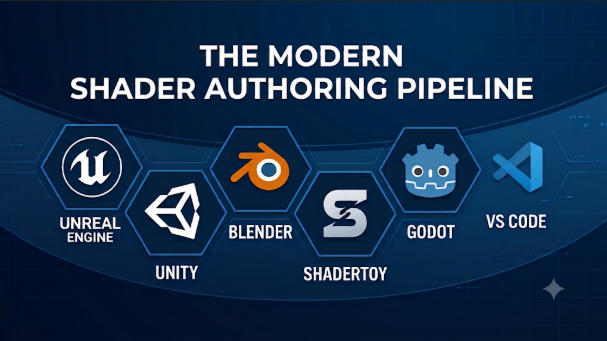
Shader authoring tools worth understanding
The following tools serve different creative and technical workflows. They are not presented as a universal performance ranking.
Unreal Engine Material Editor
Unreal Engine includes a built-in Material Editor for creating materials and visual effects.
Its node-based workflow lets artists connect material expressions. These expressions control surface properties and other rendering behavior.
The graph produces shader instructions behind the scenes. Unreal uses HLSL for its material system. Epic Developer Community+2
One useful feature is the ability to create reusable Material Functions. Teams can use these functions across different materials.
Unreal also offers Custom Material Expressions. These allow developers to insert their own HLSL code.
However, custom code needs care. Epic warns that custom expressions can prevent certain compiler optimizations. This may increase shader instruction costs. Epic Developer Community+1
Where it fits: Game studios, environment artists, technical artists, and developers building materials directly inside Unreal.
Important consideration: Unreal’s material graphs belong to its rendering system. They are not ready-made replacements for Unity or Godot shader projects.
Unity Shader Graph
Experiments — Adelaide Jenkins
Unity offers Shader Graph for visual shader creation.
Users connect nodes instead of writing every shader instruction manually. The editor also provides visual feedback while creators work.
Shader Graph supports Unity’s Universal Render Pipeline and High Definition Render Pipeline. Pipeline compatibility should be checked before starting a project. Unity Editor+1
Another useful feature is the Custom Function Node.
It allows developers to add their own HLSL functions. They can write code directly or reference external HLSL files. 17.6.0+1
This makes Shader Graph useful for teams that want both visual editing and some programming control.
Its main limitation is its dependence on Unity’s rendering environment. Moving a graph to another engine requires adaptation or rebuilding.
Where it fits: Unity game developers, technical artists, mobile game teams, and creators who prefer visual shader development.
Blender Shader Editor
Getting Comfortable With Shading! – Superhive (formerly Blender Market)
Blender includes a Shader Editor for building materials, lighting, and surface effects.
Its node system includes texture, color, geometry, and shader operations.
Artists can combine these nodes to create realistic or stylized materials. Blender also supports shader setups for volume effects and environment backgrounds. Blender 5.4 Manual+1
A useful distinction is its support for Open Shading Language through Cycles.
This allows technical users to write custom shading scripts. They can connect those scripts to existing node networks.
However, OSL has rendering restrictions. Blender documents limitations involving GPU rendering, supported features, and certain shader operations. Blender 5.3 Manual+1
Blender’s material system is also tied to its rendering engines. A Blender node graph does not automatically become a working Unreal or Unity shader.
Where it fits: 3D artists, product visualization specialists, animation teams, and creators developing materials for Blender rendering.
Godot VisualShaders
Godot 4.1 is here, smoother, more reliable, and with plenty of new features – Godot Engine
Godot Engine provides VisualShaders as an alternative to writing shader code.
Its graph interface helps developers create visual effects through connected operations.
This makes it useful for people learning shader concepts or building smaller game projects.
However, Godot’s official documentation highlights an important limitation. VisualShaders do not expose every feature available in its shader language. Some effects require switching to written shader code. Godot Engine (latest) documentation in English+1
This is an important consideration for advanced graphics projects.
A developer may start with visual nodes and later add code for more control.
Where it fits: Indie developers, small game teams, students, and creators using Godot.
Adobe Substance 3D Designer
Material Creation for The Benson – Adobe Substance 3D
Adobe Substance 3D Designer focuses on procedural material creation.
Its node-based system lets artists create textures, patterns, filters, and environment lighting.
Each node represents an editable operation. Artists can change earlier steps without rebuilding the entire material. Adobe Substance 3D Designer+1
One major advantage is parameter control.
For example, an artist can create a metal material with adjustable scratches and roughness. The same graph can produce several related variations.
Designer also supports Material Definition Language (MDL) graphs. This adds another option for creating materials within compatible rendering environments. Adobe Substance 3D
The main limitation is its learning curve. It also requires a separate rendering or game-engine workflow when the goal is a complete runtime shader.
Its subscription-based licensing is another factor to consider.
Where it fits: Professional material artists, game studios, architectural visualization teams, and procedural texture creators.
Material Maker
Install Material Maker on Linux | Flathub
Material Maker is an open-source option for procedural materials.
It uses node graphs to create and transform textures. Its official website describes a library of more than 200 nodes.
Users can also create custom nodes by connecting existing operations or writing GLSL. materialmaker.org+1
Material Maker supports PBR material creation and exports for use with Godot, Unity, and Unreal.
Its community library provides additional materials, nodes, brushes, and environments.
This makes it useful for independent artists who want procedural material workflows without committing to a commercial subscription.
However, it is important to understand its purpose. Material Maker primarily creates procedural materials and textures. It does not replace the full shader development environments inside game engines.
Its experimental texture-painting features may also need separate evaluation before production use.
Where it fits: Indie developers, hobbyists, students, and artists interested in open-source procedural materials.
Amplify Shader Editor
Black Friday Offer: Amplify Shader Editor
Amplify Shader Editor is a third-party visual shader editor for Unity.
It provides another node-based approach to shader development. Its feature set includes shader templates, reusable functions, custom nodes, and multi-pass shaders.
The publisher also documents support for Unity’s Built-in, Universal, and High Definition rendering pipelines. amplify.pt+1
One advantage is its integration with Unity’s existing development environment.
Teams already familiar with Unity can explore another visual editing workflow without adopting a separate game engine.
However, it is a paid extension rather than a built-in Unity feature.
Buyers should check current Unity version compatibility, supported pipelines, and licensing before purchasing.
Where it fits: Unity developers who want an alternative visual shader editor and additional graph-based authoring features.
Comparing the different approaches
A comparison makes the differences easier to understand.
| Tool | Main purpose | Authoring approach | Main consideration |
|---|---|---|---|
| Unreal Material Editor | Game materials and effects | Visual nodes with custom HLSL | Unreal-dependent workflow |
| Unity Shader Graph | Unity shaders | Visual nodes and HLSL functions | Render pipeline compatibility |
| Blender Shader Editor | 3D rendering materials | Visual nodes and optional OSL | Renderer-specific behavior |
| Godot VisualShaders | Game shaders | Visual nodes | Some features require shader code |
| Substance 3D Designer | Procedural materials | Advanced node graphs | Separate runtime integration |
| Material Maker | Procedural PBR materials | Nodes and GLSL | More focused material workflow |
| Amplify Shader Editor | Unity shader creation | Third-party visual editor | Paid extension and compatibility checks |
The table highlights an important point.
Not every tool creates the same type of output.
Unreal and Unity provide engine-integrated shader systems. Blender focuses on its rendering workflow. Substance Designer and Material Maker focus more heavily on procedural material creation.
These differences matter more than the number of available nodes.
How to choose the right shader authoring workflow
Before selecting software, decide what you want to create.
A beautiful material graph is not useful if it cannot produce the output your project needs.
Start with the target platform
Your target platform should influence your first decision.
Consider these examples:
- Unreal games: Start with the Unreal Material Editor.
- Unity games: Explore Shader Graph before buying third-party extensions.
- Godot games: Try VisualShaders and its shader language together.
- Blender rendering: Start with the Blender Shader Editor.
- Reusable procedural textures: Consider Substance 3D Designer or Material Maker.
This approach reduces compatibility problems.
It also avoids learning a separate workflow without a clear reason.
Decide whether visual editing is enough
Visual graphs make many shader operations easier to understand.
But they can become difficult to manage when a project grows.
Code-based authoring can provide more control over specialized calculations.
Consider your team’s experience before choosing.
| Requirement | More suitable approach |
|---|---|
| Learning basic material concepts | Visual shader graphs |
| Creating complex procedural textures | Procedural material graphs |
| Writing custom lighting calculations | Shader code |
| Reusing shader functions | Graph functions and code libraries |
| Building engine-specific materials | Native engine editors |
| Exploring graphics programming | GLSL or HLSL environments |
A mixed workflow often makes the most sense.
Artists can build the main material visually. Developers can add custom code where the graph reaches its limits.
Check hardware and rendering requirements
Shaders run through the graphics pipeline. Their performance depends on more than the authoring software.
Important factors include:
- Graphics processor capabilities
- Target screen resolution
- Shader complexity
- Texture memory
- Rendering features
- Platform-specific graphics support
- Compilation and build requirements
A shader that looks excellent on a desktop may perform poorly on a mobile device.
This is why testing on the actual target hardware matters.
Understand the output format
Material portability is another important issue.
A procedural tool may export textures and material maps. A game engine may expect a native shader graph or source code.
These are different deliverables.
Before choosing a tool, check whether it exports:
- Base color maps
- Normal maps
- Roughness maps
- Metallic maps
- Height or displacement maps
- Shader source code
- Engine-specific material assets
- Reusable procedural graphs
Do not assume that exporting a material means exporting its complete shader logic.
The technical details that can change your decision
Shader authoring involves several technical issues that are easy to overlook.
Shader complexity and performance
A shader can contain many calculations.
Each additional operation may increase processing costs. Complex textures, transparency, lighting calculations, and repeated texture samples can also affect performance.
The actual impact depends on the hardware and rendering pipeline.
For game projects, test representative scenes rather than judging performance from a material preview.
Unreal provides material statistics and platform statistics to help developers inspect shader costs. Epic Developer Community
Reusable materials and shared functions
Large projects often contain many related materials.
Creating every material from scratch wastes time and makes changes harder.
Reusable functions and shared graphs can help.
For example, a studio might create one master material system for different metal surfaces. Individual materials can then change color, roughness, and texture settings.
However, reusable systems need clear organization.
Too many connected functions can make debugging harder.
Shader compilation and debugging
A shader must compile before the rendering system can use it.
Errors may come from incorrect data types, unsupported functions, missing inputs, or incompatible rendering features.
Developers should check:
- Compilation errors
- Shader warnings
- Missing textures
- Incorrect input values
- Platform compatibility
- Rendering differences
A material that works in one editor preview is not automatically ready for production.
Collaboration and project management
Shader graphs can become shared production assets.
Teams should establish simple rules for naming, organizing, and documenting them.
Useful practices include:
- Naming graphs by their purpose.
- Grouping related operations.
- Using clear parameter names.
- Documenting custom shader functions.
- Keeping source files under version control.
- Testing changes before merging them.
These practices make shader systems easier to maintain.
Common mistakes when selecting shader authoring software
The wrong choice can create unnecessary costs and technical problems.
Avoid these mistakes.
Choosing by node count alone
More nodes do not always mean better results. Workflow compatibility and useful functions matter more.
Confusing material creation with shader programming
A tool that generates textures may not support custom rendering logic.
Ignoring the target rendering pipeline
A shader may depend on features that another engine or platform does not support.
Buying an extension too early
Try the engine’s built-in editor first. Purchase additional software only when it solves a real problem.
Ignoring mobile performance
Desktop previews do not prove that a shader will work efficiently on phones or tablets.
Overlooking licensing
Check commercial-use rights, asset licenses, team seats, and subscription terms before adopting a tool.
A practical way to evaluate shader authoring tools
A small test project can reveal more than a long feature list.
Use the same requirements when comparing shortlisted tools.
Create a simple material that includes:
- A base color with adjustable parameters.
- A normal map for surface detail.
- A roughness control.
- A procedural texture effect.
- One animated visual effect, if required.
Then evaluate the results.
| Test | What to examine |
|---|---|
| Ease of editing | Can artists understand and change the material? |
| Visual quality | Does the result match the intended design? |
| Performance | How does it behave on target hardware? |
| Reusability | Can the material support multiple assets? |
| Compatibility | Does it work in the required engine? |
| Debugging | Can developers find and fix problems? |
| Export | Can the output reach the production pipeline? |
For a professional team, also test collaboration and version control.
For an independent developer, learning time and licensing may matter more.
Keep the test small. The goal is to discover practical limitations before building a large material library.
Which shader authoring approach makes the most sense?
There is no single tool that suits every graphics project.
The right choice depends on the relationship between the authoring environment and the final rendering system.
- For Unreal development: The native Material Editor provides a direct workflow for engine materials.
- For Unity development: Shader Graph is a sensible starting point. Amplify Shader Editor offers another visual approach.
- For Blender artists: The Shader Editor provides extensive material and rendering controls.
- For Godot developers: VisualShaders offer a useful starting point, with written shader code available for advanced effects.
- For procedural material artists: Substance 3D Designer provides a specialized graph-based workflow.
- For open-source material creation: Material Maker offers an accessible alternative.
The most useful decision is not whether a tool has more features. It is whether it produces the right output with manageable complexity.
Start with the engine or renderer your project already uses. Build one representative shader, test its performance, and check how easily your team can reuse it.
That small evaluation can prevent a much larger migration or licensing problem later.





Leave a Reply
You must be logged in to post a comment.