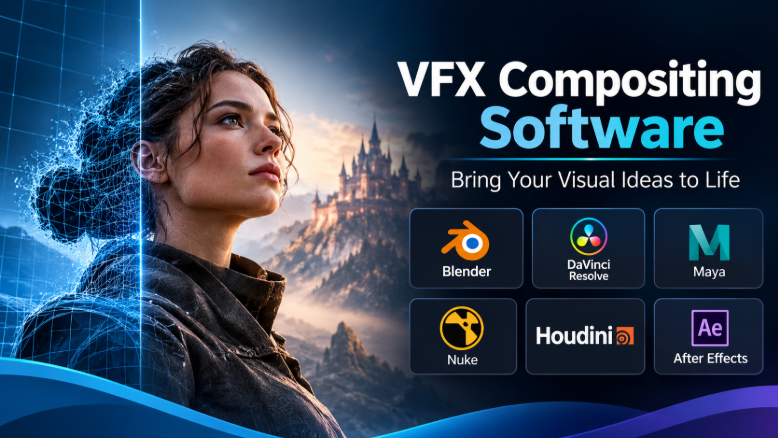
A convincing visual effect depends on more than placing one image over another. The foreground must sit naturally in the scene. Its edges, motion, lighting, shadows, grain, and color must agree with the background. Even a small mismatch can make an expensive shot look fake.
That is why VFX compositing software matters. It gives artists the tools to combine live-action footage, computer-generated imagery, matte paintings, and other elements into one believable frame.
But compositing tools do not all solve the same problems. Some are built for complex film pipelines. Others focus on fast commercial work, detailed rotoscoping, or integrated editing and finishing. The right choice depends on the shots you need to create and the workflow around them.
The real choice: node graph, layer timeline, or finishing environment?
The first decision is not which brand to buy. It is how you want to build and manage a composite.
Most professional compositing applications use one of three broad approaches:
- Node-based compositing: Each operation appears as a connected node. Artists can branch, reuse, inspect, and change parts of a complex image-processing chain.
- Layer-based compositing: Elements sit in stacked layers on a timeline. This can feel more direct for motion graphics, titles, and effects tied to an edit.
- Integrated finishing: Compositing sits beside editing, color work, conform, and delivery tools. This can reduce handoffs when the same team handles the whole finishing process.
These approaches overlap. A node-based compositor can handle motion graphics, while a layer-based application can create sophisticated visual effects. The difference is where each application places its strengths and how comfortably it handles the work at hand.
For a film shot with several CG render passes, deep image data, and many revisions, a node graph often makes the work easier to inspect and maintain. For a short branded video with animated titles and a few tracked elements, a layer-based workflow may be quicker to manage. A finishing artist working against tight client deadlines may value an integrated timeline and grading environment.
What a compositor must get right
A composite can look convincing in a still frame and fail as soon as it moves. Good software must help artists maintain visual consistency across the entire shot.
Edges, mattes, and rotoscoping
A matte defines which parts of an image remain visible. A clean matte is essential when separating a performer from a background, placing a CG object behind a person, or replacing part of a set.
Simple shapes are easy to isolate. Hair, motion blur, smoke, glass, and fine fabric are much harder. Artists may combine keying, hand-drawn roto shapes, tracking, and machine-assisted selection to build a usable matte.
Do not judge a compositor by whether it has an automatic keyer. Check how well it lets artists refine edges, manage motion blur, combine mattes, and correct difficult frames.
Tracking and camera movement
Tracking connects an effect to movement in the footage. A sign replacement, for example, must stay attached to the sign as the camera moves.
Different tracking methods suit different surfaces. Point tracking follows image features. Planar tracking follows a surface such as a wall or screen. Camera tracking estimates the movement of the camera through a three-dimensional scene.
A compositor may include these tools, or rely on a specialist application. The important question is how easily the tracking data reaches the compositing workflow.
Color, light, and image data
CG renders and camera footage do not always arrive in the same color space. A compositor must handle those differences correctly before artists make final adjustments.
Professional pipelines often use OpenEXR for high-dynamic-range images and multiple image channels. Those channels can carry useful information such as depth, motion, and object masks. OpenEXR also supports deep images, which store multiple depth samples at each pixel rather than one flat color value. This can help with complex overlaps and holdouts. OpenEXR documentation
Color management matters just as much. OpenColorIO provides a shared color-management framework for motion-picture and animation workflows. A studio should check whether its compositor can use the same color configuration as its other tools.
Revisions and pipeline control
A production shot rarely stays finished after its first review. A director may change an element, a client may request a different screen insert, or a lighting update may affect the CG render.
The compositor should make these changes manageable. Node reuse, clear project structure, scripting, version control, and reliable render output all matter. A tool that looks simple in a demo may become difficult when dozens of shots need repeated updates.
The main compositing applications and where they fit
The products below serve overlapping but different parts of the market. Some are full compositors. Others are strongest as specialist tools or as part of a wider finishing system.
Foundry Nuke: built for complex shot work
Nuke is a node-based compositor designed for demanding film, television, and animation work. Its node graph gives artists control over how footage, mattes, CG passes, color operations, and effects connect.
Its major distinction is its support for complex image data and structured shot workflows. Nuke includes deep compositing tools. These can work with multiple depth samples per pixel, which helps when CG elements overlap or when artists need to create holdouts without requesting a new render. Foundry explains this workflow in its deep compositing documentation.
Nuke also supports multi-channel workflows, reusable toolsets, and pipeline automation through Python and C++. These capabilities matter when a studio needs consistent processes across many artists and shots. Teams can build custom tools rather than repeat the same setup manually.
The trade-off is the depth of the application. A new artist must learn node-based thinking, image channels, color handling, and shot organization. The cost of licensing, training, pipeline development, and render infrastructure can also be significant.
Nuke is worth evaluating when a team needs a dedicated compositor for complex visual effects shots. It may be excessive for simple social videos or basic title work.
Blackmagic Design Fusion: node compositing inside a wider post-production tool
Fusion offers node-based compositing within DaVinci Resolve. This gives editors and finishing artists access to visual effects without moving every task into a separate application.
Its toolset covers 2D and 3D compositing, tracking, keying, paint, particles, and motion graphics. Artists can use it for tasks ranging from removing an unwanted object to building a more involved scene with 3D elements. Blackmagic describes Fusion as a node-based environment with hundreds of 2D and 3D tools on its official product page.
The connection to Resolve is a major practical advantage. A team can edit, composite, grade, and deliver within one application family. This can reduce media handoffs and make Fusion attractive to independent filmmakers, small post-production teams, and studios already using Resolve.
However, an integrated application is not automatically the best choice for every large VFX pipeline. Before adopting Fusion for a multi-artist production, test project exchange, render management, scripting needs, and the exact formats used by the rest of the team.
Resolve has free and paid Studio editions. Check the current feature differences and licensing terms before planning a production around a specific capability.
Autodesk Flame: compositing with editorial and finishing close at hand
Flame combines visual effects, editing, color work, and finishing tools in one environment. It is designed for post-production teams working on commercials, trailers, television, and film.
Its Action toolset brings 2D and 3D compositing together. Flame also includes camera tracking, machine-learning-based isolation tools, timeline effects, and grading features. This makes it useful when a finishing artist needs to move between editorial changes, visual effects, and final image work. Autodesk describes these capabilities in its Flame feature overview.
Flame’s strength is not simply that it can composite. It places compositing inside a broader finishing workflow. This can be valuable for commercial work, where client changes, versions, and final delivery often happen under tight deadlines.
That integrated approach also means Flame should be evaluated as a wider finishing investment. A team that only needs a dedicated node compositor may not need its full environment. Subscription cost, workstation requirements, training, and the studio’s existing workflow should all factor into the decision.
Adobe After Effects: strongest when compositing meets motion graphics
After Effects is a layer-based application widely used for motion graphics, title animation, screen replacements, and video effects. It is often a practical choice for designers and editors who need to combine animation with footage.
Its timeline and layer model suits work where timing and graphic elements are central. Artists can animate text, shapes, masks, and effects together. Tracking and rotoscoping tools support common compositing tasks, while its wider Adobe ecosystem can help teams move assets between design, editing, and motion workflows.
The important distinction is that After Effects is not simply a cheaper version of a dedicated film compositor. Its layer-based approach can become harder to manage when a shot needs many branches, render passes, complex image channels, or detailed technical handoffs.
It is a sensible fit for motion design studios, advertising teams, content creators, and editors who create effects as part of a larger video project. For high-end feature-film compositing, compare its workflow against a dedicated node compositor before committing.
Hardware also deserves attention. Adobe’s system requirements distinguish minimum and recommended configurations, including higher memory needs for larger frame sizes.
Boris FX Silhouette: specialist strength in roto, paint, and cleanup
Silhouette occupies an interesting position. It is a node-based compositing application, but its identity is closely tied to rotoscoping, paint, and image cleanup.
It includes tools for creating and animating shapes, refining mattes, repairing footage, and tracking surfaces. Its non-destructive paint workflow is useful when artists need to remove unwanted objects or repair details without permanently altering the original source. Boris FX also documents integration with Mocha tracking tools and other effects products. See the Silhouette product information.
Silhouette can be valuable when detailed roto and paint work form a large part of the workload. It may also complement another compositor rather than replace it. A studio could use a specialist application for difficult mattes and cleanup, then move the results into its main compositing environment.
That distinction matters during evaluation. Do not assume a specialist roto and paint tool will replace every part of a full compositing pipeline. Check the formats, tracking data, mattes, and project handoffs your team needs.
Natron: an open-source route into node-based compositing
Natron is a free, open-source compositor built around a node graph. It supports keying, rotoscoping, paint, tracking, stabilization, OpenFX plugins, and OpenColorIO color management. Its project documentation describes a cross-platform application for visual effects and post-production.
Its appeal is clear for learners, independent artists, and teams that want to explore node-based compositing without a commercial license. The open-source model also gives technically capable users room to inspect and adapt the software.
The trade-off is support and production risk. An open-source application does not automatically provide the same vendor support, plugin compatibility, pipeline guarantees, or release commitments as a commercial product. The project relies on community development, so teams should check the current build, documentation, and issue activity before using it for deadline-sensitive work.
Natron is a credible option for learning and selected production tasks. A studio should run a real shot through its full workflow before making it a core dependency. Start with the official Natron project site and its user documentation.
Specialist tools that can improve a compositing pipeline
Not every useful VFX application is a full compositor. Some tools solve one difficult problem and pass their results to another application.
Mocha Pro for planar tracking and object removal
Mocha Pro focuses on planar tracking, rotoscoping, object removal, stabilization, and related tracking workflows. Its planar approach is useful when an artist needs to follow a surface that moves, turns, or becomes partly hidden.
It can help with screen replacements, signs, product labels, and other surfaces that need a stable track. Its PowerMesh tools extend tracking to surfaces that deform, which can be useful for faces, clothing, and other organic movement. The product also offers modules for tasks such as lens calibration and object removal. Details are available in the Mocha Pro feature overview.
Mocha Pro is not a substitute for a complete node-based compositor. It is better understood as a specialist tool that can supply tracking, masks, and cleanup results to a wider workflow. Its host integrations and export options should be checked against the compositor already in use.
Why specialist tools deserve a separate place
A studio may already own a capable compositor but still lose time on a specific task. Difficult surface tracking, complex roto, or repeated object removal can become bottlenecks.
A specialist tool can address that bottleneck without forcing a complete pipeline change. But each additional application brings licensing, training, file exchange, and support demands. Add one only when it solves a recurring problem that the main compositor handles less efficiently.
How the main options compare
| Software | Main role | Workflow style | Strong reason to consider it | Important consideration |
|---|---|---|---|---|
| Foundry Nuke | Dedicated VFX compositing | Node-based | Deep compositing, multi-channel work, pipeline customization | Requires technical learning and pipeline planning |
| Blackmagic Fusion | Compositing and effects within Resolve | Node-based | Close connection to editing and color finishing | Test complex studio handoffs and project requirements |
| Autodesk Flame | VFX, editorial, and finishing | Integrated timeline and node tools | Keeps finishing tasks in one environment | Broader investment than a standalone compositor |
| Adobe After Effects | Motion graphics and video effects | Layer-based | Strong fit for graphic animation and editor-led work | Complex shot graphs may become harder to manage |
| Boris FX Silhouette | Roto, paint, cleanup, and compositing | Node-based | Detailed matte and repair workflows | May complement rather than replace a main compositor |
| Natron | Open-source compositing | Node-based | No commercial license fee and an accessible node workflow | Validate support, plugins, and production readiness |
| Mocha Pro | Tracking, roto, and object removal | Specialist tracking workflow | Planar and mesh tracking for difficult surfaces | A supporting tool, not a complete compositor |
This comparison describes each product’s role rather than ranking overall quality. A tool’s value depends on the shot, the team, and the surrounding pipeline.
The technical details that can make or break a choice
A compositor’s feature list tells only part of the story. The following details often determine whether it fits a real production.
1. Image formats and channel handling
Ask which formats the application can read and write reliably. OpenEXR support is especially important for many CG-heavy workflows.
But format support alone is not enough. Confirm how the application handles:
- Multiple layers and channels in one file
- Alpha channels and premultiplied imagery
- Depth and motion-vector passes
- Cryptomatte or other object mattes, where required
- Multi-part and deep EXR files
- Image metadata and frame windows
A compositor might open an EXR file but still fail to preserve a channel or data type needed later. Test the exact files produced by your render software.
2. Color management across the pipeline
A shot can look different in the compositor, review player, grading system, and final export. This often points to a color-management mismatch rather than a problem with the image itself.
Check support for OpenColorIO and the color configuration used by the production. Confirm how the application handles scene-linear footage, display transforms, viewing conditions, and output color spaces.
Do not judge a color pipeline only from the viewer inside one application. Compare the rendered output in the tools and displays that will be used for review and delivery.
3. Tracking and roto exchange
Tracking data often moves between a specialist tracker, compositor, and 3D application. Ask which data types can be exported and imported.
For example, a planar track may need to become a corner pin. A camera solve may need to reach a 3D application. A roto shape may need to remain editable after transfer.
A rendered matte can be useful, but it is not always a replacement for editable shape data. If artists must revise the shape later, preserving the original spline or tracking information can save time.
4. Rendering and review
A tool that produces a good result on one workstation may not fit a team render workflow.
Check whether it supports background rendering, command-line execution, render management, and the licensing needed for additional machines. Also test how it handles failed frames, missing media, and project recovery.
For collaborative work, review how artists share scripts, versions, notes, and final outputs. A shared folder alone does not provide a complete review process.
5. Scripting and pipeline integration
Python support can help automate repetitive tasks, build tools, and connect the compositor to production systems. Some applications also provide deeper developer interfaces.
The value depends on the team. A solo artist may never need a custom pipeline. A studio managing hundreds of shots may rely on automation for naming, publishing, validation, and rendering.
Ask whether the API supports the tasks you actually need. A product page that mentions scripting does not guarantee that every part of the application is accessible.
Cost is more than the software license
Compositing budgets can grow through costs that do not appear on a product page.
Consider the full cost of operating the application:
- Licensing: Subscription, perpetual, floating, or render licenses can have different long-term costs.
- Training: Artists need time to learn the interface, tools, and production workflow.
- Hardware: High-resolution footage, large EXR files, and complex node graphs can demand substantial memory, fast storage, and capable GPUs.
- Render capacity: Background rendering and render-farm access may need separate licenses or infrastructure.
- Plugins: Specialist effects, tracking, cleanup, and format support can add recurring costs.
- Pipeline work: Custom scripts, shared tools, and project templates require development and maintenance.
- Support: Commercial support and internal technical staff both affect operating costs.
A free application can still be expensive to operate if the team must solve compatibility and support problems alone. A commercial application can also become poor value if most of its advanced features go unused.
For buyers in India and other markets outside a vendor’s main sales region, confirm local taxes, currency conversion, payment options, reseller availability, and support coverage. Do not assume that a price shown in another country will match the final local cost.
Match the application to the work
Different production environments have different priorities. These are practical starting points, not universal rankings.
| Production situation | Options worth evaluating | Why |
|---|---|---|
| Feature films and complex CG shots | Nuke | Deep compositing, multi-channel workflows, and pipeline tools |
| Independent films and smaller post teams | Fusion | Node-based effects connected to Resolve editing and grading |
| Commercial finishing and client revisions | Flame | Editing, compositing, and finishing in one environment |
| Motion graphics and branded video | After Effects | Layer-based animation and effects workflows |
| Heavy roto, paint, and cleanup work | Silhouette | Specialist tools for mattes and image repair |
| Learning node-based compositing on a limited budget | Natron | Open-source access to core compositing concepts |
| Difficult surface tracking and object removal | Mocha Pro | Specialist tracking and cleanup tools |
A team should also consider its existing software. If the editor, colorist, and VFX artists already share a reliable workflow, replacing the compositor may create more problems than it solves.
A practical way to evaluate a compositor
A short, controlled pilot reveals more than a polished product demonstration. Use the same source material and delivery requirements for every application under consideration.
Choose a shot that contains several common difficulties:
- A moving subject that needs a clean matte
- A camera move or surface that needs tracking
- A CG element that needs color and light matching
- Motion blur or fine detail around important edges
- A change that arrives after the first composite
Then ask each artist to complete the same tasks.
- Import the original footage and required CG passes.
- Build a matte for the moving subject.
- Track the surface or camera movement.
- Place the CG element into the scene.
- Match color, contrast, grain, and motion.
- Make a revision without rebuilding the whole shot.
- Export the required delivery format.
Do not judge only by the final image. Watch how the artist reaches it.
Record how much manual correction the shot needs. Check whether the project remains understandable after another artist opens it. Confirm that the exported image preserves the required channels and color.
This test can reveal problems that a feature checklist cannot. It also shows whether the software suits the team’s skill level and production pace.
Questions to ask before buying
Use these questions during a trial, demonstration, or procurement discussion:
- Can the software read and write the exact EXR files our 3D tools produce?
- Does it support the deep data and image channels our shots require?
- Can we use our existing OpenColorIO configuration?
- Which tracking and roto formats can move between our applications?
- Can artists share editable projects without losing important data?
- What options exist for background rendering and render farms?
- Which features require a higher license tier or extra plugin?
- Can we automate common tasks through a documented API?
- What operating systems and hardware configurations are supported?
- What support is available for our region?
- How are licenses handled when artists work remotely?
- What happens to project access if a subscription expires?
For a studio, also check how the software handles shared storage, backups, project recovery, and access control. These operational details can matter as much as the creative tools.
Common mistakes when selecting VFX compositing software
Choosing by feature count: A long list of nodes does not prove that the application fits your shots. Test the tools you will use every day.
Ignoring image data: A project can fail when an application drops a channel or changes alpha handling. Test real production files before adoption.
Confusing tracking with compositing: A strong tracker can solve a difficult movement problem. It does not replace the tools needed to build and finish the final image.
Buying for a hypothetical blockbuster: A small team may not need a large studio pipeline. Start with actual work and likely production growth.
Ignoring the artists: A technically capable application can slow a team if its workflow does not match their experience. Include working artists in the evaluation.
Treating free software as zero-cost: Training, support, compatibility, and maintenance still require time and money.
The right compositor is the one your pipeline can support
For complex film and CG work, Nuke deserves close attention because of its deep compositing and pipeline capabilities. Fusion is a practical candidate when editing and grading already happen in Resolve. Flame makes sense when compositing belongs to a broader finishing operation. After Effects remains relevant when motion graphics and layer-based animation drive the work.
Silhouette and Mocha Pro can address demanding roto, paint, and tracking tasks. Natron offers an open-source way to learn and build selected node-based workflows, provided its production limits are acceptable.
The best decision comes from testing real shots, not comparing marketing lists. Choose a compositor that preserves the image data, supports the artists, and fits the tools around it. A reliable handoff and a manageable revision process will often matter more than one extra effect or feature.




Leave a Reply
You must be logged in to post a comment.