Virtual machines help businesses run many workloads on fewer physical servers. But managing these machines can become difficult as infrastructure grows.
IT teams must create virtual machines, monitor resources, manage storage, and control access. They also need tools for backups, migration, and daily maintenance.
Virtual machine management tools make these tasks easier. They provide central control over virtual machines, hosts, and related infrastructure.
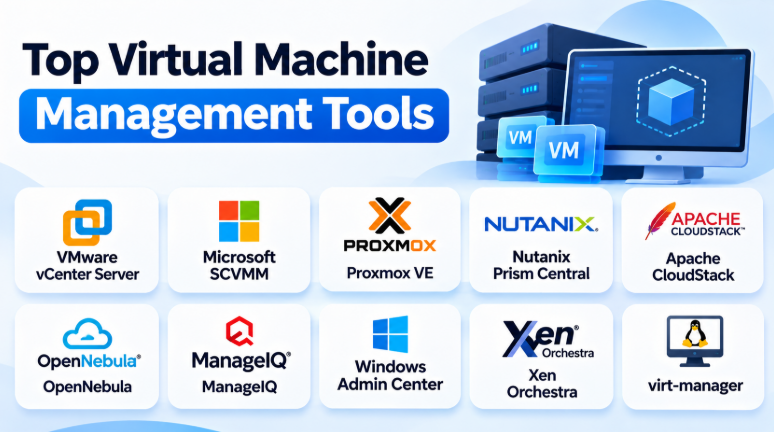
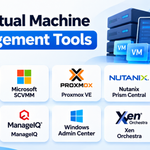
Some tools work with one hypervisor. Others support multiple virtualization platforms. This guide explores ten useful options, their features, advantages, limitations, and best uses.
What Are Virtual Machine Management Tools?
Virtual machine management tools help administrators create, control, monitor, and maintain virtual machines.
They can manage different parts of a virtual environment, such as:
- Virtual machine creation and deployment.
- CPU, memory, and storage allocation.
- Host and cluster management.
- Virtual network configuration.
- VM monitoring and performance tracking.
- Snapshots, backups, and recovery.
- User roles and access permissions.
- Automation and workload migration.
Some tools include their own virtualization technology. Others connect to existing hypervisors through APIs.
Top 10 Virtual Machine Management Tools
1. VMware vCenter Server
Best For: Large enterprises and VMware environments
VMware vCenter Server provides centralized management for VMware vSphere environments. It helps administrators control multiple ESXi hosts and virtual machines through one interface.
The platform supports common data center tasks. Administrators can create virtual machines, assign resources, monitor workloads, and manage host settings.
vCenter Server also supports features such as vMotion and High Availability. These features help teams move workloads and respond to certain host failures. Availability depends on the VMware configuration and licensing.
Key Features
- Centralized ESXi host management.
- Virtual machine creation and control.
- Resource monitoring and allocation.
- vMotion virtual machine migration.
- High Availability management.
- Cluster and host administration.
- Role-based access control.
- Integration with VMware infrastructure tools.
Pros
- Strong centralized management.
- Suitable for large VMware environments.
- Offers advanced cluster management.
- Supports workload migration.
- Provides detailed infrastructure controls.
Cons
- Works mainly with VMware environments.
- Licensing costs need careful review.
- Advanced features require technical knowledge.
- Large deployments need careful planning.
Best For: Enterprises that use VMware vSphere and need centralized virtual machine management.
2. Microsoft System Center Virtual Machine Manager (SCVMM)
Best For: Microsoft Hyper-V data centers
Microsoft System Center Virtual Machine Manager helps administrators manage virtual infrastructure. It focuses mainly on Microsoft Hyper-V environments and supports selected VMware management workflows.
SCVMM helps teams manage hosts, virtual machines, storage, and virtual networks. Administrators can create and deploy virtual machines from templates.
The platform also supports fabric management. This means it can organize the physical and virtual resources that support virtual machines.
SCVMM suits organizations that use Windows Server and Hyper-V. It can help larger IT teams manage many hosts from one place.
Key Features
- Centralized Hyper-V management.
- Virtual machine deployment.
- Host and cluster management.
- Virtual network configuration.
- Storage resource management.
- Virtual machine templates.
- Resource management and placement.
- PowerShell automation support.
Pros
- Strong fit for Microsoft environments.
- Manages multiple Hyper-V hosts.
- Supports virtual machine templates.
- Offers automation options.
- Provides centralized infrastructure control.
Cons
- Requires Microsoft infrastructure knowledge.
- Setup can take time.
- Licensing can add to costs.
- VMware support has specific limits.
Best For: Businesses that use Microsoft Hyper-V across multiple servers.
3. Proxmox Virtual Environment
Open-source platform
Best For: Open-source virtualization and small data centers
Proxmox Virtual Environment, also called Proxmox VE, is an open-source platform for managing virtual machines and containers. It combines KVM virtualization with Linux container support.
The platform provides a web-based management interface. Administrators can create virtual machines, manage storage, configure networks, and monitor hosts.
Proxmox VE also supports clustering and live migration. These features help teams manage workloads across multiple nodes. It offers backup and recovery tools as well.
The platform supports storage technologies such as ZFS and Ceph. This gives administrators different ways to build their infrastructure. Proxmox Virtual Environment
Key Features
- KVM virtual machine management.
- Linux container management.
- Web-based administration.
- Cluster management.
- Live migration.
- Backup and restore tools.
- ZFS and Ceph storage options.
- Role-based access controls.
Pros
- Open-source platform.
- Combines virtual machines and containers.
- Offers a web-based interface.
- Supports clustering and migration.
- Provides flexible storage options.
Cons
- Advanced use needs Linux knowledge.
- Complex clusters require careful planning.
- Enterprise support costs extra.
- Some integrations need manual setup.
Best For: Small businesses, IT teams, and organizations that want open-source virtual machine management.
4. Nutanix Prism Central
Best For: Hyperconverged infrastructure management
Nutanix Prism Central provides centralized management for Nutanix infrastructure. It helps administrators manage virtual machines, clusters, storage, and related resources.
The platform works with Nutanix Cloud Infrastructure. It gives IT teams a central view of their environment. Administrators can monitor system health and manage virtual machine operations.
Prism Central supports automation and resource management features. It can also provide insights into infrastructure use. These tools help teams understand capacity and performance.
The platform suits businesses that want integrated infrastructure management. However, its value depends on the wider Nutanix environment.
Key Features
- Centralized infrastructure management.
- Virtual machine administration.
- Cluster monitoring.
- Resource and capacity insights.
- Automation and policy tools.
- Storage management.
- Health and performance monitoring.
- Support for selected hypervisor environments.
Pros
- Provides a central management interface.
- Fits Nutanix infrastructure well.
- Offers useful monitoring features.
- Helps manage multiple clusters.
- Supports infrastructure automation.
Cons
- Works best within the Nutanix ecosystem.
- Costs depend on the wider platform.
- Advanced features need training.
- Third-party support can vary.
Best For: Businesses that run Nutanix infrastructure and need centralized virtual machine management.
5. Windows Admin Center
Best For: Windows Server and Hyper-V administration
Windows Admin Center is a browser-based management tool for Windows Server infrastructure. It helps administrators manage servers, clusters, and Hyper-V resources.
The platform provides tools for server administration and virtualization management. IT teams can use it to review system health, manage virtual machines, and perform common server tasks.
Windows Admin Center can also work with PowerShell. This helps administrators automate routine operations.
Key Features
- Browser-based server management.
- Hyper-V virtual machine administration.
- Server and cluster management.
- Storage and network management.
- PowerShell integration.
- Remote server administration.
- Infrastructure monitoring.
Pros
- Available without a separate large management suite.
- Useful for Windows Server environments.
- Provides browser-based administration.
- Works with PowerShell automation.
- Helps manage Hyper-V resources.
Cons
- Focuses mainly on Microsoft infrastructure.
- Does not replace every SCVMM feature.
- Large environments may need extra tools.
- Some features require supported server configurations.
Best For: IT teams that need direct Windows Server and Hyper-V management.
6. Xen Orchestra
Open-source core
Best For: XCP-ng and XenServer environments
Xen Orchestra is a web-based management platform for XCP-ng and XenServer. It helps administrators manage virtual machines, hosts, storage, and networks.
The platform also provides backup and recovery features. Teams can use it to manage VM backups, replication, and other infrastructure tasks.
Xen Orchestra offers a central interface for managing Xen-based environments. Its API also supports automation and integration with other systems.
Key Features
- Centralized VM management.
- XCP-ng and XenServer host administration.
- VM backup and restore.
- Replication and disaster recovery options.
- Storage and network management.
- API and automation support.
- User access management.
Pros
- Designed for Xen-based virtualization.
- Offers centralized VM management.
- Includes backup and recovery options.
- Supports automation.
- Provides a web-based interface.
Cons
- Focuses on the Xen ecosystem.
- Some features depend on the selected edition.
- Administrators need Xen platform knowledge.
- Backup storage requires separate planning.
Best For: Organizations that use XCP-ng or XenServer and need centralized VM operations.
7. ManageIQ
Open-source platform
Best For: Multi-platform infrastructure management
ManageIQ is an open-source infrastructure management platform. It helps organizations manage resources across different virtualization and cloud environments.
It can connect to providers such as VMware vSphere, Microsoft SCVMM, OpenStack, Nutanix, and Proxmox. However, supported features differ between providers. manageiq.org
ManageIQ helps teams discover resources and review infrastructure information. It also provides automation, reporting, policy, and governance capabilities.
Key Features
- Multi-platform infrastructure discovery.
- Virtual machine inventory.
- Resource monitoring and reporting.
- Automation and policy management.
- Cloud and virtualization integrations.
- User and role management.
- Infrastructure capacity insights.
Pros
- Open-source management platform.
- Supports multiple infrastructure providers.
- Helps centralize resource discovery.
- Offers automation and reporting.
- Useful for mixed environments.
Cons
- Provider capabilities are not identical.
- Setup requires technical knowledge.
- Integration needs careful configuration.
- Some workflows may need customization.
Best For: Organizations that manage virtual machines across several platforms.
8. OpenStack Horizon
Best For: Private cloud and self-service VM management
OpenStack Horizon is the web dashboard for OpenStack services. It allows administrators and users to manage cloud resources through a browser.
Horizon works with OpenStack Compute, also called Nova. Users can create virtual machine instances, view their status, and perform supported actions.
The platform also connects with OpenStack networking, storage, and identity services. This makes it part of a larger cloud management environment.
Key Features
- Web-based cloud dashboard.
- Virtual machine instance management.
- Image and volume management.
- Network configuration.
- Project-based resource access.
- User and administrator controls.
- Integration with OpenStack services.
Pros
- Open-source cloud management interface.
- Supports self-service VM provisioning.
- Provides project-based resource views.
- Connects with cloud infrastructure services.
- Offers a browser-based dashboard.
Cons
- Requires an OpenStack environment.
- Setup can be complex.
- Needs Linux and cloud infrastructure knowledge.
- May be excessive for small VM environments.
Best For: Cloud providers and organizations building private cloud infrastructure.
9. Apache CloudStack
Open-source platform
Best For: Private clouds and service providers
Apache CloudStack is an open-source platform for building and managing cloud infrastructure. It helps administrators manage virtual machines, storage, and networks through a central interface.
The platform supports cloud provisioning and multi-tenant environments. It can work with supported hypervisors, including KVM and VMware vSphere.
CloudStack includes a web interface and API. These features help teams automate resource deployment and offer self-service services to users.
Key Features
- Virtual machine provisioning.
- Multi-tenant cloud management.
- Resource and account management.
- Virtual networking.
- Storage management.
- Web interface and API.
- Support for multiple hypervisor types.
Pros
- Open-source cloud platform.
- Supports multi-tenant environments.
- Provides VM provisioning tools.
- Offers API-based automation.
- Useful for service providers.
Cons
- Requires cloud infrastructure knowledge.
- Deployment needs careful planning.
- Some advanced setups need technical expertise.
- Not necessary for simple VM administration.
Best For: Hosting providers and organizations that want to build private cloud services.
10. virt-manager
Best For: Linux desktop and small KVM environments
virt-manager is a graphical tool for managing virtual machines through libvirt. It helps users create, configure, and control virtual machines on supported Linux systems.
The tool provides a desktop interface for common VM tasks. Users can configure virtual hardware, storage, and networking.
virt-manager is useful for developers and administrators who want a graphical alternative to command-line VM management. It is not designed as a large enterprise control platform.
Key Features
- Graphical virtual machine management.
- KVM and QEMU integration through libvirt.
- VM creation and configuration.
- Virtual storage management.
- Virtual network configuration.
- VM console access.
- Support for remote libvirt connections.
Pros
- Open-source desktop application.
- Useful for Linux administrators.
- Offers graphical VM controls.
- Works with the libvirt ecosystem.
- Suitable for development and testing.
Cons
- Not designed for large enterprise environments.
- Requires Linux and KVM knowledge.
- Advanced automation needs other tools.
- Centralized reporting is limited.
Best For: Linux users, developers, and administrators managing smaller KVM environments.
Virtual Machine Management Tools Comparison
| Tool | Best For | Main Platform | Deployment | Standout Feature |
|---|---|---|---|---|
| VMware vCenter Server | Large enterprises | VMware vSphere | On-premises | Centralized ESXi management |
| Microsoft SCVMM | Windows data centers | Hyper-V | On-premises | Fabric management |
| Proxmox VE | Open-source infrastructure | KVM and LXC | Self-hosted | VM and container management |
| Nutanix Prism Central | Hyperconverged systems | Nutanix infrastructure | On-premises and hybrid | Central infrastructure control |
| Windows Admin Center | Windows Server teams | Hyper-V | Browser-based | Direct server administration |
| Xen Orchestra | Xen environments | XCP-ng and XenServer | Self-hosted | VM backup and management |
| ManageIQ | Mixed environments | Multiple providers | Self-hosted | Multi-platform discovery |
| OpenStack Horizon | Private cloud systems | OpenStack | Self-hosted | Cloud self-service dashboard |
| Apache CloudStack | Cloud providers | Multiple hypervisors | Self-hosted | Multi-tenant cloud management |
| virt-manager | Linux users | KVM and QEMU | Desktop application | Graphical VM administration |
How to Choose the Right Virtual Machine Management Tool
The right tool depends on your existing hypervisor, team skills, and infrastructure size.
Consider these points before making a choice:
1. Check Hypervisor Compatibility
First, identify the hypervisor that runs your virtual machines.
VMware vCenter focuses on VMware infrastructure. SCVMM and Windows Admin Center support Microsoft environments. Proxmox VE manages KVM and LXC workloads.
ManageIQ and Apache CloudStack serve broader infrastructure needs. Check their supported providers and features before deployment.
2. Understand Your Management Needs
Some teams only need basic VM controls. Others need advanced automation, reporting, and resource planning.
Write down the daily tasks your administrators perform. Choose a tool that supports those tasks without adding unnecessary complexity.
3. Review Automation Support
Automation helps teams manage many virtual machines. It can also reduce repeated manual work.
Look for APIs, command-line tools, templates, and integration options. Test the features with your actual workflows.
4. Check Backup and Recovery Features
Virtual machine management and backup are different tasks. A management tool may offer snapshots without providing full disaster recovery.
Check backup support, restore options, replication, and recovery testing. Keep independent backup copies for important workloads.
5. Consider Security and Access Control
Virtual machine managers have access to important infrastructure. Poor access control can affect many systems.
Look for role-based access, audit logs, secure authentication, and regular updates. Also protect management network access.
6. Compare Total Costs
Free software may still require paid support and skilled administrators. Commercial tools may also need extra licenses or management components.
Review software, hardware, storage, backup, support, and training costs together.
Important Features to Look For
Centralized Management
A central dashboard helps administrators manage multiple hosts and virtual machines. It can reduce the need to access every server separately.
Resource Monitoring
Resource monitoring shows CPU, memory, storage, and network usage. It helps teams find bottlenecks and plan capacity.
Live Migration
Live migration moves a running VM between supported hosts. It can help during maintenance and workload balancing.
Backup and Recovery
Backup tools protect virtual machine data. Recovery features help restore workloads after failures or mistakes.
Role-Based Access
Role-based access gives users permissions based on their responsibilities. This helps reduce unnecessary administrator access.
Automation and API Support
APIs and automation tools help teams create, update, and manage virtual machines. They also support repeatable infrastructure tasks.
Scalability
A suitable platform should support your expected infrastructure growth. Check host limits, cluster needs, storage capacity, and management performance.
Benefits of Virtual Machine Management Tools
- Centralized control: Manage several virtual machines from one place.
- Better resource use: Track and assign hardware resources.
- Simpler administration: Reduce repeated manual tasks.
- Improved visibility: Monitor hosts and virtual machine activity.
- Faster deployment: Use templates and automation.
- Better access control: Assign permissions to different users.
- Easier maintenance: Support migration and planned maintenance.
- Recovery support: Coordinate backup and restore workflows.
Common Challenges to Consider
Virtual machine management tools also have limitations.
- Some tools support only one virtualization platform.
- Advanced setup can require skilled administrators.
- Licensing and support can increase costs.
- Poor resource planning can affect performance.
- Multi-platform integrations may offer different features.
- Backup systems may need separate software.
- Management servers need their own security and recovery plans.
Plan these requirements before deploying a management platform.
Frequently Asked Questions
What are virtual machine management tools?
Virtual machine management tools help administrators create, monitor, configure, and control virtual machines. They may also manage hosts, storage, networks, and backups.
Which VM management tool is best for beginners?
Proxmox VE is a useful option for learning server virtualization. virt-manager is also helpful for users who want a graphical KVM management tool on Linux.
Which VM management tools are open source?
Proxmox VE, ManageIQ, Apache CloudStack, and virt-manager are open-source options. Xen Orchestra also has an open-source core with additional commercial offerings.
Can one tool manage multiple hypervisors?
Yes. Tools such as ManageIQ and SCVMM support selected multi-platform workflows. However, the features available for each provider can differ.
What is the difference between VM management and VM monitoring?
VM management includes creating, configuring, and controlling virtual machines. VM monitoring focuses on performance, health, and resource usage.
Some platforms provide both capabilities.
Are VM management tools useful for small businesses?
Yes. They can help small businesses manage virtual machines and server resources. However, the selected tool should match the size and skills of the IT team.
Do VM management tools include backup features?
Some tools include backup and recovery features. Others connect with separate backup products.
Always check restore options and test recovery before relying on a backup plan.
Final Thoughts
Virtual machine management tools help IT teams control complex virtual environments. They support daily administration, resource monitoring, automation, and workload protection.
VMware vCenter Server and Microsoft SCVMM suit enterprise infrastructure. Proxmox VE offers an open-source option. Nutanix Prism Central fits Nutanix systems, while ManageIQ helps teams manage mixed environments.
OpenStack Horizon and Apache CloudStack support private cloud operations. Xen Orchestra focuses on Xen-based infrastructure, while virt-manager suits smaller Linux environments.
Choose a tool based on your hypervisor and daily management needs. Test VM creation, permissions, migration, monitoring, and recovery before full deployment.


Leave a Reply
You must be logged in to post a comment.