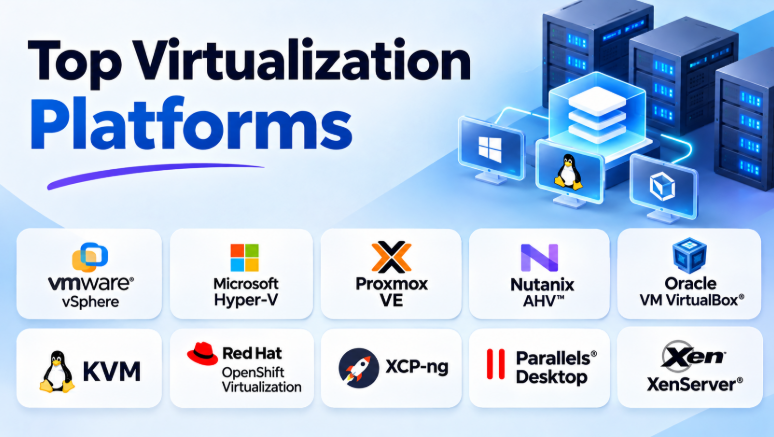
Virtualization lets one physical computer run several independent computing environments. A business can use it to run servers, test software, host applications, or build private cloud systems.
But virtualization platforms do much more than create virtual machines. They manage computing resources, storage, networks, backups, and access. Some focus on simple server consolidation. Others support large data centers and cloud infrastructure.
The right platform depends on your workload and the level of control you need. A small IT team may prefer a simple, open-source system. A large company may need advanced automation, high availability, and enterprise support.
This guide compares ten established virtualization platforms. It explains their strengths, limits, and practical uses.
What Is a Virtualization Platform?
A virtualization platform uses software to divide physical hardware into separate virtual environments. Each virtual machine (VM) can run its own operating system and applications.
A software layer called a hypervisor manages these virtual machines. It shares the host computer’s processor, memory, storage, and network resources.
There are two main hypervisor types:
- Type 1 hypervisors: Run directly on physical hardware. They are common in data centers and server environments.
- Type 2 hypervisors: Run as applications on a normal operating system. They often suit personal computers, software testing, and development.
A full virtualization platform may also include:
- Centralized VM management.
- Virtual networking and storage.
- Live migration between hosts.
- High availability and recovery tools.
- Resource monitoring and automation.
- Backup and access controls.
A hypervisor alone may not provide all these features. Some platforms combine several tools to deliver a complete management system.
Top 10 Virtualization Platforms
1. VMware vSphere
Best for: Enterprise data centers and established VMware environments
VMware vSphere is a widely used server virtualization platform. It uses the ESXi hypervisor to run virtual machines on physical servers.
Administrators commonly manage vSphere environments through vCenter Server. This provides centralized control over hosts, clusters, and virtual machines.
The broader VMware Cloud Foundation offering combines virtualization with other infrastructure services. Buyers should distinguish the vSphere components they need from the wider platform.
Key features
- ESXi bare-metal hypervisor.
- Centralized host and VM management through vCenter.
- VM migration and resource management.
- Cluster and availability capabilities.
- Integration with VMware storage and networking products.
- Automation and monitoring options.
Pros
- Mature enterprise virtualization ecosystem.
- Suitable for large and complex environments.
- Broad integration options.
- Useful for organizations with existing VMware skills and systems.
Cons
- Licensing and subscription costs need careful review.
- The product portfolio and commercial terms require close evaluation.
- Advanced deployments can need specialist administrators.
Best uses
VMware vSphere suits organizations with established VMware workloads. It is also worth evaluating for businesses that need mature enterprise virtualization and have a clear licensing plan.
2. Microsoft Hyper-V
Best for: Windows Server environments
Microsoft Hyper-V is a hypervisor built into supported Windows Server editions and some Windows client editions. It lets administrators run multiple virtual machines on one physical host.
Hyper-V uses a type-1 architecture. The hypervisor manages isolated partitions, while a management operating system controls the environment. Microsoft Learn+1
Administrators can manage Hyper-V through Hyper-V Manager, Windows Admin Center, PowerShell, and larger Microsoft management systems.
Key features
- Windows and supported Linux guest VMs.
- Virtual switches and network configuration.
- Checkpoints for VM state management.
- PowerShell automation.
- Integration with Windows Server tools.
- Support for clustering and migration in suitable configurations.
Pros
- Fits well into Microsoft environments.
- Supports Windows and Linux virtual machines.
- Offers familiar administration tools.
- PowerShell helps automate routine tasks.
Cons
- Some advanced features require additional Microsoft products.
- Licensing depends on Windows Server editions and workloads.
- Mixed environments may need extra planning.
Best uses
Hyper-V suits businesses that already use Windows Server. It is also useful for IT teams that want to run Windows and Linux VMs on managed server hardware.
3. Proxmox Virtual Environment
Best for: Open-source server virtualization
Open-source platform
Proxmox Virtual Environment (Proxmox VE) combines KVM virtual machines and Linux Containers (LXC) in one management platform.
Its web interface manages virtual machines, containers, storage, networking, and clusters. It also supports high availability and software-defined storage options. Open-Source Server Virtualization Platform+1
Proxmox is popular with labs, small businesses, and organizations that want an open-source alternative to commercial virtualization suites.
Key features
- KVM virtual machine management.
- LXC container management.
- Web-based administration.
- Clustering and high availability.
- ZFS and Ceph storage options.
- REST API and command-line tools.
Pros
- Open-source software.
- Combines VMs and Linux containers.
- Offers many storage choices.
- Can run on standard x86 server hardware.
Cons
- Administrators need Linux and virtualization knowledge.
- Enterprise support requires a paid subscription.
- Storage and cluster design still need careful planning.
Best uses
Proxmox VE suits home labs, small data centers, and businesses seeking open-source virtualization. It is especially useful when teams want both virtual machines and Linux containers.
4. Nutanix AHV
Best for: Hyperconverged infrastructure
Nutanix AHV is a virtualization platform built into the Nutanix Cloud Infrastructure ecosystem. It runs virtual machines and works with Nutanix’s storage and management services.
Hyperconverged infrastructure (HCI) combines compute and storage resources in a managed system. This can reduce the need to operate separate server and storage platforms.
Nutanix manages AHV environments through Prism. Its platform focuses on centralized infrastructure operations and automation. Nutanix
Key features
- AHV hypervisor.
- Centralized management through Prism.
- Integration with Nutanix storage.
- VM and container management capabilities.
- Cluster management and data protection options.
- Support for hybrid infrastructure designs.
Pros
- Combines virtualization and storage management.
- Designed for enterprise infrastructure.
- Offers centralized administration.
- Can simplify operations in supported HCI designs.
Cons
- The platform is closely tied to the Nutanix ecosystem.
- Hardware and subscription costs need review.
- Migration from another hypervisor needs planning.
Best uses
Nutanix AHV suits organizations considering hyperconverged infrastructure. It is worth evaluating when a business wants to manage compute and storage through one platform.
5. Red Hat OpenShift Virtualization
Best for: Organizations combining virtual machines and containers
Red Hat OpenShift Virtualization brings virtual machines into the OpenShift platform. It uses KVM and KubeVirt technology to manage VMs through Kubernetes.
This approach is different from a traditional hypervisor management console. Administrators manage virtual machines alongside container workloads through the OpenShift environment.
It can help organizations move existing VMs toward a cloud-native operating model. However, teams need Kubernetes skills and a suitable OpenShift infrastructure.
Key features
- VM management through OpenShift.
- KVM-based virtualization.
- Kubernetes-native operations.
- VM migration capabilities.
- Integration with container workloads.
- Centralized management through the OpenShift console.
Pros
- Brings VMs and containers into one platform.
- Useful for application modernization.
- Fits organizations already using OpenShift.
- Supports a gradual move toward cloud-native operations.
Cons
- Requires Kubernetes knowledge.
- Can be excessive for simple VM hosting.
- Platform subscriptions and infrastructure need planning.
Best uses
OpenShift Virtualization suits organizations that already use Kubernetes or OpenShift. It is also worth considering when teams want to manage traditional VMs and containers together.
6. XCP-ng
Best for: Open-source Xen-based virtualization
Open-source platform
XCP-ng is an open-source virtualization platform built on the Xen hypervisor. It runs directly on physical server hardware.
XCP-ng is designed for centralized management through Xen Orchestra. This management layer can handle VM operations, backups, monitoring, and other tasks. XCP-ng Documentation+1
It offers an alternative for organizations that want a Xen-based platform without adopting a larger commercial infrastructure suite.
Key features
- Xen-based bare-metal virtualization.
- Centralized management through Xen Orchestra.
- VM migration and pool management.
- Backup and recovery capabilities through Xen Orchestra.
- API and command-line access.
- Integration with automation tools.
Pros
- Open-source hypervisor platform.
- Centralized management options.
- Suitable for server virtualization.
- Offers a route for teams evaluating alternatives to VMware.
Cons
- Administrators need to learn the Xen ecosystem.
- Some management and support options are commercial.
- Hardware and backup compatibility need testing.
Best uses
XCP-ng suits IT teams that want open-source server virtualization. It is also useful for organizations exploring alternatives to VMware-based infrastructure.
7. Oracle Linux Virtualization Manager
Best for: Oracle Linux and KVM environments
Oracle Linux Virtualization Manager manages virtual machines running on Oracle Linux KVM hosts. It provides a central interface for hosts, storage, networks, and virtual machines.
The platform uses KVM for virtualization and QEMU for virtual machine hardware emulation. Its management layer supports VM deployment, monitoring, migration, and high availability in supported configurations. Oracle Docs+1
It is particularly relevant to organizations with Oracle Linux workloads and existing Oracle infrastructure.
Key features
- KVM-based server virtualization.
- Centralized VM and host management.
- Storage and network management.
- Live migration.
- High availability options.
- REST API for automation.
Pros
- Built around Oracle Linux KVM.
- Provides centralized management.
- Supports enterprise VM operations.
- Useful for Oracle-focused infrastructure.
Cons
- Best fit may depend on Oracle Linux requirements.
- Administrators need KVM and Linux knowledge.
- Check current product support and platform requirements before deployment.
Best uses
Oracle Linux Virtualization Manager suits organizations that use Oracle Linux and want a managed KVM environment. It can also support teams that prefer an Oracle-backed virtualization stack.
8. OpenStack
Best for: Building private and public cloud infrastructure
OpenStack is an open-source cloud platform. It is not just a hypervisor. It provides services for creating and managing cloud computing resources.
Its Nova service manages compute resources and works with supported hypervisors. OpenStack can use KVM and other supported virtualization backends. docs.openstack.org+1
Other OpenStack services manage identity, networking, storage, images, and dashboards. This makes it suitable for organizations building private cloud environments.
Key features
- VM provisioning through Nova.
- Network management through Neutron.
- Block storage through Cinder.
- Image management through Glance.
- Identity services through Keystone.
- APIs for automation and integration.
Pros
- Open-source cloud infrastructure.
- Supports large and flexible deployments.
- Offers APIs for automation.
- Can work with different hypervisor backends.
Cons
- Installation and operation can be complex.
- Requires strong Linux and networking skills.
- More than a simple virtualization project needs.
Best uses
OpenStack suits cloud providers, research environments, and large organizations building private clouds. It is not usually the simplest choice for a small server room.
9. Scale Computing Platform
Best for: Distributed sites and edge infrastructure
Scale Computing Platform combines virtualization, storage, and management in a hyperconverged system. It is designed to help organizations run workloads across central and remote locations.
The platform uses its SC//HyperCore technology to manage virtual machines and infrastructure resources. Its focus on edge environments makes it relevant to businesses with branch offices or distributed operations.
Key features
- Hyperconverged infrastructure.
- Integrated virtualization and storage.
- Centralized management.
- VM availability and recovery capabilities.
- Remote site management.
- Support for edge computing deployments.
Pros
- Designed for distributed environments.
- Combines compute and storage management.
- Can reduce separate infrastructure components.
- Useful for remote sites with limited IT staff.
Cons
- Hardware and platform choices may be more prescriptive.
- Buyers should compare the full appliance cost.
- Workload and integration requirements need validation.
Best uses
Scale Computing Platform suits retail, manufacturing, healthcare, and other organizations with many remote locations. It is worth reviewing when local workloads must keep running at branch sites.
10. Oracle VirtualBox
Best for: Desktop virtualization and software testing
Oracle VirtualBox is a hosted hypervisor. Unlike server platforms such as Proxmox VE and Hyper-V, it runs as an application on a supported desktop operating system.
It lets users create virtual machines on personal computers. Developers can use it to test operating systems, run isolated environments, and reproduce software setups.
Key features
- Hosted virtual machines.
- Support for multiple guest operating systems.
- Virtual networking.
- Snapshots.
- Shared folders and device integration.
- Command-line management tools.
Pros
- Useful for personal labs and development.
- Supports multiple operating systems.
- Easy to use on a workstation.
- Suitable for testing and learning.
Cons
- Not a direct replacement for enterprise server virtualization.
- Performance depends on the host computer.
- Some advanced enterprise features are outside its main purpose.
Best uses
VirtualBox suits developers, students, and IT professionals who need local virtual machines. It is useful for testing software without changing the main operating system.
Virtualization Platforms Comparison
| Platform | Hypervisor or core technology | Main use | Deployment style |
|---|---|---|---|
| VMware vSphere | ESXi | Enterprise server virtualization | Data center and supported cloud environments |
| Microsoft Hyper-V | Hyper-V | Windows-based server virtualization | Windows Server and supported Windows systems |
| Proxmox VE | KVM and LXC | Open-source server virtualization | Self-managed servers |
| Nutanix AHV | AHV | Hyperconverged infrastructure | Nutanix infrastructure |
| Red Hat OpenShift Virtualization | KVM and KubeVirt | VMs and containers | OpenShift clusters |
| XCP-ng | Xen | Open-source server virtualization | Bare-metal servers |
| Oracle Linux Virtualization Manager | KVM and QEMU | Managed Oracle Linux virtualization | Oracle Linux hosts |
| OpenStack | Nova with supported hypervisors | Private and public cloud | Distributed cloud infrastructure |
| Scale Computing Platform | SC//HyperCore | Edge and HCI virtualization | Integrated infrastructure systems |
| Oracle VirtualBox | Hosted virtualization | Desktop testing and development | Personal workstations |
How to Choose the Right Virtualization Platform
A good platform should match your infrastructure and team skills. Start with the workloads you need to run. Then compare the features that support them.
For small businesses and IT labs
Proxmox VE and XCP-ng are worth considering. Both offer open-source server virtualization.
They can reduce software licensing costs. However, your team still needs to manage hardware, updates, backups, and security.
VirtualBox is a better fit for local testing. It does not replace a central server virtualization platform.
For Microsoft-based organizations
Hyper-V is a natural option for Windows Server environments. It works with familiar Microsoft administration tools.
It can also support Linux guest systems. Check the required Windows Server licenses and management features before deployment.
For large enterprise data centers
VMware vSphere, Nutanix AHV, and Hyper-V are worth evaluating. Each has a different management and infrastructure model.
Compare their clustering, storage, migration, backup, and support capabilities. Also calculate the full subscription and hardware costs.
For cloud-native organizations
Red Hat OpenShift Virtualization can help teams manage VMs and containers together. It makes sense when Kubernetes is already part of the operating model.
OpenStack serves a different purpose. It provides a framework for building and operating cloud infrastructure, not just managing a few virtual machines.
For branch offices and edge locations
Scale Computing Platform is worth reviewing when workloads run across many remote sites. Its integrated infrastructure approach can reduce separate systems at each location.
Consider how each site will operate during network interruptions. Also check remote management and recovery options.
Important Factors to Check Before Deployment
The hypervisor is only one part of a virtualization environment. The surrounding infrastructure often determines how well the system performs.
1. Hardware Compatibility
Check server processors, memory, storage controllers, and network adapters. Confirm that the platform supports your hardware.
Hardware compatibility can affect installation and long-term support. Use vendor compatibility lists before buying servers.
2. CPU and Memory Capacity
Each virtual machine needs processor and memory resources. Several VMs may share the same physical host.
Do not size hosts using only average resource use. Consider peak demand and the effect of one host failing.
3. Storage Performance
Virtual machines create many storage requests. Slow disks can affect every workload on a host.
Check storage latency, IOPS, capacity, and redundancy. Also test backup and restore performance.
4. Virtual Networking
Virtual machines need network connections to communicate with users and other systems.
Review VLAN support, virtual switches, firewall rules, and network isolation. Plan separate networks for management, storage, and VM traffic where appropriate.
5. High Availability and Live Migration
High availability can restart workloads on another host after a failure. Live migration moves a running VM between hosts with limited interruption.
These features depend on correct cluster and storage design. Check their requirements before assuming they are available.
6. Backup and Disaster Recovery
Snapshots are useful for short-term rollback. They are not a complete backup strategy.
Use a backup system that can protect VM data independently. Keep copies away from the production environment and test recovery regularly.
7. Automation and APIs
Large environments need repeatable deployment and management. APIs and automation tools can help create VMs and apply standard settings.
Check support for Terraform, Ansible, PowerShell, or other tools your team uses. Confirm which operations the API can actually perform.
8. Licensing and Support
Compare more than the initial software cost. Include support, management tools, backup software, hardware, and staff time.
Check whether licensing depends on cores, sockets, hosts, VMs, or users. Ask vendors to confirm the terms for your planned setup.
Virtual Machines vs Containers: Which Should You Use?
Virtual machines and containers both help run isolated workloads. But they solve different problems.
| Area | Virtual machines | Containers |
|---|---|---|
| Operating system | Each VM runs its own guest OS | Containers share the host kernel |
| Isolation | Virtual hardware and hypervisor boundaries | Process and namespace isolation |
| Resource use | Usually needs more resources | Often lighter |
| Best use | Different operating systems and legacy apps | Modern application services |
| Management | Hypervisor and VM tools | Container runtimes and orchestration |
| Common examples | KVM, Hyper-V, ESXi | Docker, containerd, Kubernetes |
A VM is useful when an application needs its own operating system. It can also help run older software with specific system requirements.
Containers suit applications that need fast deployment and consistent environments. They work well for many microservices and modern development workflows.
Some platforms support both. Proxmox VE combines KVM VMs with LXC containers. OpenShift Virtualization manages VMs alongside container workloads.
Common Virtualization Deployment Mistakes
Even a capable platform can create problems when teams skip planning.
- Ignoring workload needs: A database and a test VM may need very different resources.
- Overloading hosts: Too many VMs can cause memory and CPU pressure.
- Using snapshots as backups: Snapshots do not replace independent backup copies.
- Skipping compatibility checks: Unsupported hardware can cause failures and support problems.
- Ignoring network design: Poor network separation can create security and performance issues.
- Forgetting licensing: Guest operating systems and applications may have separate license rules.
- Neglecting updates: Hypervisors and management systems need regular security updates.
- Failing to test recovery: A backup is useful only if you can restore it successfully.
Frequently Asked Questions
What is a virtualization platform?
A virtualization platform creates and manages virtual machines on physical hardware. It may also provide tools for storage, networking, automation, and high availability.
Which virtualization platform is open source?
Proxmox VE, XCP-ng, and OpenStack are open-source platforms. KVM is also an open-source virtualization technology. Their support and management options differ.
Is VMware better than Proxmox?
Neither is automatically better. VMware offers a mature enterprise ecosystem. Proxmox VE offers an open-source platform with integrated KVM and LXC management.
The right choice depends on required features, support, licensing, and staff skills.
Can I run Windows and Linux on the same virtualization host?
Yes. Many server hypervisors support both Windows and Linux guest systems. Check the platform’s guest operating system compatibility before deployment.
What is the difference between a hypervisor and a virtualization platform?
A hypervisor creates and runs virtual machines. A virtualization platform adds management and infrastructure features around the hypervisor.
Is virtualization suitable for small businesses?
Yes. Small businesses can use virtualization to consolidate servers and run separate workloads. However, the hardware and management costs must justify the setup.
Does virtualization reduce hardware costs?
It can improve hardware utilization by running several workloads on one server. Savings depend on licensing, storage, support, energy, and operational costs.
Can virtual machines move between different platforms?
Migration is possible in many cases, but it is not always simple. Virtual disk formats, device drivers, firmware, network settings, and guest operating systems can create compatibility issues.
Test migration with non-critical workloads before moving production systems.
Make the Platform Fit Your Infrastructure
Virtualization platforms differ in their architecture and management approach. Some focus on traditional server hosting. Others combine storage, networking, and cloud services.
Proxmox VE and XCP-ng offer open-source server virtualization. Hyper-V fits Microsoft environments. VMware vSphere serves established enterprise deployments. Nutanix AHV focuses on hyperconverged infrastructure. OpenShift Virtualization brings VMs into Kubernetes operations.
Do not choose based on features alone. Build a small pilot with real workloads. Test performance, migration, backup, recovery, and administration.
Then compare the full cost of ownership. A platform that fits your team’s skills and infrastructure will be easier to operate over time.


Leave a Reply
You must be logged in to post a comment.