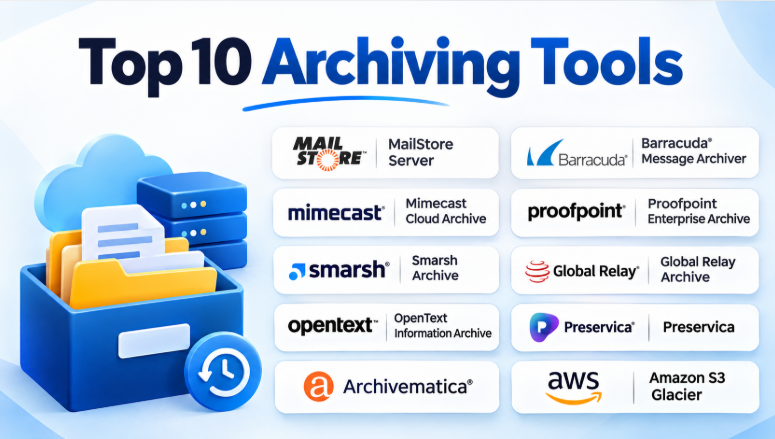
Archiving helps businesses protect important information for long-term use. It keeps old emails, documents, messages, and digital records available when people need them.
But choosing an archiving tool is not always simple. Some products focus on email retention. Others manage legal records, preserve digital files, or store large amounts of data.
The right choice depends on what you need to archive. It also depends on how long you must keep it and how quickly you need to find it.
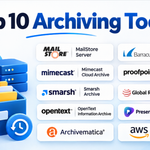
This guide explores ten popular archiving tools. It covers their features, advantages, limitations, and best uses. It also compares their main purposes to help you make a better choice.
What Are Archiving Tools?
Archiving tools help collect, store, organize, and retrieve information over long periods. Businesses use them to protect important records and manage growing data collections.
These tools can archive different types of information:
- Email: Business emails, attachments, and mailbox records.
- Documents: Reports, contracts, invoices, and other business files.
- Digital records: Important records from business applications.
- Messages: Chats and other workplace communications.
- Web content: Websites, social media posts, and online records.
- Research files: Historical documents, images, videos, and digital collections.
- Large data sets: Files that need long-term storage but rarely need access.
Archiving is different from backup. Backup helps restore lost or damaged data. Archiving keeps selected information for future access, legal needs, or business records.
Top 10 Archiving Tools
The following tools serve different archiving needs. Some focus on email and compliance. Others help preserve digital content or store large data collections.
1. MailStore Server
Best for Small and Midsize Businesses
MailStore Server
MailStore Server helps businesses keep their email in one central archive. It supports organizations that want long-term access to business messages.
The software can collect email from supported mail systems. It also supports historical email imports and central archive management.
Users can search old messages without keeping every email in their active mailbox. They can also export or restore archived messages when needed.
Key Features
- Central email archiving.
- Full-text email search.
- Microsoft Exchange and Microsoft 365 support.
- Google Workspace support.
- Email journaling.
- Outlook integration.
- Retention management.
- Email export and restoration.
Pros
- Suitable for small and midsize businesses.
- Supports several email environments.
- Offers on-premises deployment.
- Helps reduce active mailbox storage.
- Makes old emails easier to find.
Cons
- Focuses mainly on email archiving.
- Self-hosted use needs server management.
- Large archives need storage planning.
- Advanced compliance needs may require extra tools.
Best Use: Businesses that need a central, searchable email archive with control over their storage environment.
2. Barracuda Message Archiver
Best for Email Retention and Discovery
Barracuda Message Archiver
Barracuda Message Archiver helps organizations preserve business email. It gives users and administrators a way to search and retrieve older messages.
The platform supports email capture and historical email imports. It also provides retention controls and legal hold features.
Its search tools help legal and IT teams find relevant messages. This can be useful during audits, investigations, and legal requests.
Barracuda offers different deployment choices. Organizations should check which model fits their email systems and storage plans.
Key Features
- Email journaling and archiving.
- Historical email import.
- Full-text search.
- Retention policies.
- Legal hold.
- E-discovery support.
- Audit trails.
- Email export and retrieval.
Pros
- Focuses on business email records.
- Supports legal discovery workflows.
- Offers flexible deployment options.
- Helps retrieve older email data.
- Supports centralized archive management.
Cons
- Mainly focuses on email.
- Appliance deployments need infrastructure management.
- Advanced features may need technical setup.
- Buyers should confirm platform compatibility.
Best Use: Organizations that need searchable email records and legal discovery support.
3. Mimecast Cloud Archive
Best for Cloud-Based Communication Archiving
Mimecast Cloud Archive
Mimecast Cloud Archive helps businesses preserve important communications. It provides a central place to retain and search archived information.
The platform focuses on email and supported collaboration data. Its retention policies help organizations manage how long information remains available.
Legal teams can use search and discovery features to find relevant records. Legal holds help preserve selected information during investigations.
Its cloud-based model can reduce the need to manage archive hardware. However, businesses should review data location, service terms, and supported communication sources.
Key Features
- Cloud-based email archiving.
- Communication retention.
- Search and retrieval.
- Legal hold.
- E-discovery support.
- Policy-based retention.
- Centralized administration.
- Supported collaboration archiving.
Pros
- Reduces local archive infrastructure needs.
- Supports communication retention.
- Offers search and legal discovery features.
- Provides centralized archive management.
- Fits cloud-focused organizations.
Cons
- Depends on the selected service package.
- Focuses mainly on communication records.
- Long-term costs need review.
- Data residency requirements need attention.
Best Use: Businesses that want cloud-based email and supported collaboration archiving.
4. Proofpoint Enterprise Archive
Best for Enterprise Compliance
Proofpoint Enterprise Archive
Proofpoint Enterprise Archive helps large organizations preserve business communications. It supports archiving needs across supported communication channels.
Its main value is the connection between retention and compliance workflows. Teams can search archived information and manage records for legal or regulatory review.
The platform is relevant to organizations with large communication volumes. It can also help compliance teams manage records from different sources.
Buyers should confirm which communication channels are supported. They should also check retention, export, and legal hold capabilities in the proposed package.
Key Features
- Enterprise communication archiving.
- Email retention.
- Supported messaging and collaboration capture.
- Search and e-discovery.
- Legal hold.
- Retention management.
- Compliance workflows.
- Archive export.
Pros
- Designed for enterprise communication records.
- Supports compliance-focused workflows.
- Helps centralize archived communications.
- Offers discovery and search features.
- Suitable for large organizations.
Cons
- May be too complex for small businesses.
- Pricing generally requires a vendor discussion.
- Channel support needs careful review.
- Implementation may need compliance expertise.
Best Use: Large organizations that need communication retention and compliance management.
5. Smarsh Archive
Best for Regulated Communication Records
Smarsh Archive
Smarsh helps organizations capture and preserve digital communications. It is especially relevant to financial firms and other regulated businesses.
Its archive can support information from email, messaging, social media, and other communication channels. This helps teams bring different records into a managed archive.
Smarsh also connects archiving with compliance supervision. Teams can review communications and investigate records that may need attention.
This wider focus makes it different from basic email archiving products. Buyers should check the supported channels and review features required by their organization.
Key Features
- Multi-channel communication archiving.
- Email and messaging retention.
- Social media archiving.
- Search and retrieval.
- Compliance supervision.
- Legal discovery workflows.
- Audit trails.
- Data export.
Pros
- Supports more than email.
- Helps centralize communication records.
- Connects archiving with compliance review.
- Useful for regulated businesses.
- Offers discovery workflows.
Cons
- May be complex for smaller teams.
- Channel support depends on the service.
- Pricing may require a custom proposal.
- Setup needs clear compliance planning.
Best Use: Financial firms and regulated organizations that must preserve communications across several channels.
6. Global Relay Archive
Best for Multi-Channel Recordkeeping
Global Relay Archive
Global Relay Archive helps organizations preserve and manage business communications. It supports different communication sources, depending on the selected services.
Its main purpose is to bring communication records into a searchable archive. This can help compliance teams review information from different workplace channels.
The platform offers search, legal hold, reporting, and export capabilities. Its API options can also help organizations connect supported data sources.
Global Relay is particularly relevant to businesses with strict communication recordkeeping needs. Buyers should confirm that every required source is covered.
Key Features
- Multi-channel communication archiving.
- Centralized records management.
- Search and retrieval.
- Legal hold.
- E-discovery.
- Reporting and audit features.
- API-based data capture.
- Compliance workflows.
Pros
- Supports different communication types.
- Helps centralize business records.
- Offers legal discovery features.
- Provides integration options.
- Suits compliance-focused organizations.
Cons
- May be excessive for email-only needs.
- Integration planning can take time.
- Supported channels need verification.
- Costs depend on the required services.
Best Use: Organizations that need to preserve and review communications from several business platforms.
7. OpenText Information Archive
Best for Enterprise Data Archiving
OpenText Information Archive
OpenText Information Archive helps organizations preserve business information from different systems. It is designed for enterprise information management needs.
One important use is application retirement. Businesses often keep old applications running because they still need historical records.
An archive can help preserve that information after the original application closes. Users can then access selected records without keeping the full old system active.
This approach can reduce dependence on outdated applications. However, businesses must plan data migration, search, and record access carefully.
Key Features
- Enterprise information archiving.
- Structured and unstructured data support.
- Legacy application retirement.
- Retention management.
- Audit and governance features.
- Information retrieval.
- Enterprise system integration.
- Cloud and enterprise deployment options.
Pros
- Supports different types of business information.
- Helps retire old applications.
- Useful for complex enterprise environments.
- Supports information governance.
- Helps preserve historical business records.
Cons
- Large projects need careful planning.
- Data migration can be complex.
- Implementation may need specialist support.
- Record access needs design before source systems close.
Best Use: Large organizations that need to preserve records while retiring old business applications.
8. Preservica
Best for Long-Term Digital Preservation
Preservica
Preservica focuses on keeping digital information usable over long periods. It is relevant to libraries, universities, public bodies, museums, and other organizations with important historical records.
Digital files can become difficult to open as software and formats change. Preservica addresses this problem through digital preservation workflows.
These workflows can include format identification, preservation metadata, and file transformation. The goal is to help future users understand and access archived content.
This makes Preservica different from ordinary cloud storage. It focuses on the long-term usability of information, not just keeping a file online.
Key Features
- Digital preservation workflows.
- Long-term content management.
- Preservation metadata.
- File format identification.
- Format migration options.
- Access and discovery.
- Cloud and supported hybrid options.
- Preservation monitoring.
Pros
- Focuses on long-term digital access.
- Useful for historical collections.
- Supports preservation workflows.
- Helps manage changing file formats.
- Suitable for public and cultural organizations.
Cons
- May be unnecessary for simple file storage.
- Preservation planning needs expert knowledge.
- Large collections need careful metadata design.
- Buyers should review storage and access costs.
Best Use: Libraries, archives, universities, and organizations that must preserve digital content for future generations.
9. Archivematica
Best Open-Source Digital Preservation
Archivematica
Archivematica is an open-source digital preservation system. It helps institutions manage digital records using preservation-focused workflows.
The platform supports the processing of digital files into archival packages. It can identify file formats, extract metadata, and run preservation actions.
Archivematica is often used with storage and access systems. This allows organizations to build a wider digital archive workflow.
Its open-source model gives technical teams more control. However, organizations must plan installation, hosting, maintenance, and storage.
Key Features
- Open-source software.
- Digital preservation workflows.
- File format identification.
- Metadata extraction.
- Preservation package creation.
- Format normalization options.
- Integration with archival storage systems.
- Processing reports.
Pros
- Open-source platform.
- Provides control over deployment.
- Supports digital preservation standards and workflows.
- Useful for research and cultural institutions.
- Can connect with other archive systems.
Cons
- Requires technical administration.
- Hosting and maintenance are the organization’s responsibility.
- Workflow setup needs preservation knowledge.
- Support arrangements need planning.
Best Use: Universities, libraries, museums, and public archives that want an open-source preservation system.
10. Amazon S3 Glacier
Best for Large-Scale Cloud Storage Archiving
Amazon S3 Glacier
Amazon S3 Glacier is a family of cloud storage classes for long-term data storage. It helps organizations keep large collections of files that they rarely access.
Different Glacier storage classes offer different access patterns. Some support fast retrieval. Others suit data that can remain offline until needed.
Businesses can use lifecycle rules to move older objects into archive storage classes. This can help manage growing data collections.
However, S3 Glacier is not a full records management platform. Organizations may need separate tools for search, legal holds, metadata, and compliance workflows.
Key Features
- Long-term object storage.
- Multiple archive storage classes.
- S3 lifecycle management.
- Encryption options.
- Access controls.
- AWS API support.
- Large-scale data storage.
- Different retrieval options.
Pros
- Suitable for large data collections.
- Offers several storage choices.
- Integrates with AWS services.
- Supports automated storage lifecycle rules.
- Useful for long-term data retention.
Cons
- Retrieval fees may apply.
- Some storage classes have longer access times.
- Storage duration rules affect costs.
- Advanced records management needs extra tools.
Best Use: Businesses that need long-term cloud storage for large amounts of rarely accessed data.
Comparison Table of the Top 10 Archiving Tools
| Tool | Main Purpose | Deployment | Best Use |
|---|---|---|---|
| MailStore Server | Email archiving | On-premises | Small and midsize businesses |
| Barracuda Message Archiver | Email retention and discovery | Appliance, virtual, and cloud options | Email compliance |
| Mimecast Cloud Archive | Communication archiving | Cloud | Cloud-based email retention |
| Proofpoint Enterprise Archive | Enterprise communication records | Cloud service | Large regulated organizations |
| Smarsh Archive | Multi-channel communication archiving | Cloud service | Financial and regulated firms |
| Global Relay Archive | Communication recordkeeping | Cloud service | Multi-channel compliance |
| OpenText Information Archive | Enterprise information archiving | Enterprise and cloud options | Legacy application retirement |
| Preservica | Digital preservation | Cloud and supported hybrid options | Historical digital records |
| Archivematica | Open-source digital preservation | Self-managed | Libraries and universities |
| Amazon S3 Glacier | Long-term object storage | AWS cloud | Large archive collections |
How to Choose the Right Archiving Tool
The right tool depends on your records, storage needs, and access rules. Consider these points before making a purchase.
1. Identify What You Need to Archive
First, list the information your organization must preserve.
This may include:
- Emails and attachments.
- Business documents.
- Customer records.
- Workplace messages.
- Social media content.
- Historical application data.
- Research files.
- Images and videos.
- Large data collections.
Choose a product that supports your actual data sources. Do not assume every archive platform supports every file or communication type.
2. Define Retention Rules
Different records may need different retention periods. Some may need long-term preservation. Others may need deletion after a defined period.
Create a retention plan for each record type. Include the person or team responsible for approving changes.
3. Check Search and Retrieval
An archive is useful only when people can find the information they need.
Check whether users can search by sender, date, subject, keywords, file name, and metadata.
For legal work, test complex searches and exports. For digital preservation, check whether files remain readable and understandable.
4. Review Legal Hold Features
Legal hold protects selected records from normal deletion. It is important during investigations and legal cases.
Check whether the product supports case-based holds, audit logs, access controls, and export history.
Ask your legal team to confirm the required controls before choosing a platform.
5. Compare Cloud and On-Premises Options
On-premises tools give organizations more direct control over infrastructure. However, they need hardware, maintenance, and staff time.
Cloud tools reduce local infrastructure work. But they may involve storage, retrieval, and data transfer charges.
Choose the model that fits your security, budget, and administration needs.
6. Check Data Security
Archived information may contain private or sensitive records.
Look for encryption, access controls, multi-factor authentication, audit logs, and secure data export.
Also check where the provider stores your information. This matters when your organization has data residency requirements.
7. Review Storage and Retrieval Costs
Do not compare products by storage price alone.
Consider:
- Storage capacity.
- User licenses.
- Data retrieval charges.
- Data transfer fees.
- Minimum storage periods.
- Search and indexing costs.
- Migration expenses.
- Support and maintenance.
A low-cost storage tier may become expensive if your team often retrieves archived data.
8. Test the Complete Archive Process
Before deployment, test the full workflow.
- Add sample records.
- Confirm that the data is captured correctly.
- Apply a retention policy.
- Search for archived information.
- Export selected records.
- Test legal holds if required.
- Review audit records.
- Confirm how approved deletion works.
This test helps reveal problems before your organization moves important records.
Common Archiving Mistakes to Avoid
Confusing archiving with backup: These tools solve different problems. Use backup for recovery and archiving for long-term records.
Ignoring retention rules: Unclear policies can lead to unnecessary storage and legal risks. Define retention periods before moving data.
Choosing storage without checking retrieval: Some archive storage classes have slow access. Check retrieval times and fees.
Forgetting metadata: Metadata helps people understand and find archived information. Preserve useful dates, owners, and source details.
Ignoring data portability: Your organization may need to change archive providers later. Check bulk export and migration options.
Keeping every record forever: Unnecessary retention increases cost and privacy risk. Use approved deletion rules.
Skipping archive testing: A successful upload does not prove that users can find or export records. Test the complete process.
Frequently Asked Questions
1. What are archiving tools?
Archiving tools collect and preserve information for long-term storage. They help users search and retrieve old records when needed.
2. What is the difference between archiving and backup?
Backup creates copies for data recovery. Archiving preserves selected information for future access, legal needs, and business records.
3. Which archiving tool is best for email?
MailStore Server, Barracuda Message Archiver, Mimecast Cloud Archive, and Proofpoint Enterprise Archive are options for different email archiving needs.
4. Which archiving tool is best for large businesses?
Proofpoint, Smarsh, Global Relay, and OpenText serve different enterprise requirements. The right choice depends on data sources and compliance needs.
5. Are there free and open-source archiving tools?
Archivematica is an open-source digital preservation system. It gives organizations control over deployment and configuration.
6. What is digital preservation?
Digital preservation helps keep digital information usable over long periods. It can include metadata management and file format migration.
7. Is cloud archiving safe?
Cloud archiving can protect information through encryption and access controls. Safety depends on configuration, provider security, account protection, and data management.
8. Can archiving tools help with compliance?
Yes. Some tools provide retention rules, legal holds, audit trails, and e-discovery features. Organizations must still confirm that the selected setup meets their requirements.
9. What is cold storage?
Cold storage is a low-cost storage option for data that people rarely access. It may have slower retrieval or additional access charges.
10. How often should an archive be checked?
Organizations should review archive access, retention, security, and retrieval processes regularly. They should also test exports and data integrity.
Final Thoughts
Archiving tools help organizations preserve important information and keep it useful over time. The best choice depends on what you need to store and how you plan to access it.
MailStore Server and Barracuda Message Archiver suit email-focused needs. Mimecast and Proofpoint support broader communication retention. Smarsh and Global Relay help organizations manage records across several channels.
OpenText Information Archive supports enterprise information and application retirement. Preservica and Archivematica focus on long-term digital preservation. Amazon S3 Glacier suits large collections that need low-cost cloud storage.


Leave a Reply
You must be logged in to post a comment.