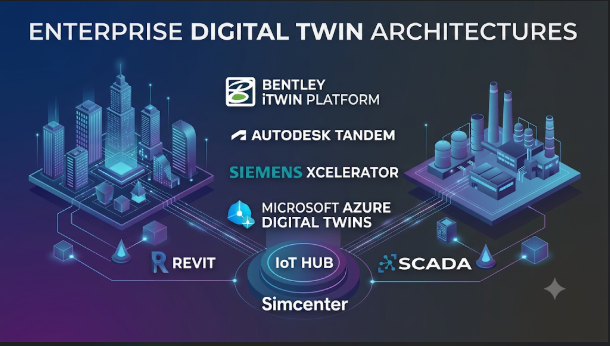
A factory digital twin and a building digital twin may look similar on a screen. Yet they solve very different problems. One may track machine health, while another links building systems, floor plans, and energy use.
This difference matters when choosing a platform. Some tools manage live asset data. Others focus on engineering models, physics-based simulation, or large 3D environments. A few provide the building blocks for teams that want to create their own digital twin applications.
The right choice depends less on the visual display and more on what the twin must do. It must connect reliable data, represent the real asset, and support decisions throughout its life.
What makes a digital twin more than a 3D model?
A 3D model shows what an asset looks like. A digital twin connects that representation to information about the real asset.
That information may include:
- Design data, such as dimensions and engineering drawings
- Live readings from sensors and control systems
- Maintenance records and equipment history
- Operating limits, alarms, and performance data
- Simulation results and predicted behavior
- Links between equipment, rooms, processes, and people
A useful twin keeps these details connected to the physical system. It may update in real time, at set intervals, or when new events occur. The right update rate depends on the task.
For example, a building twin may connect room layouts to temperature sensors and energy meters. A maintenance team can then investigate a hot area without searching through separate systems.
A product engineering twin has a different purpose. It may combine design data with stress, thermal, or motion simulations. Engineers can test changes before building a physical prototype.
The term digital twin therefore covers several levels of capability. A static 3D model alone is usually not enough. A live dashboard alone may also fall short if it lacks a meaningful model of the asset.
The four layers that decide whether a twin works
A digital twin project usually needs four connected layers. A platform may provide some or all of them.
1. The physical data layer
This layer gathers information from the real asset. Sources can include sensors, machines, building systems, enterprise software, and field inspections.
Industrial sites may use protocols such as OPC UA and MQTT. Building projects may rely on building management systems and equipment controllers. Infrastructure projects may also need geographic data and reality capture.
The main challenge is not collecting every available signal. It is finding the data that supports a clear decision.
2. The model and context layer
This layer describes what each data point represents. It connects a reading to a machine, component, room, process, or location.
Without this context, a temperature value is just a number. A useful twin identifies the sensor, the equipment it monitors, and the system around it.
This layer may use an asset hierarchy, a knowledge graph, an engineering model, or a combination of them.
3. The simulation and analysis layer
This layer helps teams understand behavior and test possible changes. It may include physics-based simulation, engineering analysis, rules, or machine-learning models.
Not every twin needs advanced simulation. A live equipment dashboard may be enough for a basic maintenance task. A factory layout change may need detailed motion and process simulation.
4. The application and decision layer
This is where people use the twin. They may inspect a 3D scene, review alarms, compare operating conditions, or test a proposed change.
A strong project links these views to real work. It should help someone make a decision, not simply produce an impressive screen.
Digital twin platforms solve different problems
The products below belong to related parts of the digital twin market. They are not interchangeable. Some manage connected asset data, while others support engineering or simulation workflows.
| Platform | Main strength | Typical fit | Important distinction |
|---|---|---|---|
| Azure Digital Twins | Models and relationships for connected environments | Buildings, facilities, and IoT applications | A developer platform, not a ready-made 3D engineering suite |
| AWS IoT TwinMaker | Operational twins with data connectors and 3D scenes | Industrial sites and buildings using AWS | Combines data from different stores through entities and components |
| PTC ThingWorx | Industrial IoT applications and connected operations | Manufacturing and service operations | Broader industrial IoT platform, not only a twin modeller |
| Bentley iTwin Platform | Infrastructure data integration and twin application development | Transport, utilities, construction, and facilities | API-led platform built around infrastructure workflows |
| Siemens digital twin portfolio | Product and production engineering | Manufacturers and engineering teams | Connects design, lifecycle, manufacturing, and simulation tools |
| NVIDIA Omniverse | High-fidelity 3D environments and physical simulation | Robotics, factories, and industrial simulation | A development platform built around OpenUSD and simulation libraries |
| Eclipse Ditto | Device twins and IoT state management | Developers building connected-device systems | Open-source framework, not a complete industrial twin suite |
The best fit depends on the type of twin you need. The differences become clearer when looking at each platform’s role.
Platforms for connected operations and asset data
Azure Digital Twins: Model complex connected environments
Azure Digital Twins gives developers a way to model physical environments as connected digital objects. Its Digital Twins Definition Language (DTDL) describes the properties, relationships, and components of those objects.
A building model could contain floors, rooms, air-handling units, and sensors. Relationships connect these objects, so applications can query the environment as a graph.
The platform exposes APIs and SDKs for managing models, twins, and relationships. It can also connect with other Azure services and business systems.
This makes it useful when an organization needs a structured model of a large environment. It is particularly relevant when developers already work with Azure services.
But buyers should understand what it does not provide. Azure Digital Twins is not a complete engineering simulation environment or an automatic 3D modelling tool. Teams still need to connect data sources and build the applications that users need.
The platform’s value comes from its data model and relationships. It is less suitable as a quick visual twin when a team lacks the skills to build and maintain the surrounding application.
AWS IoT TwinMaker: Connect operational data to a 3D scene
AWS IoT TwinMaker focuses on operational digital twins. It helps teams represent equipment, spaces, and processes, then connect them to data held in different systems.
Its entity-component model gives each asset a structure. Components can link an entity to sensor readings, documents, or external data sources. The knowledge graph helps users query relationships between these objects.
TwinMaker also includes a scene composition workflow. Teams can bring in prepared 3D models and add data tags to relevant locations. A Grafana integration can present operational information to users.
This approach suits teams that want a visual operational view without moving every data source into one database. AWS documents built-in connectors for services such as IoT SiteWise and Kinesis Video Streams, along with a framework for custom connectors.
The trade-off is the AWS operating model. Teams must understand cloud permissions, connected services, data access, and usage charges. Costs can depend on API calls, entities, queries, and supporting services.
There is also an important safety boundary. AWS states that TwinMaker is not intended to operate hazardous environments or critical systems where failure could cause serious harm. It should not replace human safety monitoring.
PTC ThingWorx: Build industrial IoT applications around connected assets
PTC ThingWorx is an industrial IoT platform. It connects products, machines, people, and processes so organizations can build operational applications.
Its role is broader than creating a visual twin. Teams can use it for industrial connectivity, application development, analytics, and connected service workflows. PTC also offers related tools for manufacturing applications, edge connectivity, and remote access.
This makes ThingWorx relevant when the project involves more than a digital representation. A manufacturer may want to connect production equipment, create operator applications, and support service teams through one industrial software environment.
The platform also offers cloud, on-premises, and hybrid deployment options, according to PTC. That flexibility may matter where factory data must remain close to local systems.
However, buyers should assess the full architecture. The platform’s value depends on how well it connects to existing machines, control systems, and enterprise applications. Licensing, integration work, and ongoing administration need careful review.
PTC’s current product information also places ThingWorx within Velotic, its industrial software business. Buyers should confirm product ownership, support arrangements, and roadmap commitments during procurement.
Infrastructure and engineering twins need a different approach
Bentley iTwin: Keep infrastructure data connected across a long asset life
Infrastructure projects create data across many stages. Engineers produce design files, contractors capture site conditions, and operators collect maintenance information.
Bentley iTwin is designed to connect these kinds of information. It provides APIs and services for building digital twin applications around infrastructure assets and projects.
Its scope includes engineering data, reality capture, geospatial information, sensor data, and project information. Developers can use services for visualization, synchronization, change tracking, access control, and clash detection.
This makes iTwin a strong candidate for infrastructure software teams. It is relevant to roads, railways, utilities, construction projects, and industrial facilities.
Its API-led design is also a key distinction. Bentley provides building blocks for developers and system integrators rather than requiring every organization to use one fixed end-user application.
That flexibility has a cost. Teams need software development skills and a clear plan for managing source data. They should also test how models and records from different engineering systems remain aligned after updates.
Siemens: Connect product engineering with factory operations
Siemens approaches digital twins through a broad industrial software portfolio. Its tools cover product design, lifecycle data, manufacturing planning, and simulation.
This matters because a product twin and a production twin are related but different. A product twin describes the design and behavior of a product. A production twin describes the equipment, processes, and factory systems used to make it.
Siemens lists tools such as NX, Teamcenter, NX CAM, and Simcenter within its digital twin portfolio. These products support different stages of engineering and production work.
For example, engineering teams may use design and simulation tools to study a product. Manufacturing teams can then use lifecycle and production data to plan how to build it.
The advantage is the connection between engineering disciplines. The challenge is choosing the right combination of products and integrations. A company should not assume that buying one Siemens tool creates a complete twin across its business.
Siemens has also introduced Digital Twin Composer and Teamcenter Digital Reality Viewer as building blocks for immersive industrial twins. Availability and regional rollout should be confirmed directly with Siemens before procurement.
Simulation-focused and developer-led alternatives
NVIDIA Omniverse: Build detailed virtual environments for simulation
NVIDIA Omniverse serves teams that need complex 3D environments and simulation workflows. It is built around OpenUSD, a framework for describing and exchanging 3D scenes.
Developers can use its libraries, APIs, and software development kits to build custom applications. These tools support rendering, physics, data pipelines, and simulation workflows.
This makes Omniverse relevant to factory simulation, robotics, and physical AI development. Teams can combine equipment models, sensors, and virtual environments to test how systems may behave.
Its main strength is not traditional asset management. It is the ability to build detailed virtual worlds and connect them to simulation software.
That distinction matters. A company seeking a maintenance dashboard may not need a high-fidelity simulation environment. A robotics team testing movement around factory equipment may need exactly that.
Omniverse also brings practical demands. Teams need suitable 3D assets, engineering knowledge, and computing resources. GPU use, scene complexity, and data preparation can affect project cost.
NVIDIA’s documentation describes Omniverse as a collection of libraries and microservices. It is not one ready-made digital twin application for every industry.
Eclipse Ditto: Build device twins without buying a full commercial suite
Eclipse Ditto is an open-source framework for building digital twins of connected devices. It represents physical devices as software objects called Things.
Each Thing can store properties, metadata, and access policies. Applications can interact with these objects through HTTP, WebSocket, and messaging APIs.
Ditto also separates reported and desired device states. This helps applications track what a device currently reports and what an application wants it to do.
Its connectors support messaging and integration patterns involving technologies such as MQTT, AMQP, Kafka, and HTTP. Teams can use it as a middleware layer between connected devices and business applications.
This approach suits developers who want control over their IoT architecture. It can also reduce dependence on a single commercial twin platform.
But Ditto is not a complete IoT or digital twin solution. Its documentation makes clear that it does not run software on gateways or edge devices. Teams must provide device connectivity, infrastructure, monitoring, and other required services.
Open source also does not mean zero cost. Organizations still need people to deploy, secure, upgrade, and operate the framework.
The most important choice: What kind of twin are you building?
A platform comparison becomes easier when the project has a clear purpose.
| Project requirement | Suitable starting points | Why this direction fits |
|---|---|---|
| Model rooms, equipment, and connected building systems | Azure Digital Twins or AWS IoT TwinMaker | Both support structured asset models and connected data |
| Build operational dashboards for industrial equipment | AWS IoT TwinMaker or PTC ThingWorx | Both can connect operational information to applications |
| Create infrastructure twin applications | Bentley iTwin | Its APIs focus on engineering and infrastructure data |
| Connect product design and manufacturing workflows | Siemens portfolio | Its tools cover engineering and production processes |
| Simulate robots and detailed factory environments | NVIDIA Omniverse | Its libraries support 3D scenes and simulation development |
| Build a custom device twin backend | Eclipse Ditto | It provides open-source device twin and state management functions |
These are starting points, not automatic recommendations. Existing software, staff skills, data location, and integration needs can change the decision.
Why digital twin projects become expensive
The platform licence is only one part of the total cost. Many projects spend more effort preparing data and connecting systems than expected.
Poor asset data creates unreliable twins
A twin is only as useful as the information behind it. Equipment records may contain old names, missing identifiers, or conflicting details.
A sensor may report a temperature, but the system may not know which machine it belongs to. A 3D model may show equipment that has already moved.
Before selecting software, check whether important assets have stable identifiers. Confirm that teams can link each asset to its design files, sensor feeds, and maintenance records.
Integration can become a separate engineering project
Factories and buildings often contain equipment from many vendors. Each system may use a different data format, interface, or communication protocol.
A platform may support APIs and connectors, but that does not guarantee every source will connect without custom work.
Test the actual systems involved. Include old controllers, local databases, building systems, and enterprise applications in the pilot.
A detailed 3D scene can hide weak data
A realistic factory model may impress during a demonstration. Yet it offers little operational value if sensor readings are delayed or asset links are wrong.
Start with a useful operational question. Then decide how much visual detail that question needs.
For example, a maintenance team may need equipment status and alarm history more than a photorealistic factory floor. A robotics team may need precise geometry and physics instead.
Real-time data can increase operating costs
Not every use case needs continuous updates. A building energy report may work with periodic readings. A machine protection system may need much faster responses.
Frequent updates can increase data transfer, storage, processing, and API usage. They can also create more complex monitoring needs.
Set an update rate for each data type. Avoid collecting high-frequency data when the business decision does not require it.
Interoperability matters more than a long integration list
Digital twin projects often outlive individual software products. A platform should not trap essential asset information in a format that only one application can read.
Several standards and technologies can help, but they solve different problems.
- OPC UA supports structured industrial communication between machines and software.
- MQTT provides lightweight messaging for connected devices and applications.
- OpenUSD supports the description and exchange of complex 3D scenes.
- DTDL provides a model language for describing digital twins and their relationships.
- ISO 23247 defines a framework for digital twins in manufacturing.
These technologies do not make every platform automatically compatible. Teams must still agree on asset identifiers, units, timestamps, data meanings, and ownership.
For example, two systems may both store temperature readings. One may use Celsius and another Fahrenheit. They may also use different names for the same machine.
A useful integration plan defines these details before the project grows.
The ISO 23247 manufacturing framework provides useful guidance on the structure and principles of manufacturing digital twins. It does not prescribe one universal data format or communication protocol.
NIST also highlights interoperability and standardization as important challenges. Its work on digital twin standardization explains why shared models and interfaces matter.
Security and governance need to follow the physical asset
A digital twin can contain sensitive information about equipment, buildings, production lines, and infrastructure.
It may also connect to systems that influence physical operations. That creates risks beyond ordinary business dashboards.
A secure design should answer several questions:
- Which users can view or change each asset?
- Can a contractor access only the project or site they support?
- Which systems can send data into the twin?
- Can the twin send commands back to physical equipment?
- Where do sensor records and engineering models reside?
- How are changes logged and reviewed?
- What happens when a connection fails or data becomes stale?
Pay special attention to the difference between monitoring and control.
A twin that displays machine status does not automatically have permission to control the machine. If a project adds control functions, those functions need separate safety reviews and access rules.
Do not use a digital twin as the only protection for hazardous equipment. Keep safety systems and approved operating procedures independent of ordinary visualization software.
For projects in India, also review where data is stored and which legal or contractual rules apply. Infrastructure, energy, manufacturing, and public-sector projects may have different data and security requirements. Confirm these with the organization’s security and legal teams.
A practical way to test a platform before buying
A pilot should prove that the platform can support a real task. It should not simply demonstrate that the team can create a 3D scene.
Choose one asset group or one operating process. Keep the scope small enough to measure and review.
A useful pilot can follow this sequence:
- Choose a real decision. For example, identify equipment that needs maintenance attention.
- Select a small asset group. Include equipment with different data sources if possible.
- Connect the required information. Use real sensor readings, asset records, and maintenance history.
- Build the asset model. Link equipment, components, locations, and relationships.
- Check data quality. Compare twin readings with the source systems.
- Test user access. Confirm that each role sees only the information it needs.
- Measure the workflow. Check whether the twin helps users complete the chosen task.
- Estimate operating costs. Include cloud usage, integration work, storage, support, and staff time.
The pilot should also test failure conditions. Disconnect a data source and see how the platform reports missing information. Send an incorrect reading and check whether users can identify it.
A twin should show when its data is old or incomplete. A polished screen must never make uncertain information look reliable.
Questions worth asking during a vendor demonstration
Ask vendors to demonstrate your actual workflow rather than a prepared showcase.
Useful questions include:
- Can the platform connect to our existing machines and data systems?
- Which integrations need custom development?
- Can we export our models and asset data?
- How does the platform handle changes to engineering models?
- Can users trace a reading back to its source?
- How does it identify missing or delayed data?
- Which features need extra licences or cloud services?
- Can we deploy part of the solution on-site?
- How are access rights managed across sites and contractors?
- What happens to our data if we leave the platform?
Ask for a working demonstration with a sample of your own data. A generic demo may not reveal the integration work your project will require.
When a digital twin platform is unnecessary
Not every connected asset needs a digital twin.
A standard monitoring dashboard may be enough when users only need a few readings and alerts. A 3D model may be enough when the goal is design review rather than live operations.
A full twin becomes more useful when several information sources need to work together. It is especially valuable when teams must understand relationships, compare conditions, or test changes before acting.
Avoid building a large twin simply because the technology is available. Start with a problem that has a clear owner and a measurable outcome.
Choose the platform around the work, not the visual effect
Digital twin platforms serve different stages of the asset lifecycle. Azure Digital Twins and AWS IoT TwinMaker focus on connected models and operational data. PTC ThingWorx supports broader industrial IoT applications. Bentley iTwin focuses on infrastructure data and application development. Siemens connects engineering and production workflows. NVIDIA Omniverse supports detailed simulation environments, while Eclipse Ditto gives developers an open device-twin framework.
The strongest choice is the platform that fits the real asset, data, and decisions involved. Before committing, prove that it can connect your existing systems, preserve useful data, and support the people who will use it.
A small, working twin with trusted data is more valuable than a vast virtual model that nobody can act on.



Leave a Reply
You must be logged in to post a comment.