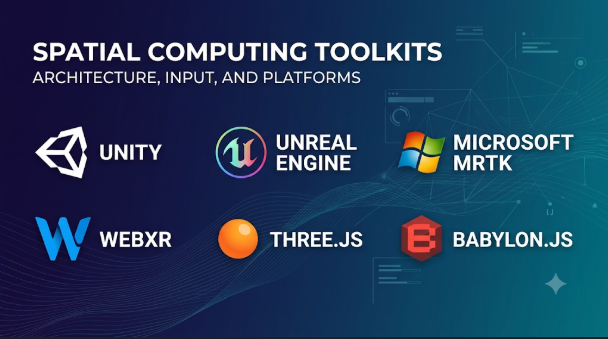
A spatial app must do more than display a 3D model. It needs to understand where objects sit, how people move, and how digital content fits into a real environment.
That work can involve hand tracking, room mapping, object placement, spatial audio, and shared experiences. Each capability depends on the device and the software running it.
This creates a difficult choice for developers. Some toolkits help build complete 3D experiences. Others provide access to device sensors, tracking systems, or spatial interfaces. A few focus on moving demanding 3D workloads to remote servers.
The right choice depends on what the app must do and where it must run. A toolkit that works well for a headset may not suit a phone or smart glasses.
The most useful way to compare spatial computing toolkits is by their role in the development stack.
What spatial computing toolkits actually provide
Spatial computing connects digital content with physical space. It can place virtual objects on real surfaces, show information around a user, or let several people interact with the same digital scene.
A spatial computing toolkit gives developers some of the building blocks for these experiences.
Depending on the product, those building blocks may include:
- World tracking: Tracks the device as it moves through an environment.
- Spatial mapping: Builds a digital view of nearby surfaces and objects.
- Anchors: Keeps virtual content attached to a real place.
- Hand and eye input: Lets people interact through gestures or gaze.
- Scene rendering: Displays 3D objects, rooms, and visual effects.
- Spatial audio: Places sound at points within a 3D scene.
- Multiplayer support: Helps people share a digital space.
- Device integration: Connects software with headsets, phones, glasses, and sensors.
Not every toolkit provides all these features. Some focus on rendering and interaction. Others expose hardware capabilities through a device-specific SDK.
This difference matters when comparing products.
The development stack has several distinct layers
Spatial computing is not one product category with identical tools. It is a group of connected technologies.
A typical project may use several layers together.
| Layer | What it does | Examples |
|---|---|---|
| Device SDK | Gives apps access to hardware and platform features | ARKit, ARCore, Jetpack XR |
| 3D engine | Creates and runs interactive 3D scenes | Unity, Unreal Engine, Godot |
| XR interface standard | Provides common access to supported XR hardware | OpenXR |
| Web framework | Builds browser-based spatial experiences | WebXR |
| Spatial content tools | Helps create and prepare 3D assets | Reality Composer Pro, Blender |
| Streaming platform | Sends remotely rendered experiences to devices | NVIDIA CloudXR |
These layers can work together, but they are not interchangeable.
For example, OpenXR does not replace Unity or Unreal Engine. It provides a standard way for software to communicate with compatible XR devices.
Likewise, ARKit is not a full game engine. It provides Apple’s device-level AR features.
A developer should identify the missing layer before choosing a toolkit. This avoids buying or learning a large platform that does not solve the actual problem.
The main spatial computing toolkits and where they fit
The following options cover different parts of the development stack. They are not all direct competitors.
Apple ARKit and RealityKit: Native development across Apple’s ecosystem
Apple provides a set of frameworks for apps that connect digital content with physical surroundings.
ARKit handles important AR tasks, such as tracking and understanding the environment. RealityKit provides tools for rendering and managing interactive 3D content.
For visionOS development, Apple also provides SwiftUI, Xcode, and Reality Composer Pro. These tools help developers build apps that use windows, 3D objects, and immersive spaces.
RealityKit can manage models, animations, physics, spatial audio, and interactions. Developers can also connect scenes with SwiftUI interfaces.
This makes Apple’s native stack useful when an app depends on close integration with Apple hardware and software.
Where it stands out: Developers can build directly around Apple’s spatial interaction model. They can use native frameworks instead of adapting every feature through a general-purpose engine.
The trade-off: This approach creates a strong connection to Apple’s ecosystem. A project intended for several headset brands may need another development path.
Porting an existing iPhone AR app also requires care. Some APIs and tracking features differ across Apple’s platforms. A direct code transfer may not preserve every feature.
Explore the Apple visionOS developer resources and RealityKit documentation.
Unity XR: A flexible engine with a broad development ecosystem
Unity is a popular choice for interactive 3D applications, games, training tools, and mixed reality projects.
Its XR development stack includes several packages with different jobs.
- XR Plug-in Management helps configure device providers.
- XR Interaction Toolkit provides interaction components for objects and interfaces.
- AR Foundation offers a shared structure for supported mobile AR features.
- XR Hands supports hand-related development workflows.
AR Foundation is especially useful for projects that target both Android and iOS devices. It provides a common development layer while using platform-specific providers underneath.
However, a shared interface does not mean every device supports every feature. Plane detection, occlusion, tracking, and other functions can vary by device.
Unity also supports headset development through OpenXR and platform-specific packages. Meta provides additional Unity tools for features such as hand tracking and mixed reality interaction.
Where it stands out: Unity combines a mature editor, scripting, asset workflows, and reusable interaction systems. Teams can use these tools across several types of spatial projects.
The trade-off: The package setup can become complex. Developers must check provider support, package compatibility, and platform-specific requirements. Some target platforms may also require additional paid Unity plans or packages.
Unity is a strong option when a team wants one main engine for several spatial experiences. It is less attractive when a project needs only a small native interface or a simple browser-based AR feature.
Read the Unity XR documentation before selecting packages for a project.
Unreal Engine: High-detail scenes and complex 3D environments
Unreal Engine is a 3D development platform used for games, simulation, visualization, and immersive experiences.
Its visual scripting system, called Blueprints, lets developers build many interactions without writing every part in C++. Teams can also use C++ for more direct control.
Unreal supports XR development through OpenXR and platform integrations. This makes it relevant to virtual reality, training simulations, and detailed spatial environments.
Its rendering tools can help when visual quality is a central requirement. For example, a product design team may need to explore a detailed vehicle interior or industrial machine.
But high visual quality brings practical demands. Complex scenes can increase memory use, rendering load, and hardware requirements.
Where it stands out: Unreal suits projects that need detailed 3D scenes, advanced rendering, or simulation-style workflows.
The trade-off: Teams must plan carefully around performance and device limits. A scene designed for a powerful workstation may need major changes before it runs well on a standalone headset.
Unreal is not automatically the best choice for every spatial app. A simple workplace guide may not need its full rendering capabilities.
The Unreal Engine XR documentation explains its headset development approach.
OpenXR: A common interface for compatible XR devices
OpenXR is an open standard maintained by the Khronos Group. It provides a shared API for applications that communicate with supported XR devices.
Without a common interface, developers may need separate device-specific code for head tracking, controllers, and other basic functions.
OpenXR helps reduce that work. It gives developers a more consistent way to access supported headset capabilities.
It is important to understand what OpenXR does not provide. It is not a 3D engine, asset editor, or complete spatial app toolkit.
A developer may use Unity, Unreal, Godot, or a custom C++ engine with an OpenXR runtime.
OpenXR also does not make every device identical. Vendors may support different extensions and hardware features. A feature available on one headset may be absent on another.
Where it stands out: OpenXR helps teams reduce dependence on a single headset vendor for supported core XR functions.
The trade-off: Platform-specific features may still need separate code. Developers must test actual devices rather than assume that standard API support guarantees equal behavior.
OpenXR is especially useful when headset portability matters. It should be part of the architecture discussion from the start.
The Khronos OpenXR registry provides API specifications, extensions, and related technical resources.
Meta Horizon OS development tools: Building for Quest and mixed reality
Meta provides several development paths for its Horizon OS platform.
Developers can use Unity, Unreal Engine, native C/C++, Android tools, or web technologies. Meta also offers its Spatial SDK for Kotlin-based spatial applications.
This range matters because not every spatial app needs a full game engine.
A company could adapt an Android app into a spatial interface. A game studio could use Unity. A specialist team could build a native application with OpenXR.
Meta also provides interaction and platform SDKs. These can support features such as hand tracking, passthrough, spatial audio, and scene understanding.
Where it stands out: Developers can choose a path based on their existing skills and the type of Quest experience they want to build.
The trade-off: Meta-specific features can create platform dependencies. Teams that plan to support other headsets should separate shared application logic from Meta-only functionality.
Meta recommends OpenXR for new headset development. Older projects may still contain legacy APIs that require a migration review.
Start with the Meta Horizon OS platform guide to compare its available development paths.
Android XR and Jetpack XR: Spatial apps built with Android development skills
Android XR gives developers another route into spatial applications.
Its Jetpack XR SDK provides libraries for developers who already work with Android Studio and Android development tools.
This approach can suit teams that want to adapt existing mobile apps for headsets or build new spatial interfaces. It also supports work on augmented experiences for compatible devices.
Android XR development is not limited to one engine. Google’s platform guidance also covers tools such as Unity, Unreal Engine, Godot, and WebXR.
That gives teams a choice between native Android development and an engine-based workflow.
Where it stands out: Android developers can build on familiar tools and skills. This can reduce the learning needed for apps that extend existing Android services.
The trade-off: Teams must check the target device, SDK support, and available hardware features. Support for an Android API does not mean every headset or pair of glasses exposes the same capabilities.
For a team with an existing Android product, Jetpack XR deserves an early look. For a complex 3D game, an engine may offer a better starting point.
See Google’s Android XR development tools.
Snapdragon Spaces: Development for supported AR glasses
Snapdragon Spaces provides tools for building XR applications on compatible devices powered by supported Qualcomm technology.
Its developer platform includes Unity and Unreal Engine SDKs. These help developers connect engine-based projects with supported AR hardware.
This is particularly relevant to teams working with smart glasses and wearable displays. Such devices can have very different input and display limits from large VR headsets.
A phone-based AR app, for example, may assume that users can tap a large screen. A glasses app may need simple gestures, voice input, or limited visual controls.
Snapdragon Spaces helps developers work with the capabilities exposed by supported devices.
Where it stands out: It targets a specialist hardware segment rather than trying to serve every type of spatial application.
The trade-off: Compatibility depends on the supported device list, software versions, and SDK packages. Developers should confirm that their intended glasses are supported before designing the app around this toolkit.
It is worth evaluating when wearable AR is the main target. It is not a general replacement for ARKit, ARCore, or a full 3D engine.
Check the Snapdragon Spaces documentation for device and development details.
Godot XR: An open-source route for custom XR projects
Godot is an open-source game engine with XR support through OpenXR. It also has a community toolkit called Godot XR Tools.
The XR Tools project provides ready-made building blocks for common interactions. These include movement, object interaction, and user interface controls.
This can save time when creating a prototype or a small immersive application. Developers can also inspect and change the underlying project code.
Godot may appeal to independent developers, educators, and teams that prefer an open-source engine.
Where it stands out: The open-source model gives developers control over the engine and project workflow. XR Tools can also reduce the work needed for common VR interactions.
The trade-off: Developers may need to handle more integration work themselves. Device plugins, runtime support, and platform-specific features need careful checks.
Godot is not the safest choice when a project depends on a vendor’s specialist SDK or a tightly supported enterprise workflow. Its suitability depends on the target device and required features.
Explore the Godot XR documentation and the Godot XR Tools project.
WebXR: Spatial experiences that run through compatible browsers
WebXR lets web applications access supported VR and AR features through compatible browsers.
Developers can use familiar web technologies such as JavaScript, HTML, and CSS. This can make it easier to share an experience without asking every user to install a native app.
WebXR can suit product previews, simple immersive demonstrations, and browser-based learning experiences.
It also offers a useful option for teams that already maintain web applications.
Where it stands out: Browser delivery can reduce installation barriers. Developers can update web content without sending a separate native app release.
The trade-off: Browser and device support varies. Some WebXR features have limited availability, and access requires a compatible browser and secure website connection.
WebXR should not be treated as a universal replacement for native development. A demanding app that needs deep hardware access may require a native SDK or engine.
Check the WebXR specification and test the target browser before committing to this route.
NVIDIA CloudXR: Streaming demanding spatial experiences
Not every spatial application needs to render everything on the headset.
NVIDIA CloudXR takes a different approach. It streams XR experiences from a more powerful computer or server to a supported client device.
The server handles much of the rendering work. The client sends tracking information and receives the rendered experience.
This can help with large 3D scenes and high-detail visualization. It may also reduce the need to run a powerful local computer for every user.
NVIDIA documents CloudXR support for several client types, including selected headsets, Apple devices, and web clients.
Where it stands out: It separates demanding rendering work from the device that displays the experience.
The trade-off: Streaming introduces network dependence. Latency, bandwidth, server capacity, and deployment costs become important parts of the design.
CloudXR is not a replacement for Unity, Unreal, or OpenXR. It is a delivery and streaming layer that can work with an XR application.
It is worth considering for remote visualization and enterprise projects. It may be unnecessary for a small local AR app.
Read the NVIDIA CloudXR documentation before planning a streaming architecture.
Comparing the toolkits by their actual role
The table below separates the main options by their purpose. It does not rank them because they solve different problems.
| Toolkit or platform | Main role | Typical development path | Main consideration |
|---|---|---|---|
| Apple ARKit and RealityKit | Native AR and spatial app development | Swift, Xcode, RealityKit | Strong Apple ecosystem focus |
| Unity XR | Cross-platform 3D and XR development | C# and Unity packages | Provider and package compatibility |
| Unreal Engine | Detailed 3D and immersive applications | C++ and Blueprints | Rendering and device performance |
| OpenXR | Common XR device interface | Native APIs or supported engines | Extensions still vary by device |
| Meta Horizon OS tools | Quest apps and mixed reality | Unity, Unreal, Kotlin, C/C++, WebXR | Meta platform dependencies |
| Android XR and Jetpack XR | Android-based spatial applications | Kotlin and Android Studio | Device and SDK capability differences |
| Snapdragon Spaces | Apps for supported AR glasses | Unity and Unreal SDKs | Hardware compatibility |
| Godot XR | Open-source XR development | Godot and OpenXR | Plugin and integration needs |
| WebXR | Browser-based immersive experiences | JavaScript and web tools | Browser support and feature limits |
| NVIDIA CloudXR | Remote XR rendering and streaming | CloudXR with server applications | Network and server requirements |
How to choose a toolkit for your project
The most reliable selection process starts with the device and user experience. The programming language should come later.
Start with the hardware you need to support
A spatial app for a phone has different needs from an app for a headset.
A phone has a touch screen, camera, and familiar mobile controls. A headset may use hand tracking, gaze, controllers, or voice. Smart glasses may have a small display and limited input options.
Write down the target devices before selecting a toolkit.
Include the exact models where possible. A broad label such as “Android headset” is not enough to confirm feature support.
Decide how the user will interact
A spatial app may rely on one or more input methods:
- Touch and camera tracking on phones.
- Hand gestures on supported headsets.
- Controllers for games and training.
- Gaze and gestures for spatial interfaces.
- Voice input for hands-free tasks.
These choices affect the development stack.
For example, a warehouse guidance app may need simple visual instructions and hands-free input. A VR training simulator may need precise object grabbing and controller support.
Choose a toolkit that supports the interaction model on the target hardware.
Check the spatial features, not just the product name
A vendor may describe a device as supporting mixed reality. That does not prove it supports every feature your app needs.
Check these capabilities individually:
- Plane detection.
- Scene or room understanding.
- Spatial anchors.
- Hand tracking.
- Eye tracking.
- Depth sensing.
- Occlusion.
- Spatial audio.
- Shared or persistent experiences.
Also check whether each feature works on the exact device. Some features may need additional hardware, software permissions, or platform-specific packages.
Choose between native development and a 3D engine
Native SDKs often provide close access to device features. They can suit apps with a focused interface and a strong platform connection.
A 3D engine offers more tools for building scenes, interactions, and visual content. It can also help when the project needs several device targets.
A simple decision guide looks like this:
| Project need | Starting point to investigate |
|---|---|
| Native Apple spatial app | ARKit, RealityKit, SwiftUI |
| Android spatial app | Jetpack XR |
| Cross-platform AR project | Unity AR Foundation |
| Detailed VR simulation | Unreal Engine or Unity |
| Headset portability | OpenXR with a supported engine |
| Quest mixed reality app | Meta Horizon OS tools with Unity or native development |
| Supported AR glasses | Snapdragon Spaces |
| Open-source VR prototype | Godot XR |
| Browser-based immersive demo | WebXR |
| Remote high-detail visualization | NVIDIA CloudXR |
These are starting points, not guarantees. The final choice still depends on device support and project requirements.
The real challenge: making different devices work together
Cross-platform development sounds simple in a product brochure. In practice, spatial hardware differs in important ways.
One headset may support hand tracking. Another may depend on controllers. A phone may provide plane detection but lack the depth data available on a dedicated headset.
Even when two devices support OpenXR, their extensions and tracking systems may differ.
This is why portability needs a deliberate architecture.
A useful approach is to divide the app into three parts:
Shared application logic
Keep business rules, data handling, and core app behavior separate from device-specific code.
Shared spatial behavior
Use common engine components or standards for supported features. Keep interactions and scene logic reusable where possible.
Platform-specific services
Place vendor-only features behind separate interfaces. This makes it easier to replace or disable them on unsupported devices.
For example, a training app may use OpenXR for basic headset input. It may use a vendor SDK for advanced hand tracking on one device.
The rest of the training logic should not depend directly on that vendor’s hand tracking code.
This approach cannot remove every compatibility issue. It can make future device support less expensive.
Spatial data, privacy, and security need early attention
Spatial applications can collect more than ordinary app data.
Depending on the device and permissions, an app may process room layouts, camera images, hand movements, eye movements, voice, or location information.
These details can reveal private information about users and their surroundings.
Developers should decide what data the app truly needs.
Useful safeguards include:
- Request only the permissions required for the experience.
- Avoid storing raw room or camera data without a clear reason.
- Protect account and session data during transfer and storage.
- Limit access to shared spatial scenes.
- Explain how collected data is used.
- Provide clear controls for recording and sharing.
- Review platform privacy rules before publishing.
Enterprise teams should also examine where spatial data is processed. A cloud-based experience may send data to servers outside the user’s device or country.
That matters when an organization has data residency or workplace privacy requirements.
Do not assume that a toolkit automatically makes an application secure. Security depends on the app, device, network, server, and operating process.
Cost and implementation effort go beyond the SDK price
Some spatial tools are free or open source. Others depend on paid development plans, enterprise packages, or cloud services.
The cost of the toolkit is only one part of the budget.
A realistic estimate should include:
- Development computers and test devices.
- Paid engine plans or specialist packages.
- 3D models, textures, and animation work.
- Device testing and compatibility work.
- Backend services and cloud hosting.
- Streaming infrastructure, where required.
- Security reviews and ongoing maintenance.
- App store and enterprise distribution needs.
Cloud streaming deserves special attention. It can move rendering away from the headset, but it adds server and network costs.
A free toolkit can also require significant engineering time. Teams should compare total implementation effort rather than looking only at license fees.
A practical pilot can prevent an expensive wrong choice
Before building the full application, create a small test that checks the hardest technical requirement.
For example, a room-planning app may need accurate surface detection. A remote training app may need reliable hand tracking. A visualization platform may need smooth streaming of a large model.
Build a short prototype around that requirement.
Test it on the actual target hardware. A desktop simulator can help with early work, but it cannot prove that every device feature works correctly.
A useful pilot should answer these questions:
- Does the toolkit support the required device?
- Can it access the spatial features the app needs?
- Does the interaction feel natural?
- Does the experience run within the device’s performance limits?
- Can the app handle loss of tracking or network access?
- Can the team maintain the project without depending on one unsupported plugin?
- Can the same core experience reach the other planned devices?
Record failures as well as successful tests. They often reveal the real cost of a toolkit.
Common mistakes when selecting spatial computing tools
Several avoidable mistakes can create extra work later.
Choosing an engine before choosing the device
A familiar engine may not support the hardware feature that defines the project. Confirm the target device first.
Assuming OpenXR means full portability
OpenXR standardizes important functions, but extensions and device capabilities still vary. Test each target.
Treating mobile AR and headset MR as the same workflow
Both connect digital content with physical space. Their input methods, displays, and user expectations can differ greatly.
Ignoring platform-specific SDKs
A general engine may provide the main scene and interaction system. A device SDK may still be necessary for tracking or hardware features.
Building around an unverified feature
A product page may describe a broad capability. Confirm its exact availability in the SDK and target device documentation.
Leaving privacy until the end
Spatial data can be sensitive. Data collection and permission decisions should shape the design from the start.
Testing only in a simulator
Simulators help with development, but real devices reveal tracking, comfort, performance, and interaction problems.
Questions to ask before committing to a toolkit
A short technical review can prevent a costly platform decision.
Ask the vendor or development team:
- Which exact devices and operating system versions are supported?
- Which spatial features work on each device?
- Are any features available only through paid packages?
- Does the toolkit support OpenXR or another shared standard?
- Which features require a vendor-specific extension?
- Can the app run without a cloud connection?
- What data leaves the device?
- How are SDK updates and breaking changes handled?
- Can the project export its 3D assets in common formats?
- What happens if the target device is discontinued?
Ask for a working sample when a critical capability is unclear. Documentation and demonstrations should support the same claim.
The right toolkit depends on the experience, not the label
Spatial computing projects do not all need the same foundation.
Apple’s frameworks suit teams building native experiences around Apple’s devices. Unity offers a broad engine workflow. Unreal fits detailed 3D scenes and simulations. OpenXR helps reduce dependence on one headset interface.
Android XR and Meta Horizon OS provide platform-specific paths. Snapdragon Spaces focuses on supported AR glasses. Godot offers an open-source route, while WebXR suits compatible browser experiences. NVIDIA CloudXR addresses remote rendering rather than replacing the development engine.
The best starting point is the device and the experience the user needs. Then choose the SDK, engine, and runtime that support those requirements.
Before committing, build a small prototype around the hardest feature. Test it on real hardware and document what works. That evidence will be more useful than a long feature list when the project moves from idea to production.



Leave a Reply
You must be logged in to post a comment.