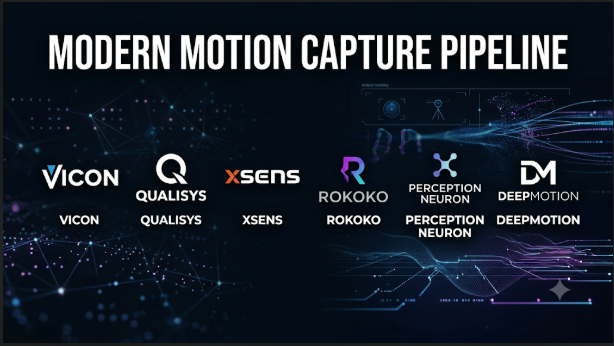
A motion capture project can look simple until the first recording needs editing. A performer moves naturally, but the digital character may show sliding feet, twisted joints, or missing movements.
The capture system is only part of the problem. The software must interpret movement, build a usable skeleton, clean the recorded data, and transfer it to the target character.
Different production teams need different levels of accuracy. An independent animator may only need a webcam and a suitable computer. A film studio may need synchronized cameras, body sensors, finger tracking, and specialist processing software.
This makes motion capture software a broad category rather than one type of application. The right choice depends on how movement is recorded, how accurately it must be reconstructed, and where the animation will be used.
The three capture methods that shape the market
Before comparing products, understand how each system records movement. This decision affects equipment costs, recording conditions, accuracy, and post-production work.
Optical motion capture: Cameras track markers
Motion Capture for Games: Complete Studio Guide | Mimic
Optical systems use several cameras to track reflective or active markers placed on performers.
The software combines camera observations to calculate positions in three-dimensional space. It then uses those positions to reconstruct body movement.
This approach suits demanding animation and research workflows.
However, it needs careful camera placement, calibration, and a suitable capture space. Objects or body parts can also block markers from some cameras. This problem is called occlusion.
Inertial motion capture: Sensors track body movement
XYN Motion Studio|Products|XYN Web Portal Site
Inertial systems use small sensors attached to the body.
These sensors measure movement and orientation. Software combines their readings to estimate the performer’s pose.
This approach does not require a room full of tracking cameras. Performers can capture movement in more varied locations.
However, inertial tracking has different challenges. Sensor placement, calibration, magnetic interference, and positional drift can affect results.
Markerless motion capture: Cameras and AI estimate movement
Plask Motion: AI-powered Mocap Animation Tool
Markerless systems use video and computer vision to estimate human movement.
Some use one camera. Others combine several camera views to improve reconstruction.
They remove the need for reflective markers or sensor suits. This makes them attractive to independent creators and small teams.
But camera placement, lighting, clothing, body visibility, and movement complexity can affect results.
A single-camera recording may struggle with hidden limbs or unusual poses. Multi-camera capture can reduce some of these problems, but it adds setup demands.
The central buying decision is therefore not simply software versus software. It is which capture technology fits the production environment.
Motion capture software for different production needs
The following products represent distinct parts of the market. Some manage complete studio capture systems. Others turn ordinary video into animation.
Vicon Shōgun: For demanding studio productions
Vicon Launches New Motion Capture Software Shōgun at FMX 2017 | Animation World Network
Vicon Shōgun is designed for professional animation, film, visual effects, and virtual production.
Its workflow covers live capture and post-production. Shōgun Live handles real-time tracking, while Shōgun Post provides tools for reviewing and improving recorded performances.
The software supports optical tracking with Vicon cameras. Its markerless system also allows teams to capture performers without traditional reflective markers.
One important strength is its production pipeline. Teams can retarget recorded performances to characters and stream motion directly into game engines.
Shōgun also supports Python and HSL scripting. This helps technical teams automate parts of their processing workflow.
Its limitations are mainly practical. Professional optical capture requires suitable cameras, a controlled setup, calibration, and specialist knowledge. It is not a simple webcam replacement.
Consider it when: A studio needs detailed optical capture, professional cleanup, camera tracking, or virtual production workflows.
OptiTrack Motive: For optical tracking and research
Motive – In Depth | Optitrack.com
OptiTrack Motive is built around camera-based tracking.
It supports passive and active markers, rigid bodies, and human skeleton tracking. Its uses extend beyond character animation to robotics, research, and virtual reality.
A notable feature is its data management system. Motive stores recorded takes with video, marker, and asset information.
It also provides editing tools for smoothing, filling gaps, and correcting tracking data. Developers can automate tasks using Python or C# scripting.
Its export options include FBX, BVH, C3D, CSV, and TRC. These formats help connect captured data with animation and research applications.
However, Motive is closely tied to OptiTrack’s camera ecosystem. Buyers should also distinguish its Tracker, Body, and Edit licenses. They provide different tracking and editing capabilities. See Motive specifications.
Consider it when: A production facility needs optical tracking for multiple performers, rigid objects, research, or character animation.
Xsens Animate: For portable inertial capture
Xsens Animate – Motion Capture Software for Professionals
Xsens Animate works with compatible Xsens motion capture hardware.
Instead of tracking reflective markers with cameras, it processes movement recorded through body-mounted inertial sensors.
This makes it useful when performers need to move through larger spaces. It can also support outdoor recording and performances where camera visibility is difficult.
Xsens offers different software options for different workflows:
- Animate Live: Streams motion for live performance and virtual production.
- Animate Export: Handles recording, processing, and offline export.
- Animate Pro: Supports more demanding production workflows and multi-actor capture.
Its output options include FBX, BVH, and C3D, depending on the software license. Integrations cover applications such as Unreal Engine, Unity, Blender, and Maya.
One important limitation is its hardware dependency. The software alone does not provide the complete capture system.
Sensor placement and calibration also affect the quality of recorded movement.
Consider it when: A production team needs portable body capture without installing a large optical camera system.
Rokoko Studio: For accessible performance capture
Rokoko Studio: Major Smartsuit Pro Locomotion Upgrade
Rokoko Studio combines capture, editing, retargeting, and export in one application.
It works with Rokoko’s inertial capture hardware, including the Smartsuit Pro II and Smartgloves.
The software also supports video-based motion generation through Rokoko Vision.
Its editing tools help correct common animation problems. These include foot sliding, knee popping, and unwanted motion changes.
Another useful feature is live streaming. Supported integrations include Unreal Engine, Unity, Blender, Maya, Houdini, and MotionBuilder.
Rokoko also offers several export options. These include FBX, BVH, and CSV, with availability depending on the subscription plan.
Its free Starter plan provides recording, cleanup filters, and FBX export. Paid plans unlock additional retargeting, streaming, and export features.
This makes the pricing structure important. Teams should calculate both subscription costs and hardware expenses.
Consider it when: Independent animators, small studios, and game developers want a connected capture and editing workflow.
Move One: For single-camera video capture
Move AI launches single camera mocap app | News | Broadcast
Move One uses video to generate three-dimensional movement data.
It is designed for creators who want to record performances without wearing a sensor suit.
The workflow is straightforward. Record a performer using a supported iPhone or upload compatible footage through the Move platform.
The system processes the video and generates animation data.
Move supports export formats including FBX, USD, and Blender files. Its documentation also describes integrations and retargeting workflows for Unreal Engine, Unity, Maya, and other 3D applications.
A key consideration is recording quality. Move recommends a fixed camera, a clearly visible performer, and suitable video resolution and frame rate.
This matters because the system must estimate hidden depth and body positions from video.
Move One also uses a credit-based subscription model. Buyers should estimate their expected recording time before choosing a plan.
Consider it when: Independent animators and small production teams want to turn ordinary video into character movement.
DeepMotion Animate 3D: For AI-generated character animation
Animate a MetaHuman with Just a Video!
DeepMotion Animate 3D converts ordinary video into 3D animation.
Its markerless system tracks body movements and can also process facial expressions and hand gestures.
It supports multiple subjects, making it relevant to projects that involve more than one performer.
DeepMotion offers several export formats, including FBX, BVH, GLB, and MP4.
The company also provides a REST API. Developers can use it to add video-based motion generation to their own applications.
This separates DeepMotion from tools that focus mainly on recording through dedicated hardware.
However, generated movement still needs review. Complex interactions, hidden limbs, and unusual poses may require additional editing.
Its API also requires a separate evaluation of access, usage limits, and processing costs.
Consider it when: Creators want to generate character animation from existing video or developers need motion generation inside another application.
FreeMoCap: For open-source capture and movement research
A New Open-Source Framework for $100 Markerless Motion Capture
FreeMoCap takes a different approach.
It is a free, open-source markerless motion capture project. It aims to make three-dimensional movement recording accessible through ordinary cameras.
Its workflow can use single-camera recordings, multiple cameras, or imported videos.
The software reconstructs movement and produces useful data for research and animation.
Its outputs include:
- NumPy arrays
- CSV data
- Blender scenes
- Jupyter notebooks for movement analysis
The Jupyter integration is particularly useful for research and education. Users can inspect movement data rather than treating the recording as a finished animation.
However, FreeMoCap is not a turnkey replacement for a professional optical capture studio.
Its documentation describes the project as an evolving system, and its downloadable application has been identified as alpha. Users should check the current release and supported hardware before relying on it for production.
Consider it when: Researchers, students, developers, and independent creators want an open-source motion capture workflow.
iPi Mocap Studio: For multi-camera video tracking
iPi Soft Releases Motion Capture 2.0 | Animation World Network
iPi Mocap Studio analyzes recorded video to create character movement.
It supports multiple cameras and compatible depth sensors.
Unlike simple video-to-animation services, it offers a more hands-on tracking workflow. Users can review and refine motion before exporting the result.
The software includes tools for reducing jitter and filtering movement trajectories.
It supports formats such as FBX, BVH, Collada, DMX, and SMD.
Its companion iPi Recorder captures footage from supported cameras and sensors.
One limitation is its platform dependence. The documented software is designed for Windows, and buyers should confirm camera compatibility before building a capture setup.
It also uses proprietary project formats. This makes final export planning important.
Consider it when: Users want a configurable markerless video workflow and are comfortable managing camera recordings and processing locally.
How these systems compare
The table below focuses on their main capture approaches and production roles.
| Software | Capture approach | Main audience | Important distinction |
|---|---|---|---|
| Vicon Shōgun | Optical and markerless | Film and game studios | Live capture and advanced post-processing |
| OptiTrack Motive | Optical | Studios and research facilities | Marker and rigid-body tracking |
| Xsens Animate | Inertial sensors | Professional animation teams | Portable body capture |
| Rokoko Studio | Inertial and video-based | Independent creators and studios | Capture, cleanup, and retargeting |
| Move One | Single-camera AI | Animators and small teams | Video-to-motion workflow |
| DeepMotion Animate 3D | Markerless AI | Creators and developers | Video processing and API access |
| FreeMoCap | Markerless cameras | Researchers and developers | Open-source movement data |
| iPi Mocap Studio | Multi-camera video | Independent production teams | Configurable local video processing |
These products should not be judged by one universal accuracy score. They use different hardware, algorithms, recording conditions, and processing methods.
A professional optical system and a single-camera AI service do not solve identical problems.
What matters more than the software’s feature list?
A motion capture system can generate an impressive preview and still produce difficult animation data.
The following technical details deserve close attention before purchase.
1. Skeleton quality and joint accuracy
A skeleton is the digital structure that represents the performer’s body.
It contains joints and connected body segments. The motion capture system estimates how these parts move.
Poor joint estimation can create unnatural poses. It can also produce twisting elbows, unstable shoulders, or incorrect foot positions.
Ask vendors how their software handles:
- Hidden body parts
- Fast movement
- Finger articulation
- Multiple performers
- Unusual body positions
- Changes in camera visibility
Do not judge quality using only a person standing upright.
Test walking, running, turning, jumping, and interacting with objects.
2. Retargeting and character compatibility
Retargeting transfers captured movement onto a different character skeleton.
This is one of the most important steps in animation production.
Imagine recording a human performer and applying that movement to a stylized game character.
The character may have different proportions and joint positions. Directly copying the original movement can create unwanted distortions.
A good retargeting workflow should let artists adjust:
- Character height
- Shoulder and hip alignment
- Joint mapping
- Reference poses
- Root movement
- Foot contact
Check whether the software supports your actual character rig.
A general FBX export does not guarantee perfect compatibility with every skeleton.
3. Foot locking and ground contact
Foot sliding is one of the most visible motion capture problems.
It happens when a character’s feet move across the ground during an action that should keep them still.
This can make even a realistic recording look artificial.
Look for tools that support foot locking, contact correction, and root motion adjustments.
Also test the results after exporting them into your target animation software.
4. Real-time streaming or offline processing
Not every production needs live motion capture.
A virtual production team may need performers’ movements to appear immediately on screen.
An animator creating short film sequences may prefer recording first and processing later.
| Workflow | Main advantage | Main trade-off |
|---|---|---|
| Real-time capture | Immediate feedback | Requires a suitable live setup |
| Offline processing | More time for correction | Adds processing time |
| Cloud video processing | Little specialist hardware | Depends on upload and service limits |
| Local processing | More control over stored footage | Requires suitable computing resources |
Choose based on the production schedule.
Do not pay extra for live streaming if your team only needs finished animation files.
5. Export formats and data ownership
Motion capture software can export several file types.
However, each format serves a different purpose.
| Format | Typical purpose |
|---|---|
| FBX | Character animation and 3D asset exchange |
| BVH | Skeletal movement and joint animation |
| C3D | Motion and biomechanics data |
| CSV | Structured numerical movement data |
| USD | Scene and animation interchange |
| GLB | Portable 3D assets and animation |
| JSON | Custom applications and development pipelines |
Check whether the export includes the complete skeleton, root motion, frame rate, and required joint information.
Also check whether your team can keep local copies of recordings.
Some services use cloud storage and credit-based processing. Others provide local project files.
This affects privacy, backup, and long-term access.
The hidden costs of a motion capture project
Software subscriptions are only one part of the budget.
A complete motion capture workflow can involve several expenses.
Hardware: Optical cameras, sensor suits, gloves, and accessories can increase the initial cost.
Capture space: Optical systems may need dedicated rooms, camera mounts, and calibration equipment.
Computing: High-resolution footage and complex processing can require capable computers and storage.
Post-production: Artists may need to correct joints, remove unwanted movement, and retarget characters.
Training: Technical staff need time to understand calibration, recording, and cleanup.
Cloud processing: Video-based services may charge through subscriptions, credits, or processing limits.
Integration: Plugins, additional software licenses, and custom pipeline work can increase costs.
A cheaper capture system may create more manual editing work.
A more expensive system may reduce some cleanup tasks but demand specialist hardware.
Compare the total workflow cost, not just the software license.
Choosing motion capture software for your production
Different projects benefit from different capture methods.
For independent game developers
Start with Rokoko Studio, Move One, or DeepMotion Animate 3D.
These options provide routes into character animation without requiring a complete optical studio.
For a free experimental workflow, FreeMoCap is also worth exploring.
For film and visual effects studios
Evaluate Vicon Shōgun and OptiTrack Motive.
Both support professional optical tracking workflows.
The decision should depend on camera hardware, capture volume, post-production needs, and integration requirements.
For outdoor and unrestricted movement
Explore Xsens Animate and compatible inertial hardware.
This approach avoids depending on a room full of tracking cameras.
It can be useful when performers need to move through large or changing environments.
For education and research
FreeMoCap offers an open-source starting point.
OptiTrack Motive and Xsens Animate may also suit research facilities that require specialized capture equipment and structured movement data.
The correct choice depends on whether the project focuses on visual animation or measurable movement analysis.
For virtual production
Prioritize real-time streaming, camera synchronization, latency, and engine integration.
Vicon Shōgun and Xsens Animate offer workflows designed around live production needs.
Rokoko Studio may also suit smaller productions using compatible hardware.
A practical motion capture test before committing
Do not approve a system after watching its promotional demonstration.
Use the same recording task to evaluate each shortlisted option.
A useful test should include:
- A performer walking toward the camera.
- A complete turn with the back facing the camera.
- A short running sequence.
- A jump followed by a landing.
- An action involving the hands.
- A movement that briefly hides one arm.
- A recording with two performers, if required.
Then inspect the results.
Check whether the software maintains stable joint positions. Look for foot sliding and unwanted movement.
Import the animation into your actual character rig.
Review the final result in the target engine or 3D application.
For professional teams, also test multiple takes, backup procedures, file naming, and collaboration.
This reveals workflow problems that a short preview cannot show.
Questions to ask before buying
Before signing a contract or purchasing hardware, ask the vendor:
- Which cameras or sensors does the software support?
- Can it track several performers together?
- Does it support real-time streaming?
- Can it export FBX, BVH, or C3D?
- Can artists edit and retarget recorded movement?
- Does it provide local recording and storage?
- Are additional plugins or licenses required?
- How does the system handle occlusion?
- What computer specifications does it require?
- Can the team test the complete workflow before purchasing?
For cloud-based systems, also ask how long recordings remain available and how footage is processed.
These questions help prevent expensive surprises.
The right capture method is more important than the longest feature list
Motion capture software serves several different production needs.
Optical systems provide a camera-based workflow for demanding studio capture. Inertial systems allow performers to move without depending on external tracking cameras. Markerless AI tools make movement recording more accessible through ordinary video.
For independent creators, starting with video-based capture may be the most practical route. Professional studios should evaluate optical and inertial systems against their production requirements.
FreeMoCap offers another path for people interested in open-source development and movement research.
The smartest next step is to record one representative performance and carry it through the entire animation pipeline. Test the exported skeleton, character retargeting, cleanup effort, and final playback.
A successful motion capture system is not simply one that records movement. It is one that turns that movement into usable animation without creating more production work than it saves.





Leave a Reply
You must be logged in to post a comment.