Employees often waste time searching for company information. Customers also struggle when help articles are missing or difficult to find. Important answers may sit inside emails, documents, chat messages, or different applications.
Knowledge Base Software solves this problem by keeping useful information in one organized place. Teams can create articles, share instructions, document processes, and help people find answers without asking the same questions repeatedly.
But not every knowledge base serves the same purpose. Some tools focus on customer support. Others help employees share internal knowledge, publish technical documentation, or manage company procedures.
This guide explores 10 knowledge base software platforms. It explains their features, advantages, limitations, and best uses to help you choose the right solution.
What Is Knowledge Base Software?
Knowledge Base Software helps organizations create, organize, store, manage, and share information.
It acts as a central library where people can find answers, instructions, policies, product information, and technical documents.
A knowledge base can serve different audiences:
- Customers: Product guides, FAQs, troubleshooting articles, and support instructions.
- Employees: Company policies, onboarding guides, and internal procedures.
- Support agents: Troubleshooting steps, response templates, and product information.
- Developers: API documentation, technical guides, and software instructions.
- Managers: Standard operating procedures, training material, and process documents.
For example, a software company may create a public knowledge base explaining how to install its product. Its employees may also use a private knowledge base for internal policies and support procedures.
Both systems store information, but they serve different audiences and require different access controls.
Key Features of Knowledge Base Software
1. Article Creation and Editing
A knowledge base needs an editor that helps teams write and update articles. Rich-text editors, templates, and content formatting make documentation easier to maintain.
2. Search Functionality
Search helps users find relevant information quickly. Some platforms offer filters, suggested results, and AI-assisted search.
3. Categories and Content Organization
Categories, folders, tags, and collections help organize large amounts of information. A clear structure makes articles easier to discover.
4. Access Control and Permissions
Some information should remain private. User roles and permissions help control who can read, edit, approve, and publish content.
5. Version History
Version history helps teams track content changes. It can also make it easier to review or restore earlier versions.
6. Feedback and Analytics
Article feedback helps identify missing or unclear information. Analytics can show which articles people read and which searches produce poor results.
7. Collaboration and Approval Workflows
Teams can work together on articles, review drafts, assign content owners, and approve changes before publication.
8. Integrations
Knowledge base platforms may connect with help desks, chat tools, project management systems, and workplace applications.
9. Multilingual Support
Organizations serving different regions may need content in several languages. Translation workflows can help teams manage localized information.
10. AI-Assisted Knowledge Search
Some platforms use AI to summarize information or answer questions using stored content. Teams should check how answers are sourced and whether access permissions remain enforced.
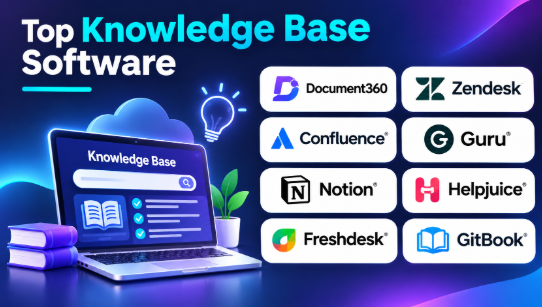
Top 10 Knowledge Base Software
These platforms serve different documentation and knowledge-sharing needs. The selection includes dedicated knowledge base products, support platforms, internal wikis, developer documentation tools, and open-source options.
1. Document360
Best for: Structured customer and technical documentation
Document360 is a dedicated knowledge base platform designed to help businesses create and manage documentation.
It supports public and private knowledge bases. Organizations can use it for product documentation, customer help centers, internal guides, and technical information.
Its structured authoring approach is useful when a company manages many articles and needs clear content organization.
Key Features
- Public and private knowledge bases
- Article creation and editing
- Categories and content organization
- Version control
- Review and approval workflows
- Search and analytics
- Content management for technical documentation
- AI-assisted documentation capabilities
Pros
- Built for dedicated knowledge base management.
- Supports structured documentation.
- Useful for customer-facing and internal content.
- Offers content governance capabilities.
- Helps teams organize large documentation libraries.
Cons
- Advanced capabilities may depend on the selected plan.
- Pricing may require a custom quotation.
- Teams need time to organize content properly.
- It may offer more functionality than a small team needs.
Best Uses: SaaS companies, technical teams, customer support departments, and businesses managing large help centers.
2. Zendesk Knowledge
Best for: Customer support knowledge and help centers
Zendesk Knowledge helps businesses create and manage help center content within the Zendesk support environment.
Support teams can publish articles that answer common customer questions. Agents can also use knowledge content while helping customers through support workflows.
Its main advantage is the connection between knowledge and customer service operations.
Key Features
- Customer-facing help center
- Knowledge article management
- Content publishing and editing
- Article suggestions for support workflows
- Knowledge search
- Content organization
- Integration with Zendesk support tools
- Reporting and content insights
Pros
- Connects knowledge with customer support operations.
- Helps customers find answers independently.
- Useful for support agents handling repeated questions.
- Fits organizations already using Zendesk.
- Keeps help content close to ticket workflows.
Cons
- Its value is strongest within the Zendesk environment.
- Advanced features may depend on the selected plan.
- Customization and administration require planning.
- It may be unnecessary for teams that only need an internal wiki.
Best Uses: Customer service departments, large support teams, online businesses, and organizations already using Zendesk.
3. Confluence
Best for: Internal company knowledge and team collaboration
Confluence is a collaboration and documentation platform from Atlassian. Teams use it to create pages, organize information, and share knowledge across an organization.
It is especially useful for engineering, product, operations, and project teams.
Teams can document project decisions, meeting notes, technical processes, onboarding information, and company policies.
Its connection with other Atlassian products makes it relevant to organizations that already use Jira and related tools.
Key Features
- Collaborative page editing
- Internal knowledge spaces
- Templates for documentation
- Page permissions
- Content search
- Version history
- Team collaboration
- Integration with Atlassian products
Pros
- Useful for company-wide documentation.
- Supports collaborative writing.
- Helps organize project knowledge.
- Works well within Atlassian-based workflows.
- Offers templates for common documentation tasks.
Cons
- Large spaces can become difficult to organize.
- Poor content ownership can lead to outdated pages.
- Advanced features may require paid plans.
- It is not primarily a dedicated public help center.
Best Uses: Software development teams, product departments, project managers, and organizations building internal knowledge libraries.
4. Guru
Best for: Verified knowledge inside everyday workflows
Guru helps organizations capture and share internal knowledge. It focuses on making useful information available where employees already work.
Teams can organize information into knowledge cards and connect it with workplace applications. Its verification workflows help organizations review important information and reduce the spread of outdated answers.
This approach is particularly useful for support, sales, and operations teams that need quick access to reliable information.
Key Features
- Knowledge cards
- Internal knowledge search
- Content verification workflows
- Browser-based access
- Workplace integrations
- AI-assisted knowledge discovery
- Content ownership
- Permission-aware knowledge access
Pros
- Helps employees find information during daily work.
- Supports knowledge verification.
- Useful for distributed teams.
- Connects with workplace applications.
- Helps reduce repeated internal questions.
Cons
- Works best when teams maintain clear content ownership.
- Some advanced capabilities depend on the plan.
- It may not replace a full public documentation portal.
- Organizations need to manage permissions carefully.
Best Uses: Customer support teams, sales departments, remote organizations, and businesses that need verified internal knowledge.
5. Notion
Best for: Flexible documentation and internal wikis
Notion is a flexible workspace that combines documents, databases, notes, and team collaboration.
Organizations can use it to create an internal knowledge base without adopting a dedicated documentation platform.
Teams can build company wikis, onboarding pages, project documentation, meeting notes, and process libraries.
Its flexible structure makes it useful for smaller organizations that want documentation and everyday work in one environment.
Key Features
- Documents and collaborative pages
- Databases and linked content
- Internal wiki organization
- Templates
- Page permissions
- Search
- AI-assisted workspace features
- Team collaboration
Pros
- Flexible content organization.
- Useful for small and growing teams.
- Combines documentation with project information.
- Supports collaborative editing.
- Offers templates for different workflows.
Cons
- Large knowledge bases need careful organization.
- It may require extra setup for public help centers.
- Content governance can become difficult without clear ownership.
- Advanced capabilities depend on the plan.
Best Uses: Startups, small businesses, product teams, operations teams, and organizations building internal wikis.
6. Helpjuice
Best for: Branded customer knowledge bases
Helpjuice is a dedicated knowledge base platform that helps businesses create branded help centers and organize support information.
It focuses on knowledge base publishing, customization, search, and content analytics.
Businesses can use it to create customer-facing documentation with a design that matches their brand.
Its search and reporting capabilities can help teams understand how users interact with their help content.
Key Features
- Branded knowledge base publishing
- Article editing and organization
- Search functionality
- Content analytics
- Customization options
- Access management
- Collaboration tools
- Multilingual documentation capabilities
Pros
- Focuses on dedicated knowledge base publishing.
- Offers branding and customization options.
- Helps teams understand content performance.
- Suitable for customer help centers.
- Does not require a company to adopt a complete help desk suite.
Cons
- It may be more than a small team needs.
- Costs should be checked against user and plan limits.
- Advanced customization needs planning.
- Support ticketing may require a separate platform.
Best Uses: SaaS businesses, customer support teams, service companies, and organizations that need a branded public knowledge base.
7. Freshdesk Knowledge Base
Best for: Customer self-service and support teams
Freshdesk includes knowledge base capabilities within its customer support platform.
Businesses can publish help articles and organize information to help customers solve common problems.
Support agents can also use knowledge content while responding to customer requests.
This makes Freshdesk relevant to organizations that want knowledge management and ticket handling within one support environment.
Key Features
- Customer help center
- Knowledge article creation
- Article categories
- Self-service support
- Knowledge search
- Content feedback
- Multilingual support options
- Integration with Freshdesk support workflows
Pros
- Connects knowledge with ticket management.
- Supports customer self-service.
- Useful for growing support teams.
- Helps agents access support information.
- Offers a connected customer service environment.
Cons
- Its knowledge features are tied to the broader support product.
- Available capabilities can vary by plan.
- Dedicated documentation needs may require another tool.
- Teams must maintain accurate and current articles.
Best Uses: Ecommerce businesses, online services, customer support departments, and companies already using Freshdesk.
8. GitBook
Best for: Developer and product documentation
GitBook is a documentation platform designed for technical and product information.
Development teams can use it to create public documentation, API guides, product instructions, and internal technical resources.
Its Git-based workflows are useful for teams that want documentation changes to fit their development process.
This makes GitBook different from general-purpose internal wikis.
Key Features
- Technical documentation publishing
- Structured documentation spaces
- Git synchronization
- Versioned content workflows
- Content search
- API documentation support
- Collaborative editing
- Public and private documentation options
Pros
- Designed for technical documentation.
- Fits developer-oriented workflows.
- Supports Git-based collaboration.
- Useful for product and API guides.
- Helps teams maintain organized documentation.
Cons
- Less suitable for general employee knowledge management.
- Git-based workflows may require technical understanding.
- Advanced publishing options depend on the plan.
- Teams must manage documentation alongside product changes.
Best Uses: Software companies, developer teams, API providers, and businesses publishing product documentation.
9. Slite
Best for: Simple internal knowledge sharing
Slite is an internal documentation platform that helps teams create, organize, and find company knowledge.
It focuses on team documents, shared information, and knowledge discovery.
Organizations can use it for onboarding guides, company policies, meeting notes, and operational procedures.
Its approach is useful for teams that want a dedicated internal knowledge space without the complexity of a larger enterprise content system.
Key Features
- Internal documentation
- Collaborative editing
- Knowledge organization
- Search and discovery
- Content verification workflows
- AI-assisted knowledge search
- Team collaboration
- Connections with workplace tools
Pros
- Focuses on internal team knowledge.
- Offers a simple documentation environment.
- Supports shared content creation.
- Helps teams find information.
- Useful for remote and distributed teams.
Cons
- Not designed primarily for public customer help centers.
- Teams still need clear documentation rules.
- Some features depend on plan availability.
- It may not replace a full project management system.
Best Uses: Remote teams, startups, operations departments, and businesses that need organized internal documentation.
10. BookStack
Best for: Open-source and self-hosted documentation
BookStack is an open-source platform for creating and organizing documentation.
Its structure uses books, chapters, and pages. This gives teams a clear way to organize large collections of information.
Organizations can host it on their own infrastructure and manage their documentation environment.
BookStack is useful for teams that want control over hosting and data management without depending on a commercial knowledge base subscription.
Key Features
- Open-source documentation platform
- Books, chapters, and pages
- User roles and permissions
- Search
- Content editing
- Page history
- Self-hosted deployment
- Documentation organization
Pros
- Open-source software.
- Gives organizations control over hosting.
- Uses a clear documentation structure.
- Useful for internal knowledge libraries.
- Avoids dependence on a hosted knowledge base subscription.
Cons
- Requires hosting and maintenance.
- Security updates are the organization’s responsibility.
- Advanced commercial support may not be available in the same way as paid platforms.
- Teams must manage backups and recovery.
Best Uses: IT departments, technical teams, educational organizations, small businesses, and organizations that prefer self-hosted documentation.
Knowledge Base Software Comparison Table
| Software | Main Strength | Best For | Main Limitation |
|---|---|---|---|
| Document360 | Structured documentation | Customer and technical knowledge bases | Plan-dependent capabilities |
| Zendesk Knowledge | Support-connected help centers | Customer service teams | Strong Zendesk ecosystem connection |
| Confluence | Internal collaboration | Engineering and business teams | Requires content governance |
| Guru | Verified internal knowledge | Support and sales teams | Not a full public help center |
| Notion | Flexible workspace and wiki | Startups and small teams | Needs careful organization |
| Helpjuice | Branded knowledge publishing | Customer-facing help centers | Separate support tools may be needed |
| Freshdesk Knowledge Base | Customer self-service | Support departments | Connected to support platform |
| GitBook | Technical documentation | Developer teams | Less suitable for general company knowledge |
| Slite | Internal knowledge sharing | Remote and growing teams | Limited focus outside internal knowledge |
| BookStack | Open-source self-hosted documentation | IT and technical teams | Requires infrastructure management |
Benefits of Knowledge Base Software
1. Faster Access to Information
Employees and customers can search for answers instead of asking someone directly.
This saves time and makes important information easier to find.
2. Reduced Repeated Questions
A well-organized knowledge base can answer common questions before they become support requests.
Support agents can also share existing articles instead of writing the same explanation repeatedly.
3. Better Employee Onboarding
New employees often need information about company policies, tools, and daily processes.
A central knowledge base gives them one place to find onboarding material and instructions.
4. Improved Team Collaboration
Employees can create and update shared documentation. This helps teams exchange information and maintain consistent processes.
5. Consistent Customer Support
Support teams can use approved articles to provide consistent answers.
Customers can also access help information without waiting for an agent.
6. Better Knowledge Retention
Employees may leave an organization, but their documented knowledge can remain available.
Clear documentation helps businesses preserve important processes and technical information.
7. Easier Process Management
Organizations can document standard operating procedures, policies, and workflows.
This helps employees follow the same process across departments.
Common Use Cases of Knowledge Base Software
| Industry or Department | Common Use Case |
|---|---|
| IT departments | Troubleshooting guides and technical instructions |
| Customer support | FAQs and product help articles |
| Software companies | Product guides and API documentation |
| Human resources | Employee handbooks and onboarding |
| Healthcare administration | Internal procedures and staff information |
| Education | Learning resources and institutional guides |
| Ecommerce | Delivery, payment, and return information |
| Manufacturing | Operating procedures and equipment instructions |
| Sales teams | Product information and sales playbooks |
| Operations | Standard operating procedures and process documents |
How to Choose the Right Knowledge Base Software
The right platform depends on who will use it and what information it needs to manage.
1. Identify Your Main Audience
First, decide whether the knowledge base is for customers, employees, support agents, or developers.
A customer help center needs public publishing and easy search. An internal knowledge base needs private access and employee permissions.
Developer documentation may need technical formatting and version control.
2. Review Content Creation Tools
Check whether the editor makes it easy to create and update articles.
Look for useful formatting, templates, images, attachments, and collaborative editing.
If your team manages technical documentation, check support for code blocks and structured content.
3. Check Search Quality
Search is one of the most important knowledge base features.
Test whether users can find relevant articles with common questions and different search terms.
Also check filters, suggested results, and AI-assisted answers where available.
4. Understand Permissions and Security
Some documents contain internal or sensitive information.
Check user roles, access controls, authentication, audit history, and content visibility.
Make sure employees cannot accidentally expose private company information.
5. Evaluate Integrations
Your knowledge base may need to connect with:
- Help desk software
- Customer relationship management systems
- Live chat tools
- Team communication applications
- Project management software
- Developer tools
- Identity management systems
Check whether the required integrations are included or need additional services.
6. Check Analytics and Feedback
Analytics can help identify popular articles and content gaps.
Look for article views, search activity, failed searches, user feedback, and content performance reports.
These insights help teams improve documentation over time.
7. Compare Hosting and Deployment
Cloud-based software is usually easier to start using because the vendor manages the infrastructure.
Self-hosted software offers more control but requires technical resources for installation, updates, backups, and security.
Choose the model that fits your organization.
8. Calculate the Total Cost
Do not compare only the starting subscription price.
Consider:
- Number of users
- Author and editor limits
- Number of knowledge bases
- Storage requirements
- AI usage charges
- Customization costs
- Integrations
- Hosting
- Training and maintenance
A low-cost platform may become expensive if important features require additional plans.
9. Test With Real Documentation
Before purchasing, create a small knowledge base using actual company information.
Ask employees to find an article. Ask editors to update a document. Ask customers to search for a common answer.
This helps reveal whether the platform fits your real workflow.
Common Mistakes When Choosing Knowledge Base Software
Choosing a Tool Without Defining Its Purpose
A public help center and an internal company wiki have different requirements.
Choose a platform based on its intended audience and workflow.
Ignoring Content Maintenance
A knowledge base can become outdated if nobody owns the articles.
Assign content owners and review important information regularly.
Making the Structure Too Complicated
Too many folders and categories can make information difficult to find.
Use clear names and a simple structure.
Ignoring Search Experience
A large collection of articles is not useful if users cannot find the right answer.
Test search with real questions before selecting a platform.
Forgetting Access Permissions
Internal policies and customer-facing information should not have the same visibility.
Set clear permissions for authors, editors, employees, and public readers.
Choosing Based Only on Price
A cheap platform may lack essential features. An expensive platform may include capabilities your team never uses.
Compare the full cost with your actual requirements.
Frequently Asked Questions
What is the main purpose of knowledge base software?
Its main purpose is to organize information so customers and employees can find answers quickly. It helps reduce repeated questions and makes important knowledge easier to share.
What is the difference between a knowledge base and a wiki?
A knowledge base usually focuses on organized information and answers for a defined audience. A wiki focuses on collaborative page creation and editing. Some platforms support both approaches.
Which knowledge base software is best for small businesses?
Notion, Slite, and BookStack can suit smaller teams with internal documentation needs. Helpjuice and Document360 are worth considering for dedicated customer-facing knowledge bases.
The right choice depends on budget, publishing requirements, and technical resources.
Can knowledge base software be used for customer support?
Yes. Platforms such as Zendesk Knowledge and Freshdesk support customer-facing help content. Dedicated tools can also publish help articles that work alongside separate support systems.
Is open-source knowledge base software available?
Yes. BookStack is an open-source option that organizations can host themselves. Self-hosting requires responsibility for infrastructure, updates, security, and backups.
Can AI work with a knowledge base?
Some platforms offer AI-assisted search and answers based on stored information. Organizations should check how answers are generated, how sources are shown, and whether access permissions are respected.
How do I keep a knowledge base updated?
Assign owners to important articles. Set review schedules, collect feedback, check failed searches, and update content when products or processes change.
Final Thoughts
Knowledge Base Software helps organizations turn scattered information into an organized resource that people can use.
Document360 and Helpjuice are worth considering for dedicated documentation. Zendesk Knowledge and Freshdesk fit support teams that want knowledge connected with customer service. Confluence, Guru, Notion, and Slite serve different internal knowledge needs. GitBook focuses on developer documentation, while BookStack offers a self-hosted open-source approach.
The right choice depends on your audience, content structure, search requirements, security needs, and available technical resources.
Before selecting a platform, test it with real articles and common questions. A useful knowledge base is not simply a place to store documents. It is a system that helps people find accurate information when they need it.









Leave a Reply
You must be logged in to post a comment.