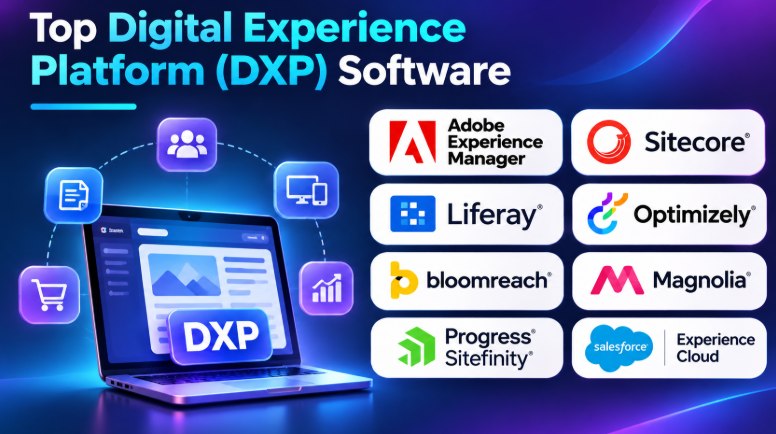
A business website is only one part of the customer experience. Customers also use mobile apps, online stores, support portals, and self-service platforms. Managing these channels separately can create extra work and inconsistent experiences.
Digital Experience Platforms (DXPs) help businesses bring these digital channels together. They support content management, personalization, customer interactions, and digital service delivery.
But every DXP has a different purpose. Some focus on enterprise content and marketing. Others specialize in customer portals, online commerce, or personalized digital journeys.
This guide explores 10 established DXP platforms. It explains their features, advantages, limitations, and best uses. It also includes a comparison table to help businesses choose the right solution.
What Is Digital Experience Platform Software?
A Digital Experience Platform is software that helps businesses create, manage, deliver, and improve digital experiences across multiple channels.
These channels may include:
- Business websites
- Mobile applications
- Customer portals
- Employee intranets
- Partner portals
- Online stores
- Digital support systems
- Self-service applications
A DXP connects different digital experiences through content, customer information, integrations, and business workflows.
For example, a bank may use a DXP to manage its website, customer portal, and digital service content. Customers can access consistent information across these channels.
A DXP may also connect with CRM, ERP, analytics, commerce, and marketing systems.
Key Features of DXP Software
1. Content Management
A DXP helps teams create, edit, organize, approve, and publish digital content. It may support multiple websites, languages, brands, and content types.
2. Personalization
Personalization helps businesses show relevant content to different users. A platform may use customer segments, behavior, preferences, or other available data.
3. Omnichannel Content Delivery
This feature helps deliver content across websites, mobile applications, portals, and other digital channels.
4. Customer Data Integration
A DXP can connect with CRM and customer data systems. This helps businesses use customer information across digital experiences.
5. Digital Asset Management
Some platforms include or connect with tools for managing images, videos, documents, and other digital files.
6. Analytics and Optimization
Analytics helps teams understand how visitors use digital experiences. Some platforms also support testing and optimization.
7. Workflow and User Management
Businesses can manage editorial approvals, user roles, permissions, and publishing responsibilities.
8. API and Integration Support
APIs help connect the DXP with other business applications. They also support headless and composable digital architectures.
Top 10 Digital Experience Platform Software
The following platforms serve different enterprise and business requirements. This list focuses on their main capabilities and practical use cases rather than claiming a universal performance ranking.
1. Adobe Experience Manager (AEM)
Best for: Enterprise content management
Adobe Experience Manager is an enterprise content and digital experience platform. It helps organizations manage websites, digital assets, and content across multiple channels.
AEM includes Experience Manager Sites for website and content management. Experience Manager Assets helps teams organize and manage digital files.
Organizations can also connect AEM with other Adobe Experience Cloud products. This makes it useful for businesses that already use Adobe’s marketing and analytics tools.
Key Features
- Enterprise website and content management
- Digital asset management
- Multi-site and multilingual content operations
- Headless and traditional content delivery
- Content workflows and approval controls
- Integration with Adobe Experience Cloud products
- Support for personalized digital experiences
Pros
- Suitable for complex enterprise content operations.
- Provides strong digital asset management capabilities.
- Supports multiple websites and brands.
- Connects with other Adobe products.
- Offers flexible content delivery options.
Cons
- Licensing and implementation can be expensive.
- Requires skilled technical resources.
- Configuration can become complex.
- Smaller businesses may not need its full capabilities.
Best Uses: Large enterprises, global brands, media organizations, and businesses managing many websites and digital assets.
2. Sitecore
Best for: Personalized digital experiences
Sitecore provides enterprise content management and digital experience capabilities. It helps organizations create, manage, and personalize customer experiences.
Its product environment includes content management, personalization, and experience-related services. Sitecore also supports composable architecture, allowing businesses to connect different digital tools.
This makes it relevant to organizations with complex customer journeys and multiple digital channels.
Key Features
- Enterprise content management
- Personalized digital experiences
- Multi-site content management
- Headless and API-based delivery
- Content authoring workflows
- Digital experience optimization
- Integration with business applications
Pros
- Supports complex enterprise websites.
- Offers advanced personalization capabilities.
- Provides flexible architecture options.
- Supports multiple digital channels.
- Can connect with wider marketing technology systems.
Cons
- Product selection can be confusing.
- Enterprise implementation needs careful planning.
- Advanced capabilities may require additional products.
- Technical customization can increase costs.
Best Uses: Large enterprises, financial services, global brands, and organizations that need personalized digital customer journeys.
3. Liferay DXP
Best for: Customer and employee portals
Liferay DXP focuses on digital experiences that often involve logged-in users. It helps businesses build customer portals, employee intranets, partner portals, and self-service applications.
Its portal capabilities make it different from platforms that mainly focus on marketing websites.
Organizations can manage user access, permissions, content, and business workflows. Liferay also supports API-based integrations with enterprise systems.
Key Features
- Customer and partner portal development
- Employee intranet management
- Role-based access control
- User authentication and permissions
- Content and workflow management
- API-based integrations
- Multi-site digital experiences
- Cloud and self-managed deployment options
Pros
- Strong portal and intranet capabilities.
- Supports complex user permissions.
- Useful for logged-in digital experiences.
- Can connect with enterprise applications.
- Offers flexible deployment choices.
Cons
- Requires technical knowledge for customization.
- Administration can become complex.
- May be excessive for a simple business website.
- Integration planning is important.
Best Uses: Banks, insurance companies, government organizations, large businesses, and companies building customer or employee portals.
4. Optimizely
Best for: Experimentation and optimization
Optimizely combines content management with digital experimentation and optimization products.
It helps marketing and product teams create content, test variations, and improve digital experiences. Its wider product environment includes content, experimentation, commerce, and related marketing capabilities.
One important strength is its focus on testing. Teams can compare different versions of a digital experience and study how users respond.
Key Features
- Digital content management
- Visual content editing
- A/B testing and experimentation
- Personalization capabilities
- Content planning and publishing
- Digital optimization workflows
- Integration with marketing systems
Pros
- Connects content work with experimentation.
- Supports data-informed optimization.
- Useful for marketing and product teams.
- Offers flexible content delivery.
- Provides a wider digital experience product ecosystem.
Cons
- Some capabilities require separate products.
- Licensing can depend on selected features.
- Testing needs clear goals and useful traffic.
- Advanced implementation may require technical support.
Best Uses: Marketing teams, ecommerce businesses, digital product teams, and organizations that regularly test website experiences.
5. Bloomreach
Best for: Digital commerce experiences
Bloomreach focuses on digital commerce, content, product discovery, and customer engagement.
Its products help online retailers connect shopping experiences with relevant content and product information.
For example, an ecommerce business can use product discovery and personalization capabilities to help shoppers find relevant items. It can also manage content for digital storefronts.
Bloomreach is especially relevant to commerce-focused organizations rather than businesses that only need a basic website CMS.
Key Features
- Commerce-focused content management
- Product discovery and search
- Personalized shopping experiences
- Digital merchandising capabilities
- Customer engagement tools
- Content delivery for online stores
- Connections with commerce systems
Pros
- Strong focus on ecommerce experiences.
- Connects content with product discovery.
- Supports personalized shopping journeys.
- Useful for digital merchandising.
- Offers commerce-related customer engagement tools.
Cons
- May be excessive for non-commerce businesses.
- Different products may require separate planning.
- Integration work can affect implementation.
- Costs depend on the selected product scope.
Best Uses: Online retailers, ecommerce brands, digital marketplaces, and businesses managing large product catalogs.
6. Magnolia DXP
Best for: Flexible content delivery
Magnolia DXP is an enterprise digital experience platform that combines visual content management with flexible content delivery.
It supports traditional website editing as well as headless delivery. This gives marketing teams visual tools while developers can build custom front ends.
Magnolia is useful for organizations that need to manage multiple websites and digital channels without forcing every experience into one presentation model.
Key Features
- Visual page editing
- Headless content delivery
- Multi-site management
- Content personalization
- Reusable content components
- API-based integrations
- Enterprise content workflows
- Flexible deployment options
Pros
- Supports both visual and headless content workflows.
- Gives marketers control over page editing.
- Offers flexible integration options.
- Useful for multi-site organizations.
- Supports different front-end technologies.
Cons
- Advanced implementation needs technical expertise.
- Custom integrations require planning.
- Enterprise projects may involve significant costs.
- Teams need to understand its architecture.
Best Uses: Enterprises, international brands, marketing teams, and organizations using both traditional and headless websites.
7. Progress Sitefinity
Best for: Multi-site business websites
Progress Sitefinity is a content and digital experience platform for organizations managing multiple websites and digital properties.
It provides content management, marketing-related capabilities, and flexible content delivery options.
Sitefinity supports traditional website management as well as hybrid headless approaches. This helps businesses combine visual editing with custom front-end development.
Key Features
- Multi-site content management
- Visual content editing
- Headless and hybrid content delivery
- Marketing workflows
- Personalization capabilities
- Content approval processes
- Enterprise integrations
- Cloud and self-managed deployment choices
Pros
- Useful for managing multiple websites.
- Supports marketer-friendly editing.
- Offers flexible content delivery.
- Can support enterprise integrations.
- Provides content and marketing capabilities in one environment.
Cons
- Advanced customization may need developers.
- Large projects require careful configuration.
- Some features depend on product packaging.
- Smaller websites may not need its full capabilities.
Best Uses: Mid-sized and large businesses, multi-brand organizations, and companies managing regional websites.
8. CoreMedia Experience Platform
Best for: Content-heavy digital businesses
CoreMedia Experience Platform helps businesses manage content and digital experiences across websites, applications, and other channels.
It combines content management with flexible digital delivery. Its hybrid headless approach allows organizations to support both traditional page editing and custom front-end experiences.
CoreMedia is relevant to organizations with large content operations and complex digital properties.
Key Features
- Enterprise content management
- Hybrid headless architecture
- Visual content editing
- Multi-site content operations
- Content workflows
- API-based delivery
- Integration with commerce systems
- Support for multiple digital channels
Pros
- Supports complex content operations.
- Combines visual editing with headless delivery.
- Useful for multiple digital properties.
- Offers flexible integration possibilities.
- Can support content-heavy organizations.
Cons
- Requires implementation planning.
- Advanced customization needs technical skills.
- Enterprise deployment can be complex.
- Smaller businesses may find it more than they need.
Best Uses: Media companies, retailers, international businesses, and organizations with large content libraries.
9. Xperience by Kentico
Best for: Connected marketing and content
Xperience by Kentico combines content management with marketing and commerce-related capabilities.
It helps businesses manage website content, customer segments, campaigns, and digital interactions within a connected platform.
Its hybrid headless approach also supports developers who need flexible content delivery.
The platform can be useful for organizations that want content and marketing workflows to work together.
Key Features
- Website and content management
- Digital marketing capabilities
- Customer segmentation
- Email marketing workflows
- Marketing automation capabilities
- Personalization
- Commerce-related functionality
- Hybrid headless content delivery
Pros
- Combines content and marketing capabilities.
- Supports customer segmentation.
- Offers visual content management.
- Supports flexible content delivery.
- Can reduce the need for separate tools in some workflows.
Cons
- Some requirements may need external services.
- Advanced customization requires technical resources.
- Buyers must check the exact product capabilities.
- Implementation still requires proper planning.
Best Uses: Marketing-led businesses, growing enterprises, B2B organizations, and companies that want connected content and marketing operations.
10. Salesforce Experience Cloud
Best for: CRM-connected customer portals
Salesforce Experience Cloud helps businesses create customer, partner, and employee portals connected to Salesforce.
Its main strength is its connection with Salesforce CRM data. Organizations can build digital communities and self-service experiences using information already managed within their Salesforce environment.
For example, a company can create a customer portal where users can access support information, submit requests, and interact with services.
Experience Cloud is more portal-focused than a traditional website content management platform.
Key Features
- Customer and partner portals
- Employee digital experiences
- CRM-connected information
- User authentication and access management
- Self-service support experiences
- Digital communities
- Salesforce platform integrations
- Customizable portal components
Pros
- Connects digital experiences with Salesforce CRM.
- Useful for customer self-service.
- Supports partner and employee portals.
- Can use existing Salesforce data.
- Offers a broad Salesforce ecosystem.
Cons
- Most valuable when an organization already uses Salesforce.
- Licensing and configuration need careful review.
- Customization can require Salesforce expertise.
- Not a direct replacement for every enterprise CMS.
Best Uses: Salesforce customers, service organizations, B2B businesses, and companies building CRM-connected customer or partner portals.
DXP Software Comparison Table
| Software | Main Strength | Best For | Main Limitation |
|---|---|---|---|
| Adobe Experience Manager | Content and digital asset management | Large enterprises | High implementation complexity |
| Sitecore | Personalization and content experiences | Global brands | Product and integration planning |
| Liferay DXP | Portals and user management | Customer and employee portals | Technical customization |
| Optimizely | Experimentation and optimization | Marketing and product teams | Separate product requirements |
| Bloomreach | Commerce and product discovery | Online retailers | Commerce-focused scope |
| Magnolia DXP | Visual and headless content | Flexible digital delivery | Technical implementation |
| Progress Sitefinity | Multi-site content management | Multi-brand organizations | Advanced configuration |
| CoreMedia | Enterprise content operations | Content-heavy businesses | Implementation complexity |
| Xperience by Kentico | Content and marketing workflows | Marketing-led businesses | Feature and product scope |
| Salesforce Experience Cloud | CRM-connected portals | Salesforce users | Strong Salesforce dependency |
Benefits of Using DXP Software
1. Consistent Customer Experiences
A connected platform helps teams deliver consistent content across websites, applications, and portals.
Customers can receive similar information across different digital channels.
2. Better Content Management
Teams can manage content from a shared environment. This can reduce repeated work and improve publishing control.
3. Improved Personalization
DXPs can connect with customer data and segmentation systems. This helps businesses deliver more relevant content and experiences.
4. Easier Integration
Many DXPs support APIs and integrations with CRM, ERP, commerce, and analytics tools.
This helps organizations connect digital experiences with existing business operations.
5. Better Team Collaboration
Content teams, marketers, developers, and administrators can work through shared workflows.
Permissions and approval processes help control who can create, review, and publish content.
6. Flexible Digital Growth
A suitable DXP can support new websites, applications, and customer services as business requirements change.
However, growth still depends on architecture, integrations, infrastructure, and operational planning.
Common Use Cases of DXP Software
| Industry | Common DXP Use Case |
|---|---|
| Banking | Customer portals and digital banking experiences |
| Healthcare | Patient portals and healthcare information |
| Retail | Ecommerce websites and personalized shopping |
| Education | Student portals and learning information |
| Insurance | Policyholder portals and self-service |
| Manufacturing | Distributor and partner portals |
| Government | Citizen services and public information |
| Media | Multi-channel content publishing |
| Travel | Booking experiences and customer services |
| Telecommunications | Customer account and support portals |
How to Choose the Right DXP Software
1. Understand Your Business Requirements
First, identify what you want the platform to manage.
Do you need a corporate website, customer portal, mobile application, online store, or employee intranet?
A clear list of requirements helps you avoid buying unnecessary features.
2. Check Content Management Capabilities
Review how the platform handles content creation, editing, approval, publishing, and reuse.
If you manage multiple brands or languages, check whether the platform supports those workflows.
3. Review Personalization Features
Check how the platform uses customer segments, behavior, preferences, and connected data.
Make sure its personalization capabilities match your actual marketing needs.
4. Evaluate Integration Support
Identify the systems your DXP must connect with.
These may include:
- CRM software
- ERP applications
- Ecommerce platforms
- Payment services
- Analytics tools
- Marketing automation systems
- Customer data platforms
Check the exact integration methods and any additional development requirements.
5. Compare Deployment Options
Some businesses prefer cloud-based services. Others need private cloud or self-managed infrastructure.
Choose a deployment model that fits your security, governance, and technical requirements.
6. Check Security and Access Control
Review authentication, user permissions, audit logs, data protection, and security update processes.
For regulated industries, ask your security team to verify the platform against applicable requirements.
7. Calculate the Total Cost
Do not compare only the license price.
Consider implementation, hosting, integrations, migration, training, maintenance, and support.
A platform with a lower starting price may require more development and operating work.
8. Test Before Purchasing
Create a small pilot project using real business requirements.
Ask content editors to publish pages. Ask developers to connect an API. Ask administrators to manage user permissions.
This helps reveal practical limitations before a full implementation.
Final Thoughts
Digital Experience Platform software helps organizations connect content, customer interactions, and digital services across multiple channels.
Adobe Experience Manager and Sitecore are worth evaluating for complex enterprise content and personalization needs. Liferay and Salesforce Experience Cloud are particularly relevant to portal-based experiences. Optimizely supports experimentation, while Bloomreach focuses on commerce.
Magnolia, Progress Sitefinity, CoreMedia, and Xperience by Kentico offer other approaches to content management and digital experience delivery.
There is no single DXP that fits every organization. Compare the platforms based on your workflows, integrations, technical resources, deployment needs, and total cost. Test the shortlisted options with real tasks before making the final decision.




Leave a Reply
You must be logged in to post a comment.