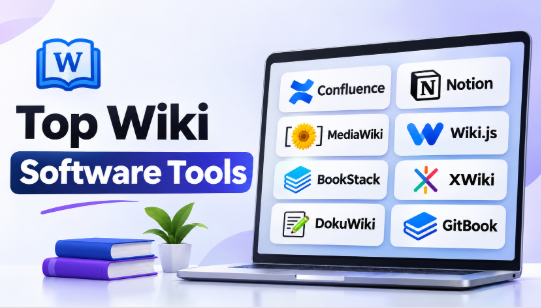
Wiki software helps businesses, developers, and communities organize information in one shared place. It makes creating, editing, and sharing knowledge easier. Teams can use it to maintain technical guides, company policies, project documentation, and internal knowledge bases.
However, every wiki platform serves a different purpose. Some focus on enterprise collaboration. Others specialize in technical documentation, public knowledge websites, or personal research.
Choosing the wrong platform can create problems. Employees may struggle to find information, administrators may face unnecessary maintenance, and important documents may become outdated.
This guide explores 10 wiki software tools and their important features, advantages, disadvantages, and practical applications. It also compares their capabilities to help businesses and technical teams make informed decisions.
What Is Wiki Software?
Wiki software is an application that allows users to create, edit, organize, and connect information through web-based pages.
Unlike traditional documents, wiki pages can link to other pages. Multiple authorized users can contribute to the same knowledge base.
For example, a DevOps team can create separate pages for Linux administration, Kubernetes deployment, CI/CD pipelines, cloud infrastructure, and incident management.
When a process changes, an authorized team member can update the relevant page. Other employees can then access the updated instructions.
Common Uses of Wiki Software
| Industry or Team | Common Application |
|---|---|
| Software Development | API documentation and coding guidelines |
| DevOps and SRE | Infrastructure guides and operational runbooks |
| IT Departments | Troubleshooting and system administration |
| Education | Learning resources and research notes |
| Human Resources | Employee handbooks and onboarding |
| Customer Support | Help articles and troubleshooting guides |
| Project Management | Project notes and team decisions |
| Public Communities | Collaborative knowledge websites |
Wiki software is particularly useful when information changes frequently and several people need access to the same knowledge.
Top 10 Wiki Software Tools
1. Confluence
Short Description
Confluence is a collaborative wiki and documentation platform developed by Atlassian. It helps organizations create, manage, and share information across departments and teams.
Its workspace uses spaces and pages to organize company knowledge. Teams can create project documentation, technical guides, meeting notes, product information, and internal policies.
One of its biggest strengths is its connection with Jira. Software teams can connect documentation with development tasks and project workflows.
Key Features
- Spaces and Pages: Organize information by department, project, or subject.
- Collaborative Editing: Allow multiple team members to contribute to documentation.
- Page History: Track changes and restore earlier versions.
- Templates: Create reusable structures for meetings, projects, and technical guides.
- Jira Integration: Connect documentation with software development activities.
- Permissions: Manage who can view, edit, and administer content.
- Search: Find information across different knowledge spaces.
- Whiteboards: Support visual collaboration and planning.
Benefits
Confluence helps organizations maintain shared documentation. Its structured workspace makes it easier to separate information between departments.
Teams already using Atlassian products can benefit from its connected workflows.
Pros
- Strong integration with Jira.
- Suitable for large organizations.
- Supports collaborative documentation.
- Provides page history and permissions.
- Offers templates and customization options.
Cons
- Advanced administration requires training.
- Some features depend on subscription plans.
- Large workspaces need regular organization.
- Migration can require additional planning.
Use Cases
- Enterprise knowledge management.
- Software development documentation.
- DevOps and SRE runbooks.
- Internal company handbooks.
- Project collaboration.
- Team process documentation.
Best For: Medium and large organizations that need structured team collaboration and documentation.
2. Notion
Short Description
Notion is a flexible workspace that combines wiki pages, documents, databases, and project management.
It helps teams organize company information without maintaining separate applications for every type of content.
Users can create connected pages, build databases, and organize internal knowledge. Its wiki functionality also supports page ownership and verification.
For example, a startup can maintain its employee handbook, product documentation, project information, and meeting notes inside one workspace.
Key Features
- Connected Pages: Link related documents and information.
- Databases: Organize content through tables, boards, and different views.
- Wiki Verification: Mark important pages as verified and assign review periods.
- Templates: Create reusable documentation structures.
- Team Collaboration: Share and edit workspace content.
- Search: Find information across pages and databases.
- Task Management: Connect project information with documentation.
- Integrations: Connect supported external applications.
Benefits
Notion provides flexibility for teams that manage different types of information. Its database features make it useful for organizing structured business knowledge.
The page verification feature also helps teams identify information that needs review.
Pros
- Flexible page and database organization.
- Suitable for small and growing teams.
- Supports collaborative editing.
- Offers reusable templates.
- Combines documentation and project information.
Cons
- Large workspaces can become difficult to navigate.
- Advanced organization requires planning.
- Hosted deployment limits infrastructure control.
- Some capabilities depend on subscription plans.
Use Cases
- Startup knowledge management.
- Employee onboarding.
- Product documentation.
- Project planning.
- Research organization.
- Internal company wikis.
Best For: Startups, small businesses, and teams that want documentation, databases, and project information together.
3. MediaWiki
Short Description
MediaWiki is an open-source wiki engine best known as the software behind Wikipedia.
It supports collaborative publishing and large collections of interconnected information. Organizations and communities can use it to build public knowledge websites, educational resources, and technical reference libraries.
Its extension system allows administrators to add functionality according to their requirements.
MediaWiki also provides detailed revision and contribution histories. These features help communities monitor changes and maintain shared information.
Key Features
- Page Revision History: Track changes and restore previous versions.
- User Contributions: Review individual editing activities.
- Watchlists: Monitor selected pages for updates.
- Page Protection: Restrict editing of selected content.
- Templates: Reuse content structures across multiple pages.
- Extensions: Add features through supported extensions.
- Categories: Organize related information.
- Multilingual Support: Create knowledge resources in different languages.
Benefits
MediaWiki supports large collaborative projects. Its established ecosystem makes it suitable for organizations that need extensive page management.
Its revision history also provides transparency into how information changes.
Pros
- Free and open-source software.
- Suitable for large knowledge websites.
- Strong revision tracking.
- Extensive extension ecosystem.
- Flexible content organization.
Cons
- Installation requires technical knowledge.
- Administrators must maintain infrastructure.
- Extensions need compatibility checks.
- The editing experience may require user training.
Use Cases
- Public encyclopedias.
- Educational knowledge websites.
- Community documentation.
- Technical reference libraries.
- Research resources.
- Collaborative information portals.
Best For: Organizations and communities that want to build large collaborative knowledge websites.
4. Wiki.js
Short Description
Wiki.js is an open-source wiki platform designed for modern documentation and knowledge management.
It is particularly useful for developers, DevOps engineers, and system administrators who need a shared technical documentation environment.
Teams can use it to maintain installation guides, infrastructure procedures, software documentation, and troubleshooting instructions.
Its Markdown support makes it suitable for technical contributors. It also provides visual editing options for users who prefer a graphical interface.
Key Features
- Markdown Editing: Create structured technical documentation.
- Visual Editing: Provide an alternative content editing experience.
- Authentication: Configure supported authentication providers.
- Page Management: Organize and maintain documentation.
- Search: Find relevant information across pages.
- Database Support: Use supported database backends.
- Container Deployment: Support Docker-based deployment.
- Customization: Adapt the platform to organizational needs.
Benefits
Wiki.js provides technical teams with a flexible documentation environment.
Its self-hosted approach gives organizations control over infrastructure and deployment.
Pros
- Open-source platform.
- Supports Markdown documentation.
- Suitable for technical teams.
- Provides self-hosting options.
- Offers authentication and customization.
Cons
- Requires infrastructure maintenance.
- Administrators must manage backups and updates.
- Advanced configuration requires technical knowledge.
- Organizations should verify release maturity before production adoption.
Use Cases
- DevOps documentation.
- Linux administration guides.
- Software development knowledge bases.
- Infrastructure runbooks.
- Configuration documentation.
- Internal engineering wikis.
Best For: Developers, DevOps engineers, and technical organizations that prefer self-hosted documentation.
5. BookStack
Short Description
BookStack is an open-source wiki platform designed for organizing documentation into shelves, books, chapters, and pages.
Its structured approach makes it useful for organizations that maintain manuals, standard operating procedures, and internal technical guides.
For example, an IT department can create a shelf for infrastructure. Separate books can cover networking, servers, security, and cloud administration.
Each book can contain chapters and individual instructions.
BookStack also provides visual and Markdown editing options. Its permissions system helps administrators manage access to different content areas.
Key Features
- Shelves and Books: Organize knowledge into structured sections.
- Chapters and Pages: Divide manuals into smaller topics.
- Visual Editor: Create content through a graphical interface.
- Markdown Editor: Write using Markdown formatting.
- Page History: Track and restore content changes.
- Roles and Permissions: Control access to documentation.
- Authentication: Support selected external authentication methods.
- Attachments: Add supporting files and images.
Benefits
BookStack makes structured documentation easier to maintain.
Its familiar hierarchy helps employees understand where information belongs.
Pros
- Free and open-source.
- Simple book-based organization.
- Suitable for manuals and SOPs.
- Provides page history.
- Supports detailed permissions.
Cons
- Its fixed hierarchy may not suit every knowledge model.
- Requires hosting and maintenance.
- Complex knowledge relationships may need additional organization.
- Customization options are more limited than highly flexible platforms.
Use Cases
- IT operations manuals.
- Employee training guides.
- Technical documentation.
- Standard operating procedures.
- Internal process libraries.
- Educational resources.
Best For: IT departments, operations teams, and businesses that need organized manuals and procedures.
6. XWiki
Short Description
XWiki is an open-source enterprise wiki platform designed for organizations that need advanced knowledge management and customization.
It combines traditional wiki pages with structured data, forms, templates, and customizable applications.
Organizations can create internal knowledge bases, employee directories, project information systems, and business applications.
Its flexibility makes it useful for companies that want to adapt their knowledge platform to specific processes.
Key Features
- Page Editing: Create content through visual editing and wiki syntax.
- Version Control: Compare and restore earlier versions.
- Structured Data: Organize information using forms and reusable data structures.
- Application Development: Build custom applications within the platform.
- Access Management: Control viewing, editing, and deletion permissions.
- REST API: Connect with external applications.
- Extensions: Add functionality through available extensions.
- Content Import and Export: Transfer information between supported formats.
Benefits
XWiki provides more than basic page-based documentation. Its structured data and customization features help organizations create specialized knowledge systems.
Pros
- Open-source foundation.
- Advanced customization options.
- Supports structured information.
- Provides application development capabilities.
- Offers APIs and extensions.
Cons
- Complex implementations require planning.
- Advanced customization needs technical expertise.
- Administration can become demanding.
- Users may need training.
Use Cases
- Enterprise knowledge management.
- Internal company portals.
- Business process documentation.
- Technical documentation.
- Employee directories.
- Custom knowledge applications.
Best For: Enterprises that need customized knowledge management and structured business information.
7. DokuWiki
Short Description
DokuWiki is a lightweight, open-source wiki platform that does not require a database.
It stores content in plain-text files. This makes its basic storage architecture simpler than many database-driven wiki systems.
DokuWiki is suitable for small organizations and technical teams that want straightforward documentation without managing a separate database server.
Its access controls and plugin ecosystem also allow administrators to extend its functionality.
Key Features
- Flat-File Storage: Store wiki content in ordinary text files.
- Access Control Lists: Manage user and group permissions.
- Revision History: Track changes to pages.
- Plugin System: Add functionality through extensions.
- Authentication: Support selected authentication methods.
- Wiki Syntax: Write structured information using simple markup.
- Namespace Organization: Group related pages.
- Backup Support: Manage content backups through file-based storage.
Benefits
DokuWiki offers a relatively simple infrastructure model.
Its file-based approach can make content inspection and backup management easier.
Pros
- Free and open-source.
- Does not require a database.
- Lightweight infrastructure.
- Built-in access controls.
- Useful for technical documentation.
Cons
- Interface may feel less modern.
- Advanced customization requires technical knowledge.
- Plugin compatibility needs attention.
- Server maintenance remains necessary.
Use Cases
- Internal technical documentation.
- Small business knowledge bases.
- IT administration guides.
- Project documentation.
- Personal knowledge websites.
- Self-hosted company wikis.
Best For: Small organizations and system administrators who prefer lightweight self-hosted wiki software.
8. Slab
Short Description
Slab is a hosted knowledge management platform designed to help teams organize and share internal information.
It provides a focused environment for creating company documentation, team guides, policies, and shared resources.
Its approach emphasizes a clean writing experience and knowledge discovery.
Slab also supports integrations with workplace applications. This helps teams connect their documentation with other tools they use regularly.
Key Features
- Topic Organization: Group related information into collections.
- Collaborative Editing: Allow teams to create and maintain shared content.
- Search: Find information across the knowledge workspace.
- Integrations: Connect supported workplace applications.
- Content Management: Organize and maintain internal documentation.
- User Permissions: Manage access to team knowledge.
- Workspace Collaboration: Share company information across departments.
Benefits
Slab provides a dedicated knowledge environment without requiring organizations to manage their own servers.
Its focused approach helps teams centralize internal information.
Pros
- Clean knowledge-focused interface.
- Suitable for company documentation.
- Hosted service reduces infrastructure work.
- Supports integrations.
- Useful for team knowledge sharing.
Cons
- Offers less infrastructure control than self-hosted platforms.
- Some capabilities depend on subscription plans.
- Integration requirements need verification.
- May not suit large public wiki communities.
Use Cases
- Company knowledge bases.
- Employee handbooks.
- Internal process documentation.
- Team onboarding.
- Department guidelines.
- Shared business resources.
Best For: Businesses that want a dedicated hosted knowledge base with minimal infrastructure management.
9. Nuclino
Short Description
Nuclino is a collaborative knowledge management platform designed around simplicity and connected information.
It helps teams create pages, organize documents, and connect related knowledge within a shared workspace.
One of its distinguishing characteristics is its flexible visual organization. Teams can arrange information through different views rather than relying only on traditional nested pages.
This makes it useful for smaller teams that want to maintain documentation without complicated administration.
Key Features
- Connected Documents: Link related knowledge pages.
- Visual Organization: Arrange information through supported workspace views.
- Collaborative Editing: Create and update documents with teammates.
- Search: Find information across workspaces.
- Templates: Reuse structures for common documentation tasks.
- Media Support: Include images and supporting files.
- Integrations: Connect selected external workplace tools.
Benefits
Nuclino helps smaller teams create connected knowledge without introducing unnecessary complexity.
Its visual organization makes it useful for projects and internal documentation.
Pros
- Simple workspace experience.
- Useful for small and growing teams.
- Supports connected documentation.
- Provides visual organization.
- Requires less administration than many self-hosted systems.
Cons
- May not provide enough control for complex enterprise requirements.
- Hosted deployment limits infrastructure ownership.
- Advanced workflows may require external applications.
- Large organizations should examine administration capabilities carefully.
Use Cases
- Startup documentation.
- Team knowledge sharing.
- Project notes.
- Employee onboarding.
- Internal company guides.
- Research and collaborative planning.
Best For: Small teams and startups that want a simple, connected knowledge workspace.
10. GitBook
Short Description
GitBook is a documentation platform designed primarily for creating and publishing technical information.
It is particularly useful for software companies that need to explain products, APIs, developer tools, and technical workflows.
Unlike general-purpose company wikis, GitBook focuses on structured technical documentation and publishing.
Its Git-based workflows help development teams connect documentation with their software projects.
Key Features
- Structured Documentation: Organize content into spaces and pages.
- Visual Editor: Create and format technical documents.
- Git Synchronization: Connect documentation with supported Git workflows.
- API Documentation: Publish technical reference material.
- Content Publishing: Make documentation available to readers.
- Collaboration: Allow contributors to review and update content.
- Access Controls: Manage access to private documentation.
- Customization: Adapt published documentation to product requirements.
Benefits
GitBook helps software companies maintain professional technical documentation.
Its publishing and Git workflow capabilities make it useful for developer-facing knowledge resources.
Pros
- Strong focus on developer documentation.
- Supports Git-based workflows.
- Useful for API and product guides.
- Provides structured publishing.
- Suitable for engineering documentation teams.
Cons
- Not designed to replace every internal company wiki.
- Some capabilities depend on subscription plans.
- Git workflows may require technical knowledge.
- Publishing and access requirements need careful evaluation.
Use Cases
- API documentation.
- Developer portals.
- Software product guides.
- Technical knowledge bases.
- Open-source project documentation.
- Internal engineering references.
Best For: Software companies, API developers, and engineering teams that need professional technical documentation.
Wiki Software Comparison Table
The following table compares the 10 platforms by their main purpose, strengths, and deployment approaches.
| Software | Best For | Main Strength | Deployment |
|---|---|---|---|
| Confluence | Large organizations | Atlassian integrations | Cloud and Data Center |
| Notion | Flexible team workspaces | Pages and databases | Cloud |
| MediaWiki | Public knowledge projects | Large-scale collaboration | Self-hosted |
| Wiki.js | Technical teams | Developer documentation | Self-hosted |
| BookStack | Manuals and procedures | Books and chapters | Self-hosted |
| XWiki | Enterprise knowledge | Customization and structured data | Cloud and self-hosted |
| DokuWiki | Lightweight documentation | Plain-text storage | Self-hosted |
| Slab | Internal company knowledge | Focused team workspace | Cloud |
| Nuclino | Small teams | Connected pages | Cloud |
| GitBook | Developer documentation | Technical publishing | Cloud |
Deployment options and individual capabilities may vary by edition and subscription.
Features to Compare Before Selecting Wiki Software
A platform may look attractive during a demonstration but fail to support your actual workflow.
Compare these important capabilities before making a decision.
1. Content Editing and Formatting
Check whether users can create content through visual editors, Markdown, or wiki syntax.
Visual editors help nontechnical employees. Markdown can make technical documentation easier to maintain.
Choose an editing experience that matches the skills of your contributors.
2. Search and Navigation
Search becomes increasingly important as documentation grows.
Check whether the platform can find page titles, content, tags, categories, and attachments.
Also examine filters, navigation, and related-page suggestions.
Test search using real questions from your organization.
3. Version History
Page history helps teams understand what changed and recover earlier information.
This matters when employees update technical procedures, security policies, and operational guides.
Check whether administrators can compare versions and restore previous content.
4. User Permissions
Review the available access controls.
A company may need separate permissions for HR documents, engineering guides, financial information, and public resources.
Check page-level restrictions, group permissions, external sharing, and single sign-on.
5. Integration Capabilities
Check whether the wiki works with your existing systems.
Important integration categories include:
- GitHub and GitLab.
- Jira and project management applications.
- Slack and Microsoft Teams.
- Identity providers.
- Cloud storage systems.
- Monitoring and incident management tools.
- APIs and automation services.
Also check whether each connection is native or requires an additional extension.
6. Hosting and Deployment
Decide whether you prefer a hosted service or infrastructure you control.
Hosted systems reduce server administration. Self-hosted platforms offer more deployment control but require technical maintenance.
Consider data location, backup responsibilities, security, and disaster recovery.
7. Backup and Migration
A wiki may contain years of important company knowledge.
Check whether the platform supports complete content exports, attachment backups, and recovery.
Also examine whether you can migrate pages, files, and permissions to another system.
Test recovery before storing critical operational documentation.
How to Choose the Right Wiki Software
Different organizations should prioritize different capabilities.
| Requirement | Recommended Software | Reason |
|---|---|---|
| Enterprise collaboration | Confluence | Structured spaces and Atlassian ecosystem |
| Flexible business workspace | Notion | Connected pages and databases |
| Public knowledge community | MediaWiki | Collaborative page management |
| DevOps documentation | Wiki.js | Technical documentation and self-hosting |
| IT manuals and SOPs | BookStack | Structured content hierarchy |
| Enterprise customization | XWiki | Applications and structured information |
| Lightweight self-hosting | DokuWiki | Database-free architecture |
| Internal knowledge sharing | Slab | Dedicated team knowledge workspace |
| Small-team documentation | Nuclino | Simple connected pages |
| Developer documentation | GitBook | Technical publishing workflows |
Best Wiki Software for DevOps and SRE Teams
DevOps and SRE teams need documentation that supports daily operations.
Useful content includes deployment instructions, incident runbooks, architecture diagrams, monitoring procedures, and troubleshooting guides.
Wiki.js is worth considering for teams that prefer self-hosted technical documentation.
Confluence is useful when the organization already uses Jira. BookStack works well for structured operational manuals.
GitBook is more suitable when the main requirement involves publishing developer documentation.
Best Wiki Software for Small Businesses
Small businesses often need a simple place for company policies, onboarding information, and operational procedures.
Notion and Nuclino offer flexible hosted workspaces. Slab provides a dedicated team knowledge environment.
BookStack is another option for businesses that prefer self-hosting and a clear documentation hierarchy.
Best Open-Source Wiki Software
Organizations that want more control over their infrastructure can consider:
- MediaWiki for public collaborative knowledge projects.
- Wiki.js for technical documentation.
- BookStack for manuals and procedures.
- XWiki for customized enterprise applications.
- DokuWiki for lightweight file-based documentation.
Open-source licensing does not remove operational costs. Organizations still need to plan for hosting, maintenance, backups, and security.
Practical Workflow for Implementing Wiki Software
Choosing software is only the beginning. A useful wiki also needs a clear implementation plan.
Step 1: Identify Documentation Requirements
List the information your organization wants to maintain.
For example, a software company might need:
- Engineering documentation.
- Employee onboarding.
- Product information.
- Security procedures.
- Customer support guides.
- Project decisions.
Separate public documentation from confidential internal information.
Step 2: Select the Right Platform
Shortlist two or three platforms.
Compare their editing experience, permissions, hosting, integrations, and maintenance requirements.
Avoid selecting software only because it has the largest feature list.
Step 3: Create a Pilot Knowledge Base
Start with a small documentation project.
For example, an infrastructure team could create a knowledge area for Linux administration and server troubleshooting.
Add a few real procedures and invite selected team members.
Step 4: Test Important Workflows
Ask users to create pages, edit content, search for information, and access restricted documents.
Check whether the platform supports their daily tasks without unnecessary complexity.
Step 5: Establish Documentation Ownership
Assign owners to important pages.
Create clear rules for editing, reviewing, and archiving outdated content.
This helps prevent the knowledge base from becoming a collection of forgotten instructions.
Step 6: Expand Gradually
Move additional teams into the wiki after the pilot succeeds.
Monitor search problems, duplicate pages, outdated information, and user feedback.
Improve the content structure as the organization grows.
Common Mistakes to Avoid When Choosing Wiki Software
Even a capable platform can fail when organizations make poor implementation decisions.
Choosing based only on price: A free platform may require considerable administration and hosting effort.
Ignoring user experience: Employees may avoid a complicated editor, even when the software offers advanced features.
Overcomplicating page structures: Too many nested categories make information difficult to find.
Ignoring permissions: Sensitive information should not become accessible to everyone by default.
Skipping backups: Important documentation needs reliable backup and recovery procedures.
Ignoring content ownership: Every important page should have someone responsible for maintaining it.
Selecting the wrong software category: A developer documentation platform may not provide everything an internal company wiki needs.
Frequently Asked Questions
1. What is the best wiki software for businesses?
Confluence, Notion, and Slab are useful starting points for business knowledge management. The right option depends on team size, integrations, permissions, and documentation requirements.
2. Which wiki software is free and open source?
MediaWiki, Wiki.js, BookStack, XWiki, and DokuWiki offer open-source options. Their self-hosted deployments may still involve infrastructure and maintenance costs.
3. Which wiki software is best for DevOps teams?
Wiki.js, Confluence, and BookStack are worth evaluating. Wiki.js suits technical teams that want self-hosting, Confluence supports Atlassian workflows, and BookStack provides structured operational manuals.
4. What is the difference between Confluence and Notion?
Confluence focuses on structured team documentation and collaboration, with strong Atlassian ecosystem connections. Notion combines knowledge pages, databases, and project information in a flexible workspace.
5. Can wiki software be self-hosted?
Yes. MediaWiki, Wiki.js, BookStack, XWiki, and DokuWiki support self-hosted deployments. Administrators must manage installation, security, updates, and backups.
6. Which wiki software is suitable for technical documentation?
Wiki.js, GitBook, MediaWiki, Confluence, and BookStack can support technical documentation. The best choice depends on Markdown support, publishing requirements, integrations, and infrastructure preferences.
7. Is wiki software suitable for small teams?
Yes. Notion, Nuclino, Slab, and BookStack can serve smaller teams. Consider the team’s technical skills and documentation needs before selecting a platform.
8. Can wiki software integrate with GitHub?
Some platforms support GitHub integration or Git-based documentation workflows. GitBook and other developer-focused tools are worth examining. Check the exact integration capabilities and plan requirements before implementation.
9. How do I keep wiki documentation updated?
Assign content owners, establish review schedules, and provide a way to report outdated information. Track important pages and review them whenever the related process changes.
10. Can wiki software replace traditional document management systems?
Not completely. Wikis are useful for connected knowledge and regularly updated information. Formal document management systems may provide additional controls for approvals, retention, and regulated records.
Conclusion
Wiki software helps organizations turn scattered information into shared, searchable knowledge. However, the right platform depends on how people create, organize, and maintain that information.
Confluence is a practical choice for organizations using Atlassian products. Notion offers flexible pages and databases. MediaWiki supports large collaborative knowledge projects. Wiki.js and BookStack serve different technical documentation needs.
XWiki offers deeper customization, while DokuWiki provides lightweight self-hosting. Slab and Nuclino focus on team knowledge sharing, and GitBook specializes in developer documentation.
Before selecting a platform, test it with real content and real users. Check its permissions, search, integrations, hosting, and backup options.
Most importantly, establish clear ownership of your documentation. The best wiki software is the one that helps people find accurate information and keeps that information useful as the organization grows.









Leave a Reply
You must be logged in to post a comment.