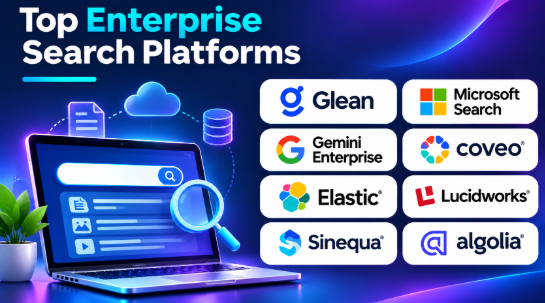
Finding the right information inside a large organization can be difficult. Employees often search across emails, documents, cloud storage, chat apps, and business systems.
Enterprise Search Platforms bring information from different sources into one searchable experience. They help employees find documents, discover company knowledge, and retrieve useful business information.
However, every platform solves a different search problem. Some focus on workplace search, while others support website search, ecommerce discovery, or custom search applications.
This guide covers 10 enterprise search platforms, their key features, advantages, limitations, and best uses. It also includes a comparison table and practical tips for choosing the right solution.
What Is Enterprise Search Software?
Enterprise Search Software helps organizations find information stored across different business systems.
It can search content from:
- Company documents and files
- Email and chat applications
- Cloud storage platforms
- Customer relationship management systems
- Project management tools
- Internal knowledge bases
- Databases and business applications
- Websites and product catalogs
For example, an employee may need a project report stored in cloud storage. Instead of opening several applications, the employee can search from one central place.
A good enterprise search system does more than find matching words. It also considers relevance, user permissions, content freshness, and the meaning of a search query.
Key Features of Enterprise Search Platforms
1. Unified Search
Unified search brings information from different connected applications into one search experience.
Employees can search across multiple repositories without opening each system separately.
2. Content Indexing
Indexing organizes information so the search engine can retrieve it quickly.
A platform may index document text, titles, metadata, and other supported content.
3. Semantic Search
Semantic search tries to understand the meaning behind a query.
It can help users find relevant information even when their search words differ from the wording inside a document.
4. AI-Powered Search
Some platforms use AI to understand questions, summarize information, and generate answers from connected business content.
Organizations should check whether answers show reliable sources and follow existing access permissions.
5. Access Control
Enterprise search must protect confidential information.
Role-based permissions help ensure users only see content they are allowed to access.
6. Connectors and Integrations
Connectors link the search platform with business applications.
They can collect content from cloud storage, email, collaboration tools, databases, and other repositories.
7. Relevance Ranking
Relevance ranking decides which results appear first.
Good ranking considers query terms, document content, metadata, and other available signals.
8. Search Analytics
Search analytics helps administrators understand what users search for, which results they select, and where searches fail.
9. Scalability
Enterprise search should handle growing content collections, more users, and increasing search activity.
10. Security and Governance
Security features help organizations manage authentication, permissions, auditing, and sensitive information.
Top 10 Enterprise Search Platforms
1. Glean
Best for workplace search
Glean helps employees find information across the applications used by their organizations. It connects workplace content and makes it searchable through one experience.
Employees can search for documents, conversations, project information, and other company knowledge. Its AI features can also help users ask questions about connected business information.
Key Features
- Search across connected workplace applications
- Enterprise content connectors
- AI-powered knowledge discovery
- Permission-aware search
- Natural-language queries
- Personalized search results
- Content discovery and recommendations
- Enterprise administration controls
Pros
- Helps employees find scattered company information.
- Supports search across multiple workplace applications.
- Offers AI-assisted knowledge discovery.
- Helps reduce repeated internal questions.
- Useful for organizations with many cloud tools.
Cons
- Search coverage depends on connected applications.
- Connector setup needs careful administration.
- Enterprise deployment requires security planning.
- Pricing may not suit smaller teams.
Best Uses: Large businesses, remote teams, IT departments, customer support teams, and organizations with information spread across many workplace applications.
2. Microsoft Search
Best for Microsoft 365 environments
Microsoft Search helps users find information across supported Microsoft 365 applications and services.
It can help employees discover files, people, sites, emails, and organizational information. Its close connection with Microsoft 365 makes it useful for companies that already depend on Microsoft services.
Key Features
- Search across supported Microsoft 365 content
- SharePoint and OneDrive search
- People and organizational search
- Contextual search experiences
- Personalized results
- External content connector support
- Microsoft Graph integration
- Enterprise search administration
Pros
- Fits naturally into Microsoft 365 workflows.
- Helps employees find company documents.
- Supports organizational and people discovery.
- Uses existing Microsoft identity and access controls.
- Reduces the need to switch between applications.
Cons
- Most useful within the Microsoft ecosystem.
- External content may require additional configuration.
- Search behavior depends on connected content and permissions.
- Organizations using many non-Microsoft tools may need additional solutions.
Best Uses: Enterprises using Microsoft 365, SharePoint, OneDrive, Outlook, and other Microsoft business applications.
3. Google Gemini Enterprise
Best for AI-assisted enterprise search
Google Gemini Enterprise combines enterprise information discovery with AI assistance.
It helps employees search connected business information and use AI-powered features to understand documents and complete knowledge-related tasks.
Organizations can connect supported business applications and use enterprise search as part of wider AI workflows.
Key Features
- AI-assisted enterprise search
- Natural-language questions
- Connected business information
- Enterprise application integrations
- AI-generated summaries
- Agent-based workflows
- Access-aware information retrieval
- Enterprise administration features
Pros
- Combines search with AI assistance.
- Helps users ask questions in natural language.
- Can support connected business workflows.
- Useful for knowledge discovery.
- Offers more than traditional keyword search.
Cons
- AI-generated answers need verification.
- Connector coverage should be checked carefully.
- AI usage can introduce additional costs.
- Organizations need clear data governance rules.
Best Uses: Businesses adopting AI-assisted workflows, organizations using Google Cloud services, and enterprises that want conversational access to business information.
4. Coveo
Best for personalized digital search
Coveo provides search and relevance technology for websites, customer support, commerce, and enterprise experiences.
It helps organizations connect information sources and deliver relevant search results to users.
Coveo is particularly useful when search quality affects customer experience. For example, customers may use it to find support articles, product information, or answers to common questions.
Key Features
- Enterprise search
- Website and customer support search
- Personalized search experiences
- Relevance tuning
- Content source connectors
- Search analytics
- Product discovery capabilities
- AI-powered search features
Pros
- Supports several search use cases.
- Offers relevance and personalization controls.
- Useful for customer-facing search.
- Helps improve content discovery.
- Provides analytics for search optimization.
Cons
- Source configuration requires planning.
- Advanced capabilities may need specialist knowledge.
- Costs depend on the selected services and usage.
- Different use cases require different search configurations.
Best Uses: Ecommerce businesses, customer support teams, enterprise websites, and organizations that need personalized content discovery.
5. Elastic Enterprise Search
Best for custom search applications
Elastic provides search technology built around Elasticsearch. Developers can use it to build custom search applications for business documents, websites, products, and internal systems.
It supports full-text search, vector search, and hybrid retrieval. This gives technical teams flexibility when designing search experiences.
Elastic is not simply a ready-made employee search application. Organizations often build their own connectors, interfaces, indexing pipelines, and relevance rules.
Key Features
- Full-text search
- Vector and semantic search
- Hybrid search
- Search APIs
- Relevance configuration
- Document and field-level security capabilities
- Search analytics
- Cloud and self-managed deployment options
Pros
- Offers flexible search architecture.
- Supports keyword and semantic retrieval.
- Gives developers control over search behavior.
- Works for many custom search applications.
- Supports different deployment approaches.
Cons
- Requires technical expertise.
- Custom connectors may need development.
- Infrastructure needs ongoing management.
- Search relevance requires testing and tuning.
Best Uses: Software companies, developer teams, large enterprises, and organizations building custom search applications.
6. Lucidworks
Best for complex enterprise search projects
Lucidworks focuses on enterprise search, information discovery, and search application development.
It helps organizations connect different content sources and create search experiences suited to their business workflows.
Its approach is relevant to companies that need more control over search behavior than a basic search solution provides.
Key Features
- Enterprise search
- Content source integration
- Search application development
- Relevance configuration
- Data indexing and retrieval
- AI-powered discovery capabilities
- Search analytics
- Enterprise deployment options
Pros
- Supports complex search environments.
- Offers flexibility for custom search applications.
- Helps connect different content sources.
- Useful for specialized business workflows.
- Provides enterprise-oriented search capabilities.
Cons
- Implementation can require significant planning.
- Technical teams may be needed for customization.
- Connector requirements should be verified.
- Total cost depends on project scope.
Best Uses: Large enterprises, financial organizations, manufacturing businesses, and companies with complex information repositories.
7. Sinequa
Best for knowledge-intensive organizations
Sinequa focuses on enterprise search and knowledge discovery.
It is designed for organizations that manage large collections of business, technical, scientific, and operational information.
Its search approach helps users discover relevant content across different repositories. This can be valuable when employees need to search documents containing complex terminology.
Key Features
- Enterprise knowledge search
- Natural-language processing
- Content source integration
- Document discovery
- Relevance-based retrieval
- Support for complex information environments
- Enterprise security capabilities
- Knowledge discovery workflows
Pros
- Suitable for knowledge-heavy organizations.
- Supports complex information discovery.
- Helps search across different repositories.
- Useful for technical and research documents.
- Designed for enterprise information needs.
Cons
- Implementation requires planning.
- Content preparation can be demanding.
- Organizations should test language and document support.
- Deployment requirements need careful evaluation.
Best Uses: Research organizations, engineering teams, manufacturing companies, and businesses with large technical document collections.
8. Algolia
Best for website and application search
Algolia is a hosted search platform that helps developers add search functionality to websites and applications.
It is widely suited to product discovery, content search, and application search experiences.
Developers can index data, configure relevance, and build search interfaces using APIs and software libraries.
Key Features
- Hosted search infrastructure
- Search APIs
- Developer libraries
- Full-text search
- Typo-tolerant search
- Relevance configuration
- Search analytics
- Recommendations and personalization capabilities
Pros
- Developer-friendly search APIs.
- Useful for websites and applications.
- Supports product and content discovery.
- Offers relevance controls.
- Reduces the need to operate search infrastructure directly.
Cons
- Requires development work.
- Not a complete employee workplace search solution.
- Usage-based costs need monitoring.
- Search data and access rules need careful design.
Best Uses: Ecommerce websites, SaaS products, online marketplaces, and businesses building custom application search.
9. OpenSearch
Best for open-source search infrastructure
OpenSearch is an open-source search and analytics suite. Organizations can use it to build custom search systems and manage large collections of indexed information.
It supports full-text search, vector search, and hybrid search. Teams can also use its dashboards to explore and analyze search data.
OpenSearch gives organizations more control over infrastructure, but they must manage more of the technical environment.
Key Features
- Open-source search engine
- Full-text search
- Vector search
- Hybrid retrieval
- Search analytics
- Data visualization dashboards
- Extensible architecture
- Self-managed deployment
Pros
- Open-source technology.
- Offers control over search infrastructure.
- Supports modern retrieval methods.
- Useful for custom search applications.
- Can be adapted to different technical environments.
Cons
- Requires infrastructure management.
- Connectors and interfaces may need development.
- Security configuration needs attention.
- Monitoring and maintenance require technical resources.
Best Uses: IT departments, software developers, research teams, and organizations that want control over their search infrastructure.
10. IBM Watson Discovery
Best for enterprise document discovery
IBM Watson Discovery is designed to help organizations extract information and search across large collections of business documents.
It focuses on document understanding and information discovery. This can help businesses work with complex documents that contain useful information in different formats.
Organizations should evaluate the current product availability, deployment options, and service requirements before selecting it for a new project.
Key Features
- Document search and discovery
- Natural-language processing
- Document enrichment
- Information extraction
- Search across business content
- Enterprise integration capabilities
- Content analysis
- AI-assisted information discovery
Pros
- Focuses on document understanding.
- Useful for complex business information.
- Supports information extraction workflows.
- Can help organize large document collections.
- Relevant to enterprise knowledge applications.
Cons
- Product fit depends on the required deployment and service model.
- Document preparation may require work.
- Advanced workflows need technical planning.
- Availability and commercial terms should be checked before adoption.
Best Uses: Large organizations, document-heavy businesses, research teams, and companies that need to extract information from complex content.
Enterprise Search Software Comparison Table
| Software | Main Strength | Best For | Main Limitation |
|---|---|---|---|
| Glean | Workplace knowledge search | Employees across business apps | Connector coverage |
| Microsoft Search | Microsoft 365 search | Microsoft-based organizations | External-source requirements |
| Gemini Enterprise | AI-assisted search | Connected AI workflows | AI governance |
| Coveo | Relevance and personalization | Customer-facing search | Configuration complexity |
| Elastic | Custom search infrastructure | Developer-led projects | Technical management |
| Lucidworks | Enterprise search applications | Complex business environments | Implementation effort |
| Sinequa | Knowledge discovery | Research and technical organizations | Content preparation |
| Algolia | Application search | Websites and ecommerce | Development requirements |
| OpenSearch | Open-source search | Self-managed infrastructure | Maintenance responsibility |
| IBM Watson Discovery | Document understanding | Document-heavy organizations | Product and deployment fit |
Benefits of Enterprise Search Software
1. Faster Information Discovery
Employees can search across connected systems instead of opening several applications.
This can reduce the time spent looking for reports, documents, and internal information.
2. Better Employee Productivity
Employees can find information without repeatedly asking colleagues or support teams.
This helps reduce interruptions and repeated work.
3. Improved Knowledge Sharing
Enterprise search helps make company knowledge easier to discover.
Employees can find useful information created by other departments and teams.
4. Better Customer Experiences
Customer-facing search can help visitors find products, support articles, and service information.
This can reduce frustration and improve self-service.
5. More Useful Business Insights
Search analytics can reveal common questions and missing information.
Organizations can use these insights to improve documentation and content quality.
6. Support for AI Workflows
Enterprise search can provide relevant information to AI applications.
This can help organizations build internal assistants and document-based question-answering systems.
Common Use Cases of Enterprise Search
| Industry | Common Use Case |
|---|---|
| Banking | Searching financial documents and internal policies |
| Healthcare | Finding approved medical and administrative information |
| Education | Searching research papers and learning resources |
| Manufacturing | Finding technical manuals and operating procedures |
| Retail | Product discovery and catalog search |
| Software | Searching code documentation and technical knowledge |
| Insurance | Finding policy documents and claim information |
| Government | Searching records and public information |
| Legal services | Finding contracts and case documents |
| Telecommunications | Searching customer support and network documentation |
How to Choose the Right Enterprise Search Platform
1. Identify Your Search Requirements
Start by identifying what people need to search.
Do employees need internal documents? Do customers need product search? Do developers need search APIs?
The answer will help narrow the platform category.
2. Check Data Source Integrations
List the applications and repositories that hold important information.
Check whether the platform supports those sources and whether its connectors can retrieve the required content.
3. Evaluate Search Quality
Test the platform with real queries.
Include exact keywords, natural-language questions, technical terms, and incomplete searches.
Check whether the most useful results appear near the top.
4. Review Security and Permissions
Make sure users only see information they are allowed to access.
Test search results using different employee accounts and restricted documents.
5. Compare Keyword and Semantic Search
Keyword search is useful for exact terms. Semantic search helps discover information based on meaning.
Hybrid search can combine both approaches.
Choose the retrieval method that fits your content and users.
6. Check Deployment Options
Some platforms provide managed cloud services. Others support self-managed or hybrid environments.
Choose an approach that fits your infrastructure, security requirements, and technical resources.
7. Understand Total Cost
Consider licensing, usage, indexing, connectors, infrastructure, AI consumption, and maintenance.
A platform with a low starting cost may require substantial development work.
8. Run a Pilot Project
Test a small collection of real company information.
Include different users, permissions, and search questions.
Measure whether users find accurate information quickly before expanding the project.
Common Mistakes When Selecting Enterprise Search Software
Indexing Everything Without Planning
More content does not always produce better search results.
Duplicate, outdated, and irrelevant documents can reduce search quality.
Start with the most valuable information sources.
Ignoring User Permissions
A search platform must respect the access rules of connected systems.
Test permissions carefully before allowing broad access.
Depending Only on AI
AI can improve search experiences, but it cannot fix missing or incorrect information.
Good indexing and content quality remain important.
Choosing a Platform Without Testing
A product demonstration may not reflect your actual business environment.
Test the platform using real documents, queries, and employee accounts.
Forgetting Ongoing Maintenance
Connectors, indexes, permissions, and search relevance need regular attention.
Assign clear responsibility for monitoring and maintenance.
Frequently Asked Questions
What is the main purpose of enterprise search software?
Its main purpose is to help organizations find information across different business systems from a central search experience.
What is the difference between enterprise search and website search?
Enterprise search usually focuses on internal business information and employee access. Website search focuses on helping visitors find public content, services, or products.
Does enterprise search use artificial intelligence?
Some platforms use AI for semantic retrieval, natural-language questions, summaries, and answer generation. Traditional keyword search is also important.
What is semantic enterprise search?
Semantic search tries to understand the meaning of a query instead of matching only exact words. It can help users find relevant documents with different wording.
Is open-source enterprise search available?
Yes. OpenSearch provides open-source search infrastructure. Elastic also offers search technologies with different licensing and deployment options. Organizations should review the applicable terms before adoption.
How does enterprise search protect confidential documents?
It uses authentication, permissions, access filters, and other security controls. Organizations must configure and test these controls carefully.
How much does enterprise search software cost?
Costs depend on users, search volume, indexed data, connectors, infrastructure, AI usage, and support. Enterprise platforms may require custom pricing.
How long does enterprise search implementation take?
The timeline depends on data sources, integrations, security requirements, content volume, customization, and testing. A small pilot is usually a practical starting point.
Final Thoughts
Enterprise Search Platforms help organizations find valuable information across disconnected business systems.
Glean is useful for workplace knowledge discovery. Microsoft Search fits Microsoft 365 environments, while Gemini Enterprise brings AI assistance into connected business search. Coveo supports personalized digital search, and Algolia is useful for website and application search.
Elastic, Lucidworks, Sinequa, and OpenSearch offer different approaches to custom enterprise search and information discovery. IBM Watson Discovery focuses on document understanding and extraction workflows.
The right choice depends on your data sources, security needs, search experience, technical resources, and budget. Test shortlisted platforms with real documents and real user questions before making a final decision.





Leave a Reply
You must be logged in to post a comment.