Introduction
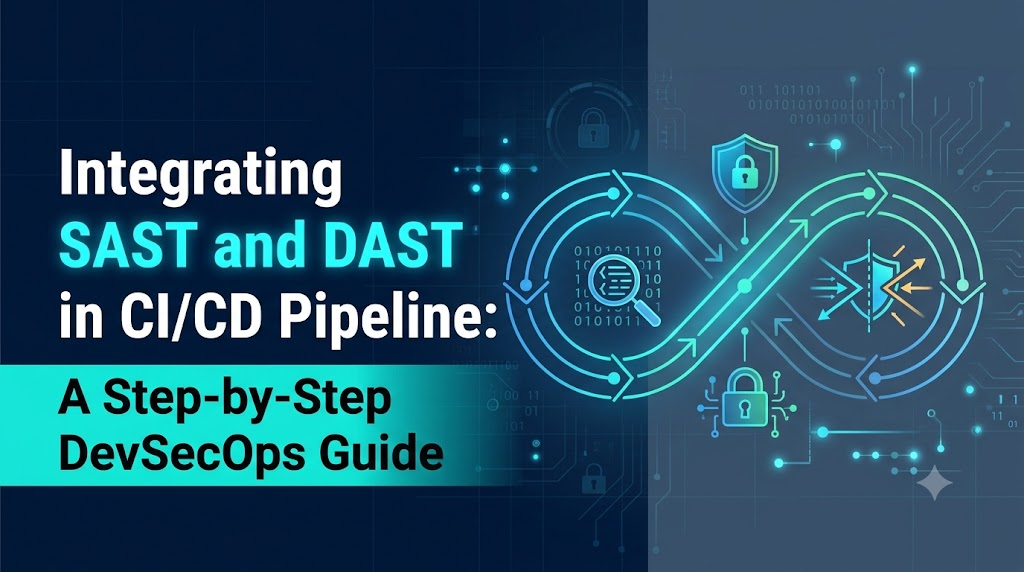
Modern software delivery relies on continuous deployment speed, yet treating security as a late-stage manual review turns releases into high-risk bottlenecks and inflates the cost of remediating flaws. DevSecOps solves this dilemma by shifting automated security checks directly into active CI/CD pipelines, giving development and operations teams real-time visibility into vulnerabilities before code ever reaches production. Platforms like DevOpsSchool have helped popularize these concepts by showing how automated testing builds resilient, friction-free delivery workflows. At the core of this approach are Static Application Security Testing (SAST)—which inspects raw source code, configuration files, and logic flaws from the inside out—and Dynamic Application Security Testing (DAST)—which tests the compiled, running application against real-world attack vectors from the outside in. By pairing these complementary techniques inside an automated pipeline, engineering teams can detect insecure code patterns instantly, verify live runtime exploitability, and release robust software at scale.
Understanding SAST: Static Application Security Testing
Static Application Security Testing (SAST) is a white-box testing technique that scans an application’s codebase, configuration manifests, bytecode, or compiled binaries without executing the program. Because it does not require a running environment, SAST can be initiated moments after a developer writes code or opens a merge request.
+-----------------------------------------------------------+
|                        SAST Engine                        |
|                                                           |
|   Source Code / AST     -->   Data & Control Flow Engine  |
|   Configuration Files   -->   Pattern / Rule Matchers     |
|   Taint Sinks & Sources -->   Semantic Analyzers          |
+-----------------------------------------------------------+
                              |
                              v
                  [ Vulnerability Report ]
               (File, Line Number, Code Snippet)
Core Mechanisms of SAST
- Abstract Syntax Tree (AST) Generation and Pattern Matching: SAST engines parse human-readable source code into abstract syntax trees that represent the code’s structural layout. Rule engines then evaluate this structure against thousands of known vulnerability patterns, insecure syntax constructs, and anti-patterns.
- Data-Flow and Control-Flow Analysis: Advanced static analyzers track how data traverses an application. By identifying user-controlled inputs (“sources”) and following their execution paths until they reach sensitive execution functions (“sinks”), SAST detects whether malicious user inputs can trigger unescaped database queries, OS command executions, or path traversals.
- Semantic and Taint Analysis: Taint analysis marks any variable derived from an untrusted boundary (such as an HTTP header, form input, or query parameter) as “tainted.” The engine traces that variable across methods, classes, and function calls. If the tainted value reaches an execution sink without undergoing rigorous sanitization or parameterization, the scanner triggers an alert.
- Configuration and Secret Detection: Modern SAST tools also evaluate build manifests, infrastructure-as-code templates, Dockerfiles, and properties files. They flag exposed private keys, hardcoded database tokens, weak cryptography implementations, and overly permissive framework configurations.
Key Strengths of SAST
- Broad Codebase Coverage: SAST checks all reachable code paths, including corner cases, administrative modules, and rarely triggered error-handling routines that may never be executed during manual or dynamic tests.
- Pinpointed Root Cause Remediation: SAST reports provide the exact file name, line number, vulnerable code block, and stack trace, significantly accelerating developer triage.
- Instant Shift-Left Feedback: Developers receive immediate remediation guidance directly in their integrated development environments (IDEs) or via pull request status checks, preventing vulnerabilities from entering shared branches.
Practical Limitations of SAST
- High Volume of False Positives: Static analyzers lack runtime context. They cannot easily determine whether an external firewall, an upstream reverse proxy, or an atypical validation library neutralizes a vulnerability before it hits the application code.
- Language and Framework Coupling: SAST tools must maintain explicit parsers and grammars for every programming language and framework version used across your tech stack.
- Blind to Dynamic and Infrastructure Flaws: SAST cannot inspect server environment settings, live authentication handshakes, multi-step session states, DNS routing, or runtime memory corruption.
- Resource and Memory Intensive: Deep data-flow and taint analyses across enterprise-scale monolithic codebases can take hours, requiring careful branch and cache tuning to avoid stalling CI pipelines.
Understanding DAST: Dynamic Application Security Testing
Dynamic Application Security Testing (DAST) is a black-box or gray-box testing method that assesses an application from the outside while it is actively running in an isolated, controlled environment. Emulating an external attacker or automated penetration testing tool, DAST injects unexpected payloads and malformed requests into HTTP interfaces, web forms, and API endpoints, analyzing the application’s dynamic HTTP responses, headers, and error codes to identify active vulnerabilities.
+---------------+      HTTP Requests (Malicious Payloads)     +-------------------+
|               | ------------------------------------------> |                   |
|  DAST Scanner |                                             |  Running App in   |
|  (Black-Box)  | <------------------------------------------ |  Staging / Test   |
+---------------+       HTTP Responses (Status, Headers, Body)| +-------------------+
Core Mechanisms of DAST
- Crawling and Surface Discovery: The DAST scanner spiders web interfaces, parsing HTML documents, JavaScript files, OpenAPI/Swagger specifications, and GraphQL schemas to map out the application’s attack surface, including endpoints, form fields, and URL parameters.
- Active and Passive Inspection: In passive mode, the tool inspects existing traffic streams for misconfigured HTTP security headers (e.g., missing
Content-Security-PolicyorStrict-Transport-Security), unencrypted cookie attributes (e.g., missingHttpOnlyorSameSite), and verbose debug error traces. In active mode, it sends specialized payloads designed to trigger SQL injection, Cross-Site Scripting (XSS), server-side request forgery (SSRF), and remote code execution. - Authentication and Session Analysis: DAST tools simulate real user sessions by submitting login credentials, managing OAuth2/JWT tokens, rotating session cookies, and validating that protected administrative resources cannot be accessed by unauthenticated contexts.
- Input Fuzzing: The tool systematically supplies boundary values, non-printable characters, boundary-breaking integers, and format-string sequences to identify memory leaks, unhandled exceptions, and logic crashes.
Key Strengths of DAST
- Language and Framework Agnostic: Because DAST interacts exclusively across protocol layers (typically HTTP/HTTPS, WebSockets, or gRPC), it works identically regardless of whether the backend is written in Java, Go, Python, Rust, or Node.js.
- High-Fidelity, Actionable Exploit Verification: When a DAST tool detects an exploit, it provides the exact request payload sent and the corresponding response received. This demonstrates that the vulnerability is exploitable in a live environment, resulting in lower false-positive rates for surface vulnerabilities compared to SAST.
- Comprehensive Environment and Configuration Visibility: DAST identifies real-world runtime misconfigurations, such as insecure web server configurations, weak TLS ciphers, CORS misconfigurations, proxy header bypasses, and unpatched runtime dependencies.
Practical Limitations of DAST
- Late-Stage Execution: DAST requires a fully compiled, packaged, deployed, and operational application running in an isolated staging or ephemeral test environment, meaning tests run much later in the pipeline than SAST.
- Limited Code Visibility: DAST operates blind to internal application logic. A scan cannot report which method, class, or source line generated an error, making triage more challenging for developers.
- Coverage Constraints: Dynamic crawlers struggle with complex user flows, single-page client-side routing (SPAs), multi-factor authentication (MFA), CAPTCHAs, and multi-step transaction funnels unless meticulously configured with recorded navigation scripts.
- Risk of State Corruption: Active fuzzing can alter backend databases, generate test records, trigger rate limiters, or unintentionally lock user accounts if run against non-isolated environments.
SAST vs. DAST: Key Differences
To design a cohesive pipeline security strategy, security architects must understand the structural differences between these two methodologies.
| Evaluation Metric | Static Application Security Testing (SAST) | Dynamic Application Security Testing (DAST) |
|---|---|---|
| Testing Methodology | White-box (analyzes source code, byte code, AST, and configurations) | Black-box / Gray-box (analyzes live HTTP/S inputs and outputs) |
| Pipeline Stage | Commit, Pull Request, and Build stages | Post-Deployment, Integration Testing, and Staging stages |
| Application State | Passive: Does not require code execution or deployment | Active: Requires a fully deployed, running application |
| Vulnerability Types | Insecure coding patterns, taint sinks, hardcoded secrets, syntax bugs | Runtime misconfigurations, authentication bypasses, live XSS, injection |
| Execution Environment | CLI, CI runner, developer workstation, or containerized tool | Isolated target environment (Docker, Kubernetes, Staging VM) |
| Feedback Speed | Fast to moderate (seconds to minutes on delta pull requests) | Moderate to long (minutes to hours depending on crawler breadth) |
| Coverage Limitations | Misses runtime environmental bugs, infrastructure flaws, and live auth | Misses unlinked endpoints, hidden code paths, and dead code |
| Primary Beneficiaries | Developers, Software Architects, and Security Code Reviewers | QA Engineers, Penetration Testers, and Platform Engineers |
| Remediation Context | Highly specific: Pinpoints exact file paths and line numbers | Contextual: Outputs request payloads, status codes, and response bodies |
| CI/CD Integration Point | Pre-build test stages and Pull Request branch validation gates | Ephemeral environments and post-deployment integration validation |
These methodologies are complementary. Relying exclusively on SAST leaves an organization vulnerable to runtime misconfigurations, environment drift, and live authentication bypasses. Conversely, relying exclusively on DAST means teams discover basic programming flaws late in the delivery cycle, lacking the code-level context needed for rapid remediation. Used together, they provide comprehensive coverage across the entire software delivery lifecycle.
Where SAST and DAST Fit in the CI/CD Pipeline
Integrating SAST and DAST in a CI/CD pipeline requires a phased architecture that balances rapid feedback loops against depth of analysis. Running deep, exhaustive scans on every git commit degrades developer velocity. Instead, modern pipelines segment security testing across logical checkpoints.
[ Developer Commit ]
        |
        v
[ Stage 1: Fast SAST Delta Scan ]  ---> (Blocks PR on Critical Flaws)
        |
        v
[ Stage 2: Build & Unit Test ]     ---> (Compiles Binaries, Creates Container)
        |
        v
[ Stage 3: Ephemeral Deploy ]      ---> (Spins up Isolated Test Target)
        |
        v
[ Stage 4: Baseline DAST Scan ]    ---> (Tests Endpoints & API Surface)
        |
        v
[ Stage 5: Unified Policy Gate ]   ---> (Evaluates Security Thresholds)
        |
        v
[ Stage 6: Teardown & Release ]    ---> (Destroys Ephemeral Target, Deploys)
The End-to-End Pipeline Workflow
- Local Authoring and Commit: Developers write code with immediate feedback provided by IDE linters and lightweight static analyzers.
- Pull Request Trigger & Automated Validation: The developer submits a pull request (PR). The CI runner automatically checks out the feature branch.
- SAST Execution (Delta Analysis): A SAST scanner inspects the code changes between the feature branch and the target branch. It checks for insecure patterns, hardcoded secrets, and taint flows, completing its scan within 2 to 5 minutes.
- Build and Unit Tests: If the SAST baseline passes, the pipeline compiles the application binaries, runs unit tests, and packages the deliverable into an immutable artifact, such as an OCI container image.
- Artifact Storage: The container image is pushed to an internal container registry, tagged with the unique commit SHA.
- Isolated Staging Deployment: The pipeline triggers an automated deployment step, launching the newly minted container inside an isolated, short-lived environment (such as an ephemeral Kubernetes namespace or dynamic VM). Seed data is injected to simulate authentic runtime conditions.
- DAST Execution: The DAST scanner initializes against the isolated staging target. It parses OpenAPI definitions or uses recorded browser journeys to crawl the active interface, executing targeted vulnerability scans against the application’s live endpoints.
- Security Gate Evaluation: The pipeline aggregates findings from both the SAST and DAST stages, comparing the results against predefined security policies (e.g., zero Critical or High vulnerabilities allowed).
- Release Progression or Pipeline Halt: If all checks pass, the artifact is approved for promotion to production or higher-level staging environments. If critical vulnerabilities are detected, the pipeline fails, sends contextual alerts to the developer, and halts release progression.
- Environment Teardown and Metric Logging: The ephemeral staging environment is automatically destroyed to optimize compute costs, and vulnerability metrics are streamed to a centralized dashboard.
Selecting the Right SAST and DAST Tools
Selecting appropriate application security testing tools requires evaluating language compatibility, pipeline automation capabilities, and developer experience.
Popular SAST Tools
- SonarQube: A widely adopted code quality and security analysis platform that supports over 30 programming languages. It excels at establishing shared Quality Gates, identifying security hotspots, and offering native integration with modern CI platforms.
- Semgrep: A fast, lightweight, open-source static analysis engine that relies on intuitive pattern matching matching standard code syntax. It is well-suited for pull-request delta checks due to its sub-minute scan speeds.
- Checkmarx SAST: An enterprise-focused platform known for deep source-to-sink data-flow and taint analysis. It uncovers complex, multi-tier architectural flaws in legacy and modern architectures.
- Fortify Static Code Analyzer: A mature enterprise engine providing extensive regulatory compliance reporting, custom rule definition, and support for broad enterprise tech stacks.
- GitHub CodeQL: A semantic code analysis engine that treats source code as data. Teams can run expressive, community-maintained queries over their AST to discover complex zero-day variants across public and private repositories.
Popular DAST Tools
- OWASP ZAP (Zed Attack Proxy): A flexible, widely supported, open-source web application security scanner. Maintained by the Software Security Project, ZAP provides native Docker images, packaged baseline scripts, and an automation framework tailored for CI/CD integration.
- Burp Suite Enterprise Edition: The automated enterprise tier of PortSwigger’s industry-standard penetration testing suite. It features an advanced crawling engine capable of navigating complex JavaScript-heavy single-page applications.
- Invicti (formerly Netsparker): A dynamic analysis tool built around proof-based scanning technology. Invicti automatically verifies whether certain vulnerabilities are exploitable, significantly reducing manual verification workloads.
- Acunetix: An established dynamic testing engine featuring dedicated API scanners, vulnerability management interfaces, and out-of-the-box integrations with issue trackers.
Tool Evaluation Criteria
When selecting tools, avoid looking for a single “silver bullet.” Evaluate options using practical organizational requirements:
+-----------------------------------------------------------------+
|                    Tool Evaluation Framework                    |
+-----------------------------------------------------------------+
| 1. Tech Stack Fit       : Native language & API framework support|
| 2. CI/CD Usability      : Headless CLI, Docker, JSON/SARIF output|
| 3. Execution Speed      : Sub-5-minute scans for rapid PR checks |
| 4. Policy Automation    : Custom exit codes, strict severity gates|
| 5. Developer Experience : IDE plugins, direct PR line-level annotations |
| 6. Commercial Model     : Cost per user, per repo, or per asset |
+-----------------------------------------------------------------+
Integrating SAST into a CI/CD Pipeline
To successfully integrate SAST into your pipeline, run scans directly on branch changes, surface actionable feedback within pull requests, and enforce strict build breaks only for verified, high-severity security flaws.
Step-by-Step Implementation Flow
- Authenticate the Source Repository: Configure the CI runner with secure credentials or service tokens capable of checking out the target source code.
- Define Scan Scope and Exclusions: Exclude test fixtures, vendor libraries, auto-generated files, and third-party dependencies (
node_modules/,vendor/,target/) to maximize scanning performance and reduce noise. - Configure Custom Rule sets: Tune rule configurations to align with the application’s runtime platform. Disable checks that are irrelevant to your architecture (e.g., disable PHP-specific rules on a Node.js project).
- Standardize Output Formats: Emit findings using standardized formats such as the Static Analysis Results Interchange Format (SARIF). SARIF normalizes outputs across diverse scanning tools, allowing platforms like GitHub, GitLab, and Azure DevOps to render line-level warnings directly within code review interfaces.
- Establish Severity Thresholds: Configure the scanner CLI to return a non-zero exit code when security issues matching your blocking criteria are uncovered.
GitHub Actions Implementation Example: Semgrep SAST
The following example shows how to configure a lightweight, high-speed SAST job within a GitHub Actions workflow using Semgrep to inspect pull requests:
YAML
name: Security Pipeline - SAST Scan

on:
  pull_request:
    branches: [ "main", "develop" ]
  push:
    branches: [ "main" ]

permissions:
  contents: read
  security-events: write

jobs:
  sast-analysis:
    name: Execute SAST Analysis
    runs-on: ubuntu-latest
    container:
      image: returntocorp/semgrep:latest

    steps:
      - name: Checkout Source Code
        uses: actions/checkout@v4
        with:
          fetch-depth: 0

      - name: Run Semgrep Static Scan
        run: |
          # Run security rules, output SARIF for platform integration,
          # and fail the build if High or Critical security issues are found.
          semgrep scan \
            --config "p/security-audit" \
            --config "p/owasp-top-ten" \
            --error \
            --severity ERROR \
            --sarif \
            --output semgrep-results.sarif

      - name: Upload Scan Artifacts
        if: always()
        uses: actions/upload-artifact@v4
        with:
          name: sast-sarif-report
          path: semgrep-results.sarif
          retention-days: 14

      - name: Ingest SARIF to GitHub Security Center
        if: always()
        uses: github/codeql-action/upload-sarif@v3
        with:
          sarif_file: semgrep-results.sarif
Explaining the Configuration
permissions: security-events: write: Grants the GitHub Actions runner permission to publish SARIF reports directly to the repository’s native security tab.--config "p/security-audit": Imports curated, community-validated security rules focused on auditing dangerous method calls, weak cryptography, and unsafe serialization.--error --severity ERROR: Instructs the CLI to exit with code1only if high-confidence vulnerabilities classified asERROR(High/Critical) are detected. Lower-level stylistic and informational warnings are logged without breaking developer builds.if: always(): Ensures that generated reports are uploaded as build artifacts and parsed by the code review engine even when the scanning step fails due to detected vulnerabilities.
Integrating DAST into a CI/CD Pipeline
Because DAST requires a running target, pipeline integration must handle environment provisioning, target authentication, automated scanning, report collection, and teardown.
Safety Warning: Automated DAST scanners generate thousands of malformed, aggressive HTTP requests that can corrupt database tables, trigger rate limits, and crash services. Never run automated, unthrottled DAST scans against production environments. Only execute dynamic scans against isolated, disposable test environments populated with synthetic test data.
Step-by-Step Implementation Flow
- Deploy to an Ephemeral or Isolated Environment: Spin up the application within a clean test runner, Docker network, or isolated staging cluster.
- Health Check Validation: Poll the application’s health endpoint until the server returns an HTTP 200 status code, confirming the service is ready to receive requests.
- Configure Authentication: Seed the test environment with dedicated automated testing credentials. Supply the dynamic scanner with session cookies, authorization tokens, or a pre-configured authentication script.
- Seed API Definitions: Provide the scanner with an OpenAPI/Swagger JSON specification or Postman collection so it can systematically discover and test backend REST endpoints without relying solely on web page crawling.
- Execute a Phased Scan: In fast CI workflows, execute a targeted baseline or API scan to detect fundamental surface issues in minutes. Schedule deep, full-scale crawler sweeps during nightly or weekly runs.
- Parse Results and Teardown: Evaluate the generated vulnerability reports against your security threshold. Finally, destroy the testing environment to prevent resource sprawl.
GitHub Actions Implementation Example: OWASP ZAP Baseline Scan
This workflow deploys a sample web application into a local runner container and executes an automated OWASP ZAP dynamic scan against it:
YAML
name: Security Pipeline - DAST Scan

on:
  pull_request:
    branches: [ "main" ]

jobs:
  dast-analysis:
    name: Deploy Ephemeral Service and Run DAST
    runs-on: ubuntu-latest

    services:
      # Launch the application under test inside a companion container
      target-app:
        image: bkimminich/juice-shop:v16.0.0
        ports:
          - 3000:3000

    steps:
      - name: Verify Application Availability
        run: |
          echo "Verifying application availability on port 3000..."
          timeout 60 bash -c 'until curl -s http://localhost:3000; do sleep 2; done'
          echo "Target application is live and responsive."

      - name: Pull OWASP ZAP Docker Image
        run: docker pull zaproxy/zap-stable:latest

      - name: Run OWASP ZAP Baseline Scan
        run: |
          # Create an output directory for reports with write permissions
          mkdir -p zap-output
          chmod 777 zap-output

          # Run ZAP scanning against the local network host
          docker run --rm --network="host" \
            -v $(pwd)/zap-output:/zap/wrk/:rw \
            zaproxy/zap-stable zap-baseline.py \
            -t http://localhost:3000 \
            -r zap-report.html \
            -J zap-report.json \
            -I \
            -m 5

      - name: Archive DAST Reports
        if: always()
        uses: actions/upload-artifact@v4
        with:
          name: dast-security-reports
          path: zap-output/
          retention-days: 14
Explaining the Configuration
services: target-app: Uses native GitHub Actions service containers to launch an isolated test application instance directly alongside the runner job.Verify Application Availability: Implements a bash polling loop that checks the application endpoint before launching ZAP, preventing race conditions where the scanner starts before the web server is ready.--network="host": Enables the containerized ZAP scanner to access the application running locally on port 3000.-I: Configures ZAP to avoid failing the build immediately on baseline warnings, allowing downstream custom policy scripts to evaluate findings and enforce gate decisions.-m 5: Caps the crawler spider duration at 5 minutes, keeping CI pipeline execution times predictable.
Combining SAST and DAST for Better Security Coverage
When used together, SAST and DAST provide complementary security visibility that neither tool can achieve independently.
Practical Scenario: SQL Injection in a User Lookup Endpoint
Consider an administrative endpoint: GET /api/v1/users/lookup?email=<input>
What SAST Sees
The static scanner evaluates the source code file controllers/UserController.js. It notices that the email parameter taken from the query string is concatenated directly into an unparameterized SQL string passed to db.query():
JavaScript
// Vulnerable implementation detected by SAST
app.get('/api/v1/users/lookup', async (req, res) => {
  const query = "SELECT id, name FROM users WHERE email = '" + req.query.email + "'";
  const results = await db.query(query); // SAST Flag: Insecure Taint Sink Detected
  res.json(results);
});
SAST identifies the exact file and line number, warning developers of an unescaped SQL sink. However, SAST cannot confirm if this endpoint is exposed to the public Internet, if an upstream reverse proxy blocks single quotes, or if the entire controller is disabled in production.
What DAST Sees
The dynamic scanner discovers the endpoint by crawling the OpenAPI documentation. It sends an active payload:
HTTP
GET /api/v1/users/lookup?email=admin%40test.com%27%20OR%20%271%27=%271 HTTP/1.1
Host: staging.test.local
User-Agent: OWASP-ZAP
The server returns an HTTP 200 containing records for all registered users, along with a database syntax warning in the debug response payload. DAST confirms that this vulnerability is active, exploitable over the network, and exposes sensitive business data.
+--------------------------------------------------------------------------+
|                       Correlated Finding Analysis                        |
+--------------------------------------------------------------------------+
| SAST Detection : UserController.js:14 (Concatenated SQL query string)   |
| DAST Detection : GET /api/v1/users/lookup?email=' OR '1'='1 (Exploitable)|
| Correlated Risk: CRITICAL (Verified Exploit + Source File Identified)    |
| Action         : Immediate build break; auto-assigned to commit author.  |
+--------------------------------------------------------------------------+
By correlating these findings, security teams eliminate ambiguity. DAST verifies that the vulnerability is exploitable in a live environment, while SAST points developers to the exact file and line of code that needs to be fixed.
Managing Security Gates and Vulnerability Policies
A common failure mode in DevSecOps transformations is configuring scanners to block pipelines on every detected issue. Bombarding developers with hundreds of low-confidence warnings leads to alert fatigue, developer frustration, and pressure to disable security checks entirely.
A balanced security gate applies a risk-based policy that blocks releases for genuine threats while logging lower-severity issues for scheduled remediation.
       Severity Level                      Pipeline Action
+---------------------------+       +-------------------------------+
| Critical / High Severity  | ----> | FAIL BUILD (Exit Code 1)      |
| Verified Exploitation     |       | Blocks deployment immediately |
+---------------------------+       +-------------------------------+

+---------------------------+       +-------------------------------+
| Medium Severity / Warnings| ----> | PASS WITH WARNINGS            |
| Unconfirmed Exploits      |       | Creates ticket; 30-day SLA    |
+---------------------------+       +-------------------------------+

+---------------------------+       +-------------------------------+
| Low / Informational       | ----> | SILENT LOG                    |
| Code Style & Best Practice|       | Central dashboard reporting   |
+---------------------------+       +-------------------------------+
Core Security Gate Policies
- Zero Tolerance for Critical/High Vulnerabilities: Pipelines should halt if verified Critical or High vulnerabilities (such as remote code execution, unauthenticated SQL injection, or exposed access keys) are introduced in a pull request.
- Grace Periods for Medium and Low Risks: Medium-severity findings (such as missing cookie security flags or verbose headers) should generate tracked tickets in backlogs with defined remediation windows (e.g., 30 days for Medium, 90 days for Low) rather than breaking the build immediately.
- Formal Exception and Exemption Processes: Maintain a clear, auditable mechanism for temporary risk acceptance. When a finding cannot be addressed immediately due to business requirements, team leads should document an authorized temporary bypass with an explicit expiration date.
- Vulnerability Ownership and Traceability: Automatically assign scan findings to the developer who authored the commit. This ensures security alerts reach the engineers with the most relevant context to resolve them.
- Security Report Archival: Store all raw SARIF, JSON, and PDF scan artifacts in artifact repositories for at least 90 days. This creates a clear audit trail for regulatory compliance and historical tracking.
Handling False Positives and Security Findings
Automated security tools rely on heuristics and pattern matching, which inevitably leads to false positives. A false positive occurs when a scanner flags a non-vulnerable piece of code or an unexploitable endpoint as a security threat. Mishandling false positives drains engineering resources and erodes trust in automated tooling.
Systematic Triage Workflow
[ New Scanner Finding ]
          |
          v
[ 1. Evidence Inspection ]
Does the rule match reality? Is the input sanitized upstream?
          |
    +-----+-----+
    |           |
 (Valid)   (False Positive)
    |           |
    |           v
    |     [ 2. Safe Reproduction ]
    |     Test in an isolated sandbox. Does payload execute?
    |           |
    |           v
    |     [ 3. Documented In-Code Suppression ]
    |     Use scoped annotations with reviewer sign-off.
    |           |
    |           v
    |     [ 4. Tune Global Scanner Rules ]
    v     Adjust scanner configuration to prevent recurrence.
[ 5. Remediate & Re-scan ]
Fix code, merge change, and verify clean pipeline run.
Handling False Positives Responsibly
- Avoid Global Silencing: Never disable entire vulnerability rule classes across a project to silence a single false positive. Doing so creates blind spots that obscure genuine vulnerabilities in other parts of the codebase.
- Use Scoped In-Code Suppressions: Suppress false positives directly within the code using tool-supported annotations or comment tags placed immediately above the affected line. Always document why the alert is non-exploitable and include a sign-off identifier:JavaScript
// semgrep-disable-next-line javascript.express.security.audit.sqli.express-sqli // Reason: Input validated upstream via Joi schema regex; parameter is an internal enum value. // Reviewed-by: Security-Team-Lead const result = await db.query(`SELECT * FROM lookup WHERE type = '${sanitizedType}'`); - Verify Exploitation Safely in Sandbox Environments: Attempt to reproduce suspected DAST findings within a local container using tools like Postman or curl. If the application handles the attack payload safely without producing an exploit state, document the findings and mark the alert as a false positive in your scanner dashboard.
- Continuous Rule Tuning: When a scanner repeatedly generates false positives on standard architectural patterns, update the scanner’s global configuration to recognize the team’s sanitization and validation wrappers.
Integrating SAST and DAST with DevSecOps Practices
While SAST and DAST are essential tools, they are only two components of a mature, defense-in-depth DevSecOps strategy. A secure software delivery pipeline incorporates several complementary testing layers across the development lifecycle.
+--------------------------------------------------------------------------+
|                     Comprehensive DevSecOps Pipeline                     |
+--------------------------------------------------------------------------+
|  1. IDE / Commit Stage    : Secret Scanning (Gitleaks, Trufflehog)        |
|  2. PR / Build Stage      : SAST (Semgrep, SonarQube) + SCA (Snyk, Trivy)|
|  3. Packaging Stage       : Container Image Scanning (Clair, Grype)       |
|  4. Pre-Deploy Stage      : Infrastructure as Code (Checkov, tfsec)      |
|  5. Staging Runtime Stage : DAST (OWASP ZAP) + IAST (Contrast Security)   |
|  6. Production Stage      : CSPM, Cloud Workload Protection, Observability|
+--------------------------------------------------------------------------+
Complementary Security Layers
- Software Composition Analysis (SCA): SAST scans proprietary source code, but modern applications are built largely on open-source dependencies. SCA tools (such as Snyk, OWASP Dependency-Check, or Trivy) inspect package manifests (
package-lock.json,pom.xml,go.mod) to identify third-party libraries containing publicly disclosed Common Vulnerabilities and Exposures (CVEs). - Secret Scanning: Automated secret scanners (such as Gitleaks or Trufflehog) run on developer workstations and pre-commit hooks. They stop API tokens, private SSH keys, and cloud credentials from ever entering the git revision history.
- Infrastructure as Code (IaC) Scanning: Tools like Checkov, tfsec, and KubeLinter inspect Terraform files, Helm charts, and Kubernetes manifests, flagging unencrypted cloud storage buckets, overly permissive security groups, and default root container permissions before resources are provisioned.
- Container Image Scanning: Scanners evaluate built container images layer by layer, flagging unpatched operating system packages, vulnerable base images, and malicious binaries.
- Interactive Application Security Testing (IAST): IAST deploys instrumentation agents directly inside the application runtime. As functional tests and DAST scanners exercise endpoints, the IAST agent inspects memory allocations and internal execution paths from within the application, helping bridge the gap between static and dynamic analysis.
Common Challenges When Integrating SAST and DAST
Integrating automated security testing into development pipelines can present operational hurdles. Below are common challenges teams encounter, along with practical solutions and their associated trade-offs.
1. Long Pipeline Execution Times
- The Challenge: Running comprehensive SAST scans and full-coverage DAST crawls on every single commit slows down the delivery pipeline, delaying deployments and frustrating developers.
- Practical Solution: Implement a tiered scanning model. Run fast delta SAST scans (limited to changed lines) on pull requests to provide feedback in under 5 minutes. Offload exhaustive SAST sweeps and comprehensive DAST crawling to nightly scheduled builds.
- Trade-off: Critical runtime vulnerabilities introduced during the day are detected during nightly runs rather than immediately during pull request review.
2. High Volumes of Noisy Findings
- The Challenge: Running security scanners with default, out-of-the-box configurations often produces hundreds of low-value informational alerts and style recommendations that bury serious threats.
- Practical Solution: Disable stylistic rules, informational checks, and low-confidence heuristics. Focus initial pipeline gates strictly on High and Critical vulnerabilities from curated rule sets (such as the OWASP Top 10).
- Trade-off: Edge-case bugs, stylistic inconsistencies, and theoretical risks may go unflagged until rule sets are mature enough to handle them without excessive noise.
3. Authentication Failures in DAST Scans
- The Challenge: Dynamic scanners often fail to traverse authentication barriers, such as multi-factor authentication (MFA), dynamic CSRF tokens, or short-lived OAuth flows, leaving authenticated application routes completely unscanned.
- Practical Solution: Expose pre-authenticated API tokens or pass explicit testing session cookies directly to the DAST scanner via environment variables in the test pipeline. Alternatively, use headless browser automation frameworks (like Playwright or Puppeteer) to record and execute login flows prior to the scan.
- Trade-off: Requires engineering time to maintain authentication scripts, update test tokens, and ensure credentials stay synchronized with changes to application login mechanics.
4. Flaky Ephemeral Test Environments
- The Challenge: DAST scans running against unstable staging instances can fail unpredictably due to networking drops, container startup delays, or database timeouts, causing pipelines to break when no security issue exists.
- Practical Solution: Implement robust readiness checks that poll application health endpoints before launching dynamic tests. Run containers on dedicated, isolated CI compute runners with sufficient CPU and memory allocations.
- Trade-off: Increases CI infrastructure resource usage and maintenance overhead.
Practical Walkthrough: Building a Pipeline with SAST and DAST
To demonstrate these concepts in action, let’s look at a practical, end-to-end GitHub Actions pipeline that ties together linting, SAST scanning, container packaging, dynamic deployment, DAST analysis, and policy gating for a containerized Node.js application.
YAML
name: Secure DevSecOps Delivery Pipeline

on:
  push:
    branches: [ "main" ]
  pull_request:
    branches: [ "main" ]

env:
  REGISTRY_IMAGE: "ghcr.io/${{ github.repository }}/sample-app:${{ github.sha }}"

jobs:
  # ----------------------------------------------------------------------
  # STAGE 1: Code Linting and Unit Testing
  # ----------------------------------------------------------------------
  test:
    name: Unit Tests & Code Quality
    runs-on: ubuntu-latest
    steps:
      - name: Checkout Code
        uses: actions/checkout@v4

      - name: Setup Node.js Runtime
        uses: actions/setup-node@v4
        with:
          node-version: 20
          cache: 'npm'

      - name: Install Dependencies
        run: npm ci

      - name: Execute Test Suite
        run: npm test

  # ----------------------------------------------------------------------
  # STAGE 2: Static Application Security Testing (SAST)
  # ----------------------------------------------------------------------
  sast:
    name: Run SAST Checks
    needs: test
    runs-on: ubuntu-latest
    steps:
      - name: Checkout Code
        uses: actions/checkout@v4

      - name: Run Semgrep Static Scanner
        run: |
          docker run --rm -v $(pwd):/src returntocorp/semgrep \
            semgrep scan \
            --config "p/default" \
            --config "p/owasp-top-ten" \
            --error \
            --severity ERROR \
            --json \
            -o /src/sast-results.json

      - name: Upload SAST Artifact
        if: always()
        uses: actions/upload-artifact@v4
        with:
          name: sast-json-report
          path: sast-results.json

  # ----------------------------------------------------------------------
  # STAGE 3: Build & Package Artifact
  # ----------------------------------------------------------------------
  build-and-package:
    name: Build OCI Image
    needs: sast
    runs-on: ubuntu-latest
    steps:
      - name: Checkout Code
        uses: actions/checkout@v4

      - name: Set up Docker Buildx
        uses: docker/setup-buildx-action@v3

      - name: Build Container Image
        uses: docker/build-push-action@v5
        with:
          context: .
          push: false
          load: true
          tags: sample-target-app:test

      - name: Export Image Artifact
        run: docker save sample-target-app:test -o target-image.tar

      - name: Cache Built Image
        uses: actions/upload-artifact@v4
        with:
          name: docker-image
          path: target-image.tar

  # ----------------------------------------------------------------------
  # STAGE 4: Dynamic Application Security Testing (DAST)
  # ----------------------------------------------------------------------
  dast:
    name: Deploy Ephemeral Service & Run DAST
    needs: build-and-package
    runs-on: ubuntu-latest
    steps:
      - name: Checkout Code (for OpenAPI definitions)
        uses: actions/checkout@v4

      - name: Download Built Container
        uses: actions/download-artifact@v4
        with:
          name: docker-image

      - name: Load Docker Image
        run: docker load -i target-image.tar

      - name: Launch Ephemeral Application Instance
        run: |
          docker run -d --name test-app -p 8080:8080 sample-target-app:test
          echo "Waiting for web service to respond..."
          timeout 60 bash -c 'until curl -s http://localhost:8080/health; do sleep 2; done'
          echo "Ephemeral service is healthy on port 8080."

      - name: Execute OWASP ZAP API Scan
        run: |
          mkdir -p zap-out
          chmod 777 zap-out
          docker run --rm --network="host" \
            -v $(pwd)/zap-out:/zap/wrk/:rw \
            zaproxy/zap-stable zap-api-scan.py \
            -t http://localhost:8080/swagger.json \
            -f openapi \
            -r zap-api-report.html \
            -J zap-api-report.json \
            -I

      - name: Teardown Ephemeral Instance
        if: always()
        run: |
          docker stop test-app || true
          docker rm test-app || true

      - name: Upload DAST Artifact
        if: always()
        uses: actions/upload-artifact@v4
        with:
          name: dast-json-report
          path: zap-out/

  # ----------------------------------------------------------------------
  # STAGE 5: Central Security Policy Gate
  # ----------------------------------------------------------------------
  security-gate:
    name: Evaluate Security Gates
    needs: [sast, dast]
    runs-on: ubuntu-latest
    steps:
      - name: Download SAST Findings
        uses: actions/download-artifact@v4
        with:
          name: sast-json-report

      - name: Download DAST Findings
        uses: actions/download-artifact@v4
        with:
          name: dast-json-report

      - name: Validate Findings Against Threshold
        run: |
          echo "Evaluating aggregated security findings..."

          # Example parser script reading outputs for critical risk markers
          # Halts execution if high-severity items are confirmed
          python3 -c "
          import json, sys

          # Verify SAST findings
          with open('sast-results.json') as f:
              sast_data = json.load(f)
              sast_errors = [r for r in sast_data.get('results', []) if r.get('extra', {}).get('severity') == 'ERROR']

          # Verify DAST findings
          with open('zap-api-report.json') as f:
              dast_data = json.load(f)
              # OWASP ZAP Alert Risk 3 = High
              dast_high = [a for a in dast_data.get('site', [{}])[0].get('alerts', []) if a.get('riskcode') == '3']

          print(f'Critical SAST issues: {len(sast_errors)}')
          print(f'High-Risk DAST alerts: {len(dast_high)}')

          if len(sast_errors) > 0 or len(dast_high) > 0:
              print('SECURITY GATE FAILED: High or Critical vulnerabilities detected.')
              sys.exit(1)

          print('SECURITY GATE PASSED: Findings are within acceptable risk parameters.')
          "
Explaining the Pipeline Mechanics
- Dependency Management: The
needskeyword establishes an orderly execution pipeline:testruns first, followed bysast, thenbuild-and-package,dast, and finally thesecurity-gate. - Deterministic Artifact Promotion: The application artifact tested dynamically in the DAST stage is the exact Docker image built in Stage 3, exported as a
.tarartifact. This ensures testing accurately reflects the deployment payload. - Automated Teardown: The
Teardown Ephemeral Instancestep usesif: always()to ensure temporary containers are reliably removed, avoiding stuck services or port conflicts on subsequent pipeline runs. - Unified Gate Evaluation: The final
security-gatejob downloads findings from both the SAST and DAST stages, parsing them through a lightweight policy script to make a single pass/fail decision before code release.
Best Practices for Effective SAST and DAST Integration
To successfully adopt SAST and DAST across an organization, focus on practical developer enablement rather than simply turning on security alerts.
- Run SAST Early and Narrowly: Shift static analysis directly into pull request reviews. Configure PR scans to evaluate only modified code paths, keeping execution times under a few minutes to provide rapid feedback to developers.
- Never Point Automated DAST at Production: DAST fuzzing payloads can inadvertently truncate database tables, generate invalid test data, skew analytics, or lock out active user accounts. Only run automated dynamic scans against isolated, disposable test environments.
- Standardize on SARIF Reporting: Adopt the Static Analysis Results Interchange Format (SARIF) across all security scanners. SARIF normalizes reports from disparate tools into a single standard format that can be consumed by code review platforms, defect trackers, and compliance dashboards.
- Implement Progressive Security Gates: Start by configuring security gates to monitor and alert without breaking builds. Once scanners are properly tuned and developers are comfortable with the workflow, gradually configure the pipeline to block releases for verified Critical and High vulnerabilities.
- Assign Direct Finding Ownership: Make sure vulnerability reports are automatically routed to the engineer who introduced the change while the context is fresh in their mind. Contextual alerts delivered quickly are resolved far more effectively than tickets raised weeks after code has been deployed.
- Continuously Update Scanners and Signatures: Software ecosystems and attack vectors evolve quickly. Keep scanner images, community rule packs, and vulnerability databases updated across all your CI/CD runner environments.
Measuring the Effectiveness of Security Testing
To ensure your application security program delivers real business value, track metrics that focus on actual risk reduction and engineering responsiveness rather than vanity metrics like the raw volume of scans run.
+--------------------------------------------------------------------------+
|                       Key Security Testing Metrics                       |
+--------------------------------------------------------------------------+
|  1. Mean Time to Remediate (MTTR)  : Triage-to-fix turnaround time       |
|  2. Flaw Escape Rate               : Vulnerabilities missed before prod  |
|  3. False-Positive Ratio           : Ratio of noise vs actionable alerts |
|  4. Security Gate Failure Rate     : Frequency of pipeline build breaks  |
|  5. Average Scan Duration          : Total pipeline scan overhead        |
+--------------------------------------------------------------------------+
Key Performance Indicators to Track
- Mean Time to Remediate (MTTR): Measure the duration from when a vulnerability is first flagged by a scanner to when a verified fix is merged. A downward trend indicates efficient remediation workflows and healthy collaboration between security and development teams.
- Flaw Escape Rate: Track the number of security vulnerabilities discovered in production (via external audits, penetration testing, or bug bounties) compared to those caught internally by CI pipelines. A declining escape rate demonstrates that your automated testing layers are catching issues effectively.
- False-Positive Ratio: Monitor the proportion of flagged alerts that are triaged and closed as false positives. A ratio consistently exceeding 20% to 25% indicates that scanning rule sets are too broad and require fine-tuning to prevent alert fatigue.
- Security Gate Failure Frequency: Track how often pull requests are blocked by security gates. If failures spike significantly, it usually points to an upstream issue, such as a lack of developer training on common secure coding practices or newly introduced insecure dependencies.
- Scan Duration Trends: Continuously track scanning execution times. If static or dynamic scanning stages start exceeding team thresholds, investigate rule sets, apply caching strategies, or refine target crawling paths to keep pipelines moving quickly.
Frequently Asked Questions
What is SAST in a CI/CD pipeline?
Static Application Security Testing (SAST) is an automated white-box testing technique that scans source code, configuration files, and bytecode for security flaws, syntax errors, and hardcoded secrets without executing the application. Integrated into a CI/CD pipeline, it provides immediate feedback on code commits and pull requests.
What is DAST in DevSecOps?
Dynamic Application Security Testing (DAST) is a black-box security testing methodology that evaluates an application from the outside while it is actively running. In a DevSecOps pipeline, DAST tools crawl exposed endpoints and inject test payloads to identify exploitable runtime issues, input validation bugs, and server misconfigurations.
What is the main difference between SAST and DAST?
SAST scans raw source code from the inside without requiring execution, providing developers with exact file paths and line numbers. DAST inspects a deployed, running application from the outside via network protocols, verifying whether endpoints are vulnerable to real-world exploitation.
At which stage should SAST run?
SAST should run as early as possible in the software delivery lifecycle—ideally on developer workstations via IDE plugins, during pre-commit hooks, and as an automated status check during pull request and merge request reviews.
When should DAST be executed?
DAST must run after code is compiled, packaged, and deployed into a live environment. In an automated pipeline, it should run against an isolated staging server or ephemeral container environment before the build is promoted to higher-level environments or production.
Can SAST and DAST be used together?
Yes, using them together is an industry best practice. SAST provides broad, early code coverage and pinpoints exact lines of vulnerable code, while DAST verifies actual runtime exploitability and uncovers environmental misconfigurations. Combined, they provide a balanced, comprehensive security assessment.
Which tools are suitable for automated SAST and DAST?
Popular SAST tools built for automation include Semgrep, SonarQube, GitHub CodeQL, and Checkmarx. Widely used DAST automation tools include OWASP ZAP, Burp Suite Enterprise Edition, Invicti, and Acunetix.
Should security findings always block a pipeline?
No. Blocking pipelines on every minor or informational finding causes alert fatigue and frustrates developers. Teams should configure security gates to block releases only for verified Critical and High-severity vulnerabilities, while logging lower-severity issues into work tracking backlogs for scheduled remediation.
How can teams reduce false positives?
Teams can minimize false positives by using focused, well-maintained rule sets (such as the OWASP Top 10), disabling rules that don’t apply to their application architecture, tuning tools to recognize internal input sanitizers, and documenting unavoidable exceptions using scoped in-code annotations.
Is SAST and DAST integration enough for application security?
No. While SAST and DAST form the core of application security testing, a complete DevSecOps strategy also includes Software Composition Analysis (SCA) for third-party dependencies, secret detection, Infrastructure as Code (IaC) scanning, container security analysis, and ongoing production monitoring.
Conclusion
Embedding security into continuous integration and delivery pipelines is essential for modern software engineering organizations. Relying on late-stage, manual security reviews introduces deployment bottlenecks and significantly drives up the cost of remediating vulnerabilities.
Integrating both SAST and DAST creates an automated, balanced security framework. Static analysis inspects source code early in the process to catch coding errors and hardcoded secrets before they are merged. Dynamic analysis evaluates the running application to confirm that runtime environments, session controls, and exposed endpoints are secure against active exploitation.
To adopt these practices successfully, engineering teams should take an incremental approach:
- Start by integrating fast, automated SAST scans on pull requests.
- Introduce lightweight DAST baseline or API scans against ephemeral test environments.
- Establish risk-based security gates that block builds only for critical, high-confidence issues while logging lower-level warnings for ongoing triage.
- Refine your scanning rules over time to minimize noise, eliminate false positives, and maintain developer momentum.
For teams looking to deepen their technical capabilities across automated testing, pipeline architecture, and cloud-native systems, educational resources like DevOpsSchool provide structured training programs and real-world guidance to help engineers master modern DevSecOps practices.
By combining static code analysis with dynamic runtime testing, organizations can deliver software rapidly without compromising on application security.






Leave a Reply
You must be logged in to post a comment.