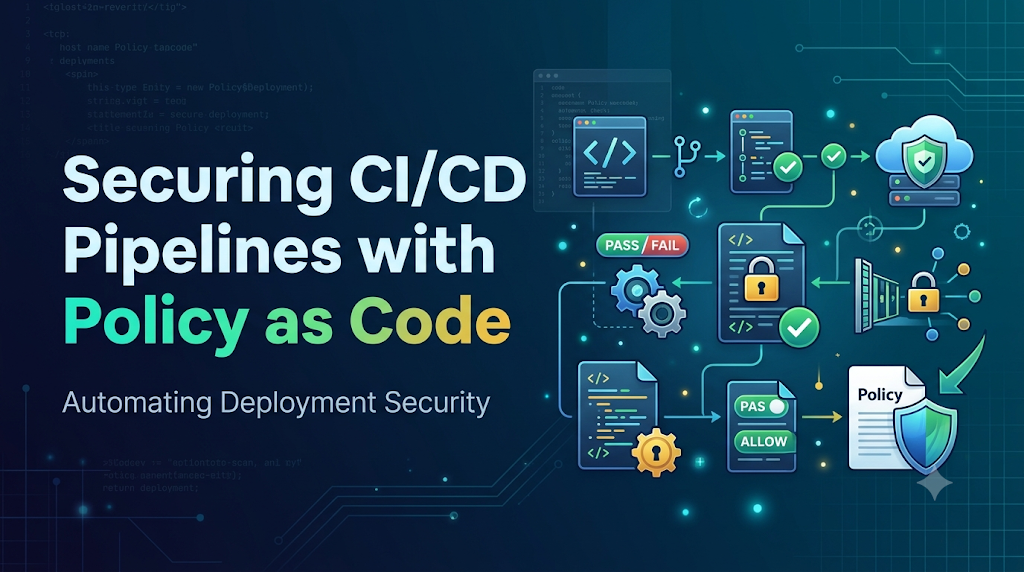
A release can pass every unit, integration, and performance test, yet still harbor critical misconfigurations—such as an unencrypted S3 bucket, exposed service ports, or a container running with privileged root access. In modern, high-velocity CI/CD environments where teams push updates dozens of times a day, traditional manual security reviews and static checklists quickly become unworkable operational bottlenecks that let vulnerabilities slip into production. Implementing Policy as Code for Deployment Security eliminates this blind spot by translating security, compliance, and governance requirements into version-controlled, machine-readable rules. For engineers looking to master these modern delivery guardrails, DevOpsSchool provides hands-on learning resources in DevOps and DevSecOps, helping teams automate guardrails directly within their pipelines and stop misconfigurations before they ever reach a cluster.
1. Understanding Policy as Code Beyond the Definition
Policy as Code (PaC) is the practice of defining, managing, and enforcing security, compliance, and operational governance rules using machine-readable code stored in version control.
Instead of writing security baselines into a static wiki or compliance handbook, engineers express policies in specialized languages (such as Rego, Sentinel, or declarative YAML). These policies run automatically against infrastructure plans, Kubernetes manifests, configuration baselines, and deployment artifacts.
Traditional Governance vs. Policy as Code
┌─────────────────────────────────┐       ┌─────────────────────────────────┐
│     Traditional Governance      │       │         Policy as Code          │
├─────────────────────────────────┤       ├─────────────────────────────────┤
│ • Security manuals in wikis     │  vs.  │ • Version-controlled code repos │
│ • Manual checklist sign-offs    │       │ • Automated pipeline evaluation │
│ • Late-stage security reviews   │       │ • Shift-left CI/CD guardrails   │
│ • Inconsistent human decisions  │       │ • Deterministic, audited logic  │
│ • Periodic, stressful audits    │       │ • Continuous compliance proofs  │
└─────────────────────────────────┘       └─────────────────────────────────┘
Core Characteristics of Policy as Code
- Machine-Readable Rules: Policies are written in programmatic, deterministic formats that parse structured configurations (JSON, YAML, plan files) directly.
- Automated Policy Evaluation: Verification occurs automatically within continuous integration pipelines, pre-commit hooks, or admission webhooks without manual human intervention.
- Consistent Enforcement: The same policy produces an identical verdict whether executed on an engineer’s laptop, inside a GitHub Actions runner, or at the ingress of a Kubernetes production cluster.
- Version-Controlled Definitions: Policies follow standard software development lifecycles. They are committed to Git, reviewed via pull requests, branched, and tagged.
- Repeatable Compliance Checks: Compliance is measured continuously on every single commit, generating programmatic records rather than point-in-time audit snapshots.
- Auditable Decision Trails: Modern policy engines produce structured evaluation logs that record exactly which inputs were evaluated, which rules fired, and why a change passed or failed.
- Native Workflow Integration: Policies operate alongside existing Infrastructure as Code (IaC) and container delivery tooling, functioning as automated tests rather than separate external processes.
The Ecosystem: How PaC, IaC, and DevSecOps Align
Policy as Code is not a replacement for Infrastructure as Code (IaC); it is its quality and security control layer. IaC tools such as Terraform, OpenTofu, Pulumi, and CloudFormation define what infrastructure should exist. Policy as Code defines what constraints that infrastructure must satisfy.
DevSecOps Lifecycle
[Code & Commit] ──► [Build & Scan] ──► [IaC / Manifest Gen] ──► [Policy as Code Gate] ──► [Deploy] ──► [Runtime Admission]
                                                                        │                                      │
                                                                 (Blocks Non-Compliant                  (Guards Cluster
                                                                   Terraform/K8s)                         State)
Within a DevSecOps framework, PaC bridges the gap between development agility and information security:
- Developers receive immediate, clear feedback directly in their pull requests explaining why a configuration failed and how to remediate it.
- Security Teams encode their requirements once as code instead of reviewing thousands of individual infrastructure pull requests manually.
- Compliance Teams query Git history and pipeline logs to mathematically prove that deployed infrastructure matches designated regulatory benchmarks (e.g., CIS Benchmarks, SOC 2, HIPAA, PCI-DSS).
2. Common Deployment Risks Prevented by Automated Policies
When deployment pipelines lack programmatic guardrails, subtle configuration drift and human oversights introduce critical attack vectors. Automated deployment policies target specific, recurring configuration failures:
| Deployment Risk | Manifest / Infrastructure Target | What the Policy Inspects | Enforced Action on Violation |
| Publicly Exposed Cloud Storage | Terraform (aws_s3_bucket, google_storage_bucket) | Checks public access block settings, ACLs, and bucket policies for open read/write access. | Block deployment: Reject the plan before cloud provisioning begins. |
| Overly Permissive IAM Roles | Terraform, CloudFormation (iam_policy) | Scans statements for wildcard actions (Action: "*") or wildcard resources (Resource: "*"). | Block deployment: Enforce principle of least privilege. |
| Privileged Containers | Kubernetes (Deployment, PodSpec) | Evaluates securityContext.privileged, requiring it to be explicitly false or absent. | Reject Admission / Fail CI: Prevent pod execution with kernel-level access. |
| Untrusted Container Images | Kubernetes, Dockerfiles | Verifies that image URLs match authorized enterprise registries (e.g., ecr.myorg.internal/*) and prohibit the :latest tag. | Block pipeline: Halt artifact building and reject deployment manifests. |
| Missing Resource Limits | Kubernetes (PodSpec.containers.resources) | Verifies that both CPU and memory requests and limits are specified. | Warn or Block: Protect cluster nodes against noisy neighbors and memory exhaustion (OOM kills). |
| Unencrypted Data at Rest | Terraform (aws_ebs_volume, aws_rds_cluster) | Validates encrypted = true and checks for valid customer-managed KMS key identifiers. | Block deployment: Prevent unencrypted data stores from provisioning. |
| Non-Compliant Cloud Regions | Terraform provider configuration and resource attributes | Validates that resources are pinned to legally compliant geographic regions (e.g., eu-west-1, us-east-1). | Block deployment: Prevent data sovereignty and latency violations. |
| Insecure Network Configurations | Terraform security groups, Kubernetes NetworkPolicy | Identifies inbound rules allowing 0.0.0.0/0 across management ports (22, 3389, 5432). | Block deployment: Ensure zero public ingress on internal services. |
| Missing Observability & Ownership Metadata | Kubernetes manifests, Cloud resources | Verifies required tags/labels: environment, owner, service, cost-center. | Warn or Block: Prevent orphaned, untracked, and unmonitored infrastructure. |
| Root User Execution | Kubernetes securityContext | Enforces runAsNonRoot: true and an explicit runAsUser ID greater than 0. | Reject Admission: Prevent arbitrary user escalation inside running pods. |
3. Selecting the Right Policy Engine
Choosing a Policy as Code engine requires matching the tool’s evaluation model with your deployment targets and engineering stack.
Policy Engines by Deployment Focus
┌────────────────────────────────────────────────────────────────────────┐
│                        General-Purpose & Multi-Target                  │
│                     Open Policy Agent (OPA) / Rego                     │
│               [Terraform Plans, Kubernetes, Custom JSON, APIs]          │
└────────────────────────────────────────────────┬───────────────────────┘
                                                 │
          ┌──────────────────────────────────────┴──────────────────────────────────────┐
          ▼                                                                             ▼
┌──────────────────────────────┐                                          ┌──────────────────────────────┐
│  Kubernetes-Native Engines   │                                          │      IaC-Focused Engines     │
├──────────────────────────────┤                                          ├──────────────────────────────┤
│ • Kyverno (Declarative YAML) │                                          │ • Checkov (Python / Prebuilt)│
│ • Gatekeeper (OPA K8s CRDs)  │                                          │ • HashiCorp Sentinel (HCL)   │
│                              │                                          │ • Conftest (OPA Wrapper)     │
└──────────────────────────────┘                                          └──────────────────────────────┘
1. Open Policy Agent (OPA) & Rego
- Primary Focus: General-purpose, domain-agnostic policy engine.
- Language: Rego (a declarative query language based on Datalog).
- Strengths: OPA evaluates any structured data formatted as JSON or YAML. It runs anywhere: as a standalone daemon, a Go library, a CLI utility, or a WebAssembly binary.
- Typical Use Cases: Unified policy management across diverse toolchains—microservice authorization, CI/CD artifact validation, and cloud configuration checks.
2. Kyverno
- Primary Focus: Kubernetes-native policy management.
- Language: Native Kubernetes Custom Resource Definitions (CRDs) written in standard YAML.
- Strengths: Zero requirement to learn a specialized policy language like Rego. Kyverno operates directly as an admission controller inside Kubernetes, offering not only policy validation but also resource mutation (altering manifests on the fly) and generation (auto-creating resources like NetworkPolicies for new namespaces).
- Typical Use Cases: Kubernetes platform engineering teams wanting fast adoption using standard Kubernetes tooling.
3. HashiCorp Sentinel
- Primary Focus: Native policy framework for the HashiCorp enterprise ecosystem.
- Language: Sentinel policy language (imperative/procedural with declarative logic).
- Strengths: Deep, turnkey integration with Terraform Enterprise/Cloud, Nomad, Consul, and Vault. Features fine-grained enforcement levels (
advisory,soft-mandatory,hard-mandatory). - Typical Use Cases: Organizations standardizing strictly on HashiCorp cloud infrastructure platforms.
4. Checkov
- Primary Focus: Static analysis for Infrastructure as Code (IaC).
- Language: Python or declarative YAML.
- Strengths: Comes out of the box with thousands of pre-configured policies mapped to industry compliance frameworks (CIS, NIST, HIPAA, PCI-DSS). Analyzes Terraform, CloudFormation, Helm charts, Dockerfiles, and GitHub Actions workflows directly.
- Typical Use Cases: Fast-tracking IaC security scanning in CI/CD without writing every security rule from scratch.
5. Conftest
- Primary Focus: Testing tool using OPA to evaluate configuration files.
- Language: Rego.
- Strengths: Provides a simple, developer-friendly CLI interface (
conftest test) tailored for CI/CD pipelines. It makes validating Kubernetes manifests, Terraform plan outputs, and Dockerfiles straightforward with OPA logic. - Typical Use Cases: Developer workstation checks and CI/CD validation gates running alongside automated unit tests.
Selection Matrix
| Criterion | Open Policy Agent (OPA) | Kyverno | HashiCorp Sentinel | Checkov | Conftest |
| Ecosystem Target | Agnostic (JSON/YAML) | Kubernetes Only | HashiCorp Cloud/Enterprise | Cloud IaC & Containers | Agnostic Files |
| Language | Rego | Kubernetes YAML | Sentinel Language | Python / YAML | Rego |
| Learning Curve | Moderate to High | Low (Native YAML) | Moderate | Low | Moderate |
| Mutation Capabilities | Yes (via Gatekeeper) | Yes (Excellent) | No | No | No |
| Out-of-the-Box Rules | Minimal (Framework) | Strong Library | Medium | Thousands Prebuilt | Minimal (Framework) |
| Best Stage | CI/CD & Admission | Admission & Runtime | Plan Execution Gate | Pre-commit & CI | Pre-commit & CI |
4. Designing a Policy-Driven Deployment Security Architecture
A complete deployment security architecture enforces policies at multiple, defense-in-depth stages: within the developer environment, during pipeline continuous integration, and finally at admission or runtime.
                    POLICY-DRIVEN DEPLOYMENT ARCHITECTURE

 Developer Workstation                    CI/CD Pipeline (Build / Release)
┌───────────────────────┐                ┌───────────────────────────────────────┐
│ • Git Pre-Commit Hook │                │ 1. Git Push / PR Created              │
│ • Local Conftest Run  │ ─────────────► │ 2. SAST & Container Vulnerability Scan│
│ • IDE Linter / Policy │                │ 3. Policy Gate: Checkov / Conftest    │
└───────────────────────┘                └───────────────────┬───────────────────┘
                                                             │
                                                  Compliant? │
                                           ┌─────────┴─────────┐
                                      No   │                   │  Yes
                                 ┌─────────┴──────┐      ┌─────┴─────────────────┐
                                 │ Block Pipeline │      │ Generate Deployment   │
                                 │ Notify Dev PR  │      │ Artifacts & Plans     │
                                 └────────────────┘      └───────────┬───────────┘
                                                                     │
                                                                     ▼
                                                         Production Infrastructure
                                                ┌─────────────────────────────────────────┐
                                                │ Kubernetes API Server                   │
                                                │  └─► Validating Admission Webhook       │
                                                │       (Gatekeeper / Kyverno)            │
                                                │          │ Validated?                   │
                                                │          ├─► Pass: Apply to Cluster     │
                                                │          └─► Fail: Reject API Request   │
                                                │                                         │
                                                │ Cloud Platform (AWS / Azure / GCP)      │
                                                │  └─► Audit Logs & Compliance Engine     │
                                                └─────────────────────────────────────────┘
Architecture Components and Responsibilities
- Policy Repository: A dedicated, version-controlled repository storing organizational policies. Managed primarily by platform and security engineers, updated through pull requests with automated regression tests.
- CI/CD System (e.g., GitHub Actions, Jenkins, GitLab CI): Checks out application code, runs linters, compiles artifacts, generates Terraform execution plans or renders Kubernetes manifests, and invokes policy runners.
- Static Policy Engine (e.g., Conftest, Checkov): Parses generated configurations in the CI runner. If violations occur, it halts execution and returns exit code
1, printing descriptive errors directly to the pipeline logs. - Target Cloud Platform (e.g., AWS, Azure, GCP): Receives approved infrastructure changes, enforcing baseline boundaries through cloud organization policies (e.g., AWS Service Control Policies).
- Kubernetes Admission Controller (e.g., Gatekeeper, Kyverno): Intercepts API requests to the Kubernetes cluster (
kubectl apply, Helm releases, GitOps operators) before resources are persisted toetcd. It acts as the final gatekeeper in case non-compliant manifests bypass CI. - Audit and Telemetry Systems: Aggregates policy decisions, passes, and violations into centralized logging and monitoring dashboards (e.g., Elasticsearch, Prometheus, SIEM) for security auditing.
5. Practical Implementation: Writing Your First Deployment Policy
In this hands-on lab, we will build a security policy using Open Policy Agent (OPA) and evaluate it against a Kubernetes manifest.
Lab Objective
Write an OPA Rego policy that prevents any container within a Kubernetes Deployment from running in privileged mode (securityContext.privileged: true).
Prerequisites
- Install Open Policy Agent (
opaexecutable) locally:Bash# Linux/macOS via curl curl -L -o opa https://openpolicyagent.org/downloads/v0.68.0/opa_linux_amd64_download chmod +x ./opa sudo mv ./opa /usr/local/bin/opa
Project Directory Structure
Create a dedicated working directory:
Plaintext
opa-deployment-security/
├── policy/
│   └── secure_pod.rego
└── manifests/
    ├── bad_deployment.yaml
    └── good_deployment.yaml
Step 1: The Deployment Configurations
Create manifests/bad_deployment.yaml. This manifest violates security best practices by requesting host kernel privileges:
YAML
apiVersion: apps/v1
kind: Deployment
metadata:
  name: payment-processor
  namespace: finance
  labels:
    app: payment-processor
spec:
  replicas: 2
  selector:
    matchLabels:
      app: payment-processor
  template:
    metadata:
      labels:
        app: payment-processor
    spec:
      containers:
        - name: processor
          image: internal-registry.company.com/finance/processor:v1.2.0
          securityContext:
            privileged: true
          ports:
            - containerPort: 8080
Next, create manifests/good_deployment.yaml. This compliant manifest explicitly sets privileged mode to false and enforces non-root execution:
YAML
apiVersion: apps/v1
kind: Deployment
metadata:
  name: payment-processor
  namespace: finance
  labels:
    app: payment-processor
spec:
  replicas: 2
  selector:
    matchLabels:
      app: payment-processor
  template:
    metadata:
      labels:
        app: payment-processor
    spec:
      containers:
        - name: processor
          image: internal-registry.company.com/finance/processor:v1.2.0
          securityContext:
            privileged: false
            runAsNonRoot: true
            readOnlyRootFilesystem: true
          ports:
            - containerPort: 8080
Step 2: Writing the Policy in Rego
Create policy/secure_pod.rego:
Code snippet
package deployment.security

import future.keywords.in

# Default state: allow is false until evaluated rules verify compliance
default allow := false

# The deployment is allowed only if there are zero violations reported
allow {
    count(violations) == 0
}

# Rule: Detect containers running with privileged security context
violations[msg] {
    # Check if the resource is a Kubernetes Deployment
    input.kind == "Deployment"

    # Navigate through the pod template specification to inspect each container
    container := input.spec.template.spec.containers[_]

    # Identify containers where privileged mode is explicitly enabled
    container.securityContext.privileged == true

    # Generate an actionable diagnostic message
    msg := sprintf(
        "CONTAINER SECURITY VIOLATION: Container '%v' in Deployment '%v' is running in privileged mode. Privileged containers grant root access to the host kernel and are prohibited.",
[container.name, input.metadata.name]
) } # Rule: Flag containers that lack a defined security context entirely violations[msg] { input.kind == “Deployment” container := input.spec.template.spec.containers[_] not container.securityContext msg := sprintf( “CONTAINER SECURITY VIOLATION: Container ‘%v’ in Deployment ‘%v’ does not define a securityContext. You must explicitly configure secure runtime privileges.”,
[container.name, input.metadata.name]
) }
Understanding the Rego Code Logic
package deployment.security: Defines the logical namespace for our policy, allowing modular composition.default allow := false: Enforces a secure baseline. Unless our allow conditions are met, the configuration is considered non-compliant.violations[msg]: Rego uses set rules. If any condition inside this block resolves to true, the generated stringmsgis added to theviolationsset.container := input.spec.template.spec.containers[_]: The[_]syntax acts as an iterator. OPA iterates through every container listed inside the pod specification array automatically.container.securityContext.privileged == true: This line acts as a filter assertion. If true, the evaluation proceeds to format the violation string.
Step 3: Evaluating the Policy
Execute OPA against the insecure configuration:
Bash
opa eval --data policy/secure_pod.rego \
         --input manifests/bad_deployment.yaml \
         "data.deployment.security"
Output:
JSON
{
  "result": [
    {
      "expressions": [
        {
          "value": {
            "allow": false,
            "violations": [
              "CONTAINER SECURITY VIOLATION: Container 'processor' in Deployment 'payment-processor' is running in privileged mode. Privileged containers grant root access to the host kernel and are prohibited."
            ]
          },
          "text": "data.deployment.security",
          "location": {
            "row": 1,
            "col": 1
          }
        }
      ]
    }
  ]
}
Now, evaluate the policy against the compliant manifest:
Bash
opa eval --data policy/secure_pod.rego \
         --input manifests/good_deployment.yaml \
         "data.deployment.security"
Output:
JSON
{
  "result": [
    {
      "expressions": [
        {
          "value": {
            "allow": true
          },
          "text": "data.deployment.security",
          "location": {
            "row": 1,
            "col": 1
          }
        }
      ]
    }
  ]
}
The insecure manifest is successfully flagged with an explicit, educational error message, while the compliant manifest is approved for deployment.
6. Integrating Policy Checks Into a CI/CD Pipeline
To make policy checks effective, they must run as an automated security gate within the continuous integration and delivery pipeline. Below is an enterprise-grade GitHub Actions pipeline demonstrating automated policy validation using conftest.
Recommended Repository Organization
Store policies either in a centralized repository or alongside the application manifest repository:
Plaintext
service-repository/
├── .github/
│   └── workflows/
│       └── deployment-security.yaml
├── policy/
│   ├── k8s/
│   │   ├── privileged.rego
│   │   ├── privileged_test.rego
│   │   └── registries.rego
│   └── terraform/
│       └── s3_encryption.rego
├── k8s/
│   └── release-manifest.yaml
└── terraform/
    └── main.tf
GitHub Actions Workflow
Create .github/workflows/deployment-security.yaml:
YAML
name: "Continuous Deployment Security & Policy Validation"

on:
  pull_request:
    branches:
      - main
  push:
    branches:
      - main

jobs:
  policy-enforcement:
    name: "Enforce Deployment Policies"
    runs-on: ubuntu-latest

    steps:
      - name: "Checkout Application & Manifests"
        uses: actions/checkout@v4

      - name: "Install Conftest (OPA CLI Wrapper)"
        run: |
          CONFTEST_VERSION="0.51.0"
          curl -LO "https://github.com/open-policy-agent/conftest/releases/download/v${CONFTEST_VERSION}/conftest_${CONFTEST_VERSION}_Linux_x86_64.tar.gz"
          tar xzf "conftest_${CONFTEST_VERSION}_Linux_x86_64.tar.gz"
          sudo mv conftest /usr/local/bin/
          conftest --version

      - name: "Unit Test Policies"
        run: |
          echo "Executing internal unit tests for policy files..."
          conftest verify --policy policy/

      - name: "Evaluate Kubernetes Manifests"
        run: |
          echo "Scanning rendered deployment manifests against security policies..."
          # Evaluates files in k8s/ using policies in policy/k8s/
          conftest test k8s/release-manifest.yaml \
            --policy policy/k8s/ \
            --namespace k8s.security \
            --output table

      - name: "Generate Policy Audit Summary"
        if: always()
        run: |
          echo "Exporting structured JSON audit log for security compliance..."
          conftest test k8s/release-manifest.yaml \
            --policy policy/k8s/ \
            --output json > policy-audit-report.json || true

      - name: "Archive Policy Audit Artifact"
        if: always()
        uses: actions/upload-artifact@v4
        with:
          name: policy-audit-report
          path: policy-audit-report.json
Writing Actionable Policy Error Messages
When policy gates fail, developers should not have to reverse-engineer obscure Rego queries. A high-quality policy failure message contains three distinct elements:
- The exact resource identified: Name, kind, namespace, and field.
- The specific security requirement violated: Explain the risk clearly.
- The required remediation: Concrete instructions or code snippets showing how to fix it.
Plaintext
❌ POLICY FAILURE: [k8s.security.privileged_container]
   Resource: apps/v1 Deployment 'order-service' in namespace 'ecommerce'
   Field:    spec.template.spec.containers[0].securityContext.privileged
   Issue:    Container 'backend' explicitly requests privileged kernel access.
   Fix:      Remove 'privileged: true' from securityContext and set:
             securityContext:
               runAsNonRoot: true
               allowPrivilegeEscalation: false
               readOnlyRootFilesystem: true
7. Applying Policy as Code to Kubernetes Deployments
While CI/CD pipelines check configurations early, a comprehensive deployment security posture requires admission control directly inside the Kubernetes cluster. If a developer runs kubectl apply directly, or an automated GitOps operator pulls an unverified commit, Kubernetes Admission Controllers act as the authoritative gate.
                  KUBERNETES ADMISSION POLICY WORKFLOW

 API Request: "kubectl apply -f manifest.yaml"
                     │
                     ▼
       ┌───────────────────────────┐
       │   Kubernetes API Server   │
       └─────────────┬─────────────┘
                     │
         Mutating Admission Phase
                     │ (Injects default labels, sidecars, etc.)
                     ▼
        Validating Admission Phase ◄──────────┐
                     │                         │ Evaluates against
                     ▼                         │ registered policies
       ┌───────────────────────────┐           │
       │   Admission Controller    │ ──────────┘
       │  (OPA Gatekeeper/Kyverno) │
       └─────────────┬─────────────┘
                     │
           Passed?   │
       ┌─────────────┴─────────────┐
  Yes  │                           │  No
       ▼                           ▼
[Persist to etcd]          [Reject API Request]
(Object Created)           (Error returned to client)
CI-Time Validation vs. Admission-Time Enforcement
| Feature | CI/CD Pipeline Policy Check | Kubernetes Admission Controller |
| Location | Runner / Build Server | Inside Kubernetes Control Plane |
| Execution Trigger | Code commit / Pull Request | kubectl, Helm, ArgoCD, or Flux API call |
| Speed / Feedback | Fast; immediate developer feedback | Late; triggers at deployment stage |
| Bypass Vulnerability | Can be bypassed if cluster APIs are directly accessible | Cannot be bypassed; intercepts the API request before etcd persistence |
| Scope of Context | Evaluates static files in the repository | Can evaluate dynamic cluster state (e.g., existing namespaces, node count) |
Practical Example: Kyverno Policy
Kyverno simplifies Kubernetes admission security because policies are written as native Kubernetes resources.
Save this policy as disallow-privileged-containers.yaml:
YAML
apiVersion: kyverno.io/v1
kind: ClusterPolicy
metadata:
  name: disallow-privileged-containers
  annotations:
    policies.kyverno.io/title: Disallow Privileged Containers
    policies.kyverno.io/category: Pod Security Standards (Restricted)
    policies.kyverno.io/severity: high
    policies.kyverno.io/description: >-
      Privileged containers can access host devices, bypass container isolation,
      and elevate node-level privileges. Containers must not set securityContext.privileged to true.
spec:
  # 'Enforce' blocks the creation. Use 'Audit' to test without blocking.
  validationFailureAction: Enforce
  background: true
  rules:
    - name: validate-privileged
      match:
        any:
          - resources:
              kinds:
                - Pod
      validate:
        message: "Running a container in privileged mode is forbidden in this cluster."
        pattern:
          spec:
            containers:
              - =(securityContext):
                  =(privileged): "false"
Testing the Policy Safely
Before applying a policy in Enforce mode across a production cluster, deploy it with validationFailureAction: Audit.
In Audit mode:
- The admission controller permits existing and incoming workloads to proceed.
- Violations are tracked in the cluster policy reports (
kubectl get clusterpolicyreport). - Platform teams review the report to identify workloads needing remediation without causing unplanned production outages.
- Once verified, flip the setting to
Enforce.
8. Securing Cloud Infrastructure Before Deployment (IaC Policy Checks)
Cloud configurations provisioned through Terraform, OpenTofu, or Pulumi can introduce critical infrastructure vulnerabilities before any software runs. Policy as Code allows teams to inspect declarative execution plans before calling terraform apply.
                        TERRAFORM POLICY GATE

[ main.tf ] ──► [ terraform plan -out=tfplan.binary ]
                               │
                               ▼
        [ terraform show -json tfplan.binary > tfplan.json ]
                               │
                               ▼
                    [ Policy Engine: Checkov / OPA ]
                               │
                Passes Baseline Security Rules?
                               │
                 ┌─────────────┴─────────────┐
            Yes  │                           │  No
                 ▼                           ▼
        [ terraform apply ]          [ Terminate Pipeline ]
                                     [ Return Exit Code 1 ]
Practical Terraform Policy: Enforce S3 Bucket Encryption
Below is a Rego policy (policy/terraform/s3_encryption.rego) designed to evaluate a rendered tfplan.json output and ensure all provisioned AWS S3 buckets enable server-side encryption with an approved KMS key.
Code snippet
package terraform.security

import future.keywords.in

default allow := false

# Allow deployment if zero violations are found
allow {
    count(violations) == 0
}

# Inspect all resource changes within the Terraform execution plan
violations[msg] {
    # Find all resources scheduled for creation or update
    resource := input.resource_changes[_]
    resource.type == "aws_s3_bucket"

    # Check if encryption configuration is missing entirely
    actions := resource.change.actions
    actions[_] in ["create", "update"]

    not bucket_has_encryption(resource.address)

    msg := sprintf(
        "TERRAFORM POLICY VIOLATION: The S3 bucket '%v' does not configure server-side encryption. All buckets must declare an aws_s3_bucket_server_side_encryption_configuration resource.",
[resource.address]
) } # Helper rule to verify companion encryption configuration resource bucket_has_encryption(bucket_address) { encryption_resource := input.resource_changes[_] encryption_resource.type == “aws_s3_bucket_server_side_encryption_configuration” # Ensure the encryption configuration points to our target bucket startswith(encryption_resource.address, bucket_address) # Verify SSE algorithm uses AWS KMS rule := encryption_resource.change.after.rule[_] apply := rule.apply_server_side_encryption_by_default[_] apply.sse_algorithm == “aws:kms” }
Executing the Validation in CI
Bash
# 1. Generate binary plan
terraform plan -out=tfplan.binary

# 2. Convert binary plan to standardized JSON format
terraform show -json tfplan.binary > tfplan.json

# 3. Evaluate plan using OPA
opa eval --data policy/terraform/s3_encryption.rego \
         --input tfplan.json \
         --fail-defined "data.terraform.security.violations[msg]"
If an unencrypted bucket exists in the plan, the command exits with an error and prints the diagnostic message, preventing the pipeline from advancing to terraform apply.
9. Managing Policy Exceptions Without Weakening Security
Zero-tolerance security enforcement without an exception management path causes friction. When a legitimate operational requirement arises—such as a storage utility daemon requiring host access or a temporary migration bucket—teams must have a formal, auditable process. Informal workarounds (such as granting developers admin access to bypass CI) compromise the entire security baseline.
                      EXCEPTION MANAGEMENT WORKFLOW

┌────────────────────────┐
│  Developer Exception   │  Requirements:
│        Request         │  • Reason & Risk Assessment
└───────────┬────────────┘  • Target Resource Name & Hash
            │               • Expiration Date (e.g., 14 Days)
            ▼
┌────────────────────────┐
│ Authorized Security /  │  Reviews via PR to Policy Repo
│ Platform Team Approval │
└───────────┬────────────┘
            │
            ├─► Approved: Exception entry added to exceptions.json
            │             Policy engine permits resource until TTL expires.
            │
            └─► Rejected: Engineering team must fix configuration.
Implementing Code-Based Exceptions
Never delete or disable a security rule to grant an exception. Instead, configure policies to ingest an audited exception dataset that requires an explicit expiration date and signed approval ticket.
Create policy/exceptions.json:
JSON
{
  "privileged_container_exceptions": [
    {
      "resource_name": "node-exporter-daemonset",
      "namespace": "monitoring",
      "approved_by": "secops-lead@company.com",
      "ticket": "SEC-8492",
      "expires_at": "2026-12-31T23:59:59Z"
    }
  ]
}
Update your Rego policy to evaluate exceptions:
Code snippet
package deployment.security

import future.keywords.in

# Check if the resource has an active, unexpired exception
is_exception(resource_name, namespace) {
    some exception in data.privileged_container_exceptions
    exception.resource_name == resource_name
    exception.namespace == namespace
    time.now_ns() < time.parse_rfc3339_ns(exception.expires_at)
}

# The policy only triggers a violation if NO valid exception exists
violations[msg] {
    input.kind == "Deployment"
    container := input.spec.template.spec.containers[_]
    container.securityContext.privileged == true

    # Halt violation if verified exception exists
    not is_exception(input.metadata.name, input.metadata.namespace)

    msg := sprintf("UNAUTHORIZED PRIVILEGED CONTAINER: Deployment '%v' is not permitted to run privileged containers.", [input.metadata.name])
}
This approach ensures that exceptions are:
- Explicit and discoverable within version control.
- Time-bound: Once the
expires_attimestamp passes, pipelines automatically fail until the exception is renewed or the workload is remediated. - Completely auditable through git commit history and pull request approvals.
10. Troubleshooting Policy Enforcement Problems
When deploying Policy as Code at scale, teams encounter practical hurdles across tooling boundaries. Below are root causes, debugging steps, and solutions for common implementation issues.
1. A Valid Deployment Is Blocked by an Inaccurate Policy
- Symptom: A developer creates a compliant manifest, but the policy engine flags it as non-compliant.
- Root Cause: Overly broad match conditions, unhandled optional fields, or naive regex expressions in the policy logic.
- Debugging: Run the policy locally with raw input data printing:Bash
opa eval --data policy/ --input input.json "data" - Correction: Add unit tests (
_test.regofiles) covering positive, negative, and edge cases (such as omitted optional fields). Never deploy policies without unit tests.
2. Missing Input Data Causes Policy Evaluation Errors
- Symptom: Policy engine throws runtime null-pointer or undefined errors during pipeline evaluation (e.g.,
input.spec.template.spec.containers undefined). - Root Cause: The policy assumes a nested JSON/YAML structure exists without verifying that intermediate nodes are defined (e.g., evaluating a ConfigMap using Pod inspection rules).
- Correction: Use explicit path verification or optional indexing in Rego:Code snippet
# Ensure the object kind is verified before querying nested fields input.kind == "Deployment" containers := object.get(input.spec.template.spec, "containers", [])
3. Divergent Results Across Different Environments
- Symptom: A manifest passes policy evaluation on a developer workstation via
conftestbut fails inside the Kubernetes admission controller. - Root Cause: Version mismatches between the local policy engine binary and the cluster admission controller, or differing input contexts (e.g., rendered Helm manifests vs. raw source manifests).
- Correction: Pin policy engine versions across pre-commit hooks, CI container images, and cluster webhooks. Standardize evaluation on the final, rendered manifest artifact (e.g., output of
helm template).
4. Policy Checks Introduce Significant Pipeline Latency
- Symptom: Pipeline execution times increase significantly during policy phases.
- Root Cause: External HTTP network lookups inside policy rules, inefficient recursion over large JSON structures, or re-downloading large policy bundles on every step.
- Correction: Eliminate external network requests inside Rego rules during CI; pass necessary metadata as local JSON mock bundles (
--data). Cache engine binaries and pre-compile policy bundles usingopa build.
5. Admission Controllers Reject Existing, Running Workloads
- Symptom: Applying a new admission policy breaks existing pods when they restart or when nodes roll over.
- Root Cause: Enforcing a new policy on a live cluster without first auditing existing workloads.
- Correction: Always apply new policies in
Auditmode first. Query policy reports (kubectl get clusterpolicyreports) to identify and fix non-compliant workloads before switching toEnforcemode.
11. Building a Sustainable Policy Management Process
Treating policies with the same engineering rigor as application source code prevents policy bloat, technical debt, and pipeline breakage.
                  POLICY AS CODE LIFECYCLE MANAGEMENT

  Draft & Author          Unit & Integration Tests        Gradual Rollout           Monitor & Refine
┌─────────────────┐       ┌───────────────────────┐    ┌────────────────────┐    ┌────────────────────┐
│ • Write Rego/   │ ────► │ • Test against mock   │──► │ • Phase 1: Warn    │──► │ • Audit logs       │
│   Kyverno rules │       │   good/bad inputs     │    │ • Phase 2: Audit   │    │ • Clean unused     │
│ • Code reviews  │       │ • Regression suites   │    │ • Phase 3: Enforce │    │   policies         │
└─────────────────┘       └───────────────────────┘    └────────────────────┘    └────────────────────┘
Policy Lifecycle Best Practices
- Version Control and Code Reviews: Host policies in a centralized repository (
git@org/security-policies.git). Every policy update must undergo peer review involving both security engineers and application platform leads. - Mandatory Unit Testing: Every policy must include companion unit test files (
*_test.rego). Test suites must validate:- Valid configurations pass with zero errors.
- Known invalid configurations fail with the expected error message.
- Partial or malformed configurations fail gracefully without crashing the engine.
- Modular Policy Architecture: Separate shared utility libraries (e.g., extracting namespaces, parsing container image tags) from concrete enforcement rules.
- Gradual Rollout (The Three-Phase Model):
- Phase 1: Warning / Advisory Mode: Violations log clear warning messages in CI/CD pipeline outputs without breaking builds.
- Phase 2: Audit Mode (Admission Control): In-cluster controllers allow deployments but populate compliance audit logs.
- Phase 3: Blocking / Enforcement Mode: Builds fail on violation; admission controllers reject non-compliant API calls.
- Periodic Policy Cleanup: Conduct quarterly audits to deprecate unused rules, clean up expired exceptions, and tune thresholds as cloud and Kubernetes platform capabilities evolve.
12. Hands-On Project: Build a Secure Deployment Pipeline with PaC
To consolidate your practical understanding, build this end-to-end deployment security project. This project forms a production-grade portfolio piece demonstrating modern DevSecOps engineering skills.
Project Architecture Overview
You will construct an end-to-end automated deployment workflow where code changes trigger automated policy validation against both cloud infrastructure (Terraform) and container workloads (Kubernetes) before any resource is provisioned.
                              HANDS-ON PROJECT WORKFLOW

   [ Developer Git Push ]
              │
              ▼
    GitHub Actions Runner
      ├─► Step 1: Lint & Verify Policy Rego Unit Tests (`opa test`)
      ├─► Step 2: Render Terraform Plan & Scan via Checkov
      ├─► Step 3: Render Kubernetes Manifests & Scan via Conftest / OPA
      ├─► Step 4: Security Approval Gate (Manual approval required for non-prod warnings)
      └─► Step 5: Mock Deploy to Staging Namespace (Protected by Kyverno Admission Controller)
Required Project Deliverables
- Source Repositories:
policy-base: Central repository holding Rego rules and Kyverno policies with complete unit test coverage.demo-workload: Application repository containing a simple microservice, Dockerfile, Helm chart, and Terraform plan for an S3 storage bucket.
- Defined Policies:
- Policy A (Terraform): Reject any S3 bucket or RDS instance lacking encryption at rest.
- Policy B (Kubernetes): Enforce that all container images originate from
ghcr.io/yourorg/*and block images using the:latesttag. - Policy C (Kubernetes): Enforce CPU and Memory requests and limits on every container.
- CI/CD Pipeline File:
- A fully functional GitHub Actions or GitLab CI configuration executing unit tests, linting, and policy checks before triggering the deployment step.
- Exception Demonstration:
- A documented, code-based exception for a specific debugging utility workload, demonstrating clean use of automated expiration dates.
- Interview / Portfolio Presentation Tip:
- When presenting this project in a technical interview, demonstrate the exact failure mode: submit a pull request introducing a non-compliant container, show the pipeline failing with clear diagnostic messaging, and explain how this approach replaces manual pre-deployment security reviews.
13. Frequently Asked Questions (FAQ)
What is Policy as Code in DevOps?
Policy as Code is the practice of writing security, compliance, and operational requirements in programmatic code. This code is stored in version control and evaluated automatically across CI/CD pipelines, cloud provisioning workflows, and runtime environments to prevent misconfigurations without slowing delivery velocity.
How does Policy as Code improve deployment security?
Traditional security models rely on periodic human reviews, spreadsheets, or post-deployment vulnerability scans that catch issues after systems are exposed. Policy as Code shifts security left: it evaluates deployment artifacts and infrastructure plans before provisioning occurs, automatically blocking insecure configurations at the pipeline level.
What is the difference between OPA and Gatekeeper?
Open Policy Agent (OPA) is a general-purpose, host-level policy engine that parses any JSON or YAML input using the Rego language. Gatekeeper is a Kubernetes-specific project that integrates OPA directly into Kubernetes as an admission controller, translating policies into Kubernetes Custom Resource Definitions (ConstraintTemplates and Constraints).
Can Policy as Code be integrated with Jenkins?
Yes. Policy as Code CLI tools such as Conftest, Checkov, and OPA run anywhere a shell or container command can execute. In a Jenkins pipeline (Jenkinsfile), policy checks run as explicit pipeline stages executing shell steps (e.g., sh 'conftest test manifests/'), failing the build stage if violations are detected.
How is Rego used in deployment security?
Rego is the declarative query language used by Open Policy Agent. In deployment security, Rego queries represent structural assertions about infrastructure files (e.g., “are all security groups restricted?”). When an input file violates these assertions, Rego constructs a diagnostic error message and reports a non-zero exit code to the pipeline.
Can Kubernetes policies block insecure deployments?
Yes. Through Validating Admission Controllers (such as OPA Gatekeeper or Kyverno), Kubernetes evaluates incoming API requests before saving objects to its state store (etcd). If a manifest violates a cluster policy—such as attempting to run a pod with host network access or root permissions—the API server rejects the request immediately.
How does Policy as Code work with Terraform?
Terraform generates an execution plan before provisioning real resources (terraform plan -out=tfplan.binary). Engineers convert this plan into JSON (terraform show -json tfplan.binary > tfplan.json) and pass it to a policy engine like OPA, Conftest, or Checkov. The engine inspects planned changes and blocks the pipeline if unencrypted, public, or non-compliant infrastructure is detected.
What happens when a deployment violates a policy?
In a CI/CD pipeline, the policy engine returns a non-zero exit code (typically 1), causing the automated build job to halt. The pipeline blocks deployment artifacts from advancing and prints an actionable error message into the build log, directing the developer on how to fix the configuration.
How should organizations manage policy exceptions?
Exceptions should never be handled by giving engineers permissions to bypass pipelines. Instead, maintain an auditable, version-controlled exception data file that defines the exempt resource, the specific policy bypassed, an authorized security ticket reference, and a strict expiration date. Policies evaluate this file and automatically revoke access once the exception expires.
Is Policy as Code part of DevSecOps?
Yes. Policy as Code is one of the foundational technical pillars of DevSecOps. It enables the practical shifting of security responsibilities to the left by turning abstract security guidelines into actionable, automated test gates integrated into standard developer delivery workflows.
Conclusion: Making Security an Automated Part of Every Deployment
The speed of modern software delivery makes manual security gatekeeping obsolete. When microservices deploy continuously across distributed cloud and container environments, security cannot function as an afterthought or a manual checkpoint. Policy as Code bridges the gap between rapid delivery and strict security standards. By codifying infrastructure requirements, container privileges, network rules, and compliance benchmarks into machine-readable policies, organizations establish reliable, automated guardrails across their delivery lifecycles. Security shifts from an adversarial, late-stage bottleneck to an automated, continuous, and transparent engineering feedback loop. Building and maintaining these systems requires a solid grounding in automation, declarative tooling, and cloud architectures. For engineers, platform architects, and technology leaders looking to build production-grade expertise across these domains, DevOpsSchool provides comprehensive, real-world training programs covering DevOps, DevSecOps, continuous deployment automation, and modern infrastructure security practices. Adopting Policy as Code begins with small, high-impact rules: identify your top three recurring configuration issues—whether public cloud storage, unencrypted disks, or privileged containers—codify them into your pipeline today, and build an automated delivery process that is secure by default.







Leave a Reply
You must be logged in to post a comment.