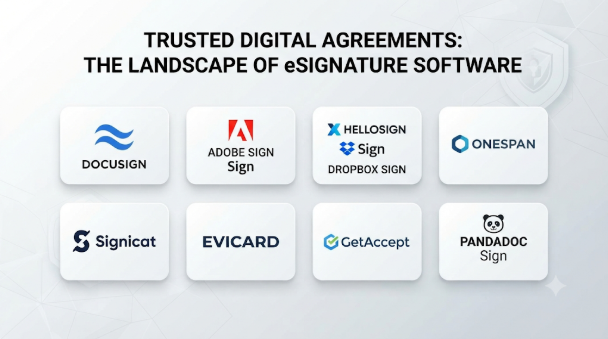
Choosing eSignature software is not just about replacing paper signatures. Businesses also need to track agreements, verify signers, manage approvals, protect documents, and keep reliable records.
A freelancer may need a simple tool to sign client contracts. A sales team may need proposals, payment collection, and CRM integration. A large company may require identity verification, advanced controls, and automated approval workflows.
The right platform depends on these needs. Some tools focus on simple document signing, while others support complete agreement workflows or developer integrations.
This guide compares 10 eSignature platforms by their features, strengths, limitations, and practical uses. It also covers important considerations for Indian businesses, including Aadhaar eSign and certificate-based digital signatures.
What Is eSignature Software?
eSignature software lets people sign documents electronically instead of printing, signing, scanning, and emailing them.
Most platforms let users upload a document, add signature fields, invite recipients, and track the signing process. Many also provide templates, reminders, authentication options, audit trails, and integrations.
However, not every electronic signature provides the same level of identity assurance or legal recognition.
A typed name or a click to accept can serve as an electronic signature in suitable situations. A certificate-based digital signature uses cryptographic methods to link the signer to the document and help detect later changes.
Businesses should select the signing method based on the document, jurisdiction, and required evidence. This is especially important for regulated or high-value agreements.
Top 10 eSignature Software Tools
The following platforms cover different needs, from everyday signing to enterprise workflows, sales documents, and self-hosted deployments. They are not ranked by a universal performance score; each has a distinct purpose.
1. DocuSign eSignature
A widely used platform for sending, signing, and managing business agreements.
It supports workflows involving multiple recipients, signing order, reusable templates, reminders, and document tracking. Organizations can also use administrative controls and integrations to manage signing across teams.
DocuSign’s developer platform is a major part of its offering. APIs support embedded signing and the integration of signature requests into business applications.
Key Features:
- Electronic signature requests and reusable templates
- Sequential and parallel signing workflows
- Signer authentication options
- Audit trails and completion records
- Integrations with business applications
- APIs for embedded and automated signing
Pros:
- Broad range of business and enterprise workflows
- Useful API and integration ecosystem
- Supports complex signing processes
- Suitable for organizations with multiple teams
Cons:
- Advanced capabilities may require higher-tier plans
- Pricing and usage limits need careful review
- Smaller teams may not need its full feature set
Best For: Enterprises, legal teams, sales departments, and businesses managing agreements across several systems.
2. Adobe Acrobat Sign
Combines electronic signing with Adobe’s PDF document ecosystem.
Users can prepare documents, place signature fields, send requests, and track completion. Its connection with Acrobat is useful when teams regularly edit, organize, and share PDF files.
The platform also supports integrations with Microsoft applications and enterprise systems. Organizations can explore identity and certificate-based signing options where their requirements demand stronger digital-signature capabilities.
Key Features:
- PDF preparation and electronic signing
- Reusable templates and web forms
- Multiple signer workflows
- Automated reminders and tracking
- Microsoft and business application integrations
- APIs and advanced digital-signature options
Pros:
- Strong fit for PDF-based work
- Works within the Adobe document ecosystem
- Supports business and enterprise workflows
- Offers options beyond basic click-to-sign processes
Cons:
- Advanced features may depend on the plan
- Some identity services need separate configuration
- The wider Adobe ecosystem may be unnecessary for basic signing
Best For: Organizations that manage many PDFs, use Adobe applications, or need signing connected to document workflows.
3. Zoho Sign
An electronic signature platform that connects with Zoho’s wider business software ecosystem.
It can help teams manage agreements from applications used for sales, HR, finance, and document storage. Templates and automated workflows reduce repeated document preparation.
Zoho Sign is especially relevant to Indian businesses because it documents support for Aadhaar eSign, eStamping, and digital certificate-based signing. Its Aadhaar eSign integration is available for eligible paid accounts in the India data center, and each signing consumes credits.
Key Features:
- Electronic signing and reusable templates
- Signing order and document workflows
- Bulk sending and status tracking
- Zoho application integrations
- Aadhaar eSign integration for eligible accounts
- eStamping and digital certificate-based signing options
- APIs for custom workflows
Pros:
- Strong fit for existing Zoho users
- Useful business application integrations
- Offers India-specific signing options
- Supports automated document workflows
Cons:
- Some regional services use additional credits or charges
- The full value depends on the wider Zoho ecosystem
- Buyers must check data-center and plan requirements
Best For: Indian businesses, small and medium-sized companies, and teams already using Zoho applications.
4. PandaDoc
Combines electronic signatures with document creation and sales document management.
Unlike a basic signing platform, it helps teams create proposals, quotes, and other customer-facing documents. Users can work with templates, content libraries, approval steps, and document tracking before collecting a signature.
This makes it useful for sales teams that need to prepare and send polished documents as part of a deal. Some plans also offer payment collection and wider workflow automation.
Key Features:
- Document editor and reusable templates
- Electronic signatures
- Proposal and quote creation
- Document tracking and notifications
- CRM integrations
- Approval workflows and payment options on supported plans
Pros:
- Combines document creation with signing
- Useful for sales proposals and quotes
- Helps standardize customer-facing documents
- Offers integrations with sales tools
Cons:
- May be excessive for teams that only need signatures
- Advanced capabilities depend on the subscription
- Usage credits and plan limits need checking
Best For: Sales teams, agencies, consultants, and businesses that create proposals before collecting approval.
5. Dropbox Sign
Focuses on electronic signature requests, templates, and integrations.
Its straightforward workflow helps users send documents, collect signatures, and track completion. Templates are useful for repeated agreements such as service contracts, consent forms, and employee documents.
Developers can also use its API to add signing to websites and applications. Embedded signing can keep recipients within a company’s own application rather than sending them to a separate signing website.
Key Features:
- Electronic signature requests
- Reusable templates
- Signer reminders and tracking
- Audit trails
- Cloud storage and business application integrations
- API and embedded signing
Pros:
- Straightforward signing workflow
- Useful for repeated document requests
- API supports custom signing experiences
- Suitable for teams already using connected cloud services
Cons:
- Advanced API features may require specific plans
- Complex enterprise workflows may need additional systems
- Buyers should check document and sender limits
Best For: Small and medium-sized businesses, remote teams, and developers adding signing to an existing application.
6. airSlate SignNow
Combines electronic signing with document preparation and workflow automation.
It is useful when an organization sends similar documents to many people. Templates can define the fields and signer roles, while bulk sending helps distribute separate signing requests.
Its API also supports embedded signing and connections with other business applications. Teams can use these features to reduce manual steps in repeated processes.
Key Features:
- Electronic signatures and document templates
- Bulk sending
- Signing order and reminders
- Document workflow automation
- Conditional fields and routing options
- API and embedded signing
Pros:
- Useful for repeated document processes
- Supports bulk signature requests
- Offers workflow automation
- Provides developer integration options
Cons:
- Some advanced functions depend on the subscription
- Complex workflows need careful setup
- API and usage charges should be checked
Best For: HR departments, operations teams, service providers, and businesses that send many similar documents.
7. SignWell
Focuses on straightforward electronic signing for individuals and smaller teams.
Users can send documents, prepare templates, set signing order, and track requests. The platform also offers API options for businesses that want to connect signing with their own applications.
Its simpler approach can appeal to teams that do not need a large agreement-management system. However, buyers should still check the limits of the chosen plan.
Key Features:
- Electronic signatures
- Reusable document templates
- Multiple signer workflows
- Signing reminders and tracking
- Audit trails
- API and embedded signing options
Pros:
- Simple signing workflow
- Suitable for smaller teams
- Offers templates and signing order
- Provides an API for custom integrations
Cons:
- Less suited to complex enterprise agreement management
- Document and template limits vary by plan
- Advanced governance needs may require another platform
Best For: Freelancers, consultants, small businesses, and teams with routine signing needs.
8. BoldSign
An electronic signature platform from Syncfusion. It offers a combination of ready-to-use signing workflows and developer-focused tools.
Its API and embedded signing capabilities make it relevant to software companies that want to add signatures to their products. Organizations can also use templates, bulk sending, reminders, and document tracking.
BoldSign is worth considering when a business needs a branded signing experience or wants more control over how signing fits into an application.
Key Features:
- Electronic signature requests
- Templates and bulk sending
- Embedded signing
- REST API and webhooks
- Custom branding options
- Document tracking and audit records
Pros:
- Strong focus on developer integration
- Useful embedded signing capabilities
- Supports branded workflows
- Offers features for both business users and developers
Cons:
- Some features depend on the selected plan
- Custom integrations require technical work
- Buyers should verify authentication and governance requirements
Best For: SaaS companies, developers, and businesses that want to embed electronic signing into their applications.
9. OneSpan Sign
Focuses on secure electronic signing for organizations with demanding business and compliance requirements.
It supports signing workflows, identity verification options, audit records, and integrations with enterprise systems. Its capabilities are relevant to financial services and other organizations where the signing process forms part of a controlled business transaction.
OneSpan also offers deployment and integration options for organizations that need to connect signing with existing applications and infrastructure. Buyers should assess the exact deployment model and security controls available under their proposed configuration.
Key Features:
- Electronic signature workflows
- Signer authentication options
- Audit trails and document evidence
- Enterprise application integrations
- APIs for custom signing workflows
- Options for controlled deployment environments
Pros:
- Designed for demanding business workflows
- Relevant to financial and regulated environments
- Supports enterprise integration
- Offers identity and evidence-related capabilities
Cons:
- May be more complex than small businesses require
- Enterprise deployments can need specialist planning
- Pricing and configuration may require vendor consultation
Best For: Banks, financial services companies, large enterprises, and organizations with strict signing controls.
10. Documenso
An open-source electronic signature platform with hosted and self-hosted options.
Its approach is different from many subscription-first services. A technical team can deploy the software on its own infrastructure, inspect the source code, and adapt supported workflows.
The platform provides document requests, templates, recipient roles, APIs, webhooks, and embedded signing capabilities. Its self-hosted deployment options include container-based approaches.
Self-hosting offers control, but it also creates operational responsibilities. The organization must manage infrastructure, updates, backups, email delivery, access controls, and signing certificates.
Key Features:
- Open-source signing platform
- Self-hosted and hosted deployment options
- Document templates and signing requests
- REST API and webhooks
- Embedded signing
- Container-based deployment options
Pros:
- Offers more infrastructure control
- Open-source code can be inspected
- Useful for developer-led workflows
- Supports custom deployment approaches
Cons:
- Self-hosting requires technical expertise
- Security and maintenance become the organization’s responsibility
- Some advanced capabilities may require a commercial offering
- Licensing terms need review before modification or commercial use
Best For: Developers, technical teams, and organizations that prefer self-hosted software or want to customize their signing workflows.
Comparison Table: eSignature Software
| Software | Best For | Main Strength | Deployment / Access | Pricing Approach |
|---|---|---|---|---|
| DocuSign | Enterprise signing | Broad workflow and integration ecosystem | Cloud | Paid plans and enterprise options |
| Adobe Acrobat Sign | PDF-heavy organizations | Adobe document integration | Cloud | Paid plans |
| Zoho Sign | Indian businesses and Zoho users | Business integrations and Aadhaar eSign options | Cloud | Free and paid plans; some services use credits |
| PandaDoc | Sales teams | Proposals and document creation | Cloud | Free and paid plans |
| Dropbox Sign | Small businesses and developers | Simple signing and API | Cloud | Free and paid plans |
| airSlate SignNow | High-volume document workflows | Bulk sending and automation | Cloud | Paid plans |
| SignWell | Freelancers and small teams | Straightforward signing | Cloud | Free and paid plans |
| BoldSign | SaaS and developers | Embedded signing and API | Cloud | Free and paid plans |
| OneSpan Sign | Financial and large enterprises | Enterprise signing controls | Cloud and enterprise deployment options | Enterprise-focused pricing |
| Documenso | Self-hosted signing | Open-source deployment | Hosted or self-hosted | Open-source and commercial options |
Pricing structures and feature limits can change. Check each vendor’s current plan details, usage allowances, API access, and additional transaction charges before making a purchase.
Which eSignature Software Is Best for Different Users?
The best choice depends on the documents you sign and the process around them.
For Beginners and Freelancers: SignWell
SignWell is a practical starting point for people who need to send routine contracts and collect signatures. Its focused workflow avoids the complexity of a full agreement-management system.
For Small Businesses: Zoho Sign
Zoho Sign is worth considering for small businesses that need templates, document tracking, and business application integrations. It is especially relevant when the organization already uses Zoho products.
For Sales Teams: PandaDoc
PandaDoc suits teams that create proposals, quotes, and customer-facing documents. It connects document preparation with the signing process.
For PDF Workflows: Adobe Acrobat Sign
Adobe Acrobat Sign is a natural option for organizations that handle many PDF documents and already use Adobe tools.
For Enterprise Organizations: DocuSign
DocuSign offers a broad range of signing, administration, and integration capabilities. It is suitable for organizations that manage agreements across departments and systems.
For Financial Services: OneSpan Sign
OneSpan Sign deserves consideration when signing is part of a controlled financial or enterprise process. Buyers should verify the required identity, audit, and deployment controls.
For Developers and SaaS Companies: BoldSign or Dropbox Sign
Both platforms offer API-based approaches to signing. Compare their embedded workflows, API limits, branding options, and pricing before selecting one.
For Self-Hosted Deployments: Documenso
Documenso is worth evaluating when infrastructure control and source-code access matter. The organization must also be prepared to manage the service securely.
For Indian Businesses Requiring Aadhaar eSign: Zoho Sign
Zoho Sign documents an Aadhaar eSign integration for eligible accounts in its India data center. Confirm the service requirements, credits, signer eligibility, and document suitability before relying on it.
How to Choose the Right eSignature Platform
A feature list alone cannot tell you whether a platform will work in your organization. Evaluate it against the actual signing process.
1. Identify the Documents You Need to Sign
Start with the document types your organization handles.
Examples include:
- Employment contracts
- Sales agreements
- Vendor contracts
- Non-disclosure agreements
- Customer consent forms
- Purchase approvals
- Service agreements
- Internal policy acknowledgments
Some documents may need only a basic electronic signature. Others may require stronger identity checks, certificate-based signing, stamping, or legal review.
2. Check Signer Authentication
Find out how the platform confirms a signer’s access or identity.
Common methods include:
- Email verification
- SMS one-time passwords
- Access codes
- Identity-provider checks
- Aadhaar-based authentication
- Certificate-based digital signatures
Choose a method that matches the risk of the transaction. Do not assume that an email invitation proves the recipient’s real-world identity.
3. Review Audit Trails
An audit trail helps show what happened during a signing process.
Check whether the platform records document delivery, access, authentication, signing, and completion. Also confirm whether you can download the final document and its evidence records.
4. Examine Integration Options
Consider the applications that already support your business.
You may need connections with:
- CRM software
- HR management systems
- Document storage
- Accounting applications
- Procurement platforms
- Customer portals
- Enterprise resource planning systems
For custom workflows, review the API, webhook, authentication, and embedded signing documentation.
5. Understand Document and User Limits
A low subscription price may include strict usage limits.
Check the number of users, documents, templates, API requests, and bulk invitations. Also ask about extra charges for SMS, identity verification, and specialist signing services.
6. Review Security and Data Management
Check how the provider protects documents and controls access.
Important areas include encryption, administrator permissions, single sign-on, data storage, backups, retention, and export options.
For regulated organizations, review the vendor’s security documentation and obtain the necessary contractual commitments. Do not treat a general compliance claim as proof that every workflow meets your obligations.
7. Test the Recipient Experience
The recipient should be able to understand and complete the signing process without unnecessary effort.
Test the workflow on a phone and a desktop. Include external signers who do not have an account with your organization.
Also test declined requests, expired invitations, reminders, and document downloads.
Common Mistakes to Avoid
Choosing eSignature software becomes easier when you avoid a few common mistakes.
- Choosing only by price: A low-cost plan may lack required authentication or integration features.
- Ignoring legal requirements: Not every signature method suits every document or jurisdiction.
- Overlooking document limits: High-volume teams can face extra charges when they exceed plan allowances.
- Skipping API checks: A platform may offer an API but restrict important functions to certain plans.
- Ignoring the audit trail: A visible signature does not replace useful transaction evidence.
- Forgetting data export: Make sure you can retrieve completed agreements if you change providers.
- Assuming self-hosting is maintenance-free: Self-hosted software still needs updates, backups, monitoring, and security controls.
- Ignoring recipient usability: A difficult signing process can delay agreements and frustrate customers.
Frequently Asked Questions
What is the difference between eSignature and digital signature software?
eSignature software collects electronic agreement and signing actions. Digital signature technology uses cryptographic methods and certificates to connect a signer with a document and help detect changes. Some eSignature platforms support both approaches.
Is eSignature software legally valid in India?
Electronic signatures receive legal recognition under the Information Technology Act, subject to its provisions and applicable rules. The legal suitability of a particular method depends on the document and transaction. Some documents are excluded from the Act’s general framework, so legal review may be necessary.
Is Aadhaar eSign the same as signing a PDF electronically?
No. Aadhaar eSign uses an approved authentication and digital-signing process. Typing a name or placing a signature image on a PDF is a different process.
Can I use eSignature software for free?
Some providers offer free plans or limited free usage. These plans may restrict the number of documents, templates, users, or advanced features. Check the current limits before using a free plan for business-critical work.
Can eSignature software integrate with CRM and HR systems?
Many platforms provide integrations or APIs for connecting signing with CRM, HR, document storage, and other business systems. Check whether the required connector is included in your subscription or needs custom development.
Is self-hosted eSignature software more secure?
Not automatically. Self-hosting gives an organization more control over infrastructure and data handling. It also makes the organization responsible for updates, access controls, backups, certificates, and server security.
What should an eSignature audit trail contain?
A useful audit trail should record relevant events such as document delivery, access, authentication, signing, and completion. The exact information depends on the platform and configuration.
Final Thoughts
eSignature software can save time, reduce paper handling, and make agreement workflows easier to manage. But the right platform must do more than collect a signature.
Small teams may prefer SignWell or Dropbox Sign for routine signing. Sales teams may benefit more from PandaDoc. Businesses already using Zoho can consider Zoho Sign, particularly when Indian signing services matter. Larger organizations may need DocuSign, Adobe Acrobat Sign, or OneSpan Sign for broader controls and integrations. Technical teams that want self-hosting can examine Documenso.
Before choosing, test one real document from preparation through signing, evidence collection, and storage. Confirm the legal signing method, identity checks, integration needs, and total cost. That practical test will reveal far more than a long feature list.





Leave a Reply
You must be logged in to post a comment.