Introduction
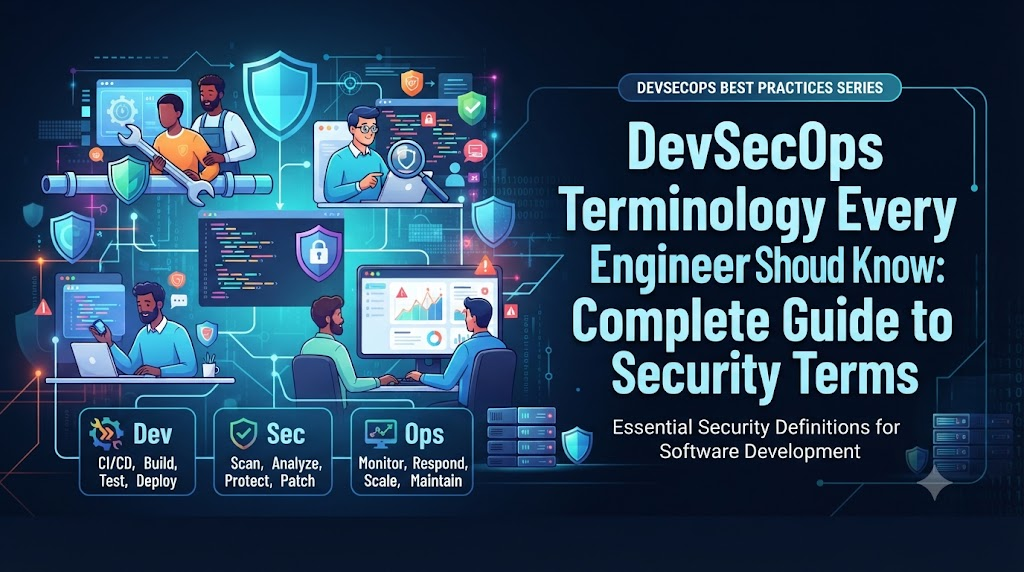
Modern software delivery moves faster than ever, and with that speed comes a critical need to understand how security integrates into every stage of the engineering lifecycle. Security is no longer something that happens at the very end of a project after code is written. Instead, it is integrated directly into software development, continuous integration and continuous deployment pipelines, cloud infrastructure, container registries, and operations.
Engineering teams do not need to become full-time security specialists to work effectively in modern environments, but understanding common terminology is essential. When developers, site reliability engineers, and platform engineers share a common language with security teams, communication improves drastically, troubleshooting becomes faster, and engineering decisions become inherently more secure. This vocabulary bridges the gap between fast-paced feature delivery and robust organizational defense. To explore advanced training and structured paths in these practices, professionals often look to platforms like DevOpsSchool for guidance and foundational knowledge.
What Is DevSecOps?
DevSecOps is the practice of integrating security testing, compliance, and risk management into every phase of the software development lifecycle. Traditionally, security was handled by a separate team that reviewed applications only after development was complete, often creating bottlenecks and friction. DevSecOps shifts this paradigm by distributing security responsibilities across developers, operators, and security engineers.
The relationship between DevOps and security is symbiotic. While DevOps focuses on speed, automation, and collaboration, DevSecOps ensures that speed does not compromise safety. Key principles include shift-left security, which introduces security checks early in the development process, and shared security responsibility, where everyone on the team owns a piece of the security posture. Continuous security and security automation ensure that code, infrastructure, and configurations are evaluated automatically without slowing down delivery pipelines.
A simple DevSecOps workflow follows these continuous stages:
- Developer writes code and commits to version control.
- Automated static analysis and dependency checks run in the pipeline.
- Containers are built and scanned for known vulnerabilities.
- Infrastructure and policies are validated through automated checks before deployment.
- Runtime environments are continuously monitored for anomalous behavior.
Why DevSecOps Terminology Matters for Engineers
Understanding DevSecOps terminology is not about memorizing abstract definitions; it is about practical execution. When engineers know the correct terms, communication across multidisciplinary teams becomes clear and unambiguous. A developer talking to a security engineer can precisely describe a dependency vulnerability or an identity permission issue without confusion.
This shared vocabulary leads to faster troubleshooting during incident response and better architectural decisions from the start. It improves collaboration between development, security, and operations teams, turning what used to be conflicting goals into unified engineering objectives. Furthermore, knowing these terms makes it significantly easier to configure CI/CD tools, understand automated security scan outputs, and implement robust safeguards across cloud and container platforms.
DevSecOps Terminology Categories
| Category | Key Terms | Why It Matters |
| Secure Development | Secure SDLC, Threat Modeling, Security as Code | Ensures security considerations are embedded before code is even written. |
| Application Security | SAST, DAST, IAST, SCA, Vulnerability, Exploit | Detects flaws and vulnerable libraries in custom code and dependencies. |
| CI/CD Security | Security Gates, Artifact Security, Secrets Scanning | Prevents compromised code or exposed credentials from reaching production. |
| Cloud Security | Shared Responsibility Model, IAM, Least Privilege | Protects cloud resources, data storage, and network perimeters. |
| Container Security | Image Scanning, Base Image, Image Signing, Runtime | Secures containerized workloads from registry to production execution. |
| Identity and Access | Authentication, Authorization, RBAC, MFA, ABAC | Controls who and what can access systems and data. |
| Infrastructure Security | IaC, Configuration Drift, Policy as Code, Baseline | Maintains secure, repeatable, and compliant infrastructure setups. |
| Software Supply Chain | SBOM, Package Integrity, Provenance, Dependency Confusion | Secures external dependencies and third-party code components. |
| Monitoring and Compliance | SIEM, Audit Trail, Continuous Compliance, MTTR | Tracks security events and maintains regulatory adherence automatically. |
Core DevSecOps Terms Every Engineer Should Know
DevSecOps
- What it means: The cultural and technical integration of security practices into the DevOps lifecycle.
- Why it matters: It eliminates traditional security bottlenecks and embeds protection into every deployment stage.
- Where it appears: Throughout the entire software delivery pipeline.
- Example: Running automated security scans inside a GitHub Actions workflow before merging code.
Shift-Left Security
- What it means: The practice of moving security testing and validation earlier in the development lifecycle.
- Why it matters: Catching vulnerabilities during coding or code review is exponentially cheaper and easier than fixing them in production.
- Where it appears: Integrated into IDEs, pull request checks, and early CI stages.
- Example: Running a linter in the developer’s local environment to flag insecure coding patterns before commit.
Security as Code
- What it means: The practice of defining security policies, configurations, and rules in human-readable code files.
- Why it matters: It allows security rules to be version-controlled, tested, and automated just like application code.
- Where it appears: Repository configuration files and pipeline definitions.
- Example: Storing compliance validation rules in a YAML file inside a Git repository.
Policy as Code
- What it means: Using declarative code to define and enforce organizational governance and security rules.
- Why it matters: It automates compliance checks and blocks non-compliant infrastructure or code changes.
- Where it appears: Infrastructure deployment pipelines and admission controllers.
- Example: Enforcing a rule that no S3 bucket can be created without public access block enabled.
Secure SDLC
- What it means: A software development lifecycle that integrates security tasks into every phase, from requirements gathering to retirement.
- Why it matters: It ensures systematic risk management throughout the life of an application.
- Where it appears: Project planning, architecture design, testing, and deployment.
- Example: Conducting a threat modeling session during the design phase of a new microservice.
Threat Modeling
- What it means: A structured process of identifying potential security threats, vulnerabilities, and mitigations in system architecture.
- Why it matters: It helps engineering teams anticipate attacks and design defensive controls proactively.
- Where it appears: System design and architecture reviews.
- Example: Mapping out data flows between a web app and a database to identify where encryption is missing.
Security Gate
- What it means: An automated check in a CI/CD pipeline that passes or fails based on security criteria.
- Why it matters: It acts as a safety checkpoint that prevents vulnerable code from moving forward.
- Where it appears: Between build, test, and deployment stages in a pipeline.
- Example: A pipeline step that automatically halts deployment if a high-severity vulnerability is detected.
Continuous Security
- What it means: The ongoing, automated evaluation of applications, infrastructure, and configurations for security risks.
- Why it matters: Security posture is verified constantly rather than just during periodic manual audits.
- Where it appears: CI/CD pipelines, runtime environments, and cloud monitoring tools.
- Example: Automated daily vulnerability scans running against all active cloud virtual machines.
Application Security Terminology
Application security focuses on protecting software from internal and external threats during its creation and execution.
SAST (Static Application Security Testing)
SAST analyzes source code, bytecode, or binary code for security vulnerabilities without executing the program. It acts like an automated spellchecker for security flaws, finding issues like SQL injection patterns directly in the code repository during early development.
DAST (Dynamic Application Security Testing)
DAST tests running applications from the outside by simulating external attacks. It interacts with the web application through HTTP requests to discover runtime vulnerabilities, authentication flaws, and misconfigurations that static code analysis cannot see.
IAST (Interactive Application Security Testing)
IAST combines elements of both SAST and DAST by embedding agents inside the running application to monitor code execution and data flow in real time during testing phases.
SCA (Software Composition Analysis)
SCA scans third-party libraries, open-source dependencies, and modules used in a project to identify known security vulnerabilities, outdated versions, and license compliance risks.
Vulnerability, Exploit, CVE, and CVSS
- Vulnerability: A weakness or flaw in software, hardware, or configuration that can be leveraged by a threat actor.
- Exploit: The specific code, tool, or technique used by an attacker to take advantage of a vulnerability.
- CVE (Common Vulnerabilities and Exposures): A standardized, publicly disclosed list of cybersecurity vulnerabilities managed by MITRE.
- CVSS (Common Vulnerability Scoring System): A numerical scoring framework that assesses the severity of computer system security vulnerabilities. Engineers must interpret these scores in the context of their specific environment, as a high score on an isolated internal service may present lower real-world risk than a medium score on a public-facing API.
| Tool / Concept | What It Analyzes | When It Runs | Primary Goal |
| SAST | Source code / binaries | Build / commit time | Find code-level bugs and flaws |
| DAST | Running application | Post-deployment / staging | Find runtime and functional flaws |
| SCA | Open-source dependencies | Build time | Identify vulnerable libraries |
| Vulnerability Scanning | Infrastructure / containers | Continuous / scheduled | Detect missing patches and misconfigurations |
CI/CD Security Terminology
CI/CD pipelines automate software delivery, but they also represent a high-value target for attackers if left unsecured.
- Secure CI/CD: Designing pipeline infrastructure with strict access controls, isolated runners, and encrypted state storage.
- Security Scanning: Automating security analysis tools inside pipeline jobs.
- Pipeline Security: Securing the CI/CD server, runner nodes, and credential stores against unauthorized access or tampering.
- Build Security: Ensuring that build environments are clean, untampered, and reproducible.
- Artifact Security: Protecting compiled binaries and packages from unauthorized modification before deployment.
- Secrets Scanning: Automated tools that search source code repositories and commit history for accidentally exposed passwords, tokens, or API keys.
- Dependency Scanning: Checking imported packages for known vulnerabilities during the build process.
- Release Security: Enforcing sign-offs, approvals, and immutable audit trails before promoting code to production.
Code
 ↓
SAST
 ↓
Dependency Scan
 ↓
Build
 ↓
Container Scan
 ↓
Security Gate
 ↓
Deploy
 ↓
Runtime Monitoring
Container Security Terminology
Containers encapsulate applications and their dependencies, requiring specialized security practices across their lifecycle.
- Container Image: A lightweight, standalone, executable package that includes everything needed to run an application.
- Image Scanning: Inspecting container image layers for known vulnerabilities, outdated OS packages, and misconfigurations.
- Base Image: The foundational image (such as Alpine Linux or Ubuntu) upon which custom container images are built. Using minimal base images reduces the attack surface.
- Container Vulnerability: Flaws found within operating system packages or software libraries packaged inside an image.
- Container Registry: A secure storage and distribution system for container images (e.g., Docker Hub, AWS ECR).
- Image Signing: Cryptographically signing container images to verify their origin and ensure they have not been tampered with.
- Runtime Security: Monitoring container behavior in production for suspicious activity, unexpected file writes, or unauthorized network calls.
- Immutable Infrastructure: The principle that servers or containers are never modified in place after deployment; instead, they are replaced entirely with new, updated instances.
Container security begins well before deployment. Scanning base images and build artifacts early ensures that known vulnerabilities never make it into container registries or production clusters.
Kubernetes Security Terminology
Kubernetes orchestrates containerized workloads at scale, requiring robust multi-layered access and isolation controls.
- RBAC (Role-Based Access Control): Restricting cluster access based on the roles assigned to individual users or service accounts.
- Namespace: A virtual cluster abstraction that provides resource isolation and scoping within a single physical Kubernetes cluster.
- Network Policy: Rules that control how pods communicate with each other and with external network endpoints.
- Admission Control: Plugins that intercept requests to the Kubernetes API server before object creation to enforce security policies and validation rules.
- Pod Security: Standards and constraints that restrict the security context of pods (e.g., preventing containers from running as root).
- Secrets: Kubernetes objects used to store sensitive data such as passwords, OAuth tokens, and SSH keys separately from application code.
- Service Account: An identity managed by Kubernetes used by processes running inside pods to authenticate to the API server.
- Cluster Security: Hardening the underlying Kubernetes control plane, worker nodes, and API communication channels.
Properly configured network policies and RBAC rules significantly reduce the blast radius if a single pod or namespace is compromised.
Cloud Security Terminology
Cloud environments distribute infrastructure management between cloud providers and customer engineering teams.
- Cloud Security: Protecting cloud-based systems, data, and infrastructure against cyber threats.
- Shared Responsibility Model: The division of security duties where the cloud provider secures the underlying infrastructure, and the customer secures their data, configurations, and applications.
- IAM (Identity and Access Management): Frameworks and services for managing digital identities and user access permissions.
- Least Privilege: Granting users, applications, and processes only the minimum permissions necessary to perform their required tasks.
- Security Group: A virtual firewall that controls inbound and outbound traffic for cloud instances and resources.
- Network Segmentation: Dividing a computer network into subnetworks to improve security and contain potential breaches.
- Encryption at Rest: Cryptographically encoding data stored on physical disks, object storage, or databases.
- Encryption in Transit: Securing data as it moves across networks using protocols like TLS.
- CSPM (Cloud Security Posture Management): Tools that continuously monitor cloud environments for misconfigurations and compliance violations.
| Cloud Security Term | Core Function | Practical Application |
| IAM | Identity management | Assigning user roles in AWS or Azure |
| Security Group | Traffic filtering | Restricting database access to app servers only |
| Encryption at Rest | Data protection on disk | Enabling AES-256 on database volumes |
| CSPM | Posture monitoring | Detecting public-facing storage buckets |
Identity and Access Management Terminology
Managing who has access to what systems is a cornerstone of modern security engineering.
- Authentication (AuthN): Verifying the identity of a user, system, or service (e.g., entering a username and password).
- Authorization (AuthZ): Determining whether an authenticated identity has permission to perform a specific action or access a resource.
- MFA (Multi-Factor Authentication): Requiring two or more verification factors to gain access (e.g., password plus an authenticator app code).
- RBAC: Assigning permissions to specific roles rather than individual users.
- ABAC (Attribute-Based Access Control): Granting access based on a combination of user attributes, resource attributes, and environmental conditions.
- Privileged Access: Elevated permissions reserved for administrators and root operations.
- Identity Federation: Linking a user’s identity across multiple independent identity management systems using protocols like SAML or OIDC.
To understand the difference clearly: authentication proves who you are, while authorization determines what you are allowed to do. For example, logging into a server with an SSH key is authentication, whereas executing a privileged administrative command once logged in depends on authorization.
Secrets Management Terminology
Hardcoding sensitive credentials in source code is one of the most common vectors for security breaches.
- Secrets: Sensitive data items such as passwords, API keys, database credentials, and cryptographic keys.
- Secret Management: Securely storing, accessing, rotating, and revoking secrets throughout their lifecycle.
- Secret Rotation: The automated process of periodically changing cryptographic keys or credentials to minimize the impact of a potential compromise.
- Vault: A specialized tool designed to securely store, encrypt, and manage access to secrets (e.g., HashiCorp Vault, AWS Secrets Manager).
- API Keys & Access Tokens: Credentials used by applications to authenticate and authorize API requests.
- Credential Exposure: The accidental leakage of sensitive information into public repositories, logs, or client-side code.
Secrets should never be hardcoded into source code, container images, or configuration files. Doing so makes credentials instantly viewable in version control history and container inspection tools. Instead, dynamic injection from a secure vault at runtime should always be used.
Infrastructure Security Terminology
Automated infrastructure must be as rigorously secured as the application code running on top of it.
- IaC (Infrastructure as Code): Managing and provisioning computing infrastructure through machine-readable definition files.
- Secure Configuration: Setting up infrastructure parameters according to established security hardening guidelines.
- Configuration Drift: The phenomenon where actual infrastructure configurations diverge from the intended baseline over time due to manual changes.
- Infrastructure Scanning: Automated tools that inspect IaC templates for security flaws and misconfigurations before deployment.
- Security Baseline: A minimum standard of security configuration required for all servers, cloud resources, and network devices.
- Compliance as Code: Translating regulatory and internal compliance rules into automated test scripts that run against infrastructure definitions.
Infrastructure as Code allows teams to build repeatable, auditable, and consistent security controls across development, staging, and production environments.
Software Supply Chain Security Terminology
Modern applications are built using vast numbers of third-party libraries, packages, and external tools.
- Software Supply Chain: The entire network of code, tools, dependencies, and processes used to build and deliver software.
- Dependency: An external library or package required by an application to function.
- Dependency Confusion: An attack where a malicious package with the same name as a private internal dependency is published to a public repository to trick build tools into downloading it.
- Package Integrity: Ensuring that downloaded packages have not been altered or tampered with by checking cryptographic checksums.
- Artifact: Any output generated during the build process, such as a compiled binary, container image, or zip archive.
- Artifact Repository: A secure server used to store and manage build artifacts (e.g., Nexus, Artifactory).
- SBOM (Software Bill of Materials): A formal, structured inventory of all open-source and third-party components included in a software artifact.
- Software Signing: Applying a digital signature to code or artifacts to verify authenticity and integrity.
- Provenance: Verifiable data documenting where, when, and how a software artifact was built.
Software supply chain security is crucial because a vulnerability in a single deep-nested dependency can compromise an entire application stack, making visibility through SBOMs indispensable.
Monitoring and Incident Response Terminology
Detecting and responding to security incidents quickly is just as important as trying to prevent them.
- Security Monitoring: Continuously observing logs, network traffic, and system metrics for indicators of malicious activity.
- SIEM (Security Information and Event Management): Software solutions that aggregate and analyze log data from across an enterprise to detect security threats in real time.
- Security Alert: A notification generated by a monitoring tool indicating a potential security event.
- Incident: A verified security event that compromises the confidentiality, integrity, or availability of a system or data.
- Incident Response: The structured methodology a team follows to address and manage the aftermath of a security breach or cyber attack.
- Threat Detection: Identifying active indicators of compromise or malicious actor behavior within infrastructure.
- Log Management: The collection, storage, indexing, and retention of system and application log data.
- Audit Trail: An immutable chronological record of system activities, user actions, and configuration changes.
- MTTD / MTTR: Mean Time to Detect measures how long it takes to identify a security issue, while Mean Time to Respond measures how long it takes to contain and remediate it.
Security monitoring fits into the DevSecOps lifecycle by closing the loop, providing production feedback that informs future threat modeling and secure coding practices.
Compliance and Governance Terminology
Compliance ensures that engineering practices align with legal, industry, and organizational standards.
- Compliance: Adhering to established external regulations (e.g., SOC 2, HIPAA, PCI-DSS) or internal corporate policies.
- Governance: The overall management framework that directs and controls an organization’s security and operational activities.
- Security Policy: Formal rules and guidelines defining acceptable behavior and technical requirements for employees and systems.
- Audit: A formal, independent examination of systems, code, and processes to verify compliance.
- Evidence: Documented proof generated by automated tools or processes to demonstrate adherence to security controls.
- Risk Assessment: The process of identifying, analyzing, and evaluating potential risks to business operations and data.
- Control: A safeguard, policy, or technical mechanism put in place to mitigate a specific security risk.
- Continuous Compliance: The automated, ongoing validation of security controls against regulatory frameworks.
Compliance should never be treated as a frantic, manual scramble right before an annual audit. Integrating compliance checks directly into engineering workflows turns governance into an automated, continuous process.
DevSecOps Terminology Comparison Table
| Term | Simple Definition | Where It Is Used | Why Engineers Should Know It |
| SAST | Static code analysis tool | IDE / CI Pipeline | Catches bugs and vulnerabilities in code early |
| DAST | Dynamic runtime testing tool | Staging / Pre-prod | Finds vulnerabilities in running web apps |
| SCA | Open-source dependency scanner | Build stage | Identifies vulnerable third-party libraries |
| CVE | Standardized vulnerability identifier | Security advisories | Provides a common language for known flaws |
| CVSS | Vulnerability severity scoring system | Risk assessment | Helps prioritize patching efforts |
| SBOM | Inventory of software components | Build / Release | Provides visibility into third-party dependencies |
| IAM | Identity and access management | Cloud / Systems | Controls user and service permissions |
| RBAC | Role-based permission assignment | Kubernetes / Cloud | Restricts access based on assigned roles |
| MFA | Multi-factor authentication | Login portals | Prevents unauthorized account access |
| Vault | Secure secrets storage system | App runtime / CI | Keeps credentials out of source code |
| IaC | Infrastructure defined in code files | Provisioning | Enables repeatable infrastructure setup |
| Drift | Unplanned infrastructure divergence | Production monitoring | Highlights unauthorized manual changes |
| SIEM | Centralized log aggregation tool | Security operations | Detects anomalies and security alerts |
| MTTR | Mean time to resolve incidents | Incident response | Measures remediation speed |
| CSPM | Cloud posture management tool | Cloud environments | Detects cloud misconfigurations |
| Policy as Code | Declarative governance rules | CI / Deployment | Automates security compliance checks |
| Admission Control | Kubernetes API request interceptor | Cluster management | Enforces pod security at deploy time |
| Image Scanning | Container layer inspection tool | Container registry | Prevents vulnerable containers from running |
| Threat Modeling | Architecture security analysis | Design phase | Anticipates design flaws before building |
| Least Privilege | Minimal required access principle | Access management | Limits blast radius of compromised accounts |
Real-World DevSecOps Example
Consider a realistic scenario where an engineering team builds and secures a microservice delivery pipeline:
- Developer commits code: A developer pushes code changes to a Git repository. Terminology used: Version control, commit.
- SAST scan: An automated static analysis tool inspects the new code for buffer overflows or injection flaws. Terminology used: SAST, shift-left security.
- Dependency analysis: An SCA tool checks imported libraries against known vulnerabilities and creates an updated SBOM. Terminology used: SCA, SBOM, dependency scanning.
- Secrets scanning: A pipeline job checks the commit history to ensure no API keys or passwords were accidentally included. Terminology used: Secrets scanning, credential exposure.
- Container build: The application is packaged into a container image using a minimal base image. Terminology used: Container image, base image.
- Image scanning: The container registry scans the built image for operating system vulnerabilities. Terminology used: Image scanning, container vulnerability.
- Security approval: A security gate evaluates the scan reports. Because no high-severity vulnerabilities are found, the pipeline passes. Terminology used: Security gate, pipeline security.
- Deployment: The container is deployed to a Kubernetes cluster using least-privilege service accounts and namespace network policies. Terminology used: Deployment, service account, network policy, RBAC.
- Runtime monitoring and incident response: Cloud security tools monitor runtime behavior. If an anomaly is detected, an alert is sent to the SIEM, triggering the incident response team. Terminology used: Runtime security, SIEM, security alert, incident response.
Common DevSecOps Terminology Mistakes
- Confusing authentication with authorization: Assuming that proving who you are (authentication) automatically grants you permission to do anything (authorization). Correction: Always verify both identity and specific access rights independently.
- Treating vulnerability severity as business risk automatically: Assuming a high CVSS score always translates to an immediate high business risk without evaluating whether the vulnerable function is actually exposed or reachable. Correction: Contextualize severity scores with actual system architecture.
- Confusing SAST and DAST: Believing static analysis tests running applications or dynamic testing analyzes source code files. Correction: Remember that SAST looks at code at rest, while DAST tests applications in motion.
- Treating security scanning as complete security: Assuming that passing an automated scan means an application is entirely secure against all attacks. Correction: Scans only catch known patterns; secure design, threat modeling, and code reviews are equally vital.
- Misunderstanding CVE and CVSS: Treating the CVE ID as the severity score rather than just an identifier, and ignoring the scoring vector details in CVSS. Correction: Use CVE to identify the flaw and CVSS to understand its base severity metrics.
- Confusing encryption with hashing: Believing that data hashed with an algorithm like SHA-256 can be decrypted back to its original form. Correction: Remember that hashing is a one-way mathematical function, whereas encryption is fully reversible with the correct key.
- Treating compliance as security itself: Assuming that passing an annual compliance audit means the system cannot be breached. Correction: Compliance sets a baseline, but active security requires ongoing vigilance and threat detection.
- Ignoring runtime security: Focusing solely on build-time scans while neglecting monitoring of active production workloads. Correction: Combine shift-left prevention with robust runtime observation.
How Engineers Can Learn DevSecOps Terminology Faster
Learning DevSecOps terms is most effective when connected directly to daily engineering workflows. Rather than reading definitions in isolation, engineers should practice with real open-source tools, build simple security pipelines, and analyze actual vulnerability scan outputs. Understanding how common vulnerabilities manifest in code, practicing cloud IAM configurations, experimenting with containers, and studying CI/CD pipeline security will solidify this vocabulary naturally.
- Build and run a local SAST tool on a sample codebase.
- Generate an SBOM for a container image using package managers.
- Configure a basic Kubernetes Network Policy and test pod connectivity.
- Set up a secret management tool like Vault or cloud secret stores.
- Review and interpret open-source dependency scan reports.
- Practice writing infrastructure as code with automated policy checks.
- Simulate a basic pipeline security failure and fix the trigger.
- Examine cloud IAM policy JSON files to apply least privilege.
DevSecOps Learning Roadmap
DevOps Fundamentals
 ↓
Linux & Networking
 ↓
Git & CI/CD
 ↓
Cloud Fundamentals
 ↓
Application Security
 ↓
Container Security
 ↓
Kubernetes Security
 ↓
Infrastructure Security
 ↓
Software Supply Chain Security
 ↓
Continuous DevSecOps
- DevOps Fundamentals: Understand version control, automation principles, and agile delivery methodologies.
- Linux & Networking: Learn core operating system concepts, permissions, TCP/IP, and firewall configurations.
- Git & CI/CD: Master repository workflows and automated pipeline construction.
- Cloud Fundamentals: Explore cloud resource provisioning, storage, and foundational architecture.
- Application Security: Study secure coding practices, SAST, DAST, and dependency management.
- Container Security: Learn containerization, base image hardening, and image scanning techniques.
- Kubernetes Security: Master cluster isolation, RBAC, admission control, and network policies.
- Infrastructure Security: Explore infrastructure as code, configuration baselines, and policy enforcement.
- Software Supply Chain Security: Understand package integrity, SBOM generation, and provenance tracking.
- Continuous DevSecOps: Integrate monitoring, incident response, and continuous compliance into enterprise workflows.
Career Value of DevSecOps Knowledge
| Role | Important DevSecOps Knowledge |
| DevSecOps Engineer | Pipeline security, security automation, secrets management, compliance as code |
| DevOps Engineer | Secure CI/CD, artifact security, infrastructure as code, container security |
| Cloud Security Engineer | Cloud IAM, least privilege, CSPM, network segmentation, encryption |
| Application Security Engineer | SAST, DAST, SCA, threat modeling, secure coding standards |
| Platform Engineer | Kubernetes security, RBAC, admission control, secure base platforms |
| Security Engineer | Incident response, SIEM, threat detection, vulnerability management |
| SRE | Monitoring, MTTR, reliability engineering, runtime observability |
Frequently Asked Questions
What is DevSecOps?
DevSecOps is the integration of security practices, testing, and compliance checks into every stage of the DevOps software delivery lifecycle, ensuring security is a shared responsibility from conception to production.
What does shift-left security mean?
Shift-left security is the practice of moving security testing and validation earlier in the software development process, catching vulnerabilities during design, coding, and code review rather than after deployment.
What is SAST?
SAST stands for Static Application Security Testing, an automated method of analyzing source code or binaries for security vulnerabilities without executing the program.
What is DAST?
DAST stands for Dynamic Application Security Testing, a testing method that evaluates running applications from the outside by simulating attacks and analyzing HTTP responses.
What is SCA?
SCA stands for Software Composition Analysis, a process that scans project dependencies and third-party libraries for known security vulnerabilities and license issues.
What is a CVE?
A CVE (Common Vulnerabilities and Exposures) is a standardized, publicly disclosed list of cybersecurity vulnerabilities assigned unique identifiers for tracking and mitigation.
What is CVSS?
CVSS (Common Vulnerability Scoring System) is an open framework that assigns numerical severity scores to software vulnerabilities based on their characteristics and impact.
What is an SBOM?
An SBOM (Software Bill of Materials) is a comprehensive, structured inventory of all open-source and third-party components included in a software package.
What is DevSecOps in CI/CD?
It is the integration of automated security scans, dependency checks, secrets detection, and security gates directly into continuous integration and continuous deployment pipelines.
Why is secrets management important?
Proper secrets management prevents sensitive credentials like API keys and passwords from being hardcoded in source code repositories or exposed in container images.
What is policy as code?
Policy as code is the practice of writing governance, security, and compliance rules in human-readable code files so they can be versioned and automatically enforced.
What DevSecOps terms should beginners learn first?
Beginners should start with foundational terms like Shift-Left Security, SAST, SCA, Vulnerability, IAM, Least Privilege, Secrets, and CI/CD Security.
Final Thoughts
Mastering DevSecOps terminology is not about memorizing hundreds of abstract security definitions. Instead, it is about building a clear mental model of how security concepts connect to coding, CI/CD pipelines, cloud platforms, containers, Kubernetes, infrastructure, and everyday operations. When engineers understand this shared vocabulary, security stops being a roadblock and becomes a natural, integrated part of building reliable and resilient software.


Leave a Reply
You must be logged in to post a comment.