Storage problems rarely begin when a system runs out of space. They often start much earlier. One storage pool fills faster than expected. An application slows down. Different teams manage separate storage systems without a shared view.
Storage management tools help IT teams control these problems. They monitor capacity, track performance, manage storage resources, and support daily administration.
But the tools do not all perform the same job. Some manage a vendor’s storage hardware. Others monitor equipment from different vendors. Some create software-defined storage from existing hardware.
This guide compares ten established options. It explains their main uses, strengths, limits, and the environments they suit.
What Storage Management Software Actually Does
Storage management software helps teams control how data uses physical and virtual storage resources. Its job can include monitoring, provisioning, performance analysis, storage pooling, and capacity planning.
The category covers several types of products.
- Storage administration: Manages volumes, pools, shares, and storage settings.
- Storage monitoring: Tracks capacity, health, latency, and performance.
- Predictive analytics: Studies storage data to identify possible problems.
- Software-defined storage: Combines storage resources through software.
- Distributed storage: Spreads data across multiple servers or nodes.
- Infrastructure management: Connects storage controls with virtual machines, networks, and other systems.
These groups overlap, but they are not identical. A monitoring tool may identify a full storage pool without being able to provision more space. A storage platform may create and manage pools but offer limited visibility into equipment from other vendors.
That difference matters when comparing products.
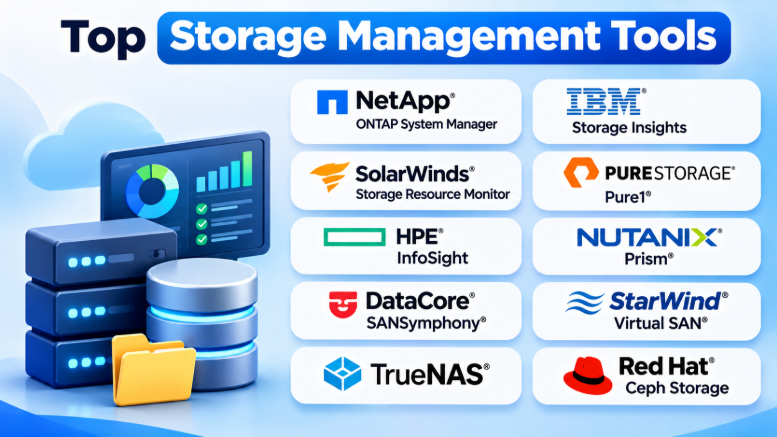
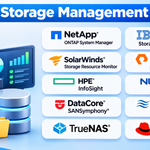
Top 10 Storage Management Tools
The following selection includes storage administration platforms, monitoring products, and software-defined storage systems. They serve different needs, so the list is organized around practical use rather than a universal performance ranking.
1. NetApp ONTAP System Manager
NetApp ONTAP System Manager provides a browser-based interface for managing NetApp storage systems. Administrators can work with clusters, disks, volumes, and storage tiers through a central console.
It is most relevant to organizations that already use ONTAP storage. It provides direct control over the storage environment rather than acting as a general monitoring tool for every vendor.
Important capabilities
- Manage ONTAP clusters and storage objects.
- View capacity, health, and performance information.
- Create and manage volumes and storage resources.
- Review alerts, events, and system status.
- Work with storage protection and configuration settings.
- Support storage administration through a graphical interface.
Advantages
- Provides direct control over ONTAP environments.
- Brings common storage tasks into one interface.
- Supports detailed storage administration.
- Fits organizations using NetApp infrastructure.
Limitations
- Its main value is tied to ONTAP systems.
- It is not a universal management console for every storage brand.
- Administrators still need to understand storage concepts and system design.
Best use: Managing NetApp storage systems, volumes, clusters, and related resources.
2. IBM Storage Insights
IBM Storage Insights helps teams monitor storage health, capacity, and performance. It provides dashboards that help administrators understand how storage systems behave.
IBM offers a free service for eligible IBM block storage customers. IBM Storage Insights Pro adds broader monitoring and reporting capabilities, including support for selected non-IBM systems.
This difference matters. Teams with mixed storage hardware should examine the Pro offering rather than assume the free service provides the same coverage.
Important capabilities
- Storage inventory and health dashboards.
- Capacity and performance monitoring.
- Storage alerts and notifications.
- Capacity planning and reporting in the Pro offering.
- Monitoring for supported storage systems and SAN fabrics.
- Performance information for supported hosts and virtual machines.
Advantages
- Provides a clear view of supported storage resources.
- Helps identify capacity and performance concerns.
- Offers a free entry point for eligible IBM block storage users.
- Pro expands monitoring to selected non-IBM systems.
Limitations
- The free offering has narrower coverage than Pro.
- Some advanced reports and alerts require a subscription.
- Device support depends on the storage model and service level.
Best use: Organizations that need storage monitoring and capacity insight, especially those using IBM storage systems.
3. SolarWinds Storage Resource Monitor
SolarWinds Storage Resource Monitor focuses on monitoring storage infrastructure from different vendors. It helps IT teams examine storage arrays, pools, LUNs, volumes, and related performance data.
A key strength is its multi-vendor monitoring approach. Teams can use one dashboard to investigate storage resources across supported hardware.
It also connects storage metrics with wider infrastructure monitoring. This can help administrators trace a slow application to a storage bottleneck.
Important capabilities
- Multi-vendor storage discovery and monitoring.
- Capacity and utilization reports.
- IOPS, latency, and throughput tracking.
- Storage performance hotspot detection.
- Alerts for capacity and health conditions.
- Monitoring through supported protocols and APIs.
Advantages
- Provides visibility across supported storage vendors.
- Helps identify performance bottlenecks.
- Offers capacity reports for planning.
- Can connect storage information with wider infrastructure data.
Limitations
- It focuses on monitoring rather than replacing storage administration tools.
- It runs on the self-hosted SolarWinds Platform.
- Deployment and licensing need careful planning.
Best use: IT operations teams that monitor SAN and NAS systems from several vendors.
4. Pure Storage Pure1
Pure1 is Pure Storage’s cloud-based management and analytics platform. It helps customers monitor and understand their Pure Storage environments.
Its value comes from visibility into storage performance and resource use. Pure1 also provides analytics that can help teams investigate issues across storage and supported virtual environments.
It is not a vendor-neutral storage management platform. Organizations should consider it mainly when Pure Storage products form part of their infrastructure.
Important capabilities
- Storage monitoring and analytics.
- Capacity and performance insights.
- Alerts and support information.
- Visibility into supported virtual environments.
- Performance analysis for volumes and virtual machines.
- Planning information for storage resources.
Advantages
- Provides a central view of supported Pure Storage systems.
- Helps teams investigate performance issues.
- Connects storage information with selected virtual infrastructure data.
- Supports planning and operational insight.
Limitations
- Its strongest value is within the Pure Storage ecosystem.
- Some analytics depend on supported configurations.
- It does not replace a general-purpose storage platform.
Best use: Organizations that operate Pure Storage systems and need centralized monitoring and analytics.
5. HPE InfoSight
HPE InfoSight uses cloud-based analytics to help customers understand storage and infrastructure health. It studies system information and provides insights that can help teams identify performance and configuration issues.
Its cross-stack visibility is an important distinction. Storage problems can sometimes come from a host, virtual machine, or another connected layer. Looking at storage alone may not reveal the cause.
InfoSight helps supported HPE environments examine these relationships.
Important capabilities
- Predictive analytics for supported HPE infrastructure.
- Storage health and performance insights.
- Recommendations for resolving selected issues.
- Cross-stack analysis across supported systems.
- Resource planning and capacity insights.
- Centralized visibility through a cloud-based portal.
Advantages
- Helps identify issues before they affect workloads.
- Provides insights beyond the storage layer.
- Supports planning for capacity and performance.
- Reduces the need for separate local analytics software.
Limitations
- Its coverage is focused on supported HPE products.
- Available insights depend on the connected hardware.
- It does not provide the same vendor-neutral monitoring role as SolarWinds SRM.
Best use: HPE customers who want predictive storage analytics and wider infrastructure visibility.
6. Nutanix Prism
Nutanix Prism provides centralized management for Nutanix infrastructure. It brings virtual machine, storage, and cluster administration into a common interface.
This makes it different from a dedicated storage monitoring product. Prism is designed around the wider Nutanix environment, where storage is closely connected to virtualization and cluster operations.
For teams using Nutanix, this unified approach can reduce the need to switch between separate management consoles.
Important capabilities
- Virtual machine management.
- Cluster and infrastructure monitoring.
- Storage resource administration.
- Multi-cluster management.
- Capacity and performance visibility.
- Role-based access and infrastructure controls.
Advantages
- Combines storage and virtualization management.
- Provides a central view of Nutanix clusters.
- Supports multi-cluster administration.
- Fits organizations using Nutanix infrastructure.
Limitations
- Its strongest fit is within the Nutanix ecosystem.
- It is not a universal manager for unrelated storage arrays.
- Teams with mixed infrastructure may need additional monitoring tools.
Best use: Organizations that manage Nutanix clusters, virtual machines, and storage resources.
7. DataCore SANsymphony
DataCore SANsymphony is a software-defined storage platform. It pools storage capacity from different systems and presents it as centrally managed storage.
This approach can help organizations make better use of existing hardware. Instead of managing every storage device as a separate resource, teams can create shared storage pools.
SANsymphony also offers data services such as caching, replication, snapshots, and automated tiering.
Important capabilities
- Storage virtualization and pooling.
- Centralized provisioning.
- Automated data tiering.
- Caching and load balancing.
- Snapshots and continuous data protection.
- Synchronous and asynchronous replication.
- Management through a console and automation interfaces.
Advantages
- Can pool storage from different hardware systems.
- Helps extend the use of existing storage assets.
- Provides several data services in one platform.
- Supports different software-defined storage designs.
Limitations
- Requires careful planning and skilled administration.
- Teams must check hardware and protocol compatibility.
- It adds a software layer that must be monitored and maintained.
Best use: Organizations that want to virtualize and manage storage across mixed hardware.
8. StarWind Virtual SAN
StarWind Virtual SAN creates shared storage using local storage resources across supported servers. It is designed for environments that need highly available storage without relying on a traditional shared storage array.
The product uses synchronous replication between nodes. This can help keep storage available when a node fails, provided the deployment meets its design requirements.
It is particularly relevant to smaller data centers, remote offices, and virtualization environments.
Important capabilities
- Shared storage built from local server disks.
- Synchronous storage replication.
- High-availability features.
- Automatic rebuild and recovery functions.
- Storage pooling and caching.
- Web management and automation options.
Advantages
- Can reduce dependence on a separate shared storage array.
- Uses local storage resources across supported nodes.
- Provides replication and failover features.
- Offers management options for IT teams.
Limitations
- Requires suitable server hardware and network design.
- High availability depends on correct cluster configuration.
- It is not a general-purpose multi-vendor storage monitoring suite.
Best use: Small and midsize businesses that need shared storage for virtualization or remote infrastructure.
9. TrueNAS
TrueNAS is a storage platform built around the ZFS file system. It helps teams create storage pools, organize datasets, and provide network storage services.
It is different from monitoring products such as SolarWinds SRM. TrueNAS manages the storage system itself rather than simply collecting information from existing storage arrays.
Its open-source Community Edition makes it an option for self-managed environments. Organizations can also evaluate the commercial Enterprise offering for their requirements.
Important capabilities
- ZFS storage pool management.
- Dataset and volume administration.
- SMB and NFS file sharing.
- iSCSI block storage.
- Snapshots and replication.
- Storage monitoring and system controls.
Advantages
- Offers a self-managed storage platform.
- Uses ZFS storage features.
- Supports common file and block sharing methods.
- Provides an open-source Community Edition.
Limitations
- Requires suitable hardware and storage planning.
- ZFS pool design affects capacity, performance, and redundancy.
- Administrators must manage updates, access, and recovery.
- It is not a replacement for a multi-vendor enterprise monitoring suite.
Best use: Teams that want to build and manage their own NAS or storage server.
10. Red Hat Ceph Storage
Red Hat Ceph Storage provides software-defined distributed storage. It can deliver object, block, and file storage through one system.
Ceph spreads data across a cluster of storage nodes. This design helps organizations build storage environments that can grow by adding resources.
It is a strong option for technical teams that need flexible storage services for cloud platforms, virtual machines, and large infrastructure environments.
Important capabilities
- Object storage through the RADOS Gateway.
- Block storage through RADOS Block Device.
- File storage through CephFS.
- Distributed data placement and replication.
- Storage cluster monitoring and administration.
- Interfaces for cloud and container environments.
Advantages
- Supports object, block, and file storage.
- Uses a distributed architecture.
- Can expand by adding storage nodes.
- Offers an open-source foundation through the Ceph project.
Limitations
- Cluster design and operation require strong technical skills.
- Network and disk planning affect performance.
- Troubleshooting distributed systems can be complex.
- Red Hat’s commercial offering and the upstream Ceph project have different support arrangements.
Best use: Large technical environments that need scalable distributed storage.
Storage Management Tools Comparison
These products do not all solve the same problem. Use this table to identify the type of system each one manages.
| Tool | Main Focus | Management Approach | Best Use |
|---|---|---|---|
| NetApp ONTAP System Manager | Storage administration | Vendor-specific interface | NetApp storage |
| IBM Storage Insights | Monitoring and analytics | Cloud-based service | IBM and supported mixed storage |
| SolarWinds Storage Resource Monitor | Storage monitoring | Multi-vendor monitoring | SAN and NAS visibility |
| Pure1 | Storage analytics | Cloud-based management | Pure Storage systems |
| HPE InfoSight | Predictive analytics | Cloud-based infrastructure insights | Supported HPE environments |
| Nutanix Prism | Infrastructure management | Unified cluster console | Nutanix environments |
| DataCore SANsymphony | Software-defined storage | Storage virtualization | Mixed storage hardware |
| StarWind Virtual SAN | Shared virtual storage | Local disks with replication | Virtualization and smaller data centers |
| TrueNAS | Storage platform | ZFS-based self-managed system | NAS and self-hosted storage |
| Red Hat Ceph Storage | Distributed storage | Cluster-based software-defined storage | Large-scale infrastructure |
How to Select the Right Storage Management Tool
A product should solve a clear storage problem. Start with the problem, not the feature list.
When You Need Better Storage Visibility
Choose a monitoring platform if your team struggles to understand capacity, health, or performance.
SolarWinds Storage Resource Monitor can help with supported multi-vendor systems. IBM Storage Insights is worth evaluating for IBM environments. Pure1 and HPE InfoSight are more suitable for their respective vendor ecosystems.
When You Need Direct Storage Administration
Choose a platform that manages the storage systems you already own.
NetApp ONTAP System Manager is designed for ONTAP environments. Nutanix Prism provides wider control over Nutanix clusters and virtual machines.
When You Want to Reuse Existing Hardware
Software-defined storage may help you combine storage resources from different systems.
DataCore SANsymphony is designed for storage virtualization across mixed hardware. It can suit organizations that want centralized control without replacing every storage device.
When You Need Shared Storage Without a Traditional Array
StarWind Virtual SAN can create shared storage from local server disks. This may suit smaller virtualization environments.
However, test the network and failover design before using it for critical workloads.
When You Want to Build Your Own Storage Platform
TrueNAS and Ceph offer different self-managed approaches.
TrueNAS is suitable for managed NAS and storage server use. Ceph is designed for distributed object, block, and file storage across a cluster.
Ceph usually demands more infrastructure knowledge and operational planning.
Important Storage Concepts Buyers Should Understand
Product features make more sense when you understand the storage terms behind them.
SAN and NAS
A Storage Area Network (SAN) provides block storage to servers. It often supports databases, virtual machines, and enterprise applications.
Network Attached Storage (NAS) provides file access over a network. Teams often use it for shared folders, documents, and media files.
Some storage platforms support both approaches.
Storage Pools and Volumes
A storage pool combines physical storage resources into a managed group. Administrators can then create volumes or datasets from that capacity.
Pooling can simplify allocation, but it does not remove the need for capacity planning.
IOPS, Latency, and Throughput
These measurements help teams understand storage performance.
- IOPS: The number of input and output operations completed per second.
- Latency: The time required to complete a storage operation.
- Throughput: The amount of data transferred over a period.
A system can have enough free space and still perform poorly. These metrics help identify that difference.
Storage Tiering
Storage tiering places data on different types of storage based on its use.
Frequently accessed data may use faster storage. Less active data may move to lower-cost storage.
This can improve resource use, but teams must check how the system moves data and how applications access it.
Replication and Snapshots
Replication copies data to another system or location. Snapshots preserve a point-in-time view of data.
Both can support availability and recovery. Neither should be treated as a complete backup plan by itself.
Common Mistakes When Managing Storage
Choosing a Tool That Only Monitors
Monitoring shows what is happening. It may not let you provision storage or change system settings.
Check whether you need visibility, administration, or both.
Ignoring Vendor Compatibility
Some products work best with one hardware family. Others support multiple vendors through specific protocols or APIs.
Confirm support for your exact storage models. Do not rely on a general claim of multi-vendor support.
Focusing Only on Available Capacity
Free space does not tell the whole story. Performance, latency, redundancy, and workload growth also matter.
Review these details before adding more storage.
Treating Replication as a Backup
Replication can copy accidental changes or damaged data to another system. It does not always provide a safe historical copy.
Use a separate backup plan with tested recovery procedures.
Ignoring Operational Skills
Distributed storage and software-defined storage can reduce hardware limits. But they also add software and network responsibilities.
Make sure your team can install, monitor, update, and troubleshoot the chosen platform.
Questions to Ask Before Choosing a Platform
Use these questions during product evaluation:
- Which storage devices and vendors does the tool support?
- Does it monitor storage, manage storage, or do both?
- Can it track capacity, IOPS, latency, and throughput?
- Does it support SAN, NAS, object, or block storage?
- Can it automate provisioning or storage tiering?
- How does it handle snapshots and replication?
- Does it offer APIs or automation interfaces?
- Can it manage multiple sites or clusters?
- What hardware and network requirements apply?
- What costs apply to software, storage, support, and operations?
Ask the vendor to show your most important workflow. A live demonstration can reveal limits that a feature list may not explain.
Frequently Asked Questions
What is the main purpose of storage management tools?
They help IT teams monitor, organize, and control storage resources. Depending on the product, they may also support provisioning, performance analysis, automation, and capacity planning.
Are storage management tools and backup tools the same?
No. Storage management tools control storage resources and their use. Backup tools create separate copies of data for recovery.
Some storage platforms offer snapshots or replication, but these features do not replace a complete backup plan.
Which storage management tool supports multiple hardware vendors?
SolarWinds Storage Resource Monitor provides monitoring across supported storage vendors. IBM Storage Insights Pro also supports selected non-IBM systems.
DataCore SANsymphony takes a different approach. It virtualizes and pools storage resources across supported hardware.
Are open-source storage management tools available?
Yes. TrueNAS and Ceph are notable options.
TrueNAS focuses on managing storage systems built around ZFS. Ceph provides distributed object, block, and file storage.
Both require technical planning and ongoing administration.
What is software-defined storage?
Software-defined storage uses software to manage storage resources independently of a single hardware design.
It can pool disks, create virtual storage, and provide data services. DataCore SANsymphony, StarWind Virtual SAN, and Ceph use different forms of this approach.
Does a small business need a dedicated storage management tool?
Not always. A small business with one NAS device may only need its built-in management interface.
A dedicated tool becomes more useful when storage grows across several devices, locations, or vendors.
Choose the Tool That Matches Your Storage Environment
Storage management is not one single task. Some teams need better monitoring. Others need direct hardware control, shared storage, or a distributed platform.
For multi-vendor visibility, start with a monitoring product. For vendor-specific administration, use the platform built for your storage system. For flexible storage pooling, consider software-defined storage.
Before making a decision, map your current storage, identify the biggest operational problem, and test the product against that need. The right platform should make storage easier to understand and manage without adding more complexity than your team can support.


Leave a Reply
You must be logged in to post a comment.