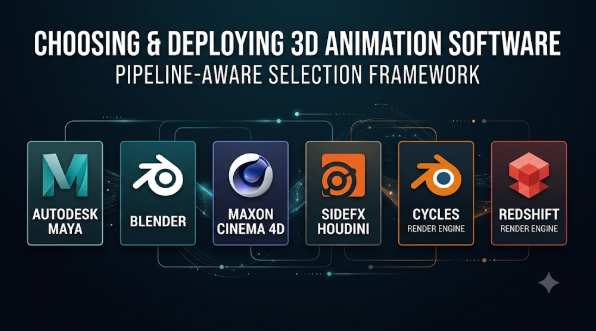
Creating a 3D animation involves more than moving objects across a screen. Artists must build models, create movement, control cameras, add lighting, and produce the final images.
The right software can make these tasks easier. But different applications solve different creative problems.
Some tools focus on character movement. Others excel at visual effects, procedural animation, or real-time production. A few cover almost the entire 3D workflow.
Understanding these differences helps artists avoid expensive tools they may never need.
What Makes 3D Animation Software Different?
3D animation software helps artists create objects and bring them to life inside a digital space.
Artists work with three main directions: height, width, and depth. This gives objects a realistic shape and allows cameras to view them from different angles.
Most professional workflows include several stages:
- Modeling: Creating characters, objects, buildings, and environments.
- Texturing: Adding colors, surface details, and materials.
- Rigging: Building a digital skeleton for characters or objects.
- Animation: Creating movement through keyframes or motion capture.
- Simulation: Adding effects such as water, fire, cloth, and particles.
- Lighting: Controlling shadows, brightness, and atmosphere.
- Rendering: Producing the final images or video.
Not every application handles these stages equally well.
For example, a character animator may need strong rigging tools. A motion designer may care more about procedural movement and fast previews.
That difference should guide the software selection process.
Which 3D Animation Software Deserves Your Attention?
The following applications serve different production needs. They are not presented as a universal ranking because their strengths do not overlap perfectly.
1. Blender: A Complete Creative Toolkit Without a License Fee
Open-source 3D creation and animation
Rain – Character Rig – Blender Studio
Blender is a strong starting point for people who want a complete 3D production environment.
It combines modeling, rigging, animation, simulation, rendering, and compositing. Artists can manage many production stages inside one application.
Its Cycles renderer supports path-traced image production. Its Python API also allows technical artists to create custom tools and automate tasks.
Where Blender makes sense
- Independent animation projects.
- Short films and personal productions.
- Character modeling and animation.
- Game asset creation.
- Small studios with limited software budgets.
The trade-off: Blender offers many capabilities, but beginners face a large interface and a demanding learning process. Complex studio pipelines may also need custom tools and workflow planning.
Its open-source model gives teams more control over their software environment. The official project documentation describes its broad production capabilities and GNU GPL licensing. Blender+1
2. Autodesk Maya: Built for Detailed Character Animation
Professional character animation and production pipelines
Rigging Software | 2D/3D Rigging Software | Autodesk
Autodesk Maya is widely associated with character animation and film production.
Its animation system supports keyframes, nonlinear animation, and motion capture. Artists can build detailed character rigs and control complex movements.
Maya also includes Bifrost for simulations and effects. Its OpenUSD support helps studios work with shared scene data across production tools.
Python scripting and plug-ins offer further control over production workflows.
Where Maya makes sense
- Film and television character animation.
- Complex character rigs.
- Large animation teams.
- Production pipelines using OpenUSD.
- Studios that depend on custom scripts and tools.
The trade-off: Maya requires a greater software investment than free alternatives. Its advanced tools also take time to master.
Teams should check licensing, plug-in compatibility, and pipeline requirements before choosing it.
Autodesk documents its animation, simulation, scripting, and OpenUSD capabilities on its official feature pages. Autodesk+1
3. Cinema 4D: A Strong Choice for Motion Graphics
Procedural animation and visual design
Buy Maxon Cinema 4D – Official UK Reseller
Cinema 4D focuses strongly on motion design and visual communication.
Its MoGraph system helps artists animate groups of objects without keyframing every object separately.
Cloners create repeated objects. Effectors control their movement, scale, rotation, and other properties.
This makes it useful for animated logos, product visuals, broadcast graphics, and abstract motion design.
Cinema 4D also supports modeling, character animation, simulation, and rendering.
Where Cinema 4D makes sense
- Animated brand identities.
- Advertising and product visuals.
- Broadcast graphics.
- Abstract motion design.
- Projects involving procedural animation.
The trade-off: Its commercial licensing adds ongoing costs. Artists focused on complex character animation may prefer a more specialized workflow.
Cinema 4D also offers integration with Adobe After Effects and access to the Redshift rendering ecosystem. maxon.net+1
4. Houdini: Procedural Animation and Complex Visual Effects
Node-based procedural creation and simulation
Destruction FX in SOPS | SideFX
Houdini takes a different approach to 3D production.
It uses nodes to build procedural systems. Each node performs a specific task, and artists connect them into larger workflows.
This approach makes complex scenes easier to control and modify.
Houdini is particularly useful for simulations involving fire, smoke, water, particles, and destruction.
Technical artists can also use procedural systems to create environments and repeated assets.
Where Houdini makes sense
- Film and game visual effects.
- Destruction and fluid simulations.
- Procedural environment creation.
- Large-scale particle effects.
- Technical art and simulation workflows.
The trade-off: Houdini has a demanding learning curve. Artists must understand its node-based approach to get the most from it.
It may be excessive for simple character animations or short promotional videos.
SideFX describes its procedural workflow and simulation capabilities in its official Houdini FX documentation. SideFX
5. Unreal Engine: Real-Time Animation and Virtual Production
Real-time 3D production and interactive environments
Join us for Virtual Production Week 2022! – Unreal Engine
Unreal Engine offers a different production experience.
Instead of relying only on traditional offline rendering, artists can preview lighting, materials, and animation in real time.
Its animation tools support character movement and production workflows. Lumen provides dynamic global illumination, while Movie Render Queue supports final image production.
Unreal Engine also works well for virtual production. Teams can combine digital environments with physical cameras and production equipment.
Where Unreal Engine makes sense
- Real-time cinematic projects.
- Game animation.
- Virtual production.
- Interactive 3D experiences.
- Architectural and product visualization.
The trade-off: Unreal Engine is not a direct replacement for every traditional modeling and animation application.
Artists may still need dedicated software to build characters, create complex rigs, or prepare detailed assets.
Official animation documentation explains its production tools and real-time workflow. Unreal Engine
6. iClone: Character Animation With a Real-Time Workflow
Character performance and motion capture
Prompt Muse – Unleash the Power of AI to Create Next-Level Animations – Reallusion Magazine
iClone focuses on character-based animation.
It combines body animation, facial performance, motion capture, and scene direction.
Artists can work with motion clips and adjust character movement. Facial tools help control expressions and lip movements.
Its real-time previews also help creators review scenes without waiting for every final render.
Where iClone makes sense
- Character-driven videos.
- Facial animation and lip synchronization.
- Motion capture workflows.
- Small animation productions.
- Previsualization and cinematic scenes.
The trade-off: iClone has a more specialized focus than general-purpose 3D suites. Its asset ecosystem, add-ons, and export requirements should be checked before building a complete production around it.
Its connection with Character Creator can also help teams manage character creation and animation together. iClone+1
7. Cascadeur: More Control Over Character Movement
Physics-assisted character animation
Cascadeur focuses on character movement.
It uses physics-based tools to help artists create natural-looking motion. Its workflow supports posing, movement refinement, and animation editing.
This can be useful when creating jumps, falls, attacks, and other body movements.
Instead of relying entirely on manual keyframe adjustments, artists can use its tools to refine how characters move.
Where Cascadeur makes sense
- Game character movement.
- Action animation.
- Jumping and falling sequences.
- Human body mechanics.
- Refining existing character animation.
The trade-off: Cascadeur is a specialist animation tool, not a complete replacement for modeling and rendering software.
Artists may need another application to create characters and prepare final scenes.
Its official documentation explains its animation and physics-based workflow. cascadeur.com
Comparing the Different Animation Workflows
A useful comparison should focus on what each application actually helps artists accomplish.
| Software | Main strength | Suitable workflow | Main consideration |
|---|---|---|---|
| Blender | Complete 3D pipeline | Independent production | Large learning scope |
| Maya | Character animation | Film and studio pipelines | Licensing and complexity |
| Cinema 4D | Motion graphics | Advertising and design | Commercial cost |
| Houdini | Procedural effects | VFX and simulations | Technical learning curve |
| Unreal Engine | Real-time production | Games and virtual production | Often needs companion tools |
| iClone | Character performance | Mocap and cinematic scenes | Specialized ecosystem |
| Cascadeur | Character movement | Action and body animation | Requires other production tools |
These applications can also work together.
For example, an artist might create a character in Blender, refine its movement in Cascadeur, and bring it into Unreal Engine.
The best combination depends on the project’s final output and technical requirements.
How to Choose Software for Your Animation Project
A software purchase should begin with the work you want to produce.
The following scenarios show how different needs affect the decision.
If You Are Learning 3D Animation
Start with Blender.
It gives beginners access to modeling, rigging, animation, and rendering without a software license fee.
You can learn the full production process before investing in specialist applications.
Focus on simple objects first. Then move towards characters and complete scenes.
If You Want to Animate Film Characters
Consider Maya.
Its rigging and animation features support detailed character work. Its OpenUSD and scripting capabilities also matter in larger production environments.
Check whether your target studio uses Maya-based workflows.
If You Create Advertisements and Animated Logos
Consider Cinema 4D.
Its MoGraph tools make repeated object animation easier to manage.
This is useful when a project needs many moving shapes, patterns, or product elements.
If You Want to Create Complex Visual Effects
Consider Houdini.
Its procedural workflow supports complex simulations and repeatable effects.
Start with smaller node networks before building large systems.
If You Need Real-Time Animation
Consider Unreal Engine.
It allows artists to review scenes while making changes.
This can help virtual production teams and creators working on interactive environments.
If Character Movement Is Your Main Challenge
Look at iClone and Cascadeur.
iClone focuses on character performance and motion capture workflows. Cascadeur concentrates on physics-assisted body animation.
They solve related problems, but their workflows are different.
Hardware Requirements Matter More Than Many Beginners Expect
3D animation can place heavy demands on a computer.
The software may run on a basic system, but complex scenes need more resources.
Before choosing an application, consider these hardware needs.
Processor (CPU)
The processor handles many scene operations and computing tasks. A capable multi-core CPU helps with complex production work.
Graphics card (GPU)
A suitable GPU helps with viewport performance and supported rendering tasks. Check the software’s official hardware requirements before buying one.
RAM
Large scenes, detailed models, and multiple applications can use substantial memory.
More RAM helps when working with complex projects.
Storage
Use fast SSD storage for project files, textures, and animation assets.
Large production files can quickly fill a small drive.
Display
A clear, color-accurate display helps artists review materials, lighting, and fine details.
The exact hardware needs depend on scene complexity, render engine, and output resolution. A beginner creating simple animations does not need the same computer as a studio producing complex visual effects.
Important Questions to Ask Before Buying 3D Animation Software
Software demonstrations often focus on attractive features. However, practical production needs deserve more attention.
Ask these questions before making a decision:
- Can the software handle the type of animation I want to create?
- Does it support my operating system and hardware?
- Can I import and export the file formats my workflow requires?
- Does it support the rigging and animation methods I need?
- Can I move projects between other production applications?
- Are important features included in the main license?
- Do I need paid plug-ins or additional subscriptions?
- Can my team share and manage project files?
- Are training resources and technical support available?
- Can I use the final output for my intended commercial purpose?
These questions can prevent costly mistakes.
Also, test a small project before committing to a long production.
A simple character animation can reveal problems with rigging, exporting, rendering, and file compatibility.
Common Mistakes When Choosing 3D Animation Software
Even experienced creators can choose tools that do not fit their needs.
Avoid these common mistakes.
Choosing Based Only on Popularity
A popular application may not suit your workflow.
A motion designer and a character animator have different needs. Their software choices should reflect those needs.
Ignoring the Learning Curve
Advanced features do not always mean faster production.
A complex application may slow down a beginner who only needs basic animation tools.
Overlooking File Compatibility
Different applications use different project formats and workflows.
Check whether your software supports the formats your clients, teammates, or production partners require.
Forgetting Extra Costs
The software license may not cover every production need.
Some workflows require paid renderers, plug-ins, asset libraries, or additional applications.
Calculate the full cost before purchasing.
Buying Hardware Before Testing Software
Not every animation project requires an expensive workstation.
Try your chosen application first. Test its performance with a realistic project.
Then decide which hardware upgrades matter.
Frequently Asked Questions
What is the best free 3D animation software?
Blender is a strong free option. It provides modeling, rigging, animation, simulation, and rendering tools in one application.
Its open-source license also allows users to study and modify its source code.
Is 3D animation software difficult to learn?
It depends on the application and your goals.
Basic modeling and keyframe animation are good starting points. Character rigging and advanced simulations require more practice.
Can I create professional animations with free software?
Yes. Blender offers tools for complete 3D production.
However, professional results also depend on artistic skills, hardware, project planning, and production experience.
Which software is better for character animation?
Maya is a strong choice for detailed character animation workflows.
iClone and Cascadeur also serve character-focused needs, but they approach animation differently.
Is Unreal Engine a 3D animation application?
Unreal Engine is primarily a real-time 3D creation and game development engine.
It also provides animation, cinematic, and virtual production tools.
Do I need coding skills for 3D animation?
No. Beginners can create animations without writing code.
However, Python scripting, procedural systems, and technical tools can help automate complex tasks.
Can I use more than one 3D animation application?
Yes. Many production workflows combine multiple applications.
For example, artists may create models in one application, animate characters in another, and render scenes in a real-time engine.
Making the Right Choice
The right 3D animation software depends on the work you want to create.
Blender offers a broad starting point without licensing costs. Maya supports detailed character production. Cinema 4D suits motion design, while Houdini offers deeper procedural control.
Unreal Engine serves real-time production needs. iClone and Cascadeur provide more focused character animation workflows.
Do not choose software simply because it has the longest feature list.
Choose an application that fits your creative goals, available hardware, budget, and production process. Start with a small project, test the complete workflow, and expand your toolkit only when your work requires it.









Leave a Reply
You must be logged in to post a comment.