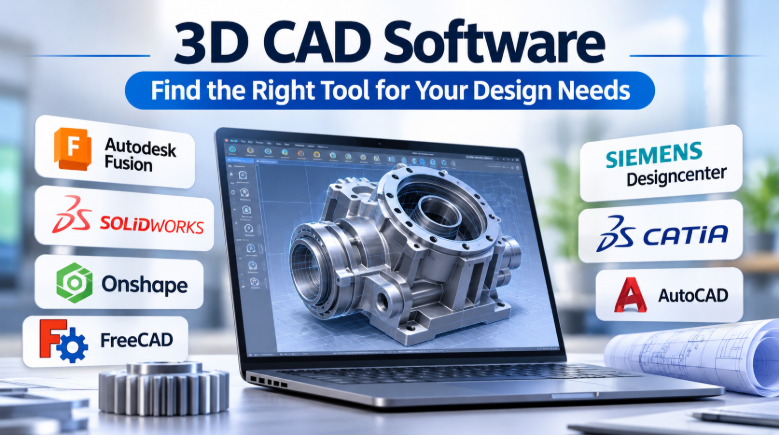
A small design change can affect an entire mechanical assembly. One incorrect measurement can also create costly manufacturing problems.
That is why engineers need more than a tool for drawing shapes. They need 3D CAD software that connects design decisions with engineering requirements.
Some applications focus on mechanical parts and assemblies. Others support complex industrial products, cloud collaboration, or manufacturing workflows.
The important difference lies in how each platform handles design changes, technical accuracy, teamwork, and production data.
What Does 3D CAD Software Actually Do?
3D CAD stands for three-dimensional computer-aided design.
It helps engineers create accurate digital models of real products. These models can represent individual parts, complete assemblies, and mechanical systems.
Unlike basic 3D modeling, engineering CAD also focuses on dimensions, constraints, and design intent.
For example, imagine designing a metal water bottle.
You can create its body, adjust its height, change its diameter, and add a threaded cap. The model can also help prepare technical drawings for manufacturing.
Many CAD applications use parametric modeling.
This means the software stores design rules and measurements. When you change one dimension, related parts can update automatically.
That feature becomes especially useful when a product contains many connected components. SOLIDWORKS+1
Seven 3D CAD Platforms for Different Engineering Needs
These platforms cover different parts of the engineering design market. Some suit individual designers, while others support large product development teams.
1. Autodesk Fusion: Connecting Design With Manufacturing
Fusion 360 | Modelado de Superficies y Paramétrico | Autodesk
Autodesk Fusion brings several product development tasks into one environment.
It combines CAD, CAM, CAE, PCB design, and product data management features. This helps teams move from product design towards manufacturing without constantly changing applications.
Its modeling tools support parametric, direct, surface, freeform, and mesh workflows.
The integrated manufacturing tools are particularly useful. Designers can prepare machining operations using the same product environment.
A practical reason to consider Fusion: A small engineering business can design a component, inspect its geometry, and prepare machining operations within one connected workflow.
What to consider: Some advanced simulation and manufacturing capabilities require additional extensions or specific plans. Its cloud-connected approach also makes data access and internet requirements important purchasing questions. Autodesk+1
2. SOLIDWORKS: Detailed Mechanical Parts and Assemblies
Neue Funktionen in SOLIDWORKS 2023 3D-CAD – SOLIDWORKS Deutschland Österreich & Schweiz
SOLIDWORKS focuses on mechanical product design.
Its parametric modeling approach helps engineers build parts using sketches, dimensions, and features.
The software also supports assemblies and production drawings. This makes it useful when a product contains many connected components.
Its specialized tools cover sheet metal, weldments, molds, and other mechanical design tasks.
A practical reason to consider SOLIDWORKS: An engineer designing a machine enclosure can change its dimensions and update related design features.
What to consider: License costs can be significant. Teams should also check package differences, data management needs, and compatibility with existing engineering systems. SOLIDWORKS+1
3. Onshape: CAD Collaboration Through a Browser
Build Assemblies Faster with Onshape Mates
Onshape takes a cloud-native approach to engineering design.
Instead of relying on traditional local project files, it connects design work with an online platform.
Multiple team members can collaborate on shared models. Built-in version control helps track design changes.
Its tools support parts, assemblies, drawings, sheet metal, and configurations.
This approach can help teams that work across different locations.
A practical reason to consider Onshape: Two engineers can review and modify a shared assembly without passing different project files between computers.
What to consider: Browser-based collaboration depends on internet access and organizational cloud policies. Companies should review data ownership, access permissions, and security requirements before adopting it. Cloud-Native CAD, PDM & Beyond+1
4. FreeCAD: Open-Source Parametric Engineering Design
Izašao je FreeCAD 1.0 | 3D CAD blog
FreeCAD gives users an open-source option for technical design.
It supports parametric modeling and keeps a history of design operations. Engineers can return to earlier features and change their parameters.
Its workbenches support several different tasks. These include part design, technical drawings, assemblies, and finite element analysis.
FreeCAD also supports many file formats. These include STEP, IGES, STL, and DXF.
A practical reason to consider FreeCAD: Students and independent designers can explore mechanical design without purchasing a commercial CAD license.
What to consider: Its workbench-based system may require extra learning. Add-on workbenches can also differ in quality, maintenance, and workflow. Teams should test file exchange and assembly requirements before using it for important production work. freecad.org+1
5. Siemens Designcenter: Engineering Complex Industrial Products
Siemens Designcenter serves demanding product engineering workflows.
Many engineers still recognize this platform by its former NX name.
Siemens renamed its NX CAD software to Designcenter in June 2026. The platform supports advanced part modeling, assemblies, drafting, and engineering workflows.
Its broader ecosystem also connects design with manufacturing tools.
This makes it relevant to organizations developing complex industrial products.
A practical reason to consider Designcenter: An engineering organization can connect detailed product design with downstream manufacturing and product data workflows.
What to consider: Its advanced capabilities can require specialist training, licensing, and implementation planning. Teams should assess the required modules rather than purchasing features they will not use. Siemens+2
6. CATIA: Advanced Design for Complex Products
CATIA supports complex engineering and industrial design.
It goes beyond basic part modeling. Its capabilities cover surface design, product engineering, simulation-related workflows, and systems engineering.
This makes it relevant to industries where products contain many connected systems and components.
CATIA also supports collaborative product development through the 3DEXPERIENCE ecosystem.
A practical reason to consider CATIA: Automotive and aerospace teams can work with complex product geometry and connected engineering disciplines.
What to consider: Its broad industrial capabilities can make deployment demanding. Licensing, training, data migration, and existing production systems need careful review. Dassault Systèmes+1
7. AutoCAD: Precise Drafting With Additional 3D Modeling Tools
AutoCAD is widely associated with technical drafting.
It also provides 3D modeling tools. Users can create solid, surface, mesh, and wireframe objects.
Its solid modeling tools support operations such as extrusion, sweeping, revolving, and combining shapes.
This makes AutoCAD useful for certain technical design and visualization tasks.
A practical reason to consider AutoCAD: A design office that already relies on DWG drawings may find its 3D capabilities useful for adding three-dimensional views.
What to consider: AutoCAD is not a direct replacement for specialized parametric mechanical CAD platforms. Teams that need complex assemblies and linked engineering features should compare dedicated product design applications first. Autodesk+1
Comparing These Platforms by Their Main Purpose
| Platform | Main design focus | Notable distinction |
|---|---|---|
| Autodesk Fusion | Product design and manufacturing | Connected CAD, CAM, and CAE |
| SOLIDWORKS | Mechanical engineering | Parametric parts and assemblies |
| Onshape | Collaborative product design | Cloud-native shared CAD |
| FreeCAD | Technical and mechanical design | Open-source parametric modeling |
| Siemens Designcenter | Industrial product engineering | Advanced engineering workflows |
| CATIA | Complex industrial products | Surface and systems engineering |
| AutoCAD | Technical drafting and 3D modeling | Broad drafting and geometry tools |
These platforms are not interchangeable.
A team should compare the actual workflows it needs. A strong drafting application may not provide the assembly controls required by a mechanical engineering team.
Understanding the Most Important 3D CAD Features
A long feature list does not always mean better software. The important question is how each feature affects daily engineering work.
Parametric Modeling
Parametric modeling connects design geometry with dimensions and rules.
For example, an engineer can change a machine shaft’s diameter. Related features may then update according to the model’s design relationships.
This reduces repeated manual edits.
Check how the software manages broken references and complex feature histories.
Assembly Design
An assembly contains several parts that work together.
A CAD application should help users position components and define their relationships.
It should also support useful assembly checks.
For complex machines, test performance with realistic assembly sizes. A small demonstration model may not reveal problems with large projects.
Technical Drawings
Manufacturers need clear production information.
Technical drawings communicate dimensions, tolerances, sections, and other important details.
Check whether the application creates drawings directly from 3D models. Also examine how it handles updates when the design changes.
Simulation and Validation
Simulation helps engineers study how a design may behave under certain conditions.
Depending on the software, this can include structural, thermal, or motion analysis.
However, simulation results depend on the model, material data, boundary conditions, and assumptions.
Do not treat a software result as proof that a product is safe or ready for production.
CAD File Compatibility
Engineering teams often exchange models with suppliers and manufacturing partners.
Common formats include:
- STEP: Used to exchange 3D engineering geometry.
- IGES: Used for exchanging geometry and surface data.
- STL: Commonly used for 3D printing.
- DXF: Commonly used for 2D drawing exchange.
- DWG: Widely used for CAD drawings.
A file opening successfully does not guarantee that every feature remains editable.
Test real project files before selecting a platform.
The CAD Buying Decision: Desktop, Cloud, or Open Source?
The deployment model can affect the entire engineering workflow.
It deserves as much attention as modeling features.
Desktop-Based CAD
Desktop applications run on a local computer.
They can suit teams that need local control over project files and computing resources.
However, teams must plan backups, file sharing, software updates, and version management.
Cloud-Native CAD
Cloud-native platforms manage important design data through online services.
They can make collaboration and version tracking easier.
But organizations should examine internet dependence, data storage, permissions, and intellectual property policies.
Open-Source CAD
Open-source applications provide access to software without traditional commercial licensing fees.
They can offer more control over customization and deployment.
However, organizations must consider support, training, maintenance, and add-on quality.
The lowest license cost does not always mean the lowest total cost.
How Different Industries Use 3D CAD Software
The same CAD application may serve different purposes across industries.
Understanding the final product helps narrow the selection.
Assembly Machine Designed in SolidWorks ® – ESE LLC Engineering Support for Manufacturing
Mechanical Engineering
Engineers design machine parts, brackets, shafts, housings, and complete assemblies. Parametric modeling and production drawings matter most.
3D Model Car Chassis With Suspension And Wheels – TurboSquid 2202013
Automotive Design
Teams develop vehicle components, structures, and complex surface shapes. Large assemblies and engineering collaboration are important.
Engine Cad 3D Model – TurboSquid 1709609
Aerospace Engineering
Engineers work with detailed structures, complex components, and demanding design requirements. Data control and validation workflows matter.
Prototypen fertigen lassen | 3D Druck in 24–48h
Product Development
Designers create prototypes, enclosures, consumer products, and manufacturing-ready models. Fast design changes and file exports help.
Maquinados Industriales México – Precisión y Calidad
Manufacturing
Engineers prepare models for machining and production. CAD-to-CAM compatibility and accurate geometry become essential.
A Practical CAD Selection Checklist
Before purchasing a license, run a small project through the software.
Use a real design rather than relying only on a sales demonstration.
Check these areas:
- Can it create the parts your project requires?
- Does it support the assembly size you expect?
- Can you change dimensions without rebuilding the model?
- Does it create the technical drawings you need?
- Can it exchange files with your suppliers?
- Does it support your manufacturing process?
- Can your computer handle the required workload?
- Does it meet your company’s data security rules?
- Are training and technical support available?
- What will licenses, add-ons, and maintenance cost?
Also, ask vendors to demonstrate a real workflow.
For example, ask them to change a component dimension and update its assembly drawing.
This simple test can reveal how well the software handles design changes.
Common Mistakes When Buying 3D CAD Software
Confusing 3D Modeling With Engineering CAD
A visually attractive model is not always ready for manufacturing.
Engineering CAD must also support accurate dimensions, design relationships, and technical documentation.
Ignoring Large Assembly Performance
A platform may work well with ten components but struggle with thousands.
Test the software with realistic project files.
Overlooking Supplier Compatibility
Your engineering team may use one application while suppliers use another.
Check how both systems exchange geometry and drawings.
Buying Too Many Advanced Features
Some teams pay for advanced simulation or manufacturing tools they rarely use.
Start with the actual project requirements. Add specialist capabilities when needed.
Ignoring Training Costs
A powerful CAD platform still needs skilled users.
Include onboarding, training, migration, and support in the total budget.
Frequently Asked Questions
What is the difference between 2D CAD and 3D CAD?
2D CAD creates drawings using height and width. 3D CAD adds depth and creates three-dimensional models.
3D CAD can also help generate technical drawings from digital models.
Which 3D CAD software is free?
FreeCAD is an open-source 3D CAD application.
It supports parametric modeling, technical drawings, and several engineering workflows.
Which 3D CAD software is suitable for beginners?
FreeCAD and Autodesk Fusion are reasonable starting points.
The right choice depends on the learning resources, project needs, and available licensing options.
Can 3D CAD software create models for 3D printing?
Yes. Many CAD applications can export models in STL or other suitable formats.
However, users should check wall thickness, geometry, and printer requirements before production.
Is cloud-based CAD better than desktop CAD?
Neither approach is always better.
Cloud CAD can help with collaboration and shared data. Desktop CAD may suit teams with different infrastructure and data control requirements.
Do engineers need a powerful computer for 3D CAD?
It depends on the application and project complexity.
Large assemblies, detailed models, and simulation tasks may need more memory and graphics performance.
Check the software’s recommended hardware before purchasing a workstation.
Choosing Software That Fits the Entire Design Process
The best 3D CAD decision starts with the product you want to build.
Autodesk Fusion connects design and manufacturing. SOLIDWORKS supports detailed mechanical engineering. Onshape focuses on shared cloud-based design, while FreeCAD provides an open-source alternative.
Siemens Designcenter and CATIA serve more demanding industrial workflows. AutoCAD offers useful 3D modeling alongside its established drafting capabilities.
Before committing, test a real part, a complete assembly, and a production drawing.
Also, check file exchange with your manufacturing partners.
A suitable CAD platform should support the whole journey from the first sketch to the final manufactured product.







Leave a Reply
You must be logged in to post a comment.