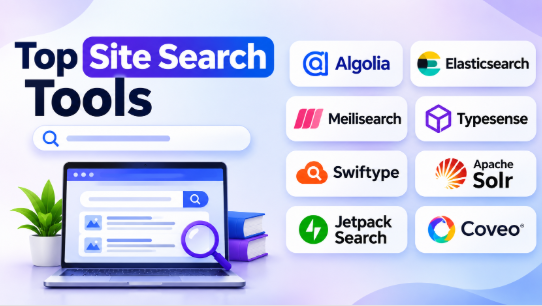
A website can contain hundreds or thousands of pages, but visitors may struggle to find the information they need. Poor search results can make useful content difficult to discover and create a frustrating browsing experience.
Site search tools solve this problem by helping visitors find products, articles, documents, services, and other website content through a search box.
However, not every search tool works the same way. Some focus on eCommerce product discovery. Others specialize in website content, enterprise information, developer-controlled search, or personalized recommendations.
The right platform depends on your website structure, content volume, search requirements, technical resources, and budget.
This guide compares 10 site search tools, explaining their features, advantages, disadvantages, and practical uses. It also covers important selection criteria to help businesses choose a suitable search solution.
What Are Site Search Tools?
Site search tools are software applications that help visitors search for information within a particular website or digital platform.
They typically use an index of website content to find relevant results when someone enters a search query.
For example, an online store might allow customers to search for shoes, filter products by size, and sort results by price. A technology blog might help readers find articles about Kubernetes, cloud computing, or cybersecurity.
A good site search experience can help visitors discover relevant information without browsing every page manually.
Common Uses of Site Search Tools
| Website Type | Common Search Requirements |
|---|---|
| eCommerce websites | Product search, filters, and recommendations |
| Technology blogs | Article discovery and keyword search |
| Business websites | Services, company information, and resources |
| Documentation portals | Technical guides and API references |
| Educational websites | Courses, lessons, and learning materials |
| Enterprise portals | Internal documents and business information |
| News websites | Articles, topics, and archived content |
| Online marketplaces | Product discovery and category filtering |
How Site Search Works
Most modern site search systems follow a process involving three main stages.
- Crawling or data collection: The system collects website content through crawlers, APIs, databases, or content integrations.
- Indexing: It organizes the collected information into a searchable index.
- Query processing: When a visitor searches, the system retrieves and ranks relevant results.
Some platforms also support additional capabilities, such as typo correction, autocomplete, filters, synonyms, and semantic search.
These features help search systems understand what visitors want, even when their queries contain spelling mistakes or different wording.
Top 10 Site Search Tools
The following platforms cover different search requirements, from simple website search to advanced enterprise and eCommerce discovery. The selection includes hosted services, open-source search engines, and customizable developer platforms.
1. Algolia
Short Description
Algolia is a hosted search and discovery platform that helps businesses add fast, relevant search experiences to websites and applications.
It is particularly useful for eCommerce websites, SaaS products, and content-heavy platforms. Developers can use its APIs and libraries to build customized search interfaces.
Algolia supports keyword search, typo tolerance, autocomplete, filtering, and advanced relevance controls. Its search capabilities also include hybrid retrieval, which combines keyword matching with semantic search.
Key Features
- Instant Search: Display relevant results as visitors type.
- Autocomplete: Suggest search terms and matching content.
- Typo Tolerance: Handle common spelling mistakes.
- Faceted Search: Filter results by categories and attributes.
- Search Analytics: Understand visitor search behavior.
- Personalization: Adapt discovery experiences using supported personalization capabilities.
- Relevance Controls: Adjust ranking and search result order.
- Developer APIs: Build customized search experiences.
Benefits
Algolia reduces the amount of search infrastructure developers need to build themselves. Its APIs and search components support customized website experiences.
Pros
- Strong search and discovery capabilities.
- Supports autocomplete and typo tolerance.
- Offers flexible relevance controls.
- Suitable for eCommerce and content websites.
- Provides developer APIs and integrations.
Cons
- Usage-based costs require monitoring.
- Advanced customization needs technical knowledge.
- Large implementations require careful relevance tuning.
- Some capabilities depend on the selected plan.
Use Cases
- Online product discovery.
- SaaS application search.
- Blog and article search.
- Marketplace search.
- Product filtering.
- Documentation search.
Best For: Businesses that need a customizable hosted search platform with advanced discovery capabilities.
2. Elasticsearch
Short Description
Elasticsearch is a distributed search and analytics engine built on Apache Lucene. It helps developers search, analyze, and retrieve large collections of structured and unstructured information.
Unlike a ready-made website search widget, Elasticsearch provides a search backend that developers can use to build customized search experiences.
It supports full-text search, filtering, aggregations, relevance scoring, and vector search.
Its distributed architecture makes it useful for applications that manage large datasets and complex search requirements.
Key Features
- Full-Text Search: Search documents using relevant text matches.
- Distributed Architecture: Spread search workloads across multiple nodes.
- Query DSL: Build detailed search queries.
- Aggregations: Analyze and summarize indexed information.
- Vector Search: Support similarity-based retrieval.
- Filtering: Narrow results using structured fields.
- REST APIs: Connect search functionality with applications.
- Monitoring: Analyze search infrastructure and performance.
Benefits
Elasticsearch gives engineering teams significant control over search behavior and data retrieval.
Organizations can design search systems around their own content models and application requirements.
Pros
- Flexible search architecture.
- Supports large datasets.
- Provides powerful query capabilities.
- Offers full-text and vector search.
- Extensive developer ecosystem.
Cons
- Requires technical expertise.
- Cluster administration can become complex.
- Infrastructure costs need careful management.
- Building a complete search interface requires additional development.
Use Cases
- Large website search systems.
- Enterprise content search.
- Product discovery backends.
- Application search.
- Log and event search.
- Technical documentation platforms.
Best For: Engineering teams that need a highly customizable search engine and have the resources to operate it.
3. Meilisearch
Short Description
Meilisearch is an open-source search engine designed for fast and developer-friendly search experiences.
It is useful for websites and applications that need instant results without building a complex search backend from scratch.
Its built-in typo tolerance helps visitors find relevant content even when they enter incorrect spellings. Developers can also configure searchable attributes, filters, ranking rules, and synonyms.
Meilisearch supports both self-hosted deployments and managed cloud services.
Key Features
- Typo Tolerance: Handle common spelling errors.
- Instant Search: Return results as visitors type.
- REST API: Connect search with websites and applications.
- Filtering: Narrow results using selected attributes.
- Synonyms: Match related search terms.
- Highlighting: Highlight matching text in results.
- Ranking Rules: Control how results are ordered.
- Hybrid Search: Combine keyword and semantic retrieval.
Benefits
Meilisearch provides useful search functionality with a relatively straightforward development model.
It is particularly attractive to teams that want an open-source option without operating a complex distributed search architecture.
Pros
- Open-source search engine.
- Developer-friendly APIs.
- Built-in typo tolerance.
- Supports filtering and synonyms.
- Offers self-hosted and managed options.
Cons
- Requires content indexing and integration.
- Advanced configurations need development skills.
- Large deployments require capacity planning.
- Some advanced capabilities depend on the chosen service and configuration.
Use Cases
- Blog search.
- Corporate website search.
- Documentation portals.
- SaaS application search.
- Product catalog discovery.
- Content management systems.
Best For: Developers and growing businesses that want a lightweight, customizable search engine.
4. Typesense
Short Description
Typesense is an open-source search engine designed for fast, typo-tolerant search experiences.
It focuses on developer productivity and provides several search capabilities without requiring extensive configuration.
Unlike a general web search engine, Typesense does not automatically crawl the internet or discover website content. Developers send their own data to its collections through APIs or supported ingestion methods.
It is useful for websites that need instant search, filters, sorting, and customized result displays.
Key Features
- Typo Tolerance: Handle spelling mistakes during searches.
- Autocomplete: Display suggestions while users type.
- Faceted Filtering: Refine results using selected attributes.
- Custom Ranking: Adjust search result relevance.
- Sorting: Organize results using selected fields.
- Vector Search: Support similarity-based retrieval.
- Geo Search: Find and sort location-based results.
- Federated Search: Search across multiple collections.
Benefits
Typesense offers a developer-friendly approach to search implementation.
Its structured collections make it useful for applications that need predictable search behavior and flexible filtering.
Pros
- Open-source foundation.
- Built-in typo tolerance.
- Supports autocomplete and filtering.
- Offers self-hosted and cloud options.
- Provides flexible search APIs.
Cons
- Requires developers to index website content.
- Search interfaces need implementation.
- Infrastructure planning is necessary for self-hosting.
- Advanced search behavior requires configuration.
Use Cases
- Online stores.
- SaaS applications.
- Content websites.
- Documentation portals.
- Location-based search.
- Product catalogs.
Best For: Developers who want a fast, customizable search backend with built-in typo tolerance.
5. AddSearch
Short Description
AddSearch is a hosted website search platform designed to help organizations add search functionality without building their own search infrastructure.
It is suitable for business websites, publishers, content platforms, and organizations with large collections of web pages.
Its crawling approach can collect website content and create a searchable index. Teams can then customize search results and integrate the search experience into their websites.
This approach can reduce the amount of backend development required for basic site search.
Key Features
- Website Crawling: Collect content from supported website pages.
- Search Integration: Add search functionality to existing websites.
- Autocomplete: Display suggestions while visitors type.
- Search Customization: Adjust how results appear.
- Analytics: Understand search activity.
- Content Indexing: Organize website information for retrieval.
- Search Controls: Improve the presentation and relevance of results.
- Hosted Infrastructure: Avoid managing the search server directly.
Benefits
AddSearch is useful for organizations that want managed site search rather than operating their own search engine.
Its hosted approach can simplify implementation for content-focused websites.
Pros
- Hosted search infrastructure.
- Suitable for content-heavy websites.
- Reduces backend development work.
- Supports search customization.
- Provides search-related analytics.
Cons
- Less infrastructure control than self-hosted engines.
- Advanced customization may require development.
- Subscription costs need consideration.
- Search quality depends on crawling and indexing configuration.
Use Cases
- Corporate websites.
- Online publications.
- Blogs and magazines.
- Educational websites.
- Content libraries.
- Business resource portals.
Best For: Businesses and publishers that want managed website search with less infrastructure administration.
6. Swiftype
Short Description
Swiftype provides hosted website and application search capabilities. It is associated with Elastic and focuses on helping organizations deliver relevant search experiences across their content.
Its crawler can index publicly accessible website pages. Developers can also use APIs to submit structured content.
One useful distinction is its search customization approach. Administrators can adjust result rankings, attribute weights, and synonyms without rebuilding the entire search experience.
Key Features
- Website Crawler: Collect and index website content.
- Autocomplete: Suggest results while visitors type.
- Faceted Search: Allow visitors to refine search results.
- Spelling Correction: Help users recover from typing mistakes.
- Synonyms: Connect related search terms.
- Custom Ranking: Adjust result order.
- Search Analytics: Examine visitor search behavior.
- Developer APIs: Build customized integrations.
Benefits
Swiftype combines managed website indexing with search customization tools.
It can serve organizations that want to improve search relevance without developing every component themselves.
Pros
- Supports automated content crawling.
- Provides autocomplete and refinements.
- Offers customizable result rankings.
- Supports API-based integrations.
- Provides search analytics.
Cons
- Advanced customization requires planning.
- Hosted service creates provider dependency.
- Pricing needs evaluation against search volume.
- Complex implementations may require developer support.
Use Cases
- Business website search.
- Online publications.
- Customer support portals.
- Knowledge bases.
- Product discovery.
- Multi-domain content search.
Best For: Organizations that want managed search with crawling, analytics, and relevance customization.
7. Apache Solr
Short Description
Apache Solr is an open-source enterprise search platform built on Apache Lucene. It helps organizations index, search, and analyze large collections of information.
Solr is designed for applications that need advanced full-text search, filtering, and configurable relevance.
It supports structured and unstructured content. Developers can submit information through different data formats and retrieve results through HTTP-based APIs.
One of its important strengths is its faceted search functionality, which helps visitors narrow large result sets using categories and attributes.
Key Features
- Full-Text Search: Find information using words, phrases, and advanced matching.
- Faceted Search: Organize results using filters and categories.
- Autocomplete: Suggest queries while visitors type.
- Spell Checking: Help users correct search mistakes.
- Distributed Search: Support larger search deployments.
- Document Indexing: Process different content formats.
- Geospatial Search: Support location-based search.
- Administration Interface: Manage and monitor search infrastructure.
Benefits
Apache Solr provides extensive control over search architecture and indexing.
It is particularly useful for organizations that need configurable search behavior and advanced filtering.
Pros
- Free and open-source.
- Supports advanced full-text search.
- Provides faceted navigation.
- Supports distributed deployments.
- Offers extensive configuration options.
Cons
- Requires experienced administrators.
- Initial configuration can be complex.
- Infrastructure maintenance is necessary.
- Custom search interfaces require development.
Use Cases
- Enterprise website search.
- Large content repositories.
- Product catalogs.
- Document search.
- Research databases.
- Knowledge management systems.
Best For: Enterprises and development teams that need a powerful, self-hosted search platform.
8. Site Search 360
Short Description
Site Search 360 is a hosted website search solution that helps businesses add customized search functionality to their websites.
It supports website crawling, search suggestions, content grouping, and search analytics.
Its semantic search capabilities help improve content discovery beyond simple keyword matching. Businesses can also customize search results and adapt the search interface to their website design.
A useful feature is its cross-domain search support. This can help organizations search content across multiple related websites.
Key Features
- Website Crawling: Automatically collect supported website content.
- Semantic Search: Improve search relevance using contextual matching.
- Autocomplete: Suggest relevant queries while visitors type.
- Search Analytics: Understand what visitors are searching for.
- Content Grouping: Organize search results into useful sections.
- Search Customization: Adapt the search experience to website design.
- Multilingual Support: Support searches across multiple languages.
- Cross-Domain Search: Search across supported website domains.
Benefits
Site Search 360 provides a managed solution for organizations that want website search without developing their own search engine.
Its customization options make it useful for content websites and online businesses.
Pros
- Hosted search infrastructure.
- Supports website crawling.
- Provides search analytics.
- Offers multilingual search.
- Supports customized search experiences.
Cons
- Advanced features may require higher subscription plans.
- Search quality depends on indexing configuration.
- Less infrastructure control than open-source alternatives.
- Complex implementations may need technical assistance.
Use Cases
- Corporate websites.
- Blogs and magazines.
- Educational portals.
- eCommerce websites.
- Multi-domain websites.
- Business content libraries.
Best For: Businesses and publishers that want customizable website search with managed infrastructure.
9. Jetpack Search
Short Description
Jetpack Search is a search solution developed by Automattic for WordPress websites.
It improves the default WordPress search experience by providing instant results, filtering, and more relevant content discovery.
It is particularly useful for websites with large collections of posts, pages, and products.
Jetpack Search can display results through an overlay, an embedded search experience, or the website’s existing theme layout.
Its WordPress integration makes it a practical option for publishers who want to improve site search without building a separate search backend.
Key Features
- Instant Search: Display relevant results while visitors type.
- Search Filtering: Filter content by categories, tags, and other supported attributes.
- Spelling Correction: Help visitors find information despite typing errors.
- Autocomplete: Suggest relevant searches.
- WooCommerce Support: Index supported product content.
- Search Analytics: Understand visitor search activity.
- Embedded Search: Build customized search result pages using blocks.
- Theme Integration: Adapt search results to the website’s design.
Benefits
Jetpack Search works within the WordPress environment. Website owners can improve search without replacing their content management system.
It is particularly useful for blogs and publishers with growing content libraries.
Pros
- Designed specifically for WordPress.
- Supports instant search.
- Provides filters and sorting.
- Supports WooCommerce product content.
- Offers customizable search experiences.
Cons
- Primarily suited to WordPress websites.
- Usage limits depend on the selected plan.
- Some content types have indexing restrictions.
- Advanced customization may require additional development.
Use Cases
- WordPress blogs.
- News websites.
- WooCommerce stores.
- Online magazines.
- Educational websites.
- Content-heavy WordPress portals.
Best For: WordPress website owners who want to improve their existing search functionality.
10. Coveo
Short Description
Coveo is an enterprise search and relevance platform designed to help organizations deliver personalized information discovery.
It supports search experiences across business websites, digital commerce platforms, customer service environments, and internal enterprise systems.
Coveo focuses on understanding user intent and improving the relevance of search results. Its capabilities include AI-powered relevance, recommendations, and content discovery.
Unlike lightweight website search plugins, Coveo is designed for organizations with more complex search requirements and multiple content sources.
Key Features
- AI-Powered Search: Improve search relevance using machine learning capabilities.
- Personalization: Adapt search experiences using supported user context.
- Content Indexing: Connect information from supported sources.
- Recommendations: Suggest relevant products and content.
- Enterprise Search: Retrieve information across different business systems.
- Search Analytics: Analyze search behavior and engagement.
- Commerce Discovery: Support product discovery workflows.
- Integration Capabilities: Connect with supported enterprise platforms.
Benefits
Coveo helps large organizations manage search across multiple digital experiences.
Its enterprise-focused capabilities are useful when basic keyword search cannot meet complex discovery requirements.
Pros
- Supports enterprise search requirements.
- Offers personalization capabilities.
- Provides AI-based relevance features.
- Supports multiple content sources.
- Useful for customer-facing and internal search.
Cons
- Implementation can require technical resources.
- Enterprise deployments need careful planning.
- Costs may be significant for smaller businesses.
- Advanced capabilities can increase configuration complexity.
Use Cases
- Enterprise website search.
- Customer support portals.
- eCommerce product discovery.
- Internal knowledge search.
- Digital customer experiences.
- Personalized content discovery.
Best For: Large organizations that need enterprise search, personalization, and advanced content discovery.
Site Search Tools Comparison Table
The following table highlights the main differences between the 10 platforms.
| Tool | Best For | Main Strength | Deployment |
|---|---|---|---|
| Algolia | eCommerce and SaaS | Advanced search and discovery | Hosted |
| Elasticsearch | Large applications | Flexible search architecture | Cloud and self-hosted |
| Meilisearch | Small and medium websites | Simple developer integration | Cloud and self-hosted |
| Typesense | Fast website search | Typo tolerance and filtering | Cloud and self-hosted |
| AddSearch | Content websites | Managed website crawling | Hosted |
| Swiftype | Business websites | Search customization and analytics | Hosted |
| Apache Solr | Enterprise search | Advanced indexing and faceting | Self-hosted |
| Site Search 360 | Business and content websites | Semantic search and customization | Hosted |
| Jetpack Search | WordPress websites | WordPress search integration | Hosted |
| Coveo | Large enterprises | Personalized search and discovery | Cloud |
Essential Features to Evaluate Before Choosing Site Search Software
The right search platform should match your website’s content and visitor expectations.
1. Search Relevance
Search relevance determines whether visitors receive useful results.
A search for “cloud security” should prioritize relevant security articles rather than unrelated pages containing only one matching word.
Check whether the platform supports:
- Keyword matching.
- Phrase matching.
- Relevance ranking.
- Synonyms.
- Semantic search.
- Custom ranking rules.
2. Autocomplete and Typo Tolerance
Visitors do not always enter complete or correctly spelled queries.
Autocomplete suggests possible searches while users type. Typo tolerance helps retrieve useful results when someone makes a spelling mistake.
These features are especially valuable for large product catalogs and content libraries.
3. Filtering and Faceted Search
Filtering helps visitors narrow search results.
For example, an online store may offer filters for:
- Product category.
- Brand.
- Price range.
- Size.
- Color.
- Availability.
A documentation website may instead use content type, topic, author, or publication category.
Choose filters that match the information visitors actually need.
4. Search Analytics
Search analytics help website owners understand visitor behavior.
Useful measurements include:
- Popular search queries.
- Searches that return no results.
- Search result clicks.
- Common search refinements.
- Searches that lead to conversions.
- Frequently requested content.
These insights help identify missing content and improve search relevance.
5. Content Indexing
Indexing determines which website information becomes searchable.
Check whether the platform supports your content sources, including:
- Website pages.
- Blog posts.
- Product records.
- PDF documents.
- Knowledge base articles.
- Custom database records.
- Dynamic website content.
Also check how frequently the index updates after publishing or editing content.
6. Security and Access Control
Search systems must respect the permissions attached to the original content.
This matters especially for internal business portals and enterprise knowledge systems.
Check whether the platform supports authenticated search, document-level access controls, secure data ingestion, and appropriate data retention policies.
7. Integration and Customization
A search tool should work with your existing website architecture.
Check compatibility with:
- WordPress.
- Shopify.
- Magento.
- Custom websites.
- React and other frontend frameworks.
- Headless CMS platforms.
- APIs and development frameworks.
Also examine whether you can customize the search box, results layout, filters, and mobile experience.
How to Choose the Right Site Search Tool
Different websites need different search capabilities.
| Website Requirement | Recommended Tool | Reason |
|---|---|---|
| eCommerce product discovery | Algolia | Advanced search and product discovery |
| Large enterprise applications | Elasticsearch | Flexible search and indexing |
| Lightweight custom search | Meilisearch | Developer-friendly implementation |
| Fast autocomplete search | Typesense | Typo tolerance and instant search |
| Content-heavy business website | AddSearch | Managed content indexing |
| Customizable hosted search | Swiftype | Crawling and relevance controls |
| Advanced enterprise indexing | Apache Solr | Configurable full-text search |
| Multilingual website search | Site Search 360 | Multilingual search capabilities |
| WordPress blog search | Jetpack Search | Direct WordPress integration |
| Enterprise personalization | Coveo | AI-powered relevance and discovery |
Best Site Search Tools for eCommerce Websites
Online stores need more than basic keyword matching.
Customers should be able to find products using names, categories, brands, and product attributes.
Algolia is worth considering for advanced product discovery. Typesense and Elasticsearch are alternatives for teams that want more control over search implementation.
Coveo can suit larger commerce operations with complex personalization requirements.
Best Site Search Tools for Blogs and Publishers
Blogs and online publications need search functionality that helps readers discover relevant articles.
AddSearch, Swiftype, and Site Search 360 offer managed website search approaches.
Jetpack Search is particularly relevant to WordPress publishers.
Meilisearch is another option for developers who want to build a customized article search experience.
Best Site Search Tools for Developers
Developers often need control over indexing, queries, ranking, and search interfaces.
Elasticsearch and Apache Solr provide extensive configuration options.
Meilisearch and Typesense offer developer-oriented alternatives with built-in search capabilities.
The best choice depends on the size of the dataset, technical resources, and operational requirements.
Common Mistakes to Avoid When Implementing Site Search
Even good search software can produce poor results when implementation is not planned properly.
Ignoring search analytics: Without search data, businesses may miss popular queries and content gaps.
Indexing unnecessary content: Draft pages, duplicate records, and outdated documents can reduce result quality.
Ignoring mobile users: Search interfaces should work smoothly on smaller screens.
Using poor relevance settings: Popular but unrelated pages should not automatically appear above genuinely relevant results.
Forgetting synonyms: Different visitors may use different words to describe the same product or topic.
Ignoring zero-result searches: Repeated searches without results often reveal missing content or indexing problems.
Overcomplicating filters: Too many filters can make search harder instead of helping visitors.
Ignoring security permissions: Internal search should never reveal documents to unauthorized users.
Practical Steps for Implementing Site Search
Step 1: Understand Visitor Search Needs
Identify what visitors want to find.
An online store may prioritize products and prices. A blog may prioritize articles and categories. A business portal may prioritize services and documents.
Step 2: Review Existing Website Content
Check your website structure and content sources.
Identify the number of pages, available metadata, product attributes, and content formats.
Remove duplicate and outdated information where appropriate.
Step 3: Select a Suitable Search Platform
Shortlist platforms based on technical requirements.
Compare indexing, search relevance, customization, integrations, hosting, and pricing models.
Step 4: Configure Search Relevance
Set up searchable fields, ranking rules, synonyms, and filters.
For example, an eCommerce website might give greater importance to product names and availability.
A technical blog might prioritize article titles and relevant topics.
Step 5: Test Real Search Queries
Test common visitor searches, misspelled words, incomplete phrases, and queries with no matching content.
Check whether results match the visitor’s likely intention.
Step 6: Monitor Search Performance
Review search analytics regularly.
Identify searches that produce poor results and improve the underlying content or search configuration.
Frequently Asked Questions
1. What are site search tools?
Site search tools help visitors find information within a particular website. They can search articles, products, documents, services, and other content.
2. Which site search tool is best for eCommerce?
Algolia, Typesense, Elasticsearch, and Coveo are worth considering. The right option depends on product catalog size, filtering requirements, personalization, and technical resources.
3. Which site search tool is best for WordPress?
Jetpack Search is designed specifically to improve WordPress search. It supports instant results, filtering, and customizable search experiences.
4. Are there free site search tools?
Yes. Open-source options include Elasticsearch, Meilisearch, Typesense, and Apache Solr. However, self-hosting may involve infrastructure and maintenance costs.
5. What is the difference between site search and Google search?
Google searches and indexes information across the public web. Site search focuses on content within a particular website or connected content sources.
6. What is semantic site search?
Semantic search attempts to understand the meaning and context behind a query rather than relying only on exact keyword matches.
For example, it may connect a search for “how to protect cloud servers” with content about cloud security.
7. Does site search improve user experience?
Yes. Relevant results, autocomplete, and useful filters help visitors find information more easily. The actual improvement depends on search quality and implementation.
8. What is faceted search?
Faceted search lets visitors narrow results using attributes such as category, price, brand, author, or content type.
9. Can site search tools handle large websites?
Many modern search engines support large content collections. However, capacity depends on indexing architecture, infrastructure, search volume, and configuration.
10. How often should website search indexes update?
The update frequency depends on the website and search platform. Frequently changing product catalogs may need near-real-time updates, while less frequently updated blogs may need scheduled indexing.
Conclusion
Site search plays an important role in helping visitors discover useful website content. The right platform can improve product discovery, article navigation, and access to business information.
Algolia provides advanced search and discovery capabilities. Elasticsearch and Apache Solr offer extensive technical control. Meilisearch and Typesense provide developer-friendly search engines.
AddSearch, Swiftype, and Site Search 360 offer managed website search options. Jetpack Search serves WordPress websites, while Coveo addresses complex enterprise discovery requirements.
Before selecting a platform, consider your content structure, visitor needs, technical resources, and operating costs.
Start with a small implementation and test it using real search queries. Monitor unsuccessful searches and improve relevance over time.
A successful site search experience does more than return matching words. It helps visitors reach the information they actually came to find.









Leave a Reply
You must be logged in to post a comment.