Digital advertising involves more than creating ads and choosing an audience. Advertisers must also manage budgets, reach the right people, track results, and improve campaigns. Publishers must sell their ad space and earn revenue from their content.
AdTech platforms help businesses manage these tasks. They connect advertisers, publishers, agencies, data providers, and advertising networks through digital systems.
Some platforms help advertisers buy ad space. Others help publishers sell it. Some manage campaigns, deliver ads, or measure results across different channels.
Choosing the right platform depends on your business goals, budget, audience, and advertising needs. A small business may need simple campaign management. A large brand may need advanced targeting, automation, and cross-channel reporting.
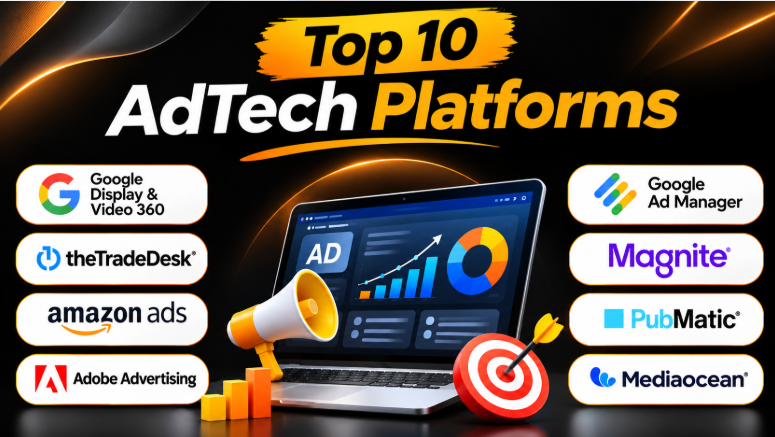
This guide explores 10 popular AdTech platforms. It explains their features, benefits, limitations, and best uses to help you make a better choice.
What Are AdTech Platforms?
AdTech platforms are software systems that help businesses plan, buy, sell, deliver, and measure digital advertising.
AdTech stands for Advertising Technology. These platforms use automation, data, analytics, and digital tools to make advertising easier to manage.
For example, an advertiser can use an AdTech platform to:
- Create digital advertising campaigns.
- Select target audiences.
- Buy advertising space.
- Set budgets and bidding rules.
- Display ads across websites, apps, and streaming services.
- Track clicks, impressions, and conversions.
- Measure campaign performance.
- Improve advertising results.
Publishers also use AdTech platforms to sell advertising space on their websites, apps, videos, and other digital properties.
Main Types of AdTech Platforms
| Platform Type | Main Purpose |
|---|---|
| Demand-Side Platform (DSP) | Helps advertisers buy digital ad space |
| Supply-Side Platform (SSP) | Helps publishers sell advertising inventory |
| Ad Server | Manages and delivers advertisements |
| Ad Exchange | Connects advertisers and publishers through digital auctions |
| Campaign Management Platform | Helps plan and manage advertising campaigns |
| Ad Measurement Platform | Tracks advertising performance and results |
These systems often work together. A DSP may buy an impression through an ad exchange. An SSP may offer the publisher’s inventory. An ad server may then deliver the winning advertisement.
Top 10 AdTech Platforms
1. Google Display & Video 360
Best for: Large advertisers and agencies managing multiple digital advertising channels
Google Display & Video 360, also called DV360, is a platform for managing digital advertising campaigns. It helps teams plan campaigns, manage audiences, create ads, buy inventory, and review performance.
DV360 combines several campaign management functions in one environment. Advertisers can manage display, video, connected TV, and other advertising formats.
The platform also connects with Google’s advertising and data ecosystem. This can help teams manage campaigns and understand performance across different media channels.
Key Features
- Campaign Management: Create and manage campaigns, insertion orders, and line items.
- Audience Management: Build and manage audiences using available data sources.
- Creative Management: Organize and preview advertising creatives.
- Inventory Marketplace: Discover publishers, inventory, and advertising deals.
- Automated Optimization: Use automated bidding and campaign optimization tools.
- Reporting: Review campaign metrics and advertising performance.
Pros
- Supports several digital advertising formats.
- Provides campaign and audience management tools.
- Offers access to a large advertising inventory ecosystem.
- Supports automated bidding and optimization.
- Provides reporting and campaign insights.
Cons
- The platform can be complex for beginners.
- Access may require an eligible account or sales process.
- Campaign management requires training.
- Costs and account requirements may vary.
Best Uses
- Programmatic advertising campaigns.
- Display and video advertising.
- Connected TV campaigns.
- Large advertising teams.
- Multi-channel campaign management.
DV360 is useful for advertisers who need a central platform for managing complex digital campaigns.
2. The Trade Desk
Best for: Advertisers focused on programmatic buying across the open internet
The Trade Desk is a demand-side platform that helps advertisers buy digital advertising inventory. It supports programmatic advertising across websites, apps, video, audio, and connected TV.
Advertisers can use the platform to plan campaigns, select audiences, manage bidding, and measure performance.
The platform focuses on data-driven advertising and access to inventory across the open internet. It also offers tools for campaign optimization and audience management.
Key Features
- Programmatic Buying: Purchase advertising inventory through automated auctions.
- Audience Targeting: Use available data to reach relevant audiences.
- Campaign Optimization: Adjust campaign settings and bidding strategies.
- Omnichannel Advertising: Support campaigns across several digital channels.
- Measurement: Review campaign performance and advertising outcomes.
- Data Marketplace: Connect with data and measurement partners.
Pros
- Strong programmatic advertising capabilities.
- Supports several advertising channels.
- Provides campaign control and optimization options.
- Offers access to multiple data and measurement partners.
- Useful for advertisers with advanced campaign requirements.
Cons
- Requires programmatic advertising knowledge.
- May be complex for smaller advertisers.
- Campaign performance depends on data and strategy.
- Costs and access requirements may vary.
Best Uses
- Programmatic media buying.
- Connected TV advertising.
- Display and video campaigns.
- Audience-based advertising.
- Agencies managing multiple campaigns.
The Trade Desk is a strong option for advertisers who want more control over programmatic media buying.
3. Amazon Ads
Best for: Brands that want to reach shopping and streaming audiences
Amazon Ads provides advertising tools for businesses that want to reach customers across Amazon’s advertising ecosystem.
Its advertising solutions include sponsored advertising, display advertising, video advertising, and programmatic capabilities. Amazon’s shopping and streaming data can help advertisers understand customer interests and behavior.
Amazon’s programmatic advertising offering has evolved within its broader advertising platform. Advertisers should check the current product access and available campaign options before choosing a solution.
Key Features
- Audience Targeting: Use available shopping and audience signals.
- Display Advertising: Reach audiences through digital display placements.
- Video Advertising: Support video and streaming advertising campaigns.
- Campaign Reporting: Review advertising performance.
- Retargeting: Reach audiences who have previously interacted with a brand.
- Shopping Data: Use available Amazon advertising insights.
Pros
- Access to Amazon’s advertising ecosystem.
- Useful for product and retail advertising.
- Supports several advertising formats.
- Provides shopping-related audience insights.
- Suitable for brands selling products online.
Cons
- Some capabilities are focused on Amazon’s ecosystem.
- Product access and campaign options may change.
- Advertisers may need experience with advertising data.
- Costs depend on campaign settings and advertising objectives.
Best Uses
- Retail advertising.
- Product awareness campaigns.
- E-commerce marketing.
- Streaming and video advertising.
- Retargeting campaigns.
Amazon Ads is useful for businesses that want to connect advertising with shopping and streaming audiences.
4. Adobe Advertising
Best for: Enterprises managing advertising and customer data across channels
Adobe Advertising provides advertising management and campaign optimization tools. Its advertising solutions include a demand-side platform for display, video, connected TV, and other digital channels.
The platform can connect advertising workflows with other Adobe marketing products. This can help organizations use customer data and campaign insights across their marketing activities.
Adobe Advertising may be especially useful for companies already using Adobe’s marketing and analytics ecosystem.
Key Features
- Cross-Channel Campaign Management: Manage advertising across multiple formats and channels.
- Audience Segmentation: Use audience data for campaign targeting.
- Automated Optimization: Support campaign optimization and budget management.
- Measurement: Analyze campaign performance and conversion activity.
- Creative Management: Support advertising creative workflows.
- Adobe Integrations: Connect with other Adobe marketing and analytics products.
Pros
- Supports cross-channel advertising.
- Connects advertising with marketing technology.
- Offers audience and optimization capabilities.
- Useful for enterprise marketing workflows.
- Supports display, video, and connected TV advertising.
Cons
- Can be complex for smaller teams.
- Advanced capabilities may require additional products.
- Requires planning for integrations.
- Pricing and access depend on business requirements.
Best Uses
- Enterprise advertising campaigns.
- Cross-channel marketing.
- Audience-based advertising.
- Connected TV campaigns.
- Adobe ecosystem users.
Adobe Advertising is a good option for organizations that need connected advertising and marketing workflows.
5. Google Ad Manager
Best for: Publishers managing direct advertising sales and multiple demand sources
Google Ad Manager helps publishers manage advertising across websites, mobile apps, videos, and other digital properties.
It allows publishers to manage ad inventory, organize advertising campaigns, control placements, and review performance.
The platform is particularly useful for publishers who sell advertising directly to advertisers. It also supports multiple advertising demand sources.
Key Features
- Ad Inventory Management: Organize advertising spaces across digital properties.
- Campaign Management: Manage advertising campaigns and placements.
- Direct Sales: Support advertising deals with direct buyers.
- Ad Network Integration: Connect multiple advertising demand sources.
- Reporting: Review advertising delivery and revenue.
- Ad Controls: Manage where advertisements appear.
Pros
- Provides detailed inventory controls.
- Supports several digital property types.
- Helps manage direct advertising deals.
- Supports multiple demand sources.
- Offers reporting and campaign management tools.
Cons
- Can be difficult for new publishers.
- Requires technical setup and management.
- More suitable for publishers with complex advertising needs.
- Some workflows may require additional tools.
Best Uses
- Large websites.
- Digital publishers.
- Mobile applications.
- Video publishers.
- Publishers managing direct advertising sales.
Google Ad Manager is useful for publishers who need greater control over their advertising inventory.
6. Magnite
Best for: Publishers and media owners monetizing digital advertising inventory
Magnite is a sell-side advertising platform. It helps media owners and publishers manage and monetize advertising inventory.
The platform supports advertising across digital channels, including connected TV, websites, mobile apps, and video.
Magnite connects publishers with advertising buyers and helps manage the sale of digital advertising inventory.
Key Features
- Inventory Monetization: Help publishers sell advertising space.
- Programmatic Advertising: Support automated advertising transactions.
- Connected TV: Support advertising across streaming environments.
- Video Advertising: Manage video advertising inventory.
- Demand Connections: Connect publisher inventory with buyers.
- Yield Optimization: Help publishers manage revenue opportunities.
Pros
- Focuses on publisher monetization.
- Supports multiple advertising formats.
- Useful for connected TV and video.
- Helps connect publishers with advertising demand.
- Offers programmatic selling capabilities.
Cons
- Primarily designed for publishers and media owners.
- Requires advertising inventory to monetize.
- Technical integration may be necessary.
- Revenue depends on inventory quality and market demand.
Best Uses
- Digital publishers.
- Streaming media companies.
- Connected TV publishers.
- Video platforms.
- Mobile app publishers.
Magnite is useful for publishers that want to manage and sell advertising inventory across different channels.
7. PubMatic
Best for: Publishers seeking advertising revenue optimization and greater inventory control
PubMatic provides advertising technology for publishers, buyers, and data partners. Its platform helps publishers monetize digital inventory and connect with advertising demand.
The platform supports several advertising formats, including websites, mobile apps, video, and connected TV.
PubMatic also offers tools for inventory optimization, deal management, analytics, and advertising quality.
Key Features
- Publisher Monetization: Help publishers manage and sell inventory.
- Yield Optimization: Support pricing and revenue optimization.
- Deal Management: Manage programmatic advertising deals.
- Analytics: Review inventory and advertising performance.
- Brand Safety: Support advertising quality controls.
- Cross-Screen Advertising: Manage inventory across several digital formats.
Pros
- Strong publisher-focused capabilities.
- Supports several advertising channels.
- Offers analytics and optimization tools.
- Helps manage advertising deals.
- Provides inventory and revenue controls.
Cons
- Requires publisher inventory.
- Advanced workflows may require technical knowledge.
- Integration requirements depend on the publisher.
- Results depend on inventory and buyer demand.
Best Uses
- Website publishers.
- Mobile app publishers.
- Connected TV publishers.
- Video advertising.
- Publisher revenue optimization.
PubMatic is useful for publishers that want more control over how their advertising inventory is sold.
8. OpenX
Best for: Publishers and buyers focused on quality programmatic advertising inventory
OpenX provides programmatic advertising technology and an advertising marketplace.
Its platform helps connect publishers with advertising buyers. It focuses on advertising quality, transparency, and access to digital inventory.
OpenX also provides tools for inventory management, deal creation, and advertising supply optimization.
Key Features
- Advertising Marketplace: Connect buyers and sellers.
- Programmatic Transactions: Support automated advertising buying and selling.
- Inventory Quality: Support quality controls for advertising inventory.
- Supply Management: Help manage advertising supply.
- Deal Creation: Support curated advertising deals.
- Optimization: Use technology to improve advertising transactions.
Pros
- Focuses on advertising quality.
- Provides programmatic marketplace access.
- Supports publishers and advertising buyers.
- Offers supply and deal management capabilities.
- Helps improve advertising transparency.
Cons
- Requires knowledge of programmatic advertising.
- Features depend on the user’s role.
- May require technical integration.
- Not designed for simple advertising campaigns.
Best Uses
- Programmatic advertising.
- Publisher monetization.
- Advertising inventory management.
- Curated advertising deals.
- Media buying workflows.
OpenX is a useful option for organizations that need programmatic advertising infrastructure.
9. Innovid
Best for: Advertisers managing video, connected TV, creative delivery, and measurement
Innovid provides advertising technology for creating, delivering, measuring, and optimizing digital advertising campaigns.
The platform focuses on video, connected TV, display, and other advertising channels. It also provides creative tools, ad serving, campaign measurement, and optimization capabilities.
Innovid can help advertising teams understand campaign delivery and performance across different media channels.
Key Features
- Ad Serving: Deliver advertisements across supported channels.
- Creative Management: Manage advertising creative.
- Dynamic Creative: Personalize advertising experiences.
- Measurement: Review campaign reach and performance.
- Analytics: Analyze campaign results.
- Connected TV: Support advertising workflows for streaming media.
Pros
- Strong focus on video advertising.
- Supports connected TV campaigns.
- Provides creative and ad delivery tools.
- Offers campaign measurement.
- Supports cross-channel advertising workflows.
Cons
- May be more than smaller advertisers need.
- Advanced workflows require training.
- Some features depend on integrations.
- Pricing and access may vary.
Best Uses
- Video advertising.
- Connected TV campaigns.
- Cross-channel campaign measurement.
- Creative optimization.
- Enterprise advertising workflows.
Innovid is useful for advertisers that need more control over video and connected TV advertising.
10. Mediaocean
Best for: Agencies and enterprise teams managing large advertising operations
Mediaocean provides advertising workflow and campaign management technology.
Its platform helps agencies and advertisers manage media planning, buying, campaign operations, and financial workflows.
Mediaocean is especially useful for organizations that manage advertising across many channels and teams. Its platform connects different parts of the advertising process.
Key Features
- Media Planning: Organize advertising plans across channels.
- Campaign Buying: Support media buying workflows.
- Workflow Automation: Automate selected advertising operations.
- Financial Management: Support advertising billing and financial processes.
- Campaign Operations: Manage campaign activity across teams.
- Integrations: Connect advertising workflows with other systems.
Pros
- Supports large advertising operations.
- Helps organize media workflows.
- Provides campaign management capabilities.
- Supports financial and operational processes.
- Useful for agencies and enterprise teams.
Cons
- Can be complex for smaller businesses.
- Requires planning for implementation.
- Advanced workflows may need training.
- Pricing depends on business requirements.
Best Uses
- Advertising agencies.
- Enterprise marketing teams.
- Multi-channel campaigns.
- Media planning and buying.
- Advertising operations management.
Mediaocean is useful for businesses that need to manage complex advertising workflows across teams and channels.
AdTech Platforms Comparison Table
| Platform | Main Type | Best For | Main Strength |
|---|---|---|---|
| Google Display & Video 360 | DSP | Large advertisers | Campaign and inventory management |
| The Trade Desk | DSP | Programmatic advertisers | Open-internet media buying |
| Amazon Ads | Advertising Platform | Retail and streaming brands | Shopping and audience data |
| Adobe Advertising | DSP | Enterprise marketers | Cross-channel marketing integration |
| Google Ad Manager | Ad Management Platform | Publishers | Inventory and direct sales management |
| Magnite | SSP | Media owners | Publisher monetization |
| PubMatic | SSP | Publishers | Revenue optimization |
| OpenX | Ad Exchange / SSP | Publishers and buyers | Advertising quality and marketplace access |
| Innovid | AdTech / Ad Server | Video and CTV advertisers | Creative, delivery, and measurement |
| Mediaocean | Advertising Management Platform | Agencies and enterprises | Media workflow management |
How to Choose the Right AdTech Platform
Choosing an AdTech platform requires more than comparing features. You need to understand your advertising goals and the type of platform your business actually needs.
1. Identify Your Main Advertising Goal
Start by deciding what you want to achieve.
- Brand Awareness: Reach more people and introduce your brand.
- Lead Generation: Find potential customers.
- Sales Growth: Increase purchases and conversions.
- Publisher Revenue: Earn money from advertising inventory.
- Campaign Management: Organize advertising across several channels.
- Performance Measurement: Understand campaign results.
Your main goal will help you choose the right platform type.
2. Understand the Platform Type
Not every AdTech platform performs the same job.
A DSP helps advertisers buy digital advertising. An SSP helps publishers sell advertising inventory. An ad server manages ad delivery.
For example, an advertiser may use The Trade Desk to buy media. A publisher may use PubMatic to sell inventory. Another platform may help deliver and measure the advertisements.
Choosing the wrong platform type can create unnecessary costs and complexity.
3. Check Your Budget
AdTech platforms may charge through different pricing models.
Common cost factors include:
- Advertising spend.
- Platform fees.
- Data costs.
- Campaign management fees.
- Creative production.
- Measurement services.
- Integration costs.
Some platforms are designed for large advertisers. Others may support smaller businesses or simpler campaigns.
Always understand the complete cost before starting.
4. Review Targeting Capabilities
Audience targeting can help advertisers reach relevant people.
Depending on the platform, targeting may use:
- First-party data.
- Contextual information.
- Location.
- Device information.
- Interest signals.
- Customer behavior.
- Available identity solutions.
Businesses should also review privacy requirements before using customer data for advertising.
5. Check Reporting and Measurement
A good advertising platform should help you understand campaign results.
Review whether it supports the metrics you need, such as:
- Impressions.
- Clicks.
- Conversions.
- Cost per acquisition.
- Return on advertising spend.
- Reach.
- Frequency.
- Video engagement.
The reporting system should match your business goals.
6. Review Integrations
AdTech platforms often work with other marketing tools.
Check whether the platform can connect with:
- Analytics platforms.
- Customer relationship management systems.
- Data platforms.
- Creative tools.
- Advertising networks.
- Conversion tracking systems.
- Business reporting tools.
Good integrations can reduce manual work and improve campaign reporting.
7. Consider Your Team’s Experience
Some AdTech platforms offer simple campaign workflows. Others require technical and programmatic advertising knowledge.
Before choosing a platform, consider:
- Team experience.
- Training requirements.
- Technical support.
- Campaign complexity.
- Automation capabilities.
- Daily management requirements.
A platform with many advanced features may not be the best choice for a small team.
Common Mistakes When Choosing AdTech Platforms
Choosing a Platform Without Understanding Its Purpose
A DSP and an SSP solve different problems.
Advertisers need buying tools. Publishers need selling and monetization tools. Choosing the wrong platform can waste time and money.
Focusing Only on Features
More features do not always mean better results.
A business should focus on the tools it actually needs. Simple workflows may be more valuable than complicated features that the team never uses.
Ignoring Total Costs
Advertising costs can include more than the platform subscription or media budget.
Businesses should review data costs, platform fees, creative expenses, integration costs, and management requirements.
Not Reviewing Reporting Capabilities
Campaign performance must be measured properly.
A platform should provide useful information about advertising results. Otherwise, businesses may struggle to understand which campaigns are working.
Using Too Many Platforms
Using several advertising platforms can create complicated workflows.
Businesses should carefully evaluate whether additional tools provide enough value to justify their costs and management requirements.
Frequently Asked Questions
What is an AdTech platform?
An AdTech platform is software that helps businesses manage digital advertising. It may support advertising buying, selling, delivery, targeting, campaign management, or measurement.
What is the difference between AdTech and MarTech?
AdTech focuses mainly on advertising activities, such as buying media, delivering ads, and measuring campaign performance.
MarTech covers a broader range of marketing activities. It may include email marketing, customer relationship management, automation, analytics, and customer experience tools.
What is a DSP in AdTech?
A demand-side platform helps advertisers purchase digital advertising inventory through automated systems.
Advertisers can use DSPs to manage campaigns, select audiences, set budgets, and optimize bidding.
What is an SSP in AdTech?
A supply-side platform helps publishers sell advertising inventory.
It connects publishers with advertising buyers and helps manage the sale of digital advertising space.
Are AdTech platforms suitable for small businesses?
Some AdTech platforms may support smaller advertisers. However, many advanced programmatic platforms are designed for agencies and large organizations.
Small businesses should compare platform access, budget requirements, technical complexity, and campaign management needs.
Which AdTech platform is best?
There is no single platform that works best for every business.
The Trade Desk and DV360 are useful for programmatic advertising. Google Ad Manager is suitable for publishers. PubMatic and Magnite focus on publisher monetization. Innovid supports advertising delivery and measurement workflows.
The best choice depends on your goals, audience, budget, and technical requirements.
Final Thoughts
AdTech platforms help advertisers and publishers manage digital advertising more efficiently. They support campaign buying, inventory selling, ad delivery, audience targeting, reporting, and optimization.
However, these platforms serve different purposes. Advertisers may need a DSP, while publishers may need an SSP or ad management platform. Agencies may require tools that connect planning, buying, reporting, and financial workflows.
Before selecting a platform, identify your main advertising goal. Then compare its capabilities, costs, integrations, reporting, and technical requirements.
The right AdTech platform should support your advertising workflow without adding unnecessary complexity. A carefully chosen solution can help businesses manage campaigns more effectively, understand their results, and make better advertising decisions.










Leave a Reply
You must be logged in to post a comment.