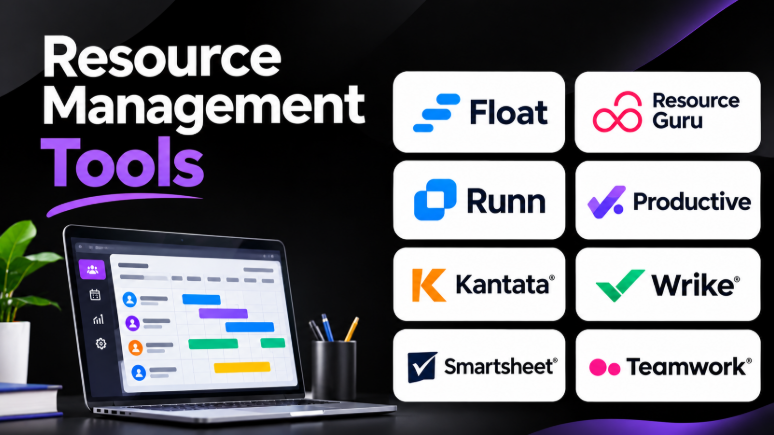
Resource management tools help businesses plan work, manage team capacity, and allocate resources across projects. They provide a clear view of who is working on what, when people are available, and where workloads may become too heavy.
Many businesses still manage resources through spreadsheets, emails, calendars, and separate project management applications. These methods can work for small teams. However, they become difficult to manage as projects grow and more people share responsibilities.
Resource management software brings planning, scheduling, availability, workload tracking, and forecasting into one system. It helps managers make better decisions before resource problems affect project delivery.
Modern resource management tools also support skills-based planning, utilization tracking, time management, project forecasting, and reporting. Some focus on simple team scheduling, while others provide advanced financial planning and enterprise resource management.
Choosing the right tool depends on your organization, project complexity, team size, budget, and planning requirements.
This article explores 10 resource management tools. It explains their features, benefits, pros, cons, use cases, and best-fit users to help you choose the right solution.
What Is Resource Management Software?
Resource management software is an application that helps organizations plan, allocate, monitor, and manage available resources across projects and business activities.
Resources can include:
- Employees and contractors
- Team members and specialists
- Working hours and availability
- Skills and job roles
- Project budgets
- Equipment and facilities
- Shared business resources
- Project capacity and demand
For example, a software development company may have several projects running simultaneously. Some developers may be working on one project, while others support multiple teams.
Resource management software helps managers understand employee availability and workload. They can assign work based on skills, capacity, project priorities, and deadlines.
The software can also help identify employees who are overloaded or underutilized.
Resource management tools are useful for:
- Project management teams
- Software development companies
- Consulting firms
- Marketing agencies
- Engineering organizations
- Construction businesses
- Professional services companies
- Enterprise project management offices
- Operations teams
- Freelancers and small businesses
Why Do Businesses Need Resource Management Tools?
Managing resources manually becomes difficult when several projects compete for the same people.
Resource management tools help businesses solve common operational problems.
Better Resource Allocation
Managers can assign work based on employee availability, skills, experience, and workload.
This reduces the chances of assigning too much work to one person.
Improved Capacity Planning
Capacity planning helps organizations understand how much work their teams can handle.
Managers can compare available capacity with upcoming project demand. This helps them decide whether they need additional employees, contractors, or schedule changes.
Workload Visibility
Resource management software provides visual workload information.
Managers can identify employees with too many assignments. They can also discover team members who have available capacity.
Better Project Forecasting
Forecasting helps businesses estimate future resource requirements.
Organizations can plan upcoming projects, hiring needs, and resource availability more effectively.
Reduced Scheduling Conflicts
Many resource management tools provide scheduling calendars and conflict alerts.
These features help prevent double-booking employees, equipment, rooms, or other shared resources.
Improved Team Productivity
When managers allocate work properly, employees can focus on their assigned responsibilities.
Better planning can reduce unnecessary interruptions, last-minute changes, and unrealistic deadlines.
Top 10 Resource Management Tools
1. Float
Short Description
Float is a dedicated resource management and capacity planning platform designed to help teams schedule people, manage workloads, and plan project resources.
Float provides a visual scheduling interface where managers can assign work and see team availability. Its scheduling system helps organizations understand how employees spend their time across projects.
The platform is particularly useful for agencies, consulting firms, creative teams, and professional services organizations that manage multiple projects simultaneously.
Float focuses heavily on resource scheduling and capacity visibility rather than replacing every project management application.
Key Features
Resource Scheduling: Float provides a visual schedule where managers can assign team members to projects. Users can move allocations, change schedules, and adjust workloads as project requirements change.
Capacity Planning: The platform helps managers compare scheduled work with available capacity. This makes it easier to identify overbooked employees and planning gaps.
Availability Management: Users can account for working schedules, holidays, and time off. This helps managers create more realistic resource plans.
Skills and Role Management: Teams can organize people using roles, departments, and custom information. This helps managers find suitable employees for specific assignments.
Utilization Reporting: Reports help organizations understand resource utilization and workload distribution.
Project Planning: Managers can schedule resources across projects and compare assignments with project timelines.
Time Tracking: Available time-tracking features help teams compare planned work with actual time.
Integrations: Float connects with supported project management, calendar, and business applications to improve workflow coordination.
Benefits
- Provides a clear visual resource schedule.
- Helps identify overbooked employees.
- Supports capacity planning.
- Makes project scheduling easier.
- Helps managers adjust assignments quickly.
- Supports workload and utilization reporting.
- Useful for agencies and project-based teams.
Pros
- Easy-to-understand visual scheduling interface.
- Strong resource planning capabilities.
- Helps prevent scheduling conflicts.
- Useful for managing multiple projects.
- Supports team availability and time-off planning.
- Provides capacity and utilization visibility.
Cons
- Focuses primarily on resource management rather than complete project management.
- Advanced financial planning may require other applications.
- Teams may need integrations with existing project management systems.
- Large organizations may require more advanced enterprise governance capabilities.
Use Cases
- Agency resource scheduling.
- Consulting project allocation.
- Creative team workload planning.
- Software development capacity planning.
- Employee availability management.
- Project staffing and forecasting.
Best For
- Marketing agencies.
- Consulting companies.
- Creative teams.
- Professional services organizations.
- Project managers.
- Operations managers.
Float is particularly useful when teams need a simple, visual way to manage people, project assignments, and available capacity.
2. Resource Guru
Short Description
Resource Guru is a resource scheduling platform designed to help businesses manage people, equipment, rooms, and other shared resources.
Its booking-focused approach makes it useful for organizations that need to coordinate resource availability without managing an extremely complex project management environment.
Resource Guru provides a shared schedule where managers can book resources, manage availability, and identify scheduling conflicts.
The platform is especially useful for small and medium-sized businesses that need straightforward resource planning.
Key Features
Resource Scheduling: Users can schedule employees, equipment, rooms, and other resources through a shared booking calendar.
Availability Management: The system helps managers understand when resources are available for assignments.
Conflict Management: Scheduling conflicts can be identified so managers can avoid overlapping bookings.
Leave Management: Teams can manage planned time off and employee availability.
Resource Utilization: Reports help managers understand how resources are being used.
Tentative Bookings: Managers can plan potential assignments before confirming them.
Custom Fields: Resource information can include additional details such as skills, roles, departments, or other organizational information.
Equipment Scheduling: Organizations can manage shared equipment alongside employee schedules.
Benefits
- Makes resource availability easy to understand.
- Helps prevent double-booking.
- Supports people and equipment scheduling.
- Simplifies leave and availability management.
- Provides a centralized resource calendar.
- Useful for teams with shared resources.
Pros
- Simple booking-focused interface.
- Strong resource calendar functionality.
- Supports equipment and room scheduling.
- Helps identify scheduling conflicts.
- Useful for smaller organizations.
- Provides resource utilization visibility.
Cons
- Focuses more on scheduling than comprehensive project management.
- Advanced financial planning may require additional software.
- Large portfolio forecasting may require a more specialized platform.
- Complex enterprise resource workflows may need additional customization.
Use Cases
- Employee scheduling.
- Equipment booking.
- Meeting room management.
- Consulting resource allocation.
- Agency project scheduling.
- Shared resource management.
Best For
- Small and medium-sized businesses.
- Agencies.
- Consulting teams.
- Equipment rental organizations.
- Operations teams.
- Companies managing shared resources.
Resource Guru is a practical option for businesses that need clear scheduling and availability management without unnecessary complexity.
3. Runn
Short Description
Runn is a resource management and project planning platform designed to help organizations manage capacity, project schedules, staffing, and financial forecasts.
It combines resource planning with project information. This allows managers to understand how project assignments affect team capacity and business performance.
Runn is particularly useful for professional services companies, software development teams, and consulting organizations that need to forecast future workloads.
Its planning features help managers explore different staffing scenarios before making decisions.
Key Features
Resource Planning: Managers can allocate people to projects and adjust assignments according to availability.
Capacity Forecasting: Runn helps organizations compare available resources with future project requirements.
Project Planning: Teams can create project timelines and manage phases, milestones, and resource assignments.
Placeholder Resources: Managers can plan projects before identifying the exact employees who will complete the work.
Scenario Planning: Organizations can explore possible staffing and project changes before committing to a plan.
Utilization Tracking: Reports help managers understand resource utilization across projects and teams.
Financial Forecasting: Resource planning can be connected with project costs and financial information.
Reporting: Managers can view resource capacity, project performance, and utilization information.
Benefits
- Supports forward-looking resource planning.
- Helps managers forecast project demand.
- Provides capacity visibility.
- Supports project staffing scenarios.
- Helps organizations plan before projects begin.
- Connects resource allocation with project information.
Pros
- Strong capacity planning capabilities.
- Useful for forecasting future resource demand.
- Supports placeholder staffing.
- Provides visual planning tools.
- Helps managers evaluate different project scenarios.
- Useful for professional services organizations.
Cons
- Advanced planning requires accurate project and resource data.
- Smaller teams may not need all forecasting capabilities.
- Organizations may need integrations with existing time-tracking systems.
- Financial capabilities may not replace a complete accounting system.
Use Cases
- Professional services resource forecasting.
- Software development team planning.
- Project staffing.
- Capacity analysis.
- Scenario planning.
- Utilization management.
Best For
- Consulting companies.
- Software development organizations.
- Growing agencies.
- Project-based businesses.
- Resource managers.
- Operations leaders.
Runn is a strong choice for teams that need to understand future capacity rather than simply schedule today’s assignments.
4. Productive
Short Description
Productive is a professional services management platform that combines resource planning, project management, budgeting, time tracking, and financial reporting.
It is designed primarily for agencies and professional services businesses.
Productive connects resource allocation with project budgets and financial performance. This helps managers understand how staffing decisions affect project profitability.
Instead of managing resource plans separately from project finances, teams can work within a connected environment.
Key Features
Resource Planning: Managers can allocate employees to projects and review availability.
Capacity Management: The platform helps teams understand available capacity and resource demand.
Project Budgeting: Organizations can manage project budgets and track financial performance.
Time Tracking: Employees can record time spent on projects and tasks.
Financial Reporting: Reports help managers understand project costs, revenue, and profitability.
Project Management: Teams can manage project tasks, timelines, and work progress.
Utilization Tracking: Managers can monitor billable and non-billable work.
Forecasting: Organizations can plan future resource needs and project financial performance.
Benefits
- Combines resource planning with project financial management.
- Helps agencies understand project profitability.
- Supports capacity and utilization planning.
- Connects time tracking with project budgets.
- Reduces the need for separate project and financial planning systems.
- Provides business reporting.
Pros
- Strong professional services focus.
- Combines resource planning and financial management.
- Useful for agencies managing client projects.
- Supports time tracking and budgeting.
- Provides utilization and profitability visibility.
- Helps managers understand project performance.
Cons
- May be more complex than basic scheduling tools.
- Smaller teams may not need its financial capabilities.
- Organizations may require training during implementation.
- Some workflows may depend on the company’s existing financial processes.
Use Cases
- Digital agency management.
- Consulting project management.
- Client project staffing.
- Project budgeting.
- Time tracking.
- Resource utilization analysis.
- Profitability forecasting.
Best For
- Digital agencies.
- Consulting companies.
- Professional services organizations.
- Project-based businesses.
- Finance and operations managers.
- Delivery managers.
Productive is especially useful when organizations need to connect people, projects, budgets, and business performance.
5. Kantata
Short Description
Kantata is a professional services automation platform designed to support resource management, project delivery, financial management, and operational planning.
It focuses on organizations that manage complex client projects and need visibility across resources, project costs, utilization, and business performance.
Kantata provides a broader operational environment than a simple resource scheduling tool.
It is particularly relevant for consulting companies and larger professional services organizations.
Key Features
Resource Management: Managers can allocate people to projects based on availability and requirements.
Skills Management: Organizations can maintain information about employee skills and experience.
Resource Forecasting: Managers can forecast resource demand across projects and business units.
Project Management: Teams can manage project plans, assignments, and delivery activities.
Financial Management: The platform connects project activities with financial information.
Utilization Reporting: Organizations can analyze employee utilization and project staffing.
Project Forecasting: Managers can monitor expected project costs, revenue, and resource requirements.
Business Intelligence: Reporting capabilities provide operational and financial visibility.
Benefits
- Connects resource management with project financials.
- Supports enterprise-level planning.
- Provides visibility across multiple projects.
- Helps organizations manage utilization.
- Supports skills-based staffing.
- Useful for professional services operations.
Pros
- Broad professional services capabilities.
- Supports resource and financial management.
- Useful for large organizations.
- Provides project and portfolio visibility.
- Supports utilization analysis.
- Helps manage complex staffing requirements.
Cons
- Can be complex for small teams.
- Enterprise implementation may require significant planning.
- Pricing is generally sales-based.
- Users may need training to understand the full platform.
Use Cases
- Enterprise consulting.
- Professional services management.
- Large project portfolios.
- Resource forecasting.
- Financial project management.
- Skills-based staffing.
Best For
- Large consulting firms.
- Enterprise professional services organizations.
- Project management offices.
- Resource management departments.
- Operations leaders.
- Finance and delivery teams.
Kantata is best suited to organizations that need resource planning connected with broader project and financial operations.
6. Saviom
Short Description
Saviom is an enterprise resource management and workforce planning platform designed to help organizations manage resource capacity, allocation, utilization, and forecasting.
It provides tools for organizations with complex resource planning requirements.
Saviom focuses on helping businesses make better decisions about resource availability, project demand, and workforce allocation.
The platform can support resource planning across departments, projects, and business units.
Key Features
Resource Planning: Organizations can allocate resources across projects and business activities.
Capacity Planning: Managers can compare available capacity with future demand.
Resource Forecasting: The platform supports future resource planning.
Skills Management: Organizations can maintain resource skills and qualifications.
Utilization Management: Managers can track resource utilization and identify capacity gaps.
Scenario Planning: Businesses can examine possible resource planning scenarios.
Project Scheduling: Resources can be assigned based on project schedules and requirements.
Reporting and Analytics: Reports help organizations analyze resource utilization and planning performance.
Benefits
- Supports enterprise resource planning.
- Helps organizations forecast resource demand.
- Provides capacity and utilization visibility.
- Supports skills-based resource allocation.
- Helps identify resource shortages.
- Useful for complex project environments.
Pros
- Strong enterprise resource planning capabilities.
- Supports capacity forecasting.
- Provides utilization reporting.
- Useful for multi-project organizations.
- Supports skills and resource allocation.
- Helps managers make long-term planning decisions.
Cons
- May be too advanced for small organizations.
- Implementation can require detailed configuration.
- Enterprise features may require training.
- Pricing and implementation costs may require direct vendor consultation.
Use Cases
- Enterprise resource planning.
- Workforce capacity planning.
- Project resource allocation.
- Skills-based staffing.
- Utilization management.
- Long-term workforce forecasting.
Best For
- Large enterprises.
- Engineering organizations.
- IT service companies.
- Professional services businesses.
- Resource management departments.
- Enterprise project management offices.
Saviom is a useful option for organizations that require detailed resource planning across large teams and multiple projects.
7. Hub Planner
Short Description
Hub Planner is a resource scheduling and planning platform designed to help businesses manage team availability, project assignments, capacity, and utilization.
It provides a centralized resource schedule that helps managers understand how employees are allocated across projects.
Hub Planner is particularly useful for organizations that need visual scheduling and resource reporting.
Key Features
Resource Scheduling: Managers can schedule employees across projects using visual planning tools.
Capacity Planning: Teams can compare resource availability with project demand.
Skills Management: Resource information can include skills and other attributes.
Resource Utilization: Reports help managers understand how employees spend their time.
Time Tracking: Teams can record actual work and compare it with planned assignments.
Project Planning: Managers can organize project assignments and schedules.
Resource Forecasting: Organizations can examine future resource demand.
Reporting: Dashboards provide information about resource allocation and utilization.
Benefits
- Provides a centralized resource schedule.
- Helps manage employee availability.
- Supports capacity planning.
- Provides utilization reporting.
- Helps identify workload gaps.
- Supports project resource forecasting.
Pros
- Strong scheduling capabilities.
- Visual resource planning.
- Supports capacity and utilization tracking.
- Provides skills-based resource information.
- Useful for project-based teams.
- Supports reporting and time tracking.
Cons
- May require integrations for broader project management workflows.
- Advanced planning features may require higher-tier plans.
- Smaller teams may find some features unnecessary.
- Detailed configuration may take time.
Use Cases
- Project resource scheduling.
- Employee capacity planning.
- Skills-based staffing.
- Workload management.
- Utilization tracking.
- Project forecasting.
Best For
- Consulting firms.
- Agencies.
- IT companies.
- Project managers.
- Resource managers.
- Medium-sized businesses.
Hub Planner is useful for organizations that need scheduling, resource visibility, and capacity reporting in a dedicated platform.
8. Wrike
Short Description
Wrike is a work management platform that combines project management, task management, collaboration, reporting, and resource planning.
Wrike is designed for teams that want to manage projects and resource workloads within one workspace.
Its resource management capabilities help managers view team workloads and adjust assignments across projects.
Wrike is particularly useful for cross-functional organizations managing several departments and project types.
Key Features
Workload Management: Managers can view assignments across team members and identify overloaded employees.
Resource Planning: Teams can allocate work based on project requirements and availability.
Project Management: Wrike provides tasks, timelines, project plans, and collaboration features.
Time Tracking: Supported plans provide time tracking capabilities.
Dashboards: Teams can create dashboards to monitor project progress and workloads.
Reporting: Reports help managers understand work distribution and project performance.
Automation: Workflow automation can reduce repetitive project management tasks.
Integrations: Wrike connects with several business and productivity applications.
Benefits
- Combines project management and resource planning.
- Helps manage cross-functional workloads.
- Provides project visibility.
- Supports team collaboration.
- Helps identify resource conflicts.
- Useful for organizations managing many projects.
Pros
- Flexible work management platform.
- Supports project and workload planning.
- Provides collaboration features.
- Offers dashboards and reporting.
- Useful for cross-functional teams.
- Supports workflow automation.
Cons
- Resource planning capabilities may depend on the selected plan.
- Complex workspaces can require administration.
- Dedicated resource management tools may provide deeper scheduling capabilities.
- Users may need training to configure advanced workflows.
Use Cases
- Cross-functional project management.
- Marketing resource planning.
- Operations workload management.
- Enterprise project coordination.
- Team workload balancing.
- Project reporting.
Best For
- Mid-sized businesses.
- Enterprise teams.
- Marketing departments.
- Operations teams.
- Project management offices.
- Cross-functional organizations.
Wrike is a strong choice for organizations that want resource planning alongside broader project and work management capabilities.
9. Smartsheet Resource Management
Short Description
Smartsheet is a work management platform that provides spreadsheet-style project planning, automation, reporting, and resource management capabilities.
Its resource management functionality supports organizations that need to manage project capacity across teams and portfolios.
Smartsheet is particularly useful for companies that already use spreadsheet-based planning and want to move toward a more structured work management environment.
Key Features
Resource Allocation: Managers can assign people to projects and review resource commitments.
Capacity Planning: Teams can compare available capacity with planned work.
Resource Scheduling: Organizations can manage assignments across project timelines.
Project Management: Smartsheet provides grid, timeline, and other project planning views.
Portfolio Management: Teams can manage multiple projects and review broader organizational work.
Reporting: Dashboards help managers understand project and resource information.
Automation: Workflow automation can reduce repetitive project management activities.
Integrations: Smartsheet connects with various business applications.
Benefits
- Familiar spreadsheet-style planning.
- Supports project and portfolio management.
- Provides resource planning capabilities.
- Useful for enterprise reporting.
- Supports workflow automation.
- Helps organizations manage multiple projects.
Pros
- Flexible planning environment.
- Familiar interface for spreadsheet users.
- Supports project and portfolio visibility.
- Useful for enterprise teams.
- Provides dashboards and automation.
- Can connect resource management with broader work processes.
Cons
- Dedicated resource management functionality may require additional licensing.
- Complex resource plans can require configuration.
- Some workflows may feel spreadsheet-oriented.
- Advanced capabilities may increase total costs.
Use Cases
- Enterprise resource planning.
- Portfolio management.
- Project capacity planning.
- Cross-departmental scheduling.
- Resource allocation.
- Project reporting.
Best For
- Enterprise organizations.
- Project management offices.
- Spreadsheet-oriented teams.
- Operations departments.
- Portfolio managers.
- Companies already using Smartsheet.
Smartsheet is particularly useful for businesses that want to connect resource planning with existing project and portfolio management workflows.
10. Teamwork
Short Description
Teamwork is a project management platform designed for client-facing teams and professional services organizations.
It combines project management, task planning, time tracking, resource management, and collaboration capabilities.
Teamwork helps businesses manage client projects while monitoring team capacity and workloads.
It is particularly useful for agencies and service companies that need to understand project delivery, client work, and employee availability.
Key Features
Project Management: Teams can manage project tasks, deadlines, milestones, and work progress.
Resource Planning: Managers can allocate team members to projects.
Workload Management: Teams can view assignments and identify capacity problems.
Time Tracking: Employees can record project hours.
Project Budgets: Organizations can monitor project budgets and costs.
Client Management: Teams can organize client work and project information.
Reporting: Managers can review project performance and resource information.
Collaboration: Team members can communicate and share project updates.
Benefits
- Combines project and resource management.
- Supports client-facing workflows.
- Helps manage project workloads.
- Provides time tracking.
- Supports project budgeting.
- Useful for agencies and service businesses.
Pros
- Strong client project management capabilities.
- Combines project planning and resource management.
- Supports time tracking and budgeting.
- Useful for agency workflows.
- Provides workload visibility.
- Supports team collaboration.
Cons
- Dedicated resource management tools may offer more advanced forecasting.
- Complex project environments may require additional configuration.
- Some features depend on the selected plan.
- Organizations may need integrations for advanced financial workflows.
Use Cases
- Agency project management.
- Client service delivery.
- Consulting project scheduling.
- Workload management.
- Time tracking.
- Project budgeting.
Best For
- Marketing agencies.
- Consulting businesses.
- Professional services companies.
- Client-facing project teams.
- Project managers.
- Delivery managers.
Teamwork is useful when organizations want to manage client work and team resources within the same project management environment.
Comparison Table: Top 10 Resource Management Tools
| Tool Name | Best For | Platform | Standout Feature | Main Focus |
|---|---|---|---|---|
| Float | Visual resource scheduling | Web | Visual capacity and scheduling | Resource planning |
| Resource Guru | Simple resource booking | Web | People, equipment, and availability | Scheduling |
| Runn | Capacity forecasting | Web | Resource forecasting and scenarios | Planning |
| Productive | Agency profitability | Web | Resources, budgets, and financials | Professional services |
| Kantata | Enterprise services organizations | Web | Resource and financial management | Enterprise PSA |
| Saviom | Enterprise resource planning | Web | Capacity and workforce forecasting | Enterprise resource management |
| Hub Planner | Scheduling and utilization | Web | Resource schedule and reporting | Resource planning |
| Wrike | Cross-functional work management | Web | Workload management and project workflows | Work management |
| Smartsheet | Spreadsheet-style planning | Web | Project and portfolio visibility | Work management |
| Teamwork | Client service teams | Web | Project management and resource planning | Client delivery |
Product capabilities, plans, integrations, and pricing can change. Check the official product websites before purchasing.
Which Resource Management Tool Is Right for You?
Choosing resource management software depends on your team’s size, planning needs, and existing workflow.
For Small Teams: Float and Resource Guru
Float and Resource Guru are useful choices for smaller teams.
Float focuses on visual project scheduling and capacity planning. Resource Guru provides a straightforward booking-based approach for managing people and shared resources.
Choose Float when project workload and capacity visibility are important.
Choose Resource Guru when you primarily need availability management and scheduling.
For Capacity Planning: Runn
Runn is suitable for teams that need to understand future resource requirements.
Its forecasting and scenario planning capabilities help managers evaluate potential projects before making staffing decisions.
It is particularly useful when project demand changes frequently.
For Agencies: Productive and Teamwork
Agencies need more than employee scheduling.
They also need to understand project budgets, client work, billable time, and profitability.
Productive connects resource planning with financial information. Teamwork combines client project management with workload and time tracking.
Choose Productive when financial visibility is important.
Choose Teamwork when project delivery and client collaboration are your primary needs.
For Enterprise Resource Planning: Kantata and Saviom
Large organizations often need more advanced resource planning.
Kantata supports professional services operations that connect resource management with project and financial workflows.
Saviom focuses on enterprise resource planning, capacity management, forecasting, and utilization.
These tools are more suitable for organizations with complex resource planning requirements.
For Project Management Teams: Wrike and Smartsheet
Wrike and Smartsheet provide resource management within broader work management environments.
Wrike is suitable for teams that want project workflows, collaboration, and workload visibility.
Smartsheet is useful for organizations that prefer spreadsheet-style planning and portfolio management.
These platforms may be a better choice when teams want fewer separate applications.
For Visual Resource Scheduling: Hub Planner
Hub Planner is suitable for teams that want a centralized schedule and resource utilization reports.
It provides a dedicated resource planning environment for project-based organizations.
It can be useful when managers need to understand availability and allocation across several projects.
Best Resource Management Tools for Different Users
| User Type | Recommended Software | Why? |
|---|---|---|
| Small Teams | Resource Guru | Simple scheduling and availability management |
| Agencies | Float | Visual resource planning and capacity visibility |
| Consulting Firms | Productive | Resource planning connected with budgets and financials |
| Enterprise Organizations | Kantata | Broad professional services management |
| Large Resource Teams | Saviom | Capacity planning and enterprise forecasting |
| Project Managers | Wrike | Project management with workload visibility |
| Spreadsheet Users | Smartsheet | Familiar planning interface and portfolio management |
| Capacity Planning Teams | Runn | Forecasting and scenario planning |
| Client Service Teams | Teamwork | Client projects, time tracking, and workload planning |
| Resource Scheduling Teams | Hub Planner | Visual schedules and utilization reporting |
How to Choose Resource Management Software
Before purchasing resource management software, identify the problems your organization needs to solve.
1. Understand Your Resource Planning Needs
Determine whether you need simple scheduling or advanced forecasting.
A small team may only need to know who is available next week.
A large organization may need to forecast staffing requirements months ahead.
Choose software based on your actual planning requirements.
2. Consider Team Size
Some applications work well for small teams. Others support complex organizational structures.
Consider the number of employees, projects, departments, and managers who will use the software.
3. Check Capacity Planning Features
Look for features that help you understand:
- Available working hours
- Planned project assignments
- Employee workloads
- Upcoming resource demand
- Capacity shortages
- Overallocated employees
- Future staffing requirements
These capabilities are important when managing multiple projects.
4. Evaluate Scheduling Capabilities
Scheduling should be easy to understand.
Check whether the software supports:
- Drag-and-drop scheduling
- Calendar views
- Project timelines
- Employee availability
- Time-off management
- Resource booking
- Scheduling conflicts
5. Review Reporting Capabilities
Resource management software should provide useful reports.
Reports can help managers understand utilization, workload, capacity, project assignments, and future demand.
Choose a platform that provides the information your managers actually use.
6. Consider Integration Requirements
Resource management software may need to connect with:
- Project management applications
- Time-tracking software
- Accounting systems
- Human resource systems
- Calendar applications
- CRM platforms
- Communication tools
Check the available integrations before purchasing.
7. Evaluate Pricing and Total Cost
Software pricing may depend on:
- Number of users
- Number of scheduled resources
- Feature availability
- Enterprise requirements
- Implementation services
- Integration requirements
- Additional modules
Compare the total cost rather than only the advertised starting price.
8. Test the Software Before Making a Decision
Use a trial or demonstration when available.
Test real workflows, such as:
- Assigning employees to projects
- Changing project schedules
- Managing time off
- Identifying overloaded employees
- Forecasting future resource requirements
- Creating reports
A tool should make resource planning easier, not create additional administrative work.
Common Resource Management Mistakes
Assigning Work Without Checking Capacity
Managers may assign work based on availability without considering existing responsibilities.
This can lead to overloaded employees and delayed projects.
Ignoring Employee Skills
Available employees may not have the skills required for a project.
Resource planning should consider both availability and capability.
Planning Only for Current Projects
Organizations often focus on existing work.
However, future projects may require additional resources. Forecasting helps businesses prepare before demand increases.
Using Too Many Separate Tools
Managing schedules, project plans, time tracking, and employee availability across separate applications can create inconsistent information.
Integration and centralized planning can reduce these problems.
Choosing Software Based on Features Alone
A tool may offer hundreds of features.
But the best software is the one your team can use effectively.
Consider usability, workflow fit, training requirements, and administrative effort.
Frequently Asked Questions
What is the best resource management software?
The best resource management software depends on your requirements.
Float is useful for visual scheduling. Resource Guru focuses on resource booking and availability. Runn supports capacity forecasting. Productive combines resource planning with financial management.
Large organizations may prefer platforms such as Kantata or Saviom.
What is the difference between resource management and project management?
Project management focuses on planning and completing project work.
Resource management focuses on assigning people, equipment, time, and other resources to that work.
Project management tools may include resource features, but dedicated resource management software often provides deeper capacity planning and forecasting.
Can resource management tools manage employee workloads?
Yes. Many resource management tools provide workload views.
These views help managers identify overloaded employees and people with available capacity.
Managers can adjust assignments to create a more balanced workload.
Are resource management tools suitable for small businesses?
Yes. Small businesses can use resource management tools to manage employee availability, project assignments, and scheduling.
Simple tools may be more suitable than large enterprise platforms.
Can resource management software track utilization?
Many platforms provide utilization reports.
These reports help organizations understand how much available capacity employees use for planned, billable, or other work.
However, high utilization does not always mean better productivity.
What is capacity planning in resource management?
Capacity planning helps organizations understand how much work their available resources can handle.
It compares available capacity with project demand.
This helps managers identify resource shortages, overloaded teams, and potential staffing requirements.
Are resource management tools free?
Some platforms provide free trials or limited free plans. Many dedicated resource management tools require paid subscriptions.
Pricing can depend on the number of users, resources, features, and enterprise requirements.
Check the official pricing page before purchasing.
Final Thoughts
Resource management tools help organizations plan work, manage capacity, allocate people, and improve project delivery.
Float and Resource Guru are useful for teams that need straightforward scheduling and availability management. Runn focuses on capacity planning and forecasting. Productive connects resource planning with agency financial management, while Teamwork supports client project delivery.
Kantata and Saviom provide broader capabilities for organizations with complex resource planning needs. Hub Planner supports visual scheduling and utilization reporting. Wrike and Smartsheet combine resource planning with broader work management.
The right resource management software depends on your organization’s size, project complexity, planning needs, and budget.
Before selecting a tool, identify your most important resource management problem. Then evaluate the software based on how well it solves that problem.
A good resource management platform should help managers make better staffing decisions, balance workloads, reduce scheduling conflicts, and plan projects with greater confidence.










Leave a Reply
You must be logged in to post a comment.