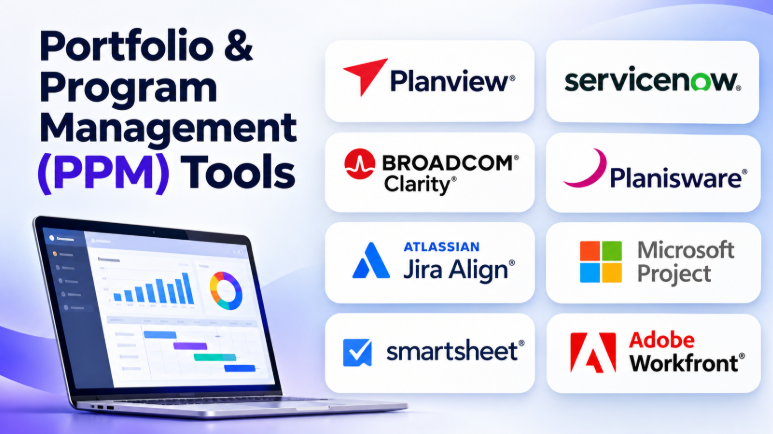
Managing individual projects is not enough when an organization runs dozens or hundreds of initiatives. Leaders must decide which projects deserve funding, which teams have enough capacity, and which investments support business goals.
Portfolio and Program Management (PPM) tools help organizations make these decisions. They connect strategic planning with project execution, resource management, budgets, risks, and performance reporting.
However, PPM software is not the same as ordinary project management software. A project tool helps a team complete work. A portfolio management platform helps an organization decide which work to pursue, fund, prioritize, and monitor.
Some platforms focus on enterprise governance and financial planning. Others help teams manage programs, resources, and delivery. A few offer portfolio visibility without requiring a complex enterprise implementation.
This guide compares 10 relevant PPM platforms and explains where each fits.
What Is Portfolio and Program Management Software?
Portfolio and Program Management software helps organizations manage multiple related or unrelated projects as part of a larger business strategy.
Project management focuses on delivering a specific project.
Program management coordinates several related projects to achieve a shared outcome.
Portfolio management evaluates and manages projects, programs, products, and investments across an organization.
For example, a company may run these initiatives simultaneously:
- Customer portal development
- Data center migration
- Cybersecurity improvement
- ERP implementation
- Employee training
- New product development
Each project has its own team and schedule. But leadership must also consider the total budget, available people, business priorities, risks, and expected benefits.
PPM software provides a central view of these initiatives.
What Should a PPM Tool Actually Do?
A strong PPM platform should support more than project status reports.
Its most important capabilities usually include:
- Project intake: Capture new project ideas and business requests.
- Portfolio prioritization: Compare initiatives using business value, cost, risk, and strategic alignment.
- Program management: Coordinate related projects and shared milestones.
- Resource planning: Understand available capacity and competing workloads.
- Financial management: Track budgets, forecasts, costs, and expected returns.
- Roadmapping: Show how initiatives connect to business goals.
- Risk management: Identify dependencies, problems, and potential delays.
- Governance: Manage approvals, stage gates, and decision processes.
- Reporting: Provide portfolio-level visibility to executives.
- Scenario planning: Compare different investment choices before committing resources.
Not every organization needs all these capabilities.
A small PMO may need project intake, dashboards, and resource planning. A large enterprise may need detailed financial models, governance workflows, and strategic investment planning.
Top 10 Portfolio and Program Management Tools
1. Planview
Best for enterprise portfolio planning and strategic alignment
Planview is designed for organizations that need to connect strategic priorities with project delivery.
It supports portfolio planning, resource management, investment decisions, roadmaps, and strategic execution. Its products serve different portfolio management needs, so organizations should evaluate the specific Planview offering rather than treating the entire product family as one application.
Planview is particularly relevant to mature PMOs. These organizations often manage multiple business units, competing investments, and limited resources.
Portfolio leaders can use planning information to compare initiatives and understand how projects support strategic objectives. Resource and financial views can help expose conflicts before projects begin.
The platform’s depth can be valuable for large organizations. However, implementation may require careful configuration, process design, and organizational change.
Key Capabilities
- Strategic portfolio planning
- Portfolio prioritization
- Resource and capacity planning
- Investment planning
- Project and program roadmaps
- Portfolio financial management
- Scenario analysis
- Strategic alignment
- Portfolio reporting
- Enterprise integrations
Pros
- Strong portfolio-level planning capabilities
- Connects strategy with execution
- Supports complex enterprise portfolios
- Helps evaluate resource and investment trade-offs
- Suitable for mature PMOs
Cons
- Implementation can require significant planning
- Advanced capabilities may increase complexity
- Organizations may need process changes
- Product selection within the Planview portfolio requires careful evaluation
Best For: Large enterprises, mature PMOs, organizations managing strategic investments, and businesses with complex resource planning requirements.
2. ServiceNow Strategic Portfolio Management
Best for organizations already using the ServiceNow platform
ServiceNow Strategic Portfolio Management connects strategy, planning, demand, and execution through the ServiceNow platform.
Its portfolio capabilities help organizations evaluate investments, prioritize initiatives, plan resources, and monitor strategic work.
One important advantage is its platform connection. Organizations that already use ServiceNow for IT service management or enterprise workflows may be able to connect portfolio processes with existing business operations.
The platform supports strategic planning and demand management. This can help organizations evaluate new requests before they become funded projects.
ServiceNow is especially relevant to IT organizations that want portfolio planning connected with service delivery and operational workflows.
The main consideration is platform dependency. Organizations that do not already use ServiceNow may need to evaluate the broader implementation and licensing requirements.
Key Capabilities
- Strategic planning
- Portfolio prioritization
- Demand management
- Resource planning
- Project execution
- Investment alignment
- Roadmaps
- Portfolio reporting
- Workflow automation
- ServiceNow platform integration
Pros
- Connects portfolio planning with enterprise workflows
- Useful for IT and business initiatives
- Supports strategic alignment
- Helps manage project demand
- Suitable for organizations using ServiceNow
Cons
- Platform implementation may be complex
- Costs can depend on enterprise licensing
- Requires careful workflow configuration
- May be excessive for smaller organizations
Best For: IT departments, large enterprises, organizations using ServiceNow, and businesses that want strategy and operational workflows connected.
3. Broadcom Clarity
Best for financial planning, resource management, and formal portfolio governance
Broadcom Clarity is an enterprise portfolio management platform used to manage projects, resources, investments, and financial information.
It is relevant to organizations that require formal project controls. These organizations may need detailed budget planning, resource allocation, project financial management, and portfolio reporting.
Clarity can help PMOs evaluate project demand and understand the financial impact of portfolio decisions.
Its portfolio capabilities also support strategic planning and investment management. Organizations can use portfolio information to compare initiatives and identify resource constraints.
Clarity is particularly suitable for enterprises with established governance processes.
However, its implementation should be planned carefully. A company may need to configure financial models, reporting structures, resource processes, and portfolio workflows.
Key Capabilities
- Portfolio management
- Financial planning
- Resource management
- Demand management
- Investment analysis
- Project planning
- Capacity management
- Portfolio reporting
- Strategic roadmaps
- Governance workflows
Pros
- Strong financial portfolio management
- Supports enterprise resource planning
- Suitable for mature PMOs
- Helps manage project investments
- Provides portfolio-level visibility
Cons
- Implementation can be complex
- Requires structured project governance
- Configuration may require specialist knowledge
- Smaller organizations may find it excessive
Best For: Large enterprises, financial organizations, IT PMOs, and businesses requiring detailed financial and resource controls.
4. Planisware
Best for product development, innovation, and complex investment portfolios
Planisware focuses on organizations that manage complex portfolios of projects, products, and strategic investments.
It is particularly relevant to industries where innovation and product development involve long planning cycles.
Organizations can use Planisware to manage portfolio priorities, resources, costs, risks, roadmaps, and project execution.
Its planning capabilities can help leaders compare competing investments. Scenario planning can support decisions about which initiatives should receive funding and resources.
Planisware may be suitable for organizations that need to connect innovation planning with delivery execution.
However, the platform’s depth may require substantial configuration. Organizations should define their portfolio processes before implementation.
Key Capabilities
- Portfolio prioritization
- Strategic planning
- Resource capacity planning
- Financial management
- Scenario planning
- Product portfolio management
- Project roadmaps
- Risk management
- Portfolio reporting
- Governance processes
Pros
- Strong strategic portfolio planning
- Useful for product and innovation portfolios
- Supports resource and financial analysis
- Helps compare investment scenarios
- Suitable for complex organizations
Cons
- Requires implementation planning
- May be complex for simple project portfolios
- Training may be necessary
- Pricing generally requires vendor discussion
Best For: Product development organizations, research and innovation teams, manufacturing companies, and enterprises managing large investment portfolios.
5. Sciforma
Best for organizations balancing project demand, capacity, and portfolio priorities
Sciforma provides project and portfolio management capabilities for organizations that need structured planning and resource visibility.
Its platform supports project planning, portfolio prioritization, demand management, resource capacity, and reporting.
Sciforma can help organizations understand whether their project pipeline matches available resources.
This is important when multiple departments request projects at the same time. Portfolio leaders need to compare demand with available people, budgets, and capacity.
The platform is relevant to project-centric organizations that want to improve portfolio decision-making.
However, teams should evaluate its workflow and configuration requirements. PPM software often delivers the most value when organizations establish clear planning processes.
Key Capabilities
- Portfolio planning
- Demand management
- Resource capacity planning
- Project scheduling
- Financial management
- Portfolio prioritization
- Project governance
- Reporting and dashboards
- Risk management
- Strategic planning
Pros
- Supports portfolio and project planning
- Helps balance resource demand
- Useful for project-centric organizations
- Provides portfolio visibility
- Supports structured PMO processes
Cons
- Implementation may require configuration
- Users may need training
- Advanced planning may be complex
- Organizations should evaluate workflow fit
Best For: Medium and large organizations, project-driven businesses, PMOs, and companies that need resource capacity planning.
6. Atlassian Jira Align
Best for large Agile software organizations connecting strategy with delivery teams
Jira Align focuses on connecting enterprise strategy with software delivery.
It is designed for organizations that operate across multiple Agile teams. These teams may use Jira for daily work while leadership needs a higher-level view of strategic initiatives.
Jira Align helps connect business objectives, portfolio priorities, programs, and delivery activities.
This makes it particularly relevant to organizations using scaled Agile approaches.
The platform can help leaders understand progress across teams and programs. It also supports strategic planning and portfolio visibility.
Jira Align is not necessarily a general-purpose PPM solution for every department. Its strongest fit is often large software and product organizations with established Agile delivery practices.
Key Capabilities
- Strategic alignment
- Enterprise Agile planning
- Portfolio roadmaps
- Program management
- Team-level delivery visibility
- Business objectives
- Cross-team planning
- Portfolio reporting
- Jira integration
- Scaled Agile workflows
Pros
- Connects strategy with software delivery
- Useful for large Agile organizations
- Supports cross-team planning
- Provides enterprise portfolio visibility
- Integrates with Jira workflows
Cons
- Requires mature Agile processes
- Can be complex to implement
- May not fit traditional non-IT portfolios
- Organizations may need training and process changes
Best For: Large software organizations, enterprise product teams, scaled Agile environments, and companies using Jira extensively.
7. Microsoft Planner and Project
Best for organizations already working within Microsoft 365
Microsoft’s project and work management ecosystem offers options for managing projects and portfolios.
Microsoft Planner supports collaborative task management. More advanced project planning capabilities are available through Microsoft’s project management offerings.
The ecosystem can connect project planning with Microsoft Teams, Excel, Power BI, and other Microsoft services.
Organizations can use portfolio views to understand project status, priorities, and progress.
Microsoft’s approach is particularly useful when employees already work within Microsoft 365.
However, organizations should verify the specific product and subscription requirements. Project portfolio capabilities are not identical across every Planner or Project plan.
Key Capabilities
- Project planning
- Task management
- Portfolio roadmaps
- Resource planning
- Project reporting
- Portfolio visibility
- Microsoft Teams integration
- Microsoft ecosystem connectivity
- Business dashboards
- Project prioritization
Pros
- Familiar Microsoft environment
- Integrates with business applications
- Useful for Microsoft 365 organizations
- Supports project and portfolio visibility
- Can connect with Power BI reporting
Cons
- Capabilities differ by subscription
- Product naming and packaging can be confusing
- Advanced portfolio needs may require additional tools
- Organizations should verify their required features
Best For: Microsoft 365 organizations, business teams, IT departments, and companies that want project planning connected with existing Microsoft tools.
8. Smartsheet
Best for flexible portfolio tracking and collaborative project execution
Smartsheet combines spreadsheet-style work management with portfolio planning capabilities.
Its familiar grid interface makes it accessible to teams that already use spreadsheets to track projects.
Organizations can use Smartsheet to organize project information, manage schedules, create dashboards, and monitor portfolio performance.
Portfolio views help managers track progress across multiple projects. Workflows can support project intake, approvals, and recurring processes.
Smartsheet can also connect with resource management capabilities. This helps organizations understand workloads and improve capacity planning.
Its flexible approach makes it suitable for business teams that need portfolio visibility without adopting a highly specialized enterprise platform.
However, large organizations should evaluate how project templates, permissions, dashboards, and reporting structures will scale.
Key Capabilities
- Portfolio dashboards
- Project tracking
- Gantt charts
- Project intake
- Workflow automation
- Resource management
- Portfolio reporting
- Task dependencies
- Project templates
- Business integrations
Pros
- Familiar spreadsheet interface
- Flexible project management
- Useful portfolio dashboards
- Supports workflow automation
- Suitable for business departments
- Can scale through additional capabilities
Cons
- Complex portfolios need careful design
- Advanced capabilities may require additional products
- Spreadsheet-style structures can become difficult to manage
- Enterprise governance needs should be evaluated
Best For: PMOs, business operations, project teams, and organizations seeking flexible portfolio management.
9. Adobe Workfront
Best for marketing, creative operations, and enterprise work management
Adobe Workfront focuses on enterprise work management.
It helps organizations manage projects, workflows, approvals, resources, and business processes.
Its portfolio capabilities can help teams organize initiatives and monitor project performance.
Workfront is particularly relevant to marketing and creative organizations. These teams often manage large volumes of campaigns, content projects, creative requests, and approval workflows.
The platform can connect project work with creative processes. This is useful when several teams must review, approve, and deliver assets.
Its enterprise workflow capabilities may also support broader business projects.
However, Workfront may be more complex than a basic project management tool. Organizations should evaluate their workflow requirements and implementation needs.
Key Capabilities
- Portfolio management
- Project planning
- Resource management
- Workflow automation
- Approval processes
- Project dashboards
- Work intake
- Collaboration
- Reporting
- Creative workflow management
Pros
- Strong workflow management
- Useful for marketing and creative teams
- Supports approval processes
- Helps organize large work pipelines
- Suitable for enterprise collaboration
Cons
- Implementation may require planning
- Workflow configuration can be complex
- May be excessive for smaller teams
- Enterprise pricing requires evaluation
Best For: Marketing organizations, creative teams, agencies, enterprise operations, and businesses managing large work pipelines.
10. Celoxis
Best for project financial management, capacity planning, and integrated portfolio reporting
Celoxis combines project management and portfolio management capabilities.
It is relevant to organizations that need project schedules alongside financial tracking, resource planning, and portfolio reporting.
Managers can organize projects into portfolios and monitor project performance.
Its resource planning capabilities help organizations understand workload and capacity. Financial features can support budget tracking, project costs, and profitability analysis.
Celoxis may be useful for professional services organizations and businesses that manage several projects simultaneously.
Its broader functionality can reduce the need for separate project tracking and reporting systems.
However, organizations should evaluate its integrations, reporting requirements, and resource planning needs before implementation.
Key Capabilities
- Project portfolio management
- Project scheduling
- Resource capacity planning
- Financial tracking
- Project budgeting
- Time and expense tracking
- Project reporting
- Risk management
- Task dependencies
- Portfolio dashboards
Pros
- Combines project and portfolio management
- Supports financial tracking
- Helps manage resource capacity
- Provides portfolio reporting
- Suitable for project-based businesses
Cons
- Configuration may require planning
- Users may need training
- Organizations should verify integration requirements
- Advanced needs may require customization
Best For: Professional services companies, project-based businesses, PMOs, and organizations that need project financial visibility.
PPM Software Comparison Table
| Tool | Best For | Main Strength | Typical Focus |
|---|---|---|---|
| Planview | Enterprise portfolio planning | Strategic alignment and investment planning | Enterprise PPM |
| ServiceNow SPM | ServiceNow organizations | Strategy connected with operational workflows | Strategic portfolio management |
| Broadcom Clarity | Formal enterprise PMOs | Financial and resource governance | Traditional PPM |
| Planisware | Product and innovation portfolios | Portfolio optimization and scenario planning | Enterprise investment management |
| Sciforma | Project-centric organizations | Resource capacity and portfolio planning | Project and portfolio management |
| Jira Align | Large Agile software organizations | Strategy-to-delivery alignment | Agile portfolio management |
| Microsoft Planner and Project | Microsoft 365 organizations | Familiar ecosystem and project planning | Business project management |
| Smartsheet | Flexible business portfolio management | Spreadsheet-style planning and dashboards | Collaborative PPM |
| Adobe Workfront | Marketing and creative organizations | Workflows, approvals, and portfolio visibility | Enterprise work management |
| Celoxis | Project-based businesses | Financial and resource management | Integrated PPM |
PPM Tools vs. Project Management Tools
These categories often overlap, but they solve different problems.
| Project Management Software | Portfolio Management Software |
|---|---|
| Focuses on individual projects | Focuses on multiple projects |
| Tracks tasks and deadlines | Tracks strategic priorities |
| Helps teams complete work | Helps leaders choose the right work |
| Manages project schedules | Manages portfolio roadmaps |
| Tracks project progress | Tracks portfolio performance |
| Focuses on delivery | Focuses on investment and business value |
For example, a project manager may use Microsoft Project to manage an ERP implementation.
A portfolio manager may use Planview to compare the ERP implementation with other investments. The portfolio manager may decide whether the project deserves additional funding or resources.
Some platforms support both activities. Others specialize in portfolio-level decisions.
How to Choose the Right PPM Software
Selecting PPM software requires more than comparing feature lists.
The most important decision is understanding what your organization needs to control.
1. Start with Your Portfolio Management Maturity
Organizations with basic project management processes may not need advanced portfolio software.
A small PMO may only need:
- Project intake forms
- Project status dashboards
- Resource visibility
- Portfolio reports
- Project prioritization
A mature enterprise PMO may require:
- Financial portfolio planning
- Scenario analysis
- Capacity planning
- Investment governance
- Strategic alignment
- Approval workflows
- Portfolio optimization
Choose software that matches your current processes. Avoid paying for capabilities your organization cannot use effectively.
2. Define Your Portfolio Prioritization Process
PPM tools are valuable when they help organizations make better decisions.
Before selecting software, define how projects will be evaluated.
Common criteria include:
- Strategic alignment
- Business value
- Expected return
- Project cost
- Resource requirements
- Risk
- Regulatory requirements
- Time to deliver
- Customer impact
A platform cannot solve unclear priorities by itself.
Your organization needs a clear decision process before implementing portfolio scoring or automated prioritization.
3. Understand Resource Capacity
A portfolio may contain many valuable projects. However, the organization may not have enough people to deliver them.
Resource planning helps managers understand:
- Available employees
- Required skills
- Current workloads
- Future demand
- Resource conflicts
- Project staffing requirements
This is particularly important for organizations that run several projects simultaneously.
4. Evaluate Financial Management
Some PPM tools provide detailed financial planning.
Others focus mainly on project status and resource capacity.
If your organization needs financial portfolio management, evaluate whether the platform supports:
- Project budgets
- Actual costs
- Forecast costs
- Investment planning
- Benefits tracking
- Financial approvals
- Portfolio-level reporting
Do not assume every PPM platform provides complete financial management.
5. Consider Integration Requirements
Portfolio data often comes from several systems.
Your organization may already use:
- ERP software
- HR systems
- Financial applications
- Project management tools
- IT service management platforms
- Time tracking software
- Business intelligence tools
The PPM platform should connect with the systems that provide important project information.
Integration quality matters because inaccurate portfolio data can lead to poor investment decisions.
6. Plan for Adoption
A PPM platform can provide excellent dashboards. But those dashboards are only useful when teams maintain accurate data.
Consider:
- How project managers will update information
- How teams will report progress
- Who owns portfolio data
- How frequently information will be reviewed
- Which reports executives actually need
- Whether users need training
The best portfolio platform is one that supports your governance needs without creating unnecessary administrative work.
Which PPM Tool Should You Choose?
| Organization Type | Recommended Options |
|---|---|
| Large enterprise with mature PMO | Planview, Broadcom Clarity |
| IT organization using ServiceNow | ServiceNow Strategic Portfolio Management |
| Product development enterprise | Planisware |
| Project-centric organization | Sciforma, Celoxis |
| Large Agile software organization | Jira Align |
| Microsoft-focused business | Microsoft Planner and Project |
| Flexible business PMO | Smartsheet |
| Marketing and creative department | Adobe Workfront |
| Organization seeking integrated financial tracking | Celoxis |
| Enterprise with strategic investment planning needs | Planview, Planisware, Clarity |
Frequently Asked Questions
What is PPM software?
PPM software helps organizations prioritize, plan, fund, manage, and monitor multiple projects and programs.
It provides portfolio-level visibility into resources, budgets, risks, progress, and strategic alignment.
What is the difference between PPM and PMO?
PPM means Project Portfolio Management.
A PMO, or Project Management Office, is an organizational function responsible for project governance, standards, reporting, and management support.
PPM software helps a PMO perform its responsibilities.
Is PPM software only for large enterprises?
No.
Small organizations can also benefit from portfolio management software.
However, smaller teams may only need basic project intake, prioritization, dashboards, and resource planning.
Enterprise platforms are generally more useful when organizations manage complex portfolios, multiple business units, large budgets, and formal governance.
Can PPM tools manage Agile projects?
Yes.
Many modern PPM platforms support Agile, Waterfall, and hybrid workflows.
Some tools focus specifically on Agile portfolio management, while others support multiple project delivery approaches.
Organizations should evaluate how the platform connects strategic planning with team-level execution.
What is the difference between program management and portfolio management?
Program management coordinates related projects to achieve a shared business outcome.
Portfolio management evaluates projects and programs across an organization to determine priorities, investments, and resource allocation.
A program focuses on coordination and benefits. A portfolio focuses on strategic selection and overall performance.
Does PPM software replace project management software?
Not always.
Some platforms combine project and portfolio management.
Other organizations use a PPM platform for strategic planning while project teams use separate delivery tools.
Integration between these systems is important to maintain accurate portfolio information.
Final Thoughts
Portfolio and Program Management tools help organizations make better decisions about their projects and investments.
The right platform should connect strategic priorities with project delivery. It should also help leaders understand budgets, resources, risks, and portfolio performance.
Planview, Clarity, and Planisware suit organizations with mature portfolio planning requirements. ServiceNow SPM works well within the ServiceNow ecosystem. Jira Align supports large Agile organizations. Smartsheet and Microsoft offer flexible approaches for businesses already using their ecosystems.
The most important decision is to match the software with your organization’s portfolio maturity.
Before purchasing a platform, define how your organization prioritizes projects, allocates resources, tracks financial performance, and reviews strategic outcomes. Then evaluate tools against those processes.
A successful PPM implementation should make portfolio decisions clearer, not create another reporting system that teams must maintain.










Leave a Reply
You must be logged in to post a comment.