Managing employees becomes harder as a business grows. Managers must create schedules, track attendance, control labor costs, and handle employee requests.
Spreadsheets can work for small teams. But they often create problems when employees work different shifts, locations, or schedules.
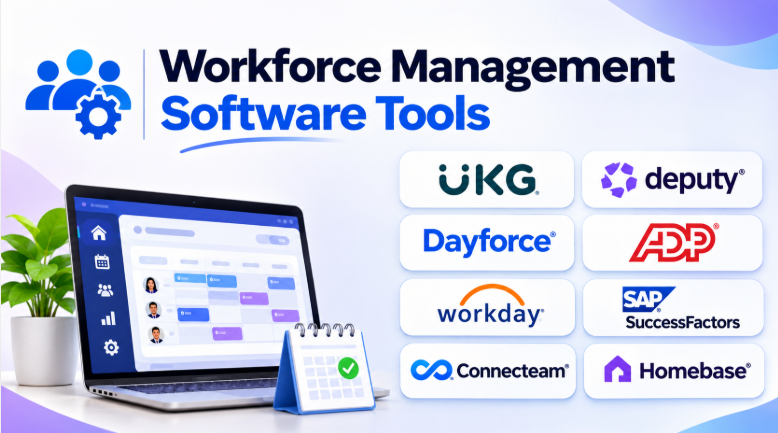
Workforce management software helps businesses organize these daily tasks. It connects employee scheduling, time tracking, attendance, leave management, labor planning, and workforce reporting.
However, not every workforce management platform serves the same purpose. Some focus on large enterprises. Others help small businesses manage hourly workers and shift schedules.
This guide compares ten workforce management software tools. It explains their features, advantages, limitations, and best uses.
What Is Workforce Management Software?
Workforce management software helps businesses plan, manage, and monitor employees.
It supports the daily activities needed to keep a workforce organized. These activities may include:
- Employee scheduling
- Shift planning
- Time and attendance tracking
- Leave and absence management
- Labor cost management
- Workforce forecasting
- Employee availability
- Overtime tracking
- Payroll data management
- Workforce reports and analytics
The main goal is to help businesses put the right employees in the right roles at the right time.
For example, a restaurant may need more employees during lunch and dinner. A hospital may need nurses across several shifts. A retail store may need extra staff during busy shopping periods.
Workforce management software helps managers plan these needs more effectively.
Top 10 Workforce Management Software Tools
1. UKG Pro Workforce Management
UKG Pro Workforce Management is an enterprise platform for managing large and complex workforces.
It combines scheduling, time tracking, attendance, workforce planning, and labor management. The platform is designed for organizations that need detailed workforce rules and operational control.
Businesses can use it to plan employee schedules around demand. Managers can also review attendance data, labor costs, and staffing needs.
UKG is particularly useful for companies with multiple locations, large employee groups, and complex shift patterns.
Key Features
- Advanced employee scheduling
- Time and attendance tracking
- Labor forecasting
- Absence management
- Workforce analytics
- Employee self-service
- Labor compliance tools
- Multi-location workforce management
Pros
- Supports complex workforce operations.
- Offers detailed scheduling controls.
- Helps businesses manage labor costs.
- Provides workforce reporting and analytics.
- Supports large and distributed organizations.
Cons
- Setup can require significant planning.
- The platform may feel complex for smaller teams.
- Implementation may require professional support.
- Pricing usually requires a vendor discussion.
Best Uses: Large enterprises, healthcare organizations, manufacturing companies, retail chains, and businesses with complex workforce rules.
2. Deputy
Deputy focuses on employee scheduling and workforce management for shift-based businesses.
It helps managers create schedules, assign shifts, and track employee working hours. Employees can view schedules through mobile devices and request changes.
The platform is useful for businesses that manage hourly employees. Retail stores, restaurants, hospitality businesses, and service companies can use it to organize daily staffing.
Deputy also helps managers handle shift swaps and employee availability.
Key Features
- Employee scheduling
- Time and attendance tracking
- Shift swapping
- Employee availability
- Leave management
- Labor cost tracking
- Mobile workforce tools
- Scheduling automation
Pros
- Easy-to-understand scheduling workflows.
- Useful for hourly and shift-based teams.
- Employees can manage schedules through mobile devices.
- Helps managers reduce manual scheduling work.
- Supports multiple business locations.
Cons
- May not offer the depth required by very large enterprises.
- Advanced features may depend on the selected plan.
- Payroll and HR integrations require careful checking.
- Complex workforce planning may need another platform.
Best Uses: Restaurants, retail stores, hospitality businesses, healthcare teams, and growing companies with hourly employees.
3. Dayforce
Dayforce combines workforce management with HR and payroll capabilities.
It helps businesses manage employee schedules, working hours, attendance, leave, and workforce information.
One important advantage is its connection between workforce activities and payroll. Businesses can manage employee information and time records within a broader HR platform.
Dayforce is suitable for organizations that need more than basic scheduling. It can support businesses with complex workforce policies and payroll requirements.
Key Features
- Employee scheduling
- Time and attendance
- Payroll management
- Absence management
- Workforce analytics
- Employee self-service
- Labor management
- HR administration
Pros
- Combines workforce management and HR functions.
- Supports complex employee policies.
- Connects workforce data with payroll.
- Offers detailed reporting capabilities.
- Suitable for growing and large organizations.
Cons
- The platform may require training.
- Implementation can take time.
- Smaller companies may not need every feature.
- Pricing and module availability require confirmation.
Best Uses: Medium-sized and large businesses that want workforce management, HR, and payroll in one platform.
4. ADP Workforce Now
ADP Workforce Now provides HR, payroll, and workforce management capabilities.
Businesses can use it to manage employee information, attendance, schedules, and payroll-related activities.
Its main advantage is the connection between workforce data and payroll processes. This can reduce manual work when employees submit hours and managers approve time records.
ADP Workforce Now can be useful for businesses that already use ADP payroll or want a connected HR platform.
Key Features
- Time and attendance tracking
- Employee scheduling
- Payroll management
- HR administration
- Leave management
- Workforce reports
- Employee self-service
- Payroll-related workflows
Pros
- Strong payroll-focused ecosystem.
- Combines HR and workforce processes.
- Helps manage employee records.
- Supports time and attendance workflows.
- Offers reporting and administrative tools.
Cons
- Some features may require additional modules.
- Pricing depends on business requirements.
- Setup may require careful configuration.
- The platform may feel broad for small businesses.
Best Uses: Growing businesses that need workforce management connected to payroll and HR.
5. Workday
Workday offers workforce management capabilities within a broader enterprise HR platform.
It helps organizations manage employees, workforce information, scheduling-related processes, and business reporting.
Workday is particularly relevant for large organizations that already use enterprise HR systems. Its workforce data can connect with other business processes and analytics.
Businesses with complex structures may benefit from its centralized employee information and reporting environment.
Key Features
- Workforce administration
- Employee information management
- Workforce planning
- Time tracking
- Absence management
- HR reporting
- Employee self-service
- Enterprise analytics
Pros
- Connects workforce information with enterprise HR.
- Supports large organizations.
- Provides centralized employee data.
- Offers advanced reporting capabilities.
- Fits organizations with complex HR structures.
Cons
- May be excessive for small businesses.
- Implementation can require significant planning.
- Pricing is generally enterprise-focused.
- Workforce features may depend on selected modules.
Best Uses: Large enterprises, multinational organizations, and businesses already using Workday for HR.
6. SAP SuccessFactors
SAP SuccessFactors combines HR management with workforce-related processes.
It can help businesses manage employee information, workforce administration, time-related activities, and HR reporting.
The platform is especially relevant for companies that already use SAP business systems. Its ecosystem can help connect workforce processes with wider enterprise operations.
Organizations should carefully review the specific workforce modules they need. Not every workforce management requirement is covered by the same package.
Key Features
- Employee management
- Workforce administration
- Time-related processes
- HR reporting
- Employee self-service
- Organizational management
- Enterprise integrations
- HR workflow automation
Pros
- Strong enterprise HR ecosystem.
- Useful for SAP-based organizations.
- Supports large workforce structures.
- Provides connected employee information.
- Offers extensive business integration options.
Cons
- Configuration can be complex.
- Implementation may require specialists.
- Smaller businesses may find it expensive.
- Exact workforce features depend on modules.
Best Uses: Large companies using SAP systems or businesses that need enterprise HR integration.
7. Connecteam
Connecteam focuses on businesses with deskless and mobile employees.
It combines workforce management with employee communication and operational tools.
Businesses can use it to create schedules, track working hours, manage tasks, and communicate with employees.
Its mobile-first approach makes it useful for workers who do not spend their day at a computer.
Connecteam is particularly relevant for field teams, construction companies, cleaning services, delivery operations, and other mobile workforces.
Key Features
- Employee scheduling
- Time clock
- GPS-related workforce tools
- Employee communication
- Task management
- Training tools
- Forms and checklists
- Mobile employee access
Pros
- Designed for mobile and deskless workers.
- Combines several workforce activities.
- Supports employee communication.
- Helps manage field teams.
- Offers useful operational tools.
Cons
- Businesses may not need every included feature.
- Advanced workforce planning may require another platform.
- Some capabilities depend on subscription plans.
- Large enterprise requirements may need more specialized software.
Best Uses: Field teams, construction, cleaning, delivery, maintenance, and mobile businesses.
8. When I Work
When I Work focuses on employee scheduling and time tracking.
It helps managers create schedules and communicate shift changes. Employees can view their work schedules and request changes.
The platform is designed to reduce the time managers spend building schedules manually.
It is particularly useful for smaller businesses that need a simple way to manage hourly employees.
Key Features
- Employee scheduling
- Time tracking
- Shift management
- Employee availability
- Shift swapping
- Team communication
- Attendance tracking
- Mobile access
Pros
- Simple scheduling workflows.
- Useful for hourly employees.
- Helps managers manage shift changes.
- Supports employee self-service.
- Reduces manual scheduling work.
Cons
- Advanced enterprise planning may be limited.
- Complex labor forecasting may require other tools.
- Integration requirements should be checked.
- Businesses with complicated HR needs may outgrow it.
Best Uses: Small and medium-sized businesses, restaurants, retail stores, and teams with regular shift schedules.
9. Rippling
Rippling combines workforce management with HR, payroll, and IT management.
Businesses can manage employee information and connect workforce processes with other administrative systems.
Its approach is useful for companies that want to reduce the number of separate systems used to manage employees.
Rippling may be especially attractive to growing companies that need employee onboarding, payroll, HR workflows, and workforce-related administration.
Key Features
- Employee management
- Time and attendance
- Payroll
- HR workflows
- Employee onboarding
- Workforce reporting
- IT and device management
- System integrations
Pros
- Combines HR and IT administration.
- Connects workforce information across systems.
- Supports automated employee workflows.
- Useful for growing businesses.
- Offers a broad business platform.
Cons
- Businesses may pay for modules they do not need.
- Platform configuration can require planning.
- Pricing depends on selected products.
- Complex scheduling may require specialist tools.
Best Uses: Growing companies that want HR, payroll, IT, and employee administration connected.
10. Homebase
Homebase is designed for small businesses with hourly employees.
It focuses on scheduling, time tracking, attendance, and basic workforce management.
Managers can create schedules and track employee hours. Employees can access schedules and communicate with their teams.
Homebase is useful for businesses that want practical workforce tools without adopting a large enterprise HR system.
Key Features
- Employee scheduling
- Time clock
- Attendance tracking
- Employee availability
- Shift management
- Team communication
- Labor cost tracking
- Employee management
Pros
- Suitable for small hourly teams.
- Simple workforce scheduling.
- Helps manage attendance.
- Useful for restaurants and retail.
- Provides practical daily workforce tools.
Cons
- Enterprise workforce planning may be limited.
- Advanced HR needs may require another platform.
- Feature availability depends on the plan.
- Multi-location complexity may require careful evaluation.
Best Uses: Small restaurants, retail stores, local businesses, and teams with hourly employees.
Workforce Management Software Comparison
| Software | Best For | Main Strength | Primary Focus |
|---|---|---|---|
| UKG Pro Workforce Management | Large enterprises | Complex workforce planning | Enterprise WFM |
| Deputy | Shift-based businesses | Scheduling and shift management | Scheduling |
| Dayforce | Medium and large businesses | HR, payroll, and WFM connection | Integrated workforce platform |
| ADP Workforce Now | Payroll-focused businesses | Workforce and payroll connection | HR and payroll |
| Workday | Large enterprises | Enterprise HR and analytics | HCM and workforce planning |
| SAP SuccessFactors | SAP organizations | Enterprise HR ecosystem | HR and business integration |
| Connecteam | Deskless teams | Mobile workforce tools | Field and frontline operations |
| When I Work | Small and medium teams | Simple scheduling | Shift management |
| Rippling | Growing businesses | HR, payroll, and IT connection | Workforce administration |
| Homebase | Small hourly businesses | Practical scheduling and attendance | SMB workforce management |
How to Choose the Right Workforce Management Software
The best platform depends on how your employees work.
For large enterprises
UKG Pro Workforce Management, Workday, Dayforce, and SAP SuccessFactors may be suitable.
These platforms can support complex employee structures, multiple locations, and workforce reporting needs.
However, large systems often require more planning and configuration.
For shift-based businesses
Deputy and When I Work are useful starting points.
They focus on schedules, employee availability, shift changes, and attendance.
These capabilities matter most when employees work different shifts throughout the week.
For small businesses
Homebase can be a practical option for small hourly teams.
It provides basic scheduling and attendance tools without requiring a large enterprise system.
Small businesses should avoid paying for complex features they will not use.
For deskless and field employees
Connecteam is worth considering.
Its mobile tools help employees access schedules, tasks, communication, and workforce information.
This can be useful when employees work away from an office.
For connected HR and payroll
Dayforce, ADP Workforce Now, and Rippling may fit businesses that want workforce management connected to broader employee systems.
This connection can reduce manual data entry between HR, time tracking, and payroll.
Important Features to Look for in Workforce Management Software
Employee Scheduling
Scheduling tools help managers assign employees to shifts.
A good system should support employee availability, shift changes, scheduling rules, and manager approvals.
Time and Attendance
Time tracking helps businesses record employee working hours.
Look for clock-in options that suit your workforce. These may include mobile devices, web browsers, tablets, or physical time clocks.
Leave Management
Employees should be able to request leave easily.
Managers should also be able to review requests and understand how absences affect schedules.
Labor Cost Management
Workforce software can help managers understand labor costs.
This is important when overtime, staffing levels, and business demand affect profitability.
Employee Self-Service
Employee self-service reduces administrative work.
Employees may be able to view schedules, request leave, update availability, and submit time records.
Reporting and Analytics
Reports help managers understand attendance, overtime, staffing, and labor costs.
The most useful reports connect workforce activity with business needs.
Common Mistakes When Choosing Workforce Management Software
Choosing Too Many Features
A large platform may look attractive.
But businesses should focus on the features they actually need.
A small team may not need advanced forecasting or enterprise compliance tools.
Ignoring Employee Experience
Employees must use the system every day.
A complicated mobile app can reduce adoption and create extra work.
Test the employee experience before making a final decision.
Forgetting Payroll Integration
Time records often affect employee pay.
Businesses should confirm that approved hours can move into payroll correctly.
Ignoring Labor Rules
Different locations may have different overtime, break, and scheduling rules.
Businesses should test the software against their actual policies and legal requirements.
Not Testing Real Schedules
A product demo may use simple examples.
Businesses should test difficult schedules, employee absences, shift changes, overtime, and approval workflows.
Frequently Asked Questions
What is workforce management software used for?
Workforce management software helps businesses schedule employees, track working hours, manage attendance, handle leave, and plan staffing needs.
Is workforce management software the same as HR software?
No. HR software focuses on employee records, hiring, benefits, and HR processes.
Workforce management focuses more on daily staffing, schedules, working hours, attendance, and labor planning.
Some platforms combine both categories.
Which workforce management software is best for small businesses?
Homebase, When I Work, and Deputy are useful options for small businesses.
The right choice depends on employee count, scheduling needs, payroll connections, and budget.
Which software is best for large enterprises?
UKG Pro Workforce Management, Workday, Dayforce, and SAP SuccessFactors may suit large enterprises.
These platforms support broader workforce and enterprise requirements.
Can workforce management software reduce labor costs?
It can help businesses understand labor costs and improve staffing decisions.
However, results depend on scheduling practices, employee demand, and how managers use the software.
Does workforce management software include payroll?
Some platforms include payroll.
Others connect workforce data with external payroll systems.
Businesses should confirm which payroll features are included in their selected plan.
Final Thoughts
Workforce management software helps businesses manage employees more efficiently.
The right tool can reduce manual scheduling work, improve attendance records, and make workforce planning easier.
However, the best choice depends on the size of the business and the type of employees it manages.
Large enterprises may need UKG, Workday, Dayforce, or SAP SuccessFactors. Shift-based businesses may prefer Deputy or When I Work. Small businesses may find Homebase easier to manage, while field teams may benefit from Connecteam.
Before choosing a platform, test it with real employee schedules, attendance rules, payroll workflows, and daily operations.
A system that fits your actual workforce will usually provide more value than one with the longest feature list.









Leave a Reply
You must be logged in to post a comment.