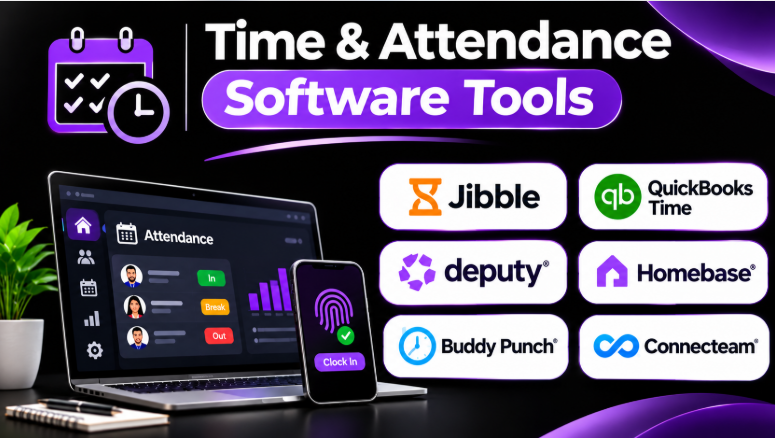
Accurate employee attendance records are essential for smooth business operations. Missing clock-ins, incorrect timesheets, late arrivals, and overtime mistakes can create problems during payroll.
Paper timesheets and spreadsheets often become difficult to manage as teams grow. Managers may spend hours checking records, correcting mistakes, and asking employees to confirm their working hours.
Time and attendance software helps businesses record employee work hours, manage attendance, track breaks, and prepare accurate timesheets. Some platforms also include employee scheduling, GPS tracking, payroll integration, and workforce reporting.
However, the best software depends on how employees work. An office team may need simple attendance records. A construction company may need GPS-based clock-ins. A restaurant may need shift scheduling and break tracking.
This guide compares ten time and attendance software tools. It explains their main features, advantages, limitations, and practical use cases.
What Is Time & Attendance Software?
Time and attendance software records when employees start work, take breaks, and finish their shifts.
It helps businesses maintain accurate working-hour records without relying on paper timesheets.
Common features include:
- Clock-in and clock-out tracking
- Employee timecards
- Attendance monitoring
- Break tracking
- Overtime tracking
- Leave and absence management
- Employee scheduling
- GPS-based attendance
- Geofencing
- Timesheet approvals
- Payroll integrations
- Attendance reports
The software can help managers identify missing punches, late arrivals, early departures, and unusual working-hour patterns.
For example, a field employee can clock in using a mobile app. A store employee can use a tablet-based time clock. An office employee can record working hours through a web application.
The system stores these records and helps managers review and approve employee time.
Time Tracking vs. Time & Attendance Software
These categories often overlap, but they serve different purposes.
| Software type | Main purpose |
|---|---|
| Time tracking software | Record time spent on tasks, projects, and activities |
| Time and attendance software | Record employee working hours, breaks, attendance, and overtime |
| Employee scheduling software | Plan employee shifts and working schedules |
| Workforce management software | Manage staffing, schedules, labor planning, attendance, and workforce operations |
| Payroll software | Calculate employee pay using approved working hours and payroll rules |
A business that bills clients by project may need time tracking.
A business with hourly employees may need time and attendance software.
A company managing hundreds of employees across multiple shifts may need a broader workforce management platform.
Top 10 Time & Attendance Software Tools
1. Jibble
Jibble is a time and attendance platform designed for businesses that need flexible clock-in methods and employee time records.
It supports time tracking through different devices and workflows. Businesses can use mobile devices, computers, and shared time-clock setups.
Jibble is particularly useful for teams that need attendance verification without purchasing a large enterprise HR platform.
Its free offering makes it attractive to small businesses and organizations that want to begin digital attendance tracking.
Key Features
- Employee clock-in and clock-out
- Attendance tracking
- GPS location tracking
- Geofencing
- Timesheets
- Employee time reports
- Shared kiosk options
- Facial recognition features
- Mobile attendance tracking
- Timesheet approvals
Pros
- Offers a free plan.
- Supports different clock-in methods.
- Useful for office and field employees.
- Helps managers review attendance records.
- Can support teams with limited budgets.
Cons
- Advanced features may depend on paid plans.
- Businesses with complex payroll requirements may need integrations.
- Employee location and biometric features require careful privacy policies.
- Enterprise workforce planning may require another platform.
Best Uses: Small businesses, startups, field teams, remote employees, and organizations looking for affordable attendance tracking.
2. QuickBooks Time
QuickBooks Time is designed for businesses that need employee time tracking connected to accounting, payroll, and job management.
Employees can record working hours through mobile devices, computers, or time-clock kiosk setups.
Managers can review timesheets, approve employee hours, and track work across jobs or projects.
Its strongest advantage is its connection with the QuickBooks ecosystem. Businesses already using QuickBooks may find it easier to move approved time records into payroll and accounting workflows.
Key Features
- Mobile time tracking
- Employee timesheets
- GPS tracking
- Geofencing
- Employee scheduling
- Time-clock kiosk
- Job and project tracking
- Overtime alerts
- Timesheet approvals
- Payroll and accounting integration
Pros
- Strong QuickBooks ecosystem integration.
- Useful for field and mobile employees.
- Supports job-based time tracking.
- Offers GPS-related attendance controls.
- Helps connect approved hours with payroll workflows.
Cons
- Most valuable for businesses using QuickBooks.
- Some advanced features depend on the selected plan.
- GPS tracking may raise employee privacy concerns.
- Additional subscriptions may increase costs.
Best Uses: Construction businesses, contractors, field service companies, small businesses, and organizations using QuickBooks for accounting or payroll.
3. Deputy
Deputy combines time and attendance with employee scheduling.
It helps businesses create employee shifts, manage availability, track working hours, and review attendance records.
This combination is important for businesses where employees work different schedules. Managers can compare planned shifts with actual working hours.
Deputy is particularly useful in retail, hospitality, restaurants, healthcare, and other shift-based operations.
Key Features
- Employee scheduling
- Time and attendance tracking
- Shift swapping
- Employee availability
- Break management
- Timesheet approvals
- Labor cost controls
- Mobile clock-in
- Workforce reporting
- Scheduling automation
Pros
- Connects schedules with attendance.
- Useful for hourly and shift-based teams.
- Supports employee shift changes.
- Helps managers review attendance exceptions.
- Offers mobile workforce tools.
Cons
- Advanced scheduling features may require higher plans.
- Very small businesses may not need all its capabilities.
- Payroll integrations should be checked before purchase.
- Complex enterprise requirements may require a larger platform.
Best Uses: Restaurants, retail businesses, hospitality, healthcare, and multi-location companies with hourly employees.
4. Homebase
Homebase focuses on small businesses with hourly employees.
It combines employee scheduling, time tracking, attendance, and team communication.
Managers can create schedules and track employee working hours. Employees can check schedules, request changes, and communicate with their teams.
Its simple approach makes it useful for businesses that do not need a large enterprise workforce system.
Key Features
- Employee time clock
- Scheduling
- Attendance tracking
- Employee availability
- Shift management
- Break tracking
- Team communication
- Labor cost tracking
- Timesheet management
Pros
- Suitable for small businesses.
- Combines scheduling and attendance.
- Supports employee self-service.
- Helps managers manage hourly workers.
- Offers a free entry-level option for eligible teams.
Cons
- Enterprise workforce planning is limited.
- Advanced HR needs may require other software.
- Features vary between plans.
- Businesses with complex operations may outgrow the platform.
Best Uses: Restaurants, retail stores, local businesses, small teams, and hourly employees.
5. Buddy Punch
Buddy Punch focuses on employee time clocks and attendance controls.
It helps businesses record employee punches and review timesheets. Managers can also use different controls to reduce incorrect or unauthorized clock-ins.
The platform is useful for companies that need more control over how employees record working hours.
Its attendance verification features may be particularly relevant for businesses with field workers or employees working at different locations.
Key Features
- Employee clock-in and clock-out
- GPS tracking
- Geofencing
- Employee timesheets
- Break tracking
- Overtime monitoring
- Attendance reports
- Payroll integrations
- Photo-based punch verification
- Time-clock controls
Pros
- Focuses strongly on attendance records.
- Offers useful clock-in verification controls.
- Supports field and mobile employees.
- Helps managers review employee punches.
- Provides payroll integration options.
Cons
- Scheduling may not be its primary strength.
- Pricing may include a base fee.
- Advanced features may require additional plans.
- Employee monitoring controls need clear policies.
Best Uses: Field crews, small businesses, service companies, and employers that need stronger attendance verification.
6. Connecteam
Connecteam is designed for mobile and deskless employees.
It combines time tracking with employee communication, scheduling, tasks, and operational tools.
Employees can use mobile devices to clock in and access work-related information. Managers can organize teams and review employee activity.
Connecteam is useful when employees work away from desks and need a mobile-first system.
Key Features
- Employee time clock
- Mobile clock-in
- GPS-related attendance features
- Employee scheduling
- Shift management
- Team communication
- Task management
- Forms and checklists
- Employee training tools
- Workforce administration
Pros
- Mobile-first design.
- Useful for deskless employees.
- Combines several operational tools.
- Supports field teams and mobile workers.
- Helps connect attendance with daily operations.
Cons
- Businesses may not need every feature.
- Advanced attendance controls depend on plans.
- Payroll may require an external system.
- Large enterprises may need more specialized workforce software.
Best Uses: Construction, cleaning, delivery, maintenance, field service, and mobile businesses.
7. ClockShark
ClockShark focuses on time tracking for construction companies and field service businesses.
It helps businesses record employee hours against jobs and work locations.
Managers can review time records and understand how employees spend time across different projects.
This job-based approach is important for businesses that need more than simple attendance records.
Key Features
- Employee time tracking
- GPS tracking
- Job-based time records
- Employee scheduling
- Timesheet approvals
- Crew management
- Job costing
- Payroll integrations
- Field employee management
- Mobile time clock
Pros
- Designed for field and construction workflows.
- Useful for job-based attendance.
- Supports mobile employees.
- Helps managers review work locations.
- Connects time records with job costs.
Cons
- May be unnecessary for office-based teams.
- Job-based features require proper setup.
- Pricing may become significant as teams grow.
- Businesses with complex HR needs may require additional software.
Best Uses: Construction companies, contractors, trades, landscaping, field service, and project-based businesses.
8. ADP Time and Attendance
ADP offers time and attendance capabilities as part of its broader payroll and HR ecosystem.
Businesses can record employee hours, manage attendance, review timecards, and connect approved hours with payroll processes.
Its main advantage is its relationship with ADP payroll and HR products.
Organizations already using ADP may benefit from having employee time records connected to their existing administrative workflows.
Key Features
- Employee time tracking
- Attendance monitoring
- Timecard management
- Break tracking
- Overtime tracking
- Payroll integration
- Employee scheduling options
- Workforce reporting
- Mobile access
- HR integration
Pros
- Strong payroll ecosystem.
- Useful for businesses already using ADP.
- Supports employee time records.
- Offers broader HR-related capabilities.
- Can support growing organizations.
Cons
- Pricing is generally quote-based.
- Features depend on the selected ADP products.
- Setup may require configuration.
- Smaller businesses may find the platform more complex than necessary.
Best Uses: Businesses using ADP payroll, medium-sized companies, and organizations that need connected HR and attendance workflows.
9. UKG Ready
UKG Ready provides time and attendance features as part of a broader HR and workforce platform.
It supports employee time records, schedules, time-off requests, overtime workflows, and attendance management.
UKG Ready is useful for organizations with detailed workforce policies and more complex attendance requirements.
It also supports different time collection methods, including mobile, web, and time-clock options.
Key Features
- Time and attendance
- Employee timesheets
- Scheduling
- Overtime management
- Leave management
- Exception management
- Employee self-service
- Mobile attendance
- Geofencing options
- Workforce reporting
Pros
- Supports complex attendance workflows.
- Offers detailed time and attendance controls.
- Combines workforce data with HR functions.
- Supports multiple time collection methods.
- Useful for growing and mid-sized organizations.
Cons
- Implementation may require planning.
- Some features may require configuration.
- The platform may be excessive for small teams.
- Pricing usually requires a sales discussion.
Best Uses: Medium-sized organizations, multi-location businesses, healthcare, retail, and companies with complex attendance policies.
10. When I Work
When I Work focuses on employee scheduling and time tracking.
It helps businesses create schedules, manage shift changes, track working hours, and communicate with employees.
The platform is especially useful when scheduling is the main workforce problem.
Employees can access schedules and manage certain requests through mobile tools.
Key Features
- Employee scheduling
- Time tracking
- Shift management
- Employee availability
- Shift swapping
- Attendance tracking
- Team communication
- Timesheets
- Mobile access
Pros
- Simple scheduling workflows.
- Useful for hourly employees.
- Helps manage shift changes.
- Supports employee self-service.
- Combines scheduling with time tracking.
Cons
- Advanced workforce forecasting may be limited.
- Complex enterprise requirements may need another platform.
- Features vary between plans.
- Payroll integrations should be verified.
Best Uses: Restaurants, retail, hospitality, small businesses, and teams that prioritize scheduling.
Time & Attendance Software Comparison
| Software | Best For | Main Strength | Primary Focus |
|---|---|---|---|
| Jibble | Budget-conscious teams | Flexible attendance tracking | Time clock |
| QuickBooks Time | QuickBooks users | Accounting and job integration | Field time tracking |
| Deputy | Shift-based businesses | Scheduling and attendance | Shift operations |
| Homebase | Small businesses | Simple employee time clock | SMB attendance |
| Buddy Punch | Attendance verification | Clock-in controls | Time clock |
| Connecteam | Deskless employees | Mobile workforce tools | Field attendance |
| ClockShark | Construction and trades | Job-based time tracking | Field work |
| ADP Time and Attendance | ADP customers | Payroll connection | HR and attendance |
| UKG Ready | Complex workforce needs | Configurable attendance workflows | HR and workforce |
| When I Work | Scheduling-first teams | Shift management | Scheduling and time |
How to Choose the Right Time & Attendance Software
For small businesses
Jibble and Homebase are worth considering.
They provide practical attendance tools without requiring a large enterprise platform.
Start by checking employee limits, clock-in options, reporting, and payroll integration.
For construction and field employees
QuickBooks Time and ClockShark may be better choices.
These platforms support job-based time records and mobile workflows.
GPS features can help managers verify work locations, but businesses should establish clear employee privacy policies.
For restaurants and retail
Deputy and When I Work are useful options.
These businesses often need attendance records connected to employee schedules.
The ability to manage shift changes and employee availability can be as important as clock-in tracking.
For businesses already using payroll software
ADP and QuickBooks Time may be attractive because they connect attendance with payroll-related workflows.
Before choosing, verify how approved timesheets move into payroll. Confirm whether managers must export files or manually correct records.
For larger organizations
UKG Ready and ADP may be worth evaluating.
Larger businesses often require more complex attendance policies, approval workflows, reporting, and employee administration.
The implementation process and ongoing administration should be part of the buying decision.
Important Features to Check Before Buying
Multiple Clock-In Methods
Employees should be able to clock in using the method that fits their workplace.
Possible options include:
- Mobile applications
- Web browsers
- Shared tablets
- Kiosk devices
- PIN-based time clocks
- Physical time-clock hardware
GPS and Geofencing
GPS tracking can help businesses verify where employees clock in.
Geofencing creates a virtual boundary around a workplace or job site.
However, location tracking should be used carefully. Employers should understand when location data is collected, who can access it, and how long it is retained.
Break and Overtime Tracking
The software should support the company’s break and overtime policies.
Managers should be able to review exceptions and correct records when necessary.
The software’s settings do not automatically guarantee legal compliance.
Businesses must confirm that their configured rules meet applicable local requirements.
Timesheet Approvals
A good system should allow managers to review and approve employee time records.
It should also make missing punches and unusual working hours easy to identify.
Payroll Integration
Approved attendance records should move into payroll with as little manual work as possible.
Before purchasing, confirm:
- Which payroll systems are supported
- Whether integration is included
- Whether data transfers automatically
- Which fields are transferred
- How corrections are handled
- Whether the integration works in your country
Common Mistakes When Choosing Attendance Software
Choosing Based Only on Price
A low-cost tool may lack important features.
Businesses should compare the total cost, including users, devices, integrations, administration, and support.
Ignoring Employee Privacy
GPS, photographs, and biometric features can collect sensitive employee information.
Businesses should review privacy requirements and create clear policies before enabling these features.
Forgetting Payroll Integration
Attendance records directly affect payroll.
A system that requires manual data entry may create more work than it removes.
Buying Too Much Software
A small company may not need enterprise workforce management.
Choose the smallest platform that reliably handles your real attendance requirements.
Not Testing Difficult Cases
A software demonstration may show simple clock-ins.
Test missed punches, late arrivals, overtime, breaks, shift changes, remote employees, and approval workflows.
Frequently Asked Questions
What is time and attendance software?
Time and attendance software records employee working hours, clock-ins, clock-outs, breaks, and attendance information.
It helps businesses prepare accurate timesheets and manage payroll workflows.
Is time and attendance software the same as time tracking software?
No. Time tracking software often records time spent on projects and tasks.
Time and attendance software focuses on employee working hours, attendance, breaks, and overtime.
Some platforms support both.
Which time and attendance software is best for small businesses?
Jibble, Homebase, Buddy Punch, and When I Work are worth considering.
The best option depends on whether the business needs simple attendance, scheduling, GPS tracking, or payroll integration.
Can time and attendance software track employee locations?
Some platforms offer GPS tracking and geofencing.
These features can help businesses verify clock-ins at job sites.
However, employers should clearly explain location tracking policies and follow applicable privacy laws.
Does time and attendance software calculate payroll?
Some platforms connect directly with payroll systems.
Others export approved timesheets for payroll processing.
Businesses should verify the exact integration and avoid assuming that attendance software calculates every payroll requirement.
Can employees clock in using their phones?
Many time and attendance platforms offer mobile clock-in.
Some also support location verification, job selection, and mobile timesheet access.
Final Thoughts
Time and attendance software helps businesses maintain accurate employee working-hour records.
The right system can reduce manual timesheet work, improve attendance visibility, and simplify payroll preparation.
However, businesses should choose software based on their actual workforce.
Small teams may need a simple time clock. Field employees may require GPS-based attendance. Shift-based businesses may need scheduling and attendance together. Large organizations may need configurable workforce policies and connected HR systems.
Before making a final decision, test the software with real employees and real schedules. Pay special attention to missed punches, breaks, overtime, payroll exports, and employee privacy.
A good attendance system should make recording working hours easier for employees and reviewing those hours simpler for managers.









Leave a Reply
You must be logged in to post a comment.