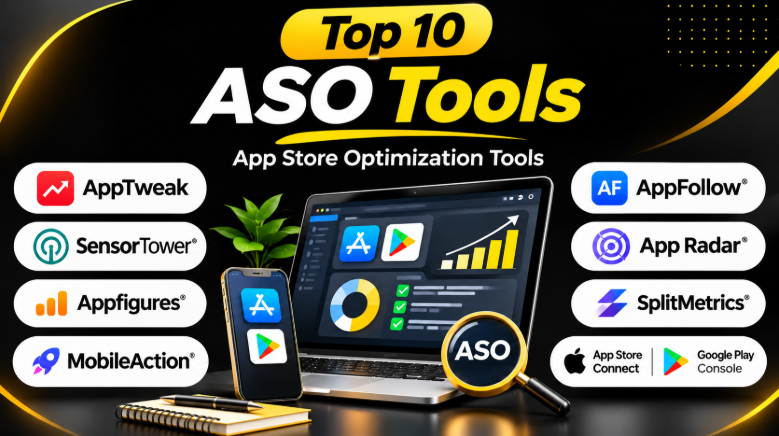
Publishing an app is only the first step toward success. The next challenge is helping people discover it.
Millions of apps compete for attention on the Apple App Store and Google Play. Users often search for apps using specific words. They also compare icons, screenshots, ratings, and descriptions before downloading.
App Store Optimization (ASO) helps developers improve these areas. It focuses on making an app easier to discover and more attractive to potential users.
However, ASO involves several different tasks. Some tools help find keywords. Others track competitors, manage reviews, test screenshots, or measure market trends.
Choosing the right platform depends on your app, budget, and growth goals. This guide explains ten useful ASO tools and where each one fits.
What Is App Store Optimization?
App Store Optimization, or ASO, helps mobile apps improve their visibility and conversion rates inside app stores.
ASO focuses on two main goals:
- Visibility: Help more people discover an app through store searches.
- Conversion: Convince people who see the listing to download the app.
ASO involves several activities:
- Keyword research
- App title and subtitle optimization
- Description improvement
- Screenshot and icon testing
- Competitor research
- Ratings and review management
- Localization
- Keyword ranking tracking
- Download and performance analysis
A strong ASO strategy combines these activities. Changing an app title alone may not solve poor visibility or low conversion rates.
How ASO Tools Help App Developers
ASO tools provide data and workflows that make app optimization easier.
They help teams answer questions such as:
- Which keywords should an app target?
- Where do competitors rank?
- Which search terms bring potential users?
- How have rankings changed?
- What listing changes do competitors make?
- Which screenshots or icons perform better?
- What do users say in reviews?
- Which markets offer new growth opportunities?
These tools do not guarantee downloads or rankings. They provide information that helps teams make better decisions.
1. AppTweak
Best for: Deep keyword research and competitive ASO intelligence
AppTweak is a dedicated ASO platform for mobile app growth teams. It helps developers research keywords, monitor rankings, analyze competitors, and improve store listings.
Its platform combines keyword intelligence with competitor analysis. Teams can study search visibility across different countries and track changes in app metadata.
AppTweak also offers tools for analyzing creative assets. Users can examine competitors’ icons, screenshots, product pages, and other store changes.
Key Features
- App Store and Google Play keyword research
- Keyword ranking tracking
- Competitor analysis
- Metadata monitoring
- App visibility analysis
- Localization research
- Creative asset analysis
- Apple Ads support
- Reporting and performance analysis
- AI-assisted ASO workflows
Pros
- Strong keyword research capabilities
- Useful competitor monitoring
- Supports multiple markets
- Offers several ASO workflows in one platform
- Helps teams understand changes over time
Cons
- Advanced features may require higher plans
- The platform may feel complex for beginners
- Pricing can depend on the required features and usage
Best Uses
AppTweak works well for growing apps that need regular keyword research and competitor monitoring.
It is also useful for teams managing multiple markets and languages.
2. Sensor Tower
Best for: Enterprise market intelligence and competitor research
Sensor Tower provides mobile market intelligence and app performance data.
It helps companies understand app markets, competitors, downloads, revenue estimates, advertising activity, and user trends.
Sensor Tower is broader than a traditional ASO keyword tool. Its market intelligence capabilities can help product teams, publishers, investors, and marketing teams study the mobile industry.
Key Features
- App market intelligence
- Competitor performance analysis
- Download and revenue estimates
- App category research
- Mobile advertising intelligence
- Keyword and visibility analysis
- Market trend monitoring
- Competitive benchmarking
Pros
- Broad mobile market data
- Useful for large organizations
- Strong competitor research capabilities
- Supports strategic market analysis
Cons
- Can be expensive for smaller teams
- Some data may require interpretation
- Not every feature focuses directly on ASO
Best Uses
Sensor Tower is useful for companies that need more than keyword tracking.
It can help teams understand market size, competitor growth, and industry changes.
3. Appfigures
Best for: App analytics, downloads, revenue, and keyword tracking
Appfigures combines app analytics with ASO-related research.
It helps developers monitor downloads, revenue, rankings, reviews, and keyword performance.
The platform can be useful for smaller developers because it connects several important app performance metrics in one place.
Key Features
- App download tracking
- Revenue analytics
- Keyword tracking
- App rankings
- Competitor monitoring
- Review tracking
- Reporting
- App performance analysis
Pros
- Combines several analytics tasks
- Useful for independent developers
- Helps track business performance
- Supports reporting and monitoring
Cons
- Some advanced features require paid plans
- Data coverage may vary by feature
- Larger teams may require more specialized workflows
Best Uses
Appfigures is a practical choice for developers who want to understand both ASO performance and app business metrics.
It can help answer whether an app’s visibility changes also affect downloads and revenue.
4. MobileAction
Best for: ASO research combined with Apple Ads intelligence
MobileAction provides app intelligence and marketing tools.
It supports keyword research, competitor analysis, app store rankings, and advertising intelligence.
Its Apple Ads-related capabilities make it useful for teams that combine organic app discovery with paid app promotion.
Key Features
- Keyword research
- App ranking tracking
- Competitor analysis
- Apple Ads intelligence
- Search advertising research
- App market insights
- Keyword suggestions
- Campaign analysis
Pros
- Combines ASO and advertising research
- Useful for Apple Ads campaigns
- Supports competitor analysis
- Helps connect organic and paid strategies
Cons
- Feature availability can depend on plan
- Beginners may need time to understand the data
- Some capabilities may be unnecessary for apps without paid campaigns
Best Uses
MobileAction is suitable for app marketers who manage both organic search and paid app advertising.
It can help teams identify keywords for ASO and advertising campaigns.
5. AppFollow
Best for: App reviews, ratings, and customer feedback management
AppFollow focuses strongly on app reviews and customer feedback.
Ratings and reviews can influence user decisions. They can also reveal bugs, missing features, and common complaints.
AppFollow helps teams monitor reviews across app stores. It can also support review replies and customer feedback workflows.
Key Features
- App review monitoring
- Rating tracking
- Review response management
- Sentiment analysis
- Review alerts
- Competitor review monitoring
- App store analytics
- Team workflows
Pros
- Strong review management focus
- Helps teams respond faster
- Useful for customer feedback analysis
- Supports team collaboration
Cons
- Review management may be its main strength rather than deep keyword research
- Advanced workflow features may require paid plans
- Teams may still need a separate keyword research platform
Best Uses
AppFollow is useful for apps receiving many reviews.
It can help customer support and product teams identify repeated problems and improve user satisfaction.
6. App Radar
Best for: Small teams that need practical ASO workflows
App Radar provides tools for keyword research, ranking monitoring, metadata optimization, and app store management.
Its workflow-oriented approach can help teams manage ASO tasks without building complicated processes.
The platform can support keyword tracking and competitor monitoring. It also provides tools for managing store listing information.
Key Features
- Keyword research
- Keyword ranking tracking
- Competitor monitoring
- App listing optimization
- Metadata management
- Review monitoring
- Localization support
- ASO workflow management
Pros
- Practical workflow for smaller teams
- Combines several ASO tasks
- Useful for managing app listings
- Helps organize optimization activities
Cons
- Advanced data may require higher plans
- Large enterprises may need deeper market intelligence
- Some teams may prefer specialized tools
Best Uses
App Radar is suitable for startups and small marketing teams that need an organized ASO workflow.
It can help teams manage regular listing updates and keyword tracking.
7. ASOdesk
Best for: Keyword research and app store optimization on a smaller budget
ASOdesk offers tools for keyword research, ranking monitoring, competitor analysis, and app store optimization.
It can help developers find keyword opportunities and monitor how their apps perform for selected search terms.
The platform is particularly useful for teams that need focused ASO tools without the complexity of a large enterprise intelligence suite.
Key Features
- Keyword research
- Keyword ranking tracking
- Competitor analysis
- App listing analysis
- Search visibility monitoring
- Review management
- ASO reports
Pros
- Focused ASO capabilities
- Useful for smaller app teams
- Supports keyword tracking
- Helps monitor competitors
Cons
- Data coverage may differ from larger platforms
- Advanced features may have plan limitations
- Enterprise teams may need broader intelligence
Best Uses
ASOdesk can work well for independent developers and smaller app publishers.
It is useful when keyword research and ranking tracking are the main requirements.
8. Asodesk
Best for: Keyword research, localization, and review analysis
Asodesk provides several ASO tools for app publishers.
Its platform supports keyword research, ranking tracking, competitor analysis, reviews, and localization workflows.
These features can help teams understand their app’s visibility and improve store listings across different markets.
Key Features
- Keyword research
- Keyword tracking
- Competitor analysis
- Review analysis
- Localization support
- App listing optimization
- Search performance monitoring
Pros
- Multiple ASO workflows
- Useful for localization
- Supports keyword analysis
- Helps monitor app reviews
Cons
- Some features may require separate plans
- Data interpretation requires experience
- Not every feature is needed by small apps
Best Uses
Asodesk is useful for developers targeting multiple countries or languages.
It can help identify keyword opportunities and understand user feedback.
9. SplitMetrics
Best for: App store conversion testing and creative optimization
SplitMetrics focuses on mobile growth and conversion optimization.
Its tools help app marketers evaluate store page creatives and improve the way app listings convert visitors into users.
Creative optimization is important because strong visibility does not always lead to downloads.
An app may appear in search results but still lose users because its screenshots, icon, or description fail to communicate value.
Key Features
- Store page testing
- Creative optimization
- Conversion analysis
- App marketing experimentation
- Apple Ads-related workflows
- Mobile growth analytics
Pros
- Focuses on conversion improvement
- Useful for testing creative assets
- Helps improve listing presentation
- Supports growth experimentation
Cons
- Testing capabilities may require sufficient traffic
- Advanced solutions may be costly
- Not primarily a keyword research platform
Best Uses
SplitMetrics is useful for apps that already receive store traffic but struggle to convert visitors into downloads.
It can help teams evaluate different listing experiences.
10. Apple App Store Connect and Google Play Console
Best for: Free first-party app performance data
Third-party ASO platforms are useful, but app developers should begin with the official tools from Apple and Google.
App Store Connect provides analytics and app management features for iOS developers.
Google Play Console provides app performance information and store listing management for Android developers.
These platforms help developers understand their own app performance using first-party data.
Key Features
- App performance analytics
- Downloads and acquisition data
- Store listing management
- Ratings and reviews
- App testing
- Store listing experiments
- App quality information
Pros
- Official platform data
- Essential for app publishers
- No separate ASO subscription required for core features
- Helps validate third-party insights
Cons
- Limited competitor research
- Keyword intelligence may be restricted
- Data is focused on the developer’s own app
Best Uses
Every app developer should use these platforms.
They provide the foundation for measuring ASO performance and validating insights from third-party tools.
ASO Tools Comparison
| Tool | Main Strength | Best For | Primary Focus |
|---|---|---|---|
| AppTweak | Keyword and competitor intelligence | Growing apps | ASO research |
| Sensor Tower | Market intelligence | Enterprise teams | Market analysis |
| Appfigures | App analytics | Indie developers | Performance tracking |
| MobileAction | ASO and Apple Ads intelligence | App marketers | Organic and paid growth |
| AppFollow | Review management | Apps with many reviews | User feedback |
| App Radar | ASO workflows | Small teams | Listing optimization |
| ASOdesk | Keyword research | Budget-conscious teams | ASO tracking |
| Asodesk | Keyword and localization research | Multi-market apps | ASO analysis |
| SplitMetrics | Creative testing | Growth teams | Conversion optimization |
| App Store Connect / Play Console | First-party analytics | All app developers | App performance |
How to Choose the Right ASO Tool
The best tool depends on the problem you need to solve.
Choose a Keyword Research Tool
If your app struggles to appear in search results, focus on keyword research.
Look for:
- Keyword suggestions
- Search popularity estimates
- Ranking difficulty
- Competitor keyword data
- Ranking history
- Localization support
AppTweak, MobileAction, App Radar, ASOdesk, and Asodesk may be worth evaluating.
Choose a Review Management Platform
If your app receives many reviews, review management becomes important.
Look for:
- Review alerts
- Rating monitoring
- Reply workflows
- Sentiment analysis
- Team collaboration
- Competitor review tracking
AppFollow is especially relevant to this workflow.
Choose a Market Intelligence Platform
If you need to understand competitors and market trends, consider broader app intelligence tools.
Look for:
- Download estimates
- Revenue estimates
- Market share insights
- Competitor performance
- Category trends
- Advertising intelligence
Sensor Tower is designed for broader market intelligence.
Choose a Conversion Optimization Tool
If your app receives traffic but few users install it, focus on conversion.
Look for:
- Screenshot testing
- Icon testing
- Product page experiments
- Conversion analysis
- Creative benchmarking
SplitMetrics and native store testing tools may be relevant.
Common ASO Mistakes to Avoid
1. Choosing Keywords Without Understanding Search Intent
A keyword may have high search volume but attract the wrong users.
Focus on relevant searches rather than popularity alone.
2. Treating Keyword Estimates as Exact Numbers
Third-party ASO platforms estimate keyword demand.
Different platforms may show different values.
Use these numbers as guidance, not absolute truth.
3. Ignoring App Conversion Rates
Visibility does not guarantee downloads.
Your app listing must communicate its value clearly.
4. Copying Competitors
Competitor research can reveal useful ideas.
However, copying another app’s listing may create weak messaging and poor differentiation.
5. Buying Too Many ASO Tools
Many ASO platforms offer overlapping features.
Start with one tool that solves your biggest problem.
Add another platform only when it provides a clear benefit.
6. Ignoring User Reviews
Reviews can reveal product problems that affect ratings and downloads.
Read feedback regularly and look for repeated complaints.
7. Making Changes Without Tracking Results
Every major listing change should have a clear goal.
Track rankings, conversion rates, downloads, and relevant performance metrics.
Frequently Asked Questions
What is the best ASO tool?
There is no single best ASO tool for every app.
AppTweak is useful for keyword research and competitor intelligence. Sensor Tower is suitable for broader market analysis. AppFollow focuses on review management. Appfigures combines analytics with ASO features.
The right choice depends on your main goal.
Are ASO tools free?
Some ASO tools offer free plans, limited features, or trials.
Apple App Store Connect and Google Play Console also provide important first-party analytics.
Free options can be enough for small apps that perform basic optimization.
Do ASO tools guarantee more downloads?
No.
ASO tools provide data and recommendations. Results depend on keyword relevance, app quality, competition, listing conversion, reviews, and other factors.
Can I do ASO without paid tools?
Yes.
You can begin with official app store analytics, store search suggestions, competitor listings, and spreadsheets.
Paid tools become more useful when you need detailed keyword research, ranking history, localization, and competitor monitoring.
How many ASO tools should I use?
Most teams should begin with one primary ASO platform.
Use additional tools only when they solve a specific problem that your main platform cannot handle.
Is ASO only about keywords?
No.
ASO also involves conversion optimization, screenshots, icons, descriptions, ratings, reviews, localization, and app performance.
Keywords help users discover an app. A strong listing helps convince them to download it.
Final Thoughts
App Store Optimization is not a single task. It combines search visibility, user feedback, listing quality, competitor research, and conversion improvement.
The right ASO platform can make these tasks easier. However, expensive software is not always necessary.
Start with the official analytics tools from Apple and Google. Identify the biggest problem affecting your app. Then select a platform that solves that problem.
For keyword research, consider dedicated ASO intelligence tools. For reviews, choose a platform with strong feedback workflows. For market research, use broader app intelligence platforms. For conversion testing, focus on creative experimentation.
A focused ASO strategy and a suitable tool can help developers make better decisions. The goal is not to collect more dashboards. It is to improve app discovery and turn the right visitors into users.










Leave a Reply
You must be logged in to post a comment.