Conversion Rate Optimization (CRO) helps businesses turn more website visitors into customers. It focuses on improving the user experience and removing problems that stop people from completing actions.
Many visitors leave websites without buying products, filling out forms, or signing up. CRO tools help businesses understand why this happens. They also help teams test changes and measure results.
The right CRO tool can improve landing pages, checkout flows, forms, and product experiences. Some tools focus on visitor behavior. Others help run A/B tests, collect feedback, or analyze conversion funnels.
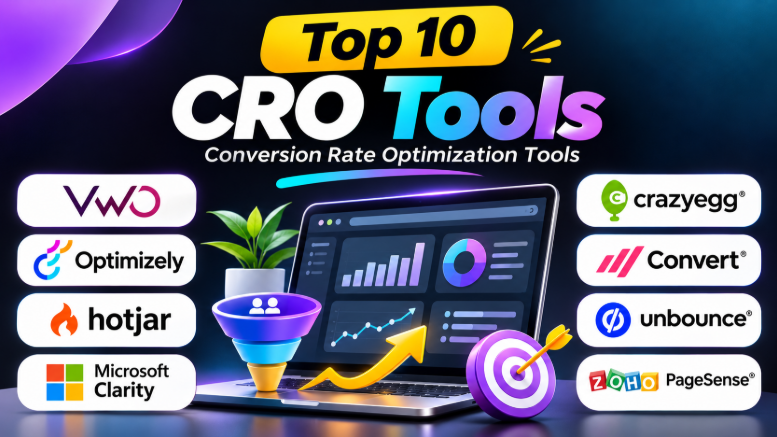
In this guide, we explore the top 10 Conversion Rate Optimization tools. We compare their features, pros, cons, and best uses to help you choose the right platform.
What Are Conversion Rate Optimization Tools?
Conversion Rate Optimization tools help businesses improve the percentage of visitors who complete a desired action.
These actions may include:
- Buying a product
- Signing up for a service
- Filling out a contact form
- Booking a meeting
- Downloading an application
- Subscribing to a newsletter
- Starting a free trial
CRO tools help businesses understand visitor behavior. They also support testing and analysis.
Most CRO tools provide one or more of these capabilities:
- Website analytics
- Heatmaps
- Session recordings
- A/B testing
- Conversion funnel analysis
- User surveys
- Feedback collection
- Landing page optimization
- Personalization
- Experiment tracking
A successful CRO strategy combines these features. Businesses should first understand user problems. Then, they can test improvements and measure their impact.
1. VWO
Best for: All-in-one conversion optimization and experimentation
VWO is a conversion optimization platform that helps businesses understand user behavior and test website improvements.
It provides tools for A/B testing, heatmaps, session recordings, and experimentation. Businesses can use these features to identify problems and test possible solutions.
VWO is useful for marketing teams, product teams, and businesses that want a structured CRO process.
Key Features
- A/B testing
- Multivariate testing
- Heatmaps
- Session recordings
- Conversion funnel analysis
- Website personalization
- Experiment management
- Visitor targeting
- Behavioral analysis
Pros
- Combines testing and behavior insights
- Supports multiple experimentation workflows
- Useful for marketing and product teams
- Helps teams test website changes
- Provides tools for analyzing visitor behavior
Cons
- Advanced features may require higher plans
- Setup can require technical knowledge
- Smaller websites may not need every feature
Best Uses
VWO is suitable for businesses that want to identify website problems and test improvements within one platform.
It works well for ecommerce stores, SaaS websites, marketing teams, and growing businesses.
2. Optimizely
Best for: Enterprise experimentation and large-scale testing
Optimizely is an experimentation platform designed for businesses that run complex testing programs.
It supports website experiments, product testing, feature flags, and personalization workflows.
Large teams can use Optimizely to test changes across websites, applications, and product experiences.
Key Features
- A/B testing
- Multivariate testing
- Feature flags
- Experiment management
- Personalization
- Product experimentation
- Server-side testing
- Audience targeting
Pros
- Supports enterprise testing needs
- Useful for product development teams
- Offers advanced experimentation workflows
- Supports controlled feature releases
- Suitable for complex digital experiences
Cons
- Pricing may be expensive for small businesses
- Advanced implementation may require developers
- The platform may be complex for beginners
Best Uses
Optimizely is useful for large businesses that run frequent experiments.
It can help product teams test features and marketing teams improve digital experiences.
3. Hotjar
Best for: Understanding user behavior and collecting feedback
Hotjar helps businesses understand how visitors interact with websites.
It provides heatmaps, session recordings, surveys, and feedback tools.
These features help teams discover confusing page layouts, ignored buttons, and user problems.
Hotjar is especially useful when analytics show that visitors leave a page but do not explain why.
Key Features
- Click heatmaps
- Scroll heatmaps
- Session recordings
- User surveys
- Feedback widgets
- Visitor behavior analysis
- User experience research
- Website performance insights
Pros
- Easy to understand visual reports
- Helps identify user experience problems
- Combines behavior analysis and feedback
- Useful for marketing and UX teams
- Helps investigate conversion problems
Cons
- Does not replace a complete experimentation platform
- Advanced features may require paid plans
- Recordings need proper privacy controls
Best Uses
Hotjar is useful for websites that want to understand visitor behavior.
It can help teams improve landing pages, product pages, forms, and checkout experiences.
4. Microsoft Clarity
Best for: Free heatmaps and session recordings
Microsoft Clarity is a behavior analytics tool that helps website owners understand visitor interactions.
It provides heatmaps and session recordings. These features show where users click, how far they scroll, and how they move through a website.
Clarity can also highlight behaviors such as rage clicks and dead clicks.
Key Features
- Heatmaps
- Session recordings
- Click tracking
- Scroll tracking
- Rage click detection
- Dead click detection
- Visitor filtering
- Website behavior analysis
Pros
- Free to use
- Useful for beginners
- Provides visual user insights
- Helps identify usability problems
- Easy to combine with analytics tools
Cons
- Does not provide a full A/B testing system
- Requires separate tools for advanced experimentation
- Session recordings need careful review
Best Uses
Microsoft Clarity is suitable for small businesses, bloggers, ecommerce websites, and marketing teams.
It is a useful starting point for businesses that want CRO insights without a large software budget.
5. Crazy Egg
Best for: Visual website analysis and simple optimization
Crazy Egg helps businesses understand how visitors interact with website pages.
Its heatmaps and scrollmaps show which areas receive attention. Businesses can use these insights to improve page layouts and content placement.
Crazy Egg also supports testing workflows that help teams compare website changes.
Key Features
- Click heatmaps
- Scrollmaps
- Confetti reports
- Session recordings
- A/B testing
- Website page analysis
- Visitor behavior tracking
Pros
- Easy-to-understand visual reports
- Useful for landing page optimization
- Helps identify ignored content
- Supports basic testing workflows
- Suitable for small and medium businesses
Cons
- May not provide enterprise-level experimentation depth
- Advanced features may require paid plans
- Heatmaps alone cannot explain user motivations
Best Uses
Crazy Egg is useful for businesses that want to improve website layouts.
It can help teams decide where to place buttons, images, forms, and important content.
6. Convert
Best for: Structured A/B testing and privacy-conscious experimentation
Convert is an experimentation platform that helps businesses run website tests.
It supports A/B testing and other experimentation workflows.
Businesses can use Convert to compare page variations and understand which changes improve conversions.
Key Features
- A/B testing
- Multivariate testing
- Experiment targeting
- Website testing
- Conversion tracking
- Audience segmentation
- Experiment reporting
Pros
- Focused experimentation capabilities
- Useful for CRO agencies
- Supports structured testing
- Suitable for teams with testing experience
- Helps compare website variations
Cons
- Requires a clear testing strategy
- May not be ideal for beginners
- Pricing can be a consideration for smaller businesses
Best Uses
Convert is suitable for CRO specialists, agencies, and businesses that run regular experiments.
It can help teams test headlines, layouts, forms, and website experiences.
7. AB Tasty
Best for: Experimentation and website personalization
AB Tasty helps businesses test and personalize digital experiences.
Its platform supports experimentation and personalization workflows.
Businesses can create different experiences for visitor groups and measure how those experiences perform.
Key Features
- A/B testing
- Multivariate testing
- Personalization
- Audience targeting
- Experiment management
- Website optimization
- Conversion tracking
Pros
- Combines testing and personalization
- Useful for growing businesses
- Supports multiple experimentation workflows
- Helps create targeted experiences
- Suitable for marketing teams
Cons
- Advanced implementation may require technical support
- Pricing may not suit small businesses
- Personalization requires useful audience data
Best Uses
AB Tasty is useful for businesses that want to test website changes and create personalized experiences.
It can help ecommerce companies and digital marketing teams improve user journeys.
8. Unbounce
Best for: Landing page creation and conversion optimization
Unbounce helps marketers build landing pages without requiring extensive coding.
It provides tools for creating campaign pages and testing different experiences.
The platform is useful for businesses running paid advertising campaigns.
Key Features
- Landing page builder
- Drag-and-drop editing
- A/B testing
- Landing page templates
- Conversion tracking
- Smart Traffic
- Campaign optimization
Pros
- Easy landing page creation
- Useful for marketing campaigns
- Supports page testing
- Reduces developer dependency
- Helps create campaign-specific pages
Cons
- Primarily focused on landing pages
- May not replace website analytics tools
- Pricing may be high for smaller businesses
Best Uses
Unbounce is suitable for marketers running paid campaigns.
It can help improve landing pages for Google Ads, social media campaigns, and lead generation.
9. Zoho PageSense
Best for: Small and medium businesses looking for multiple CRO features
Zoho PageSense combines several conversion optimization features.
It provides heatmaps, funnels, A/B testing, surveys, and website analytics.
Businesses can use the platform to understand visitor behavior and test website improvements.
Key Features
- Heatmaps
- Funnel analysis
- A/B testing
- Surveys
- Website analytics
- Form analysis
- Conversion tracking
- Personalization
Pros
- Offers multiple CRO features
- Useful for small and medium businesses
- Supports testing and analytics
- Helps understand visitor behavior
- Provides several optimization workflows
Cons
- Advanced features may require paid plans
- Some businesses may prefer specialized tools
- Setup may require tracking configuration
Best Uses
Zoho PageSense is useful for businesses that want several CRO features in one platform.
It can help teams analyze funnels, collect feedback, and test website changes.
10. PostHog
Best for: SaaS product analytics and product experimentation
PostHog is a product analytics platform that helps teams understand how users interact with software.
It provides event tracking, funnels, session replay, feature flags, and experimentation features.
Product teams can use PostHog to study user journeys and test changes inside applications.
Key Features
- Product analytics
- Event tracking
- Funnel analysis
- Session replay
- Feature flags
- A/B testing
- User journey analysis
- Product experimentation
Pros
- Useful for SaaS companies
- Combines analytics and product tools
- Supports developer workflows
- Helps understand user behavior
- Useful for product experimentation
Cons
- Requires technical setup
- May be complex for non-technical marketers
- Product-focused features may not suit every website
Best Uses
PostHog is suitable for SaaS businesses and product teams.
It can help teams improve onboarding, product engagement, and user conversion.
CRO Tools Comparison Table
| Tool | Best For | Main Features | Ideal Users |
|---|---|---|---|
| VWO | All-in-one CRO | A/B testing, heatmaps, recordings | Marketing and product teams |
| Optimizely | Enterprise testing | Experiments, feature flags, personalization | Large businesses |
| Hotjar | User behavior analysis | Heatmaps, recordings, surveys | UX and marketing teams |
| Microsoft Clarity | Free behavior analytics | Heatmaps, recordings, click insights | Beginners and small businesses |
| Crazy Egg | Visual page analysis | Heatmaps, recordings, A/B testing | Small and medium businesses |
| Convert | Experimentation | A/B tests, multivariate tests | CRO agencies |
| AB Tasty | Personalization and testing | Experiments, targeting, personalization | Growing businesses |
| Unbounce | Landing page optimization | Page builder, testing, Smart Traffic | Digital marketers |
| Zoho PageSense | All-in-one CRO | Heatmaps, funnels, testing, surveys | Small and medium businesses |
| PostHog | Product analytics | Funnels, recordings, feature flags | SaaS and product teams |
How to Choose the Right CRO Tool
Choosing the right CRO tool depends on your website, business goals, and budget.
1. Identify Your Main Problem
Start by identifying the problem you want to solve.
For example:
- Low landing page conversions
- High checkout abandonment
- Poor signup completion
- Confusing website navigation
- Low product engagement
Choose a tool that helps investigate that problem.
2. Check the Features You Need
Some businesses need heatmaps and session recordings.
Others need A/B testing and experimentation.
Make a list of required features before comparing tools.
3. Consider Your Budget
Many CRO tools offer free plans or trials.
Small businesses can begin with free analytics and behavior tools.
Enterprise platforms may require larger budgets.
4. Check Website Compatibility
Confirm that the tool supports your website platform.
Also check integrations with analytics, CRM, marketing, and ecommerce systems.
5. Understand the Learning Curve
Some tools are easy for marketers.
Others require developers and data analysts.
Choose a platform your team can use effectively.
6. Check Privacy and Data Protection
Review how the platform collects and stores visitor data.
Make sure your tracking setup follows applicable privacy rules.
Common CRO Mistakes to Avoid
1. Testing Random Changes
Do not change website elements without a clear reason.
Use analytics and visitor behavior to identify problems first.
2. Ignoring Mobile Users
Many visitors use mobile devices.
Check whether your website works well on smaller screens.
3. Focusing Only on Clicks
Clicks do not always lead to conversions.
Measure completed purchases, signups, and other business goals.
4. Running Tests Without Enough Data
Small samples can produce misleading results.
Wait until experiments have enough data to support useful conclusions.
5. Using Too Many Tools
Many CRO platforms provide similar features.
Choose tools that solve different problems instead of collecting overlapping data.
6. Ignoring Customer Feedback
Analytics show what users do.
Feedback can help explain why they do it.
Use both when investigating conversion problems.
7. Forgetting to Review Results
CRO requires regular analysis.
Review experiment results and use the findings to plan future improvements.
Frequently Asked Questions
What are CRO tools?
CRO tools help businesses improve website conversion rates.
They support analytics, heatmaps, session recordings, surveys, A/B testing, and other optimization activities.
What are the best CRO tools?
VWO, Optimizely, Hotjar, Microsoft Clarity, and Crazy Egg are popular options.
The best tool depends on your business needs, budget, and testing goals.
Are CRO tools free?
Some CRO tools offer free plans.
Microsoft Clarity and Google Analytics 4 provide free analytics features. Other platforms may offer free trials or paid plans.
Which CRO tool is best for beginners?
Microsoft Clarity is a useful starting point.
It offers heatmaps and session recordings that help beginners understand website behavior.
What is the difference between CRO and A/B testing?
CRO is the broader process of improving conversion rates.
A/B testing is one method used within CRO to compare different versions of a website.
Can CRO tools increase sales?
CRO tools can help businesses identify problems and test improvements.
However, they do not guarantee higher sales. Results depend on website quality, traffic, products, pricing, and user experience.
Final Thoughts
Conversion Rate Optimization tools help businesses understand visitors and improve website performance.
Some tools focus on behavior analysis. Others support experimentation, analytics, landing pages, and personalization.
Microsoft Clarity and Google Analytics can provide a useful starting point for small businesses. VWO and Optimizely support more advanced experimentation. Hotjar helps teams understand user behavior. Unbounce focuses on landing page optimization.
The right CRO tool depends on your goals. Start by identifying the problem. Then choose a platform that helps you investigate, test, and measure improvements.
A good CRO strategy does not rely on software alone. It combines useful data, clear hypotheses, thoughtful testing, and regular learning.










Leave a Reply
You must be logged in to post a comment.