Creating an iPhone app does not always require years of coding experience. Today, many app builders help users design, develop, test, and publish iOS applications.
Some tools use drag-and-drop editors. Others generate code or provide visual development environments. Developers can also use Apple’s official tools to build fully customized applications.
But choosing the wrong platform can create problems later. You may face limited customization, expensive plans, difficult integrations, or problems maintaining your app.
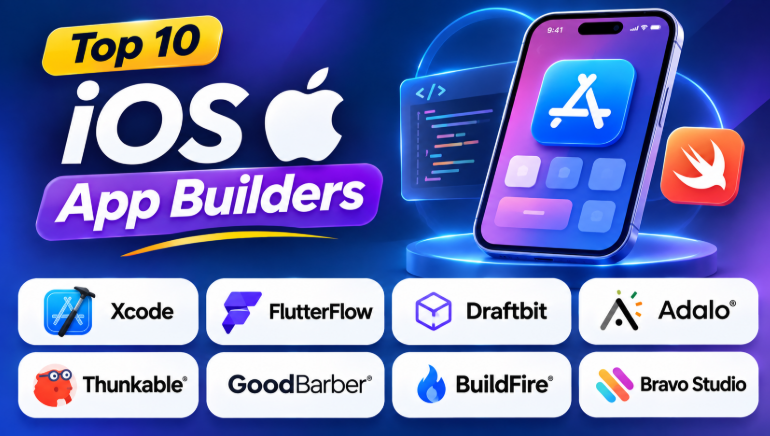
This guide explores 10 popular iOS app builders. It explains their features, strengths, limitations, and best use cases.
What Is an iOS App Builder?
An iOS app builder is a platform that helps users create applications for Apple devices. These devices include iPhones and iPads.
Some builders allow users to create apps without writing code. Others provide tools for developers who want more control.
Most iOS app builders support some combination of:
- Visual app design
- Screen creation
- Database connections
- User authentication
- API integrations
- App testing
- Notifications
- App publishing
The main difference is how much control users have over the final application.
Some tools create native iOS applications. Others create cross-platform apps or web applications that can work on mobile devices.
Top 10 iOS App Builders
1. Xcode
Best for: Professional iOS development and fully customized applications.
Xcode is Apple’s official development environment for creating applications for iPhone, iPad, Mac, Apple Watch, and other Apple platforms.
Developers use Xcode with programming languages such as Swift and Objective-C. It provides tools for app design, coding, debugging, testing, and publishing.
Unlike no-code builders, Xcode gives developers direct control over application behavior.
Key Features
- Swift and Objective-C development
- Interface Builder
- Simulator for Apple devices
- Code debugging
- Performance analysis
- App testing tools
- App Store submission support
- Integration with Apple’s development ecosystem
Pros
- Full control over app development
- Official Apple development environment
- Supports advanced iOS features
- Suitable for complex applications
- Strong debugging tools
- Direct access to Apple frameworks
Cons
- Requires programming knowledge
- Learning Swift takes time
- Requires macOS
- Development can be slower for beginners
Best Uses
Xcode is suitable for developers building complex iPhone applications.
It works well for games, banking apps, healthcare applications, productivity tools, and apps that require advanced device features.
2. FlutterFlow
Best for: Visual development of custom mobile applications.
FlutterFlow is a visual app development platform based on Flutter.
Users can design application screens through a visual editor. They can also connect databases, create workflows, and add custom logic.
FlutterFlow helps teams build applications for multiple platforms from one project.
Key Features
- Drag-and-drop interface
- Flutter-based development
- Firebase integration
- Supabase integration
- API connections
- Visual workflow builder
- Custom code support
- Code export options
Pros
- Reduces manual coding
- Supports iOS and Android
- Useful for complex app designs
- Offers visual development
- Supports backend integrations
- Allows developers to extend functionality
Cons
- Advanced workflows require technical knowledge
- Learning the platform takes time
- External backend setup may be necessary
- Some features depend on paid plans
Best Uses
FlutterFlow works well for startups, developers, and businesses.
It is useful for marketplace apps, booking platforms, social applications, and custom business tools.
3. Draftbit
Best for: Developers who want visual development with code control.
Draftbit is a visual app development platform built around React Native.
It helps users design mobile applications while retaining access to the underlying code.
This makes it useful for teams that want to build faster without completely giving up developer control.
Key Features
- Visual screen builder
- React Native development
- API integration
- Navigation tools
- Custom components
- Code export
- Mobile application testing
Pros
- Combines visual development with coding
- Suitable for React Native developers
- Offers more control than many no-code tools
- Supports custom application logic
- Useful for development teams
Cons
- React Native knowledge can help
- Beginners may need time to learn
- Complex applications require coding
- Some features depend on platform plans
Best Uses
Draftbit is suitable for technical founders and development teams.
It works well when developers want to create mobile apps faster while keeping control of the codebase.
4. Adalo
Best for: Beginners and businesses building database-driven apps.
Adalo is a visual no-code app builder.
Users can create screens, connect data, and build application workflows without traditional programming.
It is especially useful for business applications that depend on forms, user accounts, databases, and simple workflows.
Key Features
- Visual app builder
- Database tools
- User authentication
- App screen design
- Data relationships
- Workflow actions
- Mobile app publishing
- Web application support
Pros
- Beginner-friendly interface
- Requires little coding
- Suitable for business apps
- Helps create prototypes quickly
- Includes database features
- Supports visual workflows
Cons
- Complex applications may require workarounds
- Custom functionality can be limited
- Advanced features may require higher plans
- Performance depends on app design
Best Uses
Adalo is useful for booking apps, membership platforms, internal business applications, and simple marketplaces.
5. Thunkable
Best for: Beginners, students, and educational projects.
Thunkable uses visual blocks to help users create mobile applications.
Users connect blocks to define what happens when someone taps a button, enters information, or opens a screen.
This approach makes app development easier for people who are new to programming.
Key Features
- Drag-and-drop design
- Visual programming blocks
- Cross-platform app development
- Device testing
- API integrations
- Data connections
- Mobile app publishing
Pros
- Easy for beginners
- Visual logic is simple to understand
- Useful for learning app development
- Supports multiple mobile platforms
- Good for prototypes
Cons
- Complex applications may become difficult
- Advanced customization can be limited
- Publishing may require paid plans
- Users depend on the platform’s workflow
Best Uses
Thunkable is useful for educational applications, prototypes, simple business apps, and projects created by students.
6. GoodBarber
Best for: Content, ecommerce, and business applications.
GoodBarber provides tools for creating mobile applications with visual design controls.
It is particularly useful for content-focused applications. Businesses can create apps for publishing content, selling products, and connecting with customers.
Key Features
- Visual app editor
- Content management
- Ecommerce tools
- Push notifications
- App design customization
- Mobile app publishing
- Content organization
Pros
- Useful for content-based apps
- Provides ready-made design components
- Supports ecommerce workflows
- Helps businesses create branded apps
- Reduces development time
Cons
- Custom development may be limited
- Complex workflows can require additional tools
- Platform costs can increase with requirements
- Users should verify available integrations
Best Uses
GoodBarber works well for online stores, publishers, restaurants, local businesses, and content platforms.
7. BuildFire
Best for: Business applications and feature-rich mobile apps.
BuildFire provides a platform for creating mobile applications with visual tools and extensions.
Businesses can add features through available plugins and customize their applications based on their needs.
Key Features
- Visual app development
- Plugin ecosystem
- Business app features
- User management
- Push notifications
- App customization
- Mobile publishing support
Pros
- Supports business use cases
- Offers ready-made features
- Helps reduce development time
- Useful for customer-facing applications
- Supports customization
Cons
- Advanced features may increase costs
- Custom development may require assistance
- Platform dependency can be important
- Not ideal for every highly specialized application
Best Uses
BuildFire is suitable for employee apps, customer apps, community platforms, education applications, and business services.
8. Bravo Studio
Best for: Designers who want to convert visual designs into mobile apps.
Bravo Studio helps designers turn their Figma designs into mobile applications.
It focuses on design-based development. Users can connect app screens to APIs and create mobile experiences based on their design files.
Key Features
- Figma integration
- Design-to-app workflow
- API connections
- Mobile app navigation
- Visual customization
- App testing
- Mobile publishing workflow
Pros
- Useful for UI designers
- Helps preserve design layouts
- Reduces repetitive interface development
- Supports API-based applications
- Good for prototypes
Cons
- API knowledge may be required
- Complex backend features need external systems
- Design files must follow supported workflows
- Not suitable for every application architecture
Best Uses
Bravo Studio is useful for designers, agencies, startups, and teams that already use Figma.
9. Appy Pie
Best for: Small businesses and simple mobile applications.
Appy Pie provides a no-code platform for creating mobile applications.
Users can choose templates and add features based on their business needs.
The platform focuses on helping people create apps without extensive programming knowledge.
Key Features
- No-code app development
- Ready-made templates
- Visual editing
- Business app features
- Forms
- Notifications
- App publishing support
Pros
- Easy for beginners
- Offers templates
- Reduces development complexity
- Useful for simple business apps
- Helps create apps quickly
Cons
- Customization may be limited
- Complex apps may need another platform
- Some features require paid plans
- Users should check publishing requirements
Best Uses
Appy Pie is useful for restaurants, small businesses, service providers, event organizers, and simple customer applications.
10. Shoutem
Best for: Community and content-focused mobile applications.
Shoutem provides mobile app development tools for businesses and communities.
Its platform focuses on creating applications with content, user engagement, and community features.
Key Features
- Visual app development
- Content management
- Community features
- User engagement tools
- App customization
- Mobile publishing workflows
Pros
- Useful for community applications
- Supports content-focused apps
- Helps businesses build mobile experiences
- Reduces manual development work
Cons
- Advanced customization may require development
- Platform features may limit flexibility
- Users should review current integrations
- Complex applications may need custom solutions
Best Uses
Shoutem is useful for community apps, membership platforms, content applications, and organizations that want a mobile experience for their users.
Comparison Table: iOS App Builders
| Tool | Development Type | Coding Needed | Best For |
|---|---|---|---|
| Xcode | Native iOS development | Yes | Professional apps |
| FlutterFlow | Visual Flutter development | Optional | Custom mobile apps |
| Draftbit | React Native visual development | Some coding helps | Developer-controlled apps |
| Adalo | No-code app builder | Little to none | Business applications |
| Thunkable | Visual block-based builder | Little to none | Beginners and education |
| GoodBarber | No-code mobile platform | Little to none | Content and ecommerce apps |
| BuildFire | Mobile app platform | Little to none | Business and customer apps |
| Bravo Studio | Design-to-app platform | Some technical setup | Figma-based projects |
| Appy Pie | No-code app builder | Little to none | Small businesses |
| Shoutem | Mobile app platform | Little to none | Community and content apps |
How to Choose the Right iOS App Builder
The best tool depends on what you want to build.
Choose Xcode for Complete Control
Use Xcode when your application needs advanced Apple features.
It is also a strong choice when you have developers who know Swift.
Choose FlutterFlow for Custom Applications
FlutterFlow is useful when you want visual development and more flexibility.
It can help you build applications for multiple platforms.
Choose Draftbit for Code Ownership
Draftbit is useful when developers want a visual workflow but also need access to React Native code.
Choose Adalo for Simple Business Applications
Adalo is suitable for applications that use forms, databases, accounts, and workflows.
Choose Thunkable for Learning
Thunkable is useful when you want to learn app logic through visual blocks.
Choose GoodBarber for Content and Ecommerce
GoodBarber can help businesses create content-focused and shopping applications.
Choose Bravo Studio for Figma Designs
Bravo Studio makes sense when your team already creates designs in Figma.
What Should You Check Before Building an iOS App?
Choosing a builder is only the first step.
You should also check these important requirements.
1. App Store Publishing
Confirm whether the platform supports publishing to Apple’s App Store.
Some tools create web apps instead of native applications.
2. Code Ownership
Check whether you can export your app’s source code.
This matters if you plan to hire developers later.
3. Backend Support
Your app may need a database, authentication, or APIs.
Check whether the builder supports your required backend.
4. Device Features
Some apps require:
- Camera access
- GPS
- Bluetooth
- Push notifications
- Payment systems
- File storage
- Offline functionality
Confirm these features before choosing a platform.
5. Long-Term Cost
Check the complete cost.
A low starting price may not include publishing, integrations, database usage, or advanced features.
Common Mistakes When Choosing an iOS App Builder
Choosing Only Based on Price
The cheapest platform may not support your application requirements.
Always check features before selecting a plan.
Ignoring App Store Requirements
Apple has rules for app quality, privacy, payments, and functionality.
Your builder does not guarantee App Store approval.
Forgetting Future Development
Your application may grow over time.
Choose a platform that can support new features and users.
Selecting a Platform Without Testing
Build a small prototype first.
Test the design, database, integrations, and publishing process.
Ignoring Code Export
Some builders keep your application inside their platform.
This can make migration difficult later.
Frequently Asked Questions
Can I build an iOS app without coding?
Yes. Platforms such as Adalo, Thunkable, Appy Pie, and GoodBarber provide visual development tools.
However, complex applications may still require programming.
Can I publish my app on the Apple App Store?
Many builders support App Store publishing.
However, you must follow Apple’s requirements and use the appropriate Apple Developer account.
Which iOS app builder is best for beginners?
Thunkable, Adalo, and Appy Pie are useful starting points for beginners.
The best choice depends on the features your application needs.
Can I create an iOS and Android app together?
Yes. FlutterFlow, Adalo, Thunkable, and several other platforms support cross-platform development.
Is Xcode better than no-code app builders?
Xcode provides more control and flexibility.
No-code builders are often faster for simple applications and prototypes.
The right choice depends on your technical skills and project requirements.
Final Thoughts
iOS app builders make mobile development more accessible.
Beginners can create applications through visual tools. Developers can use platforms that generate code or support custom development.
Before selecting a platform, consider your app’s features, budget, design needs, backend, and future growth.
A simple business app may work well with a no-code builder. A complex application may need Xcode or a flexible development platform.
The best app builder is the one that fits your project today while supporting your needs tomorrow.










Leave a Reply
You must be logged in to post a comment.