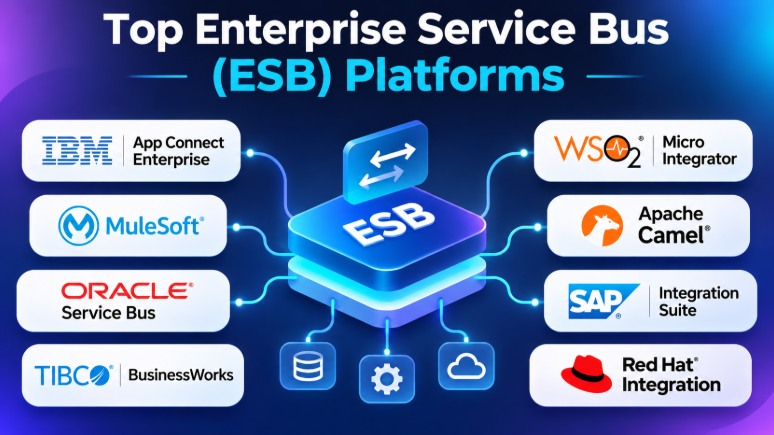
Enterprise applications rarely work in isolation. A company may use SAP for business operations, Salesforce for customer management, IBM MQ for messaging, and custom applications for internal processes. These systems often use different protocols, data formats, and communication methods.
Connecting them directly can create a complicated network of integrations. When one application changes, several other connections may need updates. This makes integration difficult to maintain as the business grows.
An Enterprise Service Bus (ESB) provides a centralized integration layer. It helps applications communicate through message routing, transformation, mediation, and orchestration. Instead of building separate connections between every system, organizations can use an ESB to manage communication through shared integration services.
However, traditional ESB architecture is not the only option today. Modern integration platforms, API-led architectures, event-driven systems, and cloud-native integration frameworks offer different approaches.
This guide explores 10 enterprise integration platforms and frameworks. It explains their features, advantages, limitations, and practical use cases to help businesses choose an architecture that fits their systems and technical teams.
What Is an Enterprise Service Bus (ESB)?
An Enterprise Service Bus is middleware that connects applications and services across an organization.
It acts as an intermediary between systems. Applications send messages to the integration layer, which processes them and delivers them to the appropriate destination.
An ESB can perform several tasks:
- Route messages between applications
- Transform data between formats
- Connect systems using different protocols
- Validate incoming information
- Apply business rules
- Enrich messages with additional data
- Manage communication between services
- Handle errors and retries
- Monitor integration workflows
- Support asynchronous communication
For example, a retail company might receive an order through an ecommerce application.
The ESB could:
- Receive the order message.
- Validate the customer and product information.
- Convert the message into the ERP system’s format.
- Send the order to the ERP application.
- Update inventory through another service.
- Send a notification to the shipping system.
- Record the integration result.
The ESB manages communication between these systems while reducing the need for each application to understand every other application.
How ESB Architecture Works
A traditional ESB uses a shared integration layer.
Applications connect to the bus rather than creating direct connections with every other application.Application → ESB → Routing and Transformation → Destination Application
The integration layer may include several components.
Message routing
Routing determines where a message should go.
For example, an order from a particular region may be sent to a regional ERP system.
Data transformation
Different applications may use different data structures.
An ESB can convert XML into JSON, map database fields, or transform messages into the format required by another application.
Protocol mediation
An application may communicate through HTTP while another uses JMS, SOAP, TCP, or a file-based process.
An ESB can help bridge these communication methods.
Service orchestration
An integration workflow may involve several services.
The ESB can coordinate the sequence of operations and manage the communication between them.
Error handling
Integration failures can occur because of unavailable applications, invalid messages, network problems, or authentication issues.
A production ESB should provide suitable error handling, logging, retries, and monitoring.
ESB vs. iPaaS vs. API Management vs. Message Broker
These technologies overlap, but they solve different problems.
| Technology | Main Purpose | Typical Use |
|---|---|---|
| ESB | Connect, route, transform, and mediate enterprise applications | ERP, CRM, databases, and legacy systems |
| iPaaS | Cloud-based integration and workflow automation | SaaS applications and hybrid business workflows |
| API Management | Publish, secure, monitor, and govern APIs | Internal and external API access |
| Message Broker | Deliver messages between producers and consumers | Asynchronous communication and event processing |
| Event Streaming | Distribute continuous event data | Real-time analytics and event-driven applications |
An ESB may include messaging, API, and workflow capabilities. However, these technologies are not interchangeable.
A company may use an ESB for application integration, a message broker for asynchronous communication, and an API gateway for external API access.
The architecture should reflect the actual requirements rather than forcing every integration through one technology.
Top 10 Enterprise Service Bus Platforms
The following tools represent traditional ESB products, enterprise integration platforms, and developer-oriented integration frameworks.
They are grouped by their practical strengths rather than treated as a scientifically ranked list.
1. IBM App Connect Enterprise
Best for: Complex enterprise integration, hybrid environments, and organizations with IBM technology
IBM App Connect Enterprise is an enterprise integration platform that connects applications, APIs, databases, messaging systems, and services.
It supports message routing, transformation, enrichment, and processing across different protocols and data formats. It can connect traditional enterprise systems with modern cloud applications.
The platform supports development through graphical tools and code-based approaches. Developers can use technologies such as ESQL and Java for complex integration logic.
IBM App Connect Enterprise can be deployed on servers, virtual machines, containers, and supported cloud environments.
Key Features
- Message routing and transformation
- IBM MQ connectivity
- HTTP and HTTPS integration
- SOAP and REST services
- Database connectivity
- Enterprise application integration
- ESQL and Java development
- Container deployment
- Hybrid integration support
- Integration monitoring and administration
Pros
- Supports complex enterprise integration requirements
- Broad protocol and data format support
- Suitable for hybrid environments
- Offers graphical and code-based development
- Connects legacy and modern applications
Cons
- Advanced integration development requires technical skills
- Enterprise deployments can require significant planning
- Licensing and infrastructure costs need careful evaluation
- Complex environments may require specialist administrators
Best Uses
IBM App Connect Enterprise is suitable for organizations connecting legacy applications, enterprise databases, messaging systems, APIs, and cloud services.
It is especially relevant for businesses with IBM MQ or existing IBM integration infrastructure.
2. MuleSoft Anypoint Platform
Best for: API-led integration, reusable services, and large enterprise integration programs
MuleSoft Anypoint Platform combines application integration with API management and reusable integration assets.
Its API-led connectivity approach encourages organizations to create reusable services. Instead of building isolated integrations, teams can expose data and business capabilities through APIs.
This approach can reduce duplication across integration projects when organizations establish clear architecture and governance.
Key Features
- API design and management
- Integration development
- Data transformation
- Reusable integration components
- API lifecycle management
- Application connectivity
- Cloud and hybrid deployment options
- Integration monitoring
Pros
- Supports API-led integration architecture
- Useful for large application ecosystems
- Encourages reusable integration assets
- Combines API and integration capabilities
- Supports enterprise governance requirements
Cons
- Can require specialized integration developers
- Enterprise implementation may be complex
- Licensing costs can be significant
- May be excessive for simple application connections
Best Uses
MuleSoft is suitable for enterprises connecting cloud applications, legacy systems, APIs, databases, and external services.
It is particularly useful when an organization wants to build reusable integration services across departments.
3. Oracle Service Bus
Best for: Oracle environments and service-oriented enterprise architecture
Oracle Service Bus is middleware designed to connect and mediate communication between services and applications.
It is particularly relevant to organizations with Oracle middleware, Oracle applications, and service-oriented architecture investments.
The platform helps route messages, transform data, and manage communication between services.
Oracle Service Bus can be useful when enterprises need centralized service mediation across complex application environments.
Key Features
- Service routing
- Message transformation
- Service mediation
- SOAP and REST integration
- Service orchestration
- Enterprise application connectivity
- Policy management
- Monitoring and administration
Pros
- Strong fit for Oracle-based environments
- Supports service mediation and routing
- Useful for complex enterprise service architectures
- Integrates with Oracle middleware technologies
- Supports centralized integration management
Cons
- Oracle ecosystem knowledge can be valuable
- Implementation may require experienced developers
- Licensing and infrastructure costs need evaluation
- May be less attractive for organizations moving away from Oracle middleware
Best Uses
Oracle Service Bus is a practical candidate for enterprises using Oracle Fusion Middleware, Oracle SOA Suite, Oracle databases, and Oracle enterprise applications.
It is especially useful when service integration must remain aligned with an existing Oracle architecture.
4. IBM webMethods Integration
Best for: Enterprise integration, hybrid environments, API connectivity, and B2B processes
IBM webMethods Integration is part of IBM’s broader integration portfolio.
It helps organizations connect applications, APIs, events, data, messaging, and business processes across hybrid environments.
Its integration capabilities are relevant for organizations that need more than simple application connections. It can support enterprise integration, API connectivity, and business-to-business processes.
Key Features
- Application integration
- API connectivity
- Enterprise orchestration
- B2B integration
- Hybrid integration
- Data transformation
- Integration monitoring
- Workflow automation
Pros
- Broad enterprise integration capabilities
- Useful for hybrid environments
- Supports multiple integration styles
- Suitable for complex application ecosystems
- Can support enterprise and B2B workflows
Cons
- Broad platform capabilities can increase complexity
- Implementation may require specialist knowledge
- Enterprise licensing can require a detailed cost evaluation
- Organizations should carefully evaluate their required deployment model
Best Uses
IBM webMethods Integration is suitable for large businesses connecting enterprise applications, APIs, external partners, messaging systems, and business processes.
It is worth considering when an organization needs a broader integration platform rather than a narrowly focused ESB runtime.
5. TIBCO ActiveMatrix BusinessWorks
Best for: Enterprise service orchestration and complex business integration
TIBCO ActiveMatrix BusinessWorks is an integration platform used to build and run integration processes.
Its development environment supports visual workflow design and integration logic.
Organizations can use it to connect enterprise applications, services, databases, and messaging systems.
BusinessWorks is relevant when integration workflows involve several steps, transformations, and communication methods.
Key Features
- Integration process development
- Service orchestration
- Data transformation
- Application connectivity
- Messaging integration
- API connectivity
- Visual development tools
- Integration monitoring
Pros
- Supports complex enterprise workflows
- Visual integration development
- Useful for process orchestration
- Suitable for enterprise integration projects
- Supports multiple integration requirements
Cons
- Complex workflows require experienced developers
- Enterprise implementations can require substantial planning
- Licensing costs should be evaluated
- Platform maintenance can require dedicated resources
Best Uses
TIBCO BusinessWorks is suitable for enterprises connecting applications, services, databases, and business processes.
It can be particularly useful for organizations with existing TIBCO infrastructure or established integration teams.
6. WSO2 Micro Integrator
Best for: Developer-led integration, open-source flexibility, and cloud-native environments
WSO2 Micro Integrator provides an integration runtime for connecting services and applications.
It supports integration logic, message transformation, routing, and service mediation.
The platform is attractive to engineering teams that want control over their integration runtime and deployment environment.
WSO2’s integration approach can be useful for organizations building API-driven and cloud-native architectures.
Key Features
- Service integration
- Message transformation
- Routing
- API connectivity
- Integration flows
- Container-based deployment
- Developer-focused configuration
- Extensibility
Pros
- Flexible integration architecture
- Suitable for technical teams
- Supports modern deployment environments
- Useful for API-centered integration
- Offers an alternative to proprietary enterprise platforms
Cons
- Requires technical expertise
- Deployment and maintenance responsibilities depend on the chosen model
- Complex integrations require careful design
- Support and enterprise capabilities should be evaluated separately from community options
Best Uses
WSO2 Micro Integrator is suitable for developers and enterprises that need flexible integration services.
It is particularly relevant for teams building cloud-native applications or modernizing service-oriented systems.
7. Apache Camel
Best for: Java developers, custom integration logic, and open-source integration architecture
Apache Camel is an open-source integration framework built around Enterprise Integration Patterns.
Instead of requiring a traditional graphical ESB environment, Camel allows developers to define routes that control how messages move between endpoints.
It supports a wide range of components and integration methods.
Camel is often a strong choice for engineering teams that prefer code, reusable routes, and flexible deployment.
Key Features
- Enterprise Integration Patterns
- Route-based integration
- Large component ecosystem
- Message transformation
- Routing and filtering
- Java-based development
- API integration
- Cloud-native deployment support
Pros
- Open-source framework
- Highly flexible integration logic
- Suitable for Java development teams
- Supports many integration patterns
- Can be embedded into applications
Cons
- Requires development skills
- Teams must manage runtime and operations
- Large integration projects need architectural discipline
- No traditional visual ESB experience is required or guaranteed
Best Uses
Apache Camel is suitable for engineering teams that want to build custom integration services.
It is especially useful when developers need direct control over routing logic, endpoints, transformation, and deployment.
8. Red Hat Integration with Apache Camel
Best for: Kubernetes environments, containerized integration, and Red Hat enterprise infrastructure
Red Hat provides integration capabilities built around Apache Camel and its enterprise integration ecosystem.
This approach is relevant to organizations that already use Red Hat technologies and want to build integrations that align with their container and cloud-native architecture.
The key advantage is the ability to use integration patterns within an environment designed for modern application deployment.
Key Features
- Apache Camel-based integration
- Container-based deployment
- Kubernetes and OpenShift alignment
- Integration development
- API connectivity
- Messaging support
- Enterprise lifecycle and support options
Pros
- Fits containerized infrastructure
- Suitable for Kubernetes-based environments
- Uses established integration patterns
- Can align with Red Hat enterprise operations
- Supports developer-led integration
Cons
- Container knowledge may be required
- Enterprise support options affect costs
- Integration architecture requires technical planning
- Organizations must evaluate the exact Red Hat product offering
Best Uses
Red Hat integration technologies are suitable for businesses using OpenShift, Kubernetes, and container-based infrastructure.
They are particularly relevant when integration services need to follow the same deployment and operational practices as modern applications.
9. SAP Integration Suite
Best for: SAP environments and enterprise application integration
SAP Integration Suite is a cloud-based integration platform that connects SAP applications with other enterprise systems.
It is broader than a traditional on-premises ESB. However, it is relevant to enterprise integration projects because it supports application, API, and process connectivity.
SAP customers often need to connect ERP systems with CRM platforms, ecommerce applications, HR tools, databases, and external services.
Key Features
- Cloud integration
- Application connectivity
- API management
- Integration flows
- Data transformation
- SAP application integration
- B2B integration capabilities
- Hybrid connectivity
Pros
- Strong fit for SAP application environments
- Supports SAP and non-SAP integration
- Cloud-based integration approach
- Useful for enterprise application connectivity
- Can support hybrid integration requirements
Cons
- SAP expertise may be valuable
- Licensing and usage costs require evaluation
- Integration complexity depends on the connected systems
- It is not a traditional standalone ESB runtime in every use case
Best Uses
SAP Integration Suite is suitable for organizations using SAP ERP, SAP S/4HANA, SAP SuccessFactors, and other SAP business applications.
It is especially useful when SAP systems need to communicate with cloud applications and external services.
10. Fiorano ESB
Best for: Enterprise integration, service orchestration, and distributed application environments
Fiorano ESB is an integration platform designed to connect applications, services, databases, and enterprise systems.
Its architecture focuses on integration workflows and service connectivity.
Organizations may consider Fiorano when they need enterprise integration capabilities and want to evaluate a platform outside the largest middleware ecosystems.
Key Features
- Application integration
- Service orchestration
- Message routing
- Data transformation
- Distributed integration
- API connectivity
- Integration monitoring
- Enterprise connectivity
Pros
- Designed for enterprise integration
- Supports service orchestration
- Useful for distributed application environments
- Offers an alternative to larger middleware vendors
- Supports integration across business systems
Cons
- Market and ecosystem fit should be evaluated
- Technical teams should verify required connectors
- Enterprise implementation can require specialized skills
- Pricing and support requirements should be discussed with the vendor
Best Uses
Fiorano ESB may be suitable for organizations that need enterprise service integration and want to evaluate its architecture, support model, and connectivity against their specific requirements.
Enterprise Service Bus Platforms Comparison Table
The following table summarizes the major differences between the platforms.
| Platform | Best For | Main Strength | Deployment Approach | Technical Skill |
|---|---|---|---|---|
| IBM App Connect Enterprise | Complex enterprise integration | Protocol and message transformation | Cloud, containers, on-premises | High |
| MuleSoft Anypoint Platform | API-led enterprise architecture | Reusable APIs and integration assets | Cloud and hybrid | High |
| Oracle Service Bus | Oracle environments | Service mediation | Oracle enterprise environments | High |
| IBM webMethods Integration | Enterprise and hybrid integration | Broad integration capabilities | SaaS and self-managed options | Medium to High |
| TIBCO BusinessWorks | Enterprise orchestration | Integration process development | Enterprise environments | High |
| WSO2 Micro Integrator | Developer-led integration | Flexible integration runtime | Cloud and self-managed | High |
| Apache Camel | Custom integration development | Enterprise Integration Patterns | Self-managed and cloud-native | High |
| Red Hat Integration | Kubernetes environments | Container-oriented integration | Containers and Kubernetes | High |
| SAP Integration Suite | SAP ecosystems | SAP application connectivity | Cloud and hybrid | Medium to High |
| Fiorano ESB | Enterprise service integration | Distributed integration architecture | Enterprise environments | High |
ESB Platforms vs. Modern Integration Architectures
Traditional ESB architecture centralizes integration logic.
This can make governance and management easier. However, it can also create a large integration layer that becomes difficult to maintain.
Modern architecture often uses smaller integration services, APIs, event-driven communication, and distributed workflows.
Neither approach is automatically better.
When a traditional ESB makes sense
A traditional ESB may be appropriate when:
- The organization has many legacy applications.
- Systems use different protocols and message formats.
- Centralized integration governance is important.
- Complex message transformations are required.
- Existing middleware investments are significant.
- Integration teams already have ESB expertise.
When a modern integration approach may be better
A distributed or cloud-native integration approach may be preferable when:
- Applications are developed as independent services.
- Teams deploy applications frequently.
- Kubernetes or container infrastructure is already established.
- Integrations need independent scaling.
- Event-driven communication is a major requirement.
- The organization wants to reduce dependence on a centralized integration runtime.
Modern architectures can still use ESB products. The important question is whether the integration platform supports the architecture the organization wants to build.
ESB vs. Microservices Integration
Microservices communicate through APIs, messaging, or events.
A traditional ESB centralizes much of the routing and transformation logic. Microservices architectures often distribute integration responsibilities across services.
| Traditional ESB | Microservices Integration |
|---|---|
| Centralized integration layer | Distributed communication |
| Shared routing and transformation | Service-level integration logic |
| Centralized governance | Governance across multiple services |
| Can simplify legacy integration | Can support independent deployment |
| May become a central dependency | Can create distributed complexity |
A company does not need to choose only one approach.
Many enterprises use an ESB for legacy systems while using APIs and events for newer applications.
How to Choose the Right ESB Platform
1. Identify the systems you need to connect
Create a list of all applications and systems involved.
For example:
- ERP systems
- CRM platforms
- Databases
- Legacy applications
- Ecommerce platforms
- Payment systems
- Messaging services
- APIs
- Cloud applications
The platform should support the protocols, data formats, and connectivity requirements of these systems.
2. Evaluate message transformation
Different systems may use XML, JSON, CSV, binary formats, or custom data structures.
Your ESB should support the transformations required by your workflows.
Check whether it supports:
- Data mapping
- XML transformation
- JSON transformation
- Schema validation
- Field mapping
- Message enrichment
- Custom transformation logic
- Data filtering
3. Check deployment flexibility
Some businesses require integrations inside their own infrastructure.
Others prefer managed cloud services.
Evaluate whether the platform supports:
- On-premises deployment
- Cloud deployment
- Virtual machines
- Containers
- Kubernetes
- Hybrid environments
- Private network connectivity
The deployment model can affect security, performance, cost, and maintenance.
4. Review performance requirements
Integration workloads can vary significantly.
A workflow processing a few hundred records each day has different requirements from a system processing thousands of messages every second.
Evaluate:
- Message volume
- Message size
- Processing latency
- Peak traffic
- Retry behavior
- Backpressure
- Failure recovery
- Horizontal scaling
Do not rely only on vendor performance claims. Test the platform using representative workloads.
5. Understand the operating model
An ESB is infrastructure that requires ongoing management.
Your team may need to handle:
- Integration development
- Deployment
- Monitoring
- Security updates
- Credential management
- Troubleshooting
- Capacity planning
- Backup and recovery
- Version upgrades
A platform that looks affordable during procurement may become expensive if it requires a large specialist team.
Common ESB Implementation Mistakes
Creating a central integration bottleneck
An ESB can become a bottleneck if every business process depends on the same runtime.
Design integrations so that critical services can scale and recover appropriately.
Building unnecessary integrations
Not every application needs to communicate with every other application.
Start with business requirements and identify the information that actually needs to move.
Ignoring message failures
Production integrations must handle unavailable services, invalid data, timeouts, and network problems.
A good design should include retry policies, dead-letter handling, alerts, and recovery procedures.
Creating tightly coupled workflows
An integration should avoid unnecessary dependencies between applications.
Use clear service contracts and stable message structures where possible.
Ignoring integration ownership
Every business-critical integration should have an owner.
That team should understand the workflow, dependencies, monitoring, and recovery procedures.
Choosing a platform only because it is popular
A popular platform may not fit your architecture.
Evaluate its connectivity, deployment model, developer experience, licensing, and operational requirements.
Questions to Ask Before Selecting an ESB Platform
Before purchasing or implementing an ESB, ask:
- Does it support our required protocols and applications?
- Can it connect to our legacy systems?
- Does it support our deployment environment?
- How does it handle message failures?
- Can it transform complex data formats?
- Does it support asynchronous messaging?
- Can integrations scale independently?
- What monitoring and logging tools are available?
- How are credentials and access permissions managed?
- What skills will our team need?
- How much infrastructure will we need to maintain?
- What are the licensing and support costs?
- Can we migrate integrations if we change platforms?
- Does the architecture create a central bottleneck?
Frequently Asked Questions
What is the main purpose of an Enterprise Service Bus?
An ESB connects enterprise applications and services. It routes messages, transforms data, and manages communication between different systems.
Is an ESB still useful?
Yes. ESBs remain useful for complex enterprise integration, especially when organizations need to connect legacy systems, databases, enterprise applications, and different communication protocols.
However, modern integration architectures may use APIs, event-driven systems, cloud integration platforms, or distributed services instead of relying entirely on a centralized ESB.
What is the difference between ESB and iPaaS?
An ESB is traditionally middleware used to connect enterprise applications through a shared integration architecture.
iPaaS is a cloud-based integration platform that commonly provides application connectors, workflow automation, API integration, and data synchronization.
Some modern iPaaS products also provide ESB-like capabilities.
Is Apache Camel an ESB?
Apache Camel is an integration framework rather than a traditional packaged ESB.
It provides Enterprise Integration Patterns and components that developers can use to build integration services and routes.
Which ESB is best for enterprises?
The answer depends on the enterprise’s existing systems and architecture.
IBM App Connect Enterprise, MuleSoft, Oracle Service Bus, IBM webMethods Integration, and TIBCO BusinessWorks are candidates for complex enterprise integration.
The best choice should be based on technical fit, operational requirements, existing skills, and cost.
Can an ESB connect cloud and on-premises applications?
Yes. Many enterprise integration platforms support hybrid environments.
They can connect cloud applications with databases, legacy systems, and services running inside private infrastructure.
Is an ESB suitable for microservices?
An ESB can connect microservices, but it should not automatically become the central dependency for every service.
API-based and event-driven communication may be more suitable for some microservices architectures.
Choosing an ESB Is an Architecture Decision
The right Enterprise Service Bus platform depends on more than its connector catalog.
IBM App Connect Enterprise is relevant for complex enterprise integration and hybrid environments. MuleSoft is attractive for API-led connectivity and reusable integration architecture. Oracle Service Bus fits Oracle-centered environments. IBM webMethods and TIBCO BusinessWorks address broad enterprise integration needs.
WSO2 Micro Integrator and Apache Camel offer flexible approaches for technical teams. Red Hat integration technologies are relevant to container environments. SAP Integration Suite fits SAP-centered ecosystems, while Fiorano provides another enterprise integration option.
Before making a decision, select one important business workflow and design it as a pilot. Test its routing, transformation, security, error handling, monitoring, deployment, and operating costs.










Leave a Reply
You must be logged in to post a comment.