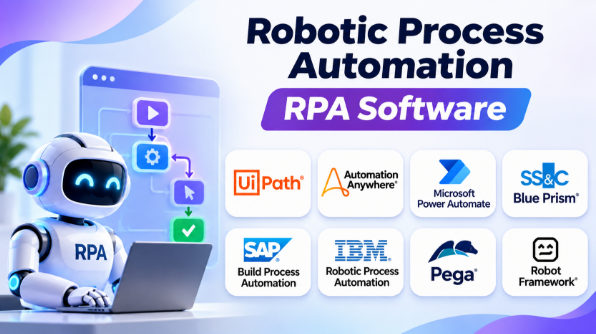
Robotic Process Automation (RPA) helps businesses automate repetitive computer tasks. It uses software bots to perform work that people normally do through applications, websites, spreadsheets, and desktop systems.
RPA can help companies reduce manual data entry, process invoices, update records, generate reports, and handle routine business operations. Instead of asking employees to repeat the same steps every day, organizations can create bots that perform those tasks automatically.
However, not every RPA platform works the same way. Some focus on enterprise automation and centralized bot management. Others offer simple desktop automation for smaller teams. Some also combine RPA with artificial intelligence, workflow automation, document processing, and process mining.
Choosing the right platform requires understanding these differences. This guide compares leading RPA software, explains their strengths and limitations, and shows where each solution fits best.
What Is Robotic Process Automation?
Robotic Process Automation is a technology that uses software bots to perform repetitive tasks on computers.
These bots follow instructions and interact with applications like human employees. They can open software, enter information, click buttons, copy data, download files, and complete routine processes.
For example, a company may receive hundreds of invoices every day. Employees must open each invoice, check the details, enter information into accounting software, and save the records.
An RPA bot can perform these steps automatically.
RPA is especially useful when:
- Employees repeat the same computer tasks daily.
- Applications lack suitable APIs.
- Businesses need to move data between different systems.
- Processes follow clear rules.
- Manual work creates delays or errors.
- Organizations need automation without replacing existing software.
RPA bots can work in two main ways.
Attended RPA
Attended bots work alongside employees.
They usually start when a user requests assistance. For example, a customer support employee may launch a bot to retrieve customer information from several systems.
Unattended RPA
Unattended bots work independently.
They can run on schedules, process queues, or respond to automated triggers. These bots often handle large volumes of repetitive work without direct human interaction.
Top RPA Software Platforms
1. UiPath
UiPath is one of the most widely recognized RPA platforms. It provides tools for building, managing, and running software robots.
The platform supports automation across desktop applications, web applications, enterprise systems, and business processes.
UiPath offers a visual development environment that helps users create automation workflows. Developers can also use programming and advanced automation capabilities when workflows become more complex.
Key Features
- Visual automation development.
- Attended and unattended robots.
- Centralized robot management.
- Workflow orchestration.
- Automation testing.
- Document processing capabilities.
- Process discovery and analysis.
- Integration with enterprise applications.
- AI-assisted automation capabilities.
Pros
- Extensive automation capabilities.
- Suitable for complex enterprise workflows.
- Strong robot management and orchestration.
- Supports both technical and business users.
- Large automation ecosystem.
Cons
- Advanced deployments can become expensive.
- Large automation environments require governance.
- Complex workflows may require technical expertise.
- Licensing can be difficult to understand.
Best Uses
UiPath is suitable for organizations that want to build a large automation program.
It works well for invoice processing, employee onboarding, customer data management, financial operations, and enterprise application automation.
2. Automation Anywhere
Automation Anywhere provides an enterprise automation platform that combines software bots, workflow automation, and AI-related capabilities.
Its Automation 360 platform supports the development and management of automated business processes.
The platform is designed to help organizations build automation while managing bots through centralized control capabilities.
Key Features
- Bot development tools.
- Centralized automation management.
- Cloud-oriented architecture.
- Enterprise workflow automation.
- Document automation capabilities.
- Bot monitoring.
- Application integration.
- AI-supported automation features.
Pros
- Designed for enterprise automation.
- Centralized bot management.
- Supports large automation programs.
- Combines automation with intelligent processing.
- Suitable for business process automation.
Cons
- Enterprise deployments may require specialist knowledge.
- Licensing and implementation costs can be significant.
- Complex automation projects require careful planning.
- Organizations must manage bot governance.
Best Uses
Automation Anywhere is suitable for large businesses that want to automate repetitive operations across multiple departments.
Common use cases include finance, customer service, HR, insurance operations, and document processing.
3. Microsoft Power Automate
Microsoft Power Automate combines cloud workflow automation with desktop RPA.
It is especially useful for businesses that already use Microsoft applications.
The platform can connect services such as Microsoft Teams, SharePoint, Excel, Outlook, and other supported applications.
Power Automate Desktop can automate tasks inside desktop applications. This makes it useful for legacy systems that do not provide modern APIs.
Key Features
- Cloud-based workflows.
- Desktop automation.
- Attended and unattended automation.
- Microsoft 365 integration.
- Application connectors.
- Workflow approvals.
- Scheduled automation.
- Data processing.
- Business process automation.
Pros
- Strong Microsoft ecosystem integration.
- Accessible visual workflow builder.
- Useful for desktop and cloud automation.
- Suitable for business users.
- Can automate many routine Microsoft-related tasks.
Cons
- Advanced workflows can become difficult to manage.
- Licensing depends on the required capabilities.
- Desktop automation may break when application interfaces change.
- Governance is important in large environments.
Best Uses
Power Automate is suitable for Microsoft-focused organizations.
It can automate:
- Excel data processing.
- SharePoint document management.
- Outlook email workflows.
- Teams notifications.
- Employee approvals.
- Desktop applications.
- Routine business reporting.
4. SS&C Blue Prism
SS&C Blue Prism focuses on enterprise automation and digital workers.
The platform is designed for organizations that need controlled automation across business processes.
Its approach emphasizes managed automation, reusable components, process control, and enterprise operations.
Blue Prism is particularly relevant for organizations with formal automation governance requirements.
Key Features
- Enterprise RPA.
- Digital workforce management.
- Process automation.
- Reusable automation components.
- Centralized management.
- Workload scheduling.
- Audit and monitoring capabilities.
- Enterprise integration.
Pros
- Suitable for controlled enterprise environments.
- Supports structured automation programs.
- Strong focus on governance.
- Useful for large business operations.
- Supports reusable automation components.
Cons
- May require specialized developers.
- Implementation can take time.
- Smaller organizations may find it complex.
- Automation development may require more planning.
Best Uses
Blue Prism is useful for organizations with large and controlled automation environments.
It can support banking operations, insurance processes, financial administration, healthcare administration, and other business processes that require consistent execution.
5. SAP Build Process Automation
SAP Build Process Automation combines workflow automation, business rules, and robotic process automation.
It is particularly relevant to organizations that already depend on SAP applications.
The platform helps business users and developers create automated workflows through visual tools.
Organizations can automate repetitive tasks within existing processes while connecting workflows to SAP and other business applications.
Key Features
- Visual workflow development.
- Robotic process automation.
- Business rules.
- Forms-based processes.
- Process visibility.
- Task management.
- Prebuilt automation content.
- SAP integration.
Pros
- Strong fit for SAP environments.
- Combines workflows and RPA.
- Visual development tools.
- Supports business and technical users.
- Useful for SAP-related processes.
Cons
- Best value may depend on existing SAP investments.
- Non-SAP organizations may prefer other platforms.
- Complex processes require implementation planning.
- SAP platform knowledge can be useful.
Best Uses
SAP Build Process Automation is useful for organizations that use SAP business systems.
Typical applications include:
- SAP data entry.
- Procurement processes.
- Finance automation.
- Employee workflows.
- Document processing.
- Business approvals.
- Data validation.
6. IBM Robotic Process Automation
IBM RPA helps organizations automate repetitive business tasks.
It provides visual development tools, recording capabilities, scripting options, and bot management features.
IBM RPA can automate tasks across Windows applications and supported enterprise systems.
Its hybrid deployment approach may appeal to organizations with specific infrastructure requirements.
Key Features
- Visual bot development.
- Task recording.
- Desktop automation.
- Script-based automation.
- Bot scheduling.
- API integration.
- Automation monitoring.
- Enterprise deployment options.
Pros
- Supports different automation approaches.
- Suitable for enterprise environments.
- Combines visual tools and scripting.
- Useful for repetitive back-office tasks.
- Supports scheduled automation.
Cons
- Technical knowledge may be required for advanced projects.
- Organizations should evaluate the product’s current licensing and deployment model.
- Large implementations require administration.
- Some workflows may need custom scripting.
Best Uses
IBM RPA is suitable for organizations that already use IBM technologies or require enterprise automation capabilities.
It can help automate:
- Data entry.
- Report generation.
- File processing.
- Application interactions.
- Administrative workflows.
- Routine business operations.
7. Pega Platform
Pega combines business process management, case management, workflow automation, and RPA capabilities.
It is useful when automation must operate inside a larger business process.
Rather than automating only individual tasks, Pega can help organizations manage processes that involve employees, systems, decisions, and multiple workflow stages.
Key Features
- Business process management.
- Case management.
- Workflow automation.
- RPA capabilities.
- Business rules.
- Process orchestration.
- Application development.
- Decision management.
Pros
- Combines process management and automation.
- Useful for complex business processes.
- Supports case-based workflows.
- Can manage human and automated tasks.
- Suitable for enterprise applications.
Cons
- More complex than basic desktop automation tools.
- Implementation may require specialist knowledge.
- Can be excessive for simple automation requirements.
- Platform planning is important.
Best Uses
Pega is suitable for organizations that need to automate complex business processes.
Examples include customer service, insurance claims, financial services, employee case management, and regulated business workflows.
8. Robot Framework with RPA Framework
Robot Framework is an open-source automation framework.
The RPA Framework provides libraries designed for robotic process automation using Robot Framework and Python.
This approach differs from commercial RPA platforms.
Instead of relying mainly on a visual development environment, technical teams can build automation through scripts, reusable libraries, and code.
Key Features
- Open-source framework.
- Python support.
- Browser automation.
- Desktop automation.
- Excel automation.
- File processing.
- Application integration.
- Reusable libraries.
Pros
- No traditional commercial RPA license for the framework.
- Flexible automation development.
- Suitable for developers.
- Supports reusable code.
- Useful for technical automation teams.
Cons
- Requires programming knowledge.
- Organizations must manage execution infrastructure.
- Bot monitoring and orchestration may require additional tools.
- Business users may find development less accessible.
Best Uses
Robot Framework with RPA Framework is suitable for developers and technical teams.
It is useful when organizations want flexible automation without depending entirely on a commercial RPA platform.
RPA Software Comparison Table
| Software | Best For | Main Strength | Technical Level | Deployment Approach |
|---|---|---|---|---|
| UiPath | Enterprise automation | Broad automation ecosystem | Beginner to Advanced | Cloud and enterprise options |
| Automation Anywhere | Large business automation | Centralized automation management | Intermediate to Advanced | Cloud-oriented and enterprise options |
| Microsoft Power Automate | Microsoft environments | Microsoft application integration | Beginner to Intermediate | Cloud and desktop |
| SS&C Blue Prism | Controlled enterprise automation | Governance and digital workforce | Intermediate to Advanced | Enterprise deployment options |
| SAP Build Process Automation | SAP environments | SAP workflow and task automation | Beginner to Advanced | SAP Business Technology Platform |
| IBM RPA | IBM and enterprise environments | Visual and script-based automation | Intermediate | Hybrid options |
| Pega Platform | Complex business processes | Case management and workflow automation | Intermediate to Advanced | Enterprise platform |
| Robot Framework + RPA Framework | Developers | Open-source and flexible automation | Advanced | Self-managed |
How RPA Works
RPA bots follow a series of instructions.
A typical automation process includes several steps.
Step 1: Identify the Task
The business identifies a repetitive process.
For example, employees may enter customer information into multiple applications.
Step 2: Create the Automation
A developer or automation specialist creates a bot.
The bot follows instructions for opening applications, reading information, and entering data.
Step 3: Configure the Trigger
The bot can start through different methods.
Common triggers include:
- Scheduled execution.
- Manual launch.
- New files.
- Database events.
- Workflow requests.
- Application notifications.
Step 4: Execute the Workflow
The bot performs the required actions.
It may open a browser, log into an application, read a document, update a record, and save the results.
Step 5: Monitor the Results
Automation teams monitor execution logs.
They check whether the process completed successfully or encountered an error.
Step 6: Handle Exceptions
Some tasks require human intervention.
For example, an invoice may contain missing information. The bot can send the invoice for review instead of continuing.
Common RPA Use Cases
Finance and Accounting
Finance departments often handle repetitive transactions.
RPA can automate:
- Invoice processing.
- Accounts payable.
- Accounts receivable.
- Payment reconciliation.
- Expense reporting.
- Financial data entry.
- Report generation.
Human Resources
HR departments manage large amounts of employee information.
RPA can automate:
- Employee onboarding.
- Employee record updates.
- Leave processing.
- Payroll data preparation.
- Document management.
- Employee notifications.
Customer Service
Customer service teams use multiple applications.
RPA can help:
- Retrieve customer information.
- Update support records.
- Process routine requests.
- Send notifications.
- Create service tickets.
- Generate customer reports.
Healthcare Administration
Healthcare organizations may use RPA for administrative tasks.
Examples include:
- Patient record updates.
- Appointment processing.
- Billing administration.
- Insurance data entry.
- Report generation.
Healthcare organizations must carefully review privacy, security, and access requirements before deploying automation.
Banking and Financial Services
Financial organizations often process large volumes of structured information.
RPA can support:
- Account updates.
- Transaction reconciliation.
- Data validation.
- Report preparation.
- Compliance-related administrative tasks.
- Loan processing support.
RPA vs Workflow Automation
RPA and workflow automation are related but different technologies.
| Feature | RPA | Workflow Automation |
|---|---|---|
| Main Purpose | Automates computer tasks | Connects business processes |
| Interaction | Mimics user actions | Uses triggers, rules, APIs, and connectors |
| Applications | Desktop and web interfaces | Cloud applications and systems |
| Best For | Legacy systems and repetitive tasks | Modern application integration |
| Technical Complexity | Can require bot development | Often easier for simple workflows |
| Example | Entering invoice data into software | Sending an invoice approval request |
RPA is useful when applications do not provide suitable APIs.
Workflow automation is usually preferable when systems support direct integrations.
A modern automation strategy may combine both technologies.
RPA vs AI Automation
Traditional RPA follows predefined instructions.
AI automation can handle information that is less structured.
For example, traditional RPA can copy information from a spreadsheet into a database.
AI-powered automation may help identify information from documents, emails, or images.
| Traditional RPA | AI Automation |
|---|---|
| Follows predefined rules | Can process less structured information |
| Works best with predictable tasks | Can handle more variable inputs |
| Uses fixed instructions | May use models and probabilistic decisions |
| Easier to validate for simple processes | Requires additional testing and controls |
| Best for repetitive tasks | Useful for documents and complex information |
AI does not automatically make automation reliable.
Organizations should validate outputs and use human review when mistakes could cause significant problems.
Advantages of Robotic Process Automation
1. Reduces Repetitive Work
Employees spend less time performing routine computer tasks.
This allows them to focus on work that requires judgment, communication, and problem-solving.
2. Improves Process Consistency
Bots follow the same instructions every time.
This can help reduce variation in repetitive processes.
3. Supports Faster Processing
Bots can perform routine tasks without waiting for employees to complete every step manually.
4. Reduces Manual Data Entry
Automation can move information between applications.
This can reduce errors caused by repeated copying and typing.
5. Works with Existing Applications
RPA can automate some applications without requiring major software changes.
This is useful when businesses rely on older systems.
6. Supports Large Workloads
Organizations can schedule bots to process large amounts of repetitive work.
However, scaling automation also requires infrastructure, licensing, monitoring, and governance.
Limitations of RPA
RPA is not suitable for every business process.
Application Changes Can Break Bots
Bots that depend on screen layouts may fail when applications change.
Poor Processes Create Poor Automation
Automating an inefficient process may make the process faster without improving its quality.
Complex Exceptions Require Human Support
Bots may struggle when information is missing or when unexpected situations occur.
Maintenance Is Necessary
Automation requires monitoring, testing, updates, and troubleshooting.
Costs Can Increase
Licensing, development, infrastructure, support, and maintenance can affect total cost.
Security Must Be Managed
Bots may access sensitive business information.
Organizations must control credentials, permissions, and access.
How to Select the Right RPA Software
1. Start with Your Business Process
Identify the exact process you want to automate.
Avoid choosing a platform before understanding the workflow.
2. Check Application Compatibility
Confirm that the software supports your applications.
Consider whether the automation will use:
- APIs.
- Web interfaces.
- Desktop interfaces.
- Database connections.
- File processing.
- Application connectors.
3. Decide Between Attended and Unattended Automation
Attended automation works with employees.
Unattended automation runs independently.
The deployment model can affect licensing and infrastructure requirements.
4. Evaluate Development Tools
Consider whether your team prefers:
- Visual development.
- Drag-and-drop workflows.
- Recording tools.
- Python.
- JavaScript.
- Custom scripting.
5. Review Management Capabilities
Enterprise automation requires more than creating bots.
Review:
- Scheduling.
- Monitoring.
- Logs.
- Error handling.
- Credential management.
- Role-based access.
- Bot deployment.
- Workload management.
6. Calculate Total Cost
Do not compare software prices alone.
Consider the cost of:
- Licenses.
- Development.
- Infrastructure.
- Training.
- Maintenance.
- Monitoring.
- Support.
- Process redesign.
7. Test a Small Pilot
Choose one process with clear rules.
Build a pilot and measure:
- Time saved.
- Error rate.
- Processing volume.
- Maintenance effort.
- Exception frequency.
The pilot should show whether automation delivers practical value.
Common Mistakes When Implementing RPA
Automating Every Task
Not every repetitive task needs a bot.
Some tasks may be better handled through APIs or native application features.
Ignoring Process Design
A process should be reviewed before automation.
Unnecessary steps should be removed.
Choosing Software Based Only on Price
A low-cost platform may require more development and maintenance.
A commercial enterprise platform may cost more but provide management and governance capabilities.
Forgetting Exception Handling
Bots should know what to do when something goes wrong.
Unexpected data should not silently create incorrect records.
Ignoring Security
Bots should not have unrestricted access to business applications.
Use controlled credentials and appropriate permissions.
Failing to Monitor Bots
Automation should be monitored after deployment.
Organizations need alerts, logs, and a process for handling failures.
Frequently Asked Questions
What is the best RPA software?
The best software depends on the business environment.
UiPath and Automation Anywhere are suitable for broad enterprise automation. Microsoft Power Automate is useful for Microsoft environments. SAP Build Process Automation fits SAP-focused organizations. Robot Framework offers an open-source option for technical teams.
Is RPA software difficult to learn?
Basic RPA tools are often designed for visual development.
Users can create simple automations without programming.
Advanced workflows may require technical knowledge.
Can RPA work with legacy applications?
Yes.
RPA can interact with legacy applications through user interfaces when suitable APIs are unavailable.
This is one of its major advantages.
Is RPA the same as AI?
No.
Traditional RPA follows predefined rules.
AI can help process unstructured information and make predictions or recommendations.
Modern platforms may combine both technologies.
Can small businesses use RPA?
Yes.
Small businesses can automate data entry, invoice processing, email tasks, reports, and repetitive administrative work.
The best solution depends on the process volume and budget.
Does RPA replace employees?
RPA mainly automates repetitive tasks.
Employees are still needed to manage exceptions, review results, make decisions, and maintain automation.
Is open-source RPA available?
Yes.
Robot Framework and RPA Framework provide open-source automation tools.
They are particularly useful for developers and technical teams.
How much does RPA software cost?
Pricing varies by platform and deployment.
Costs may depend on users, bots, automation volume, features, infrastructure, and support.
Enterprise platforms often require customized pricing.
Final Thoughts
Robotic Process Automation can help organizations reduce repetitive computer work and improve process consistency.
The right platform depends on the applications you use, the complexity of your workflows, your technical team, and your automation goals.
UiPath and Automation Anywhere provide broad enterprise automation capabilities. Microsoft Power Automate is a practical choice for Microsoft environments. SS&C Blue Prism focuses on controlled enterprise automation. SAP Build Process Automation fits SAP-based operations. IBM RPA and Pega support broader enterprise workflows, while Robot Framework offers flexibility for technical teams.
Before purchasing an RPA platform, identify one repetitive process and test it carefully. Measure the time saved, errors reduced, and maintenance required.










Leave a Reply
You must be logged in to post a comment.