Tracking work hours sounds simple. But inaccurate timesheets can create billing mistakes, payroll problems, and poor project planning.
A freelancer may forget to record a client call. A project manager may struggle to understand where a team’s time goes. A business may lose money because employees record hours late or incorrectly.
Time tracking software helps solve these problems. It records work hours, organizes tasks, and creates useful reports. Some tools also support invoicing, payroll, employee monitoring, and project budgets.
However, every time tracking tool serves a different purpose. Some focus on simple timers. Others support remote teams, automatic tracking, or business operations.
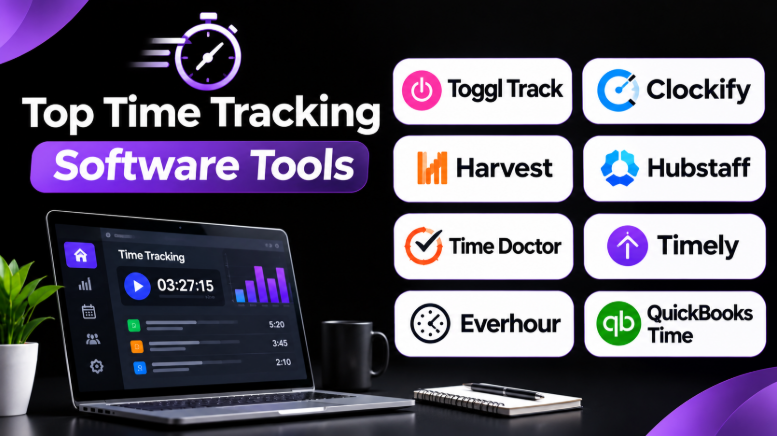
This guide compares 10 time tracking software tools. It explains their features, advantages, limitations, and best uses.
What Is Time Tracking Software?
Time tracking software records how much time people spend on work activities.
Users can track time through timers, manual entries, timesheets, or automatic activity recording. Most tools connect time entries with projects, tasks, clients, or employees.
Businesses use these tools to:
- Track billable hours
- Create accurate invoices
- Understand project costs
- Manage employee work hours
- Prepare timesheets
- Improve project planning
- Identify time-consuming tasks
- Monitor work progress
- Support payroll processes
- Improve team productivity
For example, a software developer may spend three hours fixing bugs. A designer may spend two hours creating a landing page. A consultant may spend one hour meeting a client.
A time tracking tool records these activities. Managers can then review how work time supports business goals.
How to Choose Time Tracking Software
Before selecting a tool, understand what your organization needs.
Simple time tracking
Freelancers and small teams often need a timer, task list, and basic reports.
They may not need employee monitoring or complex payroll features.
Project and client tracking
Agencies and consultants need to connect hours with clients and projects.
They may also need billable rates, project budgets, expense tracking, and invoices.
Employee time tracking
Businesses with employees may need timesheets, approvals, attendance records, and payroll integrations.
Automatic time tracking
Some tools record computer activity automatically. This can reduce manual entry.
However, automatic tracking may require privacy controls and clear employee policies.
Remote team monitoring
Distributed teams may need activity reports, scheduling, or location tracking.
These features can help some businesses. But they should be used carefully and transparently.
Top 10 Time Tracking Software Tools
1. Toggl Track
Toggl Track focuses on making time tracking simple. Users can start timers quickly and organize their work using projects, clients, and tags.
Its clean interface helps freelancers and teams record time without adding too much work to their daily routines.
Key features
- One-click time tracking
- Manual time entry
- Project and client organization
- Billable and non-billable tracking
- Time reports
- Team reporting
- Calendar and productivity integrations
- Desktop and mobile apps
Pros
- Easy to learn and use
- Simple timer workflow
- Useful reporting options
- Suitable for individuals and small teams
- Supports different work styles
Cons
- Advanced business features may require paid plans
- Does not replace a complete payroll system
- Teams may need another tool for detailed project management
Best uses
Toggl Track works well for freelancers, consultants, developers, designers, and small teams that want straightforward time tracking.
It is particularly useful when employees need to record time without complicated workflows.
2. Clockify
Clockify provides time tracking, timesheets, project reports, and team management features.
Its flexible tracking system makes it useful for businesses with different types of employees and projects.
Key features
- Timer and manual time entry
- Timesheets
- Project and task tracking
- Team activity reports
- Billable hour tracking
- Project budgets
- Time audits
- Reporting and exports
- Kiosk-style clock-in workflows
Pros
- Offers a flexible time tracking experience
- Supports individual users and teams
- Useful project reporting
- Suitable for different business workflows
- Helps organizations manage recorded hours
Cons
- Advanced features can increase complexity
- Some capabilities depend on the selected plan
- Large teams may require configuration and administration
Best uses
Clockify is a strong option for businesses that want flexible time tracking across multiple teams.
It can suit agencies, startups, remote teams, consultants, and organizations managing several projects.
3. Harvest
Harvest connects time tracking with billing and project financial management.
It is especially useful for businesses that charge clients based on work hours.
Instead of recording time in one application and creating invoices elsewhere, teams can connect tracked work with their billing workflow.
Key features
- Time tracking
- Project and task tracking
- Billable hour management
- Expense tracking
- Invoicing
- Project budgets
- Reporting
- Client management
Pros
- Connects tracked time with billing
- Useful for consultants and agencies
- Helps monitor project budgets
- Supports expense management
- Reduces manual invoice preparation
Cons
- May be more than individuals need
- Businesses requiring complex workforce monitoring may need another solution
- Advanced project management capabilities are limited compared with dedicated platforms
Best uses
Harvest is useful for consulting firms, creative agencies, professional services companies, and freelancers.
It is particularly valuable when accurate time records directly affect client invoices.
4. Hubstaff
Hubstaff combines time tracking with workforce management features.
It supports businesses that manage distributed, remote, mobile, and field-based teams.
Depending on the configuration, businesses can use activity tracking, location-related features, scheduling, and operational reports.
Key features
- Time tracking
- Timesheets
- Team scheduling
- Activity reporting
- GPS and location-related features
- Project tracking
- Workforce management
- Payroll-related workflows
- Productivity reports
Pros
- Useful for distributed teams
- Supports mobile and field workflows
- Combines time tracking with workforce management
- Provides team activity visibility
- Helps businesses organize employee schedules
Cons
- Monitoring features may feel intrusive
- Requires clear employee privacy policies
- More complex than basic time trackers
- Some features may not suit office-based teams
Best uses
Hubstaff can suit remote companies, field service businesses, construction teams, and organizations managing distributed employees.
Businesses should carefully decide which monitoring features they actually need.
5. Time Doctor
Time Doctor focuses on time tracking and workforce visibility.
It helps organizations understand how employees spend their working time. Depending on the configuration, it can provide activity reports and productivity-related information.
Key features
- Time tracking
- Timesheets
- Activity reports
- Productivity insights
- Task tracking
- Employee monitoring features
- Project reports
- Team dashboards
Pros
- Detailed time reports
- Useful for remote operations
- Supports project-level tracking
- Helps identify work patterns
- Provides visibility into tracked work
Cons
- Monitoring features may create privacy concerns
- Not every team needs detailed activity tracking
- Requires employee communication and clear policies
- Some users may prefer less intrusive software
Best uses
Time Doctor may work for remote operations teams, outsourced services, support teams, and businesses that need detailed workforce reporting.
It should be selected because its monitoring capabilities solve a real business problem, not simply because it offers more tracking.
6. Timely
Timely focuses on automatic time tracking.
Instead of requiring users to start every timer, its tracking approach can help users reconstruct their working day from recorded activity.
This can reduce forgotten time entries.
Key features
- Automatic time tracking
- Activity timeline
- Project time allocation
- Timesheet preparation
- Project reporting
- Team visibility
- Time planning features
Pros
- Reduces manual time entry
- Helps users remember work activities
- Useful for people handling multiple projects
- Can improve timesheet accuracy
- Supports project-based work
Cons
- Automatic tracking may require user review
- Activity records need correct project assignments
- Some users may prefer manual control
- Automatic tracking may raise privacy questions
Best uses
Timely can suit consultants, creative professionals, agencies, and knowledge workers who frequently switch between tasks.
It is especially helpful when people forget to start timers.
7. Everhour
Everhour is designed to connect time tracking with project management workflows.
Its value comes from integrating time tracking into tools that teams already use.
Instead of moving between separate applications, users can record time alongside project tasks.
Key features
- Task-based time tracking
- Project budgets
- Timesheets
- Team reports
- Billable time tracking
- Project estimates
- Integrations with project management platforms
- Budget monitoring
Pros
- Works well with existing project workflows
- Helps teams track task-level time
- Supports project budget monitoring
- Useful reporting for project managers
- Reduces switching between applications
Cons
- Value depends on the team’s existing software
- Integration availability should be checked
- Not a complete payroll platform
- May be unnecessary for teams without project management software
Best uses
Everhour is useful for agencies, software teams, project managers, and businesses already using supported project management applications.
It is particularly attractive when the team wants time tracking inside its existing workflow.
8. QuickBooks Time
QuickBooks Time focuses on employee time tracking and business workflows.
It can help businesses record work hours and connect time records with other business processes.
Its ecosystem is particularly relevant to organizations already using QuickBooks products.
Key features
- Employee time tracking
- Timesheets
- Mobile time entry
- Scheduling workflows
- Location-related features
- Payroll integration
- Team management
- Reporting
Pros
- Useful for businesses using QuickBooks
- Supports mobile employees
- Helps organize employee timesheets
- Connects time data with business workflows
- Useful for payroll-related processes
Cons
- Its value may depend on the existing QuickBooks ecosystem
- May be excessive for individual freelancers
- Businesses should verify integrations and plan requirements
Best uses
QuickBooks Time can suit small and medium-sized businesses, field teams, contractors, and organizations that need time records connected with accounting or payroll processes.
9. RescueTime
RescueTime focuses on understanding how users spend time on their computers and digital activities.
It is different from traditional project-based time trackers.
Rather than only recording client tasks, it helps users review activity patterns and identify distractions.
Key features
- Automatic activity tracking
- Productivity reports
- Time usage analysis
- Focus-related tools
- Activity categorization
- Goal tracking
- Personal productivity insights
Pros
- Helps users understand digital habits
- Reduces manual time entry
- Useful for personal productivity
- Can reveal common distractions
- Supports focus-oriented workflows
Cons
- Not primarily designed for client invoicing
- Project-level billing workflows may be limited
- Automatic activity tracking may not suit every user
- Businesses may need another tool for employee timesheets
Best uses
RescueTime is useful for individuals, remote workers, students, and professionals who want to understand how they spend their digital working time.
It is more focused on personal productivity than business billing.
10. My Hours
My Hours provides straightforward project and client time tracking.
It helps users record hours, organize tasks, and prepare reports without requiring a complicated workforce monitoring system.
Key features
- Time tracking
- Projects and tasks
- Client management
- Billable hours
- Timesheets
- Project reporting
- Budget tracking
- Invoice-related workflows
Pros
- Simple project-based tracking
- Useful for freelancers and small teams
- Helps organize client work
- Supports billable hour reporting
- Can be easier to manage than larger business platforms
Cons
- Advanced workforce management may require another tool
- Large organizations may need more complex reporting
- Integrations and features should be checked against requirements
Best uses
My Hours is suitable for freelancers, consultants, small agencies, and service businesses that need to track project time and client work.
Time Tracking Software Comparison
| Software | Best For | Main Strength | Main Limitation |
|---|---|---|---|
| Toggl Track | Freelancers and small teams | Simple time tracking | Limited workforce management |
| Clockify | Flexible team tracking | Timesheets and reports | Advanced features may add complexity |
| Harvest | Agencies and consultants | Time tracking and invoicing | Not a full workforce monitoring system |
| Hubstaff | Remote and field teams | Workforce visibility | Monitoring may raise privacy concerns |
| Time Doctor | Distributed operations | Productivity reporting | Monitoring can feel intrusive |
| Timely | Automatic tracking | Reduced manual time entry | Entries may need review |
| Everhour | Project management teams | Integrated task tracking | Depends on existing integrations |
| QuickBooks Time | Businesses using QuickBooks | Business and payroll workflows | Best value may depend on ecosystem |
| RescueTime | Personal productivity | Automatic activity insights | Limited client billing capabilities |
| My Hours | Freelancers and small agencies | Simple project time tracking | Fewer enterprise workforce features |
Which Time Tracking Software Is Best for Different Users?
Choosing the right tool depends on your workflow.
Best for freelancers
Toggl Track and My Hours are useful choices for freelancers.
They help record work hours, organize client projects, and understand how time is spent.
Best for agencies
Harvest and Everhour are worth considering.
Harvest connects tracked time with billing workflows. Everhour works well when teams want time tracking within project management software.
Best for remote teams
Hubstaff and Time Doctor offer additional workforce visibility features.
However, businesses should decide carefully whether employee monitoring is necessary.
Best for automatic tracking
Timely and RescueTime can reduce the need for manual time entry.
Timely focuses more on reconstructing work time. RescueTime focuses more on understanding digital activity and productivity.
Best for businesses using accounting software
QuickBooks Time is worth considering when the business already uses QuickBooks.
The connection between time records and business workflows can reduce manual work.
Best for budget-conscious teams
Clockify is worth evaluating when a team needs flexible time tracking and reporting.
Compare the features available in its current plans before making a decision.
Important Features to Check Before Buying
Not every business needs every feature.
1. Accurate time entry
The software should make recording time easy.
Look for timers, manual entry, editing, and clear timesheets.
Employees should not need several steps to record simple work activities.
2. Project and task tracking
Time records become more useful when connected to projects.
A manager should be able to understand which projects consume the most time.
3. Billable hours
Freelancers and agencies should check whether the software supports billable and non-billable time.
It should also help calculate project costs or prepare invoices.
4. Reports
Useful reports should answer practical questions.
For example:
- How much time did a project consume?
- Which clients require the most work?
- How many hours were billable?
- Which tasks took longer than expected?
- How much time did employees record?
5. Integrations
Check whether the software connects with your existing tools.
Important integrations may include:
- Project management platforms
- Accounting software
- Payroll systems
- Calendar applications
- CRM platforms
- Communication tools
An integration can save time. But verify exactly what information it transfers.
6. Mobile support
Mobile applications are important for field workers and employees who move between locations.
Check whether the mobile app supports the features your team needs.
7. Privacy and monitoring
Some tools collect activity information, screenshots, or location data.
Businesses should understand what they collect and why.
They should also explain tracking policies to employees.
Common Mistakes When Choosing Time Tracking Software
Choosing too many features
A business may purchase a complex monitoring platform when it only needs timesheets.
Extra features can increase costs and make the software harder to use.
Ignoring employee experience
A time tracking tool should not create unnecessary work.
If employees find the interface difficult, they may forget to record hours.
Focusing only on price
A low-cost tool may lack important reporting or integrations.
Compare the total cost with the time it saves.
Forgetting integrations
Separate systems can create duplicate data entry.
Check whether the time tracker works with your existing workflow.
Using monitoring without a clear purpose
Employee monitoring should solve a real business problem.
Businesses should avoid collecting unnecessary personal activity data.
How to Implement Time Tracking Successfully
Choosing software is only the first step.
A simple implementation process can improve adoption.
Step 1: Define the purpose
Decide why the organization wants to track time.
Possible goals include billing, payroll, project budgets, attendance, or productivity analysis.
Step 2: Select the tracking method
Choose between manual timers, timesheets, automatic tracking, or clock-in systems.
The method should match the team’s daily work.
Step 3: Create projects and tasks
Organize time entries around meaningful activities.
Avoid creating too many categories.
Step 4: Establish clear policies
Explain when employees should record time.
Also explain how corrections, approvals, and monitoring work.
Step 5: Run a small pilot
Test the software with a small team.
Check whether employees can record time easily and whether reports provide useful information.
Step 6: Review the results
Look for missing entries, confusing workflows, and unnecessary features.
Adjust the system before rolling it out across the organization.
Frequently Asked Questions
What is the best time tracking software?
The best tool depends on your needs.
Toggl Track is useful for simple tracking. Harvest suits billing workflows. Clockify offers flexible team tracking. Hubstaff supports workforce visibility. Timely focuses on automatic tracking.
Is time tracking software free?
Some tools offer free plans or limited free versions.
The available features, user limits, reports, and integrations may differ. Always check the current plan details before choosing.
Can time tracking software track employees automatically?
Some applications automatically record computer activity.
Others use timers or manual timesheets. Automatic tracking may require users to review and assign recorded activities.
Is time tracking software useful for freelancers?
Yes.
Freelancers can use it to record billable hours, understand project costs, prepare invoices, and improve estimates for future work.
Does time tracking software monitor employees?
Some tools include employee monitoring features.
These may include activity reports, screenshots, location tracking, or other workforce visibility features. However, many time trackers only record work hours and projects.
Can time tracking software help with payroll?
Some platforms connect time records with payroll systems.
However, businesses should verify the supported payroll integrations, approval workflows, and regional requirements.
Final Thoughts
Time tracking software can help businesses understand how their work hours support projects, clients, and goals.
The right tool should make time recording easier, not create another complicated task.
Freelancers may prefer simple timers and billing features. Agencies may need project budgets and client reports. Remote teams may need workforce visibility. Individuals may benefit from automatic activity tracking.
Before choosing software, identify the problem you want to solve.
Then test the tool with a real workflow. Make sure employees can record time easily, managers can understand the reports, and the software connects with existing systems.
The most useful time tracking software is the one that captures accurate information without interrupting the work itself.










Leave a Reply
You must be logged in to post a comment.