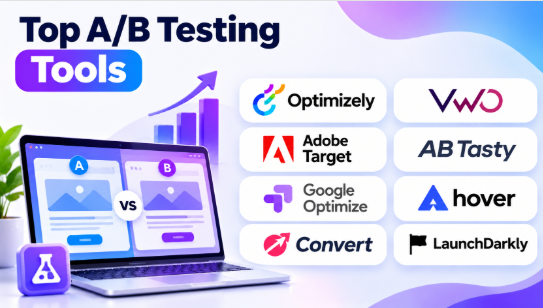
A small change to a website button, headline, or checkout page can affect customer behavior. But how can a business know which version works better?
A/B testing provides a practical answer. It allows businesses to compare different versions of a website, application, or product experience. Teams can measure user responses and identify which variation performs better against a specific goal.
Modern A/B testing tools offer much more than basic website testing. Many include multivariate testing, audience targeting, personalization, feature flags, statistical analysis, and experiment reporting. Some also connect experimentation with product analytics and software development workflows.
Choosing the right platform depends on your testing requirements. Marketing teams may need visual editors and conversion reports. Developers may need server-side experiments and feature management. Enterprises may require advanced governance, personalization, and integrations.
This article explores 10 A/B testing tools, their features, benefits, limitations, and practical use cases. It also includes comparison tables and selection guidance to help you find the right platform.
What Are A/B Testing Tools?
A/B testing tools are software applications that help businesses compare two or more versions of a digital experience. They divide eligible users into groups and show each group a different variation.
For example, an online store may want to improve its product page. It can create two versions:
- Version A: Shows the purchase button below the product description.
- Version B: Shows the purchase button beside the product image.
The testing platform assigns visitors to these versions and measures their actions. The business can then compare results using a selected metric, such as completed purchases or add-to-cart activity.
A/B testing is also known as split testing. It helps businesses evaluate changes using actual user behavior instead of relying only on opinions.
Common applications include:
- Website Optimization: Comparing page layouts, headlines, images, buttons, and navigation.
- Landing Page Testing: Measuring which page design generates more registrations or leads.
- E-commerce Testing: Testing product pages, shopping carts, and checkout processes.
- Mobile App Testing: Comparing screen layouts, onboarding flows, and app features.
- Product Experimentation: Measuring how new features affect user engagement.
- Marketing Campaigns: Testing different messages and digital experiences.
- Feature Releases: Releasing new functionality to selected users before wider deployment.
Modern testing platforms may also support multivariate experiments, personalization, and server-side testing. These capabilities help teams evaluate more complex changes across digital products.
Top 10 A/B Testing Tools
1. Optimizely
Short Description:
Optimizely is a digital experimentation platform that helps businesses test and improve websites, applications, and product experiences. It supports web experimentation, feature experimentation, and personalization workflows.
Teams can create different experience variations, define target audiences, select success metrics, and distribute traffic between experiments. This helps businesses measure how changes affect customer behavior.
One of Optimizely’s main strengths is its support for both visual website testing and more technical product experimentation. Marketing teams can use its visual editing capabilities, while developers can build experiments within application environments.
Optimizely is particularly useful for organizations that manage many experiments across multiple teams and digital properties.
Key Features:
– A/B Testing: Teams can compare different versions of website pages and digital experiences. They can measure conversions, clicks, registrations, and other selected actions.
– Multivariate Testing: Users can test combinations of different page elements. This helps identify which combinations perform better when the experiment has enough traffic.
– Visual Editor: The visual editing environment helps teams create selected website variations without writing every change manually.
– Feature Experimentation: Developers can test product functionality and application changes using supported experimentation tools.
– Server-Side Testing: Teams can run experiments within application logic rather than limiting testing to browser-based page changes.
– Audience Targeting: Businesses can select which visitors or users qualify for specific experiments.
– Experiment Reporting: Teams can compare variations using defined metrics and review experiment outcomes.
– Experiment Management: Organizations can organize projects, collaborators, and testing activities across different teams.
Benefits:
- Supports website and product experimentation.
- Helps marketing teams test digital experiences.
- Provides options for developer-led experiments.
- Supports audience-based testing.
- Helps organizations manage structured experimentation programs.
- Connects experimentation with broader digital experience workflows.
- Supports testing across different parts of a product.
Pros:
- Broad experimentation capabilities.
- Supports web and server-side testing.
- Suitable for enterprise environments.
- Offers visual and developer-focused workflows.
- Supports multiple experiment types.
- Provides tools for managing larger testing programs.
Cons:
- May be more than smaller businesses need.
- Advanced implementation can require developer support.
- Enterprise licensing may require a significant budget.
- Complex experimentation programs need clear governance.
- Teams need training to use advanced capabilities effectively.
Use Cases:
- Website Optimization: Comparing layouts, headlines, and page designs.
- E-commerce Testing: Improving product pages and checkout experiences.
- Product Experiments: Testing new application features.
- Enterprise Marketing: Managing experiments across digital properties.
- Customer Experience: Evaluating different user journeys.
- Feature Rollouts: Testing changes before releasing them widely.
Best For:
- Enterprise businesses.
- Product development teams.
- Digital marketing teams.
- E-commerce companies.
- Conversion optimization specialists.
- Organizations managing large experimentation programs.
2. VWO
Short Description:
VWO is a conversion optimization and experimentation platform that helps businesses understand user behavior and improve digital experiences. It combines A/B testing with behavioral research capabilities.
Teams can create different website variations and compare their performance. They can also use heatmaps, session recordings, and form analysis to understand where visitors experience problems.
One of VWO’s main advantages is its connection between research and testing. Teams can investigate user behavior, identify a possible improvement, and create an experiment to measure the result.
VWO also provides feature experimentation capabilities for product teams. This makes it relevant to both marketing-led website optimization and selected application testing workflows.
Key Features:
– Visual A/B Testing: Users can create website variations through a visual editor. This helps marketing teams test selected page elements without manually writing all the changes.
– Split URL Testing: Teams can compare separate page URLs to understand which experience performs better.
– Multivariate Testing: Users can test combinations of page elements and measure their impact on selected goals.
– Heatmaps: Heatmaps show how visitors interact with website elements. They can help identify areas that receive attention and areas that users ignore.
– Session Recordings: Teams can review recorded user interactions to investigate confusing navigation, repeated clicks, and other experience problems.
– Form Analytics: Businesses can examine how users interact with forms and identify fields that may create friction.
– Feature Experimentation: Product teams can test application functionality and manage selected feature rollouts.
– Experiment Reports: Teams can review performance against conversion goals and compare different variations.
Benefits:
- Connects behavioral research with A/B testing.
- Helps teams identify website usability problems.
- Supports conversion optimization workflows.
- Provides tools for understanding user interactions.
- Offers visual testing capabilities.
- Supports selected product experimentation needs.
- Helps marketing teams make evidence-based improvements.
Pros:
- Useful visual editor.
- Combines testing with behavioral research.
- Supports multiple testing methods.
- Provides heatmaps and session recordings.
- Useful for e-commerce and marketing teams.
- Offers capabilities for product experimentation.
Cons:
- Advanced experiments may require technical support.
- Large testing programs need careful management.
- Pricing and usage limits depend on the selected plan.
- Too many simultaneous experiments can complicate analysis.
- Teams still need reliable analytics and tracking.
Use Cases:
- Landing Page Optimization: Testing headlines, images, layouts, and calls to action.
- E-commerce Conversion: Improving product pages and checkout flows.
- Form Testing: Finding ways to improve form completion.
- Website Research: Understanding visitor interaction patterns.
- Mobile Experience: Evaluating supported mobile web experiences.
- Product Testing: Comparing selected application features.
Best For:
- Marketing teams.
- Conversion rate optimization specialists.
- E-commerce businesses.
- Website owners.
- Digital experience teams.
- Companies that want testing and behavioral research together.
3. Adobe Target
Short Description:
Adobe Target is an experimentation and personalization platform within Adobe Experience Cloud. It helps businesses test digital experiences and deliver different content to selected audience segments.
Organizations can use Adobe Target to run A/B tests, multivariate tests, and personalization activities. It supports website and mobile app experiences, along with different implementation approaches.
Its major strength is its connection with enterprise personalization workflows. Businesses can use audience information and customer experience data to test different content and interactions.
Adobe Target is particularly useful for large organizations that already use Adobe products for analytics, marketing, or customer experience management.
Key Features:
– A/B Testing: Teams can compare different versions of a website, application screen, or digital experience.
– A/B/n Testing: Users can test multiple variations against a control experience and compare their performance.
– Multivariate Testing: Businesses can test combinations of different elements to understand which combinations work better.
– Automated Personalization: Available personalization capabilities help deliver different experiences to selected audiences.
– Audience Targeting: Teams can define audiences using supported customer attributes and behavioral information.
– Mobile Testing: Organizations can experiment with supported mobile application experiences.
– Server-Side Testing: APIs and supported development environments allow experiments to run beyond browser-based page changes.
– Adobe Ecosystem Integration: Businesses can connect testing workflows with supported Adobe Experience Cloud products.
Benefits:
- Supports enterprise experimentation.
- Connects testing with personalization.
- Helps organizations deliver audience-specific experiences.
- Supports web and mobile experimentation.
- Fits businesses using Adobe products.
- Provides options for more complex testing requirements.
- Helps teams optimize customer interactions.
Pros:
- Strong enterprise personalization capabilities.
- Supports A/B and multivariate testing.
- Offers web and mobile experimentation.
- Provides audience targeting.
- Integrates with the Adobe ecosystem.
- Suitable for large digital businesses.
Cons:
- May be complex for small teams.
- Implementation can require technical resources.
- Licensing can be expensive.
- Works best when its broader ecosystem fits the organization.
- Advanced personalization needs careful data management.
Use Cases:
- Enterprise Personalization: Delivering different experiences to customer segments.
- E-commerce Optimization: Testing product pages and shopping experiences.
- Mobile App Testing: Comparing selected mobile experiences.
- Customer Journey Optimization: Improving interactions across digital channels.
- Marketing Experiments: Testing content and campaign experiences.
- Audience-Based Testing: Measuring how different groups respond to variations.
Best For:
- Large enterprises.
- E-commerce organizations.
- Digital marketing departments.
- Adobe Experience Cloud users.
- Customer experience teams.
- Businesses with advanced personalization requirements.
4. AB Tasty
Short Description:
AB Tasty is a digital experience optimization platform that supports experimentation, personalization, and feature management. It helps businesses improve websites, applications, and customer journeys through controlled testing.
Teams can compare different page designs, content, and interactions. They can also use personalization to deliver selected experiences to specific audiences.
AB Tasty is useful for organizations that want to connect marketing experimentation with broader digital experience improvement. Its capabilities can support both marketing teams and technical product workflows.
Key Features:
– A/B Testing: Teams can compare alternative versions of digital experiences and measure their performance.
– Multivariate Testing: Users can evaluate combinations of page elements to understand their combined impact.
– Split Testing: Businesses can compare separate page URLs or experiences.
– Personalization: Teams can deliver selected content and experiences to different audience segments.
– Feature Management: Supported feature management capabilities help teams control selected product functionality.
– Audience Targeting: Users can define which visitors qualify for an experiment or personalized experience.
– Experiment Reporting: Teams can review experiment results against chosen business metrics.
– Developer Support: Technical implementation options help teams manage experiments that require more control than visual editing.
Benefits:
- Combines testing with personalization.
- Supports website conversion optimization.
- Helps teams experiment with customer journeys.
- Connects marketing and product workflows.
- Supports audience-specific experiences.
- Helps organizations improve digital engagement.
- Offers options for technical experimentation.
Pros:
- Supports several experimentation methods.
- Includes personalization capabilities.
- Useful for marketing-led testing.
- Supports digital experience optimization.
- Can serve both marketing and product teams.
- Offers feature management capabilities.
Cons:
- Advanced implementation may need developer support.
- Some capabilities depend on the selected package.
- Teams should review integration requirements.
- Enterprise contracts may need detailed evaluation.
- Complex experiments require careful planning.
Use Cases:
- E-commerce Testing: Comparing product page designs and shopping experiences.
- Landing Page Optimization: Testing page content and calls to action.
- Website Personalization: Showing different experiences to selected audiences.
- Product Experiments: Evaluating changes to supported application features.
- Customer Journey Testing: Improving important digital workflows.
- Marketing Optimization: Measuring the impact of different digital experiences.
Best For:
- Marketing teams.
- E-commerce businesses.
- Digital experience teams.
- Conversion optimization specialists.
- Product teams.
- Organizations combining experimentation with personalization.
5. Convert Experiences
Short Description:
Convert Experiences is an experimentation platform that helps businesses test website and product changes. It supports A/B testing, split URL testing, multivariate testing, and full-stack experimentation.
The platform is relevant to teams that want a dedicated testing environment without necessarily adopting a larger enterprise digital experience suite.
Convert provides visual editing capabilities for selected website tests. Developers can also use more technical implementation methods for experiments that require custom logic.
Its main strength is its focus on experimentation. Businesses that already have separate analytics and customer research systems can evaluate Convert as a dedicated testing platform.
Key Features:
– A/B Testing: Compare different versions of a website or digital experience.
– Split URL Testing: Test separate URLs to compare alternative page experiences.
– Multivariate Testing: Evaluate combinations of page elements and their effects.
– Full-Stack Testing: Run experiments that involve more than visible browser elements.
– Visual Editor: Create selected website variations through a visual editing environment.
– Audience Segmentation: Target experiments to selected visitor groups.
– Experiment Reporting: Measure results using defined conversion goals and metrics.
– Integrations: Connect testing workflows with supported analytics and marketing systems.
Benefits:
- Focuses on experimentation workflows.
- Supports visual and developer-led testing.
- Provides website and full-stack testing options.
- Can fit teams with existing analytics tools.
- Supports different testing approaches.
- Helps businesses evaluate changes systematically.
Pros:
- Dedicated experimentation platform.
- Supports several testing methods.
- Useful for conversion optimization.
- Provides visual editing capabilities.
- Offers technical implementation options.
- Suitable for teams with focused testing needs.
Cons:
- Advanced experiments may require engineering work.
- Teams need to understand implementation requirements.
- Integration support should be checked before purchase.
- Pricing and usage limits require review.
- It may need separate tools for broader product analytics.
Use Cases:
- Website Conversion: Testing page layouts and content.
- Landing Pages: Comparing different campaign experiences.
- E-commerce: Evaluating shopping and checkout changes.
- Full-Stack Experiments: Testing application behavior.
- Product Optimization: Measuring the impact of selected changes.
- Marketing Experiments: Testing conversion-focused website variations.
Best For:
- Conversion optimization specialists.
- Digital marketing teams.
- Mid-sized businesses.
- E-commerce companies.
- Product teams.
- Organizations seeking a dedicated experimentation platform.
6. GrowthBook
Short Description:
GrowthBook is an open-source experimentation and feature flagging platform. It helps engineering and data teams run experiments, manage feature releases, and measure product changes.
Unlike visual-first website testing tools, GrowthBook focuses strongly on developer-led experimentation and data infrastructure. It can connect experiments with existing data warehouses, allowing teams to analyze results using their own data.
Its open-source approach is an important advantage for organizations that want more control over deployment and data handling. Teams can evaluate its managed cloud service or self-hosted options.
GrowthBook is particularly useful when a business has an established analytics setup and wants an experimentation platform that fits its data workflow.
Key Features:
– A/B Testing: Teams can compare product variations and measure their impact on selected metrics.
– Feature Flags: Developers can control which users receive specific application features.
– Warehouse-Native Experiments: GrowthBook can use supported data warehouse connections for experiment analysis.
– Statistical Analysis: Its experimentation engine supports different statistical approaches, including Bayesian and frequentist methods.
– Gradual Rollouts: Teams can release features to selected portions of their audience.
– Targeting Rules: Users can define conditions that determine who receives a feature or experiment.
– SDK Support: Developers can implement experiments across supported application environments.
– Self-Hosting: Organizations can run the platform on infrastructure they manage.
Benefits:
- Offers an open-source option.
- Supports developer-led experimentation.
- Connects feature flags with A/B testing.
- Can work with existing data infrastructure.
- Provides control over experiment analysis.
- Supports gradual feature releases.
- Helps data teams inspect experimentation workflows.
Pros:
- Open-source availability.
- Supports self-hosting.
- Warehouse-native experimentation.
- Useful statistical analysis capabilities.
- Supports feature flags and gradual rollouts.
- Offers flexibility for technical teams.
Cons:
- Requires developer involvement.
- Self-hosting creates maintenance responsibilities.
- Initial setup can be technical.
- Non-technical marketers may prefer a visual editor.
- Data quality depends on correct event and exposure tracking.
Use Cases:
- SaaS Experiments: Testing product features and workflows.
- Backend Testing: Comparing application logic and service behavior.
- Feature Releases: Managing gradual feature rollouts.
- Warehouse Analysis: Measuring experiments using existing business data.
- Product Development: Evaluating changes to application functionality.
- Data-Controlled Testing: Managing experimentation within selected infrastructure.
Best For:
- Software developers.
- Data science teams.
- Engineering-led startups.
- SaaS companies.
- Organizations using data warehouses.
- Businesses that want open-source experimentation.
7. LaunchDarkly
Short Description:
LaunchDarkly is a feature management platform that helps software teams control how application features are released. It also provides experimentation capabilities for measuring the impact of product changes.
Its primary focus is not visual website editing. Instead, developers use feature flags to enable or disable functionality for selected users and environments.
This approach is useful when teams want to test new application features before releasing them to everyone. They can gradually increase exposure, observe selected metrics, and control the release if problems appear.
LaunchDarkly is particularly relevant to engineering teams that connect experimentation with software delivery and release management.
Key Features:
– Feature Flags: Enable or disable selected features without requiring a complete application release for every change.
– Targeted Rollouts: Release features to selected user groups and gradually expand access.
– Experimentation: Compare product variations and measure selected outcomes.
– Progressive Delivery: Manage feature releases through controlled stages.
– SDKs: Integrate feature management into supported programming environments.
– Monitoring: Observe feature performance and release behavior through available tools.
– Governance: Manage permissions, environments, and feature workflows across teams.
– Rollback Controls: Disable or change feature availability when a release creates problems.
Benefits:
- Helps teams control software releases.
- Connects experiments with feature management.
- Supports gradual rollouts.
- Helps test application functionality.
- Reduces dependence on full deployments for feature control.
- Supports engineering workflows.
- Helps teams manage release risk.
Pros:
- Strong feature flagging capabilities.
- Useful for progressive delivery.
- Supports product experimentation.
- Provides SDK-based implementation.
- Suitable for engineering environments.
- Helps manage controlled feature releases.
Cons:
- Requires developer involvement.
- Not designed as a simple visual website editor.
- Feature management may be excessive for basic landing-page tests.
- Pricing can depend on usage and selected products.
- Teams need clear flag ownership and cleanup processes.
Use Cases:
- Feature Testing: Comparing new application functionality.
- Gradual Releases: Releasing features to selected users.
- Release Management: Controlling feature availability.
- Product Experiments: Measuring the impact of application changes.
- Risk Reduction: Disabling problematic features quickly.
- Software Delivery: Connecting testing with development workflows.
Best For:
- Software engineering teams.
- Product developers.
- SaaS businesses.
- Platform engineering teams.
- Organizations using feature flags.
- Businesses that need controlled releases.
8. PostHog
Short Description:
PostHog is an open-source product development platform that combines product analytics, experimentation, feature flags, session replay, and other development tools.
It helps teams understand how users interact with their products and measure the effect of product changes. Developers can use feature flags to control experiments, while product teams can analyze results through product analytics.
One of its main advantages is the connection between experimentation and user behavior data. Teams can study an existing workflow, test a change, and measure the result within a broader product development environment.
PostHog also offers cloud and self-hosting options. This makes it worth evaluating for technical teams that want flexibility in their analytics and experimentation setup.
Key Features:
– A/B Testing: Compare product variations and measure their impact on selected metrics.
– Feature Flags: Control which users receive specific application features.
– Product Analytics: Analyze events, funnels, retention, and user journeys.
– Session Replay: Review user interactions to understand experience problems.
– Experiment Reporting: Measure outcomes across different experiment variations.
– SDKs: Implement analytics and experimentation in supported applications.
– Surveys: Collect user feedback through supported survey capabilities.
– Self-Hosting: Run PostHog on infrastructure managed by the organization.
Benefits:
- Connects analytics with experimentation.
- Supports feature flags and product releases.
- Helps teams measure product changes.
- Provides session replay for user research.
- Offers deployment flexibility.
- Combines several product development workflows.
- Helps developers and product managers work with shared data.
Pros:
- Broad product development toolkit.
- Open-source foundation.
- Supports analytics and experiments.
- Includes feature management.
- Offers self-hosting options.
- Useful for engineering-led teams.
Cons:
- Technical setup may be required.
- Self-hosting needs ongoing maintenance.
- Broad functionality can create configuration work.
- Teams should monitor usage and costs.
- It is less focused on visual editing for marketers than some CRO platforms.
Use Cases:
- SaaS Product Experiments: Testing application features and workflows.
- Feature Releases: Controlling product functionality through flags.
- Onboarding Testing: Comparing different onboarding experiences.
- User Engagement: Measuring the impact of product changes.
- Application Analysis: Connecting experiments with user behavior.
- Product Development: Combining analytics and experimentation.
Best For:
- Product engineers.
- SaaS startups.
- Developers.
- Engineering-led product teams.
- Organizations seeking an integrated analytics and experimentation platform.
- Businesses considering self-hosted analytics.
9. Kameleoon
Short Description:
Kameleoon is an experimentation and personalization platform that helps businesses test digital experiences and deliver targeted variations to different audiences.
It supports website experimentation as well as feature experimentation. Marketing teams can use visual workflows for selected website tests, while developers can build experiments that involve application functionality.
Kameleoon also focuses on audience targeting and personalization. This makes it useful for businesses that want to connect testing with more tailored customer experiences.
Its capabilities are particularly relevant to organizations managing complex websites, e-commerce platforms, and digital products.
Key Features:
– A/B Testing: Compare alternative website and application experiences.
– Multivariate Testing: Test combinations of page elements and measure their impact.
– Feature Experimentation: Test application functionality using supported development workflows.
– Personalization: Deliver selected experiences to specific audiences.
– Audience Segmentation: Target experiments using available user information and conditions.
– Experiment Reporting: Review results against selected business metrics.
– Developer Tools: Support technical experimentation across application environments.
– Experience Optimization: Connect testing with broader digital experience improvement.
Benefits:
- Combines experimentation with personalization.
- Supports website and product testing.
- Helps teams target selected audiences.
- Connects marketing and engineering workflows.
- Supports digital experience optimization.
- Provides options for more complex experiments.
Pros:
- Supports several experimentation approaches.
- Includes personalization capabilities.
- Useful for enterprise digital teams.
- Supports technical and visual workflows.
- Helps connect audience targeting with testing.
- Suitable for complex customer experiences.
Cons:
- Advanced configuration may require technical expertise.
- Smaller teams may not need its full capabilities.
- Pricing and package details require direct evaluation.
- Teams should review integrations carefully.
- Personalization requires reliable audience data.
Use Cases:
- Website Optimization: Testing different website experiences.
- E-commerce Personalization: Showing tailored content to selected customers.
- Product Experiments: Comparing application functionality.
- Customer Journey Testing: Improving digital workflows.
- Audience-Based Experiences: Measuring how different groups respond.
- Conversion Optimization: Testing changes to important customer actions.
Best For:
- Enterprise marketing teams.
- E-commerce businesses.
- Product teams.
- Digital experience specialists.
- Conversion optimization teams.
- Organizations combining experimentation with personalization.
10. Statsig
Short Description:
Statsig is a product experimentation and feature management platform that helps teams test product changes and measure their impact. It supports A/B testing, feature gates, product metrics, and controlled feature releases.
Engineering and product teams can use Statsig to compare application variations and understand how changes affect user behavior. It is designed for experiments within digital products rather than only visual website editing.
One of its main strengths is its connection between feature management and experimentation. Teams can control feature access, run tests, and analyze selected metrics within a connected workflow.
Statsig is now part of OpenAI. Organizations evaluating it should review current product packaging, support arrangements, and roadmap information as part of their purchasing process.
Key Features:
– A/B Testing: Compare different product experiences across selected user groups.
– Feature Gates: Control access to application features using defined conditions.
– Experiment Analysis: Measure the effect of product changes against selected metrics.
– Targeting: Assign users to variations based on supported targeting rules.
– Product Metrics: Define and analyze metrics related to user behavior and product outcomes.
– Gradual Rollouts: Release features to selected portions of the user base.
– SDK Support: Integrate experimentation and feature management into supported applications.
– Statistical Methods: Provides statistical analysis capabilities for evaluating experiments.
Benefits:
- Supports product-focused experimentation.
- Connects feature flags with testing.
- Helps engineering teams control releases.
- Supports metric-based product decisions.
- Provides developer-focused workflows.
- Helps teams evaluate application changes.
- Connects experimentation with feature management.
Pros:
- Useful feature management capabilities.
- Supports product A/B testing.
- Developer-focused implementation.
- Helps manage gradual releases.
- Suitable for software product teams.
- Supports structured experiment analysis.
Cons:
- Requires engineering involvement.
- May not suit marketers who need visual page editing.
- Teams should verify current product packaging and roadmap.
- Experiment quality depends on reliable tracking.
- Advanced workflows need careful planning.
Use Cases:
- Product Feature Testing: Comparing new application functionality.
- Feature Releases: Controlling gradual product rollouts.
- Application Experiments: Measuring changes to software behavior.
- Product Engagement: Studying how experiments affect user activity.
- Engineering Workflows: Connecting feature management with testing.
- SaaS Development: Evaluating product improvements before wider release.
Best For:
- Product engineers.
- Software companies.
- Developer-led teams.
- SaaS businesses.
- Organizations using feature gates.
- Teams that need experimentation and feature management together.
Comparison Table: Top 10 A/B Testing Tools
| Tool Name | Best For | Main Features | Standout Capability | Approach |
|---|---|---|---|---|
| Optimizely | Enterprise experimentation | A/B testing, multivariate testing, feature experiments | Broad experimentation workflows | Web and server-side |
| VWO | Conversion optimization | Visual editor, heatmaps, recordings, testing | Behavioral research with testing | Website and product |
| Adobe Target | Enterprise personalization | A/B testing, multivariate testing, audience targeting | Adobe ecosystem integration | Web and app |
| AB Tasty | Digital experience optimization | Testing, personalization, feature management | Marketing and product workflows | Web and product |
| Convert Experiences | Dedicated experimentation | A/B, split URL, multivariate, full-stack testing | Focused experimentation platform | Web and full-stack |
| GrowthBook | Open-source experimentation | Feature flags, experiments, warehouse analysis | Warehouse-native testing | Developer-led |
| LaunchDarkly | Feature releases | Feature flags, rollouts, experimentation | Progressive delivery | Application and server-side |
| PostHog | Product development teams | Analytics, experiments, feature flags, replay | Connected product development toolkit | Product and full-stack |
| Kameleoon | Testing and personalization | A/B testing, targeting, feature experiments | Audience-based optimization | Web and server-side |
| Statsig | Product experimentation | Experiments, feature gates, metrics | Feature management with experimentation | Application and server-side |
Note: Features, deployment options, integrations, and usage limits can vary by plan. Confirm current availability and commercial terms with each vendor before making a purchase decision.
Which A/B Testing Tool Is Right for You?
Choosing the right A/B testing platform depends on your business goals, technical resources, website traffic, and experimentation requirements. A marketing team testing landing pages has different needs from an engineering team testing application features.
Here is a practical guide to help you select the right platform.
For Beginners and Small Marketing Teams: VWO
VWO is useful for teams that want to create website experiments through a visual editor.
Its heatmaps and session recordings can also help teams understand why a page needs improvement. This makes it useful when a business wants to research user behavior and test changes within a connected workflow.
For Enterprise Experimentation: Optimizely and Adobe Target
Optimizely is suitable for organizations that need experimentation across websites, products, and digital experiences.
Adobe Target is particularly relevant to businesses that already use Adobe Experience Cloud. Its personalization capabilities can support audience-based digital experiences.
Both platforms require careful evaluation of licensing, implementation effort, integrations, and governance.
For Conversion Rate Optimization: VWO, AB Tasty, and Convert Experiences
These platforms are relevant to teams focused on website conversion and customer experience improvement.
VWO connects testing with behavioral research. AB Tasty combines experimentation with personalization. Convert Experiences offers a dedicated environment for website and full-stack testing.
Choose based on whether your team prioritizes visual editing, audience personalization, or technical experimentation.
For Developers and Product Engineers: GrowthBook and PostHog
GrowthBook is useful when developers want open-source experimentation and more control over data infrastructure.
PostHog connects experiments with product analytics, feature flags, and session replay. It can suit teams that want several product development capabilities together.
Both platforms require technical involvement for many implementation workflows.
For Feature Releases and Controlled Rollouts: LaunchDarkly and Statsig
LaunchDarkly focuses on feature management and progressive delivery. Teams can control which users receive a feature and release changes gradually.
Statsig combines feature management with product experimentation. It is worth evaluating when engineering teams want to measure the effect of application changes.
These tools are not direct replacements for every visual website testing platform. Their strengths lie in application-level experimentation and release management.
For Personalization: Adobe Target, AB Tasty, and Kameleoon
Some businesses need more than a test between two page versions. They want to show different experiences to different audiences.
Adobe Target supports enterprise personalization workflows. AB Tasty combines experimentation with digital experience optimization. Kameleoon supports testing and audience-based personalization.
Compare their targeting methods, integrations, governance, and implementation requirements before selecting one.
Best A/B Testing Tools for Different Users
| User Type | Recommended Software | Why? |
|---|---|---|
| Beginners | VWO | Visual testing and behavioral research |
| Marketing Teams | VWO / AB Tasty | Website testing and conversion optimization |
| Product Managers | Optimizely / PostHog | Product experimentation and analysis |
| Developers | GrowthBook | Open-source and warehouse-native experimentation |
| Enterprise Businesses | Optimizely / Adobe Target | Broad experimentation and personalization |
| E-commerce Companies | VWO / Kameleoon | Website testing and audience targeting |
| Engineering Teams | LaunchDarkly / Statsig | Feature management and controlled releases |
| Data Teams | GrowthBook | Experiment analysis using data warehouse connections |
| SaaS Startups | PostHog | Analytics, experiments, and feature flags |
| Conversion Specialists | Convert Experiences | Dedicated website experimentation |
Client-Side vs. Server-Side A/B Testing
One important decision when choosing an A/B testing tool is where the experiment will run.
Client-Side A/B Testing
Client-side testing happens inside the visitor’s browser. A testing script loads and changes selected page elements.
For example, a marketing team can test two headlines or button designs without changing the application’s backend logic.
Advantages:
- Visual editors can make page changes easier.
- Marketing teams can manage many simple tests.
- Useful for landing pages and website content.
- Often requires less backend development work.
Limitations:
- Changes may appear after the page starts loading.
- Poor implementation can cause flicker.
- Complex application logic may be difficult to test.
- JavaScript and page performance need attention.
Server-Side A/B Testing
Server-side testing happens within the application or backend environment. The application decides which variation a user receives before delivering the experience.
For example, a SaaS company can test two pricing rules or onboarding workflows without relying on browser-based page changes.
Advantages:
- Can test backend logic and application functionality.
- Avoids many browser-based flicker problems.
- Supports experiments across different application layers.
- Gives developers more control over implementation.
Limitations:
- Requires developer involvement.
- Needs reliable user assignment and event tracking.
- Experiment logic must be maintained in the application.
- Testing and deployment workflows can become more technical.
| Comparison | Client-Side Testing | Server-Side Testing |
|---|---|---|
| Where it runs | Visitor’s browser | Application server or backend |
| Main users | Marketing and CRO teams | Developers and product engineers |
| Common tests | Headlines, layouts, buttons, page content | Pricing logic, features, algorithms, workflows |
| Visual editor | Often available | Usually less central |
| Developer involvement | Low for simple tests | Usually higher |
| Flicker risk | Possible | Generally avoids browser-rendering flicker |
| Best suited to | Website optimization | Product and application experiments |
Some platforms support both approaches. Choose based on the experience you want to test, not just the number of features listed on a vendor’s website.
Key Benefits of Using A/B Testing Tools
A/B testing tools help teams make decisions based on measured outcomes rather than personal preferences.
1. Better Conversion Rates
Businesses can compare different page designs, messages, and user journeys. This helps identify changes that improve actions such as purchases, registrations, and form submissions.
2. Improved User Experience
Testing can reveal whether a new layout or workflow makes a product easier to use. Teams can measure user responses instead of assuming that a design change is better.
3. Reduced Guesswork
Teams often have different opinions about product changes. A controlled experiment provides a structured way to compare those ideas.
4. Better Product Decisions
Product teams can test new features before making them available to everyone. This helps them understand how changes affect selected product metrics.
5. More Effective Marketing Campaigns
Marketing teams can compare headlines, landing pages, calls to action, and campaign experiences. This can help improve how visitors respond to campaigns.
6. Safer Feature Releases
Feature flags and gradual rollouts let engineering teams release changes to selected users. Teams can monitor results before expanding access.
7. Stronger Team Collaboration
Experiment reports give marketing, product, design, and engineering teams a shared view of results. This makes it easier to discuss what worked and what needs another test.
How to Run an A/B Test Successfully
Selecting a testing platform is only the first step. Teams also need a clear plan for designing experiments and measuring results.
Step 1: Identify a Specific Problem
Start with a real product or website problem.
For example, an online store may notice that visitors view product pages but rarely add items to their carts.
Avoid testing random page elements without a reason. Focus on a problem that matters to users and the business.
Step 2: Create a Clear Hypothesis
A hypothesis explains what you want to change and why.
For example:
Moving delivery information closer to the purchase button may increase add-to-cart activity because visitors can understand delivery terms earlier.
A useful hypothesis connects one change with one expected outcome.
Step 3: Select the Primary Metric
Choose the main result you want to measure.
Common metrics include:
- Purchase conversion rate.
- Registration completion rate.
- Trial activation rate.
- Click-through rate.
- Revenue per visitor.
- Feature adoption.
- Form completion rate.
Choose a metric that reflects the actual goal. A button receiving more clicks does not necessarily mean that more people complete a purchase.
Step 4: Create the Experiment Variations
Build the original experience and the proposed alternative.
For a basic A/B test:
- Variation A: The existing experience.
- Variation B: The changed experience.
Keep the experiment focused. If you change too many unrelated elements at once, it becomes harder to understand which change influenced the result.
Step 5: Set Up Random User Assignment
The platform should assign eligible users to variations according to the experiment design.
Check that the same user does not switch between versions unexpectedly. Also verify that users who should not enter the experiment are excluded correctly.
Step 6: Check Tracking Before Launch
Test the experiment before exposing it to real users.
Verify that:
- Each variation loads correctly.
- Events fire at the right time.
- Conversion goals are recorded accurately.
- User assignment remains consistent.
- Analytics tools receive the expected data.
- The page works on supported devices and browsers.
Broken tracking can make a successful experiment appear unsuccessful, or the reverse.
Step 7: Run the Test Long Enough
Do not stop an experiment simply because one variation looks better after a few hours.
The required sample size depends on your baseline conversion rate, expected effect, traffic, and statistical approach.
Account for normal differences between weekdays, weekends, and customer groups. Avoid changing the test midway unless there is a clear technical or safety reason.
Step 8: Analyze the Results
Review the primary metric along with relevant secondary metrics.
Check whether the result is statistically reliable and whether the size of the improvement matters commercially.
Also look for unexpected negative effects. A change may increase clicks while reducing completed purchases or increasing support requests.
Step 9: Apply the Finding Carefully
If the result supports the new variation, consider rolling it out to a wider audience.
If the test is inconclusive, do not declare a winner. Review the hypothesis, traffic, tracking, and experiment design before deciding what to test next.
Common A/B Testing Mistakes to Avoid
Even a capable platform can produce misleading results when teams use it incorrectly.
1. Testing Without a Clear Hypothesis
A test should answer a specific question. Random changes rarely provide useful learning.
Define the problem, expected behavior, and primary metric before creating variations.
2. Ending Tests Too Early
Early results can change as more users enter the experiment. Stopping when a dashboard first shows a positive result can lead to unreliable decisions.
Set an experiment plan and sample-size requirements before launch.
3. Changing Several Elements at Once
If you change the headline, button, layout, and pricing together, you may not know which change affected the result.
Test focused changes unless you are deliberately running a suitable multivariate experiment.
4. Ignoring Mobile Users
A page may work well on desktop but fail on smaller screens.
Check variations across the devices and browsers that matter to your audience.
5. Tracking the Wrong Metric
A higher click rate does not always mean higher business value.
Choose metrics that connect to meaningful outcomes, such as completed purchases, qualified leads, or successful onboarding.
6. Running Overlapping Experiments Without Planning
Multiple tests can influence the same users or page elements. This can make results difficult to interpret.
Define experiment boundaries, audience rules, and exclusion groups before launching several tests together.
7. Ignoring Data Quality
Duplicate events, missing conversions, inconsistent user IDs, and incorrect attribution can damage experiment results.
Validate tracking before trusting a report.
8. Treating Statistical Significance as Business Success
A statistically significant result may still have little practical value.
Consider the size of the effect, implementation cost, user experience, and possible negative outcomes before rolling out a change.
Frequently Asked Questions (FAQs)
1. What are A/B testing tools?
A/B testing tools are software platforms that compare different versions of a website, application, or product experience.
They divide eligible users into groups and measure how each variation performs against selected goals.
2. Which A/B testing tool is best?
There is no single best platform for every business.
VWO is worth evaluating for conversion optimization. Optimizely and Adobe Target support enterprise experimentation. GrowthBook and PostHog suit technical teams, while LaunchDarkly focuses on feature management and controlled releases.
3. Are A/B testing tools free?
Some platforms offer free plans, open-source versions, or limited usage tiers.
GrowthBook provides an open-source option. PostHog also offers a free usage tier with limits. Many enterprise and visual website testing platforms require paid subscriptions or custom contracts.
Always check current limits and pricing before choosing a platform.
4. What is the difference between A/B testing and multivariate testing?
A/B testing compares two or more complete variations of an experience.
Multivariate testing examines combinations of multiple elements, such as headlines, images, and buttons. It generally needs more traffic to evaluate combinations reliably.
5. How much website traffic is needed for A/B testing?
There is no fixed traffic requirement.
The required sample depends on the existing conversion rate, the smallest improvement worth detecting, the number of variations, and the statistical method.
Low-traffic websites may need longer tests or should focus on larger, more meaningful changes.
6. Can I run A/B tests without coding?
Yes, some client-side platforms provide visual editors. These let marketing teams change selected page elements without writing all the code themselves.
However, complex tests, server-side experiments, and application feature tests often require developer involvement.
7. Is Google Optimize still available?
No. Google Optimize and Optimize 360 were discontinued. Businesses looking for alternatives can evaluate platforms such as VWO, Optimizely, Convert Experiences, and GrowthBook.
8. What should I measure in an A/B test?
Measure the outcome connected to your experiment goal.
Examples include purchases, registrations, trial activation, form submissions, revenue per visitor, and feature adoption.
Use secondary metrics to check whether the change creates unwanted effects elsewhere.
Final Thoughts
A/B testing tools help businesses understand which digital experiences work better for their users. They support website optimization, product experiments, personalization, and controlled feature releases.
Each platform has its own strengths and limitations. VWO, AB Tasty, and Convert Experiences are relevant to conversion optimization. Optimizely and Adobe Target support broader enterprise experimentation. GrowthBook, PostHog, LaunchDarkly, and Statsig serve technical product and engineering workflows. Kameleoon connects experimentation with personalization.
Before choosing a platform, decide where your experiments will run and who will manage them. Review its statistical methods, integrations, privacy controls, implementation requirements, and total cost.
Start with one important problem and a clear hypothesis. Validate the tracking, run the experiment with a suitable sample, and review the business impact before rolling out a change.
A successful experimentation program is not about running the most tests. It is about learning something reliable from each test and using that knowledge to improve the product.




Leave a Reply
You must be logged in to post a comment.